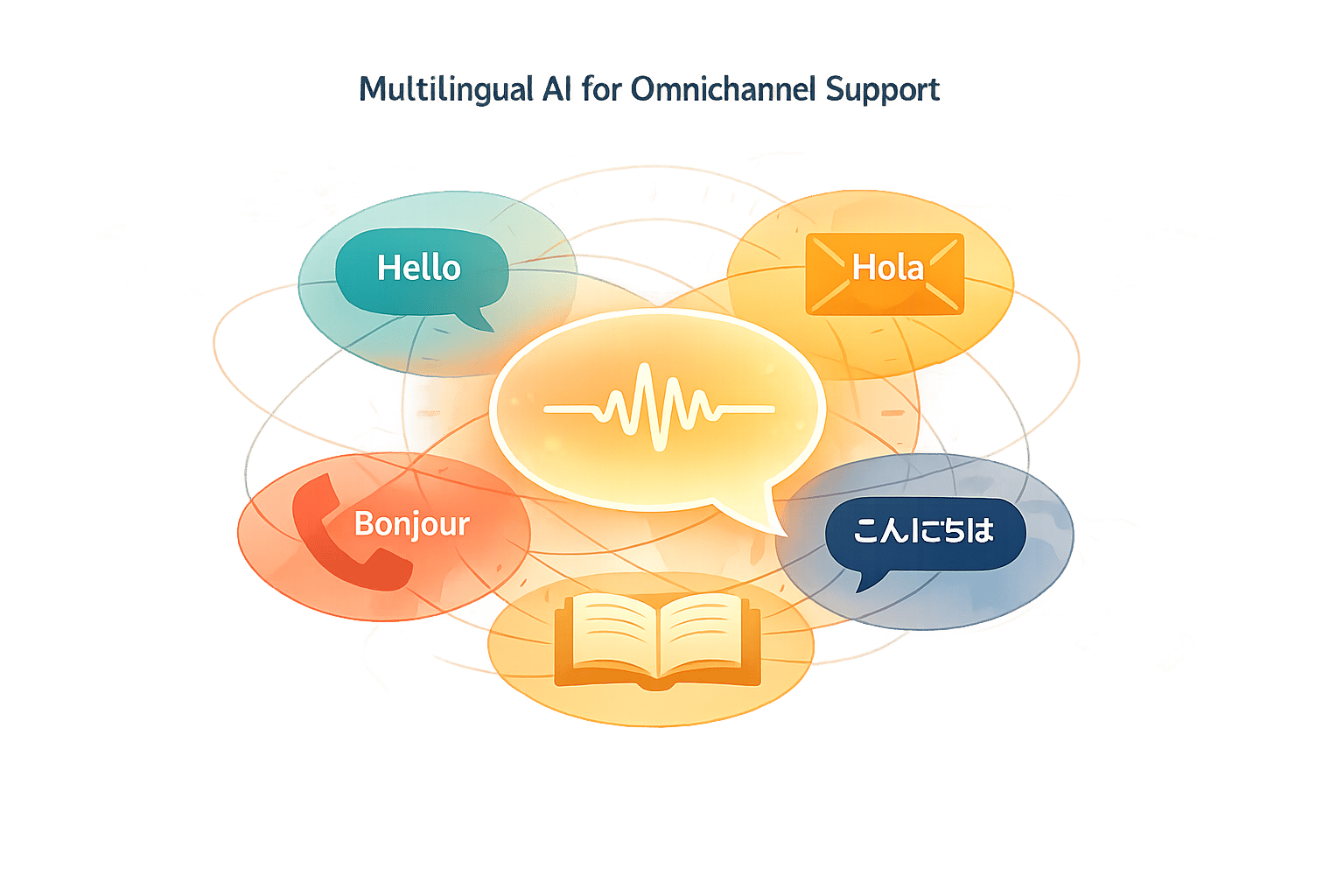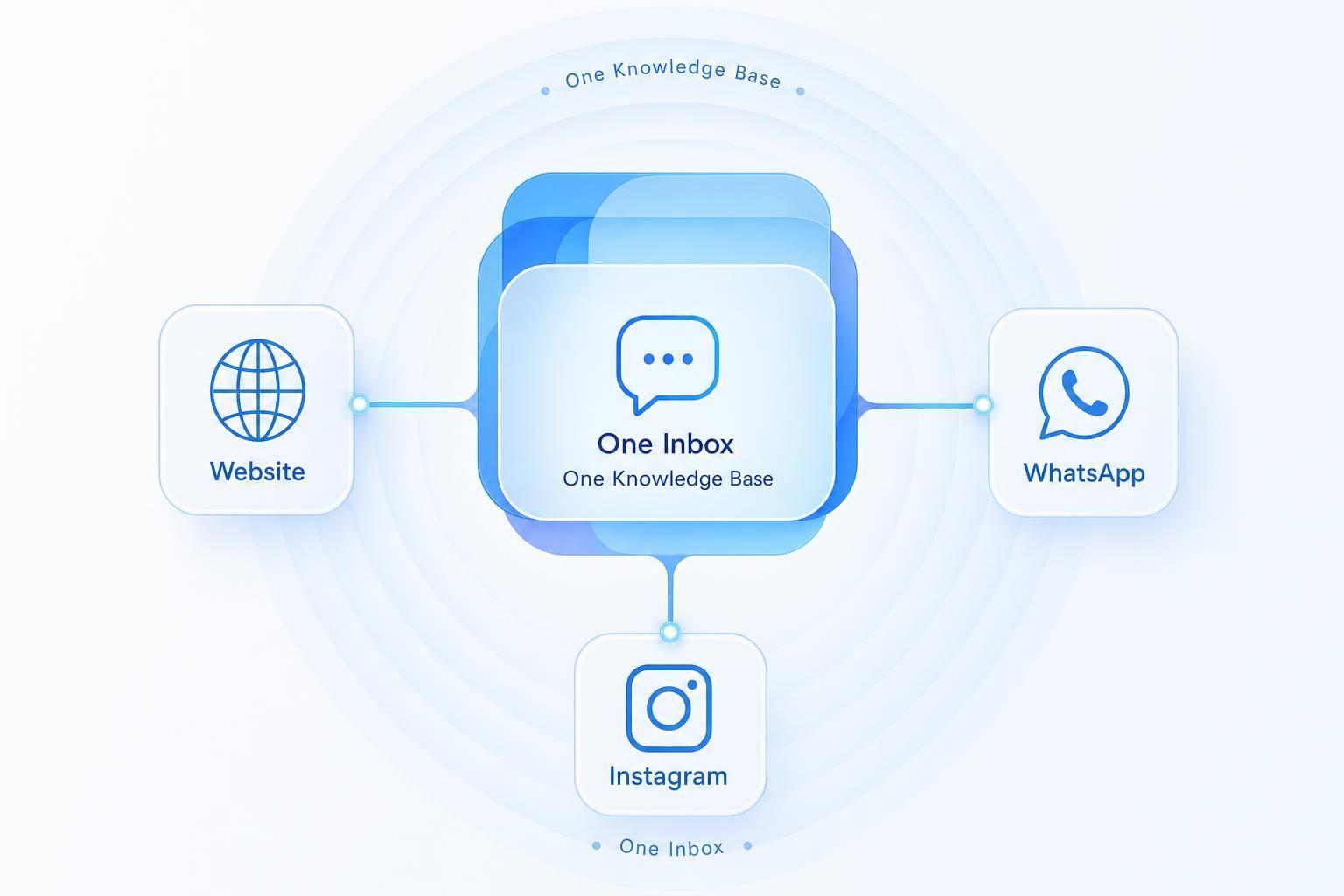
If your customer starts on Instagram and follows up on your website, they should not have to repeat the same issue. That is the core idea behind omnichannel AI support.
I’d sum up the article like this:
- Use one AI system across your website chat, WhatsApp, and Instagram DMs
- Keep one knowledge base, one inbox, and one customer record
- Start with your top 10 to 30 repeat questions from the last 30 to 90 days
- Connect your AI to tools like CRM, booking, order, and shipping systems
- Set rules for when AI should answer and how to automate customer support without losing quality when a human should step in
- Track results like response time, escalation rate, and resolved conversations
The article also points to a simple business case. AI can handle up to 80% of routine support questions and cut contact center costs by about 30%. One retail case saw replies drop from 4 hours to under 5 minutes, while missed Instagram DMs fell from 42% to under 5%.
Here’s the main difference the piece makes clear: multichannel means you show up in many places, while omnichannel means those places work as one connected support flow. That changes both the customer side and the team side.
| Support model | What it looks like |
|---|---|
| Multichannel | Separate inboxes, repeated questions, mixed answers |
| Omnichannel AI | Shared history, shared answers, one inbox, clean handoff to agents |
What matters most is not adding more channels. It is making sure your channels share the same context. That means the AI knows who the customer is, what they asked before, what order or booking they mean, and when to pass the case to a person.
So if I were putting this into one plain takeaway, it would be this: build one support system, not three disconnected chat tools.
The rest of the article walks through how to do that with a shared knowledge base, channel connections, live data sync, FAQ automation, lead handling, order and booking help, and agent handoff rules.
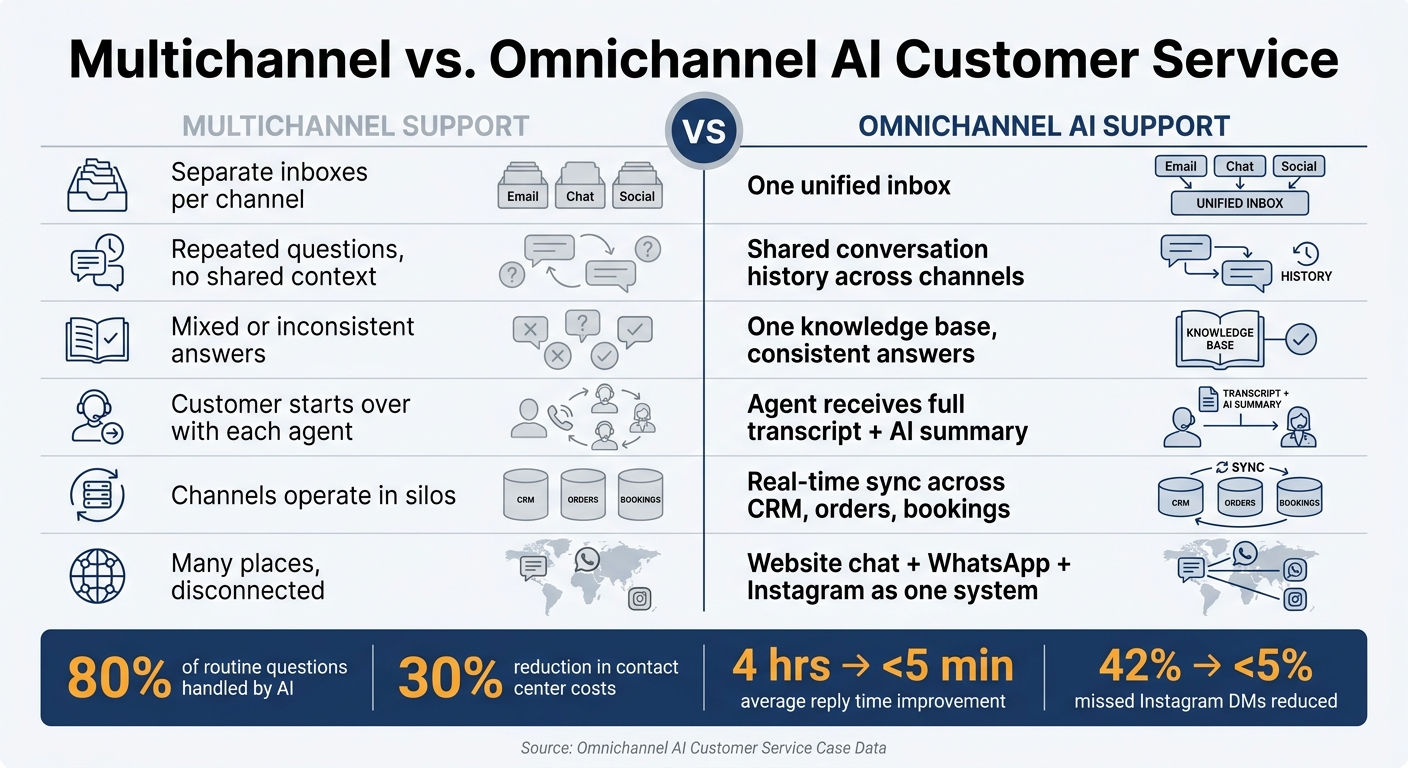
Multichannel vs Omnichannel AI Support: Key Differences at a Glance
How to Set Up One AI Support System for Website, WhatsApp, and Instagram
Set up one knowledge base, connect each channel to one workspace, then sync the business tools your team already uses.
Start With a Central Knowledge Base and Your Top Inquiry Types
Before you touch any channel settings, look at the last 30 to 90 days of support tickets, chat logs, WhatsApp messages, and Instagram DMs. You're looking for patterns, not edge cases.
Start with the top 10 to 30 repeat questions. In most businesses, that means things like:
- shipping times
- return policies
- store hours
- pricing
- booking availability
- order status
- account help
Those questions should form the base of your knowledge base.
The aim is simple: create one source of truth so customers get the same answer no matter where they ask. The core answer should stay the same across channels. What changes is the length and tone based on where the conversation happens.
Once the answer content is ready, connect every channel to the same workspace.
Connect Website Chat, WhatsApp, and Instagram to One Workspace
Each channel connects a little differently, but all of them should flow into one inbox.
Website chat usually runs through an embedded widget added with a JavaScript snippet. WhatsApp connects through the WhatsApp Business API, and outbound messages often need approved templates for certain message types. Instagram connects through DMs, where people usually expect short, fast, chat-style replies.
When all three feed into one workspace, your team stops bouncing between apps. ChatSpark brings these conversations, branding settings, and analytics into one place, so you don't end up running three separate tools for three separate channels.
After that, connect the systems that let the AI check orders, bookings, and account details live.
Sync Customer Data With Your CRM, Help Desk, and Business Tools
This setup gets much more useful when the AI can pull live customer data from the tools you already use. Good examples include Zapier for workflow automation, Square for retail and payment workflows, and Calendly for scheduling and rescheduling.
Here’s where it starts to feel like actual support instead of a glorified FAQ. If someone asks, "Can I move my appointment to Friday?", the AI can check live availability and respond with a real answer. It doesn't have to fall back on a vague "please contact us" message. That's the gap between an AI that passes the work along and one that helps finish it.
Once your channels and data sources are connected, the AI can handle FAQs, lead capture, booking requests, and human handoff.
Core AI Customer Service Workflows That Matter Most
Once your channels and tools are connected, the next step is simple: decide which workflows the AI should handle.
These core workflows usually make up most of day-to-day support volume. And they’re what turn a connected inbox into actual support automation.
Automate FAQs and Repetitive Support Requests
The best place to start is with high-volume, low-complexity requests.
These are the common questions your team sees again and again, and in many cases, the AI can answer them straight from your knowledge base without human help. On website chat, it makes sense to use more detailed answers. On WhatsApp and Instagram, shorter replies usually work better.
Capture and Qualify Leads From Conversations
AI can also help qualify leads.
When someone starts a conversation on your website, sends a WhatsApp message, or reaches out through Instagram, the AI can ask a short set of structured questions to figure out whether they’re a fit and what they need. Then it can send the main answers to your CRM, along with the lead’s source channel and contact details.
That same shared context also helps the AI resolve transactional requests, not just log them.
Handle Orders, Bookings, and Human Escalation
When order, calendar, and shipping data are connected, the AI can answer these requests with much better accuracy.
| Workflow Type | Needed Data / Integrations |
|---|---|
| FAQ Automation | Unified knowledge base (PDFs, URLs, docs) |
| Order Tracking | Shopify, ERP, shipping API such as AfterShip |
| Lead Qualification | HubSpot, Salesforce, Zapier |
| Bookings | Calendly, Google Calendar, Square Booking |
| Human Escalation | Zendesk, Freshchat, AI inbox |
If the AI can’t resolve the request, send it to a live agent. Pass along the full conversation history and all collected details so the customer doesn’t have to repeat anything.
How Context and Human Handoff Work Across Channels
Omnichannel support runs on shared context: one customer record, one conversation history, and one escalation path across your website, WhatsApp, and Instagram. That’s what separates a shared support system from a pile of disconnected channel bots.
Keep Identity, History, and Conversation State in One Record
The first job is simple in theory and messy in practice: match the customer correctly across channels.
Each customer should be tied to stable identifiers like email, phone number, WhatsApp number, and Instagram handle. So if someone starts a chat on your website and later sends a WhatsApp message about the same issue, the system knows it’s the same person and picks up where the last channel stopped.
Identity alone isn’t enough, though. The system also needs to store conversation state. That means structured data like issue type, last detected intent, order or booking reference, and workflow stage. Say a customer starts a return request on your website and follows up on Instagram two days later. The AI should already know the product, order number, and return status. No need to make the customer repeat the whole story.
Escalate to a Human Agent With Full Context and Clear Routing Rules
The second job is moving the case to a human without dropping the thread.
Clear escalation triggers matter. If the system sees repeated failed answers, frustration or negative sentiment, billing disputes, refund requests, or a direct request to speak to a person, it should hand off right away - before the experience falls apart.
When that handoff happens, the agent should get the full context package:
- the complete transcript
- the customer profile
- the issue summary
- any order or booking references
- the reason the escalation was triggered
You should also tell the customer that the next agent already has their details. That small message does a lot. It shows the handoff won’t mean starting from scratch again.
Once the agent gets the case, route it based on issue type and priority. Send billing disputes to finance, technical issues to support, and high-value customers to priority queues. That keeps the right person on the case and cuts down on repeat explanations.
| Handoff Element | Multichannel Support | Omnichannel AI Support |
|---|---|---|
| Handoff Quality | Customer starts over with each agent | Agent receives full history and AI-generated summary |
| Data Integration | Channels operate in silos | History syncs in real time |
With context and routing in place, the next step is picking the platform capabilities that support this setup.
What to Look for in an Omnichannel AI Customer Service Solution
Key Capabilities for Cross-Channel Support
A true omnichannel platform comes down to a few plain, testable capabilities. The goal is simple: your website, WhatsApp, and Instagram should work like parts of the same support system, not three separate inboxes pretending to be connected.
Use these checks during evaluation:
| Capability | What to Verify During Evaluation |
|---|---|
| Native channel support | Website chat, WhatsApp Business, and Instagram DMs are supported natively - not through fragile third-party connectors |
| Unified inbox | Agents can view, reply to, and manage all three channels from one dashboard with tags, routing, and internal notes |
| Shared knowledge base | One set of FAQs, policies, and product content powers consistent answers across every channel |
| Human handoff controls | Routing rules, queue management, SLA alerts, and full transcript transfer are all available at escalation |
| Conversation analytics and ROI reporting | Reports cover deflection rate, escalation rate, resolution time, lead capture, and channel-level performance |
| CRM and commerce integrations | Pre-built connections to your CRM, help desk, scheduling tool, and order management system |
Here’s a simple gut-check: ask for a demo where an Instagram lead moves to WhatsApp and then lands with a human agent in the help desk, with the full transcript intact. That one test tells you a lot. If anything breaks along the way, you’re probably looking at multichannel software dressed up as omnichannel support.
How ChatSpark Supports Omnichannel AI Service
ChatSpark is built around these needs in one workspace. It supports 24/7 service across website chat, WhatsApp, and Instagram in a single system, with FAQ automation, lead qualification, booking workflows, multilingual replies, and integrations for order, scheduling, and CRM data.
That matters because day-to-day work changes fast. A return policy gets updated. Routing rules need a tweak. A booking flow needs one more step. With ChatSpark, setup and day-to-day changes - including knowledge base updates, routing rules, and workflow adjustments - can be handled without engineering support. Larger teams can also keep analytics and workflow control in one dashboard instead of bouncing between tools.
Conclusion: A Clear Blueprint for AI Support Across Three Channels
Pick a platform that keeps knowledge, context, and handoff aligned across website, WhatsApp, and Instagram. Then start by automating the high-volume work first: FAQs, leads, and order questions.
When you compare tools, don’t get distracted by the longest feature list. Focus on fit. Choose the simplest plan that handles your current demand, then make sure it can grow with you as volume increases and workflows get more complex.
FAQs
How is omnichannel different from multichannel?
The main difference comes down to connection and context.
Multichannel support means a business shows up on more than one platform. That sounds good on paper. But in many cases, those channels run in silos, which means data doesn’t carry over. As a result, customers often have to repeat themselves from one interaction to the next.
Omnichannel support ties those touchpoints together into one shared experience. It keeps memory and context in place, so a customer’s history, intent, and profile follow them as they move between channels.
What should I automate first?
Start by looking at your support data. Find the questions that show up again and again at high volume, like order status, returns, and password resets. Those are usually the best first use cases for AI automation.
Then roll it out on your website first. For most businesses, that’s the channel with the most traffic, so it’s the best place to test performance and work out any rough edges. Once results are steady, expand to WhatsApp or Instagram based on your business goals.
How does AI keep context across channels?
AI keeps context across your website, WhatsApp, and Instagram through a central intelligence layer that ties every touchpoint into one customer journey.
It works through three core parts: unified identity resolution, a shared memory layer for conversation history, and CRM integration so the AI always has the latest contact details and status updates.