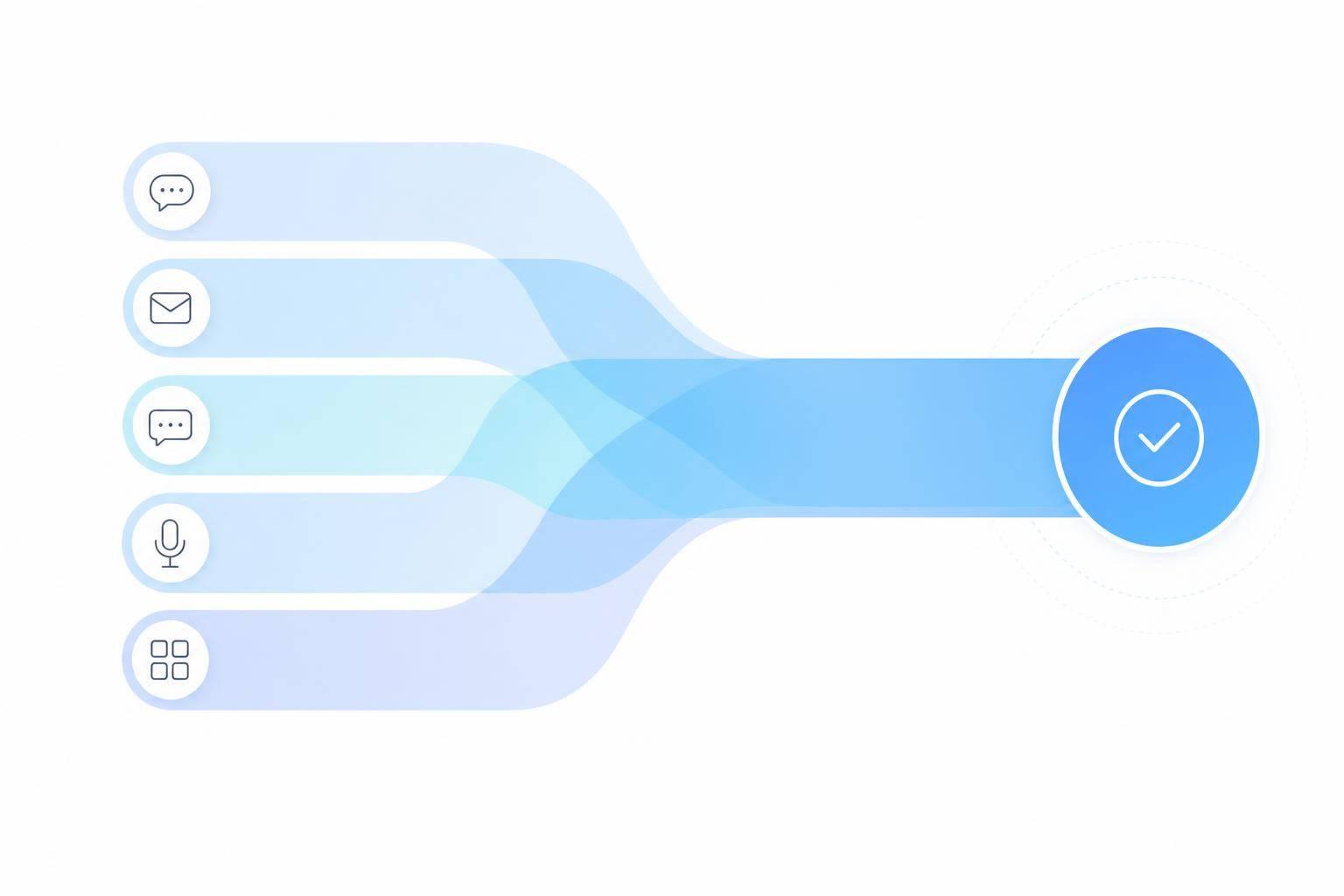
If your support resets every time a customer switches channels, you're making the customer do your job.
I see the fix as simple: use conversational AI to keep the same conversation moving across chat, mobile apps, email, SMS, social messaging, and phone support. That means fewer repeat questions, shorter handle times, and better customer scores. And with 74% of customers expecting omnichannel support, disconnected service is now a direct CX problem.
Here’s the short version:
- Multichannel means you offer many contact options
- Omnichannel means those options share context
- Conversational AI helps answer routine questions, pull live data, and pass people to agents without losing the thread
- The best places to start are FAQs, order tracking, appointment booking, and account updates
- A strong setup depends on connected systems like your CRM, help desk, knowledge base, and order data
- For many U.S. teams, the best rollout is to start with website chat or SMS, then expand after the pilot works
- Good pilot targets are often 70%–85% containment and CSAT at or above your human-only baseline
Quick comparison
| Area | What matters most | What AI does | What customers get |
|---|---|---|---|
| Website chat | Fast answers while browsing | Answers FAQs from a shared knowledge base | Help without leaving the page |
| Mobile app | Self-service for account tasks | Connects to account systems | Less friction in-app |
| Follow-up and more detailed issues | Sorts, drafts, and routes messages | Shorter reply times | |
| SMS/WhatsApp | Status updates and simple questions | Sends live updates and reminders | Help on the phone they already use |
| Social messaging | Fast replies in DMs | Answers, triages, and logs cases | Support inside social apps |
| Voice | After-hours and routine calls | Collects details and routes calls | Shorter waits and fewer repeat explanations |
What this comes down to is simple: customers do not care which channel they use. They care whether you remember them, understand the issue, and help them finish it.
What Conversational AI Means in Omnichannel Support
Conversational AI figures out what a customer wants, replies in natural language, handles routine tasks, and passes the conversation to an agent when needed - without losing the thread. It keeps context in place across each channel and every handoff.
Multichannel vs. Omnichannel Support
Having many contact options gives you multichannel support. But more channels alone don't mean the experience is connected.
Omnichannel support means those channels share context. If a customer starts on website chat, follows up by text message two hours later, and then calls to wrap things up, the experience stays connected. The next agent can see the full history.
Without that link, customers have to repeat themselves. That gets old fast and chips away at trust. Conversational AI helps tie those channels together by keeping a shared record across each touchpoint.
That shared context is what makes fast, low-friction support possible across every channel.
What Customers Expect From Connected Support
Customers expect immediate service and support that fits into what they're already doing.[1] Conversational AI helps by keeping context in place and making each channel feel like part of the same conversation, not a reset.
You can see that most clearly in chat, messaging, email, and voice. Next, we'll look at how conversational AI improves each channel in practice.
How Conversational AI Improves Each Support Channel
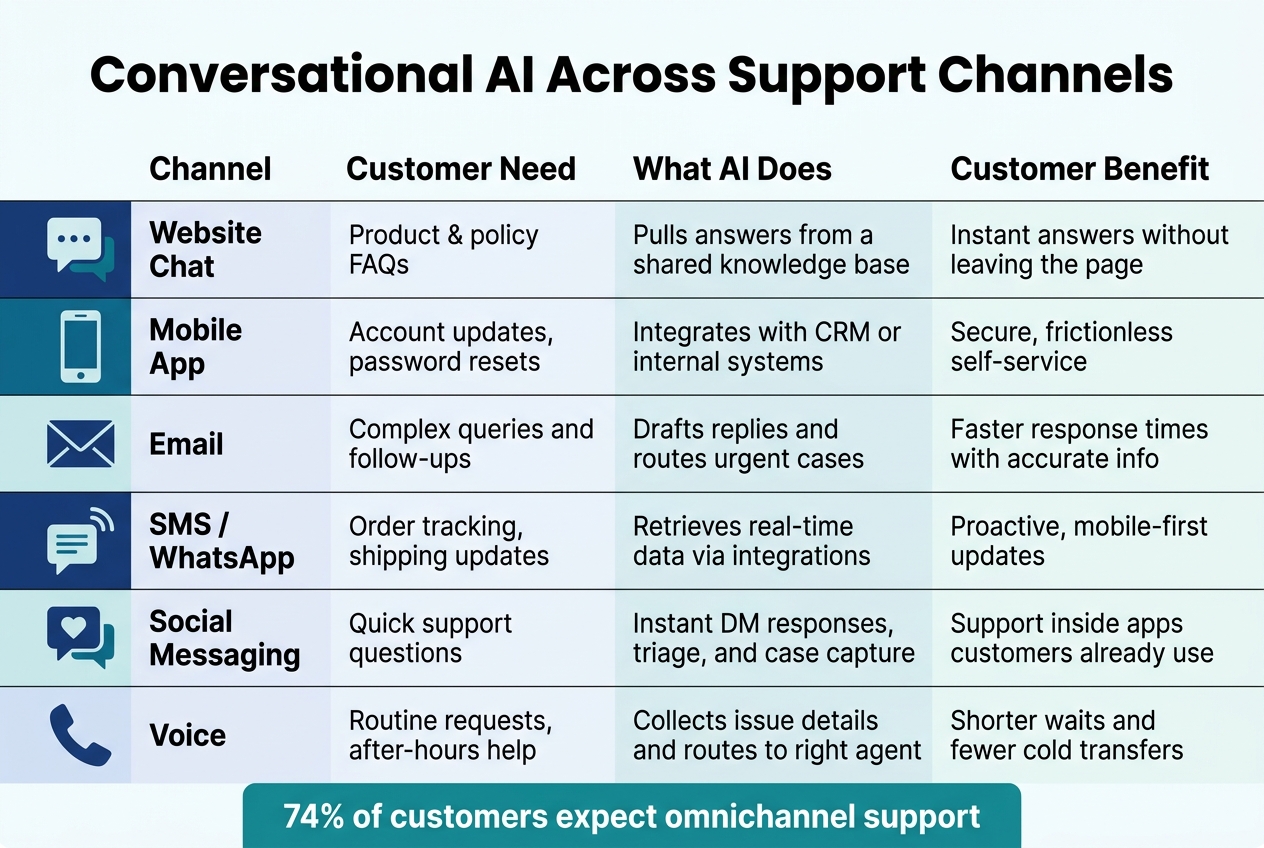
Conversational AI Across Support Channels: What It Does & What Customers Get
Across channels, the goal stays the same: handle routine requests fast without losing context. The best use cases cut back on repeat questions and carry the conversation forward, so customers don’t have to start over every time.
| Channel | Customer need | AI Action | Customer Experience Benefit |
|---|---|---|---|
| Website Chat | Product/policy FAQs | Pulls answers from a shared knowledge base | Instant answers without leaving the page |
| Mobile App | Account updates, password resets | Integrates with CRM or internal systems | Secure self-service |
| Complex queries, follow-ups | Drafts replies and routes urgent cases faster | Faster response times with accurate info | |
| SMS/WhatsApp | Order tracking, shipping updates | Retrieves real-time data via integrations | Proactive, mobile-first updates |
| Social Messaging | Quick support questions | Instant DM responses and support triage and case capture | Meets customers on the apps they already use |
| Voice | Routine requests, after-hours help | Collects the issue and routes the customer to the right agent | Shorter wait times and fewer cold transfers |
Website Chat and Mobile Apps
Website chat and mobile apps work best in high-intent moments, like when someone is on a pricing page, moving through checkout, or trying to finish an account task in-app. That’s where conversational AI can do a lot of the heavy lifting. It can greet visitors, answer product and policy questions, and pull up account details without making the customer leave the page.
It can also book appointments and reply in the customer’s preferred language, while keeping the thread of the conversation intact from the first message.
In mobile apps, that same AI can take care of account updates like password resets by connecting to internal systems. The big win here is simple: less friction, less back-and-forth, and no broken flow.
Email, SMS, and Social Messaging
These channels are built for support that doesn’t happen all at once. A customer sends a message, waits, then comes back later. If context slips, the whole thing gets messy fast.
AI helps by sorting inbound requests, drafting replies, and sending urgent cases to the right team before key details get lost.
On social platforms like Instagram and Facebook, AI can reply to direct messages right away, answer support questions, and sync contact details to a CRM. For SMS and WhatsApp, it can send order updates, reminders, and real-time tracking links straight to a customer’s phone.
Voice Support
Phone support still plays a big role, especially for routine requests and after-hours help. Conversational AI can answer common questions, gather the details that matter, and confirm the reason for the call before passing the customer to a live agent.
That handoff matters. Instead of forcing the customer to repeat the whole story, the agent gets the context upfront. The result is shorter wait times, fewer cold transfers, and a smoother call. It can also schedule appointments and help multilingual callers.
These are the highest-value routine tasks to automate first.
Customer Journeys to Automate First
Once channel-level automation is in place, the next move is deciding which customer journeys to automate first.
The best place to start is simple: high-volume, repeatable work that doesn't call for human judgment. If the same request shows up again and again, and the answer follows a clear pattern, it's a strong fit for automation.
FAQ Resolution and Order Tracking
Requests like order status and return policies are usually the easiest wins.
Why? They follow a predictable flow, and they can scale without adding support cost. When someone asks where their order is, they need a live update from your order system, not a spot in a support queue. And when they ask about return rules, conversational AI can pull the answer right away from a shared knowledge base across chat, SMS, or social messaging.
Appointment Booking and Account Updates
Scheduling and account management are also good places to begin.
These tasks often involve the same back-and-forth, and they rarely need a person to step in. When your systems are connected, customers can book, reschedule, and update account details without leaving the conversation. That means someone can move a service appointment or change billing information in the same thread, from start to finish, with no redirect and no lost context.
Handing Off to a Human Agent Without Losing Context
When a conversation needs a live agent, the customer shouldn't have to start over.
The agent should get the full conversation history, account details, and the reason for the handoff before they join. That's where these workflows either hold together or fall apart. They work best when the same context moves with the customer into the next system and the next channel.
The next step is connecting the systems that keep that context moving across the journey.
Building a Connected Experience and Rolling It Out
The Systems That Keep the Journey Connected
A smooth handoff only works when the systems behind each channel share the same customer record and the same context. In plain English, your CRM, help desk, order and account systems, scheduling tools, and knowledge base need to sync in near real time. Shared customer, ticket, and order IDs make that possible by helping the integration layer match records across tools without mix-ups.
Your CRM should store the customer profile, preferences, and interaction history. Every touchpoint needs to update that same record on its own, whether the conversation starts in chat and ends on a phone call. Your help desk handles cases and SLAs, and conversational AI should be able to create, update, and close tickets right inside that system so agents can step in with the full picture.
The knowledge base should act as the single source of truth for answers. That same approved, versioned content should feed every channel so responses stay consistent instead of drifting from one platform to the next.
Order, account, and scheduling systems also need to return live updates and send confirmations in U.S. formats. And for U.S. audiences, multilingual support should rely on separate localized knowledge bases, not machine translation.
One shared style guide helps keep tone, length, and formatting aligned across SMS, email, and voice. Once the data, knowledge, and handoff rules are set, it makes sense to move into a controlled pilot.
A Rollout Plan for US Businesses
After the data layer is connected, start with the channels and workflows most likely to show value first. The best move is usually simple: launch one workflow on one or two high-volume channels, then expand after the pilot is steady.
| Channel | Implementation Effort | Customer Demand | Speed to Value | Common US Use Cases |
|---|---|---|---|---|
| Website Chat | Low | High | Fast | FAQs, order tracking, account questions |
| Medium | High | Medium | Complex issues, follow-ups, documentation | |
| SMS | Medium | High | Fast | Order status, reminders, quick Q&A |
| Social Messaging | Medium | Medium | Medium | Pre-sales, brand engagement, simple support |
| Mobile App | High | Medium | Medium | In-app support, onboarding, feature guidance |
| Voice (IVR/Phone) | High | High | Medium | Urgent issues, complex conversations, escalation |
Once the pilot is live, review transcripts every week. This is where the rough edges show up. Look for misunderstood intents, partial answers, and repeat escalations. Those problem spots tell you where the system needs work.
Before you roll out to another channel, make sure the pilot is holding steady. A containment rate in the 70%–85% range and CSAT that matches or beats your human-only baseline are solid goals.[2]
From day one, track:
- First response time
- Containment rate
- First contact resolution
- CSAT
- Cost per contact
FAQs
How does conversational AI keep context across channels?
Conversational AI can keep the thread going across channels by using a shared memory layer and identity resolution.
Identity resolution links the same customer across platforms with details like an email address, phone number, or account ID.
The shared memory layer keeps track of conversation history, preferences, and case details in real time. That means if someone starts on a website and then switches to WhatsApp or email, the AI can pick up where things left off instead of making them repeat themselves.
What systems need to connect for omnichannel support?
For omnichannel support to work, companies need to connect every customer channel - website live chat, social messaging, mobile apps, email, and SMS - to one central system. That way, the full context stays with the customer across each touchpoint instead of getting lost every time they switch channels.
This usually means putting a few core pieces in place: a unified knowledge base, CRM and data integrations, identity resolution with shared interaction history, workflow automation, and human handoff tools so agents can see the full conversation context right away.
What should we automate first?
Start with a data audit of the last 3 to 6 months of support logs across channels. Focus on high-volume, low-complexity tasks that fit the 80/20 rule, like order status updates, password resets, return policies, or simple billing questions.
Then run a pilot for those use cases on your busiest channel, which is usually your website. That gives you a clean way to measure performance and collect feedback before you roll it out more broadly.