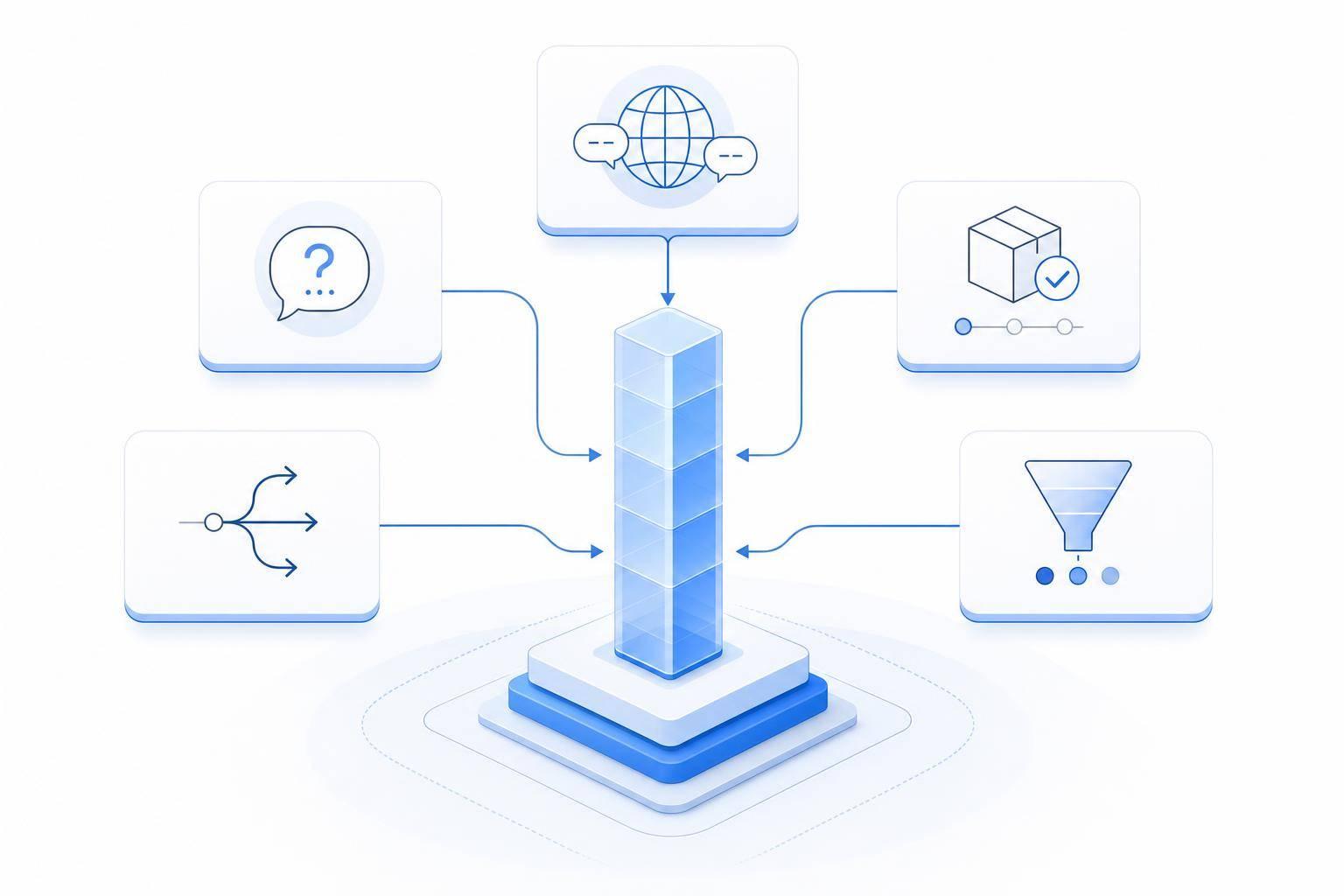
If you want the fastest payoff from AI customer service, start with high-volume, low-risk tasks. The top use cases in this article are FAQ bots, ticket routing, 24/7 multilingual support, order and account updates, and lead scoring with support analytics.
Here’s the short version:
- FAQ bots are often the easiest place to start
- Ticket routing cuts time lost in manual triage
- 24/7 and multilingual support helps cover after-hours demand and language gaps
- Order and account updates can remove a big share of repeat support tickets
- Lead scoring and analytics turn support chats into sales and product signals
- ChatSpark fits teams that want these functions in one tool across six channels and 85+ languages
A few numbers stand out:
- JetBlue reported 92% CSAT and a 25-point lift in first-contact resolution
- 20% to 30% of manually routed tickets need rerouting
- 29% of chatbot chats happen outside business hours
- WISMO requests can make up 30% to 50% of support tickets
- 90% of shoppers expect live order tracking
The main idea is simple: AI works best when it does more than deflect tickets. It should help resolve them. That usually means starting with simple questions, then adding deeper system connections where they cut the most manual work.
Quick Comparison
| Use Case | Main Goal | Setup Effort | Best For |
|---|---|---|---|
| ChatSpark | One place for support, lead intake, and analytics | Medium | Teams that want omnichannel support |
| FAQ chatbots | Deflect repeat Tier 1 questions | Low | High-volume support teams |
| Ticket routing | Send tickets to the right agent faster | Medium | Larger teams with mixed ticket types |
| 24/7 multilingual support | Cover time zones and languages | High | Global or after-hours support needs |
| Order/account updates | Handle status checks and routine actions | High | E-commerce, subscriptions, shipping-heavy teams |
| Lead scoring and analytics | Spot buying intent and repeat issues | Medium | B2B SaaS and sales-led teams |
If I were choosing where to begin, I’d look at three things first: ticket volume, system access, and the types of questions your team gets every day. For a deeper dive, see our guide to AI customer support implementation.
1. ChatSpark
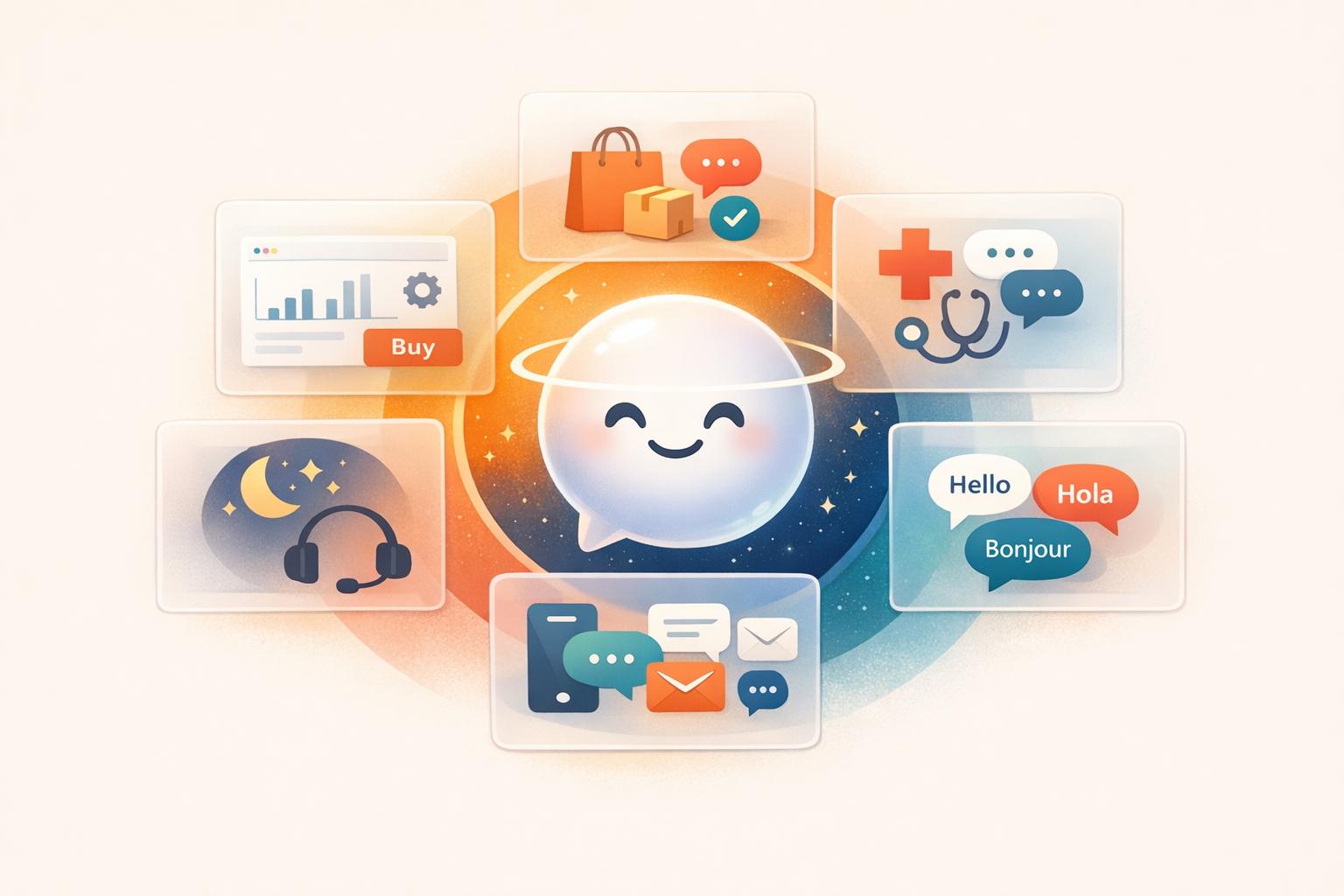
ChatSpark is a conversational AI platform built for customer service, lead capture, and analytics across six channels: website, WhatsApp, Instagram, Facebook, Telegram, and Slack. It runs 24/7 and replies in 85+ languages.
This isn't just a basic FAQ bot. It's built for live support, which is why it makes sense for the support use cases covered below.
Support Impact
ChatSpark can handle incoming questions automatically, which cuts agent workload and shortens first-response times. It tends to help most when a business deals with a lot of after-hours messages or serves customers in multiple languages.
Automation Depth
The Pro plan ($129/month) includes up to 2,000 messages/month, training on up to 500 pages of content, and access to 40+ live integrations. That includes Shopify, Salesforce, Freshchat, Calendly, and Zapier.
In plain English, that means teams can automate things like:
- order checks
- lead scoring
- common support tasks
And they can do it without adding headcount.
The platform also includes advanced analytics, with GA4 integration and ROI reports.
The Basic plan ($19/month) is aimed at simpler setups. It includes 100 messages/month, 25 pages of training data, website-only deployment, and after-chat automation through Zapier.
Best-Fit Business Profile
ChatSpark is a strong match for support-heavy businesses that want one system for customer service, lead capture, and automated follow-up. The next sections break down the use cases where those features matter most.
2. AI FAQ Chatbots and Self-Service Assistants
Support Impact
AI FAQ chatbots take pressure off support teams by handling repetitive questions before they ever hit an agent queue. Think basic account questions, return policy lookups, password resets, store hours, and simple billing issues. Those requests stack up fast, and they eat into agent time.
The big win is simple: handle high-volume, low-risk questions first. That cuts ticket volume and helps improve first-contact resolution for repeat requests.
Automation Depth
Full automation should stay limited to low-risk, repeatable questions. A simple rule works well here: if one help article solves the issue, it’s a good fit for automation.
But some cases need a person involved. Refund disputes, billing exceptions, emotionally charged complaints, and security concerns shouldn’t be left to a bot alone. That’s where human judgment still matters.
| Task | Fully Automatable? |
|---|---|
| Shipping inquiries | Yes |
| Store hours, return policy, billing FAQs | Yes |
| Password resets | Yes |
| Refund disputes / policy exceptions | Partially |
| Security concerns / sensitive complaints | Escalate to human |
Integration Needs
A FAQ bot needs one current knowledge base behind it. That usually includes help docs, FAQs, product pages, policy files, and internal manuals. Without that, answers go stale fast.
CRM and help desk integrations add another layer. They bring in customer history, live order data, ticket creation, and context-rich handoff. That’s what makes account-aware replies and smooth escalation possible.
Best-Fit Business Profile
This setup works best for businesses with heavy support volume and predictable question types. E-commerce, banking, insurance, airlines, and entrepreneurs are strong fits.
It works especially well when Tier 1 questions make up most of the support load. In that kind of setup, the bot can deflect a large share of incoming requests and give teams fast relief at scale.
3. Automated Ticket Routing and Prioritization
Support Impact
Once self-service takes care of repeat questions, the next step is simple: get every remaining ticket to the right agent fast.
When tickets land in the wrong queue, customers wait longer and agents lose time fixing the mistake. In fact, 20% to 30% of manually routed tickets need to be re-routed before they reach the right person [3]. AI routing cuts that problem off early. It classifies tickets in seconds and routes them based on intent and customer context, while manual triage usually takes 5 to 15 minutes [3].
That time gap matters. When AI triage works alongside human support, teams can improve first-contact resolution by 25% and increase CSAT by 22% [3][4].
The gains aren’t just theoretical either. Travel company Peek cut manual ticket processing time from 4 to 5 hours to just five minutes after rolling out AI routing in 2025 [2].
After speed, the next issue is control: how much triage should AI handle by itself?
Automation Depth
Most companies don’t jump straight into full automation. They start with AI-assisted triage and build from there.
The usual path has three stages:
- Assist Mode: AI suggests intent and priority, and a human confirms the decision.
- Hybrid: AI handles low-risk, repeat intents, while rules hold back sensitive cases.
- Fully Automated Triage: AI classifies, prioritizes, and assigns tickets without manual review [5][4].
This works best when routing looks at more than ticket text alone. It should also use intent, customer context, and channel data. For example, a frustrated message from a $500,000 ARR enterprise customer should not be handled the same way as that same message from a free trial user [3][4].
| Signal | Data Source | Routing Effect |
|---|---|---|
| Intent | Message body / NLP | Directs tickets to billing, tech, or sales teams |
| Sentiment | Tone analysis | Escalates frustrated customers to senior agents |
| Customer Tier | CRM | Prioritizes Enterprise/VIP accounts for faster SLAs |
| Language | Locale detection | Routes to native-speaking agents |
| Product Area | Form / URL metadata | Assigns tickets to specific product experts |
One practical rule helps here: define "urgent" in writing before you automate anything. Security issues, account deletions, legal requests, and high-value billing disputes need clear guardrails so the AI knows when to hand off right away [5][4].
Integration Needs
Automated routing is only as good as the data feeding it.
If there’s no live CRM connection, the router can’t tell the difference between a VIP account and a brand-new signup. If it can’t access order management data, it won’t know that a delayed shipment should move up the line. The routing engine needs a live view of customer value and account health, not just the words inside the ticket [3][4].
On the help desk side, the AI layer plugs into the ticketing system, reads incoming requests, and assigns them based on agent capacity, skill set, and current workload. That workload balancing plays a big part too. It keeps one agent from getting slammed while someone else has almost nothing in their queue [3].
Best-Fit Business Profile
This use case tends to pay off most for companies with high ticket volume and a mix of request types. It’s especially useful when billing issues, product bugs, shipping questions, and account requests all hit the same queue.
Fintech stands out as a strong fit. In that setting, separating routine questions from sensitive financial issues can lead to clear cost savings [1].
Routing decides who gets the ticket next. The next use case looks at what customers can solve on their own without an agent.
4. Multilingual and 24/7 Omnichannel Support
Support Impact
Routing sends tickets to the right place. Multilingual omnichannel support keeps things moving when agents are offline or when customers use another language.
When the right agent isn't available - or can't speak the customer's language - service slows down fast.
Nearly half of consumers expect 24/7 customer service, and nearly three-quarters will switch to another business after a subpar experience [6]. At the same time, 79% of contact centers interact with customers who aren't fluent in the primary language(s) offered [8]. Those are two big pressure points: limited support hours and language barriers. This is where the use case has the clearest day-to-day effect.
AI support in 85+ languages helps businesses serve customers across regions without building separate language teams for each one. That means fewer dropped chats, faster first replies, and less strain on after-hours staff. For companies serving people across time zones and languages, this isn't a nice extra. It's a core service layer.
Automation Depth
The strongest setup is a hybrid one: let AI handle routine multilingual work, then pass the rest to human agents.
AI can detect the customer's language, route the conversation to the right queue, send translated replies, and take care of low-risk requests from start to finish. Think:
- Order status
- Basic account questions
- Appointment updates
Human agents should step in for refunds, complaints, legal issues, and anything emotionally loaded.
29% of chatbot interactions happen outside regular business hours [7]. That's exactly when automation does its best work. If no agent is online, AI can either solve the issue or collect the full context for a handoff the next morning. So when the conversation picks back up, the customer doesn't have to say everything twice.
Integration Needs
Omnichannel AI works best when customer data lives in one connected view. The system needs live access to the CRM, help desk, order management system, knowledge base, and identity verification tools. Without that, it may answer general questions, but it won't be able to fix the problem itself.
It also needs to work across every channel from one system. That's what keeps conversation history in sync, whether the customer starts on chat, moves to email, or follows up somewhere else.
Best-Fit Business Profile
This use case is a strong fit for businesses with lots of after-hours tickets or plans to enter new markets. E-commerce, travel, SaaS, fintech, logistics, healthcare scheduling, and marketplace platforms are strong matches. Customers in those spaces expect fast answers, and they often reach out from different time zones and in different languages.
It's also a practical way to enter new countries without hiring local support teams on day one.
Once support works in any language and across any channel, the next gain usually comes from instant order, status, and account updates.
5. AI Order, Status, and Account Updates
Support Impact
After support is live across channels, the next choke point is usually the same old order and account questions.
Order lookups and account checks tend to drive a huge share of repeat tickets. "Where Is My Order?" (WISMO) inquiries make up 30% to 50% of all support tickets for most online stores [9][10]. On top of that, 90% of shoppers expect real-time order tracking [9].
That makes this a strong use case for AI. These questions are structured, high-volume, and usually have predictable answers. When AI handles the routine stuff, agents get more time for the messy cases that still need a person, like damaged items, lost packages, and VIP refund disputes [10][12].
Automation Depth
This only works if the assistant is plugged into live order and account systems.
With live connections, AI can share current order status, delivery estimates, return eligibility, label generation, and order updates [9][10][11]. It can also check return windows, create labels, and update the CRM on its own [11]. If a customer asks early enough, it can handle address changes or order cancellations before the item ships [11].
For basic status requests, AI can solve most cases on the spot when the live data is accurate [10].
Integration Needs
Good status and account updates depend on real-time integrations. AI should connect through live APIs to e-commerce platforms like Shopify or WooCommerce, shipping carriers such as FedEx and UPS, and the help desk system [9][10].
Static exports and manual syncs go stale fast. And when that happens, the whole experience starts to fall apart.
Identity checks matter too. Before the system shares order details or account history, it should confirm the customer’s identity instead of trusting an email address typed into chat [10]. For lookups, use read-only database access [13].
Best-Fit Business Profile
This use case is a strong match for e-commerce brands, subscription services, and any company that ships physical goods.
It works best when support teams spend a big chunk of the day answering the same post-purchase questions again and again. If status checks eat up agent time, automating them can cut ticket volume fast and shorten response times.
Once those status requests are off the queue, AI can move into higher-value work like lead qualification and support analytics.
6. Lead Qualification and AI Customer Service Analytics
Support Impact
Once self-service and routing take some pressure off support, those same conversations can start doing double duty. They don't just solve issues. They also hint at sales opportunities and product problems.
A customer asking "Can this plan support 50 users?" or "What's included in the enterprise tier?" usually isn't just making small talk. That's often buying intent. AI can spot those moments as they happen and send qualified prospects to sales without interrupting the support flow.[14][18]
Those signals can also point to churn risk, recurring pain points, and missing product features. By scanning chat logs, tickets, and call transcripts, teams can find repeat issues, watch sentiment over time, and see which problems show up most often before a customer churns or converts.[15][21] Manual ticket reviews can miss that pattern. AI can see it across the whole queue.
Automation Depth
AI can score conversations in real time and pass only high-confidence prospects to sales. Edge cases can stay with human review. For enterprise deals, custom pricing, or high-stakes accounts, a person should still check the context before anything moves forward.[14][20]
On the analytics side, AI can review every support interaction on a continuous basis, which helps teams catch rising issues earlier than manual review usually can.[15][21] So if one complaint type starts climbing, or a product issue begins to spread, the team can spot it early instead of finding out weeks later.
Integration Needs
This use case works best when AI is tied into the systems your team already uses. At a minimum, that usually means:
- A CRM like Salesforce or HubSpot to sync lead scores and opportunities
- A helpdesk platform to pull in support context
- A marketing automation tool to trigger follow-up sequences when a lead score passes a set threshold[17][19][22]
Customer identifiers like email, phone number, and account ID need to match across systems. Otherwise, the AI may connect a support chat to the wrong record - or create a duplicate instead.[19][21] When that happens, data gets split up and lead scoring gets shaky. This setup works best when lead scores feed straight into the CRM and follow-up tools.
Best-Fit Business Profile
This use case tends to work best for B2B SaaS, subscription businesses, and mid-market companies where support chats often overlap with pre-sales questions.[14][16][20] If your team keeps getting asked about plan limits, upgrade options, or feature access, some of those conversations are probably qualified leads hiding in plain sight.
It's also a better fit for teams with enough ticket and chat volume to make patterns stand out - and with clear KPIs like CSAT, first-contact resolution, and conversion rate.
How Each Use Case Compares Across Business Impact and Fit
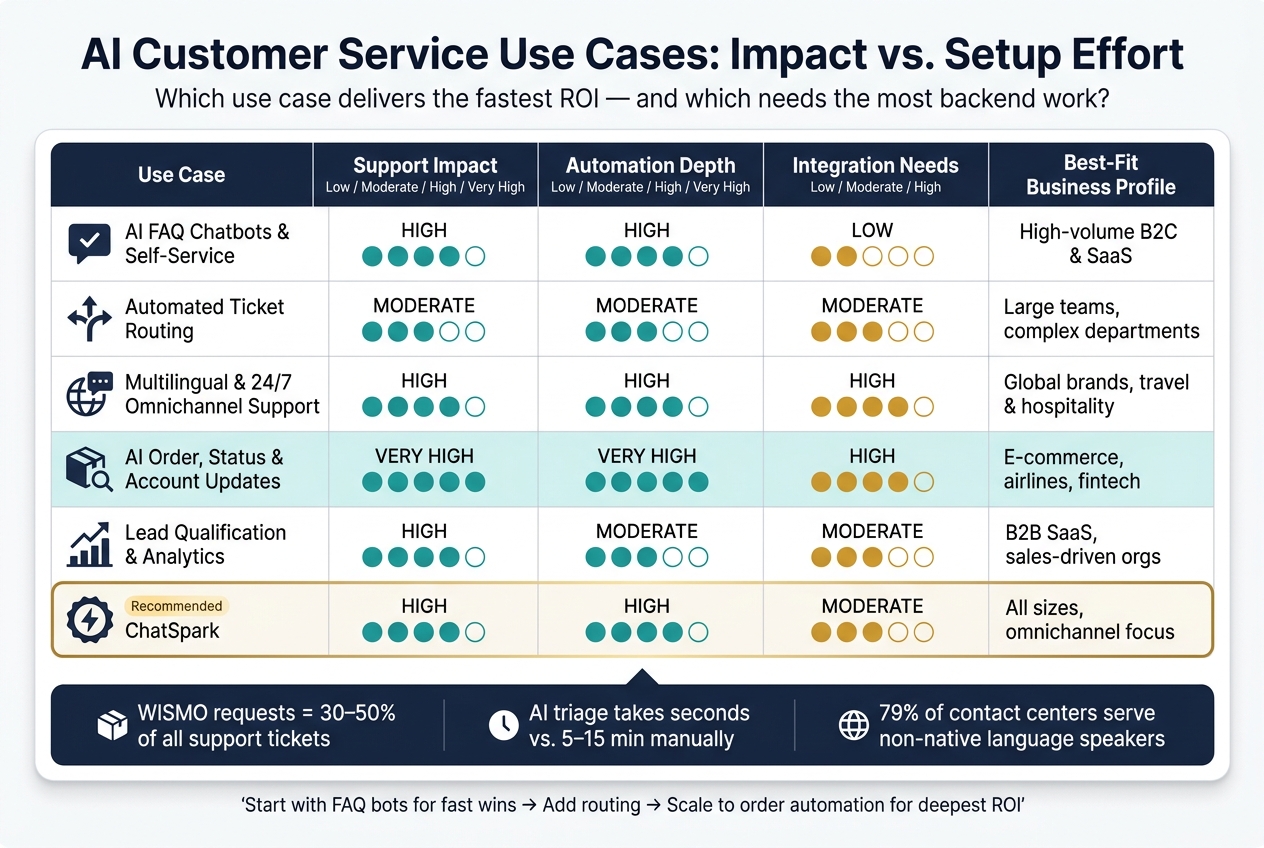
AI Customer Service Use Cases: Impact vs. Setup Effort Compared
Now that each use case is clear, the table below shows which ones tend to pay off the fastest and which ones need the most setup work.
| Use Case | Support Impact | Automation Depth | Integration Needs | Best-Fit Business Profile |
|---|---|---|---|---|
| ChatSpark | High | High - automated replies | Moderate (Zapier, APIs) | All sizes; omnichannel focus |
| AI FAQ Chatbots and Self-Service Assistants | High | High - repetitive Tier-1 questions | Low (knowledge base) | High-volume B2C and SaaS |
| Automated Ticket Routing and Prioritization | Moderate | Moderate - AI triage | Moderate (CRM, helpdesk) | Large teams; complex departments |
| Multilingual and 24/7 Omnichannel Support | High | High - language detection and handoff | High (multi-platform) | Global brands; travel and hospitality |
| AI Order, Status, and Account Updates | Very High | Very High - live lookups and updates | High (ERP, Shopify, CRM) | E-commerce, airlines, fintech |
| Lead Qualification and Analytics | High | Moderate - lead scoring and issue tagging | Moderate (CRM sync) | B2B SaaS; sales-driven orgs |
Three differences matter most here: automation depth, integration effort, and speed to value.
FAQ chatbots are usually the fastest win. They need the least setup, and in many cases, a knowledge base is enough to get started. That makes them a strong fit for teams that want results without a long build-out.
Order and status updates sit at the other end of the spectrum. They offer the deepest automation, but they also need the most backend work. You’re connecting systems like ERP platforms, billing tools, Shopify, and shipping APIs, so the lift is heavier.
ChatSpark lands in the middle in a useful way. It fits teams that want one platform for 24/7 support, lead capture, and multilingual coverage without piecing together a bunch of separate tools.
The next section breaks down the trade-offs behind each option.
Pros and Cons of Each AI Customer Service Use Case
The trade-off is pretty straightforward: some use cases are quick wins, while others ask for heavier integration work. In most cases, the fastest gains come from simple, high-volume tasks. The biggest payoff, though, usually comes when the system connects deeply with your tools and data.
Here’s how each use case stacks up in terms of upside, downside, and setup effort.
| Use Case | Pros | Cons |
|---|---|---|
| AI FAQ Chatbots and Self-Service Assistants | Fast deployment; low-cost deflection of Tier 1 tickets | Cannot handle complex judgment calls or sensitive situations |
| Automated Ticket Routing and Prioritization | Cuts triage time and improves queue assignment | Needs clean historical data; misroutes increase when customer intent is ambiguous |
| Multilingual and 24/7 Omnichannel Support | Expands coverage without adding local support teams; keeps replies consistent | May miss regional slang or cultural nuance; matching customers across channels can still break handoffs |
| AI Order, Status, and Account Updates | Strong automation depth; directly reduces ticket volume | Hardest to implement; requires deep API connections before it can go live |
| Lead Qualification and AI Customer Service Analytics | Turns support conversations into revenue and insight signals | Depends on clean CRM data; human review is still needed |
Put simply, easy-to-launch tools like FAQ chatbots can start helping fast, but they have clear limits. On the other hand, use cases like order updates and account actions can cut a lot more support work, but they take more time, system access, and coordination to set up.
That’s why the right choice depends less on hype and more on fit. Enterprises dealing with heavy ticket volume may start with deflection and routing. A business with mature systems and clean data may get more out of deeper automation.
Conclusion
The best use case comes down to one thing: where AI can cut the most volume, delay, or manual work. The way to judge that is pretty simple - look at request volume, integration depth, and the effect on the customer experience. In most cases, that makes simple, high-volume requests the best place to begin. For many organizations, FAQ automation is the default first step because it can often handle most routine inquiries with very little integration work [23][24][25].
After that, the right next move depends on your biggest pain point. If your main issue is volume, routing usually makes sense next. If the problem is geography or language coverage, 24/7 omnichannel support is the better next step. Both routing and omnichannel support sit in the middle ground: more advanced than quick FAQ wins, but lighter than deep backend automation. Businesses that connect AI to backend workflows can drive deeper ROI through order and status automation.
The big difference is integration. AI can deflect questions, but connected AI resolves them. As these use cases mature, the payoff shifts away from deflection alone and toward end-to-end resolution.
ChatSpark matters more as volume climbs and use cases spread across the business. It works best when a company needs one system for 24/7 support, multilingual service, and automated follow-through across channels - leading to lower cost, faster resolution, and a better customer experience. The best AI customer service deployments don't just deflect tickets. They resolve them.
FAQs
Which AI use case should I start with?
Start with high-volume, routine interactions that follow clear resolution paths. These are the cases where your business rules are already set, and AI can use your knowledge base to deliver fast, accurate answers.
Good early use cases include FAQs like password resets, order tracking, and store hours. That helps cut support volume and wait times, while giving human agents more room to deal with complex or sensitive issues.
What tasks should always go to a human?
Human agents should step in when a case calls for empathy, careful judgment, or problem-solving that goes past standard business policies.
That usually means emotionally charged situations, legal or regulatory matters, possible fraud, complex billing or policy disputes with no clear rule to follow, and repeat escalations where the customer is already frustrated.
What integrations matter most for AI support?
The most important integrations connect your AI to the tools you already use. That way, it can do more than answer FAQs. It can help solve issues from start to finish.
Here’s where those integrations usually matter most:
- CRM tools for customer data and updates
- E-commerce and fulfillment platforms for orders, refunds, and subscriptions
- Knowledge bases, help desks, and internal wikis for accurate answers
- Connectors or native APIs to keep context across channels