AI customer support software is transforming how businesses handle customer inquiries. It uses tools like Natural Language Processing (NLP) and Machine Learning (ML) to provide fast, accurate responses, reducing wait times and improving efficiency. Modern systems can understand context, manage multi-step conversations, and even perform tasks like processing refunds or updating orders without human involvement.
Here’s what you’ll learn in this guide:
- What to Look For: Features like context retention, sentiment analysis, and omnichannel support ensure smooth and consistent customer interactions.
- Why It Matters: AI operates 24/7, handles unlimited queries, and reduces response times to as little as 30 seconds.
- How to Choose: Start by identifying your business goals, evaluate software functionality, and consider costs like setup and integration.
- Scaling and Improvement: Use analytics to refine performance and expand support as your business grows.
Businesses using AI tools like ChatSpark have significantly reduced costs and improved customer satisfaction. Whether you’re automating repetitive tasks without losing quality or expanding to new support channels, AI is a practical solution for scaling customer service effectively.
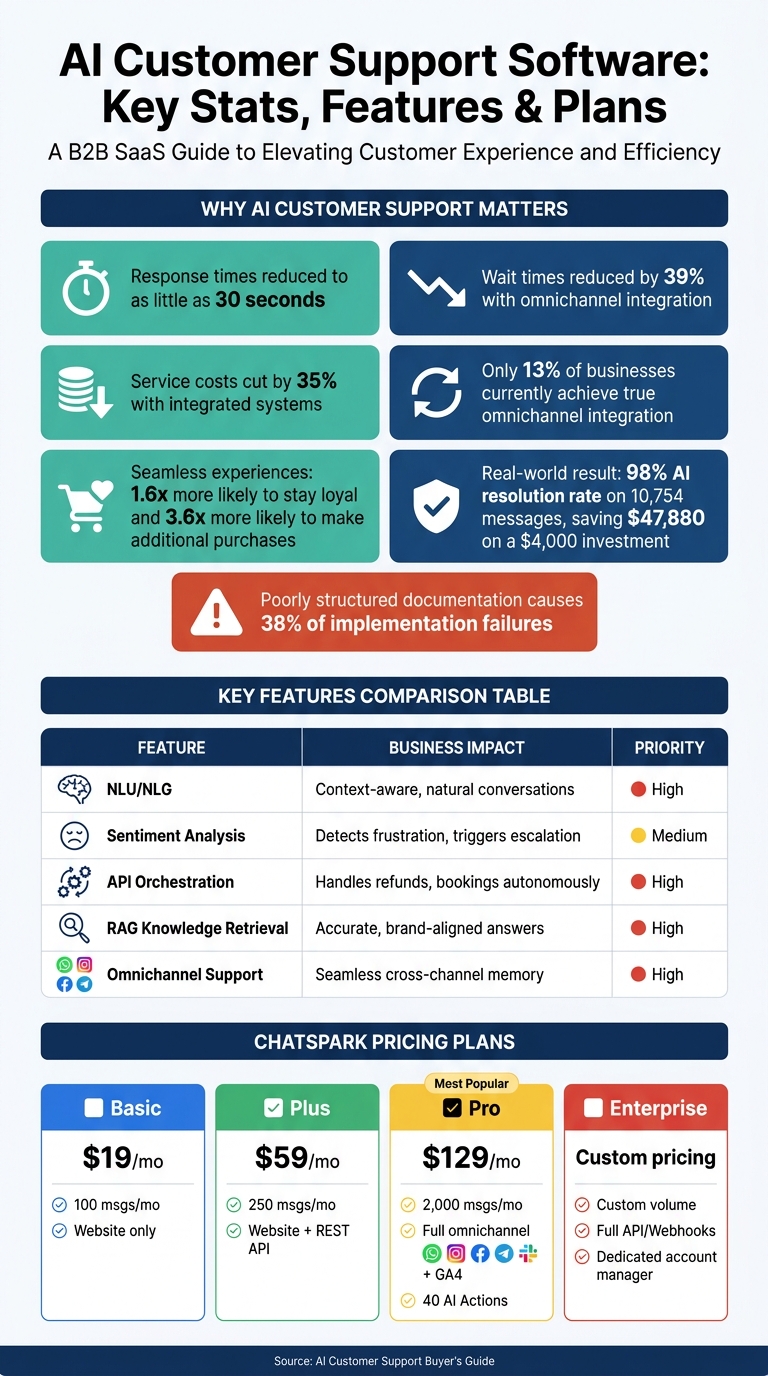
AI Customer Support Software: Plans, Features & Key Stats at a Glance
Key Features to Look for in AI Customer Support Software
AI support platforms come with a variety of features, but the real focus should be on tools that directly improve the customer experience.
Conversational AI and Natural Language Understanding
The effectiveness of a conversation often hinges on how well the AI interprets a customer's query. Features like Natural Language Understanding (NLU) allow the software to grasp the intent behind a message rather than just matching keywords. For example, if a customer types, "my package cannot locate", the AI should recognize this as a tracking issue, not a literal search for the package.
Another important aspect is context retention. This ensures the AI remembers previous parts of a conversation, so customers aren't forced to repeat themselves. Paired with sentiment analysis, the system can detect frustration and escalate the issue to a human agent when necessary.
| Feature | Business Impact | Priority |
|---|---|---|
| NLU/NLG | Enables context-aware, natural conversations | High |
| Sentiment Analysis | Identifies frustration to trigger human intervention | Medium |
| API Orchestration | Allows AI to handle tasks like refunds or bookings | High |
But language understanding is just one piece of the puzzle - access to accurate and relevant information is equally crucial.
Knowledge Management and Retrieval
An AI system is only as effective as the knowledge it can access. By using Retrieval-Augmented Generation (RAG), the AI can tap into your existing resources, such as FAQs and policy documents, to provide accurate and consistent answers aligned with your brand.
Additionally, advanced semantic search ensures the AI understands what the customer means, even if their query includes typos or casual language. This reduces the likelihood of incorrect or irrelevant responses, keeping interactions smooth and efficient.
Omnichannel Support and Consistency
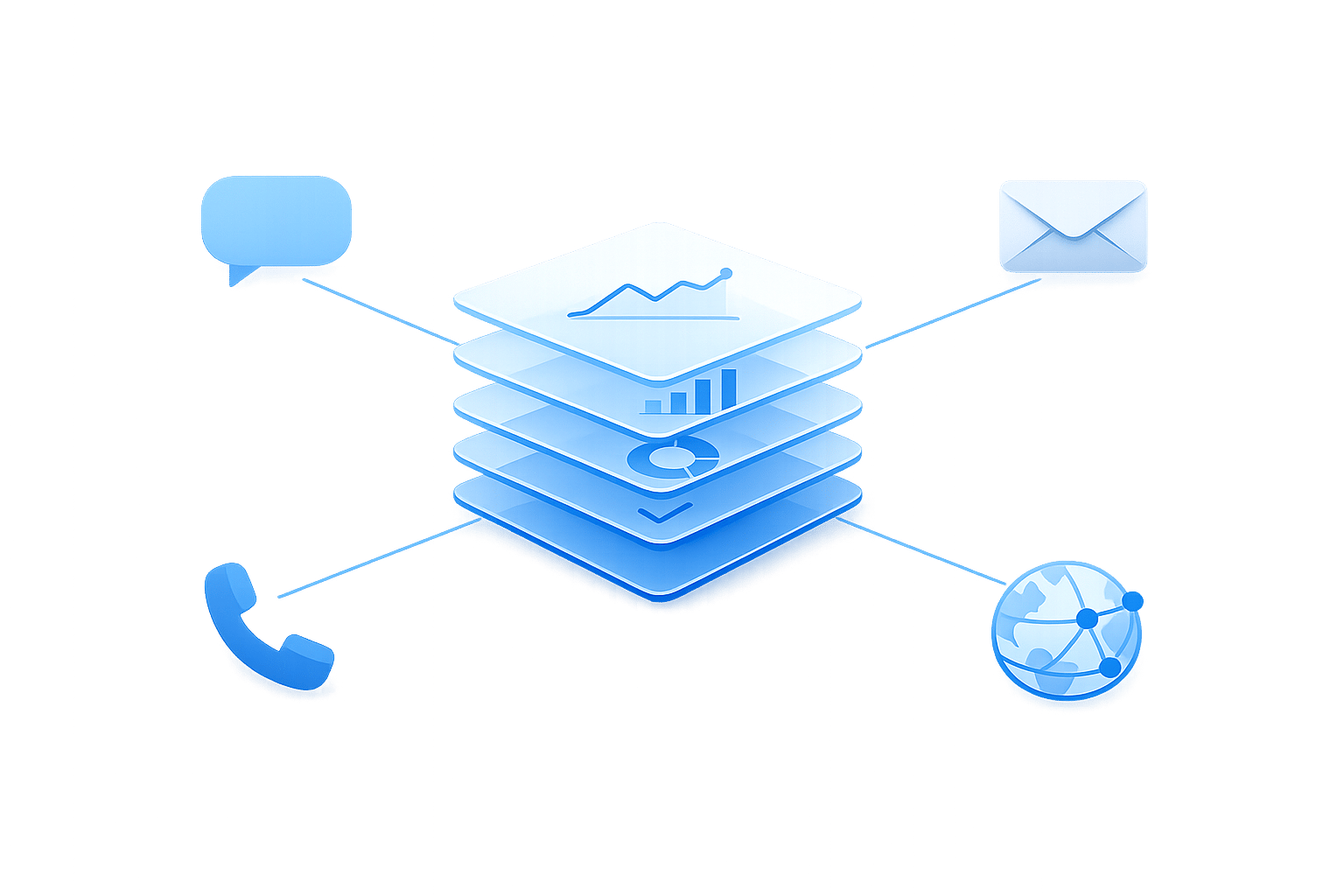
Customers often reach out through multiple channels - starting on your website, following up via SMS, or messaging on social media. If each channel operates in isolation, customers may have to repeat their information, leading to frustration.
With true omnichannel support, the AI maintains a shared memory across all platforms, creating a seamless conversation no matter how the customer interacts. However, only 13% of businesses currently achieve this level of integration [1]. For the rest, the lack of context can lead to disjointed experiences.
The advantages of omnichannel tools are clear. Integrated systems can reduce wait times by 39% and cut service costs by 35% [1]. Plus, customers who enjoy smooth, consistent interactions across channels are 1.6x more likely to remain loyal and 3.6x more likely to make additional purchases [1]. This kind of seamless integration is key for delivering scalable and satisfying customer support.
How to Evaluate and Choose the Right Software
Defining Business Goals and Use Cases
Start by identifying exactly what you want the software to achieve. Are you aiming to reduce first-response times, automate repetitive tasks, or expand support to channels like SMS and social media? The clearer your goals, the easier it will be to filter through the available options.
Take a close look at your support tickets to uncover patterns. If a large portion involves repetitive inquiries, automation might be the perfect fit. On the other hand, if many requests require human judgment, consider a hybrid approach where AI manages initial interactions and then escalates complex issues to human agents.
Once you've nailed down your objectives, focus on how well each platform can deliver on those specific outcomes.
Functional and Technical Evaluation
With your goals in mind, it’s time to see how each platform performs in practice. Pay close attention to the difference between resolution and deflection. Deflection happens when the AI sends a customer to a help article, leaving them to figure it out themselves. Resolution, however, means the AI takes care of the entire task - whether that’s issuing a refund, updating an address, or resetting a password. Platforms that deliver true resolution bring more value than those that rely heavily on deflection [2].
You’ll also need to check how seamlessly the software integrates with your existing systems. Ask vendors for a trial or sandbox environment so you can test real-world scenarios instead of relying solely on their polished demos.
After confirming functionality and integration, turn your attention to pricing to ensure the investment aligns with your budget.
Pricing and Total Cost of Ownership
Pricing structures can vary widely, so don’t just focus on the headline monthly fee. Explore different models, such as per-agent, per-conversation, or tiered usage pricing. For example, a flat per-conversation model might make scaling easier since costs aren’t tied to the number of agents you have [2].
To get a true sense of the total cost, factor in setup time, integration expenses, model training, and any costs related to human escalations. A plan that looks affordable at $29 per month could become much pricier once you include add-ons or hit usage limits. Always run the numbers to ensure the software fits within your financial plans.
How to Set Up and Scale with ChatSpark
Setting Up ChatSpark for Your Business
Start by connecting your knowledge sources - things like product documentation, FAQs, help center articles, and internal policies. The Pro plan allows up to 500 training pages, which should cover the majority of support scenarios for mid-sized businesses. Once that’s done, configure your brand voice. You can define tone and language preferences so the AI communicates in a way that matches your team’s style.
After setting up the basics, integrate your customer support channels to expand your reach.
Omnichannel Integration with ChatSpark
ChatSpark makes it easy to connect with customers across multiple channels. It supports integration with websites, WhatsApp Business, Facebook Messenger, Instagram DMs, Telegram, and Slack - all from a single platform.
The channels you can access depend on your plan. Here’s a breakdown:
| Plan | Monthly Price | Messages/Month | Channels Available |
|---|---|---|---|
| Basic | $19 | 100 | Website only |
| Plus | $59 | 250 | Website + REST API |
| Pro | $129 | 2,000 | Full omnichannel (WhatsApp, Instagram, etc.) |
| Enterprise | Custom | Custom | Full API/Webhooks + dedicated account manager |
If you need full omnichannel coverage, the Pro plan at $129/month is your starting point. This plan also includes 40 AI Actions - automated workflows that allow the bot to handle tasks like booking appointments or managing simple requests without human intervention.
Using ChatSpark Analytics to Improve Performance
Once your bot is live and your channels are connected, it’s time to focus on analytics for ongoing improvement. ChatSpark’s built-in analytics tools track key metrics like resolution rates, message volume, and customer satisfaction. If you're on the Pro plan, you also get Google Analytics 4 (GA4) integration, which links your support interactions to overall website behavior and conversions.
During the first month, review your analytics weekly. Pay close attention to conversations where the bot either handed off to a human or failed to provide a complete answer. These instances highlight areas where your knowledge base or workflows might need updates. Over time, this feedback loop helps refine the AI, reducing your team’s workload and improving the customer experience.
Tracking Results and Improving Over Time
Key Metrics to Track
Keeping an eye on the right metrics is essential for evaluating how well your AI support system is performing. It not only keeps your team focused but also helps demonstrate the value of your investment to stakeholders. To simplify this, you can group metrics into three primary categories:
| Category | Key Metric | What It Tells You |
|---|---|---|
| Operational | First response time, resolution time | How quickly customers receive help |
| Financial | Cost per ticket, deflection rate | The cost savings generated by automation |
| Experience | CSAT score, NPS | How customers feel about the support provided |
One particularly insightful metric is the deflection rate, which shows the percentage of tickets resolved entirely by AI. A high deflection rate means your knowledge base is solid and your workflows are efficient. On the other hand, a low rate could indicate gaps in your system, such as unresolved customer inquiries. Use these insights to tweak workflows and fine-tune your support strategy.
Building a Continuous Improvement Process
Metrics are only useful when they lead to action. Set up a regular review process - weekly during the first 90 days, then monthly - to analyze your support data. Pay special attention to cases where the AI escalated issues to a human or provided incomplete answers. These interactions can highlight areas where your system needs improvement.
Customer feedback is another goldmine of information. Quick post-chat surveys asking, "Was your issue resolved?" can provide immediate insights into customer satisfaction. If you notice recurring feedback, like repeated questions about a specific policy, don’t wait for the next scheduled review. Update your knowledge base right away. This proactive approach can boost resolution rates and reduce support costs within 6–12 months.
Scaling AI Support as Your Business Grows
As your business expands, your AI support system should grow with it. Use analytics to guide updates and ensure your AI stays aligned with your evolving needs. For example, if you’re launching a new product, updating your training data should be part of your plan. Similarly, expanding into a new market is much easier with ChatSpark’s support for over 85 languages, eliminating the need for separate support teams.
When it comes to adding new support channels, take a strategic approach. If you’re on the Pro plan, you already have access to omnichannel tools like WhatsApp, Instagram, and Facebook. Start by identifying where your customers are most active and roll out additional channels selectively. Monitor their performance closely during the early stages to ensure they meet expectations.
If your business outgrows its current plan, upgrading to the Enterprise option can provide the flexibility you need. This plan includes features like custom message volumes, more integrations, and dedicated account management, allowing you to handle increasing support demands and create more tailored workflows as your operation scales.
Conclusion
Final Thoughts on Choosing AI Customer Support Software
Selecting the right AI customer support software isn’t about chasing the latest tech buzz - it’s about finding a solution that addresses your specific challenges. The companies that see the best results with AI start with a clear purpose, whether that’s speeding up response times, lowering ticket volumes, or scaling operations without increasing staff.
A few key principles guide this process. For instance, poorly structured documentation contributes to 38% of implementation failures. A balanced approach, where AI handles repetitive queries and human agents focus on complex or sensitive issues, ensures smoother operations. Plus, regularly reviewing failed interactions helps fine-tune the system, turning mediocre setups into high-performing ones.
One standout example of thoughtful implementation comes from a global construction products company. In late 2025, they introduced ChatSpark for one of their flagship brands. Over four months, the system managed 10,754 messages with an impressive 98% AI resolution rate, saving $47,880 on an initial $4,000 investment. This kind of success stems from careful planning and ongoing optimization.
ChatSpark also offers pricing options to suit businesses of all sizes. Plans start at $19/month for solo entrepreneurs and scale up to $499+/month for larger teams, ensuring there’s an entry point for everyone. Begin with what fits your current needs, track your performance metrics, and scale up when the data supports it.
The move toward AI-powered support is already in motion. Businesses that approach it thoughtfully - aligning software with their goals, maintaining strong knowledge bases, and committing to regular improvements - will be the ones to achieve long-term success.
FAQs
How do I know if I need AI support or a hybrid approach?
To figure out what kind of support you need, start by looking at how complicated your inquiries are. AI shines when it comes to handling high-volume, repetitive tasks like tracking orders or answering FAQs. In fact, it can manage up to 80% of routine questions quickly and effectively. For more complex or sensitive issues, a hybrid approach works best. This means using AI for the straightforward stuff while leaving the more nuanced cases - those that require empathy and human judgment - to skilled agents.
What should I test in a trial before buying?
To get the most out of a trial, work with real production data to see how the AI performs in real-world scenarios. Test its ability to handle multi-turn conversations and manage tricky edge cases effectively. Pay close attention to metrics like deflection rates, customer satisfaction scores, and the accuracy of sentiment analysis. Lastly, confirm that the software integrates smoothly with your existing systems and aligns with your technical and compliance needs.
What costs should I budget beyond the monthly price?
In addition to your monthly subscription, you’ll need to set aside time to fine-tune the system. Plan to dedicate 8–12 hours per week during the first 90 days to adjust AI responses and keep your knowledge base up to date. If your business handles a high volume of inquiries or operates across multiple channels (like your website and WhatsApp), it’s worth considering extra funds for additional agent slots to handle the increased demand effectively.