AI tools are transforming customer service in 2026, helping businesses automate customer support without losing quality, cutting costs and speeding up response times. The global market for AI customer service is projected to reach $15.12 billion this year, with AI managing up to 80% of routine interactions. Companies like Klarna and HelloSugar have already seen massive efficiency gains, such as reducing resolution times by minutes and saving millions annually.
Here are the top tools businesses are leveraging:
- ChatSpark: Affordable, multilingual, and easy to integrate. Handles 80% of inquiries with plans starting at $19/month.
- Zendesk AI: Enterprise-ready with omnichannel support and advanced automation, costing $1 per automated resolution.
- Freshdesk AI: Tailored for small to mid-sized businesses with prebuilt workflows and AI add-ons starting at $29/month.
Each platform offers unique strengths, from ChatSpark's low-cost multilingual support to Zendesk's enterprise-grade integrations and Freshdesk's tailored workflows for specific industries. Regularly updated knowledge bases are critical for all tools to ensure accuracy and reliability.
Quick Comparison:
| Feature | ChatSpark | Zendesk AI | Freshdesk AI |
|---|---|---|---|
| Starting Price | $19/month | $55/agent/month + $1/resolution | $29/agent/month |
| Multilingual Support | 95+ languages | Yes | Yes |
| Integration Options | 40+ platforms | 1,800+ apps | 1,000+ apps |
| AI Features | Task automation, REST API | Agent Copilot, MCP | Freddy AI Agent, Insights |
| Best For | Small businesses | Enterprises | Small to mid-sized businesses |
Choosing the right tool depends on your business size, budget, and customer support needs. Each platform delivers measurable results, but careful evaluation of pricing and features is key to maximizing ROI.
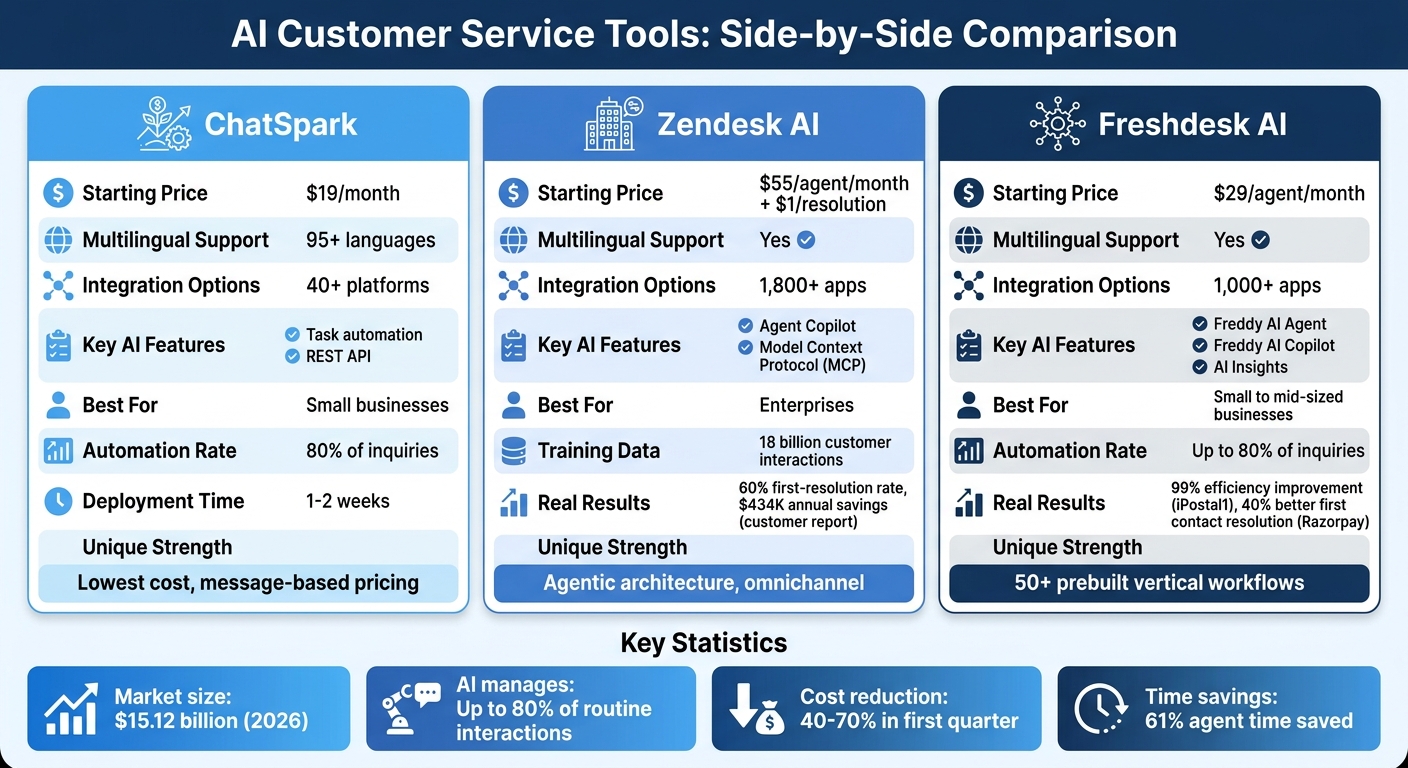
AI Customer Service Tools Comparison: ChatSpark vs Zendesk AI vs Freshdesk AI
1. ChatSpark
Core Features
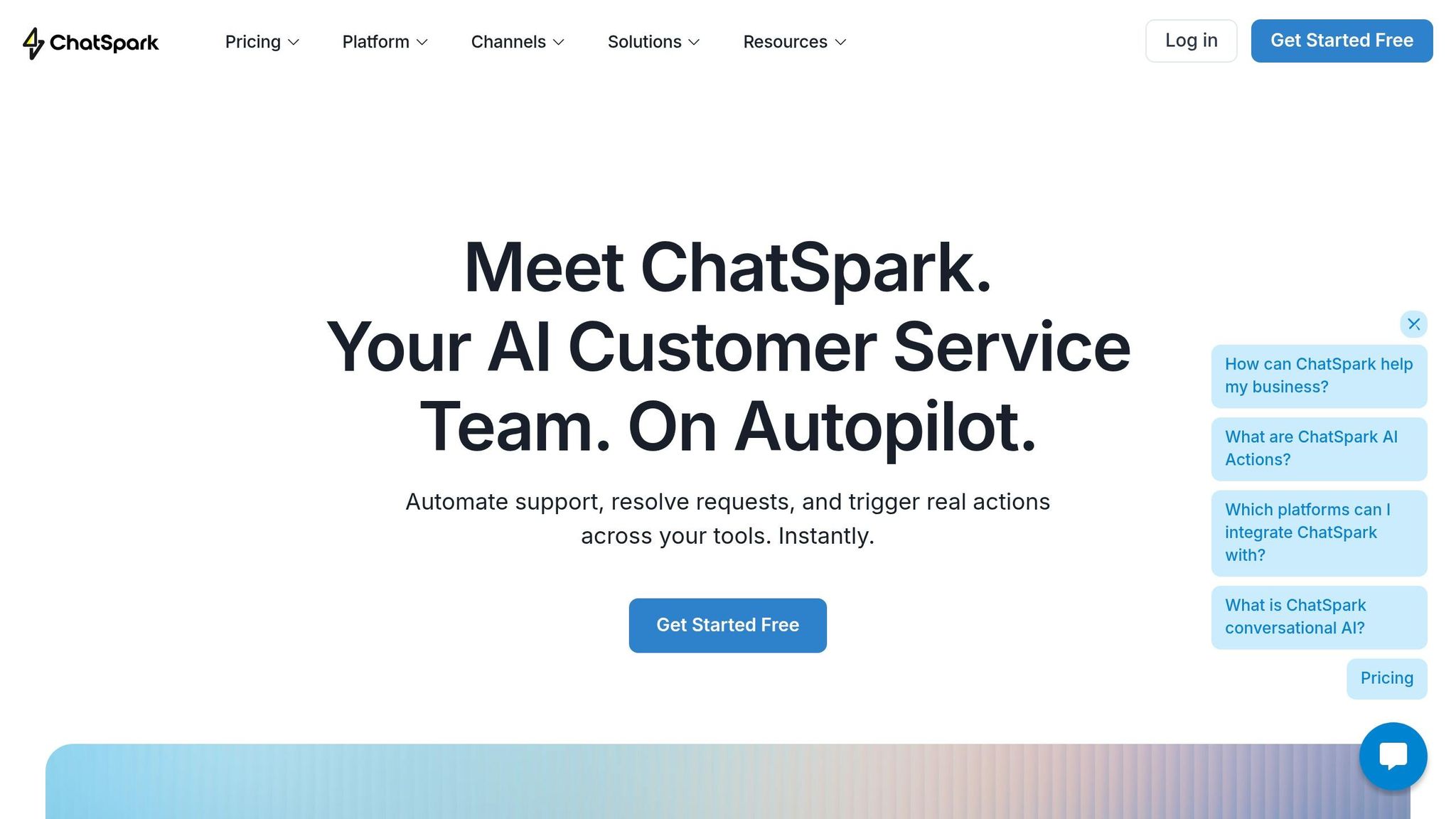
ChatSpark stands out with its AI Actions feature, which allows the platform to perform tasks like checking order statuses, booking appointments, and updating CRM records across more than 40 platforms [4][5]. It supports over 95 languages, eliminating the need for separate localized support teams [4][5]. The platform is available on six different channels - Website, WhatsApp, Instagram, Facebook Messenger, Telegram, and Slack - while maintaining a consistent brand voice across all interactions [4][5].
"The chatbots created with ChatSpark have helped decrease our customer service load. They handle first-level questions and simple issues automatically, allowing our team to focus on more complex tasks." - Ivan M., G2 Reviewer [5]
Pricing and Scalability
ChatSpark offers four pricing options to suit different needs:
- Basic plan: $19/month for 100 messages
- Plus plan: $59/month for 250 messages and 5 AI Actions
- Pro plan: $129/month for 2,000 messages, 40 AI Actions, and support for all six channels
- Enterprise plan: Custom pricing with unlimited AI Actions and a dedicated account manager
The platform is designed to handle over 80% of customer inquiries automatically, reducing labor costs considerably through AI customer support implementation. Users on G2 highlight its ease of training, high response accuracy, and ability to scale chat volumes without the need for additional staff [5].
Integration Capabilities
ChatSpark takes integration to the next level with its REST API Connector, allowing seamless connections between its AI agents and internal APIs, legacy systems, or third-party services. The customer service automation no-code setup simplifies the process - users only need to provide a base URL, authentication details, and a JSON definition of endpoints. This eliminates the need for custom engineering or middleware. The AI uses dynamic parameters from customer conversations to autonomously execute "Call Endpoint" actions. Key applications include:
- Retrieving order details
- Checking real-time inventory
- Accessing subscription information from custom backends
This advanced feature is exclusive to the Enterprise plan and supports API key headers, Bearer tokens, and Basic authentication [6].
Real-World Benefits
ChatSpark’s capabilities enable enterprise deployments to go live within one to two weeks - much faster than the time it takes to onboard new human support staff [4]. The platform also includes a CoPilot browser extension that improves internal workflows by drafting responses and surfacing relevant knowledge in tools like Gmail, Salesforce, and Zendesk [5]. With ChatSpark, businesses can deliver 24/7 support across all channels without increasing staffing costs [5].
2. Zendesk AI
Core Features
Zendesk AI builds on the automation trend led by AI-powered agents for entrepreneurs like ChatSpark but pushes customer support further with its advanced capabilities. What sets it apart is its agentic architecture, which allows the system to independently handle challenges and resolve issues without needing pre-set workflows or manual intervention [8]. This AI can manage the bulk of customer interactions across multiple platforms, including email, voice, messaging, and social media, making it highly versatile [7]. Trained on an impressive 18 billion customer interactions, Zendesk AI offers a nuanced understanding of context, far beyond what traditional chatbots provide [9].
One standout feature is Agent Copilot, which acts as a real-time assistant for human agents. It provides insights, suggests responses, and even executes pre-approved actions, all while the agents focus on managing tickets [7]. To make things even more efficient, the system pulls over 150 customer data points from backend systems at the beginning of each conversation. This eliminates the need for agents to juggle multiple tools, giving them immediate and comprehensive context [10].
"Using our AI agent builder, we simply describe business procedures in natural language and the AI agent is ready to go. No flows, no code, no developer support needed." - Austin Lacey, Director, Chatbots, AI & Automation, Zendesk [10]
Pricing and Scalability
Zendesk AI operates on an outcome-based pricing model, charging $1.00 per automated resolution, with subscription plans starting at $55 per agent per month [9][12]. By late 2025, nearly 20,000 customers had adopted Zendesk AI [11].
Real-world examples highlight its scalability and cost-saving potential. In January 2026, HelloSugar, a salon chain, automated 66% of its customer queries using Zendesk AI. This saved the company $14,000 monthly and allowed it to expand its physical locations without needing additional support staff [9]. Similarly, the cosmetics brand Lush reported saving around 5 minutes per ticket by letting AI agents handle routine inquiries and gather customer data upfront. This translated to 360 agent hours saved monthly [9].
Integration Capabilities
Zendesk AI shines when it comes to integration. The Action Builder offers a no-code way to create workflows and automations, with connectors for popular tools like Shopify, Salesforce, Slack, and Microsoft Teams [11]. Its Knowledge Connectors allow both AI and human agents to access external knowledge bases - like Confluence, Google Drive, and SharePoint - without requiring data migration into Zendesk [11]. The Zendesk Marketplace further enhances its utility with over 1,800 apps and integrations, ensuring seamless data unification across customer and employee service platforms [10].
A key technical advantage is the Model Context Protocol (MCP), which enables AI agents to fetch real-time information from backend systems. This capability allows them to tackle complex, multi-step problems without human input [11]. Additionally, native integration with Microsoft Copilot brings Zendesk’s support tools directly into Microsoft 365 applications, making it easier for employees to access and use [11].
Real-World Benefits
These integrations and capabilities translate into substantial operational improvements. For instance, in July 2025, Zendesk's internal support team used its Resolution Platform to automate over 60,000 support requests each quarter. By employing agentic AI to handle backend actions, they boosted the quality of generative responses by 120% and automated more than 2,000 complex requests that previously required human effort [10].
The financial and operational benefits are evident in customer reports. Laura McDonald, Director of Customer Happiness, shared that her organization achieved a 60% first-resolution rate and projected annual savings of $434,000 after just three months of using Zendesk AI [7]. Similarly, Raz Razaq, Head of Customer Contact Experience Technology, reported a 39% automated solution rate and $100,000 in savings within the same timeframe [7].
"Our good experience with Zendesk AI has given artificial intelligence credibility across our entire company. For many of us, it's the first AI tool that lives up to the hype and actually works." - Raz Razaq, Head of Customer Contact Experience Technology [7]
3. Freshdesk AI
Core Features
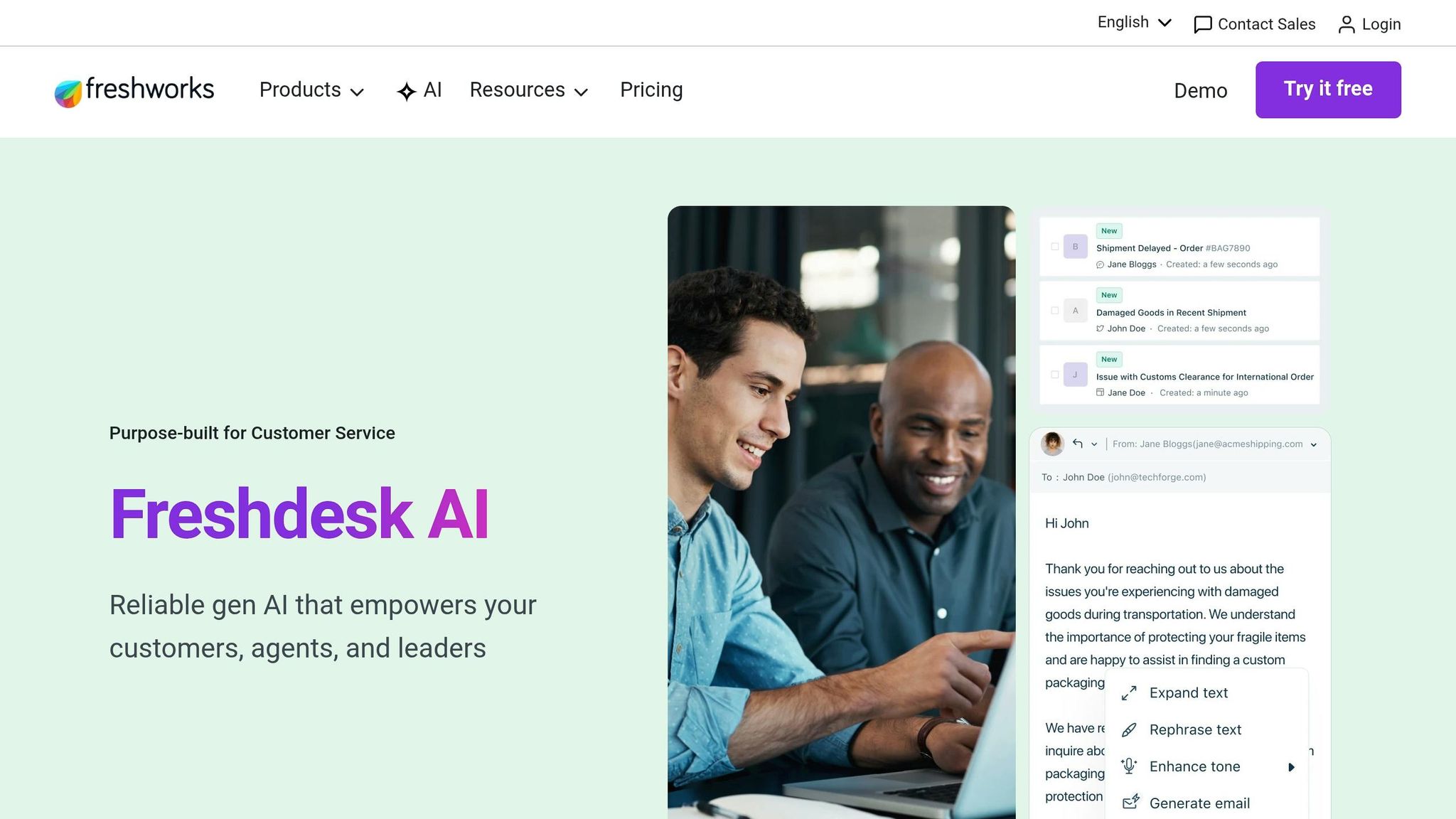
Freshdesk AI brings three standout tools to the table, all designed to streamline support operations. Freddy AI Agent takes on customer conversations independently, resolving up to 80% of inquiries across platforms like chat, email, and messaging apps [14][16]. Its Vertical AI Agents feature offers over 50 prebuilt workflows tailored to industries such as eCommerce, fintech, travel, and logistics [15]. This allows businesses to implement automation quickly without building workflows from scratch.
Freddy AI Copilot works alongside human agents, delivering real-time assistance like conversation summaries, live translations, reply suggestions, and sentiment analysis [14][16]. It also handles administrative tasks, such as updating ticket fields and refining the grammar and tone of agent responses [16]. Meanwhile, Freddy AI Insights provides proactive alerts for potential SLA breaches or unexpected spikes in query volume, performs root cause analysis, and even lets managers generate reports using natural language queries [14][15].
The Freshdesk Command Center simplifies communication by unifying channels like email, chat, WhatsApp, and social media into one workspace. It integrates customer data from external platforms like Shopify and Stripe directly into the conversation view, so agents don’t need to juggle multiple tools [15]. These features enhance customer interaction while offering pricing options that suit businesses of all sizes.
Pricing and Scalability
Freshdesk AI follows a tiered subscription pricing model. Plans start with the Growth Plan at $29 per agent per month (billed annually), followed by the Pro Plan at $79, and the Enterprise Plan at $129 [17][18]. AI features are available as optional add-ons: Freddy AI Copilot costs an extra $29 per agent per month (available only with the Pro or Enterprise plans), and Freddy AI Agent is priced at $49 per 100 sessions [17].
In November 2025, iPostal1, a digital mailbox provider, implemented Freddy AI workflows and slashed customer interaction times from 12 minutes to just 7 seconds - a staggering 99% improvement in efficiency [15]. Similarly, Razorpay, a financial services provider, automated over 70% of routine queries with Freddy AI Copilot the same year. This led to a 30% drop in average resolution time, a 25% boost in customer satisfaction, and a 40% improvement in first contact resolution. These enhancements allowed Razorpay to handle 20% more interactions without increasing staff [16].
"With Freddy's predictive insights, we've improved our first contact resolution by 40%, allowing us to manage 20% more customer interactions without increasing headcount." - Lakshmish SS, Senior BA, Razorpay [16]
Integration Capabilities
Freshdesk AI extends its functionality through a wide range of integrations. It supports over 1,000 third-party apps, including Slack, Salesforce, Microsoft Teams, Shopify, Stripe, and PayPal [20]. The AI Agent Studio enables businesses to create custom workflows without coding, connecting Freshdesk to internal systems and proprietary databases [14]. For employee support, Freddy AI Agent for Slack simplifies ticket deflection with knowledge base articles and allows service requests - like password resets - to be fulfilled instantly within Slack [19].
In November 2025, Upayments, a fintech company based in the Middle East, leveraged Freddy AI Agent to automate query routing. This eliminated a manual step in their support process, making it easier to scale operations [15].
"Freddy AI Agent automatically routes every query to the right team, cutting a full manual step and saving us real time every day." - Abdulrahman Al-Thekair, Customer Experience Director, Upayments [15]
Real-World Benefits
Freshdesk AI addresses common customer support challenges by automating repetitive tasks and unifying communication channels. The platform can save agents up to 61% of their time, leading to a 45% increase in productivity and 93% faster resolution times [13]. Ticket deflection rates typically range from 53% to 80% [13][16].
For example, Hobbycraft, a UK-based retailer, introduced AI chatbots in 2025 that now handle up to 30% of customer inquiries. This freed up their human agents to focus on providing expert crafting advice. Additionally, in March 2026, Freshdesk AI earned a 4.5/5 "Outstanding" rating from PCMag, with users praising its intuitive interface, advanced AI tools, and extensive integrations [18].
Strengths and Weaknesses
Every platform has its own set of perks and challenges, making it essential for businesses to evaluate their options carefully.
Zendesk AI shines as an enterprise-ready omnichannel solution, seamlessly integrating email, chat, phone, and social media while offering strong third-party integrations [21][22]. This reflects the growing demand for unified communication tools. However, its per-seat pricing can become expensive as teams grow [24][1], and its AI performance heavily depends on having an up-to-date and well-maintained knowledge base - outdated content can lead to errors [24].
Freshdesk AI is a great choice for small to mid-sized teams, offering a robust free tier and an easy onboarding process [22][20]. It works well for automating routine tasks and scales effectively from small businesses to enterprise operations at more accessible price points [23]. On the flip side, Freddy AI struggles with maintaining context in longer conversations, often losing track after 4–5 exchanges [24].
ChatSpark takes a different approach with its simple pricing - starting at $19 per month for 100 messages - avoiding the per-agent cost model seen in many traditional platforms. It supports over 95 languages and integrates easily with websites, Instagram, Facebook, WhatsApp, Telegram, and Slack without requiring complex setups. However, businesses with high conversation volumes may need to keep a close eye on message-based pricing. On the technical side, its hybrid search, combining semantic and full-text capabilities, improves accuracy for complex queries [3]. The platform’s straightforward pricing and multilingual features make it appealing to global audiences.
One thing all three platforms share is the need for well-maintained knowledge bases. Poorly managed or outdated documentation can lead to AI errors and inaccuracies, regardless of the tool [24][2]. Regular content reviews and updates are crucial for ensuring smooth and reliable AI performance, helping businesses align these tools with their operational goals.
Conclusion
Choosing the right AI customer service tool means finding a platform that fits your business size and operational needs. For small businesses, ChatSpark stands out with its budget-friendly, message-based plan and support for over 95 languages, sidestepping the rising costs of per-agent pricing. Mid-sized businesses can benefit from Freshdesk AI, which offers solid functionality alongside an easy onboarding process. Meanwhile, Zendesk AI caters to enterprise-level demands, excelling in omnichannel integration across email, chat, phone, and social media - especially for teams already using Zendesk. However, its per-seat pricing can become costly as teams grow, something finance teams should evaluate when considering long-term ROI.
Take Zendesk's own example: by March 2026, its internal support team automated over 60,000 support requests per quarter using its Resolution Platform. This resulted in a 120% improvement in generative response quality and automated over 2,000 complex requests that previously required human intervention [10]. It’s a clear demonstration of the potential impact of a well-executed AI implementation at scale.
The data backs this up. Properly trained AI systems can resolve 60–80% of support conversations, with many businesses reporting a 40–70% drop in support costs within the first quarter of deployment [3]. However, these results hinge on maintaining accurate and regularly updated knowledge bases - a critical factor across all platforms discussed.
"The pricing model difference matters more than feature lists: per-seat pricing incentivizes adding agents, per-resolution pricing forces vendors to actually solve tickets." - James Kowalski, AI Benchmarks & Tools Analyst [1]
As James Kowalski points out, the pricing model plays a crucial role in optimizing support operations. Whether you're a startup managing 100 monthly conversations or an enterprise handling thousands daily, the best tool is the one that integrates seamlessly with your current systems, scales with your growth, and genuinely solves customer issues rather than just deflecting them.
FAQs
How do I know if AI can handle my support volume?
To figure out if AI can handle your support needs, check if it can tackle routine questions, direct tickets to the right team efficiently, and manage a large number of requests without compromising quality.
A good benchmark is finding tools that achieve resolution rates of 40-50% for routine tasks. Look for features like processing refunds or updating CRM records to ensure it meets your operational requirements.
Also, match the AI solution to your business size. Enterprise-level AI is better for complex setups, while mid-market tools are ideal for smaller-scale operations.
What should I prepare before launching an AI agent?
Before you roll out an AI agent, it’s crucial to define your customer support objectives. Are you aiming to streamline FAQs, cut down response times, or handle repetitive tasks? Once your goals are clear, gather all the necessary data - this could include FAQs, past customer interactions, or support scripts.
Next, make sure your AI platform connects seamlessly with your current support tools, like live chat or email systems. Finally, double-check that your technical setup is ready to support the AI. This means ensuring your CRM systems, workflow tools, and processes can handle features like ticket routing or issue tracking. Taking these steps will help ensure everything runs smoothly when your AI agent goes live.
How do I measure ROI after switching to AI support?
To figure out the ROI after implementing AI support, focus on important metrics like cost savings, increased productivity, and better customer experiences. Pay attention to deflection rates (how many tickets AI resolves), shorter response times, and reduced cost per interaction - for instance, bringing it down from $4.60 to $1.45. Also, keep an eye on customer satisfaction (CSAT) and retention rates. Comparing these numbers to your pre-AI performance will give you a clear understanding of the impact.