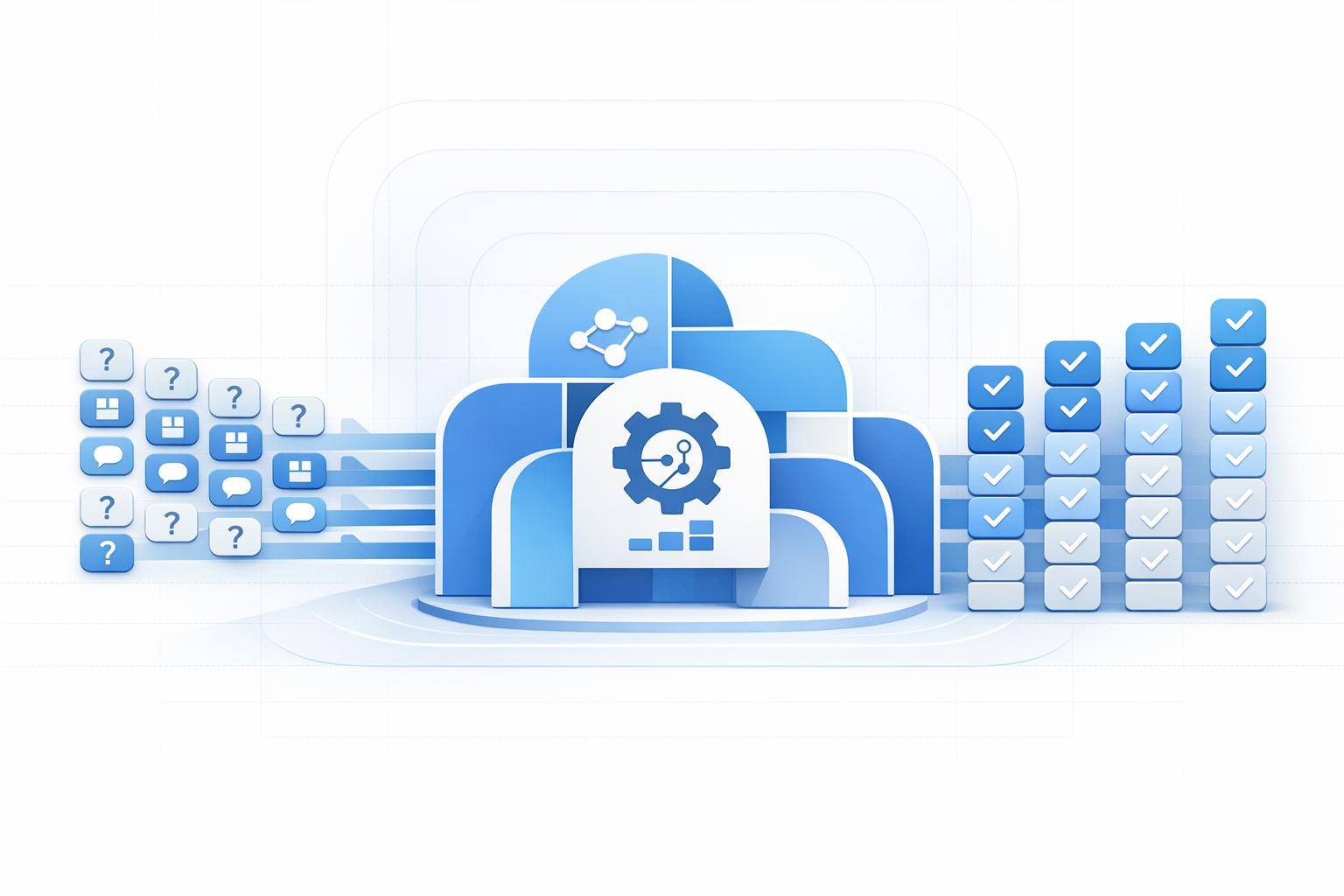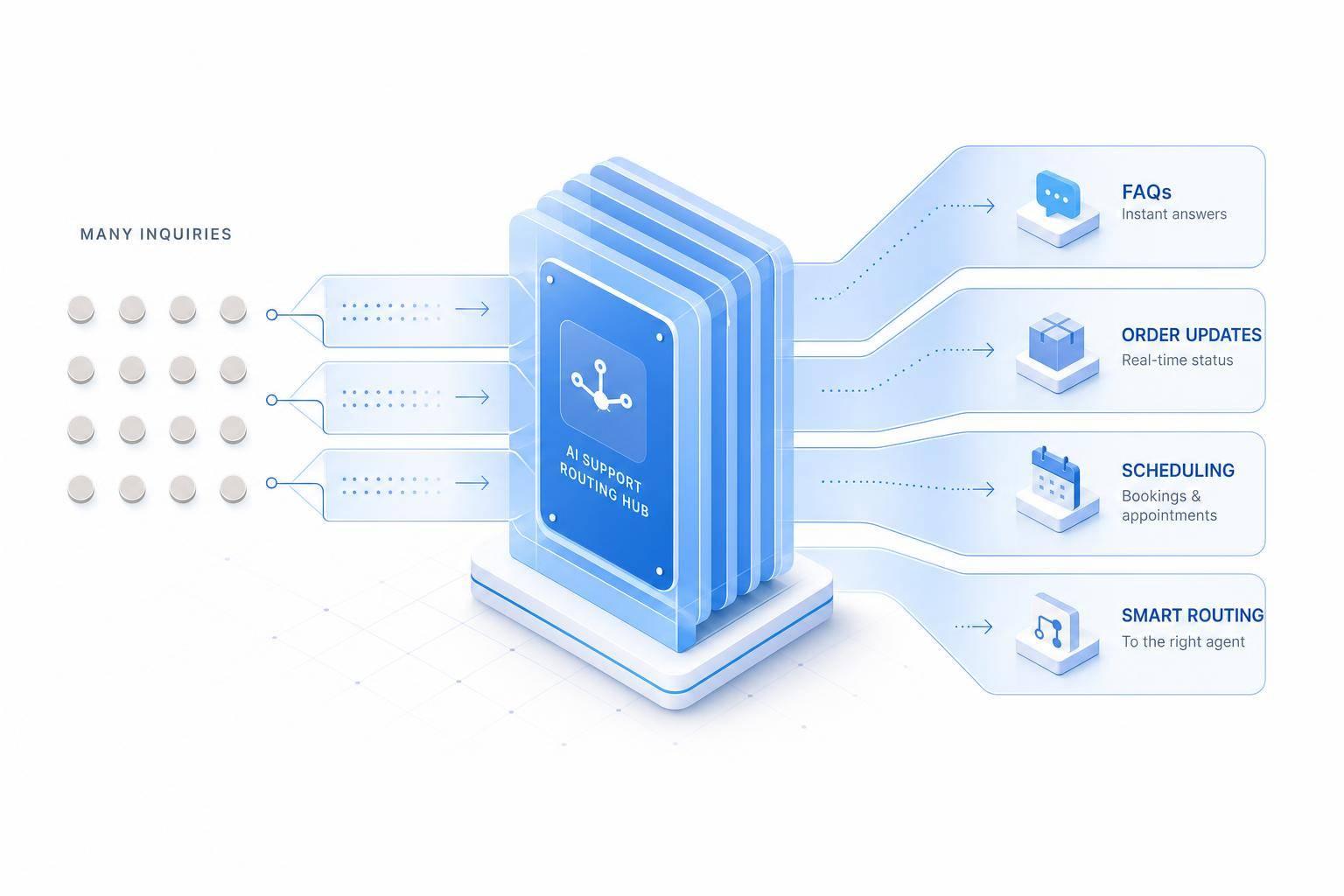
You do not need to hire right away to handle more support. If most of your tickets are simple, AI can take the first layer of work, trim wait times, and help your team keep up as volume grows.
Here’s the short version: I’d use AI first for FAQs, order status, returns within policy, appointment changes, lead qualification, and ticket routing. Those are the jobs that repeat the most and follow clear rules. The article also shows what to watch each week: first response time, resolution time, containment rate, backlog, and cost per ticket.
A few numbers stand out:
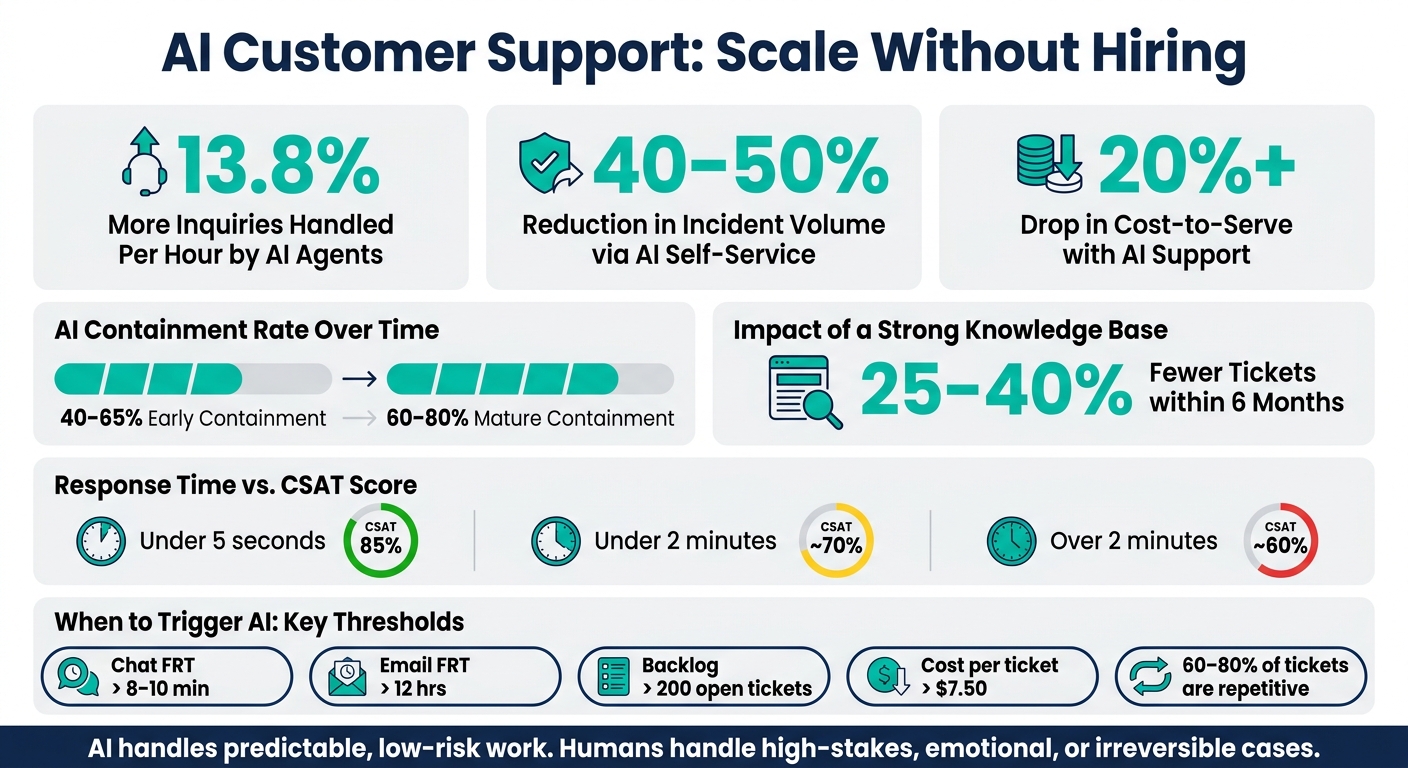
- AI agents can handle 13.8% more inquiries per hour
- AI self-service can cut incident volume by 40%–50%
- Cost-to-serve can drop by 20%+
- Strong setups often reach 40%–65% containment early, and 60%–80% as the system gets better
- A solid knowledge base can reduce tickets by 25%–40% within 6 months
If I were scaling support with a small team, I’d keep the plan simple:
- Automate low-risk, high-volume tickets first
- Connect AI to your help desk, calendar, CRM, and order tools
- Set clear handoff rules for billing issues, disputes, and upset customers
- Track CSAT and containment together
- Keep the knowledge base updated whenever products or policies change
There’s also a clear line in the article: AI should handle predictable work, while humans should handle high-stakes, emotional, or hard-to-reverse cases.
| Focus area | What to do first | What success looks like |
|---|---|---|
| Ticket volume | Automate FAQs, WISMO, scheduling | Fewer repeat tickets |
| Response speed | Add after-hours and multi-channel coverage | Replies in seconds, not hours |
| Team workload | Automate routing, summaries, and data entry | More agent time for harder cases |
| Self-service | Build tight help content around top issues | Higher containment |
| Quality control | Use confidence thresholds and sentiment triggers | Better handoffs, fewer bad bot replies |
So, in plain English: this article explains when AI makes more sense than another hire, which support jobs to hand over first, how to set it up across channels, and how to measure if it’s working.
AI Customer Support: Key Stats & Metrics for Growing Businesses
How to tell when your support operation needs AI, not more agents
Growing businesses usually need AI when support volume climbs, tickets start to look the same, and response times begin to slip. If 60%–80% of tickets are basic questions about orders, policies, or scheduling, adding another agent often just adds cost. It doesn't remove the pileup. In cases like that, AI is a better fit for high-volume, rule-based work.[1][2][5][9]
A few warning signs tend to show up first. Chat queues creep past 10–15 minutes. Email replies stretch beyond 6 hours. Messages get missed across channels. And agents burn time on manual data entry instead of helping customers.[1][2][5][9]
Speed has a direct effect on CSAT. A response within 5 seconds can push CSAT to 85%. Wait longer than 2 minutes, and it can fall to about 60%.[5]
The support metrics that show where AI will cut workload
Track these five numbers every week. They make the problem easier to spot: is the issue too much volume, slow responses, or too much manual work?
| Metric | What to Measure | Trigger for AI |
|---|---|---|
| First response time (FRT) | Average chat FRT in minutes; email FRT in hours | Chat consistently above 8–10 minutes; email above 12 hours on regular weekdays.[9] |
| Average resolution time | Minutes, hours, or days per ticket category | Standard tickets taking more than 1–2 days to close. |
| Containment rate | % of conversations fully resolved without a human | Low containment on eligible FAQ and order-related tickets; AI deployments with a solid knowledge base often reach 40–65% containment.[6][7][10] |
| Backlog size | Open tickets at end of each day or week | Regularly above 200 open tickets, especially for simple issues.[3][4][6][7][8] |
| Cost per ticket | Total monthly support costs ÷ tickets closed, in USD | Rising above $7.50 per ticket without a CSAT improvement.[7] |
These metrics also help you decide where AI should go first. If backlogs spike after 5 p.m. and overnight, start with after-hours coverage. If FAQ and order tickets make up most of the daytime volume, start with volume control. If agents are stuck doing internal admin work, like updating CRM records or syncing calendars, workflow automation will save the most time.[3][4][6][7][8]
When those thresholds appear, start by automating the highest-volume, lowest-complexity tasks first. Using a service automation checklist can help ensure you don't miss critical setup steps during this transition.
Which support tasks to give AI first
Look at the last 30–90 days of tickets from your help desk or live chat, then group them by topic: shipping, returns, billing, scheduling, and account help. That gives you a clear view of where the volume sits and what AI should take on first. Start with categories that usually wrap up in under 5 minutes, follow a single policy, and almost never need escalation.[16][15][13]
Start by automating FAQs, order updates, and appointment changes
The busiest support tasks are often the most repetitive. Where is my order? or WISMO questions make up 30%–50% of retail support contacts.[12] Add return policy questions, store hours, and basic account help, and you’re looking at a big chunk of tier-1 volume that AI can often deflect.[19]
Every reply should use U.S. formatting. That means dates like MM/DD/YYYY, times like 3:00 PM CT, and prices like $49.99.[15]
Scheduling fits this same pattern. When AI can check a live calendar and apply policy, it can do much of the back-and-forth on its own. It can offer open time slots, apply rules like a 24-hour cancellation notice, and send reminders automatically. That takes a lot of coordination off your team.[15]
Use AI to qualify leads and route tickets before a human gets involved
AI can do a lot before a person ever joins the chat. From the first message, it can spot intent. Words like refund, invoice, or reschedule map cleanly to billing, support, or scheduling queues. It can also catch urgency signals like ASAP or system down and read tone patterns to flag heated conversations for a senior agent instead of sending them to the general queue.[17][18][20]
For inbound sales leads, AI can run a short qualification chat. It can ask for:
- Budget range in USD, such as $500–$1,000, $1,000–$5,000, or more
- Location by city, state, and ZIP code
- Implementation timeline
Only leads that match your fit criteria move to a sales rep. That keeps account executives focused on higher-value conversations instead of basic discovery calls.[11]
The table below shows where AI fits best and where a human should step in:
| Task | Complexity | Emotional Sensitivity | Decision Risk | Best Handled By |
|---|---|---|---|---|
| Store hours, location, holiday closures | Low | Low | Low | AI |
| Shipping and return policy FAQs | Low | Low–Medium | Low | AI |
| Order status and shipment tracking | Low | Low | Low | AI |
| Basic account updates (address, phone) | Low | Low | Low | AI |
| Appointment booking and rescheduling | Low–Medium | Low–Medium | Low | AI |
| Lead qualification (budget, timeline, location) | Low–Medium | Low–Medium | Low–Medium | AI (with human follow-up) |
| Initial triage and ticket routing | Low–Medium | Medium | Low–Medium | AI |
| Complex technical troubleshooting | High | Medium–High | Medium–High | Human |
| High-value refunds or billing disputes | Medium–High | High | High | Human |
| Escalated complaints or service failures | Medium–High | High | High | Human |
The rule is simple: AI handles predictable, low-risk work. Humans take the high-stakes, emotional, or irreversible issues.[14][16][17]
How to set up ChatSpark to automate support across channels
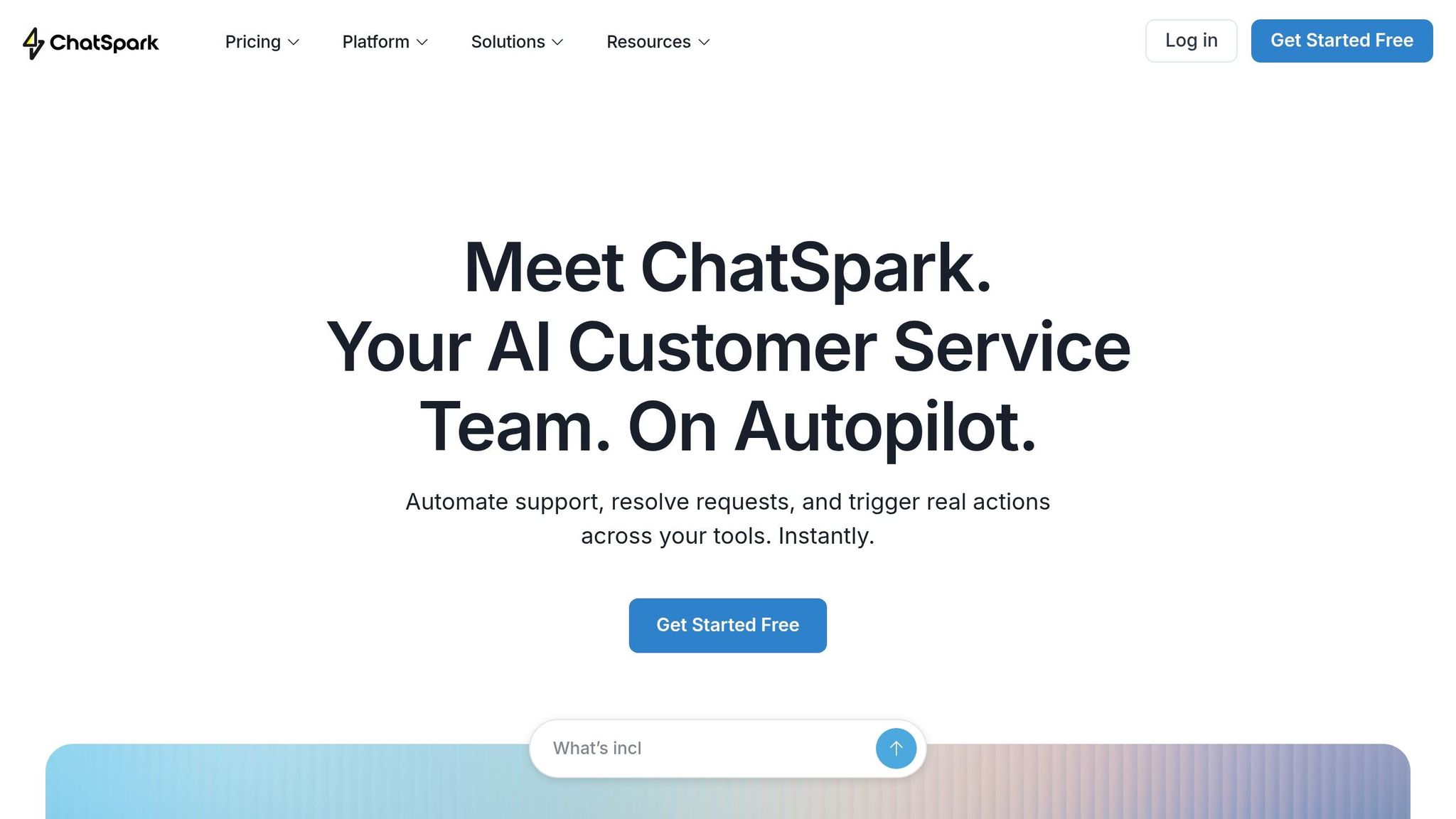
After you’ve chosen the highest-volume tasks, the next step is simple: connect the tools ChatSpark needs so it can handle those requests on its own.
Start by reviewing your FAQs, product details, policies, and SOPs. Then organize them into a searchable knowledge base by topic. [22]
Connect your knowledge base, help desk, calendar, and customer systems to ChatSpark
ChatSpark works best when it can reach the systems behind the question. That usually means your help desk, order and payment platform, calendar tool, and CRM.
ChatSpark supports native integrations with Calendly, Google Calendar, and Square. So customers can book or reschedule appointments right inside the chat. For tools that don’t have native connectors, Zapier fills the gap. For example, a Zapier workflow can pull order status from Square and send it back to ChatSpark without anyone doing a manual lookup. [22][23][25]
Help desk integrations like Freshchat, Zendesk, and Freshdesk can create and route tickets on their own when a conversation needs a person. Those tickets can already include tags and context, which saves back-and-forth. CRM integrations with HubSpot or Salesforce can store customer context, change priority based on segment, and push new lead data into your pipeline after a qualifying chat. It also helps to write down your greetings, tone, and blocked phrases in ChatSpark so replies stay on brand. [22][25]
Configure flows for self-service, handoffs, and multilingual support
Once the integrations are live, build workflows for the requests you see most often. ChatSpark uses Retrieval-Augmented Generation (RAG) to ground answers in your documentation, which helps cut down on wrong replies.
For order status, the flow should verify the customer, check the order system, and send back a short update without agent help. For returns, ChatSpark should check the request against your policy - for example, within 30 days of delivery, unused, and in original packaging. If the request fits the policy, it can start the return. If not, it should pass the case to an agent.
Handoff rules should be crystal clear. Low-risk FAQs can use lower confidence thresholds, around 0.6–0.7. More sensitive topics, like billing disputes, should use a higher threshold of 0.85+ before ChatSpark replies on its own. Add sentiment detection too. If a customer keeps saying "This doesn't help", types in all caps, or uses terms like "fraud" or "attorney", the workflow should escalate at once and tag the ticket as a priority. Every escalated chat should also include a short summary: what the customer asked, what the AI said, and why the handoff happened. That way, agents don’t have to dig through the full transcript. [21][22]
ChatSpark can be deployed across website chat, Facebook Messenger, Instagram DMs, WhatsApp, Telegram, and Slack from one setup. It can also detect the customer’s language on its own, so someone writing in Spanish gets a reply in Spanish. That means one setup can support multiple languages across channels. [21][24]
Map each common request to a matching automated flow:
| Workflow | ChatSpark Feature / Integration | Use |
|---|---|---|
| FAQ resolution | Knowledge Base (RAG) | Instant answers from verified docs |
| Order status updates | Square / Shopify / Zapier | Real-time tracking without agent lookup |
| Appointment booking and changes | Calendly / Square / Google Calendar | Self-service scheduling inside the chat |
| Return requests | Knowledge Base + policy rules | Eligibility check and initiation within policy |
| Lead capture and qualification | HubSpot / Salesforce via Zapier | Push qualified leads to CRM with context |
| Ticket creation and routing | Freshchat / Zendesk / Freshdesk | Automated routing with tags and summaries |
| Multilingual support | Auto-detection | Responses in the customer's language |
| Human handoff | Confidence thresholds + sentiment triggers | Escalate disputes, frustration, or edge cases |
These workflows give you the self-service base you’ll measure and build on next.
How to build a self-service model that keeps improving over time
After your flows go live, content quality becomes the make-or-break factor. Self-service can cut tickets, or it can create a mess for your team. At that point, the knowledge base becomes the main lever for cutting handoffs.
Build a knowledge base that resolves common questions before tickets are created
Start with the same 30–90 day ticket review. Use it to spot which help articles you should create or rewrite first. Focus on the issues that show up again and again: order status, returns, shipping, password resets, billing, and appointment changes.
Companies with strong knowledge bases often see a 25% to 40% reduction in support tickets within six months.[26]
Each article should stay tight and focused:
- Write in clear U.S. English
- Cover one intent per page
- Keep paragraphs short
- Use numbered steps
- Use U.S. units when measurements appear
That structure matters because ChatSpark needs clean, direct content to surface the right answer fast. This is where AI-guided self-service differs from a standard help center. In a normal help center, the customer has to search on their own. Here, the system interprets the request, asks follow-up questions, and can trigger actions like lookups, updates, or handoffs. That makes it better at cutting repetitive tickets.
Track containment, response time, CSAT, and cost per ticket to expand automation safely
Once self-service is live, use your metrics to decide whether to expand automation or pull it back. Containment is the first metric to watch closely. Strong setups often reach 60% to 80% containment.[27]
Don’t look at one metric by itself. Look at the full picture.
If containment goes up while CSAT slips, the AI may be holding onto cases that should go to a person. In that case, tighten escalation rules and review the intents that keep failing. If containment drops, your knowledge base may have gaps, old policy details, or articles that don’t match the way customers ask for help.
| Metric | Practical target range | What to do when performance drops |
|---|---|---|
| Containment rate | 60%–80% for mature implementations [27] | Narrow bot scope, improve article accuracy, escalate ambiguous cases sooner |
| First response time | Under 5 seconds for AI responses [27] | Simplify routing, remove unnecessary workflow steps |
| Resolution time | Declining over time | Improve article completeness, reduce back-and-forth in flows |
| CSAT | Stable or improving as automation expands | Audit failed intents, rewrite weak articles, hand off sooner on frustration signals |
| Cost per ticket (USD) | Trending downward for repetitive issues [28] | Increase deflection on low-risk tasks, reduce agent touches |
Review high-volume issues every week and scan for broader content gaps every month. Any time you add a product, change a policy, or launch a new channel, update the related knowledge base articles right away. Old content leads to repeat contacts and extra handoffs.
Conclusion: Grow your support capacity without growing your team
Once you know which tasks make sense to automate, the next move is straightforward: automate them. Start with the requests that show up most often, like order status, FAQs, appointments, and billing. That’s where you’ll usually see the fastest drop in tickets and the biggest improvement in response time.
After that, connect ChatSpark’s AI-powered agents to the systems that supply those answers. Use ChatSpark across website chat, email, SMS, and social channels. And keep your knowledge base as the source of truth for self-service.
Once it’s live, the numbers will show whether automation is helping or adding friction. Watch for higher containment, faster response times, steady CSAT, and lower cost per ticket. If one of those starts to slip, fix the flow or update the content before you add headcount.
The payoff isn’t just faster replies. It’s more support capacity without new hires. Research shows AI reduced customer service agent workload by 5.8%, or more than 200 recovered agent-hours a year for a 20-person team[29][30]. That helps break the link between growth and headcount.
Done well, AI support lets growth outpace headcount. Keep the knowledge base current, review metrics on a regular basis, and expand automation as your team gets more comfortable with it. That’s how you scale support without adding overhead.
FAQs
How do I know if AI should replace my next support hire?
AI should replace a support hire ONLY for high-volume, low-complexity, repetitive work. That means tasks that don’t need judgment, empathy, or critical thinking.
Think:
- Order status checks
- Password resets
- Appointment scheduling
- Pricing FAQs
A simple way to spot good AI use cases is to review your last 90 days of ticket volume.
If 20% of ticket categories drive 80% of volume, those categories are strong candidates for AI. Your team can then spend more time on sensitive cases and harder issues that need a human touch.
What should I automate first in customer support?
Review your support tickets from the past 90 days and pinpoint the small set of inquiry types that drives 60% to 80% of your total volume. In many teams, that’s about 20% of issue types doing most of the work.
Start with tasks that are high-volume, repetitive, and simple. That’s the low-hanging fruit.
Good first picks include:
- Order status updates
- Password resets
- Basic troubleshooting
- FAQs about pricing or policies
- Appointment scheduling
Keep sensitive or more complex issues with human agents. That includes things like billing disputes or legal complaints.
How can I use AI without hurting customer satisfaction?
Use AI as a support tool, not a replacement.
It works best for high-volume, repetitive tasks like order status updates and basic FAQs. That’s where it can save time without getting in the way. Human agents should still handle complex, sensitive, or emotionally charged issues, where judgment and empathy matter more than speed.
Set clear escalation triggers so the handoff happens at the right moment. Good examples include:
- Low confidence in the response
- Negative customer sentiment
- A direct request to speak with a human
When that handoff happens, pass the full conversation history to the human agent. That way, the customer doesn’t have to repeat themselves, and the switch feels smooth instead of frustrating.