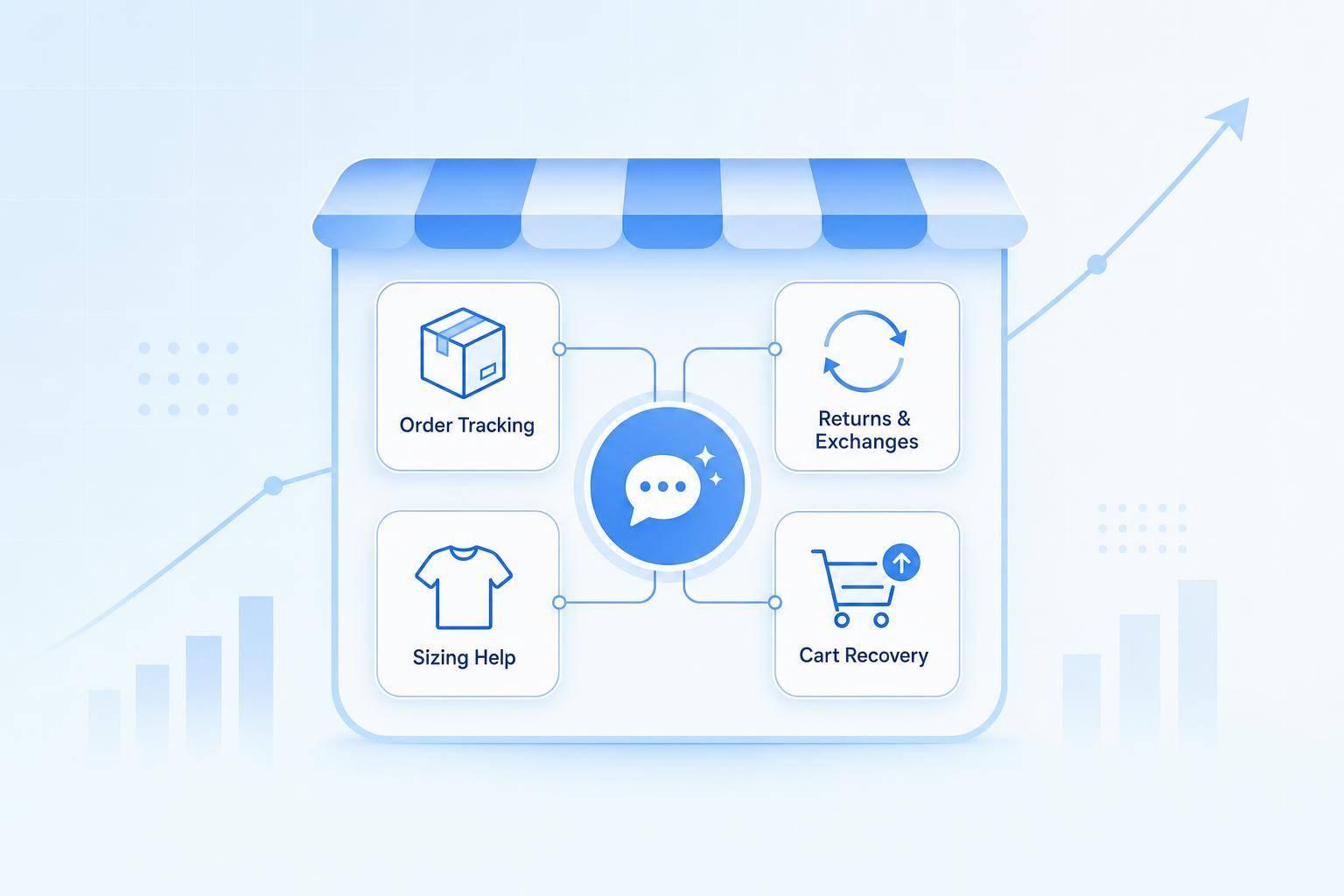
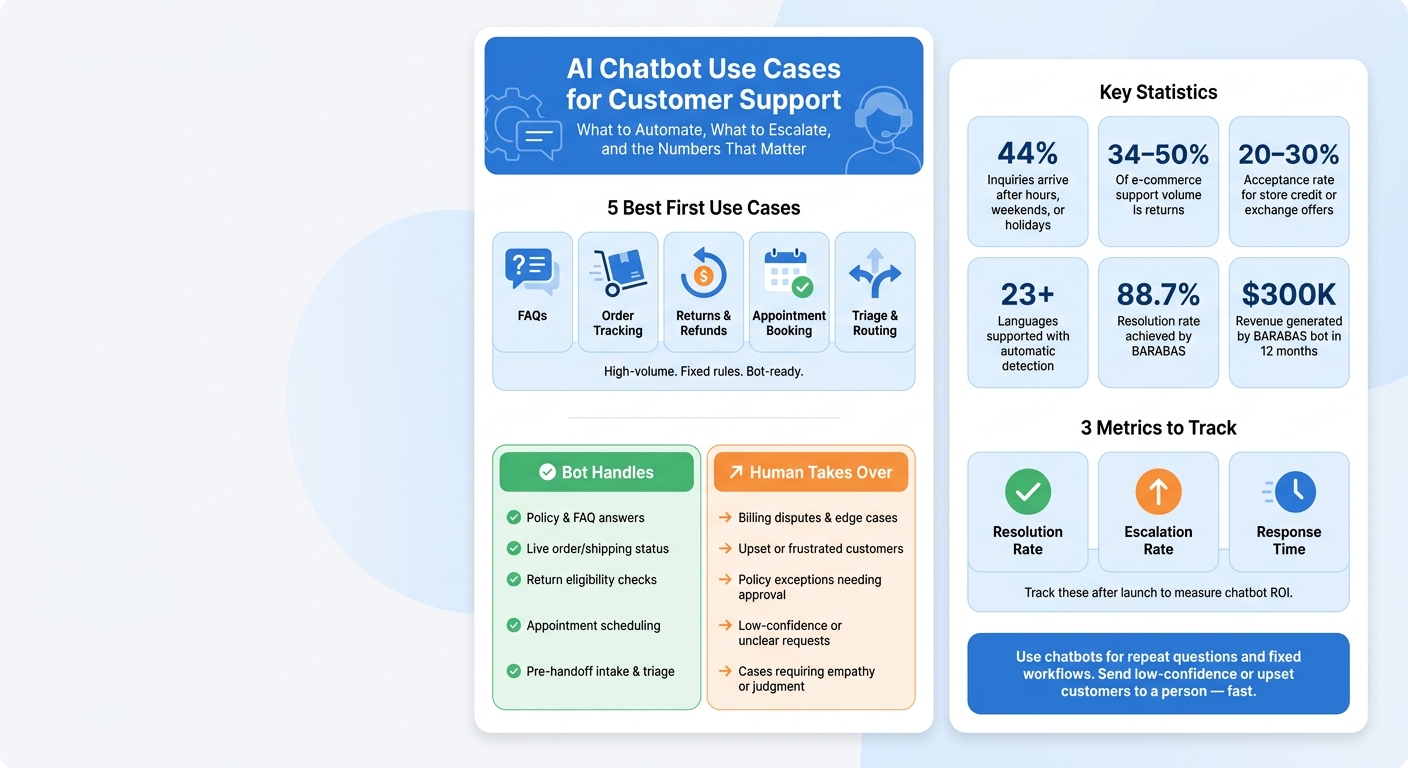
Most support teams should start AI chatbots with 5 jobs: FAQs, order tracking, returns, appointment booking, and triage before human handoff.
I see the same pattern across support teams: the first wins come from high-volume, rule-based questions. That includes “Where is my order?”, “Can I return this?”, and “Can I book a time?” In the article, businesses used chatbots to cut reply times from 4 to 14 hours down to under 15 seconds for routine requests, handle after-hours demand, support 23+ languages, and route upset or unclear cases to a human.
Here’s the full picture in plain English:
- Best first use cases: FAQs, shipping updates, returns, intake, and scheduling
- Best fit: Questions with fixed answers and clear rules (the core strength of conversational AI)
- Poor fit: Billing disputes, edge cases, and chats that need empathy
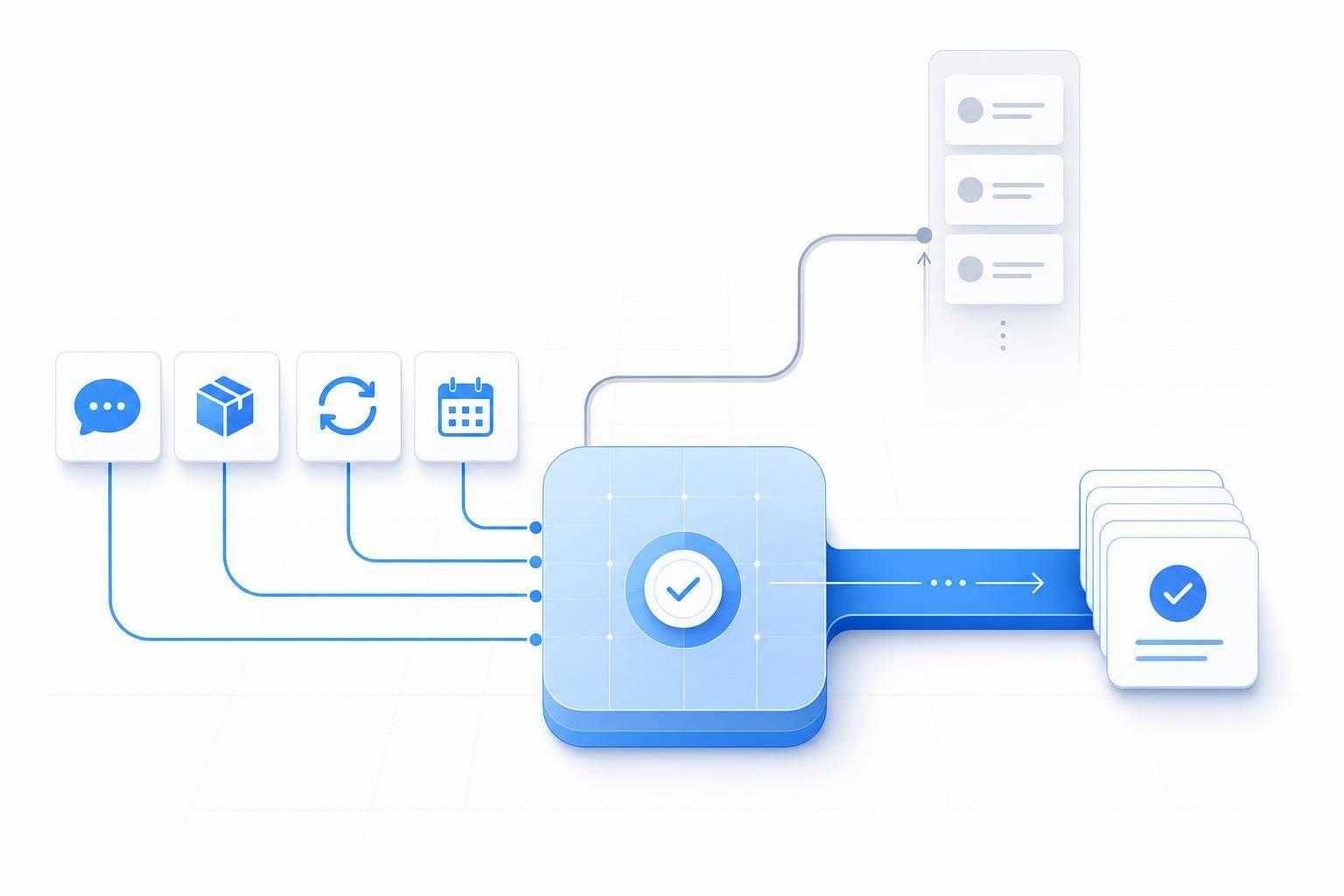
- What good bots do: Pull live order data, check policy rules, collect details, and pass cases to agents with context
- What teams track: Resolution rate, escalation rate, and response time
- Standout numbers from the article:
- Up to 44% of inquiries can come after hours, on weekends, or on holidays
- Returns can make up 34% to 50% of e-commerce support volume
- Store credit or exchange offers during returns can see 20% to 30% acceptance
- RTR Vehicles cut support costs by $15,000/month
- BARABAS reached an 88.7% resolution rate and $300,000 in revenue
If I had to sum it up in one line: use chatbots to automate customer support without losing quality, then send low-confidence or upset customers to a person fast.
| Use case | What the bot does | When to hand off |
|---|---|---|
| FAQs | Answers policy, shipping, sizing, and plan questions | If the answer is unclear or not in approved content |
| Order tracking | Pulls live shipping or order status | If tracking data is missing or the case is unusual |
| Returns | Checks eligibility and starts the return or refund flow | If the order breaks policy rules or needs approval |
| Appointment booking | Schedules visits and collects issue details | If timing, urgency, or service needs are unclear |
| Triage | Gathers order number, issue type, and urgency | If the customer sounds upset or mentions disputes |
Below, I’ll walk through where these chatbot use cases work best, what businesses are doing with them, and where human support still matters most.
AI Chatbot Use Cases for Customer Support: What to Automate vs. Escalate
The Customer Support Tasks Businesses Automate First
The first chatbot wins usually come from support tasks with high volume and fixed answers. In plain English, that means the same questions come up again and again, and the answer doesn't change much. The most common starting points are FAQ answers, live order status, and pre-handoff intake.
FAQ Deflection and Knowledge Retrieval
Support teams deal with repeat questions all day: What's your return policy? Do you ship to Alaska? What's included in the Pro plan? These are high-volume, fixed-answer questions, which makes them a good fit for automation.
When a chatbot is built from approved support content, it can reply fast without sending every simple question to an agent. The rule of thumb is pretty simple: use bots for fixed answers, live status, and pre-handoff intake, then send exceptions to agents.
Order Tracking and Status Updates
Order tracking is one of the best early use cases for automation. When a chatbot connects to an order management system or shipping carrier, it can pull live tracking data and give customers a clear answer in seconds.
When it's tied to shipping data, the bot can answer "Where is my order?" in seconds, which helps a lot during delivery delays.
Support Qualification, Triage, and Routing
A chatbot can gather the order number, issue type, urgency, and contact details before handoff. That means fewer back-and-forth questions and more context for agents right away.
You'll see the same setup across retail, service, and SaaS support.
Real Business Use Cases for AI Chatbots in Customer Support
Repeatable support work changes from one industry to the next, but the automation setup is pretty similar.
Retail and E-Commerce: Handling Shipping Questions and Returns at Scale
In retail, some of the biggest gains come from high-volume order status and return questions. As an online store grows, support teams start seeing the same messages over and over: "Where's my order?", "Can I return this?", and "How long does a refund take?" During peak seasons, that flood of tickets can swamp even a well-staffed team.
The bot checks live order and fulfillment status in Shopify or the store's order system, compares the order date with return policy rules, and then either starts the return flow or passes unusual cases to a human with the order details already attached [1][2][6]. That means customers get a clear answer in seconds instead of sitting around waiting for an email, and support queues stay shorter.
That same basic setup also works well for service businesses where speed matters at the very start of the customer conversation.
Service Businesses: Booking Appointments and Collecting Issue Details
A home services company, medical clinic, or professional services firm can lose a lot of staff time just trying to schedule appointments and gather basic details before the real conversation even starts. Email back-and-forth slows everything down.
The bot can help book appointments, ask what the customer needs, and collect the key details before a staff member steps in. Even a simple on-page prompt like "Need help with booking?" can improve engagement [2]. Staff get cleaner intake, and customers get faster answers with less friction.
In SaaS, that same pre-handoff flow can sort urgent requests before an agent gets involved.
SaaS and Subscription Businesses: Qualifying Requests Before Agent Handoff
A software company's support inbox often includes a mix of simple questions, billing disputes, and urgent issues. Agents can end up spending too much time sorting requests before they even begin solving them.
The bot follows clear escalation rules. It can look for signs of frustration, spot terms like "billing dispute", or flag conversations that go past a set number of messages, then route those cases to the right person faster [2][4]. When a case needs to be escalated, the bot also creates a handoff summary so the agent can jump in without asking the same questions again [3][4]. The result is better routing, faster escalation, and less agent time spent on intake.
Returns, Multilingual Support, and 24/7 Coverage
After FAQs, order status, and triage, the next big wins are returns, language coverage, and 24/7 support.
Handling Returns and Refunds Without Long Wait Times
Returns and refund requests can make up 34% to 50% of total e-commerce support volume [6][7]. That makes returns a strong fit for automation because most of these requests follow clear policy rules.
A chatbot can check the order date, confirm whether the item qualifies, and walk the customer through the next step without pulling in an agent. For lower-value orders, it can issue the refund on its own. For higher-value cases, it can package the order details and send the case to a human for fast approval.
"The agent handles about 70% of return requests autonomously." - Ibby Syed, Founder, Cotera [7]
There’s another upside here: chatbots can help keep more revenue in-house by offering store credit or an exchange right when the customer starts a return. Acceptance rates for those options can hit 20% to 30% [8].
The same setup also helps when customers need help in more than one language.
Multilingual Support for US Businesses Serving Diverse Customers
For U.S. businesses serving multilingual customers, language support removes one of the most common reasons a chat gets passed to an agent. If a chatbot can detect the customer’s language and reply in that language, customers can move through returns and support flows without waiting for a bilingual rep.
For common answers like return windows or shipping timelines, approved translation files help keep replies accurate and consistent [9]. In live conversations, modern AI can support 23+ languages with automatic detection, which lets teams serve more people without hiring separate staff for each language [10].
BARABAS put an AI chatbot across its website, Instagram, and Facebook to answer fit and exchange questions. Over 12 months, it reached an 88.7% resolution rate and generated $300,000 in revenue without adding headcount [5].
The same bot can also take care of after-hours demand without more staff.
Always-On Support Across Nights, Weekends, and Peak Periods
Always-on chat cuts down after-hours backlog and keeps simple requests moving. A chatbot that runs 24/7 can reply right away at night, on weekends, and during peak periods, which helps clear out Monday morning backlogs [10][8].
This matters most when demand jumps. BARABAS said that in November and December, the AI handled holiday volume without extra hires [5]. Customers still get answers fast outside business hours, and that matters most during holiday spikes.
How to Apply These Use Cases in Your Support Operation
Start With the Support Flows That Deliver Value Fastest
These use cases pay off fastest when you begin with the support flows that happen again and again. Start with high-volume, rule-based requests from the examples above: FAQs, order tracking, returns, and appointment booking. Look at your top ticket categories and flag the requests that follow fixed rules. Then roll out automation across your main support channels.
After you pick those first flows, get very clear on one thing: the exact point where the bot stops and an agent takes over.
Set Clear Rules for Automation and Human Escalation
Automation works best when the line is clear. A chatbot should handle repeatable, policy-driven requests. A human should step in when the conversation calls for judgment, empathy, or a policy exception. If a case has low confidence, an upset customer, or an exception to policy, send it to an agent with a conversation summary attached so the customer doesn’t have to repeat everything.
After launch, track the numbers that matter:
- Resolution rate
- Escalation rate
- Response time
Conclusion: Where AI Chatbots Deliver the Most Support Value
AI chatbots deliver the clearest return when they take on structured, repeatable support work. That means faster answers, cleaner handoffs, and more agent time saved for conversations that need human judgment.
FAQs
How do I choose the best chatbot use case to start with?
Start with a friction audit of the last 3 to 6 months of support data across all your channels. The goal is simple: find high-volume, low-complexity tasks that show up again and again in predictable ways.
Focus first on the 10 to 15 requests your team handles most often. That usually includes things like:
- Order tracking
- Password resets
- Returns
- Billing questions
These are the jobs that tend to eat up time without needing much judgment. They’re the low-hanging fruit.
Once those are automated, expand step by step. Don’t try to automate everything at once. And make sure there’s always a clear handoff to human agents when an issue is sensitive, messy, or needs a bit more care.
What should trigger a handoff from bot to human?
A handoff to a human agent should happen when the AI isn't confident in its answer, spots sensitive issues like payment disputes, damaged items, or custom orders, or can't solve the issue after two exchanges.
The bot should also step aside when the task calls for empathy, complex judgment, policy exceptions, or coordination across teams. Always give the customer a clear way to ask for human help, and send the full conversation transcript to the agent.
How long does it take to see results from support automation?
Support automation usually starts showing measurable results within 90 days of full deployment. Many teams see first-response times drop almost as soon as the system goes live.
The bigger wins, like ticket deflection and better conversion rates, tend to show up within 3 to 6 months. Financial payback often lands in 4 to 7 months.
That timing usually comes down to rollout strategy. In most cases, teams move in phases and start with high-volume, low-complexity requests first. That approach helps them get early gains without taking on too much at once.