AI customer support helps online stores answer shopper questions in seconds, cut repeat tickets, and win more orders. If I were running an ecommerce store, I’d start with the questions that block sales most often: shipping, returns, sizing, stock, and order status.
Here’s the short version:
- Order-status questions make up 25%–50% of support volume
- 69% of shoppers say fast replies affect whether they buy
- AI chat can lift conversion rates by 35%
- AI can lift cart recovery by 125%
- Stores can handle Black Friday/Cyber Monday spikes of 300%–500%
- AI can handle 70%–80% of routine chats when tied to approved data sources
- In some cases, AI support can resolve up to 93% of customer questions without human help
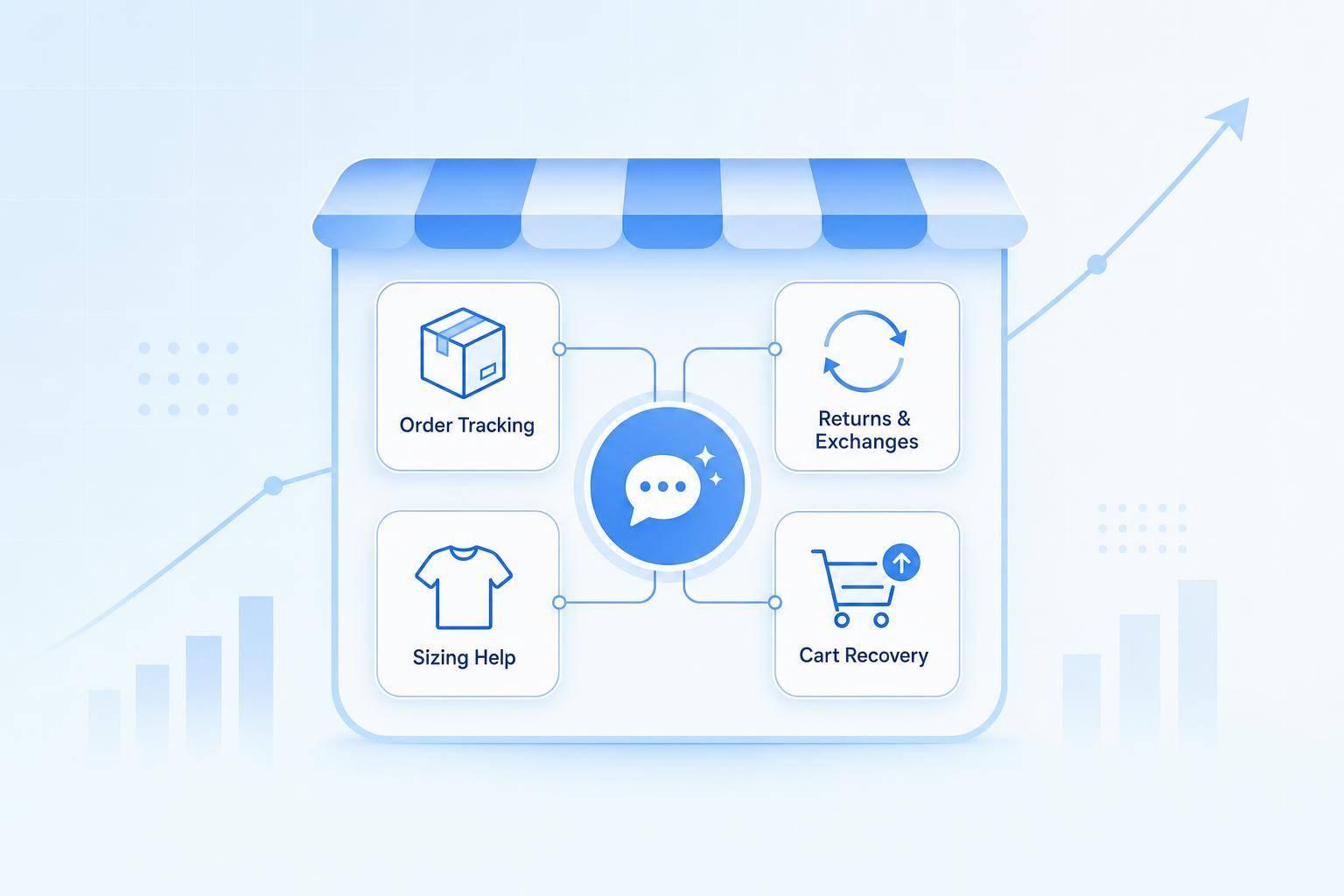
If I wanted the fastest path to results, I’d focus on four jobs first:
- WISMO: answer “Where is my order?”
- Returns: check policy rules and start exchanges or labels
- Product help: guide shoppers on fit, size, and item choice
- Cart support: answer checkout questions before shoppers leave
A few numbers stand out. AI-assisted product guidance can lift average order value by 35% and cut returns by 15%–25%. Cart support can recover 15%–25% of abandoned carts, while older email flows often recover only 3%–5%. And rolling out to just 20% of traffic first can lower setup risk by 65%.
To make this work, I’d keep the setup simple:
- Connect AI to orders, inventory, catalog, policies, and size charts
- Put chat on product pages, cart pages, and shipping/returns pages
- Use a 90% confidence threshold so weak answers go to a human
- Mask PII and payment data
- Review transcripts every week, and every day during the first two weeks
Bottom line: AI customer support works best when it answers the same high-volume questions well, uses live store data, and hands off edge cases fast. That’s how stores cut support load and help more shoppers finish checkout.
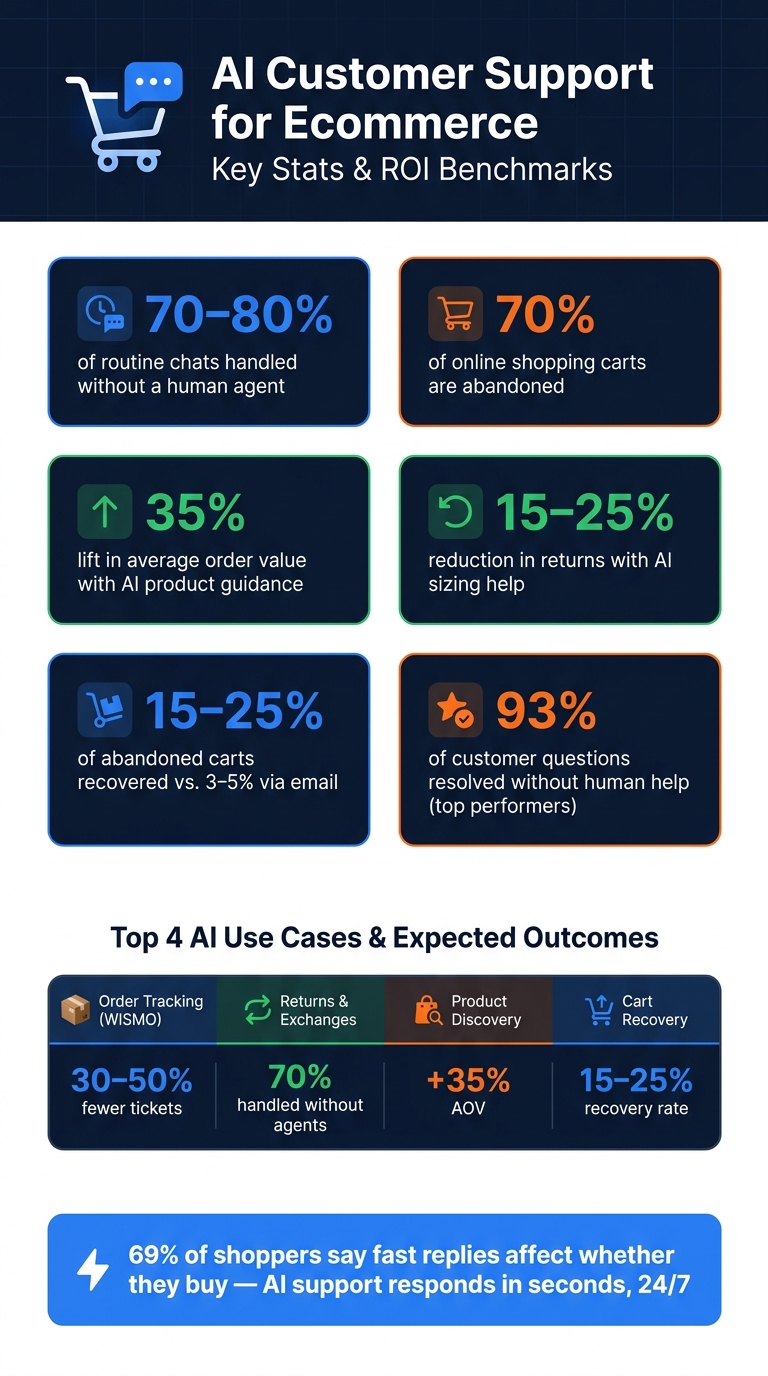
AI Customer Support for Ecommerce: Key Stats & ROI at a Glance
Where Ecommerce Teams Use AI Customer Support
Ecommerce teams usually begin with WISMO, returns, product discovery, and cart recovery. Those tend to be the fastest places to see impact once the basics are set up.
Automating FAQs, Order Updates, and Returns
Order status is often the first thing teams automate because it creates a huge share of repeat tickets. When a shopper asks, "Where's my package?", AI tied to live order data can pull carrier updates, check the current delivery estimate, and give a plain answer right away.
Returns are another strong fit. AI can check whether an order qualifies under your policy, walk the shopper through an exchange, and generate a return label. For failed resolutions, negative sentiment, or high-value orders, send the conversation to a human agent. That setup can handle 70% of returns without human agents [2].
Helping Shoppers Find and Choose Products
Pre-purchase questions have a direct link to sales. If someone asks, "Do you have a waterproof jacket under $120?" or "Will this fit if I'm between a medium and large?", they usually want help NOW, not after digging through five product pages.
When AI is connected to your catalog and size charts, it can point shoppers to the right item, suggest add-ons in the same chat, and help cut fit-related returns. Done well, this can lift AOV by 35% and reduce returns by 15%–25% by helping shoppers choose the right product the first time [2][4].
Recovering Abandoned Carts With Checkout Support
Nearly 70% of online shopping carts are abandoned [4]. That's a huge leak in the funnel.
AI can step in when a shopper looks ready to leave the cart page and deal with the usual blockers, like surprise shipping costs, discount code confusion, or questions about the return policy. In the moment, that kind of support can recover 15–25% of abandoned carts, compared with 3–5% for older email follow-up sequences [4]. Sometimes one well-timed chat does what a whole email flow can't.
Use cases, required connections, and outcomes:
| Use Case | Required Capabilities | Expected Business Outcome |
|---|---|---|
| Order Tracking (WISMO) | OMS/Shopify integration, real-time API calls | 30–50% reduction in ticket volume [4][3] |
| Returns & Exchanges | Policy logic, label generation API | 70% of returns handled without human agents [2] |
| Product Discovery & Sizing | Catalog sync, chat understanding | 35% higher AOV; 15%–25% fewer returns [2][4] |
| Cart Recovery | Behavioral triggers, discount code generation | 15–25% cart recovery rate [4][2] |
| FAQ & Policy | Knowledge base/help center sync | 60%–80% first-contact resolution [2] |
How to Set Up AI Customer Support in an Online Store
A smart rollout starts with the questions you get the most and can answer the fastest.
Audit Contact Volume and Choose Starting Points
Look at the last 90 days of support tickets and rank the top 10–15 repeat intents: order status, shipping, returns, and sizing [1]. These tend to be the easiest early wins because they show up often and usually have clear, direct answers. Put chat first on product pages, the cart, and your shipping/returns pages [8][5].
The goal is simple: answer shoppers faster, cut ticket volume, and help more people get to checkout without friction.
Connect Store Data and Build Conversation Flows
Good answers depend on live store data. If you're using Shopify, give the system access to orders, products, inventory, and customer records so it can check order status, stock levels, variants, and price and discount data in real time [7]. Your knowledge base also needs to be clean and easy to scan. That means shipping and return policies, size charts with fit notes, and product care instructions should all be well organized [1][8].
Use short, on-brand snippets for common questions so replies stay consistent [8]. Then build flows for the moments that matter most, like order tracking, returns, and cart recovery. In practice, that means:
- Verify the shopper by order number or email before pulling order details
- Check return eligibility before offering next steps
- Trigger cart nudges based on exit intent, minimum cart-value triggers, or time spent on the cart page
- Send sensitive cases to a human agent [1][7][8][5]
Set escalation triggers early. If the AI isn't sure, or the issue involves something sensitive, the conversation should move to a human without delay.
Once those core flows are working, place the bot on your highest-intent pages and tune it using live conversations.
Launch With ChatSpark and Refine Using Real Conversations
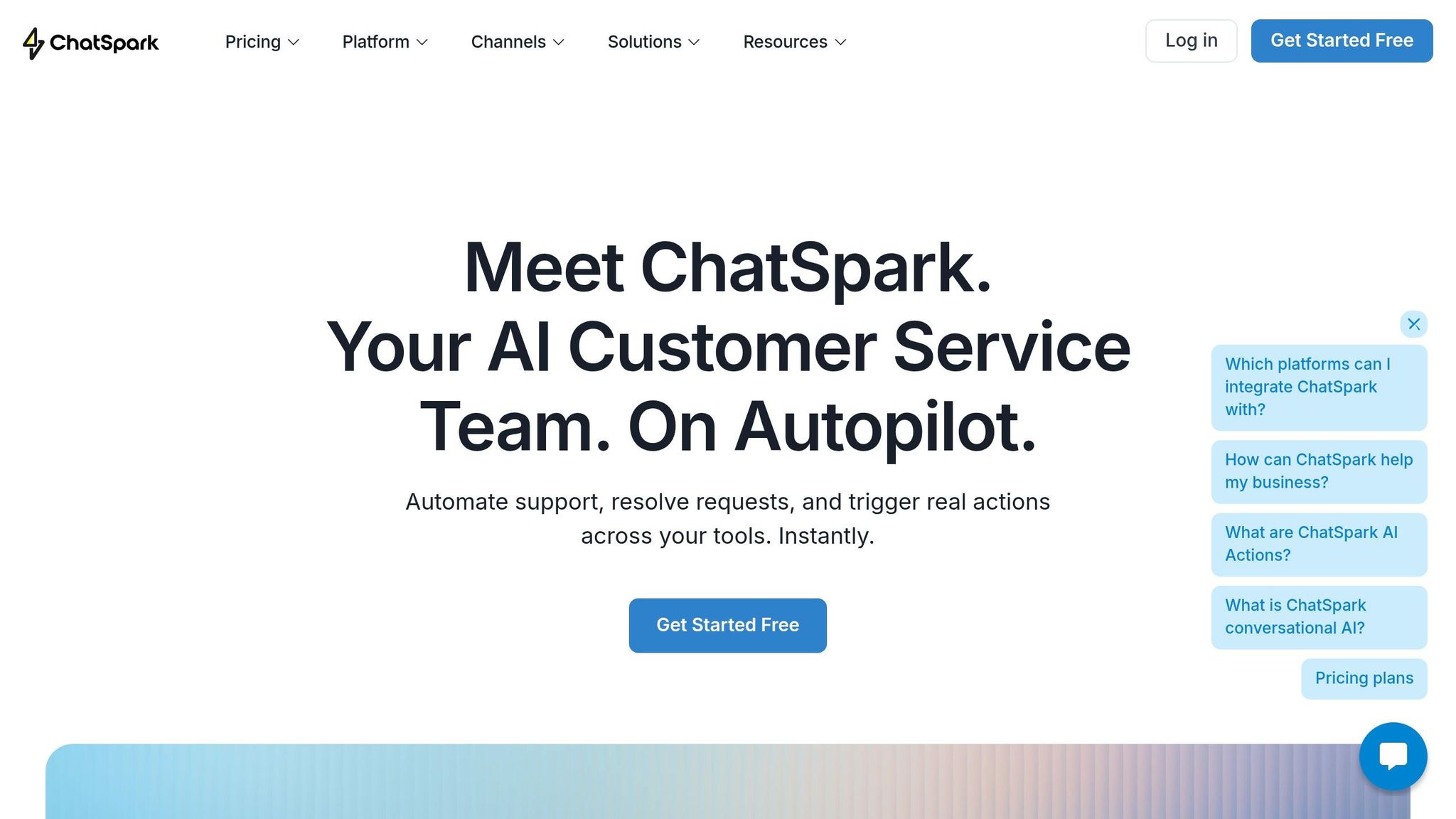
ChatSpark's automatic language detection helps shoppers get answers in their own language without adding staff [10]. Start by placing the widget on your highest-intent pages - product pages, cart, and the shipping/returns page - then expand after that [8][5]. If you're on a Pro or Enterprise plan, the GA4 integration lets you track bot interactions inside Google Analytics 4 and measure ROI [10].
This only works if it improves both response speed and conversion quality. After launch, review transcripts each week and fix weak spots before adding the bot to more pages. Real customer language shows you where flows break, which answers need updates, and where the tone doesn't match your brand [1][9].
Next, measure whether those flows reduce tickets, lift conversions, and stay accurate.
How to Measure Results and Manage Risk
Once AI support is live, you need to watch performance closely and catch issues before they snowball. Focus on the same flows you launched in the first place: order tracking, returns, product guidance, and cart recovery.
Track Support Efficiency, Conversions, and Customer Experience
The clearest sign that this is working is simple: fewer support tickets and more completed checkouts. When AI is tied to approved sources, it can handle 70%–80% of routine chats without a human stepping in. That gives you a solid starting benchmark.
| Metric | AI Feature | Data Source | Target Benchmark |
|---|---|---|---|
| Blended cost per ticket (CPT) | All AI-handled interactions | Finance / help desk | Measurable reduction vs. human-only baseline |
| WISMO rate | Order-status automation | OMS / carrier API | Track for decline over time |
| Abandoned cart recovery | Cart recovery flows | Real-time cart data | Measurable increase post-launch |
| Checkout completion rate | Checkout assistance | Payment gateway | Measurable increase vs. pre-AI baseline |
| Conversion lift from chat | Product recommendations | Store analytics (GA4) | +3–8% [11] |
| Average order value (AOV) | Product recommendations | Product catalog / purchase history | Measurable increase |
| Repeat purchase rate | Personalized support | CRM / order history | +2–5% [11] |
Keep these metrics in one dashboard. If revenue goes up but failed answers and weak handoffs also climb, that dashboard should make the problem plain right away.
Set Rules for Accuracy, Privacy, and Human Handoff
As automation grows, rules matter more. If you want clean measurement, you also need tight guardrails around accuracy, privacy, and handoff.
Start with disclosure. Each chat flow should clearly tell the shopper they are speaking with AI. It should also offer a visible, one-click path to a human agent. That helps build trust and keeps people from going in circles.
Limit what the AI is allowed to say. Keep answers tied to structured sources only: shipping policy, return policy, product pages, approved FAQ content, and live order data. If the bot cannot point to a source, it should escalate instead of making something up. A 90% confidence threshold is a smart cutoff, so uncertain answers go straight to a human.
Protect customer data. Remove personally identifiable information (PII) and payment details before anything reaches an AI model. Use role-based access controls so team members only see the data needed to fix that specific case.
Here are the controls worth putting in place from day one:
| Risk | Control / Mitigation | Owner |
|---|---|---|
| Inaccurate answers | RAG + 90% confidence thresholds | Support Manager |
| Data privacy (PII) | Data masking + GDPR-compliant controls | IT / Compliance Officer |
| Over-automation | Mandatory human handoff triggers | CX Lead |
| Outdated information | Weekly knowledge base refresh | Content Specialist |
| Brand misalignment | Custom tone and personality settings | Marketing Manager |
| Sensitive case misrouting | Escalation keyword list | Support Lead / Compliance |
| Context lost on handoff | Full transcript and order data passed to agent | Support Manager |
A good rule of thumb: if the bot fails to solve the same issue three times in a row, hand the case to a person automatically. You should also build an escalation keyword list with terms like lawsuit, hacked, data breach, or cancel subscription. Those should trigger instant handoff to a human, no exceptions.
To lower rollout risk, start with 20% of traffic before going all in. That can cut misconfiguration risk by 65% [2].
During the first two weeks, review low-rated conversations and failed handoffs every day. After things settle down, switch to a weekly review cycle.
Conclusion: A Direct Path to Faster Support and More Sales
Shoppers move faster when they get answers fast. AI customer support makes that possible 24/7. And that matters most in the exact moment someone is ready to buy.
The stores seeing the best results don’t try to automate everything at once. They begin with the top 10–15 highest-volume intents like order status, shipping costs, and return policies, then build from there [1]. That keeps the work focused. It also helps teams connect the data each answer needs and measure the business impact without turning the whole setup into a mess.
When AI connects to live store data, it can resolve up to 93% of customer questions without human intervention in some ecommerce settings [6]. And when it shows up at checkout, it can push checkout-to-purchase conversion from a 12.5% baseline to 18–22% [12]. Those gains add up over time.
ChatSpark pulls these pieces into one system. It runs 24/7 across your main channels, supports 85+ languages, and matches your brand voice.
Start small. Focus on the highest-volume questions first, connect the right data, set clear handoff rules, and use the results to decide what comes next.
FAQs
How long does AI support take to set up?
You can get ChatSpark up and running in hours, not months. Start with 5 to 10 high-volume questions, follow the step-by-step setup guides, and you can have live chat support live in under an hour.
A little planning at the start goes a long way. It helps the rollout go smoothly. That said, the platform is built to be easy to use, even for solopreneurs and small teams.
What should I automate first in my store?
Review your support data from the last 90 days and look for high-volume, low-complexity questions with clear, consistent answers and no judgment calls.
Start with:
- Order status and tracking
- Shipping information
- Return policy
These are the issues that tend to slow teams down. They come up all the time, they follow the same patterns, and they usually have straightforward answers. That makes them a good fit for automation.
Save complaints, complex disputes, and edge cases for human agents.
When should a chat be handed to a human?
Hand the chat to a human when the AI isn’t sure, the customer is dealing with a sensitive issue, or nothing gets solved after two back-and-forth exchanges.
That also applies to cases like payment disputes, custom orders, damaged items, certain sentiment or high-value order triggers, and any request for legal or medical advice.
When you do hand it off, pass along the full conversation history so the customer doesn’t have to repeat themselves.