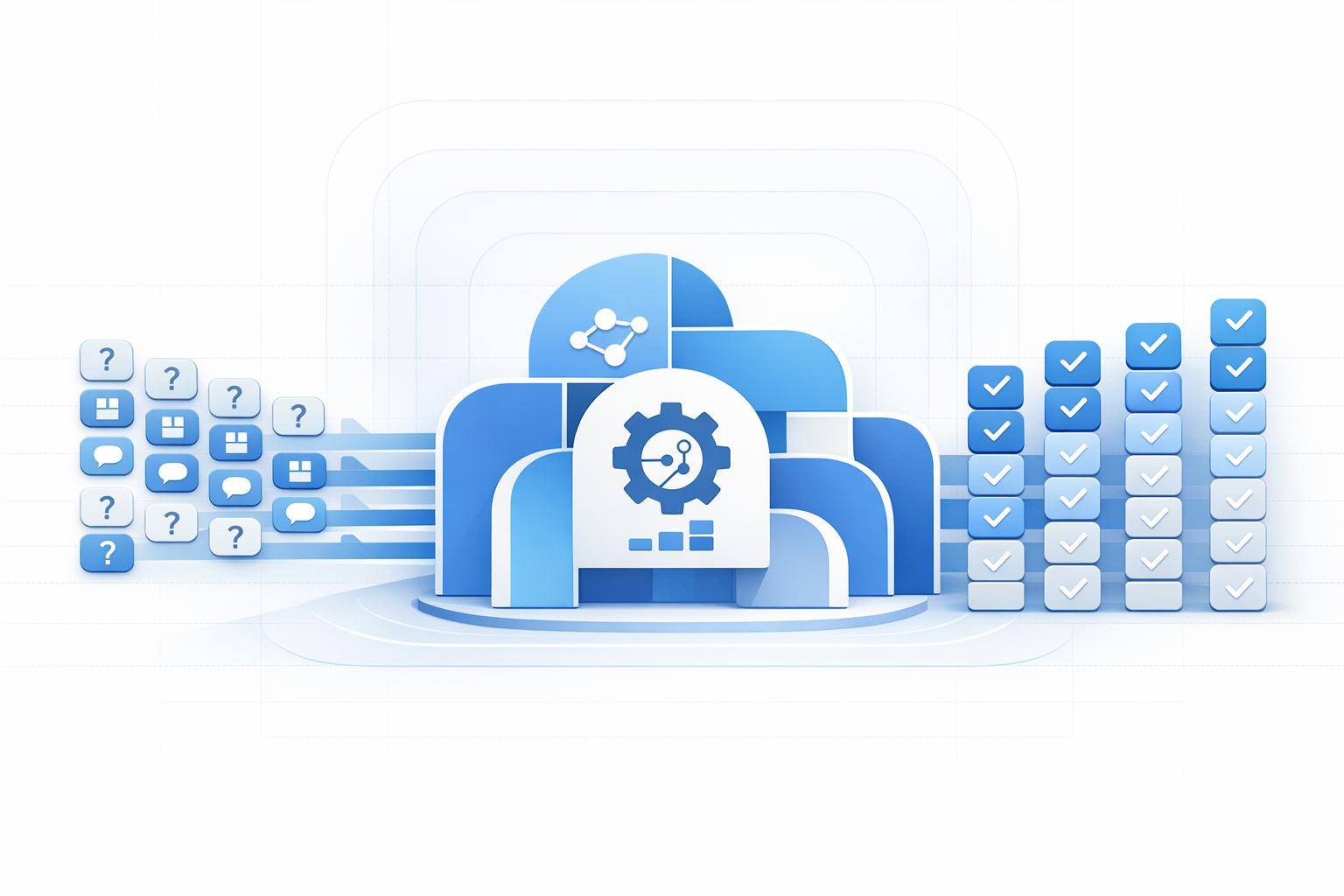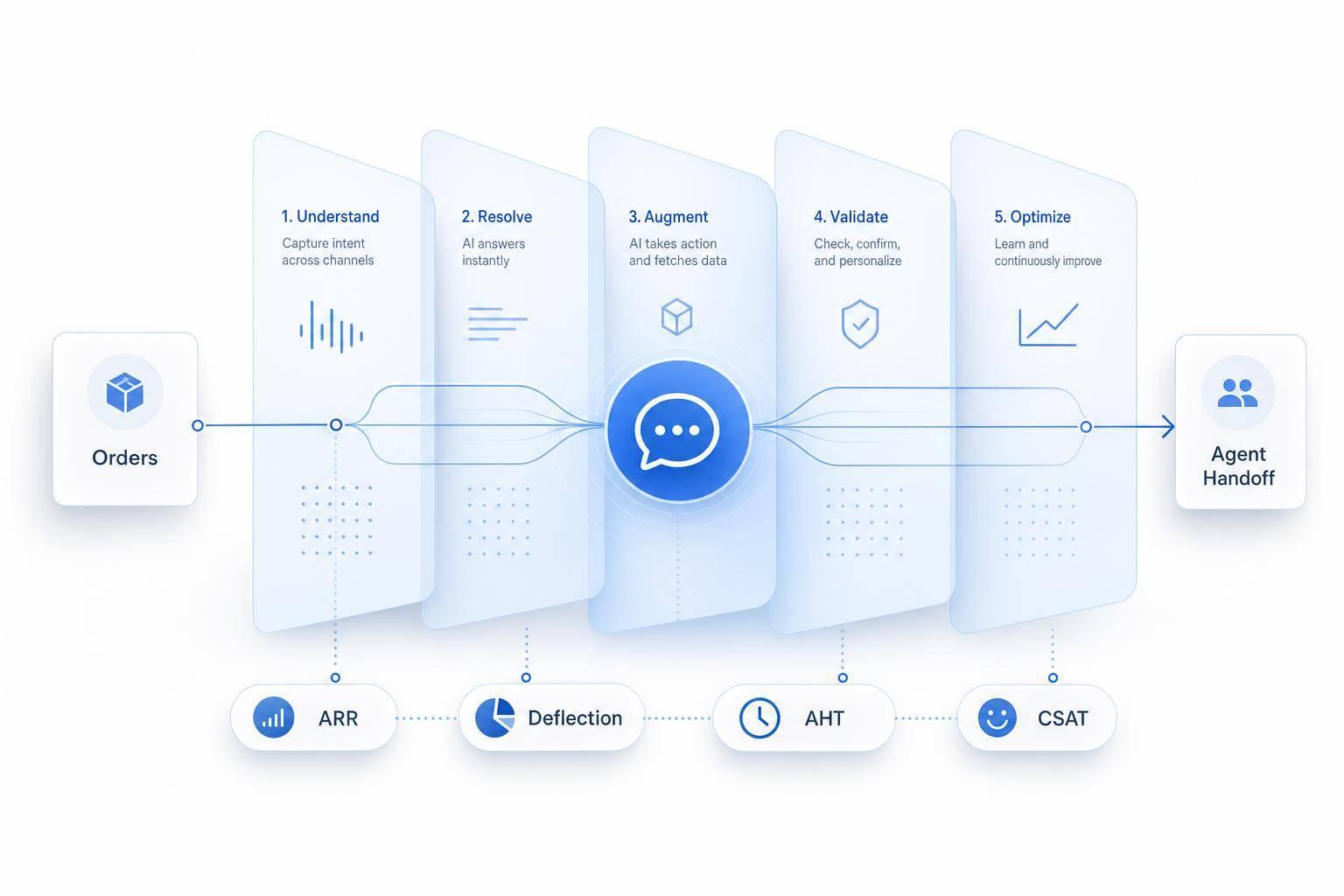
If you want better support efficiency, start by automating your highest-volume, lowest-risk tickets first. In most teams, that means FAQs, order status checks, account lookups, and password resets. When a bot handles those chats, agents spend less time on repeat work and more time on cases that need judgment.
Here’s the short version:
- I’d review 3 to 6 months of ticket data and group requests by intent
- I’d pick one workflow with high volume and fixed answers
- I’d set baseline metrics like AHT, FRT, deflection rate, ARR, CSAT, and cost per resolution
- I’d connect the bot to trusted content and live systems for order and account data
- I’d add handoff rules for low confidence, negative sentiment, sensitive topics, and human requests
- I’d review failed chats every month and expand only after the first workflow works
A bot helps most when it does two things well: answers routine questions fast and hands off hard cases with context. That’s the whole game. If it can’t do both, ticket volume may drop, but customer frustration can go up.
A few numbers matter most:
- ARR (Automated Resolution Rate): how many chats the bot solves on its own
- Deflection rate: how many tickets never reach an agent
- FRT (First Response Time): how fast the first reply happens
- AHT (Average Handle Time): how long resolution takes
- CSAT: whether customers liked the experience
- Escalation rate: how often the bot sends chats to a human
The main point: don’t launch a bot everywhere at once. Start small, measure the result, fix weak spots, and then add the next workflow.
1. Identify the Support Workflows to Automate First
Review 3–6 Months of Ticket Data by Intent
Start by looking at your ticket history from the past three to six months. Then group those tickets by the customer’s intent.
That usually means buckets like:
- Shipping
- Returns
- Order status
- Passwords
- Billing
- Hours
- Product questions
Next, sort those intents by volume. The ones that show up most often should go to the top of your list. That ranking gives you a clear view of which workflows make sense to automate first.
Start with Low-Risk, High-Volume Requests
Begin with requests that have fixed answers and clear rules. Think order status or return-window questions.
These are usually the safest place to start because there’s less room for confusion. And they tend to come in again and again, which makes the payoff easier to spot.
For each workflow, tie the work to one clear outcome, like lower ticket volume or faster resolution. Keep it simple. One workflow, one goal. Following a customer service automation checklist can help ensure you don't miss critical steps during setup.
Define Success Metrics Before You Launch
Before launching any automated workflow, write down your current baseline numbers. If you skip this step, you won’t have a clean way to compare results later.
Average Handle Time (AHT) is a useful starting point because it shows how long cases take to handle. Set your baselines now, then use those numbers to measure impact after launch.
Once those baselines are in place, use them to build your first automated flow in ChatSpark.
2. Configure ChatSpark to Handle FAQs, Order Updates, and Routine Support
Load Trusted Content and Build Clear FAQ Flows
Once you’ve picked your first workflows, build the bot around approved content. Upload your help center articles, PDFs, and URLs straight into ChatSpark. That way, ChatSpark pulls answers from approved sources instead of making up generic replies, which helps keep responses accurate and on-brand.
When you set up the content, keep it simple: one intent, one article. Each article should stick to one topic. That makes it easier for the AI to pull the right answer fast. Then group your highest-volume topics into clear FAQ flows so customers can get where they need to go without extra back-and-forth.
Automate Order Updates with Integrations
This is the part where ChatSpark starts handling live order and account lookups. With ChatSpark's AI Actions feature, you can connect the chatbot to outside systems through API calls, like your store, CRM, or help desk. That lets the bot check order status or process refunds without pulling in an agent.
Before launch, run the bot in shadow mode. It’s a simple way to spot missing answers and integration gaps. Use that shadow test to clean things up before you send live traffic through it.
Launch on Your Busiest Channel First
Start with your website widget, then branch out to the channels your customers use most. Once the bot is live across your main channels, set clear rules for when more complicated issues should go to an agent.
3. Build Human Handoff and Multilingual Support into the Workflow
Once routine requests are automated, the next step is the fallback path for issues the bot shouldn't handle on its own.
Set Escalation Rules for Complex or Sensitive Issues
Poor escalation leads to repeat tickets and longer resolution times. A chatbot should pass complex, urgent, or sensitive issues to a human agent without making customers start from scratch.
With ChatSpark, set handoff triggers around four clear signals:
- low confidence
- negative sentiment
- billing, legal, or compliance terms
- direct requests for a human
One rule that's smart to add early is the two-strike rule. If the bot fails to solve the same query twice in a row, it escalates on its own. Before the transfer, collect the customer's order number, email address, and issue type. Then send the full chat history, along with a summary of what the bot already tried, to the receiving agent.
The goal is simple: get unresolved conversations to the right human fast, with no repeated questions.
Route Conversations to the Right Team with Full Context
Getting the handoff to the right person matters just as much as triggering it at the right time.
ChatSpark can route conversations by issue type, customer segment, or urgency level through intent detection. When the transfer happens, the receiving agent receives the full chat history, detected language, sentiment context, any data gathered during the automated phase, and a summary of what the bot already tried.
That gives agents what they need to pick up the conversation without starting over. It's the difference between a smooth handoff and the kind that makes a customer think, Didn't I already explain this?
Start with skill-based routing. Add sentiment-aware routing and VIP routing later, once volume makes it worth the extra setup.
Offer 24/7 Multilingual Support with Localized Content
The same workflow should handle language differences too, without forcing you to build separate support tracks.
ChatSpark can support multiple languages, which helps you extend 24/7 coverage without staffing every language on its own. A simple setup works well here: use centralized English source content, AI translation, and a glossary for brand terms. Then have native speakers review key markets.
That keeps replies accurate, consistent, and easy for customers to use across languages.
4. Measure Results and Improve Chatbot Performance Over Time
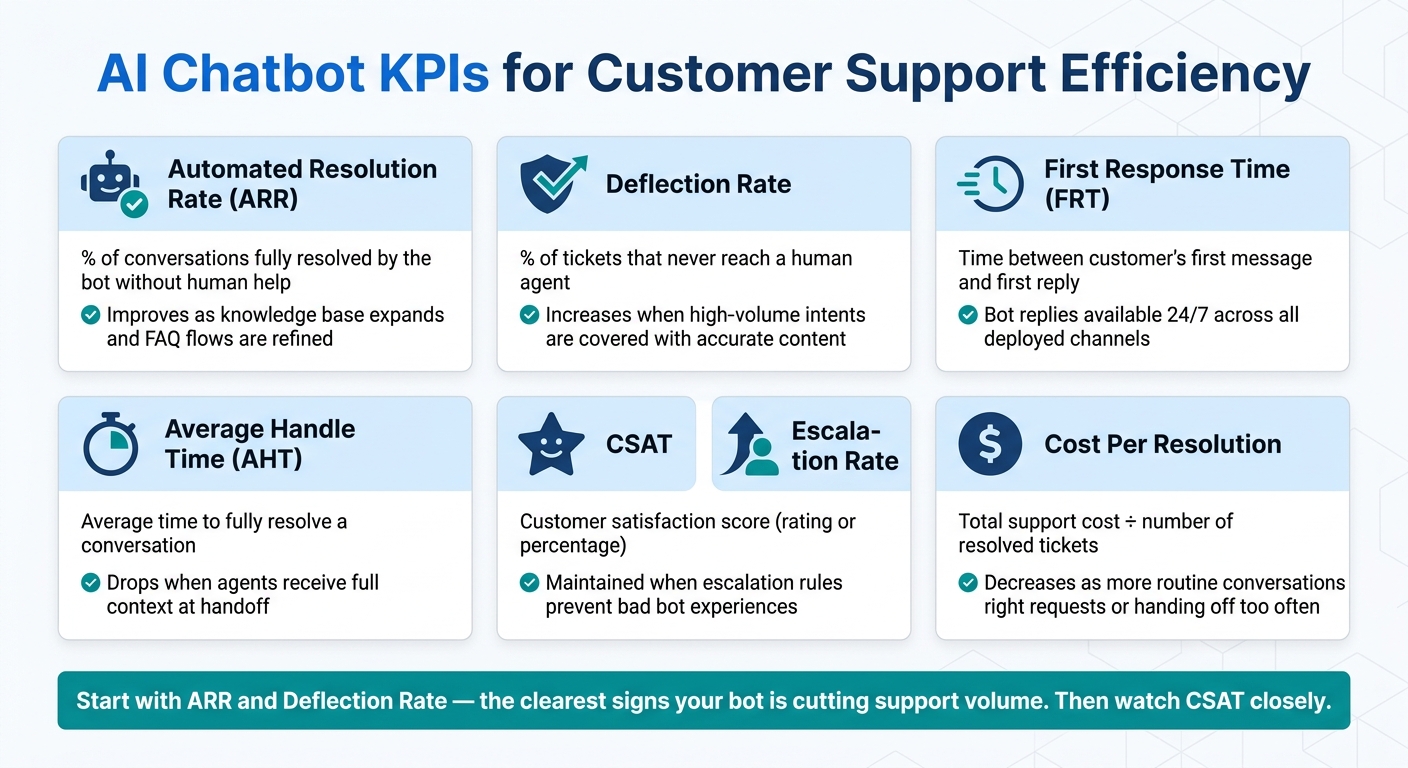
AI Chatbot KPIs for Customer Support Efficiency
Once the bot is live, look at the data to see where it saves time and where it still needs work. Automation only pays off if you measure what it's doing to reduce customer service costs.
Track the KPIs That Show Efficiency Gains
Use these KPIs to see whether the bot is making support more efficient.
| KPI | Definition | How ChatSpark Helps |
|---|---|---|
| Automated Resolution Rate (ARR) | Percentage of conversations fully resolved by the bot without human help | Improves as you expand the knowledge base and refine FAQ flows |
| Deflection Rate | Percentage of tickets that never reach a human agent | Goes up when high-volume intents are covered with accurate content |
| First Response Time (FRT) | Time between a customer's first message and the first reply | Bot replies are available 24/7 across all deployed channels |
| Average Handle Time (AHT) | Average time to fully resolve a conversation | Drops when agents receive full context at handoff instead of starting over |
| CSAT | Customer satisfaction score, usually measured as a rating or percentage | Holds up when escalation rules prevent bad bot experiences |
| Cost Per Resolution | Total support cost divided by the number of resolved tickets | Goes down as more routine conversations are handled automatically |
| Escalation Rate | Percentage of conversations routed to a human agent | Shows whether the bot is resolving the right requests or handing off too often |
If you want a better read on quality, review source coverage and answer accuracy too. Those show whether the bot is pulling from the right content and sticking to it.
Start with ARR and deflection rate. Those are the clearest signs that the bot is cutting support volume. Then watch CSAT closely. Faster replies sound great, but not if the customer walks away annoyed.
Use these metrics to decide which flow to fix next.
Review Failed Conversations and Expand What Works
Metrics show what happened. They don't always show why.
Set aside time each month to review three conversation types:
- Escalations
- Unanswered questions
- Low-CSAT interactions
This is usually where the patterns jump out. Escalations can point to the same few gaps again and again: a missing FAQ topic, an integration that failed to pull the right order data, or a flow that cut off too soon. Unanswered questions tell you, in plain language, what customers want to know that your knowledge base still doesn't cover. Low-CSAT chats often lead back to a wrong answer or a loop the customer couldn't get out of.
Fix those gaps by updating content, adding new flows, or tightening escalation rules. Then study the parts that are already doing well. If a workflow has high ARR, strong CSAT, and a low escalation rate, that's a good sign you can apply the same setup to more Tier 1 tasks or nearby workflows.
Conclusion: Start with One High-Volume Workflow and Scale from There
When the numbers move in the right direction, expand to the next highest-volume workflow. You don't need a full overhaul to move from manual support to efficient automation. Start with the right use cases: high ticket volume, low risk, and clear steps.
Set up ChatSpark with accurate, well-organized knowledge and the integrations your team already uses. Build escalation rules that send complex issues to the right human fast, with full context attached. Add multilingual coverage where it matters most. Then track the KPIs that show the effort is working.
Start with one workflow, prove the numbers, and scale what works.
FAQs
How do I choose the best workflow to automate first?
Review your support data from the last 90 to 180 days to spot the tasks that show up again and again. The goal is simple: find the high-volume work your team handles all the time.
A good way to do that is with the 80/20 rule. Focus on the roughly 20% of inquiry types that drive 60% to 80% of tickets. That’s usually where the easiest wins are.
Start small. Pick simple, repeatable, low-risk tasks like:
- Password resets
- Order status updates
- FAQ responses
Leave sensitive or more complex issues out of the first rollout. If a task needs judgment, carries risk, or could frustrate customers when handled poorly, it’s probably not the right place to begin.
Before launch, set clear success metrics and define the workflow triggers that decide when the process should start. That way, you’re not guessing after the fact whether it’s working.
What should trigger a handoff to a human agent?
Handoff to a human agent when the AI’s confidence score drops below your set threshold, which is often 40%–70%. Do the same for sensitive cases like billing disputes, legal questions, or security concerns.
Move the chat to a person when the system picks up frustration, urgency, or a direct request for human help. A two-strike rule for unresolved questions, plus full conversation-context transfer, helps keep service quality high and cuts down on user frustration.
How long does it take to see chatbot ROI?
You may start seeing measurable results and cost savings within 30 days if you focus on high-volume inquiries. That early window often comes from handling the same common questions again and again, then shifting that work away from your team.
For many businesses, the big milestones show up within the first 3 to 4 months. That often means faster response times and fewer tickets coming into support.
Full financial ROI usually takes longer to measure. Some organizations report an average first-year ROI of 340%. But if payback looks like it will happen in under 8 months, check the math closely. Setup costs and deflection rates need to be calculated accurately, or the numbers can look better than they are.