AI chatbots are transforming lead management by addressing common sales challenges like wasted time on unqualified leads and slow response times. Here's what you need to know:
- 67% of lost sales happen due to poor lead qualification, and sales reps spend 21% of their time on dead-end leads.
- Leads contacted within 5 minutes are 9x more likely to convert, but 67% of B2B inquiries happen after hours when teams can't respond.
- AI chatbots solve this by automating lead capture and qualification, working 24/7, responding instantly, and integrating seamlessly with CRMs.
- Businesses using chatbots see 70–85% form completion rates (compared to 30–40% for traditional forms) and 99% report higher lead conversion rates.
Chatbots use conversational AI to collect and validate data in real time, analyze lead quality with scoring models, and prioritize high-intent prospects. They save time, reduce costs, and ensure sales teams focus on leads most likely to convert.
Key takeaway: With AI chatbots, you can engage leads faster, qualify them smarter, and improve sales efficiency - all while cutting costs.
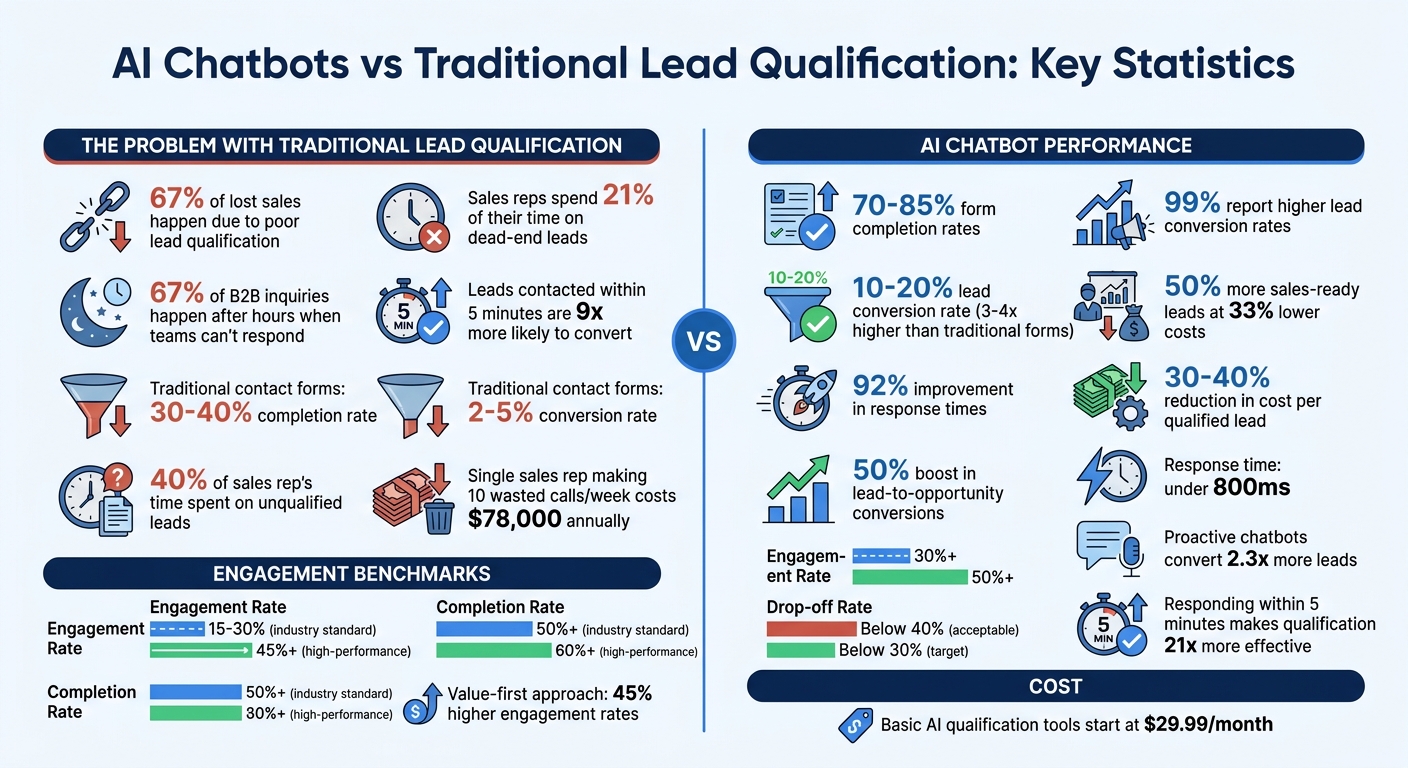
AI Chatbot Lead Qualification Statistics and Performance Metrics
How AI Chatbots Capture Lead Information
Real-Time Data Collection Through Conversations
AI chatbots gather lead information by engaging users in natural, conversational interactions rather than relying on traditional forms. Thanks to Natural Language Processing (NLP), these chatbots interpret both explicit statements and implied intentions. For instance, if a visitor says, "I need help with customer support", the chatbot identifies the intent and tailors its response accordingly.
The data collected falls into two categories:
- Explicit data: This includes straightforward details like name, email, phone number, company name, industry, and company size.
- Implicit data: Advanced systems pick up on behavioral cues, such as hesitation, the sequence of questions asked, level of engagement, and urgency - offering insights into the visitor's true purchase intent.
Real-time validation ensures the accuracy of this data before it integrates into your CRM. For example, if someone accidentally enters an incorrect email or phone number, the chatbot can flag and correct the error during the conversation. This process feels seamless to the user and ensures the information is accurate without disrupting the flow of the interaction. Additionally, chatbots strategically time their questions to maintain user engagement, ensuring that inquiries feel natural and non-intrusive.
When to Request Lead Information
The timing of when a chatbot asks for lead information can make or break the interaction. The most effective chatbots don’t pop up immediately; instead, they use behavioral triggers. For example, if a visitor spends 30 seconds or more on a pricing page, it signals interest - an ideal moment for the chatbot to step in and offer assistance, like comparing plans or explaining features.
A value-first approach is key to success. Chatbots that provide helpful resources, answers, or assessments before asking for contact details see engagement rates rise by 45% compared to those that start with high-commitment questions[9]. Beginning with low-pressure questions like "What problem are you trying to solve?" eases visitors into the conversation. Once trust is established, the chatbot can gradually move on to higher-commitment requests, such as asking for an email or phone number.
To avoid overwhelming users, chatbots employ progressive profiling. Instead of asking for all information in one go, they collect details over multiple interactions. When a visitor returns, the chatbot remembers previous answers and only asks for new information. This method reduces drop-offs and builds a more complete profile over time.
Once the data is collected, it integrates seamlessly into your CRM system, ready for immediate follow-up.
Connecting Data to CRM Systems
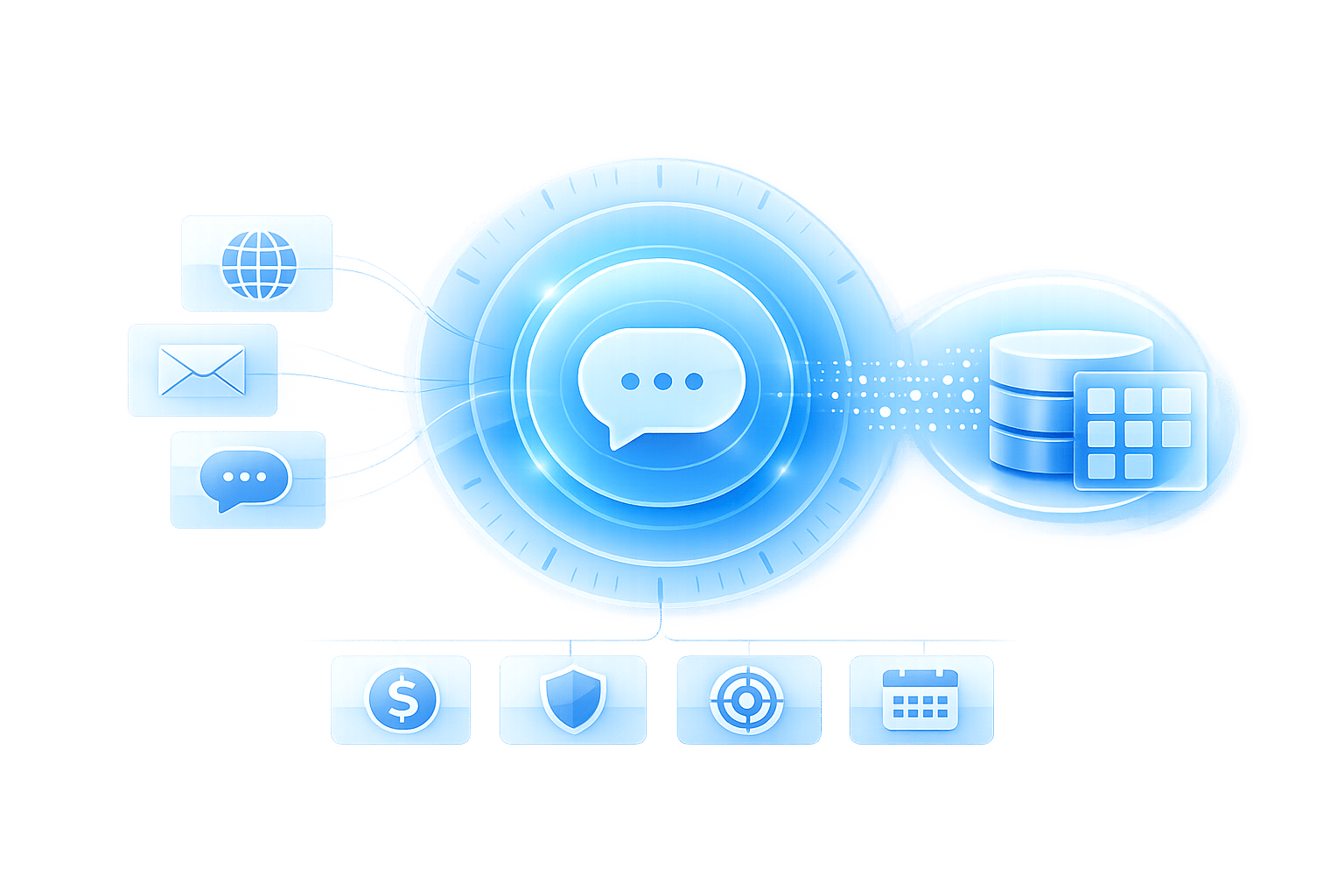
Chatbots don’t just collect data - they ensure it’s actionable by integrating it directly into your CRM. Whether you’re using Salesforce, HubSpot, Pipedrive, or another platform, the chatbot maps captured information to the appropriate fields. Contact details are stored, firmographic data is updated, and the full conversation transcript is attached to the lead record for added context.
This integration happens in real time. If a visitor qualifies as high-intent based on their responses, the system can notify your sales team immediately or route the lead to the right salesperson. Some platforms even automate lead scoring, such as assigning extra points if the visitor identifies as a decision-maker.
Accuracy across platforms is critical. Many chatbot systems sync bidirectionally with CRMs, meaning updates made by sales reps - like changes to a contact’s phone number - are reflected in future chatbot interactions. This prevents the chatbot from asking for information that’s already been provided, creating a smoother experience and building trust with the user. By ensuring accurate, up-to-date information, chatbots help sales teams act quickly and effectively.
How AI Chatbots Qualify Leads
Lead Qualification Signals
Once chatbots capture data in real time, they quickly analyze it to determine lead quality. This analysis relies on three key types of signals that together provide a clear picture of a lead's potential.
- Firmographic signals: These include details like company size, industry, revenue range, and technology stack. Chatbots often use background enrichment tools to gather information such as employee counts, recent funding rounds, and existing software from third-party databases - all without disrupting the conversation[9].
- Intent signals: These reveal how committed a prospect is to making a purchase. For example, explicit statements like “We need this implemented within 30 days,” inquiries about budget, or mentions of specific challenges indicate intent. Chatbots also look at behavior, like time spent on pricing pages or specific questions such as, “Does this integrate with Shopify?” - a clear sign of serious interest[1].
- Engagement micro-signals: These add depth to the analysis. Chatbots track response times, the level of detail in problem descriptions, and whether the prospect asks focused questions or gives vague answers. For SaaS companies, additional indicators like frequent feature usage or inviting teammates to the platform can signal a high-quality product-qualified lead.
These signals are fed into scoring models, enabling chatbots to rank leads swiftly based on their fit and level of engagement.
Using Scoring Models to Rank Leads
Once the data is captured, chatbots assign numerical scores to leads, blending profile and behavioral signals. This process takes just 2–3 seconds, compared to the 10–30 minutes a manual review might require[11]. Scoring models differentiate between profile scores (who the lead is) and behavioral scores (what the lead does), ensuring resources aren’t wasted on high-intent visitors who may not be a good fit[12].
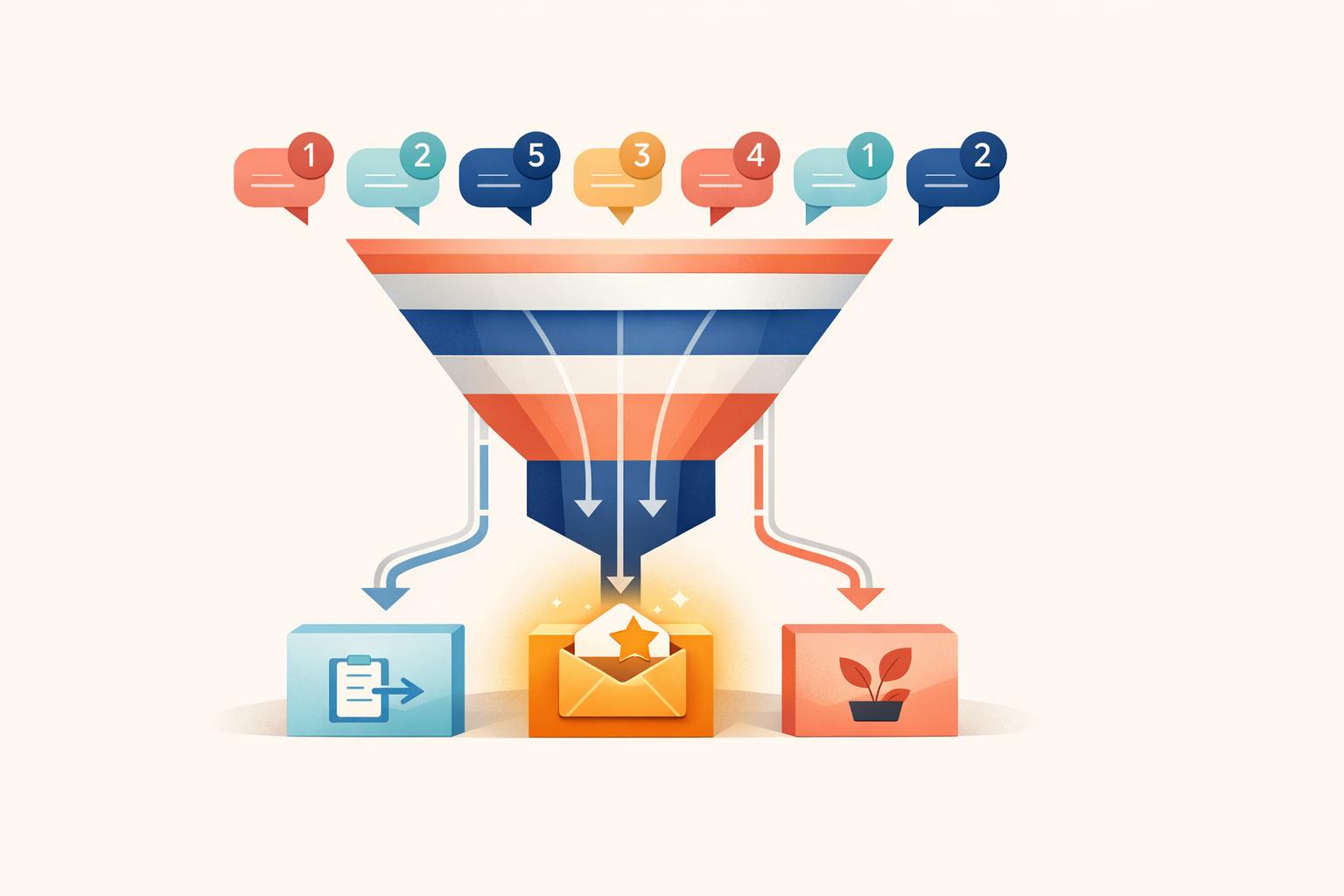
The scores - based on firmographic, intent, and engagement data - are refined by machine learning. Leads are then classified into tiers like Hot, Warm, or Cool, triggering immediate actions such as notifications, meeting bookings, or nurturing workflows. Over time, machine learning adapts the scoring process. For instance, if specific industries or company sizes consistently convert into customers, the scoring model assigns greater weight to those factors for future leads[11].
Designing Effective Qualification Questions
Once scoring is complete, targeted qualification questions help refine the assessment further. How these questions are phrased can significantly impact completion rates and the quality of the data collected. Chatbots that begin by offering value - such as sharing a helpful resource or providing an assessment - see up to 45% higher engagement rates compared to those that start with budget-related queries[9].
A good strategy involves starting with low-commitment questions like, “What problem are you trying to solve?” or “What’s your timeline for implementing a solution?” These build trust and pave the way for deeper questions later, such as confirming decision-making authority (“Are you the decision-maker?”) or exploring service preferences without asking directly about budget[5].
Conditional logic ensures the chatbot skips irrelevant questions based on earlier responses. For example, if a visitor identifies as a solo founder, there’s no need to ask about team size. Similarly, if someone mentions a project starting in six months, the chatbot can adjust follow-up questions to reflect that timeline[9][12].
Personalization and Business Tool Integration
Building Personalized Conversation Flows
AI chatbots create tailored interactions by using conditional logic to adjust conversations based on user input. For instance, if a visitor mentions they’re a solo founder, the chatbot can skip questions about team size. Similarly, if they indicate their project will start in six months, the chatbot shifts its follow-up questions to align with that timeline [12].
Behavioral triggers add another layer of specificity. For example, if someone spends over 30 seconds on a pricing page or repeatedly visits a case study, the chatbot can initiate a conversation with a question that directly reflects their interest [5]. Additionally, source-based customization allows chatbots to address specific pain points if the visitor arrives through a targeted ad [5][13].
Dynamic tokens make these interactions feel more natural by incorporating previously shared information into the conversation. For example, the chatbot might say, “Since you have a team of 50…” to build on earlier responses [12]. Advanced systems can even pull details from a prospect’s professional activity or recent company news to craft opening lines that feel personalized and well-researched [13]. Businesses leveraging this level of AI-driven personalization report 50% more sales-ready leads at 33% lower costs [13].
These seamless, customized interactions integrate effortlessly with your existing sales tools.
Connecting with CRM and Marketing Tools
The data captured during conversations doesn’t just sit idle - it’s actively enriched in real time. Behavioral insights and conversation context are added to each lead’s record, providing sales teams with a complete picture before reaching out [2][11].
Speed is critical: leads contacted within five minutes are nine times more likely to convert than those contacted later [2]. To capitalize on this, instant CRM notifications and integrations with tools like Calendly or Google Meet enable high-value leads to schedule demos immediately [10]. Some CRMs even come equipped with built-in lead qualification agents, eliminating the need for additional integrations [2].
A growing trend is the shift toward workflows that move from “form submit” to an instant AI-initiated callback. This approach engages leads within 60 seconds of their expressed interest [2]. Paired with synchronized conversation transcripts in the CRM, this ensures sales reps have complete context, sparing leads from repeating themselves.
Maintaining Data Accuracy Across Platforms
Keeping data accurate starts with a well-structured system. Many modern platforms use schema validation tools like Zod to verify details such as email formats, budget ranges, and phone numbers in real time [14]. This proactive step ensures that your CRM remains clean and reliable.
Field mapping is another key component, linking chatbot variables directly to CRM fields in systems like Salesforce or HubSpot [7]. Instead of manually parsing chat transcripts, AI models extract structured JSON data to maintain consistency and type-safety [14]. Regular audits of AI-generated lead scores against actual sales outcomes help fine-tune the system and minimize false positives [14].
Trigger-based syncing ensures only qualified leads are added to your CRM, filtering out casual browsers or unqualified prospects [15][7]. By aggregating data from multiple sources - websites, email, and social channels - this system eliminates silos and duplicate records [11]. Companies using AI for lead qualification report a 92% improvement in response times, all while maintaining high data integrity across platforms [14]. With accurate, streamlined data, every qualified lead moves smoothly through the sales funnel.
Measuring and Improving Performance
Key Metrics to Track
Tracking the right metrics is essential to gauge whether your AI chatbot is effectively capturing and qualifying leads. Start with the engagement rate, which measures the percentage of visitors who interact with your bot. Businesses often aim for rates between 15–30% [5]. Next, monitor the completion rate, which reflects how many engaged visitors finish the qualification process. A rate above 50% suggests the conversation flow is smooth and user-friendly [5].
Focus on accuracy over volume when qualifying leads. Check whether the leads identified by your chatbot are converting into meetings or sales. If not, refine your qualification criteria. Another key metric is the handoff success rate, which measures how well leads passed to your sales team translate into meaningful conversations [9].
Response time is another critical factor - latency should stay under 800ms, as delays longer than 1.5 seconds can reduce engagement [2]. Beyond these metrics, consider the broader operational benefits like time saved by sales reps and reduced costs. AI qualification can cut lead costs by up to 60% and save sales teams from spending about 40% of their time on unqualified prospects [2][4].
A/B Testing and Optimization
Once you’ve identified key metrics, the next step is refining your chatbot’s performance through testing. Start by reviewing your last 50 conversations and categorizing them as "qualified", "unqualified", or "dropped off." This helps pinpoint problem areas [9]. If more than 60% of users are dropping off, consider revising the opening message to emphasize value upfront [9].
"Chatbots that lead with value see engagement rates 45% higher than those that open with 'What is your budget?'" – Gartner [9]
Experiment with behavioral triggers to find the best time to engage visitors. For example, a chatbot that activates after a visitor spends 30 seconds on a pricing page might perform better than one that triggers immediately [5]. Marcus, who owns a B2B SaaS company for construction project management, tested this approach. Within two months, his daily sales conversations jumped from 2–3 to 8–10, with half involving decision-makers [5].
You can also test the structure and wording of qualification questions. Keeping the initial interaction to 3–5 questions minimizes the risk of users abandoning the conversation [5]. For instance, asking "What budget range are you working with?" in a conversational tone often works better than a blunt "What is your budget?" [4][5]. Regular feedback from your sales team can further refine your lead scoring process [5][6].
Comparing Results to Industry Standards
To measure success, compare your chatbot's performance to industry benchmarks. AI chatbots typically convert leads at rates between 10–20%, which is 3–4 times higher than the 2–5% conversion rate of traditional contact forms [16]. For example, Canary replaced its 6-field contact form with an AI chatbot trained on product documentation. Over 60 days, they saw their conversion rate climb from 2.8% to over 9%, while the close rate on chatbot-sourced leads was 87% higher than that of form submissions [16].
| Metric | Industry Standard | High-Performance Target |
|---|---|---|
| Engagement Rate | 15–30% [5] | 45%+ (value-first approach) [9] |
| Completion Rate | 50%+ [5] | 60%+ [9] |
| Qualified Lead Rate | 20–40% [5] | Varies by ICP match |
| Drop-off Rate | Below 40% [9] | Below 30% |
| Response Latency | Below 800ms [2] | ~600ms (market leaders) [2] |
Proactive chatbots have the potential to convert up to 2.3 times more leads [16]. Additionally, responding within 5 minutes can make lead qualification 21 times more effective [16]. If your chatbot isn’t hitting these benchmarks, focus on reducing response times and leading with value to keep prospects engaged without overwhelming them with too many questions.
Conclusion
Key Takeaways for Business Leaders
AI chatbots are game-changers for lead management. Consider this: 67% of B2B leads reach out after hours, and responding within 5 minutes makes it 9 times more likely to convert them into customers [7][4]. Traditional contact forms just can't keep up with this level of responsiveness or availability.
These tools don't just bring in leads - they protect your sales team's time. On average, 40% of a sales rep's day is spent on unqualified leads, and 67% of lost sales happen because those leads weren't properly vetted [4]. By using frameworks like BANT or MEDDIC, AI chatbots ensure consistent qualification, filtering out poor prospects before they hit your calendar. Companies that use AI lead scoring see a 50% boost in lead-to-opportunity conversions and reduce the cost per qualified lead by 30–40% [8].
"The biggest gain is not just more leads. It is protecting sales time by filtering weak-fit inquiries before they consume calendar space." – BuiltABot Team [4]
The financial impact is clear too. A single sales rep making 10 wasted calls per week can cost your business up to $78,000 annually [4]. Meanwhile, basic AI qualification tools start at just $29.99/month [4][7], delivering a return on investment by saving even one hour of sales time. These chatbots scale effortlessly, handling unlimited conversations during peak traffic while maintaining response times under 800 milliseconds [2]. With CRM integrations, tools like ChatSpark turn every interaction into a potential sale.
With these insights, you're equipped to take the next step.
Getting Started with Implementation
You don’t need to overhaul your entire sales process to get started with AI-powered lead qualification. Start by defining your Ideal Customer Profile (ICP) - think about the company size, industries, budget, and geographic areas you want to target [7][5]. Then, test your chatbot on high-intent pages like pricing, demo requests, or contact forms where visitors are already signaling interest [7][5][6].
ChatSpark simplifies this process with integrations for CRMs like Salesforce and HubSpot, automatically syncing lead data without manual effort [7][3]. Configure qualification questions that cover key areas like the problem, timeline, budget, and decision-making authority. Keep it concise - limit the interaction to 5–8 questions [1][5]. Set up instant alerts for your sales team via Slack, email, or SMS so they can act fast when a qualified lead comes through [7][17].
Start small and refine as you go. Use performance data to track engagement, completion rates, and successful handoffs. Remember, 78% of B2B buyers go with the first vendor to respond [7], so speed is critical. With ChatSpark's AI managing the initial vetting process, your sales team can focus on closing deals with prospects who are ready to buy.
FAQs
How do I set my ICP rules for chatbot lead qualification?
To effectively qualify leads with your chatbot, start by defining your Ideal Customer Profile (ICP). This involves setting clear criteria such as:
- Company size: What size businesses align with your offering?
- Industry: Which industries benefit most from your product or service?
- Budget: Does the lead have the financial resources to invest?
- Timeline: How soon are they looking to implement a solution?
Once you've established these parameters, configure your chatbot to ask targeted questions that gather the necessary information. For example, you could ask, "What’s your company size?" or "What’s your estimated budget for this project?"
Use decision rules to automatically qualify or disqualify leads based on their responses. For instance, if a lead's budget falls below your minimum threshold, the chatbot can politely disqualify them or direct them to a more suitable resource.
To take things a step further, integrate real-time data enrichment and predictive scoring into your process. These tools can dynamically enhance your ICP by analyzing additional data points, helping your chatbot focus on high-value prospects with even greater precision. This ensures your team spends time where it matters most.
What should my chatbot do when a lead is high-intent but not a fit?
If a lead shows strong interest but doesn’t align with your ideal customer profile, your chatbot should prioritize asking qualification questions early in the conversation. By evaluating their responses, the chatbot can quickly determine if the lead should be disqualified or excluded. This approach helps conserve your sales team’s time and energy, allowing them to focus on leads that truly match your business requirements.
How do I train and tune lead scoring over time?
To get the most out of lead scoring with AI chatbots, it's all about refining the process over time. Regularly update your scoring models by incorporating new behavioral signals - like user intent, level of engagement, and chatbot responses. Pay attention to conversion trends and feedback from your sales team to tweak the importance of these signals. Automating updates ensures your model keeps up with changing buyer behaviors, making it more accurate and effective at boosting conversion rates. This ongoing process helps streamline lead qualification and keeps your strategy sharp.