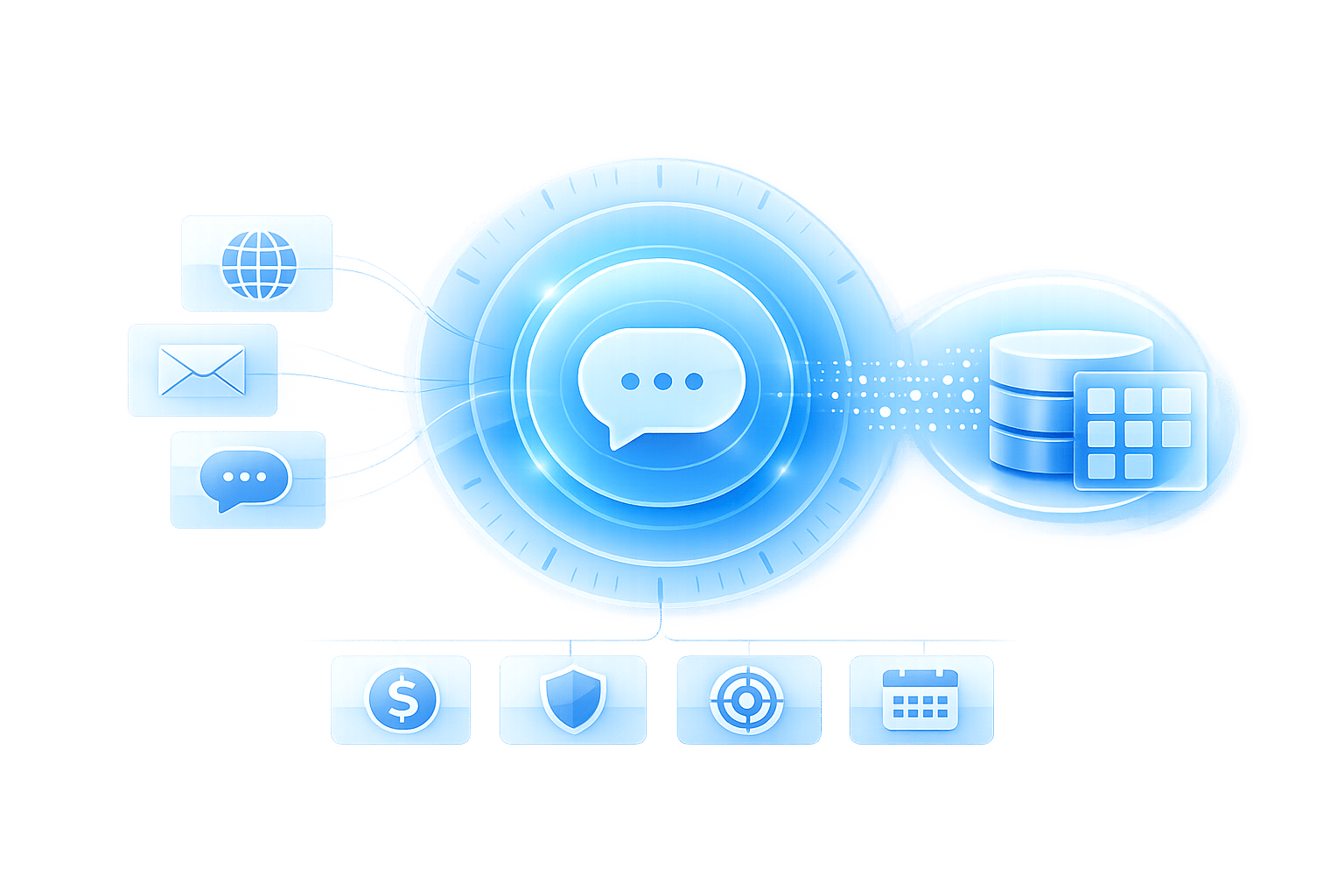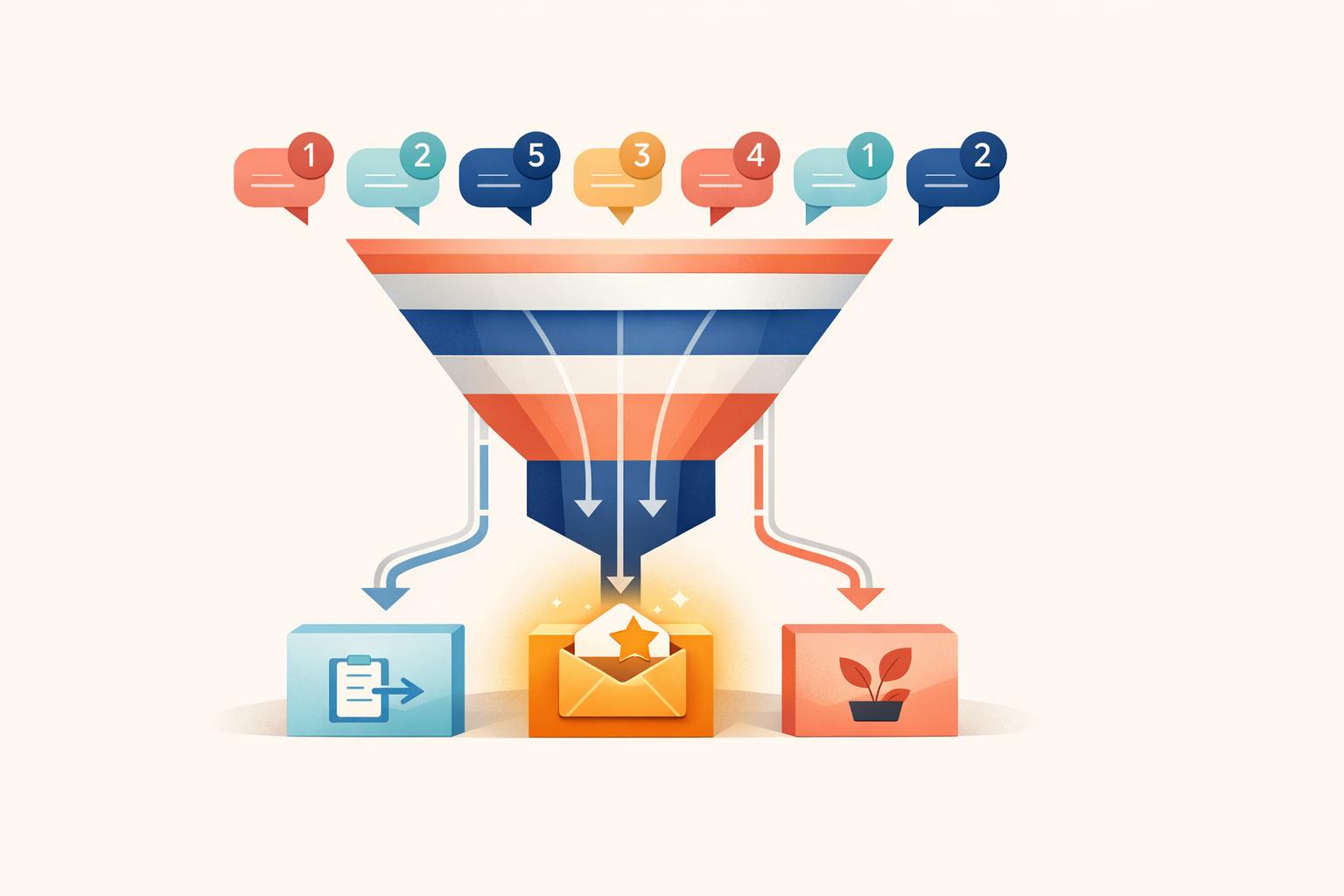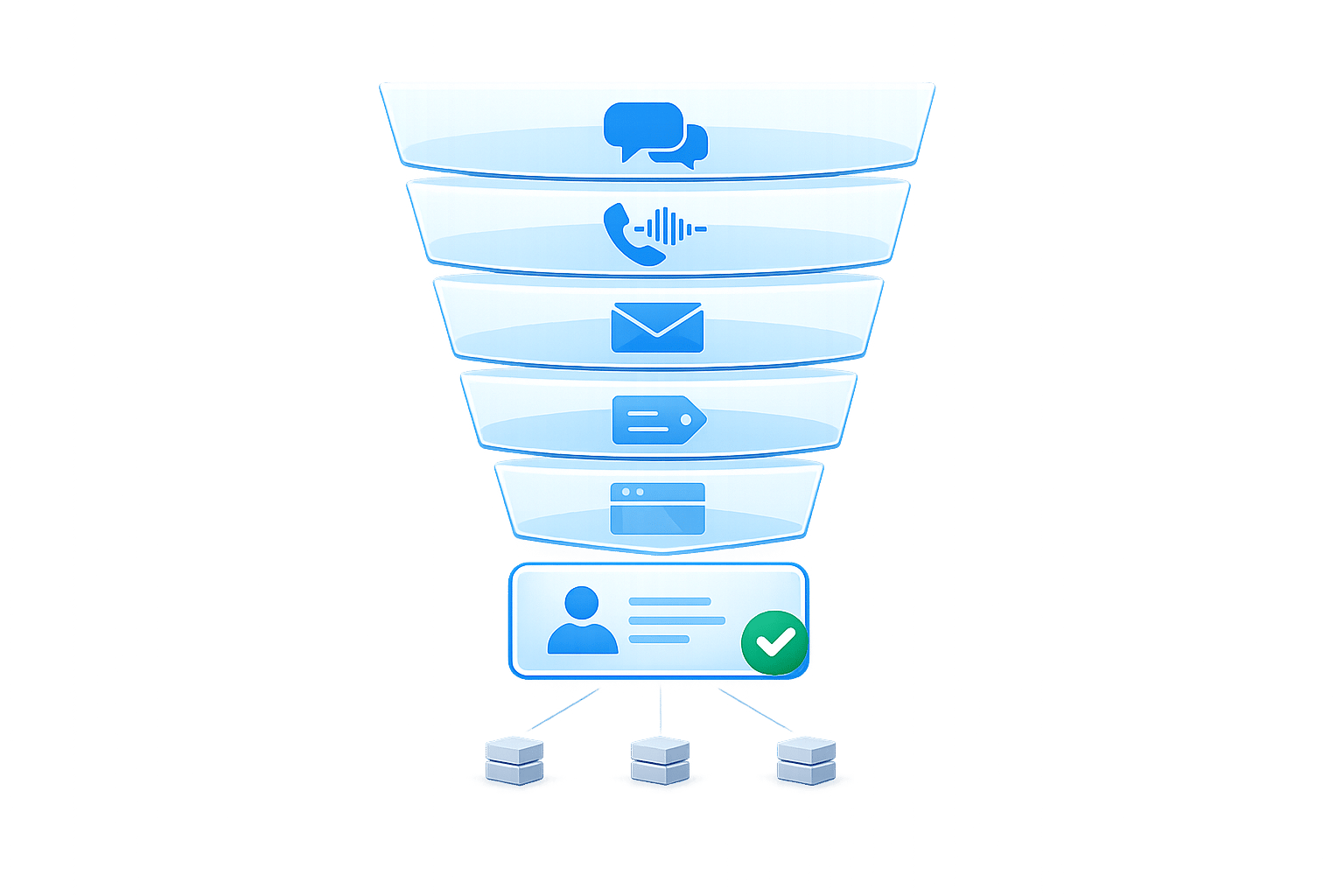
Conversational AI is transforming how businesses engage with potential customers. By replacing static forms with dynamic, real-time interactions, it increases lead conversion rates from 2–5% (forms) to 15–30%. It also qualifies leads instantly, saving time and improving sales acceptance rates by 23%.
Here’s what makes this approach effective:
- Interactive Conversations: AI engages visitors via natural dialogue instead of rigid forms.
- Real-Time Qualification: Filters leads by intent, budget, and timeline during chats.
- Faster Responses: Meets consumer expectations for instant replies (82% expect responses within 10 minutes).
- Data Integration: Syncs lead info directly into CRMs like Salesforce or HubSpot.
- Omnichannel Reach: Works across websites, WhatsApp, Instagram, and more.
To get started, define your ideal lead, map personalized buyer journeys, and use tools like ChatSpark to deploy AI assistants. Focus on key metrics (e.g., lead capture rate, qualified lead rate) and regularly optimize workflows through A/B testing. With this strategy, you can streamline lead generation and improve sales efficiency.
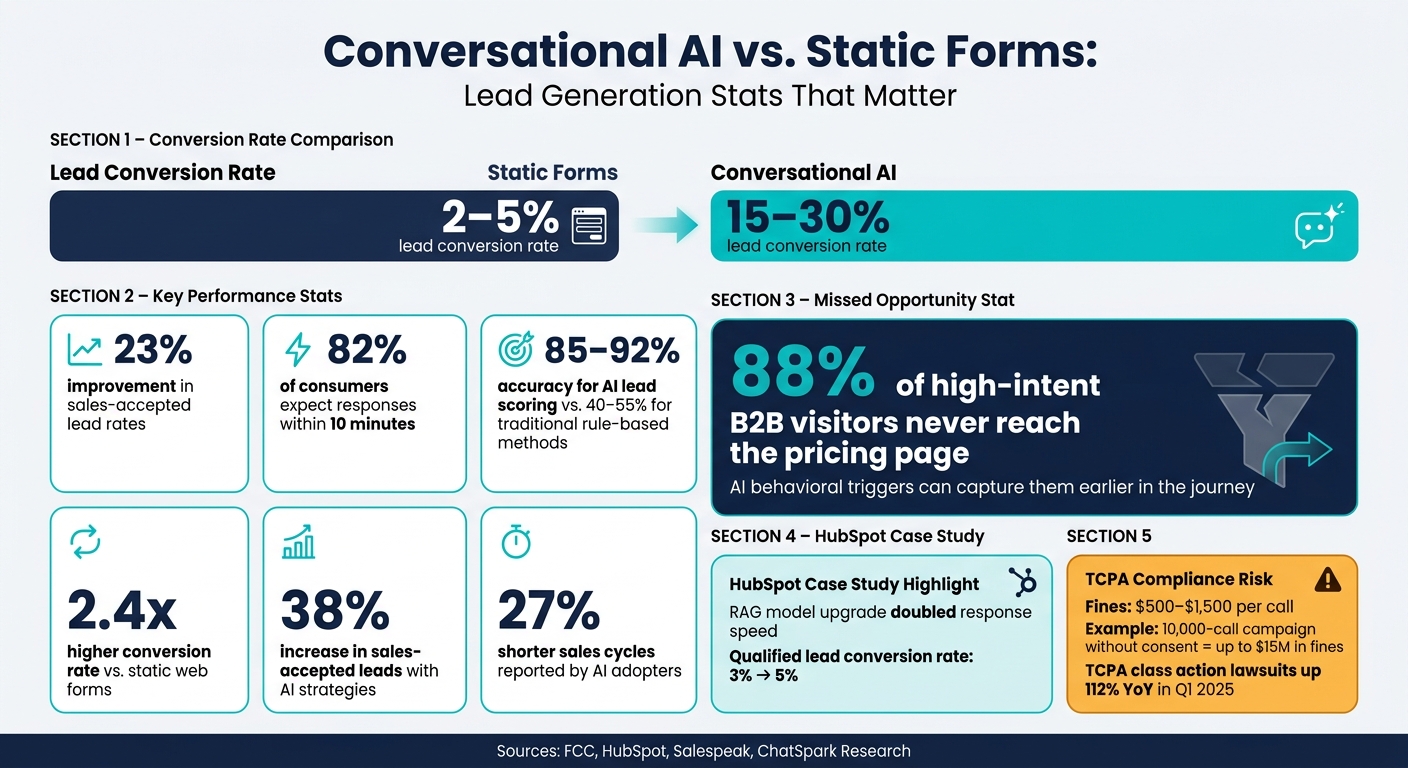
Conversational AI vs. Static Forms: Lead Generation Stats That Matter
How to Build a Conversational AI Lead Generation Strategy
Defining Your Ideal Lead and Qualification Criteria
Before diving into scripting dialogue, it's essential to define what your ideal lead looks like. Sales teams often rely on frameworks like BANT (Budget, Authority, Need, Timeline) to assess prospects. The challenge lies in translating these criteria into conversational, natural questions that don’t feel like a rigid form.
For U.S. audiences, stick to familiar business language. For example, when discussing budgets, use USD ranges like "$500–$2,000/month" instead of vague terms like "enterprise-level budgets." Similarly, timeline questions resonate better when framed in relatable terms such as "ASAP", "Next 1–3 months," or "Just researching" - the kind of language buyers naturally use when expressing urgency [6][4]. Once you gather this information, segment leads into scoring bands: Hot (ASAP + strong fit for your ideal customer profile), Warm (1–3 month timeline), and Cold (still exploring options). This approach streamlines lead capture and prioritization [7][4].
Mapping Buyer Journeys and Key Touchpoints
Once you've nailed down what your ideal lead looks like, the next step is to align your AI prompts with the buyer's journey. High-intent pages like pricing, feature comparisons, case studies, and integration documentation are prime spots to engage visitors [8][9]. These are the moments when potential buyers are actively evaluating whether your product meets their needs.
Here’s an eye-opening stat: 88% of high-intent B2B visitors never even make it to the pricing page [8]. If your AI only engages prospects there, you’re likely missing out on most of your top opportunities. Instead, use behavioral triggers like time spent on a page or repeat visits to initiate conversations, rather than relying solely on specific URLs.
"The form is a tax on intent. Every form on your site is a checkpoint where you ask a buyer, 'before I tell you anything useful, give me your information.'" - Omer Gotlieb, Co-founder, Salespeak [5]
The way your AI greets visitors should also depend on the page context. For example, someone on a pricing page might respond better to a message like "Comparing a few options? I can break down what usually matters most for teams your size" rather than a generic "Hi, how can I help?" [8][9]. By tailoring your AI’s tone and approach to the page’s purpose, you can guide prospects through the journey more effectively.
How to Structure Lead Capture Conversation Flows
To keep things running smoothly, follow a five-step conversation flow [6]:
- Context Setter: Start by asking why they’re visiting.
- Problem: Dig into what issue they’re trying to solve.
- Size/Scale: Confirm if they fit your ideal customer profile (e.g., team size, industry, etc.).
- Timeline: Gauge how soon they’re looking to act.
- Permission: Ask for their contact details and explain the next steps.
For questions about budget or team size, use buttons and rich cards instead of open text fields. This makes the process easier for users and ensures the data entering your CRM is clean and structured [6][4]. For instance, instead of asking a visitor to type their team size, offer clickable options like 1–10 / 11–50 / 51–200 / 200+.
To avoid making the interaction feel like an interview, sprinkle in helpful tidbits between questions. For example, share a quick industry stat or insight that’s relevant to their situation. This small gesture makes the exchange feel more like a conversation and less like a data grab [6]. Tools like ChatSpark can help you implement this kind of dynamic, branching dialogue across multiple channels - from your website to platforms like WhatsApp, Instagram, and Facebook. That way, prospects experience a consistent qualification process no matter where they engage with you.
How to Deploy Conversational AI for Lead Capture
Choosing and Configuring a Conversational AI Platform
Not all conversational AI platforms are created equal, especially for businesses in the U.S. A few key features should be at the top of your list.
Omnichannel support is a must-have. Potential leads often move across platforms - starting on your website, continuing through Instagram DMs, or even via SMS. Your platform should seamlessly handle all these channels while keeping the conversation context intact. Another critical feature is native CRM integration with tools like Salesforce, HubSpot, or Pipedrive, ensuring lead data flows directly into your system without manual effort. For teams without developers, a no-code visual builder is essential, allowing marketing and sales teams to design and tweak workflows independently.
Make sure the platform accommodates U.S.-specific formats, such as phone numbers like (555) 123-4567, dates in MM/DD/YYYY, and prices in USD (e.g., $1,499.00). If you're running SMS campaigns, confirm the platform supports TCPA-compliant opt-in workflows with clear opt-out instructions like "Reply STOP to unsubscribe." ChatSpark checks all these boxes, offering omnichannel deployment across platforms like websites, WhatsApp, Instagram, Facebook, Telegram, and Slack. It also includes built-in compliance features tailored to U.S. privacy laws.
Setting Up and Training Your First AI Assistant
Start small by focusing on a single, high-value use case, such as qualifying visitors on your pricing page or scheduling product demos. Trying to tackle everything at once can overwhelm both your team and your bot, leading to a poor user experience.
Once you've set your goal, training the AI is straightforward with ChatSpark. Simply upload resources like FAQs, product documents, or even your website URL. The AI uses RAG (retrieval-augmented generation) to pull accurate answers to common pre-sales questions, such as pricing details, implementation timelines, or support hours, reducing the need for human intervention in routine inquiries.
Next, configure critical lead capture fields like first name, last name, business email, company name, and phone number. Apply validation rules to ensure data is formatted correctly - for example, phone numbers like 555-123-4567 or (555) 123-4567 and budgets displayed in USD (e.g., $2,500/month). Set your sales team's business hours and time zone (e.g., 9:00 AM–5:00 PM ET, Monday–Friday) so the assistant can manage follow-up expectations accurately from the start.
Once your assistant is trained, the final step is integrating it with your CRM to enable real-time lead capture.
Connecting Your AI to Your CRM and Sales Tools
One of the greatest benefits of conversational AI is the ability to instantly capture and sync lead data into your CRM. Studies show that reaching out to a lead within 5 minutes instead of 30 significantly increases qualification rates - and every second counts.
ChatSpark offers two integration options depending on your plan. If you're on an entry-level plan, Zapier can handle syncing after the conversation ends, transferring lead data to your CRM as a new contact or deal. For those on Pro plans or higher, AI Actions enable real-time data syncing during the chat. This means that by the time a prospect finishes answering qualification questions, their details are already live in systems like HubSpot, Salesforce, or Follow Up Boss. If speed is a priority, real-time sync is worth the investment.
When setting up the integration, accuracy is key. Map chatbot outputs like "Company size", "Budget range", and "Use case" to the corresponding fields in your CRM. This ensures your data remains organized and ready for effective segmentation and lead scoring. You can also implement automated routing rules based on U.S. sales territories (e.g., by state or ZIP code), industry, or deal size. This ensures high-priority leads are assigned to the right sales rep quickly, avoiding delays caused by shared queues.
Best Practices for Generating High-Quality Leads with AI
Writing Dialogues That Convert
Crafting effective dialogue is key to attracting and qualifying potential leads. Think of AI-driven conversations as dynamic and engaging, not like filling out a static web form. Start with an opener that provides value - something like a quick assessment, a relevant resource, or a simple question that sparks interest. This approach builds trust before you ask for any information.
For U.S. audiences, direct and curiosity-driven openers work well without coming across as intrusive. Asking something like, "What are you hoping to solve today?" creates a conversational tone instead of an interrogation. To keep prospects engaged, use progressive profiling - gathering information in small steps - which helps lower drop-off rates, particularly during the critical conversion stage where every extra question could lose a lead.
Keep the language simple and concise. Avoid using jargon, and ensure the tone aligns with your brand’s personality. For example, if your brand is casual and approachable, your AI should reflect that. When collecting personal data, include a brief disclaimer to reassure users, such as, "We’ll only use your info to follow up on your request." This transparency helps build trust.
How to Score and Qualify Leads More Accurately
Not every lead will be a perfect fit for your business - and that’s okay. The goal is to identify which prospects are worth pursuing and which are just browsing, saving your sales team valuable time.
Use established frameworks like BANT (Budget, Authority, Need, Timeline) or GPCT (Goals, Plans, Challenges, Timeline) to guide your AI’s qualification process. These frameworks help your AI ask the right questions while maintaining a conversational tone. It’s also important to distinguish between two types of lead scoring: profile scores (based on firmographic data like company size or industry) and behavioral scores (based on engagement signals). For instance, a lead with a high profile score but low engagement might need more nurturing, while a highly engaged prospect with a smaller budget could still be worth a follow-up.
Leverage your AI’s analytics to identify which questions or interactions are most closely tied to successful deals. Regularly update your scoring rules based on this data. Remember, lead scoring isn’t a one-time task - it’s an ongoing process that evolves with your strategy.
Data Privacy and Compliance for U.S. Businesses
For U.S. companies, staying compliant with legal standards for AI-driven outreach is non-negotiable. Beyond avoiding penalties, compliance fosters trust with prospects, making it a critical component of any AI-powered lead generation system.
As of February 8, 2024, the FCC has classified AI-generated voices as "artificial or prerecorded voices" under the Telephone Consumer Protection Act (TCPA) [11][12][13]. This means businesses using AI for voice or SMS marketing must obtain Prior Express Written Consent (PEWC) - a signed agreement specifying the seller and authorizing the use of artificial voice technology [12][13].
Violating the TCPA can result in fines ranging from $500 to $1,500 per call, with no cap on total penalties [12][14]. For instance, a 10,000-call campaign without proper consent could lead to up to $15 million in fines [12]. TCPA class action lawsuits have also spiked, with a 112% year-over-year increase in Q1 2025, and about 80% of these cases proceed as class actions [12].
Here’s how U.S. businesses can stay compliant:
- Update consent forms: Include explicit references to "artificial or prerecorded voice" and ensure opt-in checkboxes are unchecked by default [12][14].
- Honor opt-out requests promptly: Process opt-out requests across all channels - SMS, email, and voice - within 10 business days [14].
- Disclose AI usage upfront: Start calls with clear identification, such as, "Hi, I’m an automated assistant." Research shows this approach maintains answer rates within 5–8% of calls where AI use isn’t disclosed, while reducing complaints [12][14].
State-specific regulations add complexity. For example, Texas requires AI disclosure within the first 30 seconds of a call, while Florida mandates written consent explicitly mentioning AI use [14]. If operating nationwide, it’s smart to design your compliance framework based on the strictest state laws.
For chat-based lead generation, the California Consumer Privacy Act (CCPA) applies to California residents. Your AI must clearly disclose what data it collects, provide an opt-out option, and avoid selling personal information without explicit consent. Tools like ChatSpark include built-in compliance features to help businesses meet TCPA and CCPA requirements across various channels.
How to Measure and Scale AI-Driven Lead Generation
Key Metrics to Track for AI Lead Generation
Once your AI-driven lead generation system is live, it’s crucial to monitor the right metrics to gauge its performance. Start with the lead capture rate - this measures the percentage of visitors who engage in a conversation. Next, focus on the qualified lead rate, which shows how many of those leads meet your criteria. Another important metric is the conversation completion rate, or the percentage of users who finish the qualification process without dropping off.
If your completion rates are low, it might be a sign that your qualification flow is too lengthy. Aim to keep it concise - around 3–5 questions [4][7]. Additionally, track your MQL-to-SQL conversion rate (Marketing Qualified Leads to Sales Qualified Leads). If more than 40% of AI-qualified leads are being rejected by your sales team, it’s time to revisit your qualification questions, as they may not be effectively filtering for intent [6].
Beyond numbers on a dashboard, take time to review conversation transcripts. This helps you evaluate how well your system uncovers user needs, maintains an appropriate tone, and handles follow-ups [2]. Use these insights to identify areas for improvement and test targeted changes.
How to Test and Improve Your AI Workflows
To refine your AI workflows, rely on A/B testing - but only test one element at a time. This could be your opening message, the sequence of qualification questions, or the triggers that initiate conversations. For instance, you might test whether asking about a prospect’s problem before their company size leads to higher completion rates. Such experiments can uncover valuable insights about different audience segments [6].
A great example comes from HubSpot. When they upgraded their "SalesBot" to a retrieval-augmented generation (RAG) model, they saw response times double in speed and their qualified lead conversion rate rise from 3% to 5% [2]. Even small adjustments can have a big impact when scaled.
To reduce drop-offs, consider inserting quick tips or engaging prompts between questions to create a more conversational experience [6]. Also, establish a clear handoff SLA (Service Level Agreement) - for example, ensuring that a human sales rep follows up with hot leads within one business hour. This ensures that qualified prospects get timely attention [4].
Expanding AI Lead Generation Across Channels and Segments
Once you’ve optimized your workflows, you can take the same logic and apply it to other channels. Instead of building entirely new workflows, reuse your AI logic across platforms like WhatsApp, Instagram DM, and Facebook Messenger. This approach ensures consistent qualification criteria and brand tone across all touchpoints, keeping your lead pipeline clean and comparable [1][4].
Platforms like ChatSpark make it easy to manage omnichannel deployment. From one centralized system, you can handle interactions across websites, Instagram, Facebook, WhatsApp, Telegram, and Slack without having to rebuild your logic each time. If you’re moving into new audience segments - such as a different industry or smaller business tier - adjust your qualification questions and scoring thresholds to better fit their needs.
It’s worth noting the performance differences between channels. Conversational AI converts at 2.4 times the rate of static web forms [3]. Additionally, AI lead scoring achieves 85–92% accuracy, far outpacing the 40–55% accuracy of traditional rule-based methods [10]. Companies that adopt these strategies report a 38% increase in sales-accepted leads and 27% shorter sales cycles [10]. These results highlight why expanding across multiple channels is a smart move.
Conclusion: Next Steps for AI-Powered Lead Generation
Conversational AI has shown its ability to capture leads, qualify prospects, and efficiently pass high-quality leads to sales teams. The strategies outlined here take you from identifying your ideal customer profile to scaling your efforts across various channels.
Now it’s time to put the plan into action. Start by training your AI agent using resources like your website, product pages, and FAQs. Define clear qualification criteria, map out key touchpoints, and keep conversation flows concise - aim for 5–8 focused questions to maintain engagement.
Tools like ChatSpark make deployment straightforward. You can launch your AI agent across platforms like your website, WhatsApp, and Instagram. Pricing starts at $19/month for individuals, while the $129/month Pro plan includes CRM integrations and support for multiple channels. For larger needs, Enterprise plans offer tailored options and dedicated support.
Once live, keep a close eye on performance. Regularly review lead quality, analyze transcripts, and run A/B tests to refine your system. Incremental improvements will drive the best results over time.
The difference between a static contact form and a well-optimized conversational AI is clear in the impact it has on your sales pipeline. Don’t wait - start building your AI-driven lead generation system today!
FAQs
What questions should my AI ask to qualify leads without feeling pushy?
Qualifying leads doesn’t have to feel like a sales interrogation. Instead, take a conversational approach that prioritizes value and builds trust. Start with open-ended questions such as “What brings you here today?” or “What problem are you trying to solve?” These types of questions encourage prospects to share their needs and challenges without feeling pressured.
Pay close attention to key indicators like their intent and timeline. A simple, five-question flow can help you gather the details you need without overwhelming the conversation. Along the way, share small, helpful insights or tips to keep the interaction engaging. By maintaining a natural, friendly tone and soft phrasing, you can ensure the process feels supportive rather than sales-driven.
How do I connect an AI assistant to my CRM for real-time lead routing?
To link your AI assistant with a CRM for real-time lead routing, head to the AI Actions section in your ChatSpark dashboard. From there, activate the integration for supported CRMs such as Salesforce, HubSpot, or Follow Up Boss, and grant access by entering your API credentials or using OAuth. If you need more options, consider using Zapier to automatically send lead data and conversation summaries to your CRM as they come in.
What do I need to do to stay TCPA- and CCPA-compliant with AI lead capture?
To ensure compliance, focus on consent management and clear disclosures. The TCPA mandates that AI-generated voice or text communications require prior express consent. For marketing purposes, this typically means obtaining written consent that includes a timestamp, IP address, and a clear disclosure statement.
Additionally, your AI system must identify itself, adhere to two-party consent rules for call recordings, maintain a "Do Not Call" (DNC) list, and promptly process any opt-out requests. It's wise to consult a qualified attorney to thoroughly review your AI setup and compliance measures.