AI agent coaching helps support teams answer more tickets, train new agents faster, and keep reply quality steady. One study cited in the article found that AI-assisted agents handled 13.8% more inquiries per hour, while lower performers improved output by 35%.
If I had to sum up the article in plain English, it says this:
- Use AI behind the scenes for agents, not as a customer chatbot
- Start with one support problem like long handle time, uneven QA, slow onboarding, or missed upsell signals
- Connect the AI tool to your helpdesk, CRM, and knowledge base
- Run a 4–8 week pilot with one queue and a small test group
- Track one main KPI like AHT, FCR, or CSAT
- Keep humans in charge of review, coaching, and any job-related decisions
- Protect customer data by masking PII and limiting access
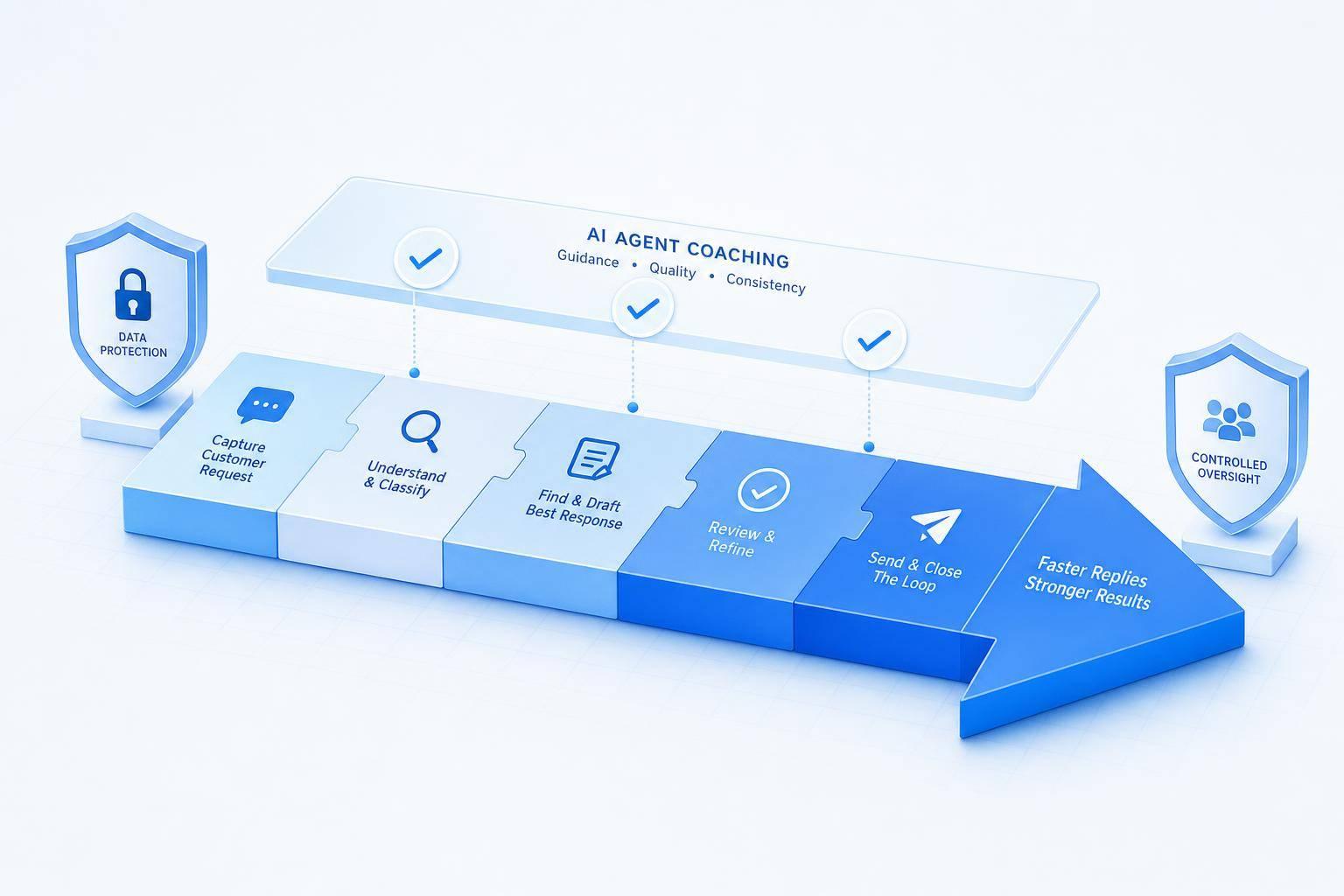
The article also makes one point clear: AI coaching works best when it gives live reply help, knowledge suggestions, sentiment flags, and post-ticket QA feedback inside the agent workflow. That is how teams can cut ramp time from 3–6 months down to about 6–10 weeks in some cases, while scoring more than just a small QA sample.
Here’s the core idea in one glance:
| Focus area | What the article says to do | Expected result |
|---|---|---|
| Agent performance | Give live reply and knowledge suggestions | More consistent answers, lower handle time |
| Onboarding | Let new hires learn in live workflows | Shorter ramp time |
| QA coverage | Score all conversations with AI | Better coaching data across the team |
| Upsell signals | Use CRM context during support chats | More timely cross-sell or upgrade prompts |
| Governance | Mask PII, set access rules, keep human review | Lower risk and better team trust |
My takeaway: if you want AI coaching to work in support, keep the rollout small, measure it closely, and use it as agent support, not agent control.
2. How AI Agent Coaching Works in a Support Environment
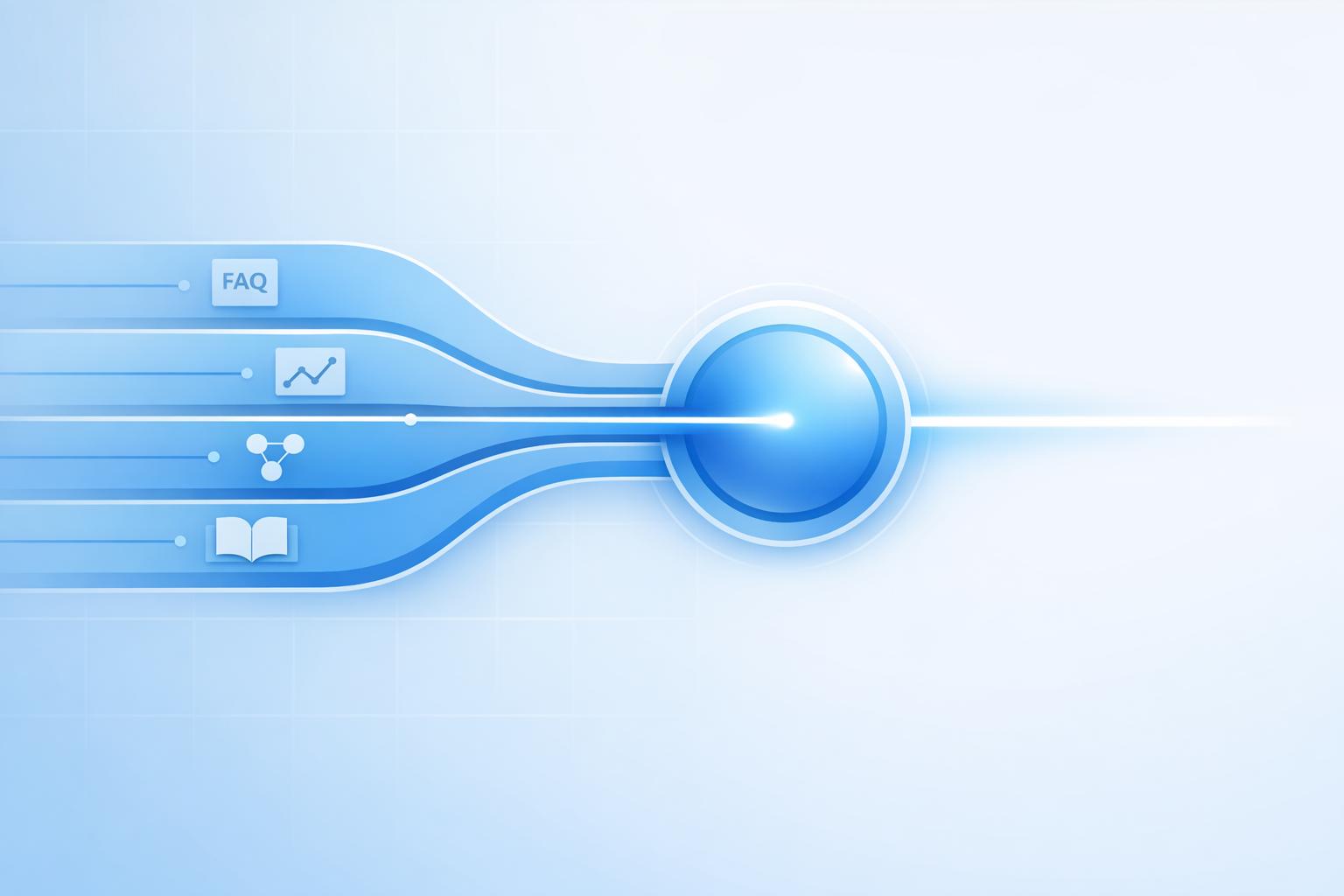
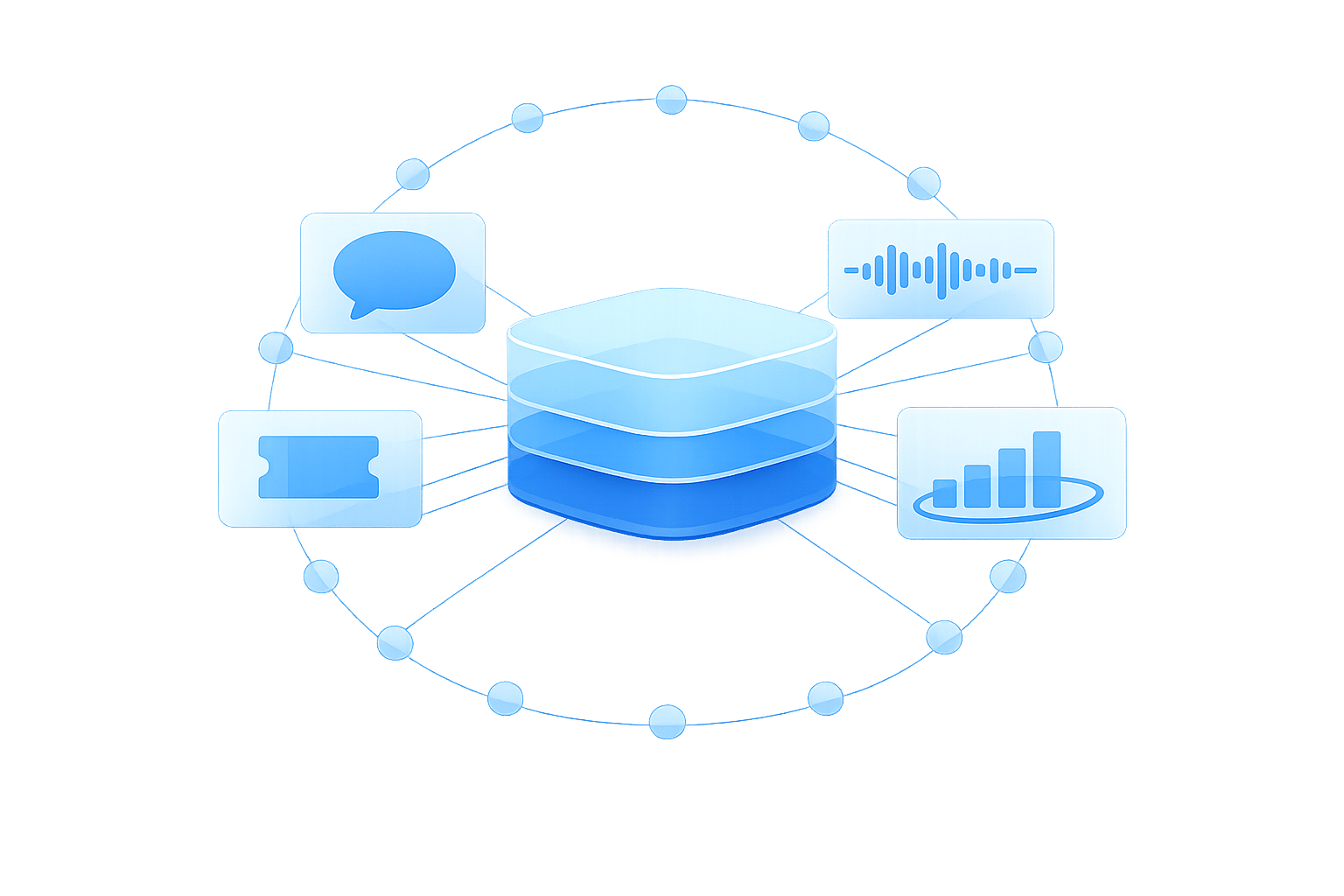
AI coaching pulls from tickets, transcripts, call recordings, knowledge base articles, and CRM records to help agents while they work. In practice, it fits right into the support flow. A system that can look at past cases, CRM history, and the current chat transcript can offer much more relevant help than one that only sees a single data source.
Real-time suggestions, sentiment signals, and post-interaction feedback
During a live interaction, coaching appears inside the agent workspace as inline prompts. That might be a suggested reply, a relevant knowledge article, a compliance reminder, or a frustration alert when the customer sounds upset.
Once the conversation ends, AI can generate a summary, identify the issue behind the contact, and add coaching notes tied to that exact interaction. For example, it might flag a missed verification step or point out that the resolution explanation wasn’t clear. Over time, those notes start to show patterns. Maybe response times are often slow. Maybe close-out language is weak. Maybe the same knowledge gap keeps showing up.
QA scoring and performance insights at scale
After each interaction, those same signals can feed scoring and trend analysis across the whole support operation. Manual QA usually checks only a small sample. AI QA scoring changes that by reviewing 100% of conversations against criteria like empathy, accuracy, policy adherence, and resolution quality.[1][2] That full view makes it easier to see where issues actually sit.
Support leaders can break the data down by agent, team, channel, or issue type. If one queue keeps scoring lower on empathy, or a certain issue type takes longer to resolve, the data brings that into plain view. That shifts coaching from guesswork to a process based on the biggest gaps, helping automate customer support without losing quality.
ChatSpark can surface real-time guidance, summarize interactions, score QA, and support multilingual teams from one analytics layer.
| Coaching Capability | What It Does | Where It Shows Up |
|---|---|---|
| Live reply suggestions | Recommends responses and knowledge articles mid-conversation | Agent workspace during live chat or call |
| Sentiment and intent detection | Flags frustration, urgency, or escalation risk | Live alert in agent interface |
| Post-interaction summaries | Auto-generates notes and action items after each interaction | CRM or helpdesk after conversation closes |
| AI QA scoring | Scores empathy, accuracy, compliance, and resolution quality | Manager dashboards and coaching queues |
| Conversation intelligence | Finds trends across agents, teams, channels, and issue types | Reporting and performance analytics |
From there, the next step is to match each capability to the support pain point it solves.
3. Match AI Coaching Features to Common Support Pain Points
The next step is simple: match each coaching feature to the support issue it can fix.
Standardize responses and cut ramp time for new agents
Without live guidance, new agents often need 3–6 months to reach full productivity in complex or omnichannel setups.[9][4] That’s a long stretch. During that time, reply quality can vary, and senior agents usually end up picking up the slack.
AI-powered agents help shrink that gap by providing real-time coaching. It brings approved replies and the right knowledge into the workflow exactly when agents need them. So instead of learning mostly in training sessions, agents learn while doing the job. Some teams have cut onboarding time by about 50%, going from months down to 6–10 weeks.[6][9]
Catch upsell signals and keep quality consistent across channels
Support conversations often hint at revenue opportunities. A customer might mention a renewal date, ask about adding seats, or show a shift in tone near the end of a contract period. Those moments matter. AI coaching can check CRM data like contract end dates and current product usage, then suggest a clear next step for the agent.[3][5][8]
That same coaching layer also helps keep service quality steady across channels. Tone guidance, QA scoring, and knowledge retrieval can run across chat, email, messaging, and phone from one layer. For U.S. teams that also support Spanish or French customers, ChatSpark supports 85+ languages, so coaching signals and knowledge retrieval keep working no matter which language the customer uses.
Comparison table: which coaching capability solves which problem
| Capability | Support Pain Point Solved | Business Result |
|---|---|---|
| Real-time suggestions | Inconsistent answers; slow ramp time | Faster agent independence and reduced handle time |
| Auto QA scoring | Limited QA coverage; uneven performance | 100% interaction coverage; targeted coaching at scale[7] |
| Sentiment alerts | Missed churn risk; escalation blind spots | Earlier intervention on at-risk accounts |
| Knowledge retrieval | Slow handle time; knowledge silos | Up to 50% reduction in training time; on-the-job learning[6][9] |
| Multilingual assistance | Language barriers; inconsistent global support | 85+ languages supported; consistent coaching across queues |
Once you’ve matched each pain point to the right coaching feature, the next move is to set goals, baselines, and rollout rules.
4. How to Implement AI Agent Coaching Step by Step
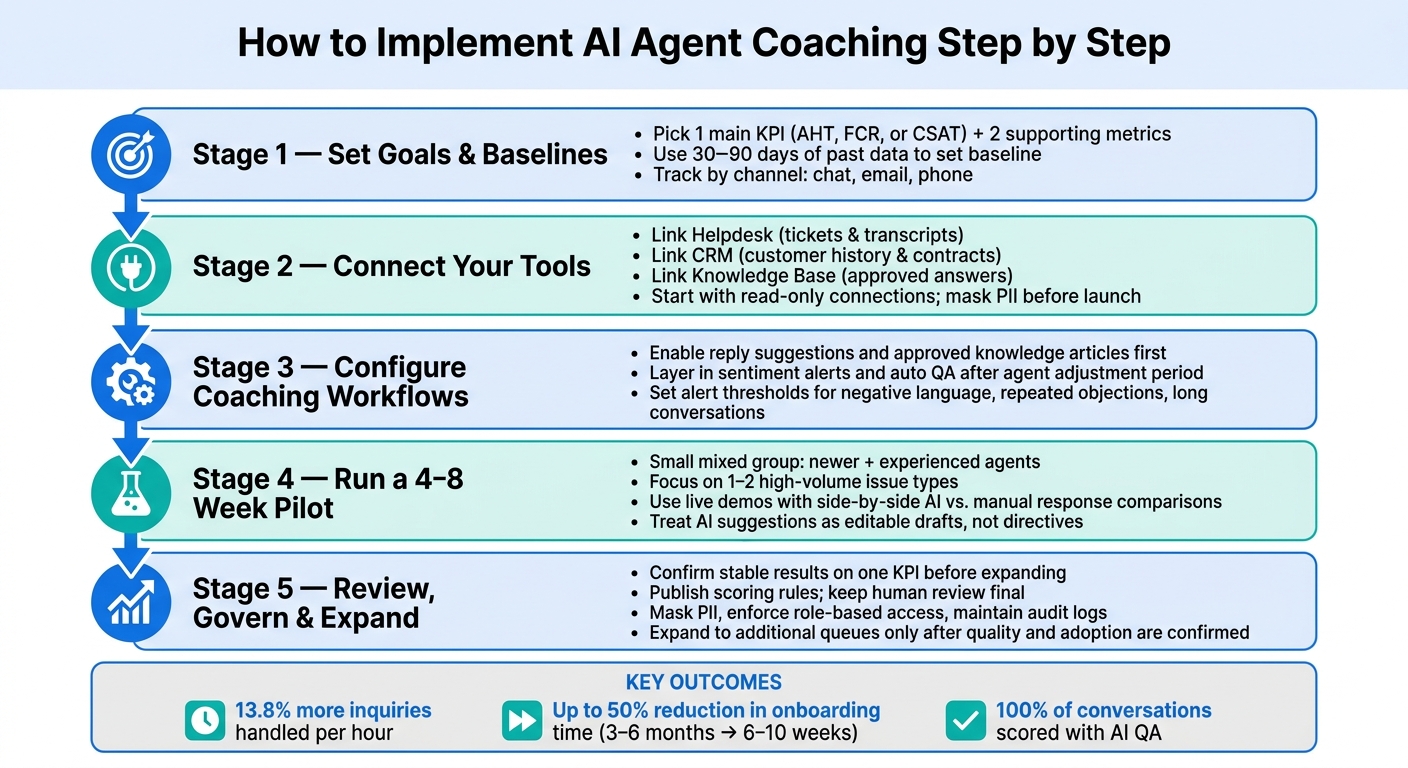
AI Agent Coaching Implementation: Step-by-Step Rollout Guide
Set goals, baseline metrics, and tool connections
Once you’ve pinned down the main pain points, the next move is simple: turn coaching into something you can measure.
Pick one main KPI and two supporting metrics. For the main goal, teams often focus on reducing average handle time (AHT), improving first contact resolution (FCR), or lifting CSAT. Supporting metrics can include QA score and escalation rate, or upsell rate and backlog volume. Keeping that list tight matters. If you track too many things at once, teams can drift into chasing speed and miss the customer side of the job.
Use 30–90 days of past support data to set a baseline and separate seasonal shifts from AI-driven changes.[11][12][13] Track AHT, FCR, CSAT, and QA scores by channel - chat, email, and phone - because results often look different across each one. Before launch, set clear pilot success criteria. That early setup is what turns AI coaching into faster replies, steadier performance, and shorter ramp time.
On the tool side, connect the AI coaching layer to the systems agents already work in:
- Helpdesk for tickets and transcripts
- CRM for customer history and contract data
- Knowledge base for approved answers
Most current tools come with prebuilt integrations or API connectors, so you can begin with a small set of fields instead of kicking off a full data warehouse project. A read-only connection is the best place to start in phase one. It lowers implementation risk but still gives you coaching signals and analytics. Add role-based access so only supervisors and QA reviewers can view sensitive coaching data, and make sure PII is masked in transcripts before anything goes live.
Configure live coaching, QA workflows, and agent training
After the baseline is in place, build the day-to-day workflows agents will actually use.
Start with reply suggestions and approved knowledge articles. Then layer in sentiment alerts and automated QA once agents have had time to get used to the system. For sentiment alerts, set thresholds for repeated objections, repeated negative language, or unusually long conversations. Each alert should tie to a clear supervisor action. If an alert fires, someone should know exactly what to do next.
Run a 4–8 week pilot with a small group that mixes newer and more experienced agents, and keep it focused on one or two high-volume issue types.[10][11] That makes it easier to spot false positives, workflow gaps, and training problems early, before they spread.
During onboarding, use live demos with sample tickets. Let agents compare an AI-assisted draft next to a manual response side by side. That makes the value plain. It’s a lot easier to trust a tool when you can see the difference on the screen.
Tell agents to treat AI suggestions as drafts. They can edit them, accept them, or ignore them. That guardrail matters. It helps people see coaching as support, not as someone looking over their shoulder. Be direct about how the data will be used too: say that coaching data is for development, not discipline. That tends to help adoption.
Use the table below to line up each workflow with the result you want.
Configuration table: workflow setup and expected outcomes
| Workflow Type | Typical Setup Steps | What Agents See | Expected KPI Impact |
|---|---|---|---|
| Real-Time Assist | Connect helpdesk and knowledge base; enable reply suggestions; test approved response templates | Suggested replies; article links; live summaries | Lower handle time; higher FCR |
| Sentiment Alerts | Set thresholds for repeated negative language and escalation-prone conversations; assign each alert to a supervisor action | Priority flags; frustration alerts | Higher CSAT; lower escalation rate |
| Auto QA | Define scoring rubric; map required behaviors; route low-scoring cases to supervisors | Performance scorecards; coaching notes | Higher QA consistency; faster review cycles |
| Multilingual Suggestions | Enable language auto-detection; upload localized glossaries; connect to knowledge base | Translated replies; bilingual phrasing options | Higher first-response quality; consistent queue coverage |
| Post-Interaction Coaching | Configure feedback summaries; sync with QA scorecards; limit feedback to 1–2 focus areas per session | Interaction summary; targeted improvement notes | Faster onboarding; clearer next-step coaching |
5. Governance, Use Cases, and Next Steps
After the pilot goes live, the job changes. Now it’s less about setup and more about governance and picking the use cases most likely to deliver an early payoff.
Use cases that show immediate value
These use cases line up with problems support leaders deal with every day: uneven agent performance, long ramp time, missed signals, and inconsistent quality across channels. The fastest wins usually come from four support scenarios: high-volume chat, sentiment-based call coaching, compliance QA, and multilingual support. They’re strong starting points because the coaching signals already connect to daily agent work.
- High-volume chat: Surface approved replies and urgent cases during volume spikes.
- Sentiment-based call coaching: Flag frustration early so agents can adjust before the issue gets worse.
- Compliance-focused QA: Score required disclosures and route only risky cases to reviewers.
- Multilingual assistance: Support real-time translation and show which languages need localized coaching when resolution time or CSAT drops.
For post-interaction coaching, supervisors don’t have to pull random tickets and hope they find something useful. They get ranked coaching targets instead. ChatSpark can analyze transcripts, surface recurring patterns, and flag coaching opportunities for supervisors.[15]
The same workflows that create speed can also create risk. That’s why governance needs to run in parallel with deployment.
Risk-benefit table: privacy, bias, and oversight
Once AI coaching is live, governance is what keeps the system accurate, fair, and trusted as it grows. Every upside needs a matching control.
| AI Coaching Benefit | Associated Risk | Mitigation Approach |
|---|---|---|
| Faster, more consistent replies | Incorrect or outdated replies | Use a verified knowledge base; require human review for sensitive cases. |
| Automated QA at scale | Biased scoring across accents or dialects | Calibrate regularly; ban AI scores from sole disciplinary use. |
| Sentiment-based coaching | Agents feel monitored | State that sentiment data is for coaching only. |
| Access to voice and chat transcripts | PII exposure | Mask sensitive fields; enforce role-based access and audit logs. |
| Post-interaction feedback | Opaque or disputed feedback | Show scoring criteria; document an appeal process. |
Recent ethics research on AI coaching systems backs this up: privacy protection, bias reduction, and clear accountability need to be in place from day one, not treated like compliance work for later.[14] Human review should stay final for any employment, pay, or account decision.
Conclusion: Start small and improve support performance steadily
Once the core use cases are working, expand only after you see stable results on one KPI. Keep the pilot small, track one KPI, and grow only when the data shows steady gains. Pick one KPI - first-contact resolution, average handle time, or CSAT - and connect the data sources behind it: your helpdesk, CRM, and knowledge base.
Start with one queue. Then expand after you confirm quality, adoption, and score reliability. Publish scoring rules, keep the scope tight at first, and leave final judgment with humans.
FAQs
How do I choose the right KPI for an AI coaching pilot?
Pick KPIs that match the main problems in your support team, like uneven agent performance or slow onboarding. Before launch, set a baseline. That way, you can compare before-and-after results and see what changed.
Track operational metrics such as First Response Time, Average Resolution Time, and escalation rates. Also keep an eye on quality metrics like CSAT, reopen rates, and first contact resolution.
If your main goal is better agent performance, watch human override rates too. It also helps to track agent feedback on AI-generated summaries, since that shows whether the output is helping or just adding extra work.
What support teams benefit most from AI agent coaching first?
Support teams that handle lots of repetitive, predictable questions usually see results first. AI can take care of routine work like password resets, order tracking, and common FAQs. That means faster replies and lower operating costs.
It can also help newer agents send polished, professional responses much sooner, with productivity gains of up to 34%. In practice, that frees up human agents to spend more time on complex, higher-value conversations.
How can I introduce AI coaching without hurting agent trust?
Bring agents in from day one. Let them help shape AI intents, review draft replies, and point out edge cases that feel fuzzy or hard to classify. That changes the dynamic. AI starts to feel like a tool they can use, tweak, or ignore when needed, not a system that’s there to take over their job.
A good way to roll this out is with a 10- to 14-day shadow mode. During that period, AI drafts responses, but humans stay in control and review everything before anything goes out. It’s a simple setup, and it sends a clear message: AI is there to support the team. Meanwhile, agents can spend more time on the tougher, higher-value conversations that need judgment and care.