AI-CRM integration transforms static customer databases into dynamic tools that predict trends, automate tasks, and enhance decision-making. Businesses using AI-embedded CRMs report faster lead responses, reduced manual work, and up to a 10% increase in sales. However, challenges like data quality, technical skills, and security must be addressed for successful implementation.
Here’s what you’ll learn:
- Benefits: AI improves customer support, lead management, and analytics, saving time and boosting productivity.
- Challenges: Poor data quality, lack of expertise, and privacy concerns are common hurdles.
- Solutions: Use pre-built tools, train teams, and ensure compliance to overcome obstacles.
- Tool Spotlight: Platforms like ChatSpark simplify integration, offering real-time updates and omnichannel support.
AI-CRM integration is no longer optional - it’s essential for staying competitive in today’s market.
Benefits of AI-CRM Integration
Traditional vs AI-Powered CRM Systems Comparison
Integrating AI with your CRM takes it from being a simple tool to a powerful business asset. This combination enhances customer support, lead management, and analytics, delivering measurable improvements across the board.
Better Customer Support
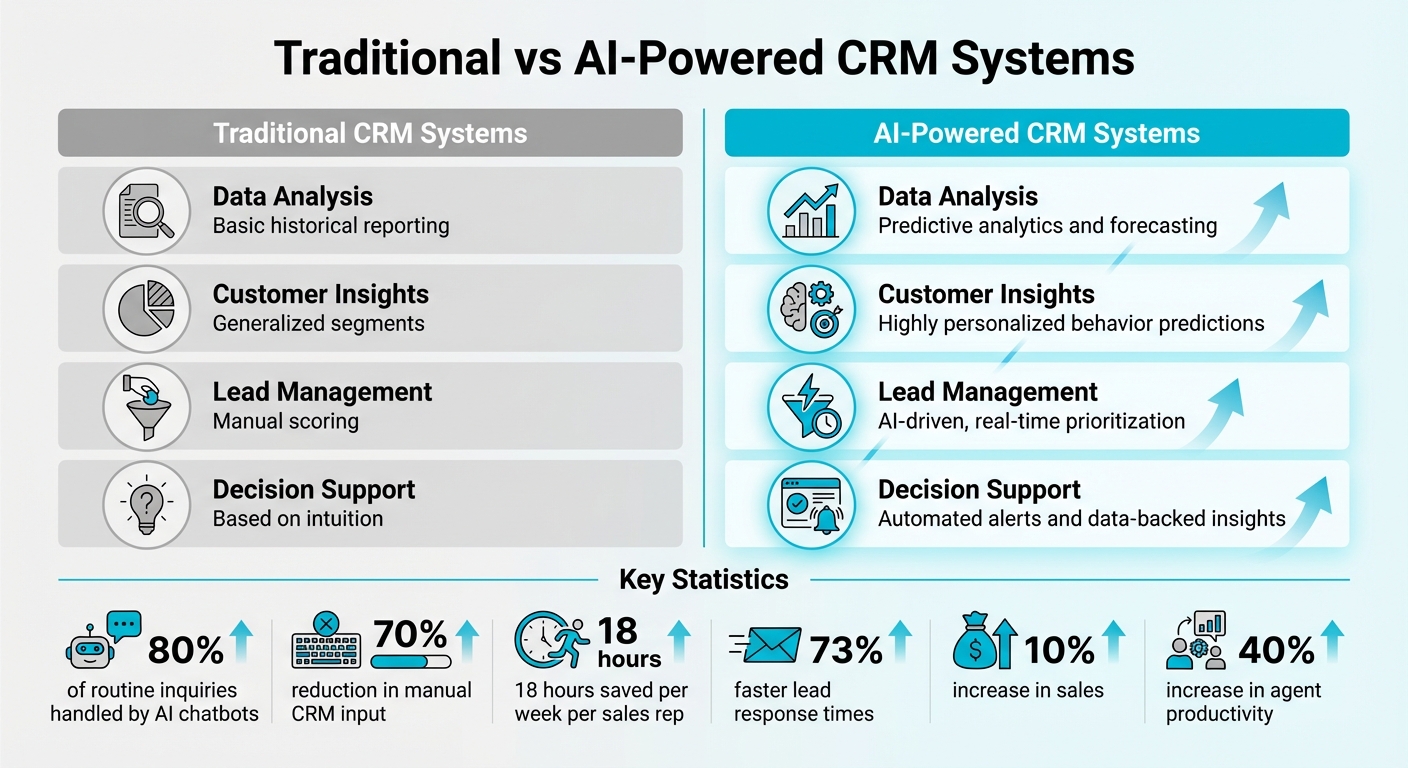
AI tools like ChatSpark are redefining customer support by turning it into a proactive driver of revenue. With 24/7 availability, AI chatbots handle up to 80% of routine inquiries without needing human input[4]. These bots offer instant, personalized responses by tapping into purchase history, past conversations, and customer preferences. This aligns with the expectations of 68% of customers who want AI to remember their previous interactions[2].
AI also takes over tedious tasks like data entry, logging call summaries, and updating contact records - cutting manual CRM input by up to 70%[2]. For individual sales and support reps, this means saving around 18 hours per week[7]. On top of that, advanced AI systems can analyze customer sentiment to detect churn risks and notify account managers in real time[2][3].
But AI’s impact doesn’t stop at support - it also supercharges lead management.
Stronger Lead Management
AI-CRM integration transforms how businesses handle leads. Instead of manually scoring prospects, AI evaluates behavioral signals like email opens, website visits, and content downloads to assign real-time priority scores. Companies using AI-integrated CRMs have reported 73% faster lead response times[7], with some responding in as little as 60 seconds compared to the industry average of 42 hours.
AI agents go beyond simple automation by taking proactive actions. They autonomously update deal stages, flag high-value opportunities, and trigger workflows when a lead shows buying intent. This shift from reactive chatbots to proactive systems boosts operational efficiency by 10–15%[2].
These advancements in lead management set the stage for smarter analytics.
Data-Driven Insights through Analytics
AI-powered analytics turn your CRM into a predictive powerhouse. By analyzing thousands of data points, AI can forecast trends, predict purchase likelihood, and estimate customer lifetime value[9][10].
It goes a step further by uncovering hidden patterns, like which customer interactions lead to higher conversions or which behavioral changes signal potential cancellations. Using Natural Language Processing (NLP), AI extracts insights from unstructured data such as chat logs and social media reviews[9]. This allows businesses to discover insights that might otherwise go unnoticed.
When paired with live data sources, AI-CRM systems can deliver up to a 10% boost in sales[2]. Teams using dual-agent setups - one for customer interactions and another for post-engagement analysis - receive executive summaries highlighting risks, opportunities, and actionable next steps. This ensures decisions are always grounded in up-to-date intelligence.
| Feature | Traditional CRM Systems | AI-Powered CRM Systems |
|---|---|---|
| Data Analysis | Basic historical reporting | Predictive analytics and forecasting |
| Customer Insights | Generalized segments | Highly personalized behavior predictions |
| Lead Management | Manual scoring | AI-driven, real-time prioritization |
| Decision Support | Based on intuition | Automated alerts and data-backed insights |
Challenges in AI-CRM Integration
Realizing the potential of AI in CRM systems isn't without its hurdles. A striking 40% of AI-CRM projects fail due to data quality issues [5], and 70% of mid-sized B2B companies report struggling with integration [11]. Identifying these obstacles early can help you create a solid plan to tackle them.
Data Quality and Availability
AI thrives on clean, accurate data - but it also magnifies flaws in your existing datasets. As Salesforce Consultant Dorian Sabitov explains:
AI isn't a magic wand; it's a magnifying glass. It will expose whatever is in your data. If your data is wrong, AI will simply quickly reveal inaccuracies. [12]
For AI to work effectively, your data needs to hit a minimum threshold - ideally 70% completeness and accuracy. Falling short of this can lead to more confusion than clarity [11]. Common culprits include duplicate records, outdated contact information, and inconsistent formats, all of which force AI systems to make guesses that can derail productivity.
Data silos add another layer of complexity. When AI only pulls information from your CRM and overlooks data in ERP, support, or marketing systems, it can't deliver the full 360-degree customer view you need [13].
To combat these challenges, businesses can take several steps:
- Perform deduplication audits using matching rules (like email domains and phone numbers).
- Enforce field-level validations with dropdown menus instead of free-text entries.
- Schedule quarterly data hygiene checks to deactivate outdated contacts.
These efforts pay off. A 2024 study found that Dynamics 365 Customer Service increased agent productivity by 40% when data was properly prepared [13]. Ultimately, overcoming these data issues often requires specialized knowledge in AI-CRM integration.
AI Expertise and Skill Gaps
Another major barrier is the lack of technical expertise. In fact, 76% of missed sales quotas are tied to insufficient know-how [11]. Building AI-CRM integrations in-house can take two to four times longer compared to using experts, largely due to the complexity of CRM-specific APIs [3]. Jason R. Parker from GTM Engine highlights this challenge:
The underlying cause [of AI-CRM failure] is often data quality, which requires technical diagnosis that many sales leaders are not equipped to run. [11]
For businesses without the right skills in-house, no-code and low-code platforms offer a solution. These platforms let marketing and operations teams design AI workflows using pre-built templates and visual editors, cutting deployment time from months to weeks. Alternatively, outsourcing to specialized agencies - starting at around $500 for basic integrations [3] - can be a cost-effective way to get started.
Focusing on one high-impact area, like lead qualification, can also help you see results quickly. Many companies achieve measurable outcomes within four to six weeks before scaling up their efforts.
But technical expertise isn't the only concern. Privacy and security challenges must also be addressed to ensure a successful integration.
Privacy and Security Concerns
AI-CRM systems face unique risks, such as training data poisoning (where attackers corrupt data to manipulate AI) and model extraction attacks that steal sensitive information [14]. In 2024, 60% of organizations reported experiencing data poisoning attacks [14].
Security and privacy remain top priorities, with 75% of organizations citing them as their biggest concern when adopting AI-powered CRMs [14]. For customers, the stakes are high - 65% say they'd stop doing business with a company after a data breach [14].
To protect your data during AI integration:
- Use formal Data Processing Agreements when sending data to external AI APIs, as required by U.S. regulations [5].
- Opt for business-tier API plans instead of free versions, which often use your data for training purposes [5].
- Begin with read-only access to validate queries before granting write permissions [15].
It's also critical to minimize the use of personally identifiable information (PII). Replace full names or emails with anonymized identifiers like "contact_id: 18472" [5]. Implementing zero-trust architectures, which verify every user and device, is another key step - 70% of organizations plan to adopt this approach by 2027 [14]. Finally, logging every action taken by AI ensures transparency during security audits [15].
How to Overcome AI-CRM Integration Challenges
Integrating AI with your CRM doesn't have to be overwhelming. With the right strategies, you can sidestep technical hurdles and make the process smooth and effective. Success often comes down to using the right tools, training your team properly, and ensuring data compliance.
Using Pre-Built AI Tools
Pre-built AI platforms simplify integration by offering ready-made, secure connections to popular CRMs like Salesforce and HubSpot. Instead of spending months on custom development, these tools allow you to connect AI capabilities in just a few hours.
Take ChatSpark, for example. It provides plug-and-play integrations across platforms like websites, Instagram, Facebook, WhatsApp, Telegram, and Slack. This kind of convenience means your team can focus on results rather than technical setup.
When working with pre-built tools, it’s smart to start with read-only access. This allows you to test data mapping safely before enabling write permissions, which could accidentally alter or corrupt your CRM records. Use a sandbox environment with dummy data to test thoroughly. Also, limit data mapping to only essential fields to avoid hitting API limits and reduce unnecessary clutter.
The benefits of such integrations are clear. Companies using AI-powered chatbots integrated with their CRMs have seen 40-60% higher lead conversion rates. Teams with AI agents connected to their CRM report a 67% reduction in manual data entry. These improvements stem from the AI's ability to automatically log interactions, update records, and trigger follow-up workflows - tasks that would otherwise require human intervention.
Once the technical setup is in place, the next step is preparing your team to maximize these tools.
Training and Support for Teams
Even the best technology won’t perform if your team isn’t ready to use it. Training plays a critical role in helping everyone adapt to AI-enhanced workflows. The most successful implementations involve teams early, during the selection and testing phases, to build trust and ensure the AI aligns with actual needs.
Start small by forming a pilot group to test the AI on specific use cases. This group can identify problems, provide feedback, and serve as internal advocates during broader rollouts. Encourage team members to flag any incorrect AI outputs during the initial weeks so adjustments can be made.
Focus training on how AI can augment existing roles, not replace them. For example, AI tools can handle repetitive tasks like data entry or call summaries, freeing up sales reps to focus on activities that require creativity, empathy, or negotiation. This shift can save sales reps 40-50 minutes per day. Clear communication about how AI supports - not threatens - jobs can ease concerns and encourage adoption.
A gradual rollout is often the most effective approach. Start with simple use cases like lead qualification, then expand to more complex workflows as your team gains confidence. Regular engagement during the pilot phase and structured training sessions ensure everyone understands how to use the AI effectively.
| Training Phase | Focus Area | Key Activity |
|---|---|---|
| Phase 1: Foundation | Awareness & Data | Clean CRM data and introduce basic lead capture [16][5] |
| Phase 2: Pilot | Testing & Trust | Gather feedback from pilot group [1] |
| Phase 3: Integration | Workflow Sync | Enable write-back capabilities and automate notifications [16][17] |
| Phase 4: Advanced | Optimization | Scale proven use cases and implement complex autonomous agents [16][17] |
As your team becomes proficient, maintaining data compliance will be your next priority.
Maintaining Data Compliance
Data security and privacy are non-negotiable when integrating AI with your CRM. Regulations like CCPA in the U.S. require businesses to handle customer data responsibly. To start, always sign Data Processing Agreements (DPAs) with your AI providers. These agreements establish the legal framework for managing personal data. Opt for business or enterprise API plans, which usually exclude your data from being used for model training.
Adopt a least privilege access approach by starting with read-only permissions and avoiding admin-level access for AI agents. Only grant specific write permissions, such as create_note, after thorough testing. To further protect customer data, use anonymized identifiers wherever possible.
Audit logging is another essential step. Keep detailed records of every operation the AI performs, including the data accessed, actions taken, and outcomes. This transparency is critical for security reviews and compliance with regulations. For industries with strict oversight, maintain human-in-the-loop processes for high-stakes decisions, like lead disqualification, to ensure accountability.
| Regulation | Key Requirement for AI-CRM Integration |
|---|---|
| CCPA | Honors opt-out flags and requires the ability to delete local data [7] |
| TCPA | Requires checking Do Not Call (DNC) lists and consent status before AI calling [7] |
| SOC 2 | Requires encrypted storage, access controls, and audit trails [7] |
Finally, create a data processing register to document which CRM fields are shared with AI providers, the legal basis for sharing, and the agreements in place. This documentation not only ensures compliance during audits but also helps your team understand how data flows through the system. Platforms like ChatSpark are designed with these safeguards in mind, offering secure data management across multiple languages and platforms.
AI-CRM Integration Implementation Guide
Integrating AI into your CRM system doesn't have to be a long, drawn-out process. With careful planning, smart tool selection, and thorough testing, you can have a fully functional system running in just a few weeks.
Assess Your Business Needs
Before diving in, it's essential to define your goals. Use SMART objectives - Specific, Measurable, Achievable, Relevant, and Time-bound. For instance, you might aim to boost conversion rates by 10% within six months [1].
Talk to department leaders to pinpoint areas where workflows are lagging. Sales managers might flag delays in lead response times, while customer support teams could highlight repetitive tasks that eat up hours every day [1]. These insights will help you identify where AI can make the biggest impact.
Some of the most time-consuming tasks, like manual data entry, repetitive follow-ups, and lead qualification, are perfect candidates for automation. Teams that implement AI in these areas often report 67% less manual data entry and 2.8x faster lead response times [3]. This approach transforms your CRM into an automated powerhouse that delivers consistent results.
Next, evaluate your technical setup. Does your CRM support REST or GraphQL APIs, native OAuth integrations, or require middleware like Zapier? Understanding these details will help you gauge the complexity of the integration and set realistic timelines [1][3].
| CRM Platform | API Type | Integration Complexity | Typical Duration |
|---|---|---|---|
| HubSpot | REST API v3 | Low | 2–4 days [3] |
| Salesforce | REST + Bulk | High | 1–2 weeks [3] |
| Pipedrive | REST API | Low | 1–3 days [3] |
| Zoho CRM | REST API v6 | Medium | 3–5 days [3] |
| Monday CRM | GraphQL API | Medium | 2–4 days [3] |
Select the Right AI Solution
Once you've identified your needs, it's time to pick an AI platform that fits both your goals and infrastructure. Focus on features, ROI, ease of use, scalability, and security compliance [1]. For U.S. businesses, compliance with regulations like CCPA is critical, so prioritize platforms with strong data protection measures.
One standout option is ChatSpark, a conversational AI tool that integrates seamlessly with CRMs. It connects to platforms like Instagram, Facebook, WhatsApp, Telegram, and Slack, making it easy to engage with customers on their preferred channels. With support for over 85 languages and instant, on-brand responses, ChatSpark can handle customer inquiries around the clock - no advanced technical knowledge required.
Choose an integration pattern that aligns with your business needs:
- Real-time (webhook-driven): Ideal for instant lead response and live support, but more expensive ($150–$400 per month).
- Batch processing: Better for periodic data enrichment and reporting, with a lower cost ($50–$150 per month).
- Hybrid: Combines real-time for leads and batch for scoring, offering a balanced solution at $200–$350 per month [3].
| Integration Pattern | Best Use Case | Cost Level |
|---|---|---|
| Real-time (Webhook) | AI SDRs, instant lead response | Higher ($150–$400/mo) [3] |
| Batch (Periodic) | Lead scoring, data enrichment | Lower ($50–$150/mo) [3] |
| Hybrid | Most teams; real-time + batch combo | Moderate ($200–$350/mo) [3] |
Before committing to a long-term contract, run a pilot program with a small team for a few weeks. This trial period will help you evaluate whether the tool meets your specific needs and delivers measurable results [1].
Implementation and Testing
With your AI solution selected, it's time to implement and test. Start by working in a sandbox environment - offered by platforms like Salesforce or HubSpot - to avoid disrupting your live data [7].
Begin with read-only access to ensure the AI can interpret your CRM data correctly before enabling write-back capabilities [7]. Map only essential fields - such as name, email, phone number, and lifecycle stage - and validate each field's data type to avoid sync errors [3].
Set up duplicate detection rules based on email or phone to prevent clutter in your database. Additionally, configure exponential backoff for API rate limits, so the system retries failed requests gradually (e.g., after 1 second, then 2, then 4) [3].
For the first two weeks, have your sales team review AI-generated updates to catch and correct any logic errors. This feedback loop is crucial for fine-tuning the system. Businesses using integrated chatbots report 40–60% higher lead conversion rates than those relying on standalone tools, but only when the integration is properly tested and refined [16].
Keep an eye on API usage during high-traffic campaigns. For example, Salesforce Enterprise accounts allow 15,000 API calls per day - exceeding this limit can cause outages [7]. Build monitoring tools into your workflow from the start to avoid surprises.
Costs for integration can vary widely. Basic one-directional setups typically range from $1,000 to $3,000 and take 2–4 days, while more complex bidirectional integrations can cost $8,000 to $15,000 and take 1–3 weeks. Be sure to budget for ongoing maintenance costs of $200–$500 per month to cover API updates and performance monitoring [3].
ChatSpark for AI-CRM Integration
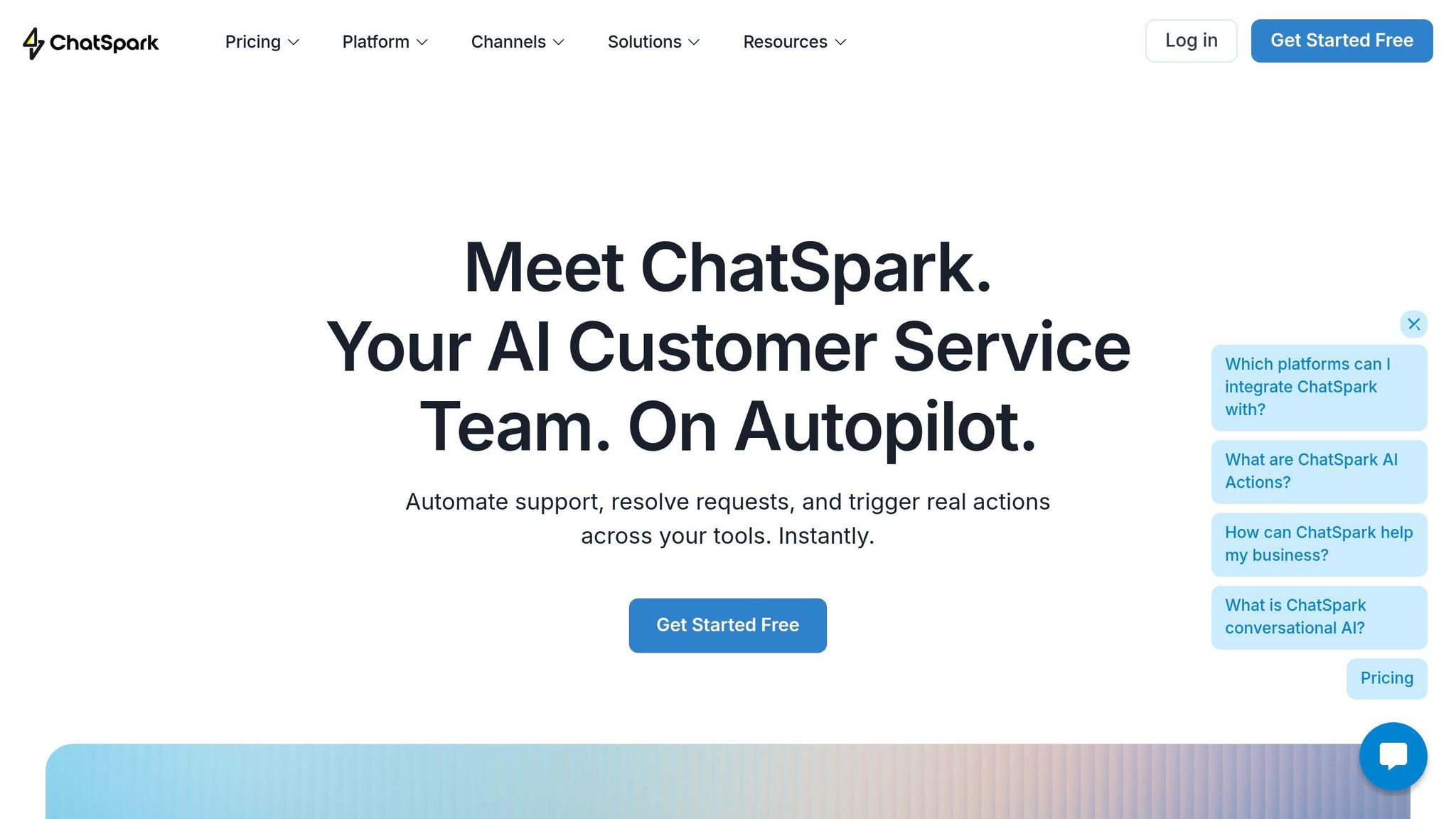
ChatSpark is reshaping how businesses connect AI with CRM systems by offering a unified platform that simplifies customer engagement. Unlike traditional chatbots that sync data after conversations, ChatSpark uses AI Actions to update CRM systems like Salesforce, HubSpot, and Follow Up Boss in real time, streamlining operations and reducing technical hurdles.
ChatSpark Features
ChatSpark works seamlessly across websites and popular social platforms, including Instagram, Facebook, WhatsApp, Telegram, and Slack, funneling all leads into a single CRM system. With automatic language detection for over 95 languages, businesses can interact with customers worldwide without extra setup. Impressively, the platform resolves more than 80% of customer queries automatically [19].
The platform boasts over 140 AI Actions across 40+ tools, enabling tasks like creating Salesforce leads, updating HubSpot contacts, or checking Zendesk ticket statuses - all during live conversations [18]. Its ChatSpark CoPilot browser extension integrates with tools such as Gmail, Zendesk, HubSpot, and Salesforce, offering easy access to CRM data and AI-suggested replies. Additionally, Zapier integration connects ChatSpark to over 5,000 apps, ensuring smooth data transfer to tools like email marketing platforms, project management software, and helpdesks.
ChatSpark also includes an intelligent lead capture tool that identifies potential opportunities, extracts contact details during conversations, and assigns AI-driven engagement scores. This helps sales teams focus on the most promising leads. To address privacy concerns, the platform uses AES-256 encryption for API credentials, ensuring enterprise-grade security.
These features are complemented by flexible pricing plans, making it easy for businesses to scale as needed.
ChatSpark Pricing Plans
ChatSpark offers four pricing tiers tailored to different business needs:
| Plan | Price (USD/mo) | Messages/Month | AI Agents | Pages/Agent | AI Actions | Team Members | Channels | Key Features |
|---|---|---|---|---|---|---|---|---|
| Basic | $19 | 100 | 1 | 25 | None | 1 | Website only | Basic analytics, multiple data sources |
| Plus | $59 | 250 | 1 | 50 | 5 | 1 | Website only | Agent Intelligence, CoPilot extension |
| Pro | $129 | 2,000 | 1 | 500 | 40 | 2 | Omnichannel* | Unbranded widgets, full reporting, GA4 tracking |
| Enterprise | Custom | Bespoke | Bespoke | Bespoke | Unlimited | Unlimited | Omnichannel | RBAC, SOC 2, audit logs, dedicated account manager |
*Omnichannel includes Facebook, Instagram, WhatsApp, Telegram, and Slack.
For most businesses, the Pro plan at $129 per month is a great choice. It includes 2,000 messages, 40 AI Actions, and omnichannel support for real-time CRM updates across multiple platforms. Opting for annual billing can save nearly 14%, equivalent to almost two free months [21].
ChatSpark Success Stories
In just four months (August to December 2025), a global construction products leader implemented ChatSpark for one of its flagship brands. During this period, the platform managed 10,754 messages, captured 153 new leads, and achieved an impressive 98% resolution rate. This saved the company over 66 days of human agent time and generated $47,880 in cost savings from an approximate $4,000 investment - resulting in a staggering 1,097% ROI [20].
"ChatSpark has been managing two of our largest product lines over the past year. It currently handles an average of 1,831 chats per month without any human intervention. Since implementing it on our website, we've realized measurable savings of $119,225."
– Lorri G., Customer Service & Technical Support Manager
The ChatSpark CoPilot feature has also been a game-changer for internal teams, eliminating the need for manual searches across documentation and CRM systems. Teams report saving an estimated two hours per day, significantly improving productivity [19].
Future of AI-CRM Integration
As businesses tackle integration hurdles, CRM systems are evolving into smarter, more intuitive tools. AI-CRM integration is moving away from traditional clicks and forms toward natural language interfaces. Imagine sales reps managing entire deal cycles by simply speaking or typing commands like, "Show me all leads from healthcare companies in Texas that visited our pricing page this month." With this shift, navigating complex tabs and dropdowns will become a thing of the past, streamlining workflows and saving time [5].
"People think in sentences, not forms. When a sales rep says, 'The customer wants to move faster,' an AI agent can autonomously update the close date, adjust the forecast, and notify the team." - Slack [8]
This transformation sets the stage for predictive analytics to reshape CRM interactions. Predictive tools will allow CRMs to act as proactive decision-makers, flagging potential issues like churn risks based on early signals - such as fewer logins or negative sentiment in support tickets. These systems will also optimize customer engagement across all touchpoints. The numbers back this up: the global AI in CRM market is expected to surge from $4.1 billion in 2023 to $48.4 billion by 2033, with an impressive annual growth rate of 28% [23][24].
Another leap forward is context-aware memory, which will let AI agents recall past interactions and provide a clearer picture of deal progress. These systems will combine structured CRM data with unstructured inputs from tools like Slack, offering a comprehensive view of customer history. This "full story" approach enables AI to deliver personalized recommendations that feel genuinely tailored. Today, 68% of customers expect AI to remember previous interactions, and failing to meet this expectation erodes trust [2].
Looking ahead, autonomous agentic AI is the next big step. Unlike rigid "if-then" rules, these agents will tackle complex problems and adapt dynamically to new information [22]. Within CRM ecosystems, specialized AI agents will collaborate seamlessly - one might handle customer greetings, another resolve technical issues, and a third process refunds - all while updating records in real time. Despite this automation, high-stakes decisions will still involve human oversight, ensuring a balanced "human-in-the-loop" approach [22].
"In 2026, autonomous AI agents will become more collaborative, more context-aware, and embedded into CRM platforms." - Centripe [22]
Conclusion
AI-CRM integration has shifted from being a luxury to a must-have for staying competitive. By 2025, 81% of organizations are expected to use AI-powered CRM systems, with companies already reporting up to a 10% boost in sales and a 40% jump in productivity. The message is clear: delaying adoption could mean falling behind[6][2]. Modern CRM systems no longer just store data - they actively analyze it, identify opportunities, and automate tasks, reducing the need for constant human intervention.
To fully tap into this potential, businesses need a strategic approach. Start small with low-risk applications like automated lead qualification or support deflection. Gradually scale as your team becomes more comfortable. Tools such as ChatSpark make this transition easier, offering 24/7 intelligent engagement across multiple channels. For solo entrepreneurs, plans start at just $19/month, with options for larger teams that can grow alongside your business.
"Customer Relationship Management is evolving, transforming customer interactions and operational efficiency." – Vadim Volnitskyi, CRM Expert[6]
The key to success lies in creating a system where data flows both ways and context is preserved. AI agents that can access customer history and update your CRM ensure the kind of personalized experiences that 68% of customers now expect[2]. Solutions like ChatSpark allow businesses to achieve seamless integration and continuous improvement.
The future isn’t about replacing humans with AI - it’s about collaboration. Let AI handle repetitive tasks like data entry, lead routing, and round-the-clock customer engagement. This frees up your team to focus on strategic initiatives and growth. With the right tools and a thoughtful integration strategy, your CRM can evolve into a powerful, always-on system that drives leads, supports customers, and helps your business thrive.
FAQs
What data should I clean before adding AI to my CRM?
Before bringing AI into your CRM system, it's crucial to start with clean data. This means tackling tasks like removing duplicate entries, completing missing information, standardizing data fields, and updating outdated records. Begin with a thorough data audit to identify problem areas, and establish consistent data entry practices to keep things organized. These steps ensure your CRM data is reliable, setting the stage for AI to deliver better results.
How do I start AI-CRM integration without an in-house AI team?
To kick off AI-CRM integration, consider using no-code or low-code platforms. These tools make the process straightforward, even for those without technical skills. Begin by defining your objectives - whether it's automating lead capture or enhancing customer interactions. Then, select a platform like ChatSpark, which offers built-in CRM integrations and an intuitive setup. Many of these platforms rely on APIs and provide clear, step-by-step guides, making them ideal for teams without in-house AI experts.
How can I use AI in my CRM while staying compliant in the U.S.?
To stay compliant with U.S. regulations like the Telephone Consumer Protection Act (TCPA), make sure you secure explicit consent before using automated communication tools. Always provide clear disclosure when AI is involved, and give users the ability to easily manage their opt-in and opt-out preferences.
Protecting customer data should be a top priority - use encryption to safeguard sensitive information. Regularly audit your workflows to ensure compliance and stay updated on regulatory changes. Tools like ChatSpark can help you automate tasks such as customer support, lead capture, and analytics while prioritizing security, transparency, and adherence to regulations.