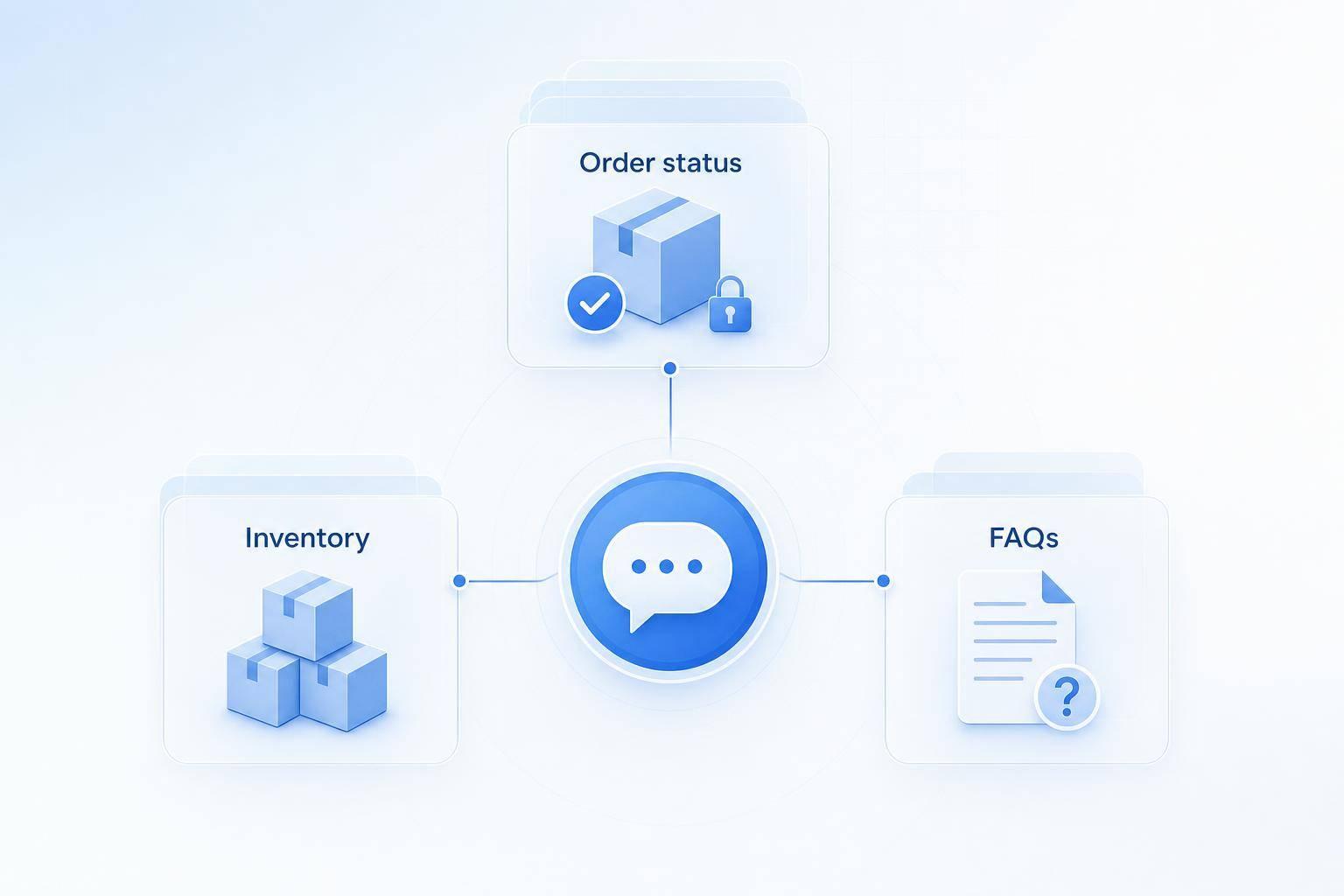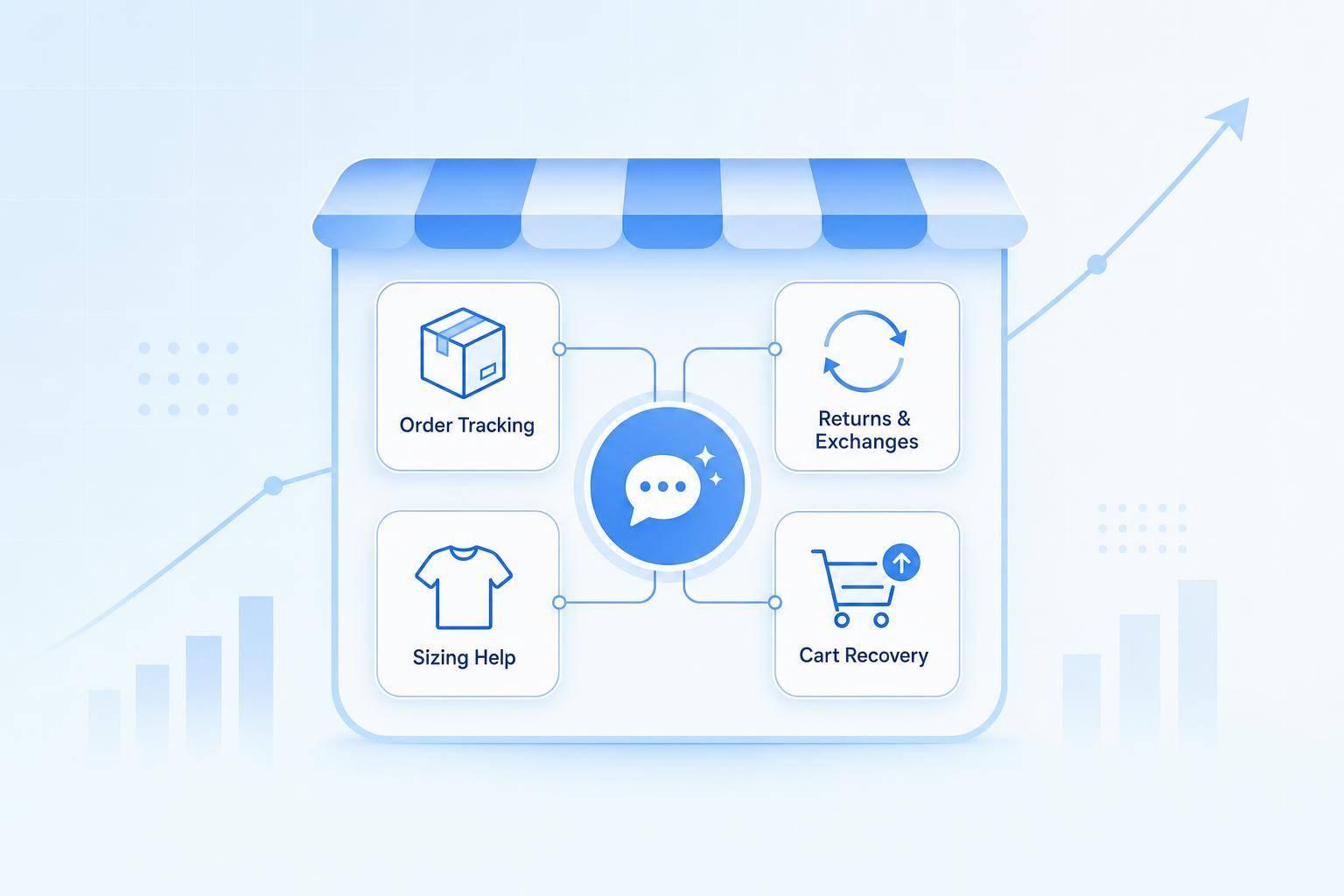
If I want a Stripe billing bot to work, I need it to do one thing first: read the right Stripe record and answer from live status data.
This article comes down to four steps:
- Map each billing question to one Stripe object
- Use restricted Stripe access and verify the customer first
- Reply from fixed fields like status, amount, date, and next step
- Test edge cases and send unclear cases to a human to automate customer support without losing quality
That matters because Stripe billing states can change in seconds. A payment can move from processing to succeeded. A subscription can flip to past_due after a failed renewal. And a refund can be started without reaching the customer’s bank yet.
Here’s the core rule: I should only confirm what Stripe says right now.
Not what checkout looked like. Not what an old cache says. Not what the AI guesses.
A Stripe payment status chatbot should cover these common questions:
- Did my payment go through?
- Why is my charge pending?
- Is my invoice paid?
- Where is my refund?
- Is my subscription active, past due, or canceled?
It should also handle related cases like:
- Was I charged twice?
- Why do I need to verify my payment?
- Why did my subscription stop?
The article’s main point is simple: the bot should answer routine billing status questions, but stop when records don’t match, status data is missing, or identity can’t be checked. In those cases, it should hand the case to support with a reference ID.
A few details stand out:
- Only
succeededmeans a payment is complete - First subscription payments may expire after 23 hours if not completed
- Card refunds often take 5–10 business days to appear
- A useful target is 60%–90% ticket resolution with under 5% wrong-status or failed retrieval cases
In other words: if I keep the bot tied to verified Stripe data and fixed reply rules, I can cut routine billing tickets without letting the bot make up billing answers.
1. Understand the Stripe status data the chatbot must read
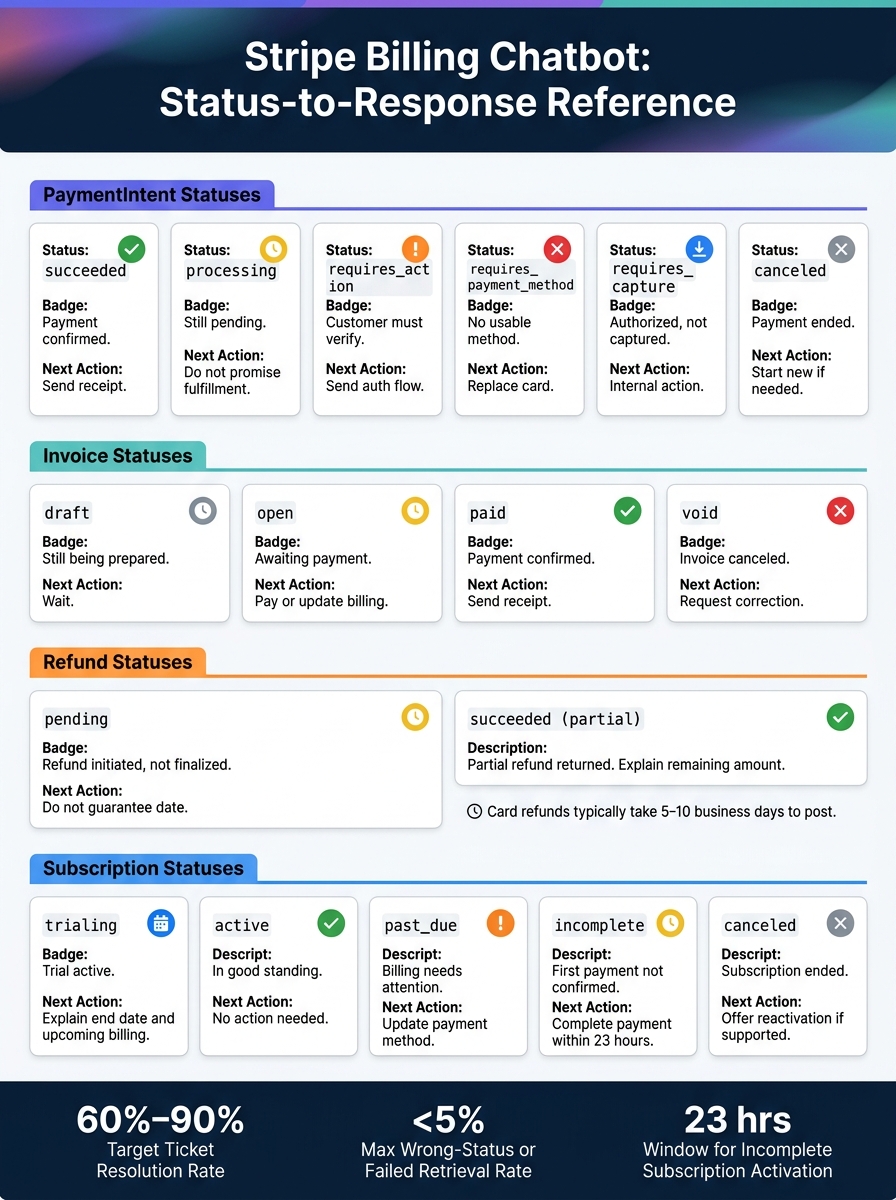
Stripe Payment Status Chatbot: Status-to-Response Mapping Guide
The bot needs to read the correct Stripe record for each question. If it reads the wrong one, it gives the wrong answer.
That sounds simple, but it matters a lot. A payment question, refund question, invoice question, and subscription question can all point to different Stripe objects. To avoid guesswork, each billing question should map to one Stripe object and one live status.
Map PaymentIntent, Charge, Invoice, Refund, and Subscription statuses
The PaymentIntent is the main record for payment state. Stripe lists seven statuses for it: requires_payment_method, requires_confirmation, requires_action, processing, requires_capture, canceled, and succeeded.[6] Only succeeded means the payment is fully complete. Every other status means something else, so the bot needs a different reply for each one.
The Charge adds transaction details that the PaymentIntent does not store, such as the card used, the receipt URL, decline details, and the list of related refunds. For Refunds, compare the original charge amount with the total refunded amount to tell whether the refund was partial or full, and then check the refund’s own status field.
Invoice status answers a billing document question, which is not always the same as a payment question. An open invoice means the invoice is finalized and waiting for payment. It does not mean payment failed. A paid invoice means Stripe collected the money. A void invoice means the invoice was canceled and is no longer payable. For Subscriptions, read the subscription status together with the latest invoice and PaymentIntent. Stripe says the first subscription payment must succeed within 23 hours for an incomplete subscription to become active. If that does not happen, the subscription changes to incomplete_expired and the invoice becomes void.[7]
Build a status-to-response table for customer-safe answers
This table turns Stripe statuses into plain-English replies and the next step the bot should guide the customer toward.
| Stripe Status | Customer-Safe Meaning | Recommended Chatbot Response | Next Action |
|---|---|---|---|
PaymentIntent succeeded |
Payment confirmed | "Your $49.00 payment succeeded on September 29, 2026." | No action; send the receipt |
PaymentIntent processing |
Payment still pending | "Your payment is still processing. The final result isn't confirmed yet." | Wait for Stripe's update; do not promise fulfillment |
PaymentIntent requires_action |
Customer must verify | "Your payment requires an additional verification step to complete." | Provide the authentication flow |
PaymentIntent requires_payment_method |
No usable payment method | "Payment did not complete. Use another payment method." | Add or replace the payment method |
PaymentIntent requires_capture |
Authorized, not yet captured | "Your payment has been authorized but not yet captured." | No customer action; internal capture pending |
PaymentIntent canceled |
Payment ended, cannot be reused | "This payment was canceled and won't be charged again." | Start a new payment if needed |
Invoice draft |
Not yet finalized | "Your invoice is still being prepared." | Wait or contact billing |
Invoice open |
Awaiting payment | "Your $49.00 invoice is open, with $49.00 remaining. It is due on October 15, 2026." | Pay the invoice or update billing details |
Invoice paid |
Payment confirmed | "Your invoice is marked paid." | No action; send the receipt |
Invoice void |
Invoice canceled | "This invoice is void and is no longer payable." | Request a corrected invoice if needed |
Refund succeeded with refunded amount below the original charge |
Partial refund returned | "A $15.00 refund was issued from your original $49.00 payment." | Explain remaining amount or escalate |
Refund pending |
Refund initiated, not finalized | "Your refund is still processing." | Avoid guaranteeing a posting date |
Subscription trialing |
Trial active | "Your trial runs through October 15, 2026." | Explain trial end and upcoming billing |
Subscription active |
In good standing | "Your subscription is active through October 15, 2026." | No action unless customer requests a change |
Subscription past_due |
Billing needs attention | "Your subscription payment is past due." | Update payment method or complete payment |
Subscription incomplete |
First payment not yet confirmed | "Your subscription isn't fully activated yet. The first payment still needs to complete." | Complete payment or authentication |
Subscription canceled |
Subscription ended | "Your subscription is canceled." | Check timing; offer reactivation if supported |
Once these statuses are mapped, the next step is to connect them to secured Stripe lookups in ChatSpark. From there, the bot can check live status safely and reply with the right billing answer instead of making a bad call.
2. Connect Stripe data to ChatSpark securely
Set up restricted Stripe access and customer verification
After you map Stripe statuses, the next step is connecting ChatSpark to live billing data without handing over full account access.
Don't use your main Stripe secret key. Use a restricted key with least-privilege access instead. In plain English, give the bot access to only the Stripe objects it needs to check. For most setups, that means read-only access to Charges, Invoices, Customers, and Refunds. Only give write access if the bot will start refunds on its own.
Before the bot shows any billing data, it needs to verify the customer. Set up ChatSpark so it requires a matching email address or a stable ID, like a PaymentIntent ID or Invoice ID, before it checks any records. If the email doesn't match a Stripe record, the bot should stop there and ask for the right details. ChatSpark encrypts API credentials at rest and decrypts them only when needed.
Use IDs, webhooks, and normalized records for live status lookups
Once the customer is verified, the bot can use a stable identifier, such as a payment, charge, or invoice ID, to pull the correct Stripe record. Each verified ID should point to one live Stripe record and tie back to the status mapping from the previous section.
A good setup is to keep a webhook-updated billing record keyed to the verified ID, then use that record for live lookups. If data is missing or unclear, stop and ask for more detail. Keep the response states simple:
- need more info
- API error
- needs approval
After the record is verified, normalize the fields ChatSpark will use in its reply.
Connect the billing layer to ChatSpark response workflows
Normalize Stripe data into status, amount, and date before sending it to ChatSpark. This keeps the AI replying from approved billing data instead of trying to read raw API output on the fly. Set a 90% confidence threshold before the bot answers on its own. Anything below that should go to a human agent.
These normalized fields feed the response templates in the next step.
3. Set up real-time billing answers customers can trust
Once your normalized fields are in place, the next job is simple: decide exactly how the bot should reply. Those approved fields become the rules for every billing answer.
Build response flows for payments, invoices, refunds, and subscriptions
Use the normalized status, amount, and date fields from the previous step to drive each reply.
Payment status: Object - PaymentIntent. Fields - status, amount, currency, created date, latest Charge. Rule - confirm success only when the status is succeeded. If the status is requires_action, prompt the customer to complete authentication. If the status is processing, hold fulfillment until Stripe updates the result. [9][5]
Invoice status: Object - Invoice. Fields - status, amount paid, amount due, due date, linked PaymentIntent. Rule - treat invoice.paid, invoice.payment_failed, and invoice.payment_action_required as separate cases. Don't lump all unresolved invoices into one generic answer. [3][8]
Refund status: Object - Refund. Fields - status, amount, created date, related Charge or PaymentIntent. Rule - refund posting time depends on the payment method and the bank, so the bot should give only Stripe-supported timing guidance. [4][10][12]
Subscription payment failure: Objects - Subscription, current Invoice, linked PaymentIntent. Fields - subscription status, invoice status, PaymentIntent status, retry details, or payment-action details. Rule - a failed renewal can leave the invoice open and the subscription marked past due, incomplete, or canceled. If the customer does not complete payment within 23 hours of a first subscription attempt, Stripe can mark the subscription incomplete_expired and void the invoice. [2] You need all three objects to give an accurate answer.
Standardize answer templates with amount, date, status, and next step
Use one fixed structure for every reply: status, amount, date, next step.
- Payment succeeded: "Your payment of $49.00 succeeded on September 29, 2026. Your order can now continue to fulfillment."
- Payment processing: "Your payment of $49.00 is still processing as of September 29, 2026. Please wait for Stripe to update the payment status. If the status does not change or you see another charge, contact support."
- Authentication required: "Your payment of $49.00 needs additional verification. Select the secure verification option in your checkout or use the approved payment link when available."
- Refund issued: "A refund of $49.00 was issued to your original payment method on September 29, 2026. Your bank or card issuer controls when the credit appears - card refunds often take 5–10 business days to post." [4][10][11]
- Invoice open: "Your invoice for $49.00, dated September 29, 2026, is still awaiting payment. Use the payment link to pay it."
If Stripe does not return a field like the amount, date, or next step, the bot should say that plainly. It should not fill in the gap with a polished guess.
Use a question-response matrix to prevent invented answers
Lock the flow to approved inputs, then map each customer question to one approved response pattern.
| Customer question | Stripe data to retrieve | Approved response pattern | Handoff condition |
|---|---|---|---|
| "Was my payment successful?" | PaymentIntent status, amount, currency, created date, latest Charge | Confirm success only when succeeded; otherwise explain the exact current state and next step |
Multiple matches, identity mismatch, missing PaymentIntent, or conflict with the order system |
| "Why is my payment still pending?" | PaymentIntent status, latest Charge, last update time | "Your $49.00 payment is still processing as of September 29, 2026. Please wait for Stripe to update the payment status." | Status is stale, payment is duplicated, or no reliable completion path exists |
| "Why do I need to verify my payment?" | PaymentIntent status and next-action details | Explain that additional authentication is required and send the secure verification step | requires_action has no usable action, authentication repeatedly fails, or identity cannot be verified |
| "Is my invoice paid?" | Invoice status, amount paid, amount due, payment date, linked PaymentIntent | State whether the invoice is paid, open, void, or otherwise unresolved, using the retrieved amount and date | Invoice is missing, belongs to another customer, or fields conflict |
| "Where is my refund?" | Refund status, amount, created date, related Charge or PaymentIntent | State whether the refund was issued, pending, failed, or canceled; provide only supported arrival guidance | Refund cannot be matched, amount is disputed, or no reliable status is available |
| "Why did my subscription payment fail?" | Subscription status, current Invoice, linked PaymentIntent, retry or payment-action details | Identify the current subscription and invoice state, explain the next payment step, and avoid promising continued access | Billing status conflicts with account access, subscription is canceled or expired, or a plan exception is requested |
| "What's the status of my billing?" | Customer's recent invoices, PaymentIntents, refunds, and active Subscription | List only verified amounts, dates, and statuses | Too many matching records, ambiguous identity, or conflicting records |
When Stripe returns no match, conflicting records, or an unsupported status, the bot should stop and say:
"I couldn't confirm the payment status from the available billing records. I'm routing this to support so an agent can verify it."
If the bot cannot verify the record, route the case to support and include the internal reference ID.
4. Add security, testing, and monitoring before launch
Once your reply templates are ready, put guardrails around them. Billing replies need to be correct, safe, and easy to review later.
Apply security and accuracy controls to every billing reply
Any reply that could expose card data, API keys, or client secrets should be blocked right away and sent to support.
Also, make sure Stripe amounts are shown in USD, not cents. If Stripe returns 4900, the customer should see $49.00.
When records conflict or a dispute appears, don’t let the bot guess. Send the case to a human agent.
With those checks in place, the next step is simple: test the bot against the kinds of failures that happen in real billing workflows.
Test live billing scenarios and edge cases before publishing
Before launch, test failure cases across payment, invoice, refund, and subscription paths. That includes:
- Permission denials
- Invalid API keys
- Serialization issues
- Ambiguous lookups
Each test should confirm either the right status or a clean handoff. If a request is unclear, the bot should ask a clarifying question or hand the case off, not make a guess.
After those launch tests pass, keep a close eye on live behavior so retrieval mistakes don’t make it to customers.
Monitor results and fix failures with an operations matrix
Track your resolution rate and wrong-status rate. Aim for 60% to 90% resolution and under 5% wrong-status or failed retrievals [1] [13].
Use this troubleshooting table when something breaks in production:
| Symptom | Likely Cause | Stripe Field/Event to Inspect | Corrective Action |
|---|---|---|---|
| "Customer not found" | Email mismatch | customer.email |
Verify matching email in Stripe [1] |
| "Permission denied" | Scope too narrow | Restricted Key Permissions | Add "Read" access to Charges, Invoices, and Customers [1] |
| "Invalid API key" | Mode mismatch | API key mode | Switch to live-mode keys for production [1] |
[object Object] in chat |
Serialization error | Response template | Apply JSON.stringify or explicit field mapping [13] |
| Outdated billing status | Cache latency | Webhook/API event | Cap cache at 5 minutes; use real-time lookups for status fields [13] |
If the AI layer goes offline or hits rate limits, switch to human-only mode and show a short notice.
Conclusion: Launch a Stripe billing chatbot that cuts support load
With status mapping, secure access, reply rules, and monitoring in place, the chatbot is ready to go live. It works for a simple reason: it reads live Stripe data, uses restricted access, gives standardized replies, and shuts down unsafe guesses.
The payoff starts on day one. You get fewer routine tickets and faster answers to billing questions. Requests like "Did my payment go through?", "Where is my refund?", and "Is my subscription still active?" no longer need a person to step in every time. That takes pressure off your support queue and gives agents more room to handle disputes and edge cases.
The best launch keeps the scope tight. Answer only verified billing questions, and hand off everything else. Measure your baseline ticket volume and first-response time now, then compare those numbers after launch. That gap is your launch impact.
FAQs
How does the bot verify my identity before showing billing details?
Before showing billing details, the AI agent asks for an email address that matches one in your Stripe account.
If it needs more information to complete the lookup, it asks for those details during the conversation.
What happens if Stripe shows conflicting or missing status data?
If the AI agent can’t pull the data it needs, or the info just isn’t there, ChatSpark falls back gracefully. It triggers an ai_action_error status and gives the user a helpful backup response instead of making a guess.
The same idea applies to billing questions. When billing data is conflicting or incomplete, the agent knows when it doesn’t have enough to give a solid answer. At that point, it passes the case to your support team, often by creating a support ticket.
Which Stripe records does the chatbot need to answer billing questions accurately?
For billing questions, the AI agent needs read access to three Stripe record types:
- Charges
- Invoices
- Customers
That access lets it check payment status, invoice details, and charge history without making changes in your Stripe account.
Your Stripe API key should have read permissions for those records. In most cases, a restricted key is the best fit.
The AI also needs to verify the customer in Stripe using their email address.