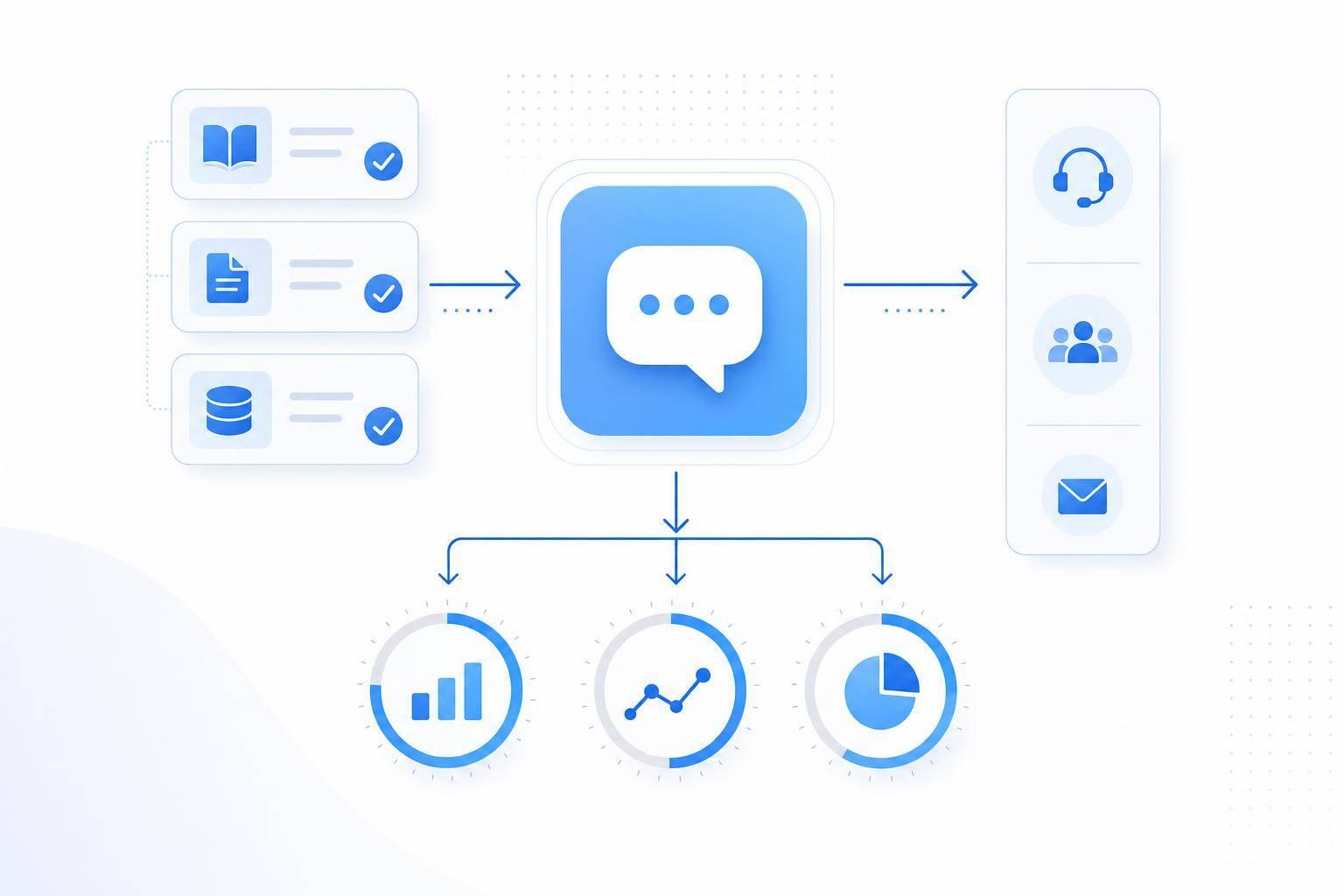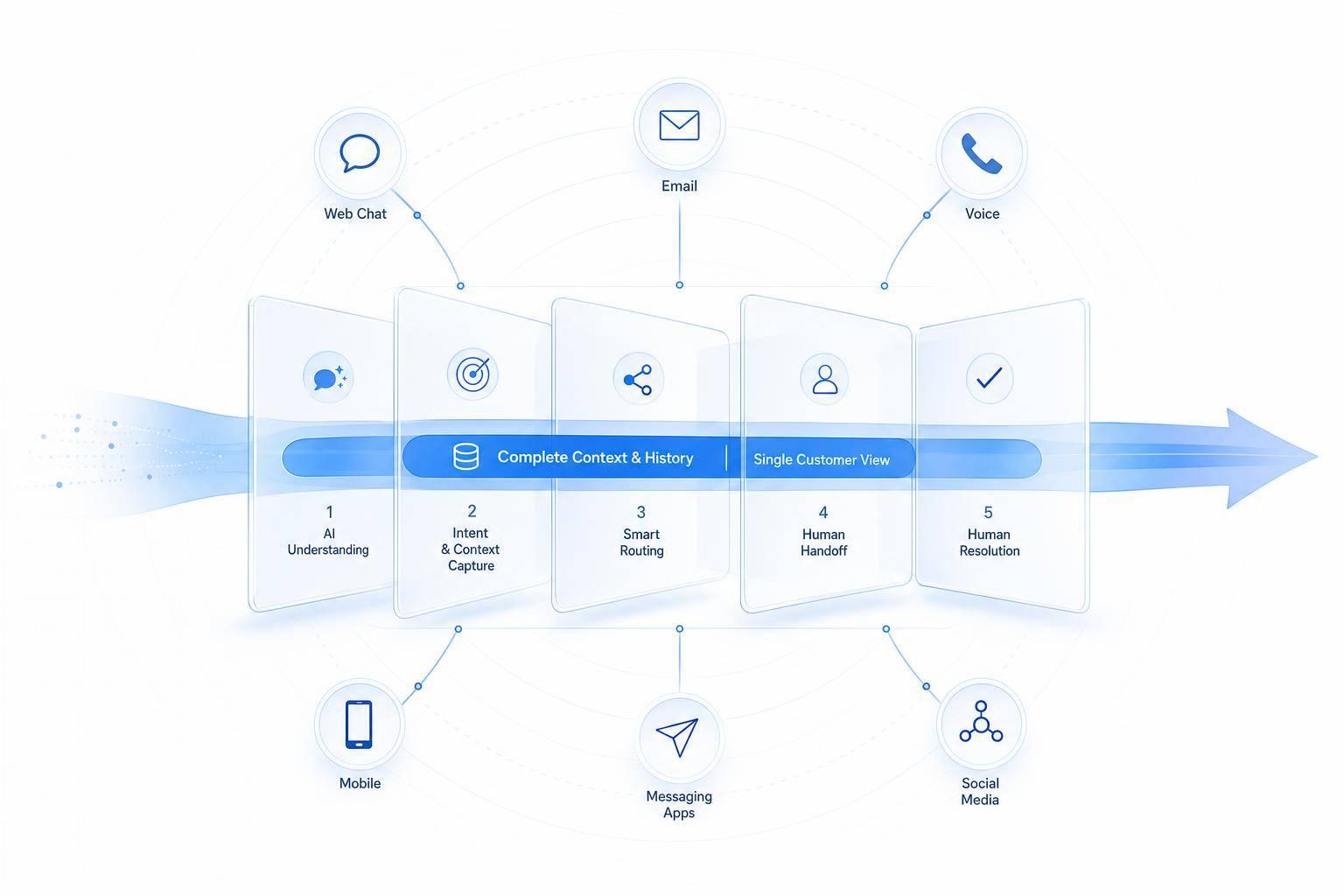
If you want AI to solve more support cases without hurting CSAT, don’t push containment. Push verified resolution. That means fixing intent routing, limiting bot loops, making human handoff easy, cleaning up retrieval, tuning by language, and letting the bot complete tasks inside the chat.
Here’s the short version:
- Measure the right thing: resolution rate alone can mislead you. Watch FCR, CSAT, recontact rate, and verified resolution.
- Use confidence bands: answer when confidence is high, clarify once or twice in the middle, and escalate when confidence is low.
- Stop dead-end bot loops: after two fallbacks, hand off.
- Don’t block human help: bots that make escalation easy show 18% lower abandonment.
- Fix retrieval: one issue per article, clear titles, and strict content review rules help cut wrong answers.
- Track by language: English-first models often perform worse in Spanish and other languages unless tuned by language.
- Automate tasks, not just replies: status checks, returns, scheduling, and simple updates solve more cases end to end.
- Use a weekly review loop: check 72-hour recontacts, fallback spikes, handoff quality, and broken workflows.
One number stands out: teams that fixed intent classification and routing moved first-touch resolution from 25–35% to 55–75%. And since FCR and CSAT often move together, that’s one of the safest places to focus first.
| Focus area | What I’d do | Why it matters |
|---|---|---|
| Metrics | Track verified resolution, FCR, CSAT, and recontacts | Keeps false “wins” out of your reports |
| Routing | Use high/medium/low confidence paths | Cuts bad answers and avoids extra effort |
| Escalation | Transfer after repeated failure or human request | Lowers frustration and drop-off |
| Knowledge base | Keep one issue per page and review content often | Improves retrieval quality |
| Language | Report metrics by language and review misses weekly | Finds weak spots fast |
| Workflows | Connect AI to actions like returns or scheduling | Solves cases instead of just replying |
| QA loop | Review failures every week and assign one fix owner | Keeps performance from slipping |
If I had to sum it up in one line: AI should solve the issue, or get out of the way fast.
Fix Intent Detection and Escalation Logic First
When resolution starts to slip, the first place to look is the decision tree behind answer, clarify, or escalate. That logic decides whether the bot gives an answer, asks a short follow-up, or hands the conversation to a person. It has a direct effect on both resolution rate and CSAT. Teams that improved intent classification and routing raised first-touch resolution from 25–35% to 55–75%.[4] That’s not a minor adjustment. It changes how the system works.
Use High-, Medium-, and Low-Confidence Paths
A lot of teams still treat confidence scoring like a simple yes/no gate. If confidence is high enough, the bot answers. If not, it escalates. In practice, a three-band model works better.
| Confidence Band | Threshold Example | Bot Behavior |
|---|---|---|
| High | ≥ 0.75 | Answer directly, then confirm: "Did this solve your issue?" |
| Medium | 0.45–0.74 | Ask 1–2 targeted clarifying questions before answering |
| Low | < 0.45 | Ask the user to rephrase with a guided prompt or escalate with the transcript attached |
The medium band is where a lot of recoverable cases live. Use it to handle ambiguity with one or two focused follow-up questions, then answer if confidence improves. If confidence stays low, escalate. People usually accept short clarifications when the path feels clear and the payoff is a faster answer.
What doesn’t work? Open-ended rephrase loops. They tend to increase abandonment and drag down CSAT.
A simple rule helps: cap clarifications at one or two turns. If the model still isn’t confident after that, hand off. The clarification step shouldn’t become its own dead end.
Escalate on Repeated Failure, Human Requests, and Negative Sentiment
Escalate after two fallbacks. By the third, the bot is stuck. One well-documented escalation design recommends five triggers for handoff: an explicit request for a human, a low-confidence answer, a frustration or sensitive-topic match, a VIP customer segment, and actions that need approval, such as refunds or cancellations.[2]
If someone asks for a human, transfer the conversation right away and include a transcript summary. Research on digital support interactions shows that ignoring direct requests for a person - or replying with more automated scripts - tends to increase dissatisfaction.[5]
For frustration, use automatic escalation when it shows up alongside repeated fallbacks, a long interaction, or a high-stakes intent such as a billing dispute or cancellation. Bots that make handoff easy show 18% lower abandonment than bots that resist escalation.[3] That puts a clear number on the cost of protecting containment too aggressively.
After routing is in place, the next lift comes from what the bot can retrieve.
Rebuild the Knowledge Base for AI Retrieval
Once routing is fixed, retrieval becomes the next bottleneck. If the knowledge base is weak, the bot can sound sure of itself and still give the wrong answer. When retrieval is clean, you can then make that same content work across languages and workflows.
Organize Content Around One Issue Per Page
One of the most common structural mistakes is stuffing several topics into one article. When a page tries to answer too many issues at once, the retrieval engine has a harder time pulling the right answer. A single-issue page gives it a much cleaner target.
Each article should have a clear title in the same language customers use in support tickets, not internal jargon. Clear headings and one stable URL give the AI the context it needs to handle follow-up questions without getting lost. Short troubleshooting bullets help here too, like:
- "No confirmation email? Check your spam folder"
Start with the highest-volume intents from support logs using a customer service automation checklist.
Set Governance Rules to Prevent Bad Answers
Structure helps, but only if the content stays current and customer-facing. One of the biggest causes of bad AI answers is a knowledge base where internal notes sit next to public FAQs and can slip into retrieval.
Assign a named owner to every article. Set review schedules monthly for pricing, access, and legal pages, and quarterly for general how-to articles. Add alerts for pages untouched for 90 days.
Grounded retrieval lowers bad-answer rates. With clean, governed content in place, the bot can support multilingual tuning and action-taking workflows without piling one bad answer on top of another.
Improve Resolution With Multilingual Tuning and Action-Taking Workflows
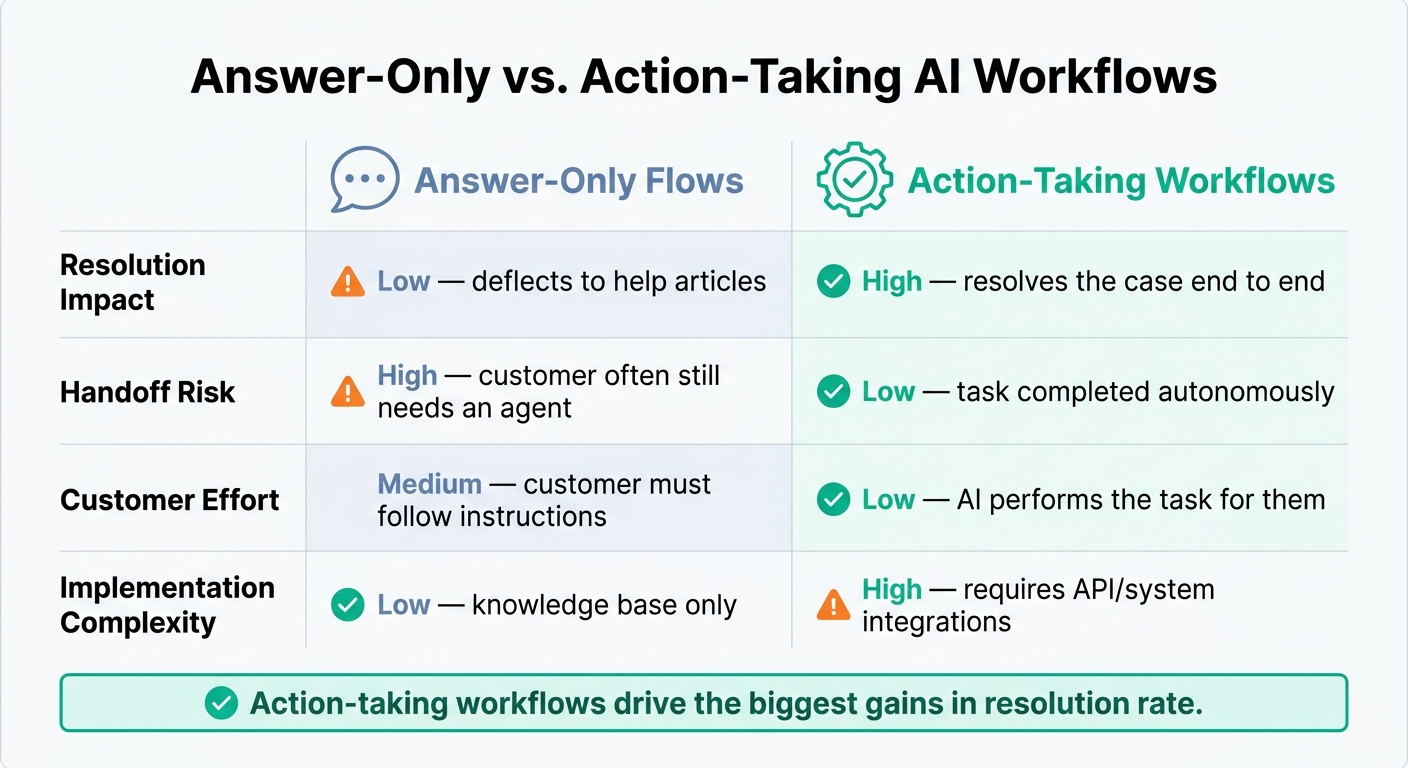
Answer-Only vs. Action-Taking AI Workflows: Key Differences
Once retrieval is working well, the next move is simple: make it work across languages, then connect it to workflows that finish the job.
Tune Language Detection and Localized Responses
Many U.S. support teams serve customers in English, Spanish, Portuguese, French, and other languages. The problem is that English-first intent models often do worse in non-English chats unless they’re tuned by language.[8][9]
Track your metrics by language. Don’t lump everything together. Split out AI resolution rate, first-contact resolution (FCR), CSAT, and escalation rate for each language your bot supports, with at least English and Spanish as separate groups. If one language shows higher escalations or lower CSAT, that usually points to one of three issues: weak language detection, missing localized content, or intent models trained mostly on English phrasing.[8][9]
Language detection also needs to work across the full conversation, not just the opening message. A customer may start in English, then switch to Spanish halfway through the chat. If detection only looks at message one, it will miss that change. A practical fix is to review mis-detections every week and use those transcripts to tighten your rules.
Content quality matters too. Match the wording, formats, and examples to the customer’s language. A machine-translated FAQ with stiff phrasing or the wrong U.S. formats - MM/DD/YYYY dates, $49.99 prices, and Fahrenheit units - can make the experience feel off almost right away. It helps to review a random sample of non-English conversations on a regular basis with a native speaker or professional reviewer so you can catch phrasing that sounds unnatural.[8][9][10][11]
After the bot can understand the request, the next step is to complete it.
Automate Actions, Not Just Answers
Once the bot understands the customer in the right language, let it do more than reply. Let it complete the task. Answers explain things. Workflows resolve things inside the chat.
Language accuracy reduces bad answers. Workflow automation reduces unresolved cases.
In retail and e-commerce, good options include:
- Order status and tracking
- Returns and exchanges, including label generation and policy checks
- Address or contact information updates
In services and healthcare, automation also works well for appointment scheduling, rescheduling, cancellations, pre-visit instructions, and follow-up reminders.[8]
Pick tasks with clear rules, low ambiguity, and outcomes you can reverse if needed. Status checks, scheduling, and simple account updates are strong places to start. For higher-risk actions, use confidence thresholds, fallback logic, or human approval before anything is executed.[1][6][7]
Answer-Only Flows vs. Action-Taking Workflows: A Side-by-Side Comparison
The table below shows why these two setups lead to very different results on the metrics that matter most.
| Answer-Only Flows | Action-Taking Workflows | |
|---|---|---|
| Resolution Impact | Low - deflects to help articles | High - resolves the case end to end |
| Handoff Risk | High - customer often still needs an agent | Low - task completed autonomously |
| Customer Effort | Medium - customer must follow instructions | Low - AI performs the task for them |
| Implementation Complexity | Low - knowledge base only | High - requires API/system integrations |
Answer-only flows still have a place for information requests, but action-taking workflows usually drive the biggest gains in resolution.
Track Failure Points and Build a Weekly Improvement Loop
Once routing, retrieval, localization, and workflows are live, the next job is spotting where they break in production.
Monitor the Metrics That Show Real Service Quality
Track verified resolution rate, CSAT, recontact rate, fallback frequency, and handoff quality together. A higher resolution rate doesn't mean much if CSAT drops or recontact goes up.
A 72-hour recontact window is a simple way to check whether an issue was actually resolved. If fallback frequency starts rising, take it as an early warning that something is off with intent coverage, content, or workflow design.
Break every metric down by:
- channel
- intent
- language
- workflow type
Top-line averages can look fine while the biggest problems sit underneath.
Fix the Common Failure Points That Lower Both Metrics
The main failure points are weak intent coverage, stale content, poor fallback handling, weak multilingual tuning, and broken workflow steps. Each one adds effort for the customer and drags down CSAT. Aggressive containment is risky here. It can make resolution look better on paper while verified success gets worse.
Measure handoff quality, not just handoff volume. Track repeat-question rate, and pass the full conversation context to the agent on every transfer.
Metrics matter only when they feed a repeatable fix cycle. Each week:
- rank failures by volume and impact
- sample a few resolved and escalated chats
- label each issue as understanding, answer quality, or action completion
- assign one owner and one fix
That loop is what keeps intent detection, retrieval, multilingual tuning, and workflows getting better over time.
Conclusion: Make AI More Accurate, Safer, and Easier to Escalate
Raise verified resolution by cutting customer effort, not by trapping users in automation. When AI is accurate, easy to escalate from, and able to complete tasks end to end, CSAT and resolution rate tend to move in the same direction.
FAQs
What is verified resolution?
Verified resolution means an AI system gives accurate, reliable support by grounding its answers in a curated, human-verified knowledge base instead of guessing or pulling from shaky data.
That leads to better performance and protects information integrity, so customers get resolutions they can trust.
When should AI hand off to a human?
AI should pass the conversation to a human when it spots negative sentiment, hits a tough issue like a billing dispute or legal matter, or keeps failing to solve the problem.
Some cases call for an immediate handoff. If the customer asks to speak with a person, or the system’s confidence drops below 40%, transfer right away.
For mid-range confidence, use a lighter touch:
- At 60–74% confidence, offer the customer the option to connect with a human
- At 75–89% confidence, use a confirmation prompt before moving forward
In every handoff, send the full conversation history with the transfer.
Which workflows should I automate first?
Use the 80/20 rule to spot the small set of inquiry types that drive 60% to 80% of ticket volume. Put your attention on workflows that show up all the time, follow the same pattern, and don’t need much judgment - things like password resets, order status updates, and basic policy questions.
Give each task a complexity score from 1 to 5. Then start with the ones rated 1 or 2. A smart first move is to automate two or three simple ticket types so you can get some quick wins without taking on too much at once.