I judge support automation by completed requests - not avoided handoffs. For a $75.00 refund, a policy link may keep someone out of the queue, but it doesn’t return their money. My advice: define what “done” means, follow a guide to AI support implementation, verify it in payment records, and check related contacts over 7 or 14 days.
Here’s the difference I look for:
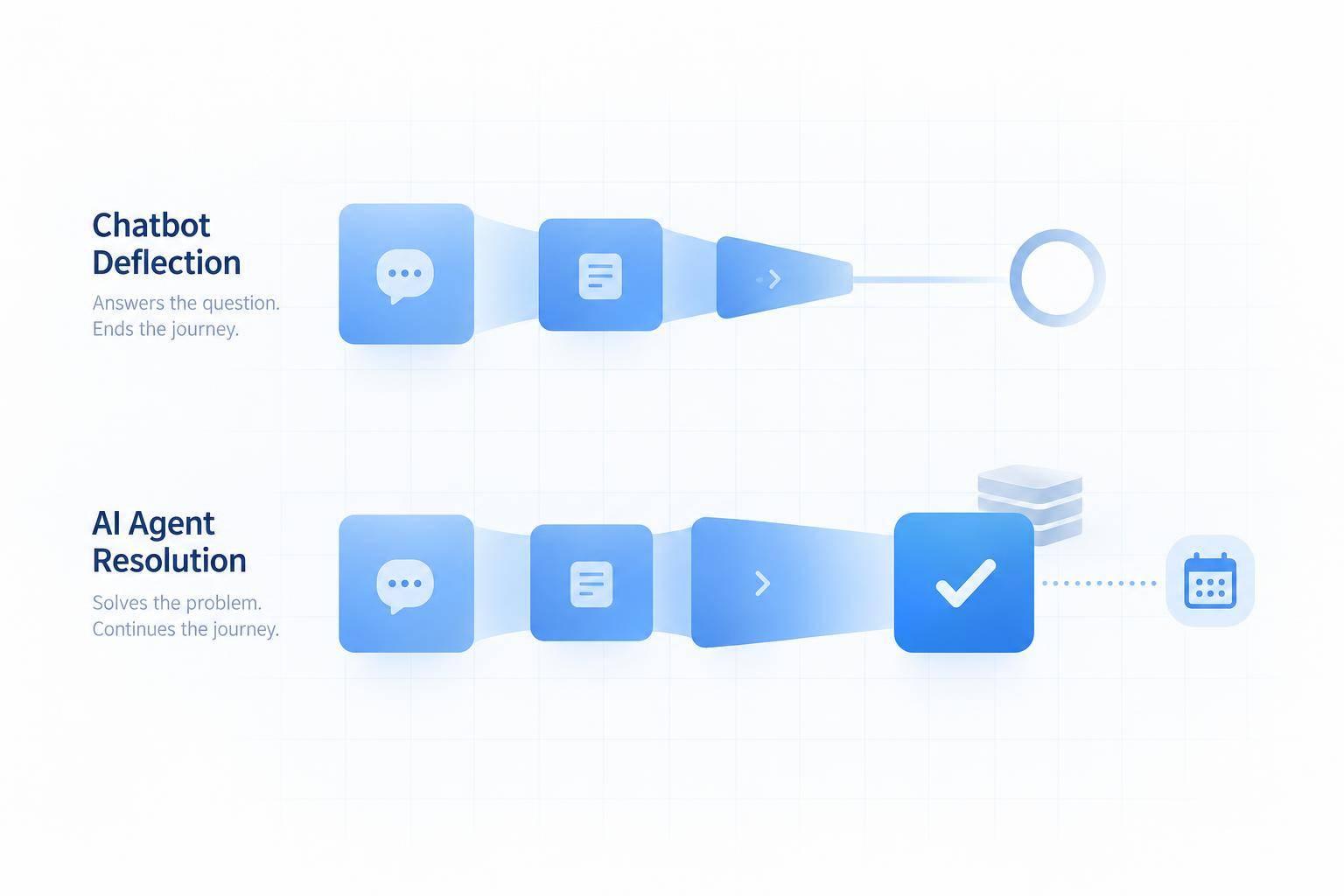
- Deflection: Did the request avoid human support?
- Containment: Did the conversation stay in automation?
- Escalation: Did the request move to a human with enough context to finish it?
- Resolution: Did the requested action reach its agreed completion point?
Quick Comparison
| What I check | Chatbot deflection | AI agent resolution |
|---|---|---|
| Outcome | No human handoff | Verified completion |
| Proof | Contact-routing records | System-of-record transaction status |
| Customer effort | May leave steps for the customer | Finishes the task when access and permissions allow |
| Human help | Avoided, even if still needed | Used when needed, with context |
| Workload | Smaller queue | Measured through completion time, repeat contacts, and cost per resolved issue |
An accepted refund isn’t always money back in the account. I’d track that distinction, report human-assisted results separately, and treat silence as neither proof of success nor proof of failure.
AI Agent Resolution: Completing the Customer's Request
AI Agent Refund Resolution: From Policy to Verified Completion
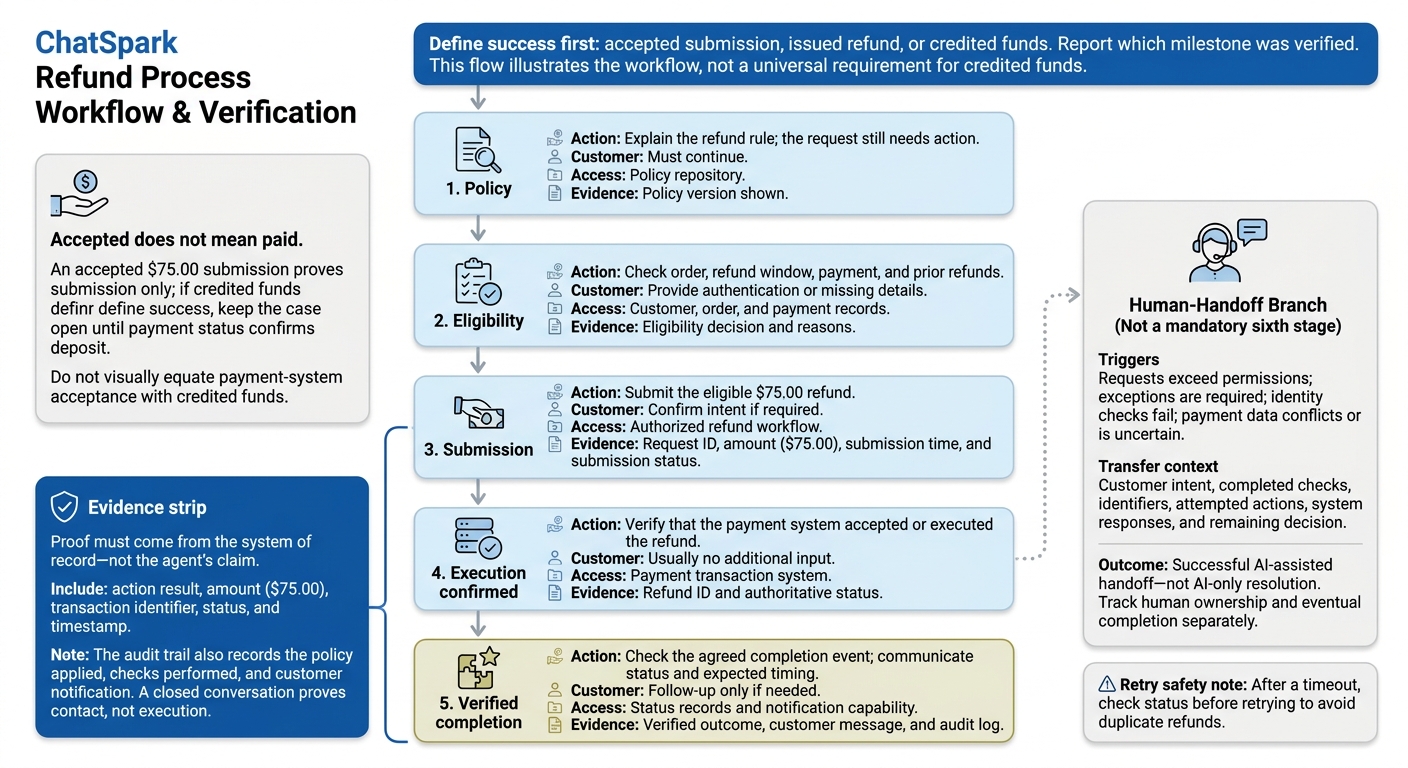
AI agent resolution means a completed, verified customer outcome. Set the success condition first: an accepted submission, an issued refund, or credited funds. The report must state which milestone it verified. Policy information may reduce follow-up work, but only verified action resolves the request.[1][3]
What Verified Completion Requires
To resolve a request, the agent must prove the refund happened - not just start it. That requires the right records, permissions, and eligibility checks, plus identity and authorization checks where needed. Before issuing a refund, check the refund window, payment status, amount, and prior refunds.
Proof must come from the system of record, not the agent's claim. Record the action's result, amount, transaction identifier, status, and timestamp. Log the policy applied, checks performed, and customer notification so another employee can trace the decision. A closed conversation proves contact, not execution.[5][6]
Refund Example: From Policy to Confirmed Action
These stages show the steps between explaining a policy and verifying completion.
Stage Action and evidence Customer work Required access Completion record Policy Explain the refund rule; the request still needs action. Must continue Policy repository Policy version shown Eligibility Check order, refund window, payment, and prior refunds Provide authentication or missing details Customer, order, and payment records Eligibility decision and reasons Submission Submit the eligible $75.00 refund Confirm intent if required Authorized refund workflow Request ID, amount, submission time, and submission status Execution confirmed Verify that the payment system accepted or executed the refund Usually no additional input Payment transaction system Refund ID and authoritative status Verified completion Check the agreed completion event; communicate status and expected timing Follow-up only if needed Status records and notification capability Verified outcome, customer message, and audit log
Accepted does not mean paid: an accepted $75.00 submission proves submission only; if credited funds define success, keep the case open until payment status confirms deposit.[1][2][3][4]
When to Hand Off to a Human
If the agent can't complete the refund safely, a human handoff becomes part of the resolution path. Transfer requests that exceed permissions, require exceptions, fail identity checks, or involve conflicting or uncertain payment data. After a timeout, check the status before retrying to avoid duplicate refunds.
Pass along the customer's intent, completed checks, identifiers, attempted actions, system responses, and remaining decision. Record a necessary, complete transfer as a successful AI-assisted handoff - not an AI-only resolution or an automatic service failure. Track human ownership and eventual completion separately.[6]
Deflection vs. Resolution: Customer Effort and Support Workload
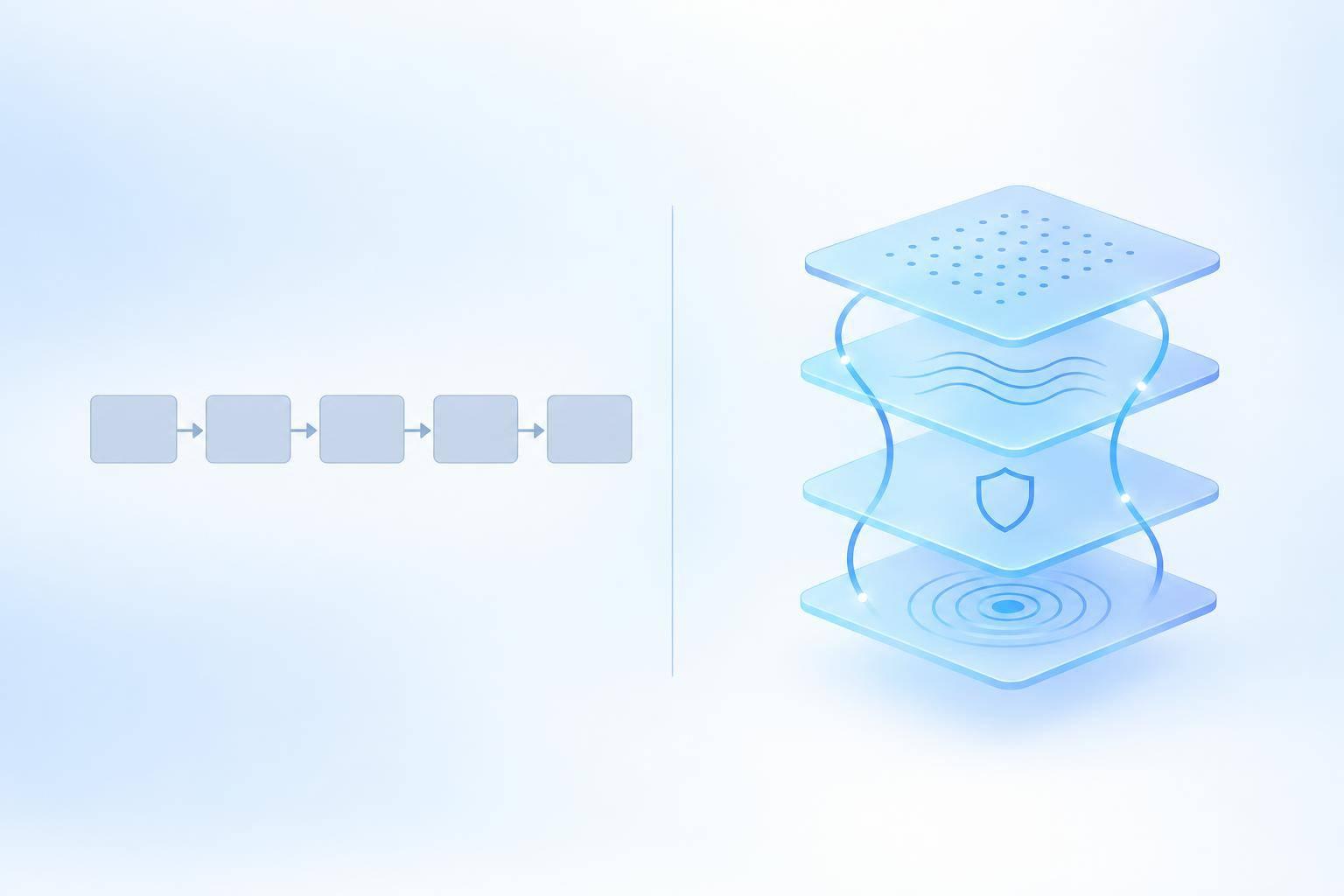
Deflection lowers queue volume; resolution finishes the task.[7] The difference shows up in repeat contacts and back-office work - not just in the chat transcript.
In the refund case, a policy link is deflection; a processed refund is resolution.
| Dimension | Chatbot deflection | Verified resolution |
|---|---|---|
| Outcome | The customer gets information or a next step, but the task may remain incomplete. | The requested action reaches the defined completion milestone. |
| Handoff | The customer avoids or abandons the queue, even if the issue remains unresolved. | No handoff is needed if the AI agent can finish the task. Otherwise, the case moves to support with context. |
| Effort | Instructions and manual steps can trigger repeat contacts, shifting work to customers or support teams. | Correct completion reduces follow-up work. Customers only provide authentication, confirmation, and required choices. |
| Proof | A closed chat, link click, or lack of escalation does not prove completion. | Completion requires system-of-record evidence and customer notification. Related follow-ups need review. |
How Avoided Handoffs Can Create More Work
After receiving a policy link, the refund customer may need to find the order, interpret eligibility, and complete a form. A later email or call requires support to reconnect records and review the request. The chat queue looks smaller, but the work has moved.
Measure effort across the whole request, not just the first session. Count customer actions and staff handling time. Use order or case identifiers to link related contacts, apply appropriate privacy controls, and review repeat contacts over 7 or 14 days.[8] Treat abandoned interactions as incomplete unless the outcome is independently verified.
How to Classify the Refund Outcome
Classify outcomes by intent, completion, system records, and follow-up.
A policy link can count as deflection and resolve a policy question, but it does not complete a refund request. An eligibility check is workflow progress; a refund verified at the defined completion milestone is resolution.
Keep failed or uncertain actions pending. Silence does not mean success.
For a missing-refund contact, treat the follow-up as a status check, not proof of failure. Check the recorded milestone, payment status, expected settlement period, and amount. The refund may still be processing - or it may never have completed.
How to Measure Automation Beyond Deflection
Score automation using the same issue-level standard as the refund example. Make verified resolution the main metric, and use deflection only for queue planning. Before launch, set eligibility rules and a single follow-up window. Apply that standard to every metric below.
Track Outcomes Across Support Channels
Create one record for each issue across chat, email, and phone. Record eligible contacts, automation entries, ineligible requests, identity checks, workflow starts, tool failures, handoffs, transfers, completed actions, and same-issue follow-ups.
Use these records to calculate verified resolution rate, first-contact resolution, repeat-contact rate, completion time, cost per resolved issue, customer effort, CSAT, action accuracy, and handoff-context completeness.
For the refund workflow, calculate verified resolution rate = verified automated completions ÷ all eligible issues. Don’t limit the denominator to issues that entered automation. Report human-assisted completions separately.
Define the other scorecard metrics just as clearly:
- Contact outcomes: First-contact resolution = issues solved in the first interaction with no related follow-up ÷ eligible issues. Repeat-contact rate = resolved or closed issues that lead to another contact about the same issue within the follow-up window ÷ resolved or closed issues.
- Time and cost: Measure completion time from the first contact, including waits and transfers. Calculate cost per resolved issue by dividing automation, handling, transfer, correction, and follow-up costs by verified resolutions.
- Customer experience: Measure effort on a consistent 1–7 scale. CSAT = positive responses ÷ valid responses.
- Quality: Action accuracy = correct actions ÷ audited actions. Handoff-context completeness = handoffs containing all required context ÷ all handoffs.
Separate Workflow Progress From Completed Outcomes
| Measurement layer | What to track | What it establishes |
|---|---|---|
| Workflow progress | Answer relevance, identity checks, workflow initiation, tool execution | Whether expected steps occurred - not whether the task finished |
| Verified completion | Completed action, system record confirming completion, confirmation delivered to the customer | Whether the defined completion milestone was reached |
| Customer outcome | Same-issue follow-ups, effort, CSAT | Whether the result held and the experience was acceptable |
| Operational outcome | Total completion time and cost per resolved issue | Whether automation reduced overall work |
Keep conversation activity separate from proof that a transaction happened. In ChatSpark reporting, pair conversation analytics with workflow records when available. A closed conversation does not prove a refund was executed.
Check outcomes over the chosen follow-up window rather than treating silence as proof of success. Review related contacts before marking the original issue as unsuccessful.
Conclusion: Focus on Verified, Low-Effort Resolution
Deflection measures queue avoidance; verified resolution measures completed customer requests. Start with one workflow and audit its completion records. Expand only when repeat contacts, customer effort, and total workload improve under the same rules.
FAQs
Which support tasks should I automate first?
Start with high-volume, low-stakes information requests and use the simplest system that can handle them safely. A read-only chatbot is enough for FAQs, operating hours, return policies, and basic order status lookups.
Next, automate intake tasks that gather details and pass them along reliably. Test these basic workflows before moving to multi-step resolution tasks that need write access, such as updating records or processing returns.
How can I verify refunds that take days to settle?
Track refunds in your source system through proposed, approved, submitted, and confirmed statuses. Don’t rely only on the submission time or customer confirmation.
Credit card refunds typically post within 5 to 10 business days, depending on the bank. Share the payment provider’s response status instead of promising a posting date.
If a request times out, check the transaction status in your backend before retrying to avoid duplicate charges or refunds.
How can I tell whether automation actually saves money?
Focus on cost per resolution: total support cost divided by successfully resolved inquiries - not just contacts kept away from human agents.
Compare total support costs before and after automation, including platform fees and human-handled tickets. Track repeat contacts about the same issue within 72 hours to 7 days, along with CSAT, sentiment, and autonomous resolution rate - the percentage of issues completed without human intervention. High deflection can hide downstream costs if you haven’t verified that the issues were resolved.