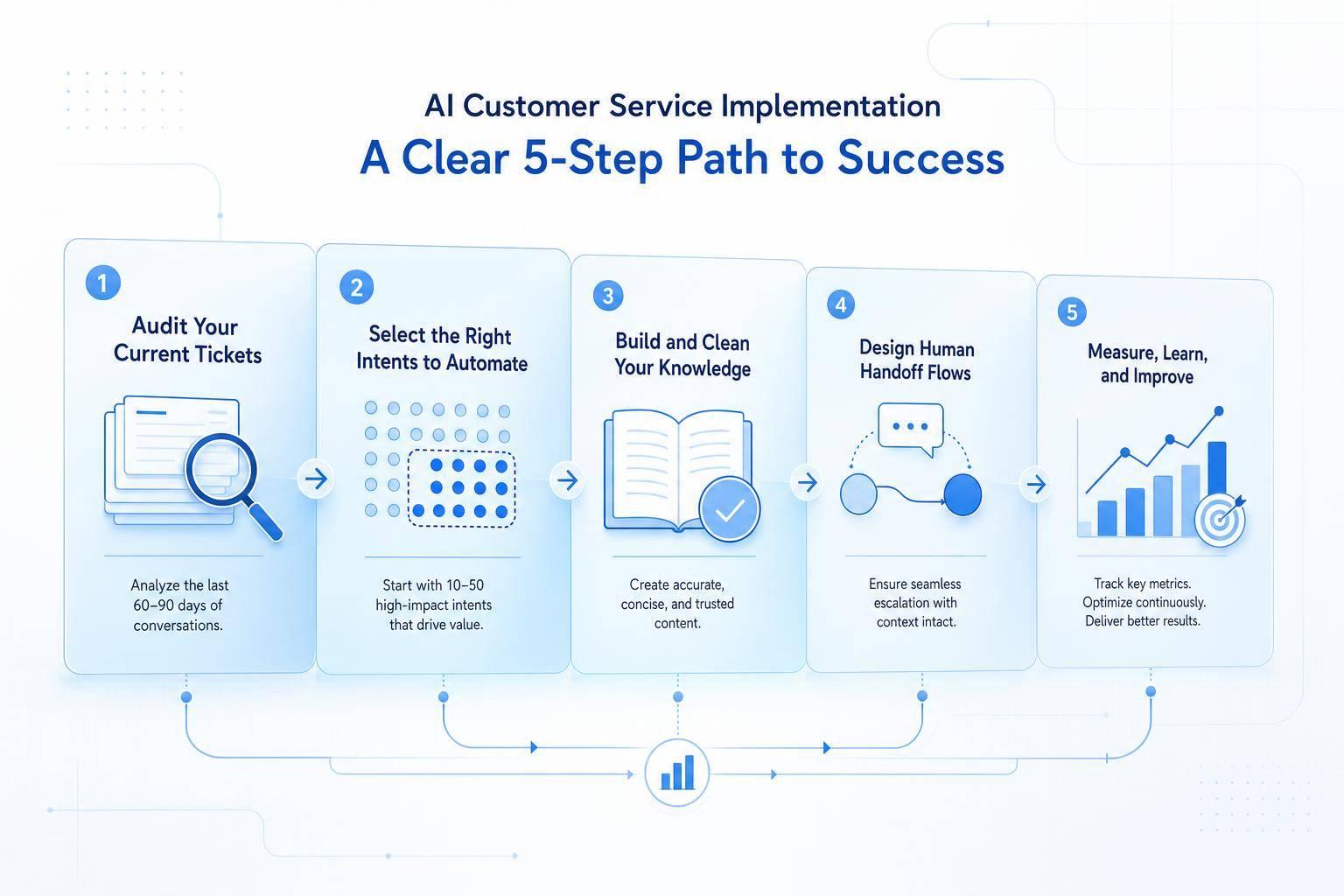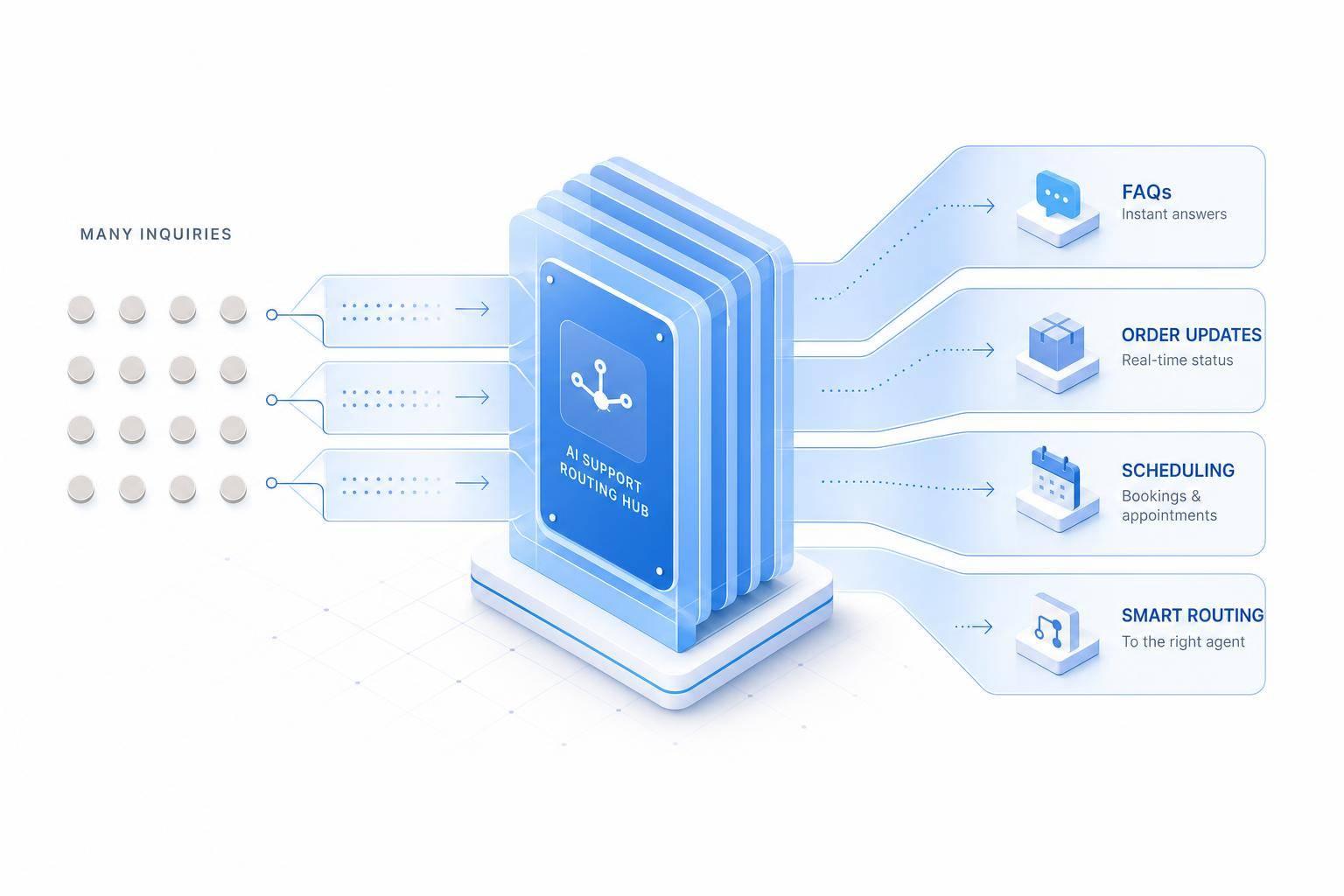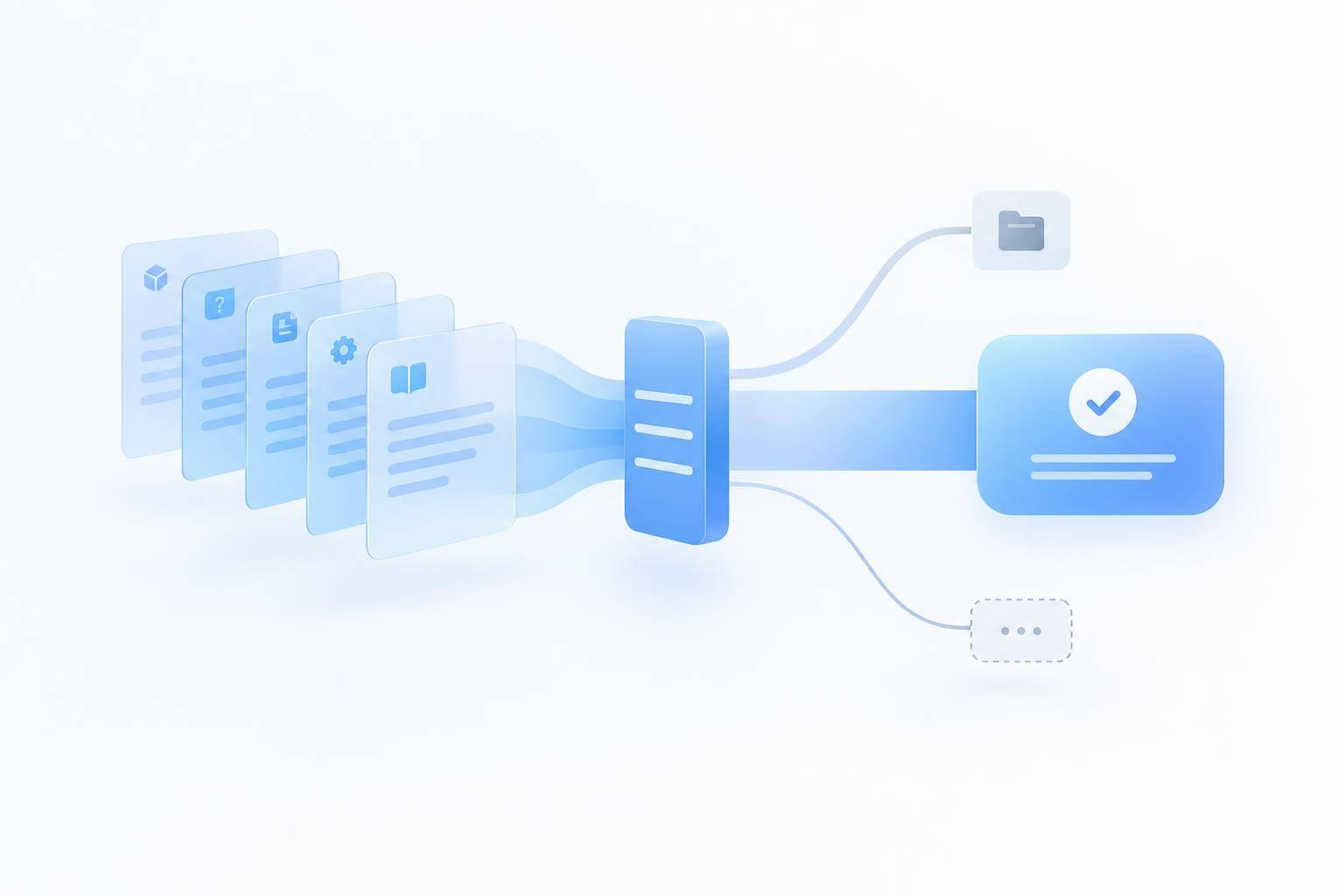
I’d start AI support with questions your documentation already answers - not every ticket. Review 60–90 days of tickets, choose one low-risk product area, and connect only approved customer-facing sources to ChatSpark.
Here’s the approach I’d use:
- Prepare the docs: Map your top 10–20 customer questions to articles. Fix gaps and keep internal instructions separate.
- Set answer rules: Require documented steps and source links. No guessing. Send account-specific issues and missing answers to human support to automate customer support without losing quality.
- Test a small pilot: Check answers against approved sources. Count resolutions only when customers confirm success or results show the issue is fixed.
- Keep sources current: Update docs after releases and review failed answers weekly.
The goal is simple: answer what the docs support, and hand off what they don’t.
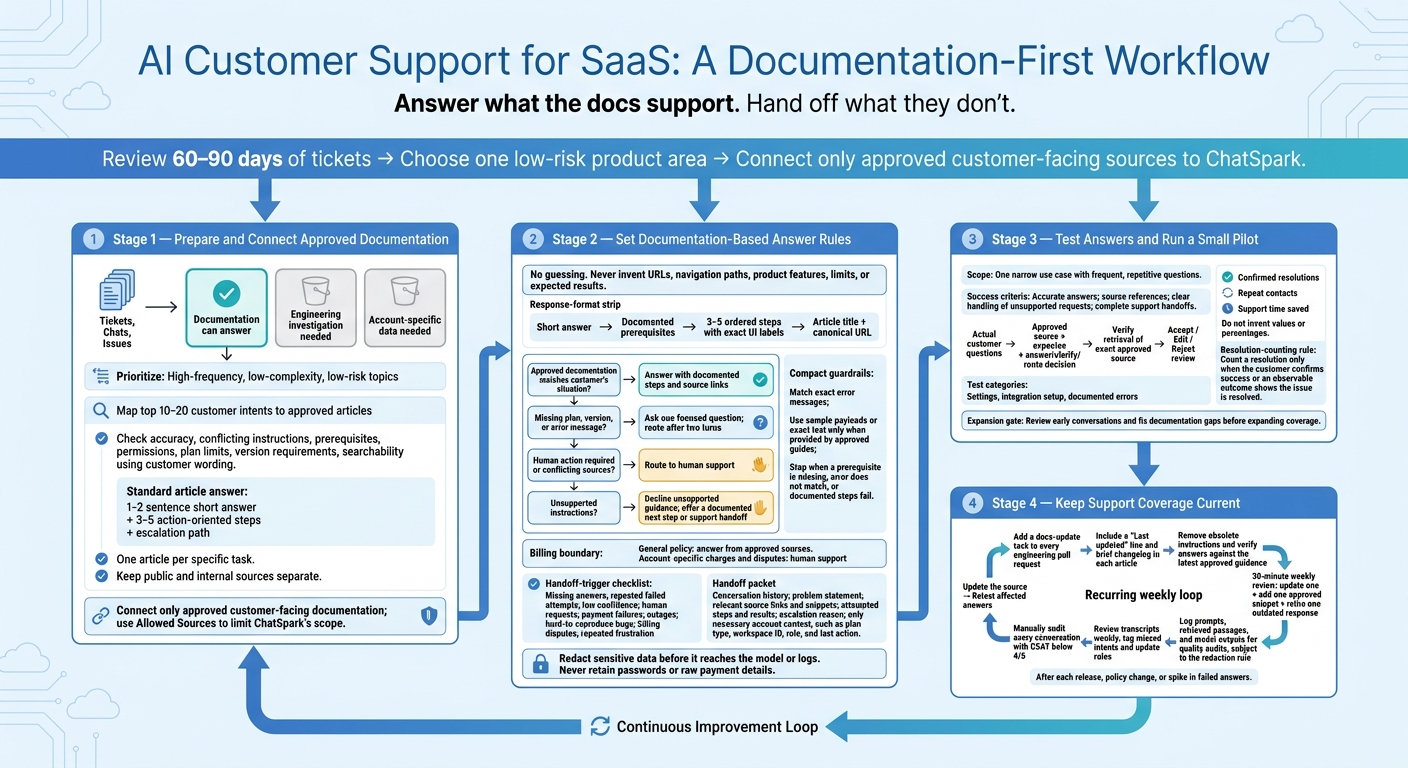
AI Customer Support for SaaS: A Documentation-First Workflow
Step 1: Prepare and Connect Approved Documentation
Start with one product area, such as onboarding or billing. Group recent support tickets, chats, and issue-tracker data by topic to see which requests your documentation can answer. Sort requests into three buckets: questions documentation can answer, issues that need engineering investigation, and problems tied to specific account data.
Focus first on high-frequency, low-complexity, low-risk topics. Before connecting sources, map the top 10–20 customer intents to approved articles.[3][1] Then check that those articles answer the questions clearly.
Check Documentation for Accuracy and Gaps
Review help articles, setup guides, integration instructions, troubleshooting steps, feature references, policies, and release notes for conflicting instructions. Check prerequisites, permissions, plan limits, and version requirements.
Search the help center using the words customers use for your top topics. If they can’t find the answer, fix that gap before launch.
For each common question, create a standard answer with a 1–2 sentence short answer, 3–5 action-oriented steps, and an escalation path. Keep one article per specific task so the relevant instructions are easy to retrieve. Once you’ve verified the content, separate customer-facing help from internal procedures.
Keep Public and Internal Sources Separate
Keep these sources separate so each audience sees only the material meant for it. Only approved customer-facing documentation should be connected to ChatSpark.
Connect Sources and Set ChatSpark’s Scope
Connect the approved sources for your selected product area. Use Allowed Sources to limit ChatSpark’s AI to that documentation.[3]
Step 2: Set Rules for Documentation-Based Answers
Once approved sources are connected, define how ChatSpark should use them. Start with a firm do-not-guess rule: never invent URLs, navigation paths, product features, limits, or expected results.
Require each response to include a short answer, documented prerequisites, 3–5 ordered steps with exact UI labels, and a source reference with the article title and canonical URL.
Answer Questions About Settings, Integrations, and Errors
For settings, integrations, and API questions, check documented prerequisites, plan and version support, and exact text before answering. Include sample payloads or exact text only if the approved guide provides them.
For errors, match the exact error message to the guide’s troubleshooting steps. Use the article’s self-checklist if it has one.
Stop if a prerequisite is missing, the error doesn’t match the guide, or the documented steps don’t resolve the issue. Describe only results supported by the documentation.
Decide When to Answer, Clarify, Route, or Decline
Answer only when approved documentation matches the customer’s situation. If the documentation doesn’t fully answer the question because the plan, version, or error message is missing, ask one focused question. Route after two turns.
Route requests that require human action or involve conflicting sources. Decline unsupported instructions when the documentation doesn’t cover the request, and offer a documented next step or support handoff.
For billing, explain general policy using approved sources. Send account-specific charges and disputes to a human.
Set Escalation Triggers and Handoff Details
Configure handoffs for missing answers, repeated failed attempts, low confidence, requests for a human, payment failures, outages, hard-to-reproduce bugs, billing disputes, and repeated frustration.
Each handoff should include conversation history, the problem statement, relevant source links and snippets, attempted steps and results, and the escalation reason. Include only the account context needed, such as plan type, workspace ID, role, and the last action taken.
Redact sensitive data before it reaches the model or logs. Never retain passwords or raw payment details.
Apply these rules when checking answers during the pilot.
Step 3: Test Answers and Run a Small Pilot
Once the rules are in place, test them with a small pilot. Choose one narrow use case with frequent, repetitive questions, and keep the pilot within that scope. Before launch, define success: accurate answers, source references, clear handling of unsupported requests, and complete handoffs to support.
Build Tests From Customer Support Questions
Use actual support questions to build a test set covering settings, integration setup, and documented errors. For each test, record the approved source, the expected response, and whether ChatSpark should answer, ask for clarification, or route the request.
Check that retrieval returns the exact approved source, not just a related article. Review pilot responses in an Accept / Edit / Reject queue [4].
Measure Resolution Quality and Support Savings
Track confirmed resolutions, repeat contacts, and support time saved. Count a resolution only when the customer confirms it or an observable outcome shows the issue is resolved.
Review early conversations before expanding coverage. Use pilot failures to improve the documentation before a broader rollout.
Step 4: Keep Support Coverage Current
After the pilot, set up a weekly maintenance loop to keep documentation up to date and answers aligned with approved sources.
Update Sources After Product and Policy Changes
Add a docs-update task to every engineering pull request. Include a “Last updated” line and a brief changelog in each article [1]. Remove obsolete instructions, then check that answers reflect the latest approved guidance after each update.
Use Failed Answers to Improve Documentation
Hold a 30-minute weekly review to update one article, add one approved snippet, and retire one outdated response [1].
Log prompts, retrieved passages, and model outputs so you can audit quality and trace what went wrong. Review transcripts weekly to tag missed intents and update rules. Manually audit every conversation with a CSAT rating below 4/5 [2][3].
Use repeated failures to spot documentation gaps. Update the source, then retest the affected answers. Repeat this review loop after each release, policy change, or spike in failed answers.
FAQs
How do I know my docs are ready for AI support?
Your documentation is ready for AI support when it’s centralized, structured, and verified. Start by auditing support tickets from the past 90 days to find the topics that come up most often. Then remove duplicate articles, retire outdated ones, and standardize headings.
Write in clear, concise language. Use numbered steps for instructions and bullet points for details readers need to scan. Keep documentation current by tying updates to product deployments and reviewing articles every three months.
How should AI handle conflicting documentation?
Accurate AI responses start with consistent source material. Audit your knowledge base regularly to remove duplicate articles and resolve conflicting guidance. Before deploying AI, standardize headings and keep each article focused on one task.
Configure the AI to hand questions off to a human agent instead of guessing when it finds conflicting information or its confidence score falls below a set threshold.
When should I expand my AI support pilot?
Expand your AI support pilot after it has automated your first high-volume, low-complexity tasks and a monthly ROI audit confirms it’s meeting your goals. Check resolution rates, ticket volume, and customer satisfaction before moving ahead.
Use your analytics dashboard to spot new, recurring questions the AI can’t answer. Add those topics to your knowledge base in a planned sequence so the system can handle more questions while keeping accuracy high.