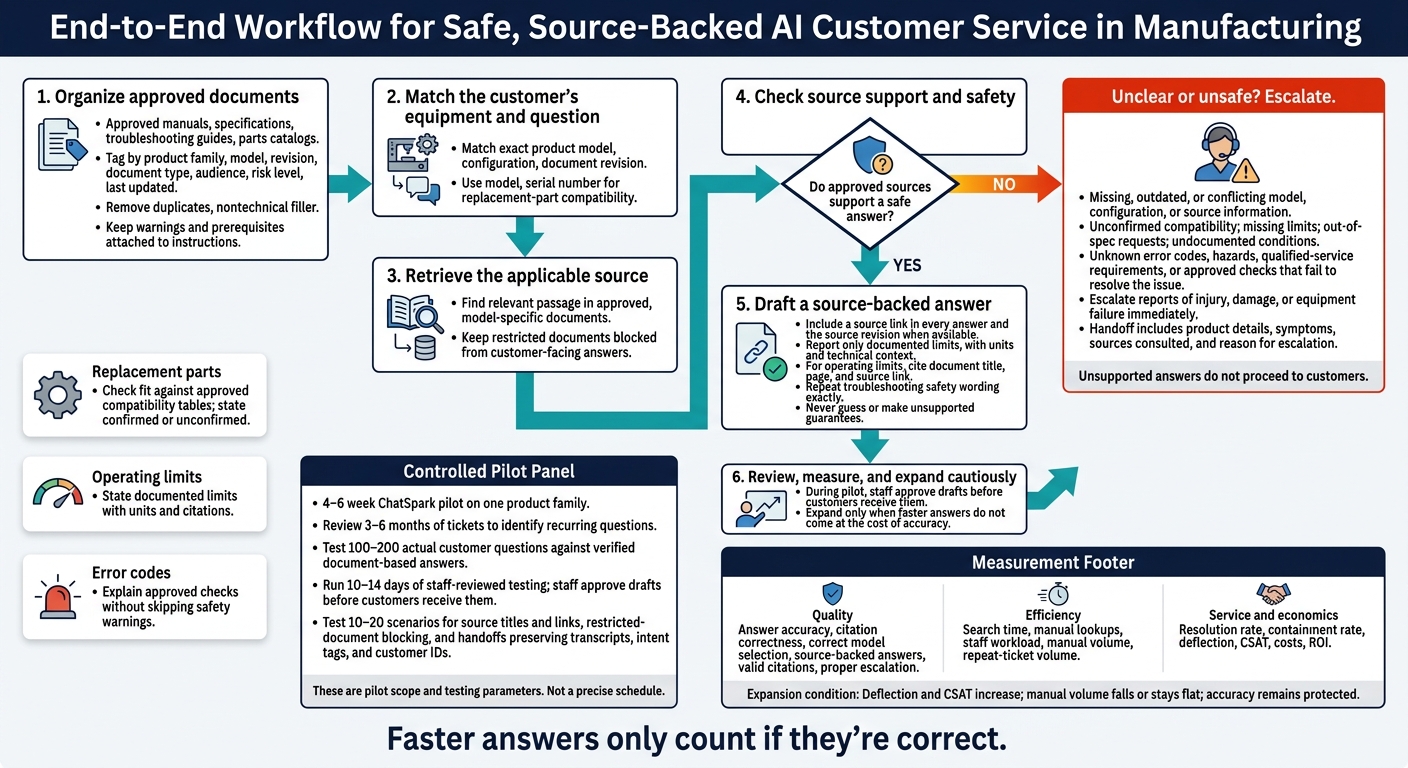
I’d start with one rule: AI should answer technical questions only when approved documents support the answer. Match each question to the exact product model and document revision, cite the source, and send unclear or unsafe cases to a specialist.
Here’s where I’d use it first:
- Replacement parts: Check fit against approved compatibility tables.
- Operating limits: Report documented limits, with units and source links.
- Error codes: Explain approved checks without skipping safety warnings.
I’d test this through a 4–6 week ChatSpark pilot on one product family, with staff reviewing answers before customers receive them. My test set would include 100–200 actual customer questions.
The goal? Less searching - not fewer safety checks. I’d track answer accuracy, citation quality, staff workload, customer satisfaction, and costs before expanding. Faster answers only count if they’re correct.
AI Manufacturing Support: From Approved Docs to Verified Answers
How AI Uses Technical Documents to Answer Questions
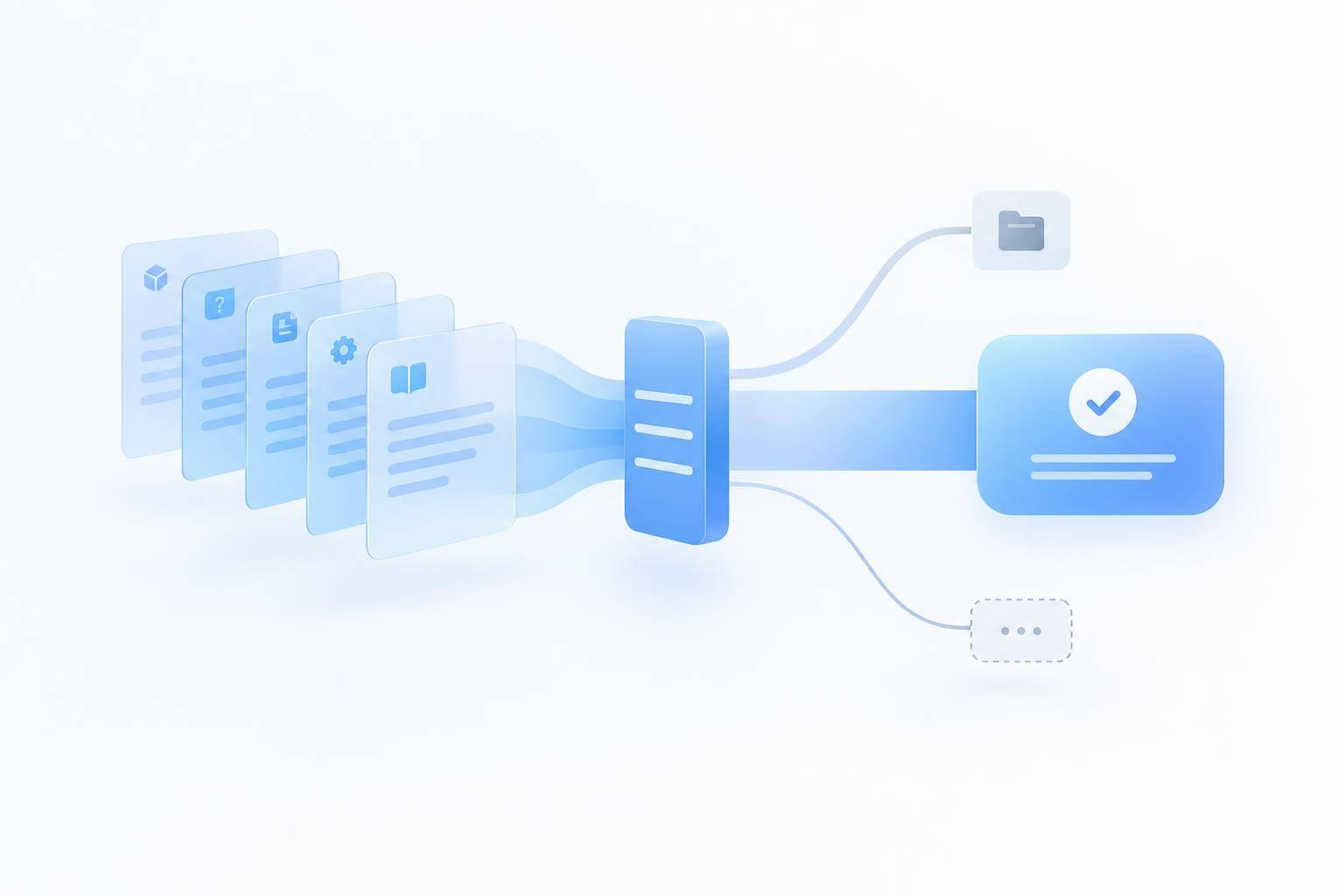
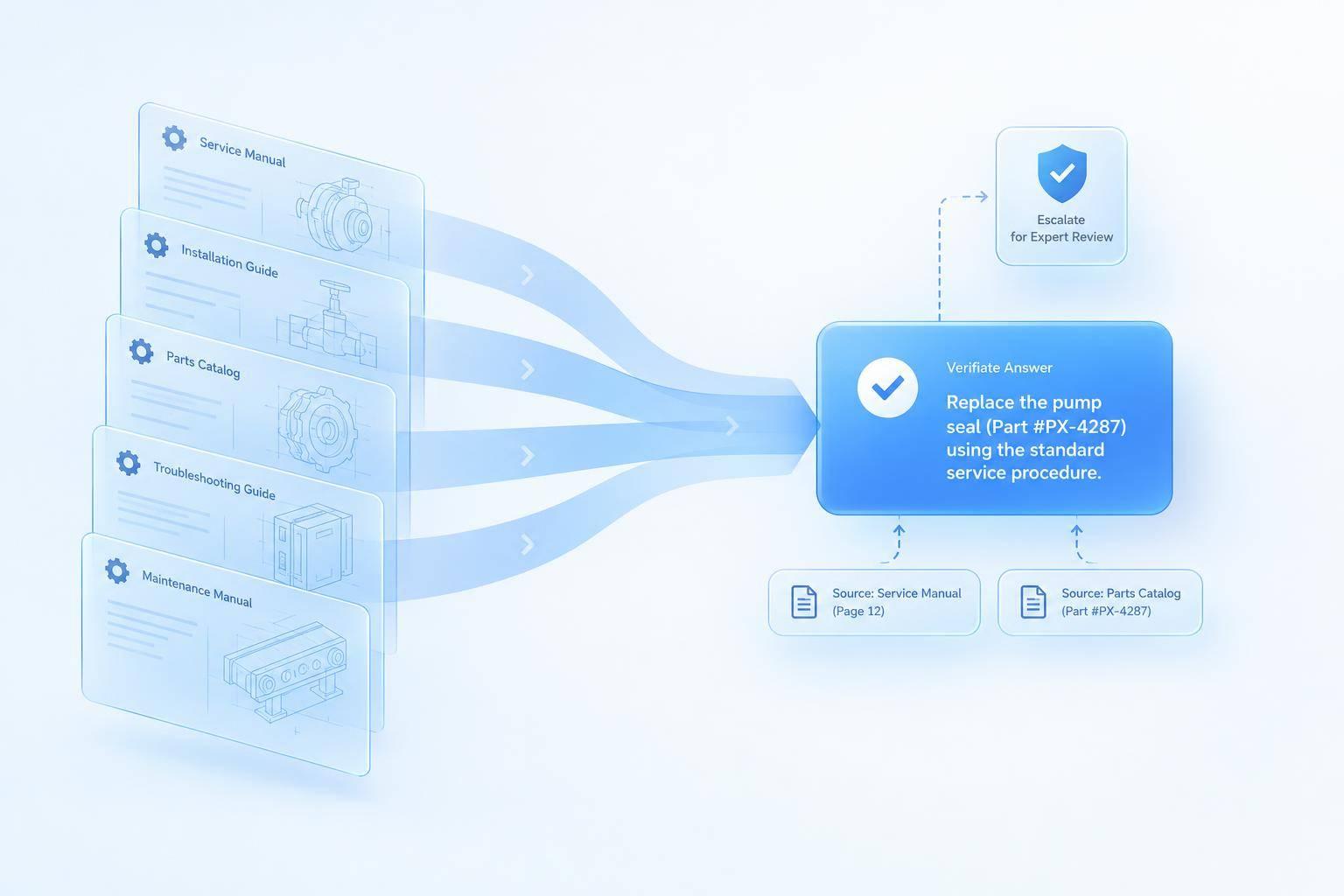
When documents are organized by model and revision, RAG can find the right passage in seconds. It indexes approved manuals, specifications, and troubleshooting guides, matches passages to the product and issue, and drafts an answer linked to its sources.
Organize Documents by Model and Revision
Index documents and tag each source by product family, model, revision, document type, audience, risk level, and last updated. Use clear headings and keep each section focused on one topic. Keep warnings and prerequisites attached to the instructions they apply to.
Remove duplicates and nontechnical filler before indexing so the AI can focus on steps, limits, and specifications. Audience and risk level tags help keep customer-facing answers within approved content.
Include Sources With Technical Answers
Require product-specific answers to cite their source and revision when available. Include the full technical context - not just the headline specification.
Before launch, test 100–200 actual customer questions against verified answers from the applicable documents. Check that retrieval finds the right passage and that the citation supports the answer. Have human reviewers check high-risk guidance. These source checks let support teams verify answers before they reach customers.
Escalate When Sources or Safety Are Unclear
Escalate when the model, configuration, or source is missing, outdated, or conflicting. Pass along the product details, symptoms, sources consulted, and reason for escalation. Escalate reports of injury, damage, or equipment failure immediately.[3]
With retrieval and escalation rules in place, the next step is addressing the most common support questions. This process is a key part of a broader AI customer support implementation strategy.
3 Manufacturing Questions AI Can Help Answer
Once approved documents are indexed and cited, AI can help answer the questions support teams hear most often.
Check Replacement-Part Compatibility
A customer wants to know whether a replacement filter fits their machine. AI matches the model and serial number to the approved compatibility table and cites the revision. State whether fit is confirmed or unconfirmed. If compatibility is not confirmed, escalate.
Confirm Operating Limits and Specifications
A customer wants to run equipment at a particular inlet pressure and ambient temperature. AI retrieves the model-specific specification and states only documented limits. Cite the document title, page, and source link so the customer can verify the source. If the conditions fall outside the documented range, escalate. If the document does not address them, state that the limit is undocumented and escalate.[1]
Explain Error Codes and Troubleshooting Steps
A customer reports an equipment error code. AI uses the matching troubleshooting guide to explain the code and the approved checks. Repeat safety wording exactly.[2] Stop troubleshooting when the guide requires qualified service, when a check would expose a hazard, or when approved steps fail to resolve the issue. Escalate.
Run a Controlled ChatSpark Support Pilot
Once source rules are set, run a 4–6 week ChatSpark pilot on one product family. Use approved sources to answer low-risk questions. Review 3–6 months of tickets to find recurring questions, and verify supported channels and message limits before launch.
Map Questions to Sources and Escalation Rules
Assign each question type one approved source set and one escalation trigger. Include a source link in every answer.
| Support question type | Required source documents | Answer format | Escalation trigger |
|---|---|---|---|
| Parts compatibility | Approved parts catalog and model revisions | Part number and compatibility status | Missing model or revision; custom fabrication |
| Operating limits | Current specifications and safety manual | Documented limits with units | Missing limits or out-of-spec request |
| Installation | Installation guide and diagrams | Approved steps with source link | Safety warning or tool requirement |
| Error codes | Model-specific troubleshooting guide | Code meaning and approved checks | Unknown code, hazard, or unresolved issue |
Set Up Content, Channels, and Answer Rules
Load only approved, published documents. Use clear headings and a concise, professional tone, and prohibit unsupported guarantees. Start with the website channel. Confirm which other supported messaging channels, document capacity, and message limits the plan includes.
Run 10–14 days of staff-reviewed testing. Staff must approve drafts before customers receive them. Test 10–20 scenarios to check source titles and links, confirm that restricted documents remain blocked, and verify that handoffs preserve transcripts, intent tags, and customer IDs.
Measure Answer Accuracy, Workload, and ROI
Track whether technical answers take less time and require fewer manual lookups. Measure resolution rate, containment rate, CSAT, and ROI alongside those results.
Have technical reviewers check answer accuracy and citation correctness. Use the Unanswered Questions dashboard to find gaps in approved content. Expand the pilot when deflection and CSAT increase and manual volume falls or stays flat [4]. Use these metrics to decide whether to move to the next product family.
Conclusion: Start With Approved Documents and Clear Limits
Once the pilot proves the workflow, keep the same limits: use approved, revision-controlled documents, match retrieval to the customer’s exact model and revision, and require a source citation for every answer.
Never guess when the approved sources don’t support an answer. State that clearly and route the question to a person [2].
Before expanding the pilot, write down quality targets for correct model selection, source-backed answers, valid citations, and proper escalation. Compare search time and repeat-ticket volume against the baseline. Expand across products and channels only when faster answers don’t come at the cost of accuracy.
FAQs
Can AI use scanned manuals and technical diagrams?
Yes, AI can use scanned manuals, technical diagrams, and PDFs to provide support. With Retrieval-Augmented Generation (RAG), AI indexes these files and retrieves troubleshooting steps, error codes, or product specifications. It then uses that information to answer questions based on the documents.
For the best results, keep scanned documents clear and well-organized. Answer quality depends on how clear and accurate the source material is.
How do we keep AI answers current when manuals change?
Keep your knowledge base up to date. Store all documentation in one verified source, use automated website crawling to collect updates, and recompute embeddings as soon as manuals change.
Review escalation logs monthly for outdated content. Use AI-driven analysis to spot documentation gaps based on recurring customer questions. A Resolution Learning Loop helps you refine documentation and retrain the system after each interaction.
How can we protect confidential technical documents?
Keep sensitive or internal company data out of your AI knowledge base. Upload only verified, non-confidential content meant for public-facing customer support, such as FAQs, product manuals, and troubleshooting guides.
Protect internal procedures and sensitive documents with strict permission controls, and leave them out of the AI’s training data. This helps prevent the AI from sharing restricted information in its responses.