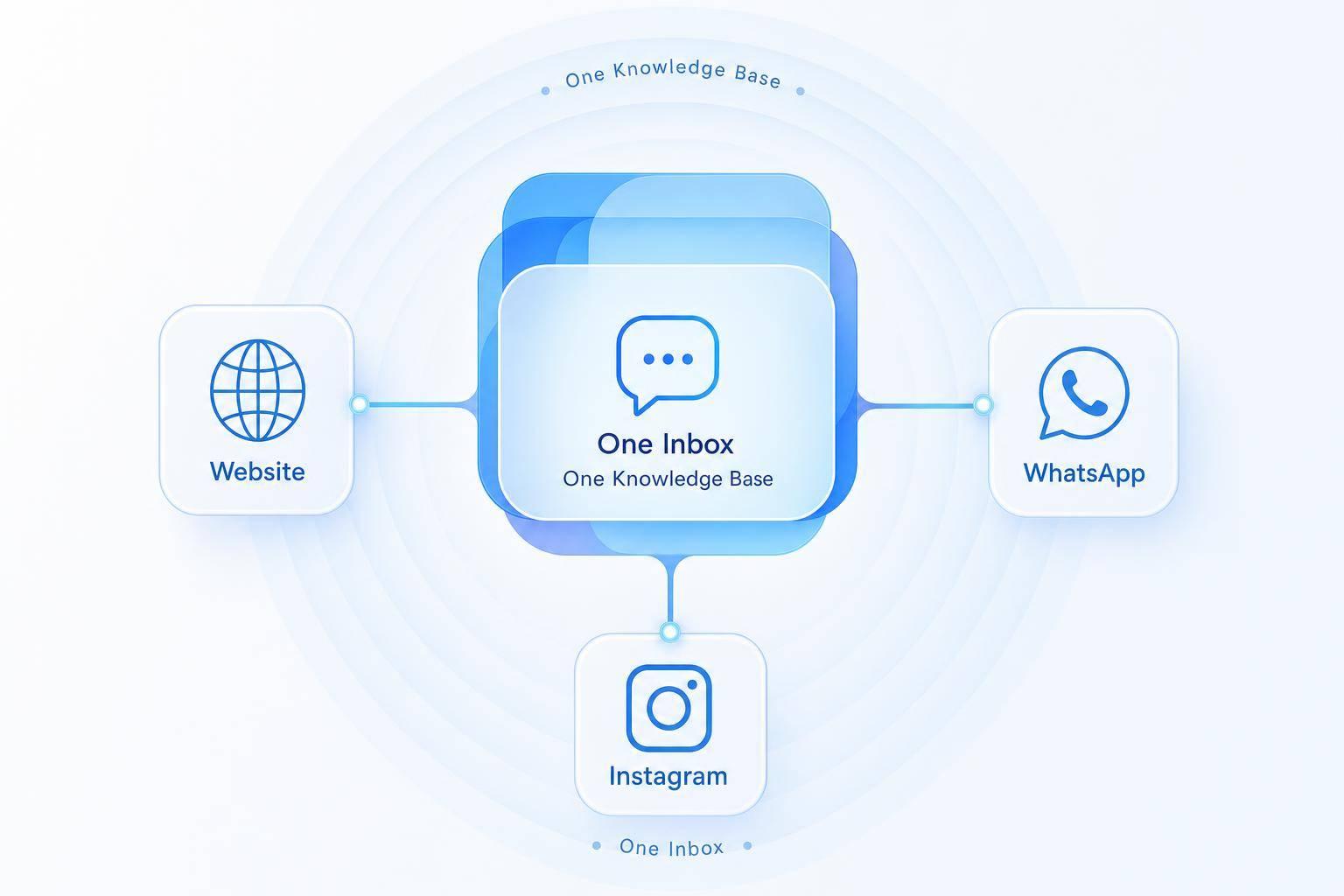
My rule for franchise AI support: one approved source for company policies, separate records for each location. Confirm the customer’s location before answering local questions, and never let local details override a binding company rule without approval.
Here’s the setup I recommend:
- Use approved internal documents - not the open web. Keep policy meaning the same across support channels.
- Control edits. Let corporate teams own company rules and local teams maintain hours, pricing, and contact details.
- Keep records current. Assign owners, log changes, and review flagged answers for 30 minutes each Friday.
- Know when to stop. Send conflicts, missing information, complaints, and sensitive requests to staff. No current availability data? No booking promises.
- Test before expanding. Start with 1–2 locations and the 25 highest-risk FAQs, checking policies, local facts, and handoffs.
The goal I’d set: the same policy wherever customers ask, with the right details for their location.
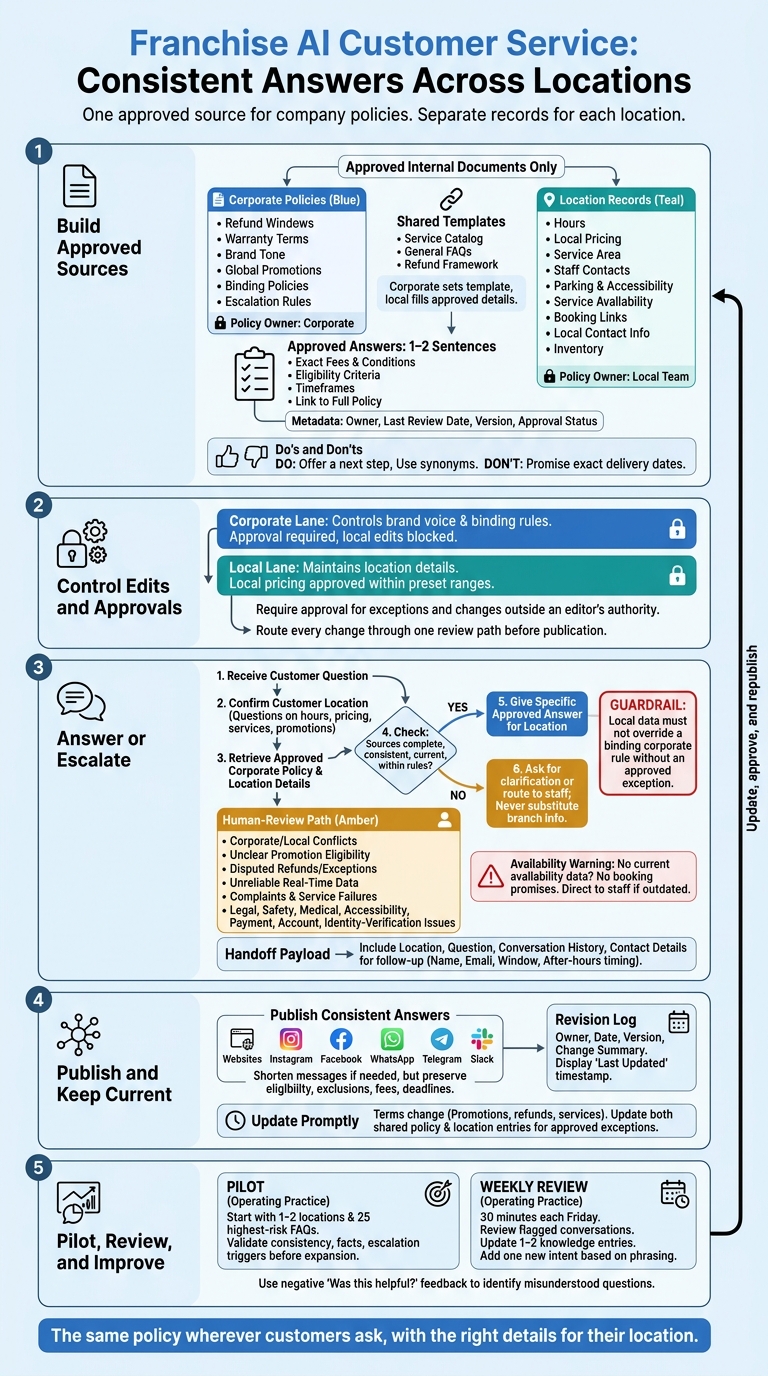
Franchise AI Customer Service: Consistent Answers Across Locations
Build a Shared Franchise Knowledge Base
Set Standards for Policies, Tone, and Answers
Gather questions that come up across locations. Send any refund or warranty conflicts to the policy owner for resolution before adding answers to the knowledge base. Document the approved brand tone and answer wording. Give each source an owner, last review date, version, and approval status to help prevent stale answers and conflicting refund, warranty, or service responses.[1] These rules also separate corporate policies from location-specific details.
Keep each approved answer to 1–2 sentences, with exact fees, eligibility conditions, timeframes, and a link to the full policy.[1] Add synonyms so customers get the same answer even when they phrase a question differently. Document three do’s and three don’ts for the AI, including offering a next step and never promising exact delivery dates.[1]
Classify Shared Policies and Local Details
Group information into policy entries and operational entries.[1] Tag each entry with its owner and update rule so answers go to the right owner and location.
| Content Type | Examples | Ownership | Update Rule |
|---|---|---|---|
| Shared Policies | Refund windows, warranty terms, brand tone | Corporate HQ | Applies to all locations |
| Local Details | Store hours, local pricing, service area | Franchise owner | Applies to specific location only |
| Operational Data | Booking links, local contact info, inventory | Location manager | Applies to specific location only |
Use the Same Answers Across Support Channels
Publish the same answers on websites, Instagram, Facebook, WhatsApp, Telegram, and Slack. Keep policy text consistent across channels. You can shorten messaging responses, but don’t change the policy’s meaning: eligibility, exclusions, fees, and deadlines must stay the same.
Keep a revision log with the owner, date, version, and change summary. When a policy changes, update its entry and refresh the knowledge base so outdated answers don’t linger.[1] Align the channels before applying location-based rules.
Apply Corporate Policies and Local Details
Use the correct location record and control who can edit it. This keeps answers consistent while allowing local differences ONLY where approved.
Define Required Location Fields
Require every location to maintain its hours, staff contacts, parking and accessibility details, service availability, and local pricing. Keep the service catalog and refund framework in the shared knowledge base.
Specify which source provides current appointment slots and service availability. If that source is outdated or unavailable, direct the customer to staff. Never promise a slot or service without current availability data.
Confirm the Location and Apply Policy Rules
Keep shared and local data separate. Confirm the customer’s location before answering questions about hours, pricing, services, or promotions.
Apply the shared refund framework and other binding corporate policies alongside the location’s current details. Give the most specific approved answer for that location. Local data must not override a binding corporate rule without an approved exception.
If local details are missing or sources conflict, ask for clarification or send the question for human review. Don’t fill the gap with another branch’s information.
Set Editing and Approval Permissions
Give corporate teams control over brand voice, global promotions, binding policies, and escalation rules. Let franchisees manage location-specific details [1]. These editing limits help prevent conflicting answers about promotions and refunds. Require approval for exceptions and changes outside an editor’s authority.
| Control Level | Fields Managed | Approval Requirement |
|---|---|---|
| Corporate | Brand voice, global promotions, binding policies, escalation rules | Required; local edits blocked |
| Franchisee | Local hours, staff contacts, parking/accessibility, local pricing | Approved within preset ranges |
| Shared | Service catalog, general FAQs, refund framework | Corporate sets the template; local teams fill approved details |
Route every change through one review path based on these permissions before it goes live.
Keep Answers Current Across Locations
Once permissions are in place, keep shared and location-specific entries up to date so approved answers stay consistent across locations.
Assign Update Owners and Publish Changes
Give policy and location updates clear owners. Use the revision log to track who changed each entry and when [1]. Add a visible “last updated” timestamp to every knowledge base entry so support teams can check whether the information is current [1].
Fix Promotion, Refund, and Service Conflicts
Update promotion, refund, and service entries as soon as terms change. Answers at each location should reflect policy, local exceptions, and expiration dates.
For location-specific exceptions, update both the shared policy entry and the affected location entries. That keeps them aligned before customers receive conflicting answers.
Test Answers and Track Support Results
Every Friday, set aside 30 minutes to review flagged conversations for inconsistent answers across locations. Update 1–2 knowledge entries and add one new intent based on repeated customer phrasing to address recurring misses and outdated intents [1].
Use negative “Was this helpful?” feedback to find questions that teams misunderstand or repeatedly escalate [1]. These signals help identify unresolved questions before handing them off becomes the only way to address them.
Plan Human Handoffs and Launch
Identify Questions That Need Human Review
Once policies and local records are in place, decide which cases need staff review. Escalate when corporate and local information conflicts, promotion eligibility is unclear, or refunds and exceptions are disputed. Inventory and appointment questions also need human review if reliable, connected real-time data isn’t available. [1]
Send complaints, service failures, and any legal, safety, medical, accessibility, payment, account, or identity-verification issue to trained staff. [1]
Route Handoffs with Verified Facts
With escalation triggers set, send each case to the correct corporate or location team with only the facts staff need: the customer’s location, question, relevant conversation history, and contact details needed to continue. If the customer asks for an agent, collect their name, email, and a specific follow-up window, including after-hours timing. [1]
Launch Checklist: Validate Policies and Local Data
Follow a complete guide to AI customer support implementation by starting with a small pilot before expanding. Test one or two locations using the top 25 highest-risk FAQs. Check policy consistency, local data, and escalation triggers before rolling out to more locations. [1]
FAQs
How can we measure AI answer consistency?
Use a Consistency Score to measure consistency across franchise locations. Combine AI classifier confidence, rule violations, and readability scores in this metric [1].
Each month, review at least 50 randomly selected chat logs. Use structured scoring to check tone accuracy, vocabulary alignment, and style consistency. Also test at least 25 realistic scenarios each month to assess response accuracy and effectiveness [1].
Track the editorial revision rate - how often human editors adjust AI-generated content - to spot drift from brand standards [1].
How should we handle customers who use multiple locations?
Keep a shared record of each customer’s interactions in a centralized knowledge base. Use identity resolution to connect customer data across platforms and channels, so the AI recognizes returning customers and remembers their past questions and service history. That way, customers don’t have to repeat themselves when they switch locations or channels.
When a customer needs human help, the AI passes the full conversation history to the agent.
How do we prioritize high-risk FAQs for testing?
Flag FAQs that require nuanced judgment or address legal, compliance, or sensitive issues for human review. This includes billing disputes, privacy concerns, and policy exceptions. Keep these FAQs out of the initial automation rollout.
If automation is needed, use pre-approved wording and have a human review AI drafts before launch. Track escalation rates and satisfaction scores. Set confidence thresholds at 85–95%, and automatically route queries below the chosen threshold to human agents.