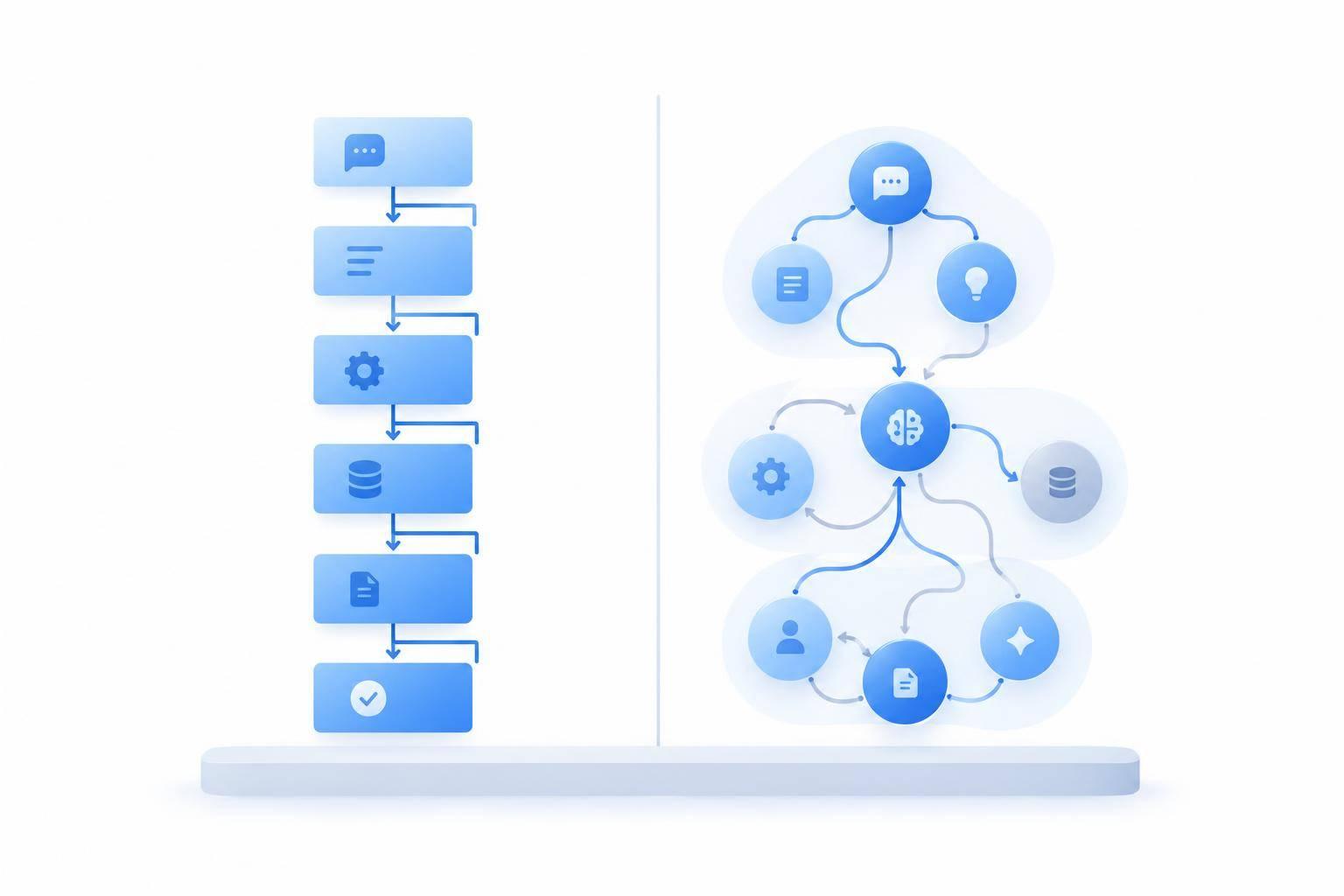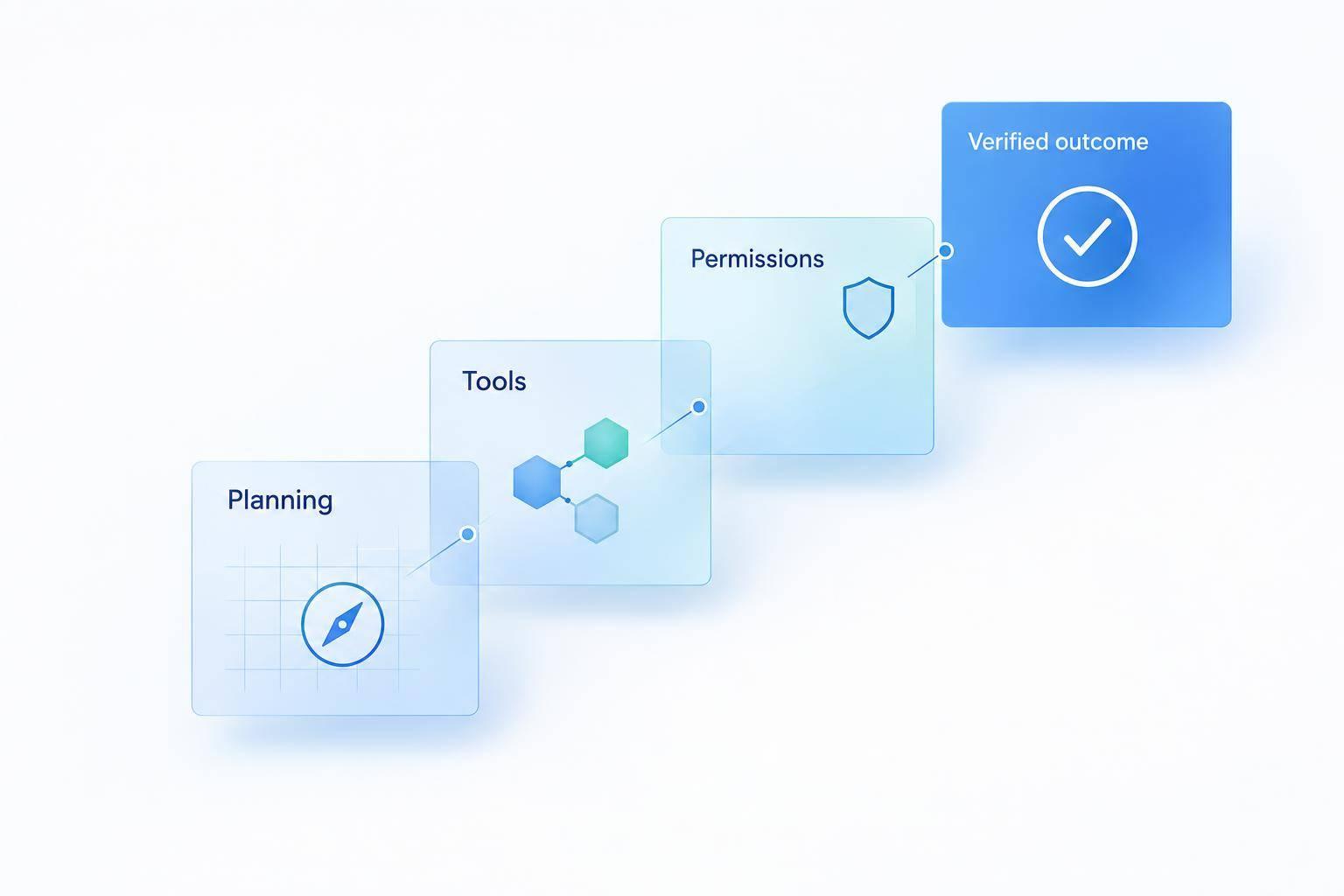
AI agents don’t always replace chatbots. My advice: keep what works, and test agents where customers need tasks completed - not just answers. Start with one lower-risk workflow, review 4–8 weeks of support requests, and set limits before allowing actions such as refunds.
I’d choose based on the work:
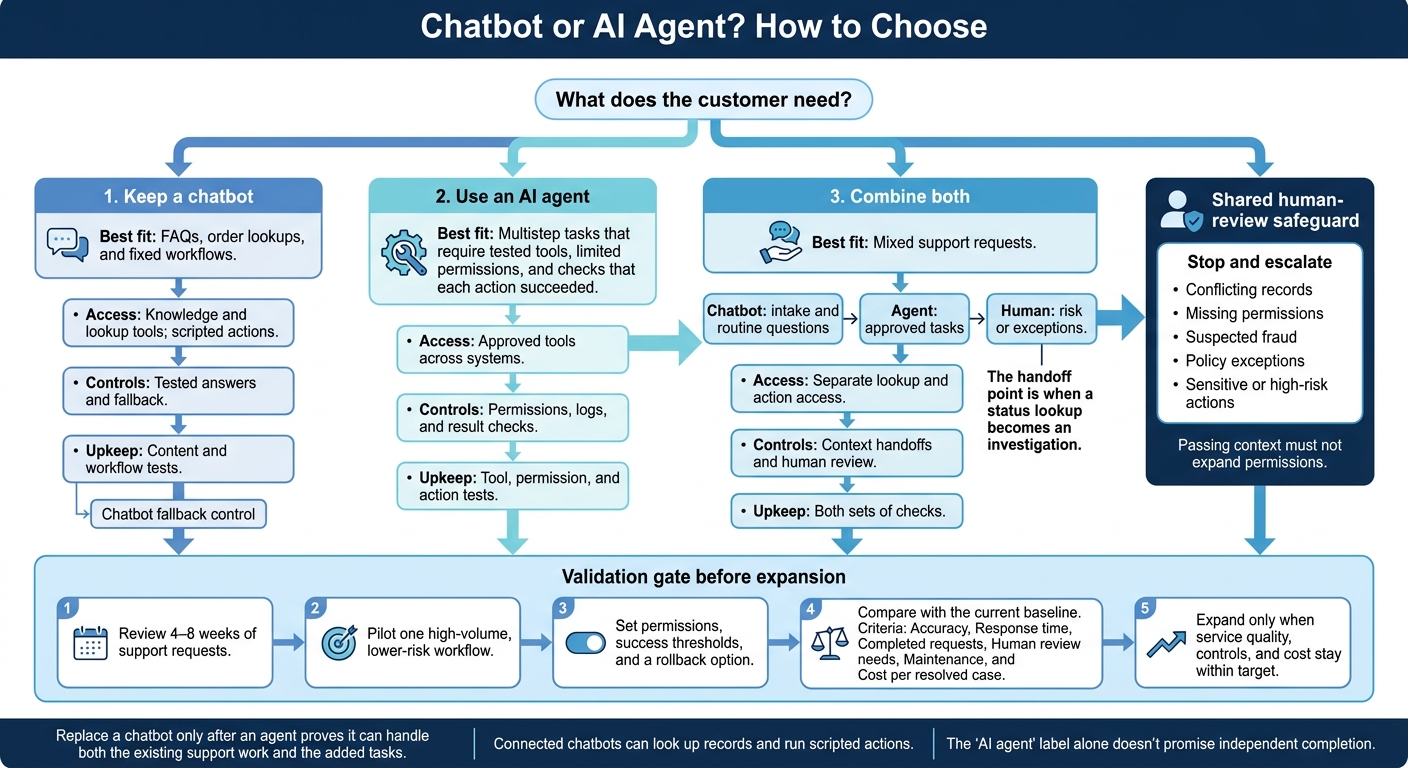
- Keep a chatbot for FAQs, order lookups, and fixed workflows.
- Use an agent for multistep tasks that require tested tools, limited permissions, and checks that each action succeeded.
- Combine both when routine questions lead to action requests, with humans handling sensitive cases or conflicting records.
The label matters less than the results. I’d compare accuracy, response time, completed requests, human review needs, maintenance, and cost per resolved case before expanding.
Quick Comparison
| Factor | Chatbot | AI agent | Both |
|---|---|---|---|
| Best fit | Answers and fixed workflows | Multistep actions | Mixed support requests |
| System access | Knowledge and lookup tools; scripted actions | Approved tools across systems | Separate lookup and action access |
| Controls | Tested answers and fallback | Permissions, logs, and result checks | Context handoffs and human review |
| Upkeep | Content and workflow tests | Tool, permission, and action tests | Both sets of checks |
My rule: replace a chatbot only after an agent proves it can handle both the existing support work and the added tasks.
Chatbot or AI Agent? How to Choose
Chatbots vs. AI Agents: What Each Can Do
| Capability | Chatbot | AI agent |
|---|---|---|
| Core role | Answers questions and routes requests | Completes a defined task across approved systems |
| Step sequencing | Follows predefined branches or workflows | Selects and sequences approved steps |
| System access | Knowledge sources and connected lookup or action tools | Approved tools across order, inventory, payment, and support systems |
| Exception handling | Uses a fallback or transfers the request | Adjusts within its rules or escalates |
| Controls | Approved content, tested flows, fallback | Limited permissions, audit logs, outcome checks |
| Setup complexity | Generally lower for FAQs and fixed workflows | Higher because integrations, permissions, and execution need testing |
Treat the table as a quick reference, then test each system with actual support requests. Connected chatbots can look up records and run scripted actions. The “AI agent” label alone doesn’t promise independent completion. That depends on integrations, permissions, workflow design, and safeguards.
FAQs, order lookups, and refund handling show where these differences matter.
Chatbots Answer Questions and Route Requests
Chatbots work well with approved shipping, returns, and billing information. They can explain return eligibility if they have the current policy and required purchase details. Keep that policy content up to date, and route exceptions instead of letting the chatbot invent an answer.
For order-status requests, a connected chatbot can verify the customer and return tracking data from a reliable order or carrier system. It should report the result, not estimate a delivery date. If the lookup fails or conflicts with account data, pass the conversation, verification status, order details, and error to a human.
The limits become clearer when a customer asks the system to take action, not just look something up.
AI Agents Handle Multistep Tasks
Beyond answering questions, agents can carry out a multistep workflow. They break a customer’s goal into steps, use approved tools, and make decisions within set limits. Some chatbots also perform actions, but usually through predefined scripts.
Shipment investigations may require checking promised delivery dates against carrier scans and fulfillment notes. Order changes may require inventory, payment, and fulfillment checks before any record is changed.
Completion means checking the result and updating the support ticket, not just explaining what should happen next.
That authority calls for dependable integrations, accurate business rules, least-privilege permissions, and audit logs. Set clear stopping points: conflicting records, unavailable payment data, suspected fraud, and requests outside the agent’s authority should trigger human review. Logs should record the data used, tools called, actions attempted, results, and any human override.
When to Replace a Chatbot With an AI Agent
Replace a chatbot only when action-heavy requests dominate and the agent can handle the full workflow: FAQs, intake, routing, and execution. Review 4 to 8 weeks of support data by intent before deciding. Keep the chatbot if the agent falls short on answer accuracy, response time, availability, or routing - even if it handles transactions well.[3][4]
Refund Example: Explaining Policy vs. Taking Action
Hypothetical U.S. retailer: Use a 30-day return window and a $100 auto-refund cap. The retailer’s actual policy controls every decision.
Refund stage Chatbot Agent Request Explains the return window and collects an order number Verifies identity before retrieving account-specific details Eligibility Explains the requirements and routes the request Checks purchase date, payment status, return requirements, and previous refunds Submission Directs the customer to the return form or support team Confirms the proposed refund with the customer, then submits it within the approved limit Completion Explains the next step Checks the refund result, updates the case, and sends confirmation. Exception Routes the case for review Stops for missing or conflicting information, suspected fraud, policy exceptions, or other high-risk cases
Before closing the case, confirm with the payment provider or commerce platform that the refund succeeded. Send exceptions to a human reviewer and give the customer a clear response timeframe.[5][6][7]
Test Controls Before Replacing the Chatbot
Start with a small pilot for low-risk requests, with a cap on financial exposure. Test customer identity checks, the agent’s separate service identity and permissions, approved refund limits, and human approval for sensitive actions. Include expired sessions, conflicting records, duplicate messages, and payment timeouts. After a timeout, check transaction status before retrying. Use a duplicate-safe transaction key so retries cannot issue the same refund twice.[1][2]
Keep human support available when integrations fail, and preserve both the conversation and transaction state. Compare the pilot with the chatbot on resolution rate, incorrect actions, escalation accuracy, repeat contacts, latency, and cost per resolved case. Remove the chatbot layer only after the agent meets agreed reliability thresholds for both its existing duties and the new workflows. A successful demo is not a production reliability test.[1][2]
If the pilot passes, decide whether to retire the chatbot or keep it as the front door for routine requests.
When to Combine Chatbots and AI Agents
When neither system can handle a full request alone, split the work rather than force one tool to do everything.
A hybrid model works for support that mixes routine questions with action requests. The chatbot handles intake, the agent completes approved tasks, and humans handle risk or exceptions. This setup fits conversations that begin with a question and turn into a request to act.
Route FAQs, Order Lookups, and Shipment Delays
Give the chatbot read-only access for FAQs and order lookups. Send shipment delays to an agent when they need investigation, ticket creation, or follow-up. The handoff point is when a status lookup becomes an investigation.
Pass along the order number, verification status, and transcript. Keep updates in the same thread, and make clear whether a status is confirmed or an investigation is still in progress.
Send Uncertain or Sensitive Requests to Humans
Trigger a human handoff for low confidence, conflicting records, missing permissions, sensitive data, policy overrides, or unusual refunds.
Include the transcript, identity-verification status, completed and pending actions, and the decision that still needs to be made. Passing context must not expand permissions. Share only authorized data, and tell the customer when a representative takes over.
Where ChatSpark Fits in the Conversation
The workflow matters more than the platform. Use ChatSpark as the conversational layer only after checking its integrations, context transfer, and escalation rules.
Multichannel support doesn't guarantee shared history. Verify how handoffs work before assigning action workflows.
Conclusion: Retain, Replace, or Combine?
Choose Based on Your Support Workload
Replace workflows, not the whole system. Keep chatbots for predictable, low-risk questions. Use agents for defined workflows across connected systems. Combine both when requests differ in complexity, authorization, or risk.
Use chatbots for FAQs and order status; use agents for refunds and other actions.
| Decision factor | Retain chatbot | Use AI agent | Combine both |
|---|---|---|---|
| Task complexity | Predictable answers and routing | Defined, multistep actions | Routine answers plus action requests |
| Integration needs | Answers from one trusted source | Actions through tested APIs | Read-only lookups plus transactional access |
| Reliability | Accurate, approved answers | Validated actions, logs, and recovery | Automate tested tasks; escalate uncertainty |
| Human oversight | Review answers and failed conversations | Approve sensitive actions; define stop rules | Supervise high-risk actions and escalations |
| Maintenance effort | Update content and test answers | Maintain APIs, permissions, and action tests | Maintain content and integrations; limit agents to suitable tasks |
Start with the right fit for your workload to automate customer support without losing quality. Then use cost and reliability to decide whether to expand.
Measure Results and Costs Before Expanding
Test your chosen model on one workflow before adding more.
Pilot one high-volume, lower-risk workflow against your current baseline. Set success thresholds for completion rate, error rate, escalation rate, resolution time, failure rate, satisfaction, and human review volume. Include a rollback option. NIST recommends documented oversight and monitoring.[8][2]
Calculate cost per resolved request, including build, run, support, and remediation costs - not just platform fees. Compare it with your current cost per resolved request. Check that automation cuts resolution time without increasing refunds, repeat contacts, complaints, or compliance risk. Expand only when service quality, controls, and cost stay within target.
FAQs
How can I tell if my support volume justifies an AI agent?
High ticket volume alone isn’t enough. Review ticket types and complexity over the past 90 to 120 days. AI agents suit complex, varied requests that need multiple steps or coordination across systems, such as CRM or billing.
For repetitive, predictable inquiries, a standard chatbot will likely cost less. Compare the total 12-month cost per successfully resolved request, not just platform subscription prices.
How do I prevent conflicting actions during handoffs?
Before a handoff, define and protect the system state. Preserve collected fields, workflow state, attempted actions, and the transcript. Pass along verified status and open questions so the next person or system doesn’t repeat work.
Enforce permissions and authorization in the backend or tool gateway, not the AI model. Require human approval for sensitive actions or actions that can’t be undone. If missing data or conflicting records prevent completion, pause and escalate with the relevant findings. Don’t bypass checks.
When should I roll back an AI agent pilot?
Pause or roll back an AI agent pilot if workflows or required API integrations aren’t ready, ticket volume is below 80 per month, or regulations require human oversight for every response.
Pause for fine-tuning if confidence scores often fall below your threshold - typically 85%–95% - or the agent struggles with high-stakes, emotionally sensitive, or complex interactions. During testing, make pausing a priority if the agent takes actions without permission or poses safety risks.