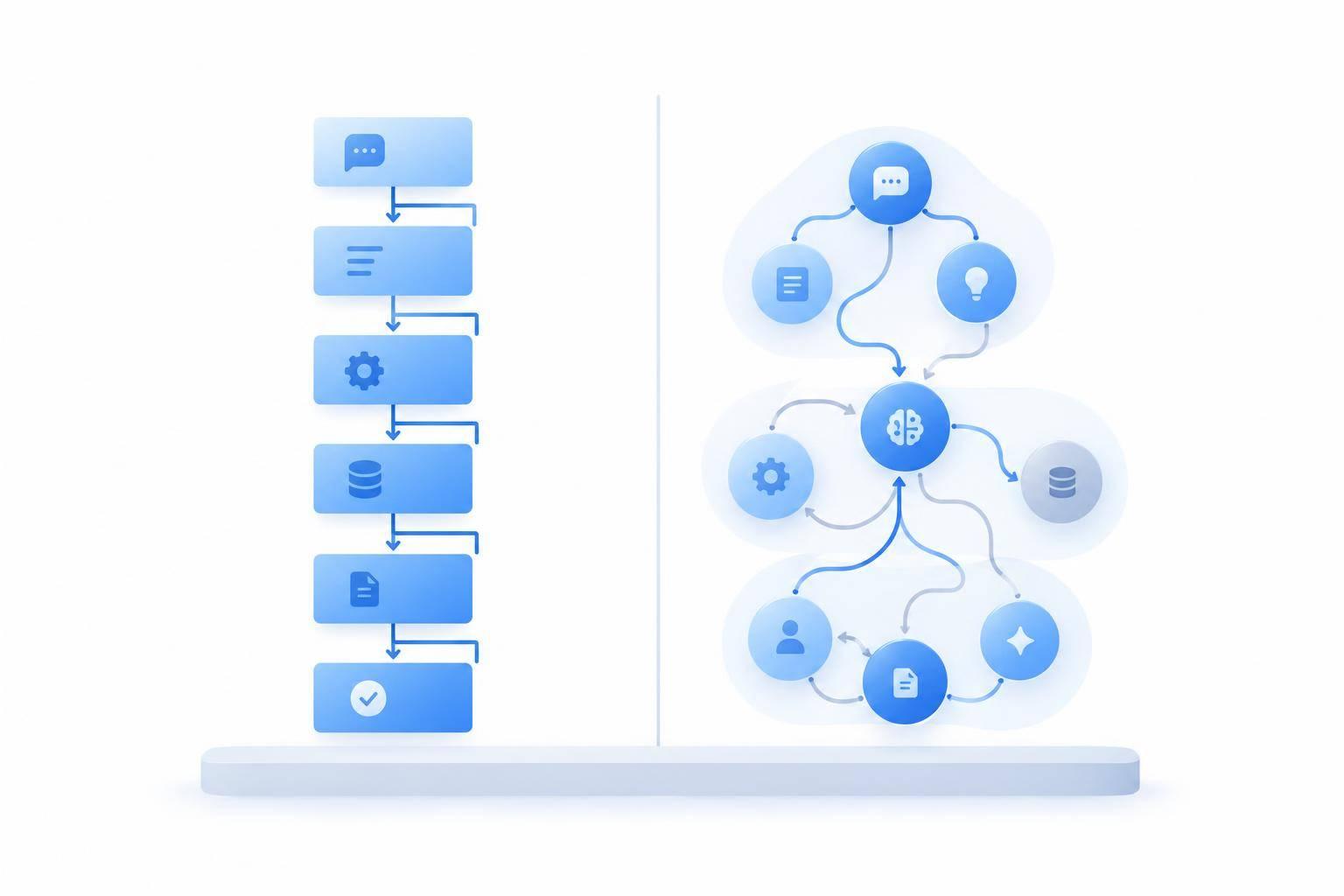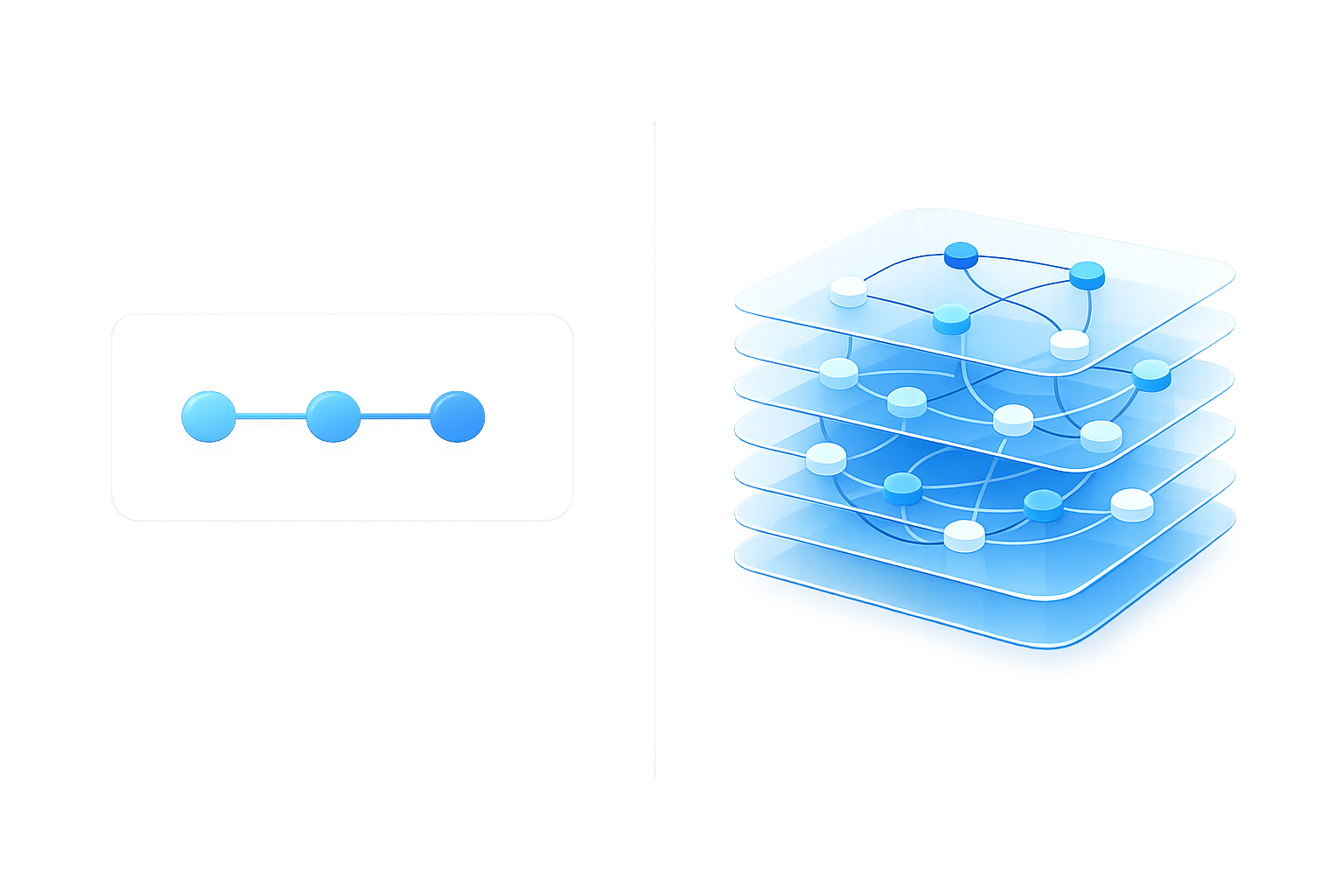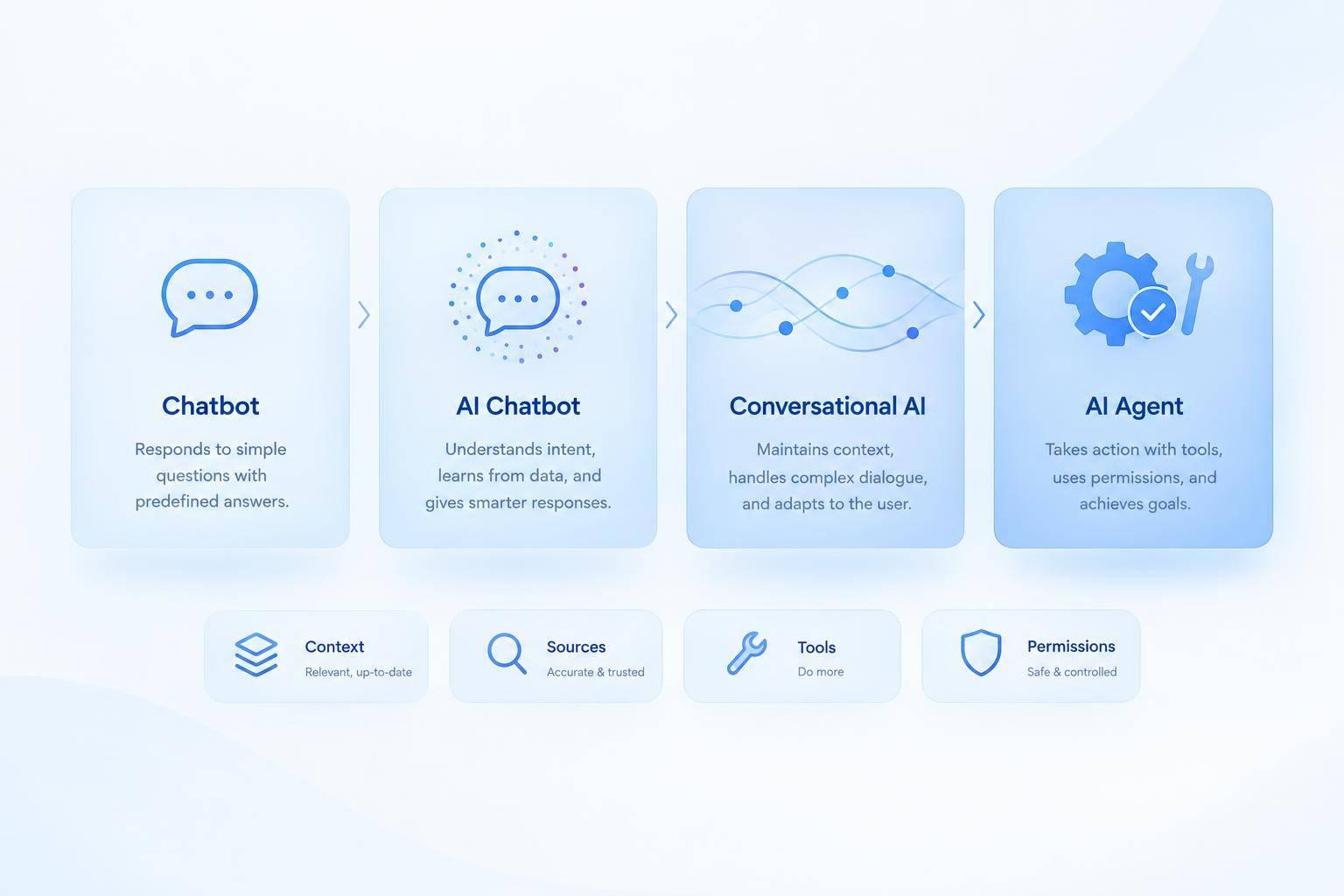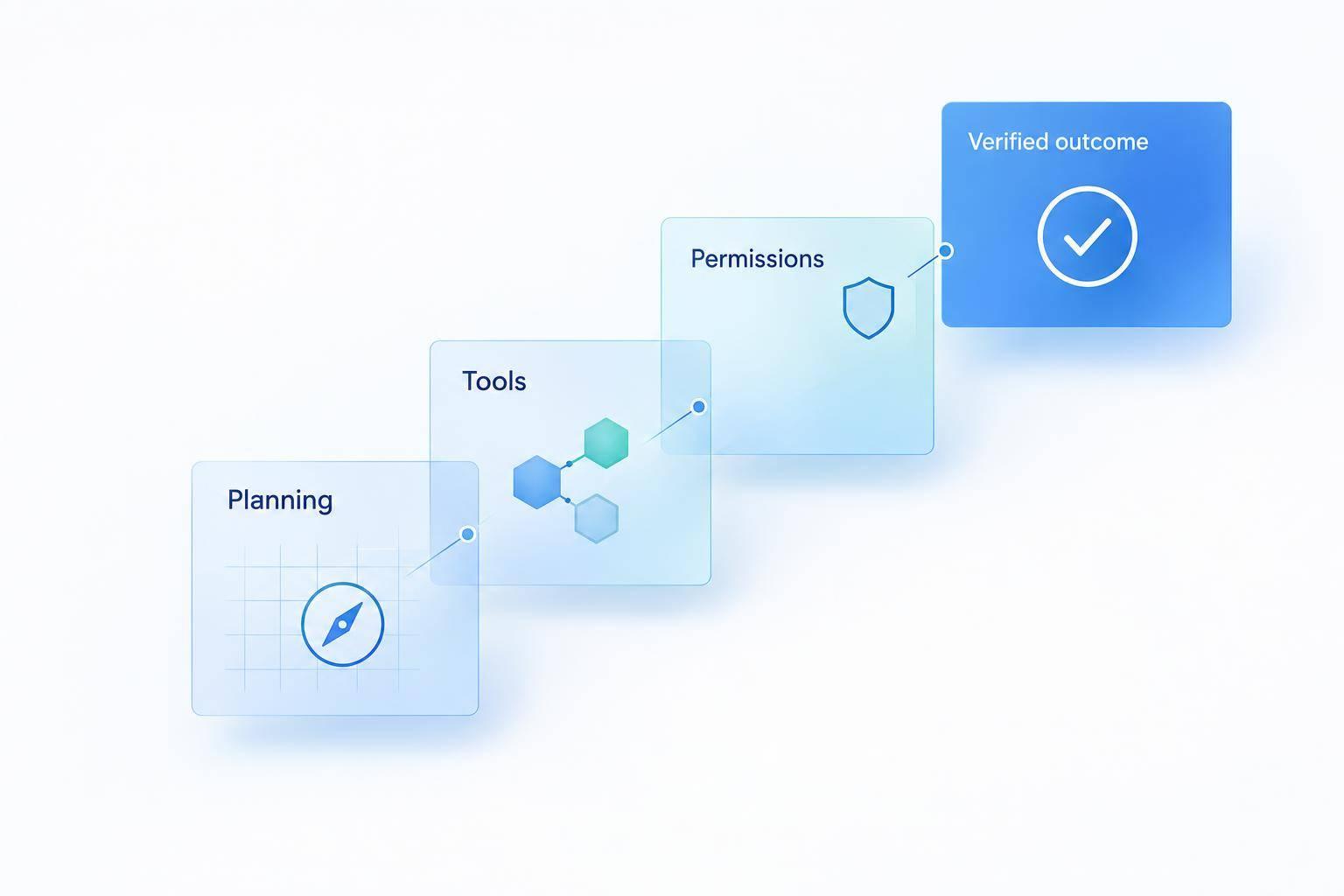
I’d use a fixed-flow chatbot for predictable tasks and an AI agent when the next step depends on live results. For a $79.99 refund, either system needs permission to act - and must check that the refund went through before telling you it’s done.
Here’s how I compare them:
- Planning: Fixed flows follow preset branches; agents choose the next step based on results.
- Tools: Both can use APIs. Agents can work across tools when the path changes.
- Permissions: Neither can bypass identity checks, transaction limits, or required approval.
- Reliability: Fixed flows are easier to test. Agents need outcome checks, monitoring, and human handoff.
- Cost: Stable workflows usually need less setup; agents require more integration and oversight.
Quick Comparison
| Factor | Fixed-flow chatbot | AI agent |
|---|---|---|
| Best fit | Stable rules and narrow tasks | Tasks with changing steps |
| Error handling | Uses programmed branches | Can choose another allowed step |
| Action limits | Enforced by connected systems | Enforced by connected systems |
| Completion | Must verify the result | Must verify the result |
My rule: choose the simplest system that can finish your task safely. A submitted request isn’t a completed task. Verify the outcome, check status before retrying, and send unresolved cases to the right person.
1. Scripted and Intent-Based Chatbots
Scripted chatbots follow fixed branches. Intent-based chatbots classify a request, then route it through a predefined workflow.[10][7][5] Both work well for guided support, but they can't complete requests that need steps outside that workflow.
Planning: Following Defined Branches
Developers set the inputs, branches, and next steps. The bot tracks its state within the workflow, but it doesn't choose new goals or create new steps.[1][7]
Tool Use: Executing Programmed Actions
These chatbots can trigger APIs or webhooks, but only through prebuilt paths with set business rules and response handling.[9] Developers must also build branches for invalid input, outages, retries, and human handoff. Those branches need to pass along customer information so people don't have to repeat themselves.
Permissions: Access Must Match the Action
Reading data and changing it require different permissions. If the bot lacks the required identity checks, write access, or approval gates, the workflow stops at handoff.[4][6][8]
Scripted bots can complete prebuilt tasks, but they can't take a task beyond their defined branches on their own. AI agents can choose the next step, adjust when a step fails, and keep working toward the outcome - within their granted permissions.
2. AI Agents
An AI agent uses each result to decide what to do next. This feedback loop lets it move beyond answering questions to completing tasks. A language model alone isn't an agent - the surrounding system must use results to guide the next step.[12]
Planning: Choosing the Next Step
The agent spots missing information, retrieves what it safely can, and asks only what it needs to continue. It adjusts its plan as results come in. Set completion criteria, step limits, and escalation rules outside the model.
For a refund, the agent checks order eligibility before deciding whether to proceed or request approval.
Tool Use: Checking the Outcome
With the next step clear, the agent uses tools with limited scope to check information and take action.
Use
get_order,check_refund_policy,issue_refund, and booking tools such ascheck_bookingorchange_bookingrather than broad administrative access.[14]
After taking action, check the result in the source system before reporting success. A timeout doesn't prove failure, so check the status before trying again.[15]
After changing a booking, the agent checks the updated details in the connected system before confirming completion.
Permissions: Enforcing Boundaries
The agent can act only within the connected system's limits. Keep authorization, account or booking ownership checks, and action limits outside the model. The connected service must enforce them.[17]
If a refund needs approval or a booking change exceeds allowed limits, the agent should present the action and facts, pause, and resume only after approval.[11][13]
If records conflict or required tools aren't available, the agent should hand off the case with its findings - not bypass service checks or claim the task is complete.[11][13]
Task Execution: Refunds and Booking Changes
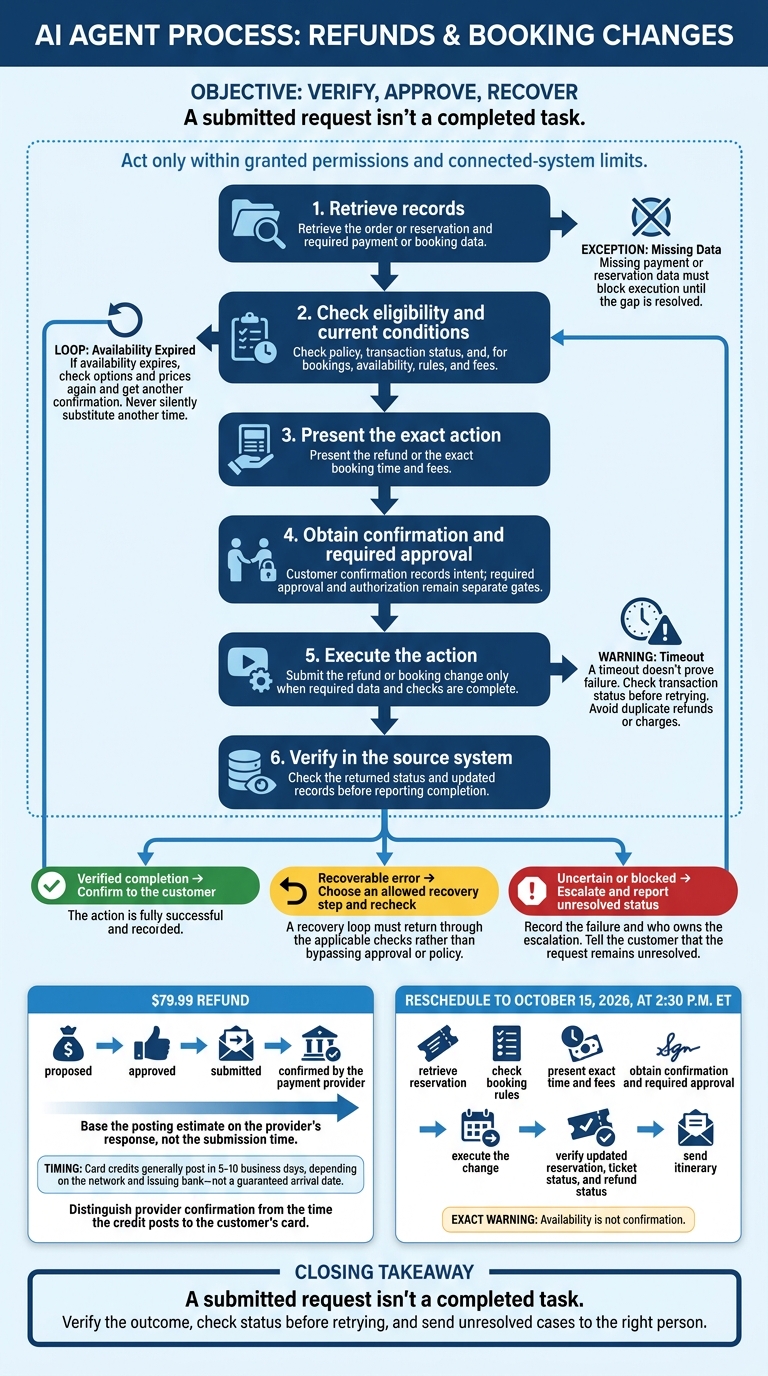
How AI Agents Safely Complete Refunds and Booking Changes
A $79.99 refund or a reschedule to October 15, 2026, at 2:30 p.m. ET requires executing the workflow, not just recognizing the request.
The agent retrieves records, checks eligibility, gets the required confirmation and approval, and submits the action. It then checks the result in the source system. The returned status determines whether to confirm completion, recover from an error, or escalate.[18][19][20]
For the $79.99 refund, track proposed, approved, submitted, and confirmed by the payment provider states separately; base the posting estimate on the provider’s response, not the submission time. Card credits generally post in 5–10 business days, depending on the network and issuing bank - not a guaranteed arrival date.[21][22]
Booking changes follow the same process: availability, fees, and approval must stay in sync.
For a reschedule to October 15, 2026, at 2:30 p.m. ET, retrieve the reservation, check booking rules, present the exact time and fees, obtain confirmation and required approval, execute the change, and verify the updated reservation, ticket status where applicable, and refund status before sending the itinerary. Availability is not confirmation.
Missing payment or reservation data must block execution until the gap is resolved. If availability expires, check options and prices again and get another confirmation. Never silently substitute another time.
After an unclear response or timeout, check the transaction status before retrying to avoid duplicate refunds or charges. If the result is still uncertain, record the failure and who owns the escalation. Tell the customer that the request remains unresolved.
A clear workflow doesn’t give the agent permission to act beyond its limits. The next issue is authorization and human approval.
Permissions and Approval: Limits on Taking Action
Customer confirmation records intent, not authority. It cannot grant access, bypass identity checks, or override policy. Build a permissions matrix before allowing an agent to take action.
In enterprise support workflows, these controls determine whether an agent can issue a refund or change a booking.
| Control | Automated action | Customer-confirmed action | Human-approved action |
|---|---|---|---|
| Integration and access | Working connection; scoped read or write access | No additional access | Approval cannot expand access |
| Identity and roles | Verify customer identity; check agent scope | Verify requester authority over the record | Verify requester and approver authority |
| Privacy | Retrieve only needed data; mask sensitive details | Maintain privacy restrictions | No prohibited disclosure |
| Transaction limits | Enforce amount, frequency, and resource limits | Confirmation cannot increase limits | Stay within policy-defined bounds |
| Business rules | Check eligibility, deadlines, and transaction status | Check rules before confirmation | Recheck before execution; deny prohibited actions |
| Audit record | Log identity, tool, parameters, outcome, and timestamp | Log confirmation for the exact action | Log approver, decision, scope, and expiration |
| Escalation | Stop on failed checks; route to the right reviewer | Stop on failed checks; route to the right reviewer | Stop on failed checks; route to the right reviewer |
Enforce these controls in the backend or tool gateway. Written policy alone isn't enough. OWASP recommends per-tool permissions and independent checks of authorization and approval state. A user_confirmed flag doesn't meet that requirement. Approval must match the current action, expire after a set time, allow only one use, and be checked immediately before execution.[16]
Give the agent its own least-privilege, auditable identity. It must not inherit customer or employee access.[25][26] Restrict access to audit logs and protect them against tampering. Log failed attempts, overrides, and successful actions without collecting unnecessary personal data.[23][24]
When escalating, pass the verified identity, record, policy decision, blocked action, and review owner - not just the chat. Define a review path for missing permissions, disputed ownership, fraud concerns, and conflicting system records. An authorized employee may resolve an exception; an employee without the required role cannot.[23][24]
Final Verdict: Choose the Right System for the Task
Once task execution, permissions, workflows, and approval rules are clear, the choice comes down to the task’s steps and risks. Pick the lightest system that can finish the job from start to finish.
Use fixed flows for FAQs, stable rules, simple lookups, and narrow transactions, such as routine support policy checks.
Use agents when refunds or booking changes follow a varying path that requires checking eligibility, confirming approval, and updating connected systems. Agents need reliable integrations, permissions, monitoring, and a way to hand work off to people.
These tradeoffs matter most when support work spans tools, approvals, and live data.
| Decision factor | Fixed-flow chatbot | AI agent |
|---|---|---|
| Flexibility | Follows predictable support paths; struggles with unexpected requests | Adjusts multi-step support workflows as needed |
| Reliability | Easier to test against known rules | Needs evaluation of tool use and verified outcomes |
| Implementation cost | Less complexity for stable tasks; flows still need updates | Requires more work on integrations and governance |
| Oversight | Clear boundaries for predefined actions | Requires monitoring, risk-based approvals, and human escalation |
Neither approach wins in every case. Use fixed flows for routine requests, agents for work with varying steps but clear limits, and people for exceptions. Before expanding automation, test failed integrations, stale data, duplicate actions, and partially completed tasks.
Choose the simplest system that reliably finishes the task within its authorized scope. Measure verified completion, errors, escalations, and time to resolution.
FAQs
Can I add an AI agent to my existing chatbot?
Yes - you can add AI agent capabilities without replacing your existing chatbot. AI Actions let your agent go beyond scripted responses to handle multi-step tasks, like looking up orders, processing refunds, or scheduling appointments.
To set this up, open AI Actions in your dashboard, choose actions from the library, and enter API credentials for your business systems. Your agent can then run workflows on its own, with human oversight for sensitive or high-stakes interactions.
How do I test an agent before allowing real transactions?
Define workflows, API integrations, and success criteria first [3]. Then roll out in stages: run shadow mode for one to two weeks, generating responses to real tickets internally without executing them [1]. Follow with review mode for two to four weeks, drafting actions - such as refunds - for human approval before execution [2].
Use risk tiers to auto-approve low-value requests and flag high-value items for manual verification [2].
Who handles a task an agent only partly completes?
A human takes over the remaining steps through escalation or a “human-in-the-loop” approval process before any final action is taken. This usually happens when a task needs confirmation, involves sensitive “no-touch” scenarios, or the agent’s confidence drops. The conversation then passes to a live agent with full context. [1][2]