AI chatbots and AI agents might seem similar, but they serve very different purposes in customer support. Here's the key takeaway:
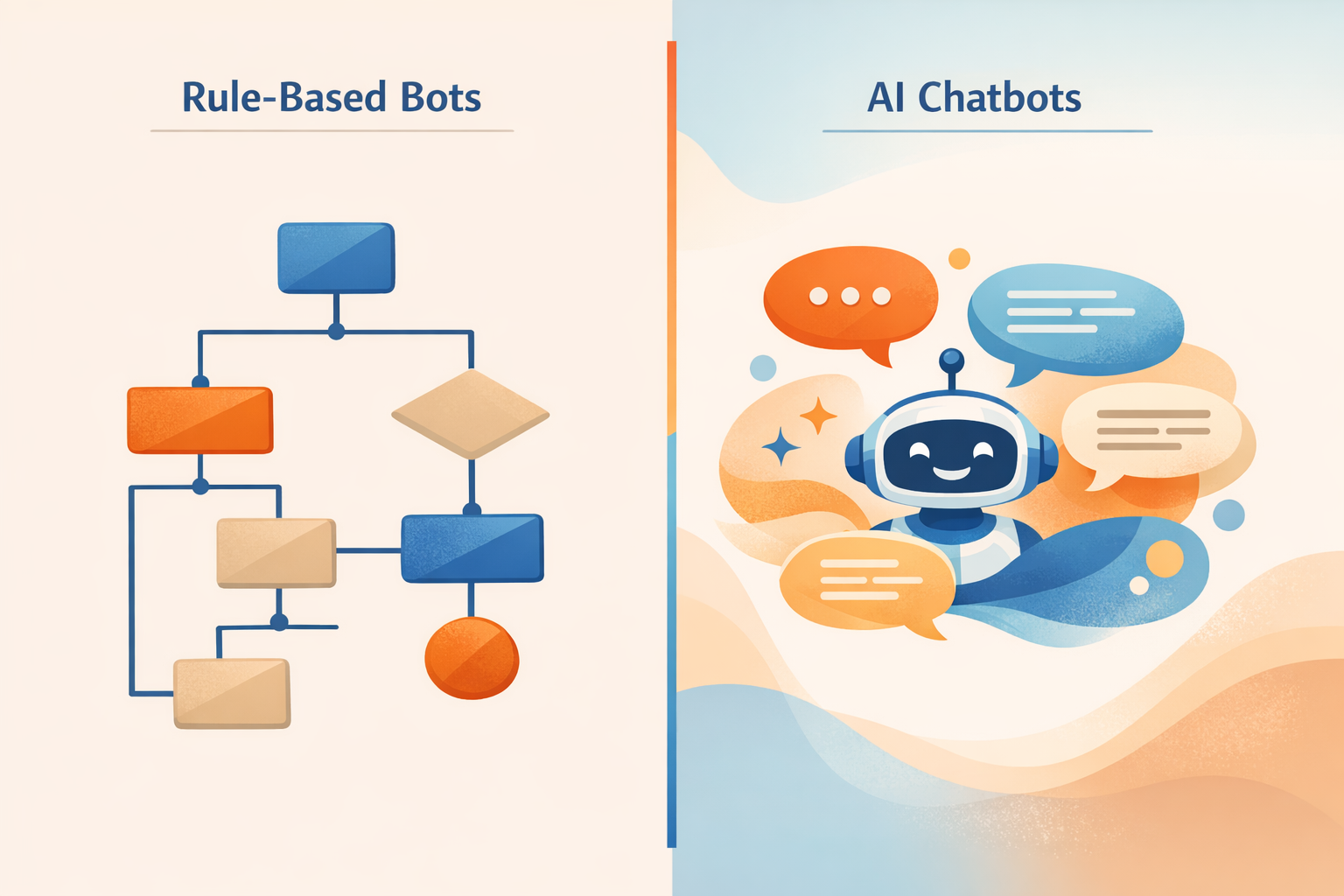
- Chatbots are rule-based tools that handle simple, repetitive tasks like FAQs or order tracking. They follow scripts and can manage 30–40% of inquiries, but they struggle with complex or multi-step problems.
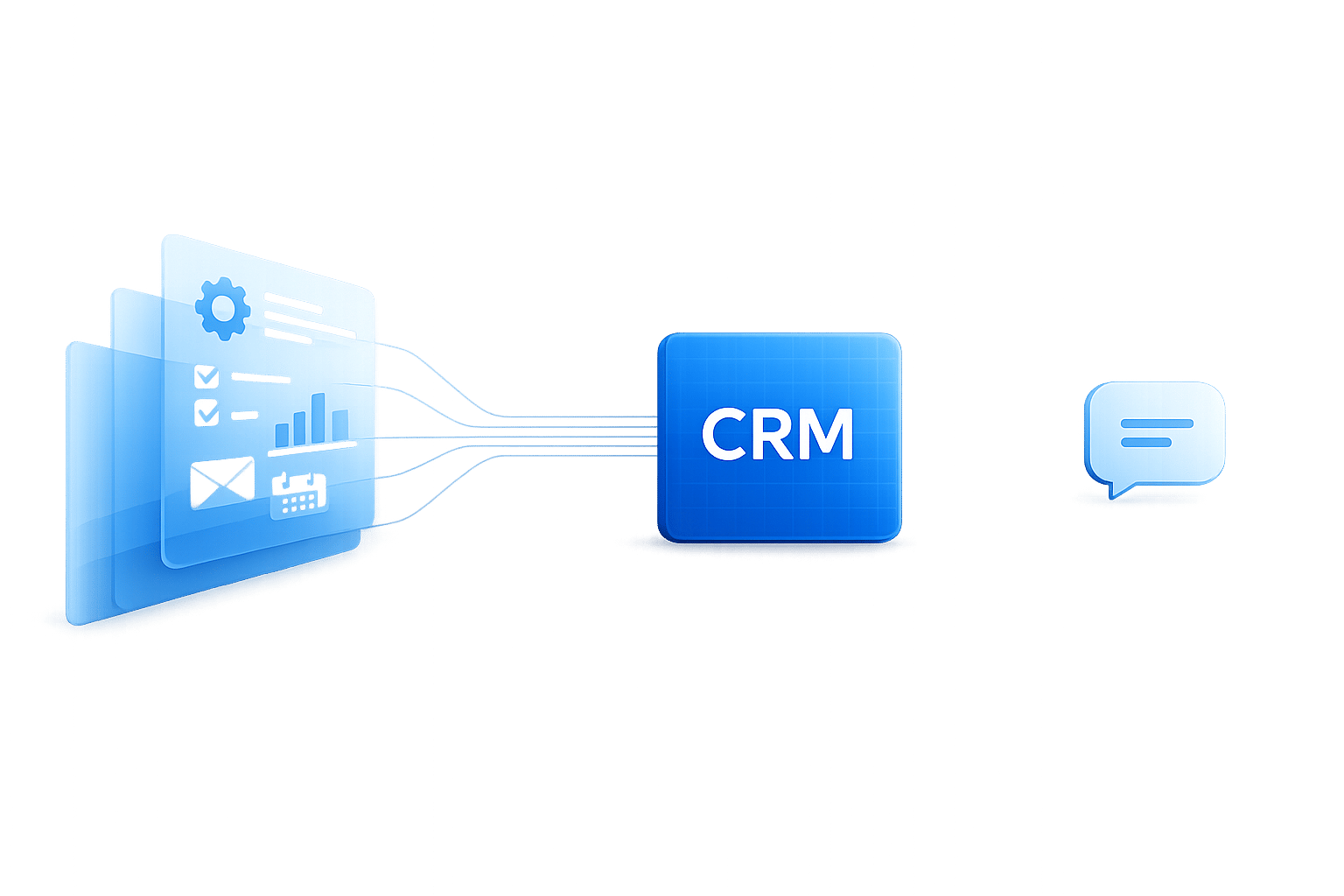
- AI Agents are more advanced. They use autonomous reasoning to complete multi-step workflows, such as processing refunds or updating customer records. They resolve 70–85% of inquiries and integrate deeply with business systems.
Quick Comparison
| Feature | AI Chatbots | AI Agents |
|---|---|---|
| Logic | Rule-based scripts | Autonomous reasoning |
| Task Handling | Simple, single-step | Complex, multi-step |
| Integration | Basic (read-only) | Deep (read/write) |
| Resolution Rate | 30–40% | 70–85% |
| Cost | $0–$50/month | $29.99–$2,000+/month |
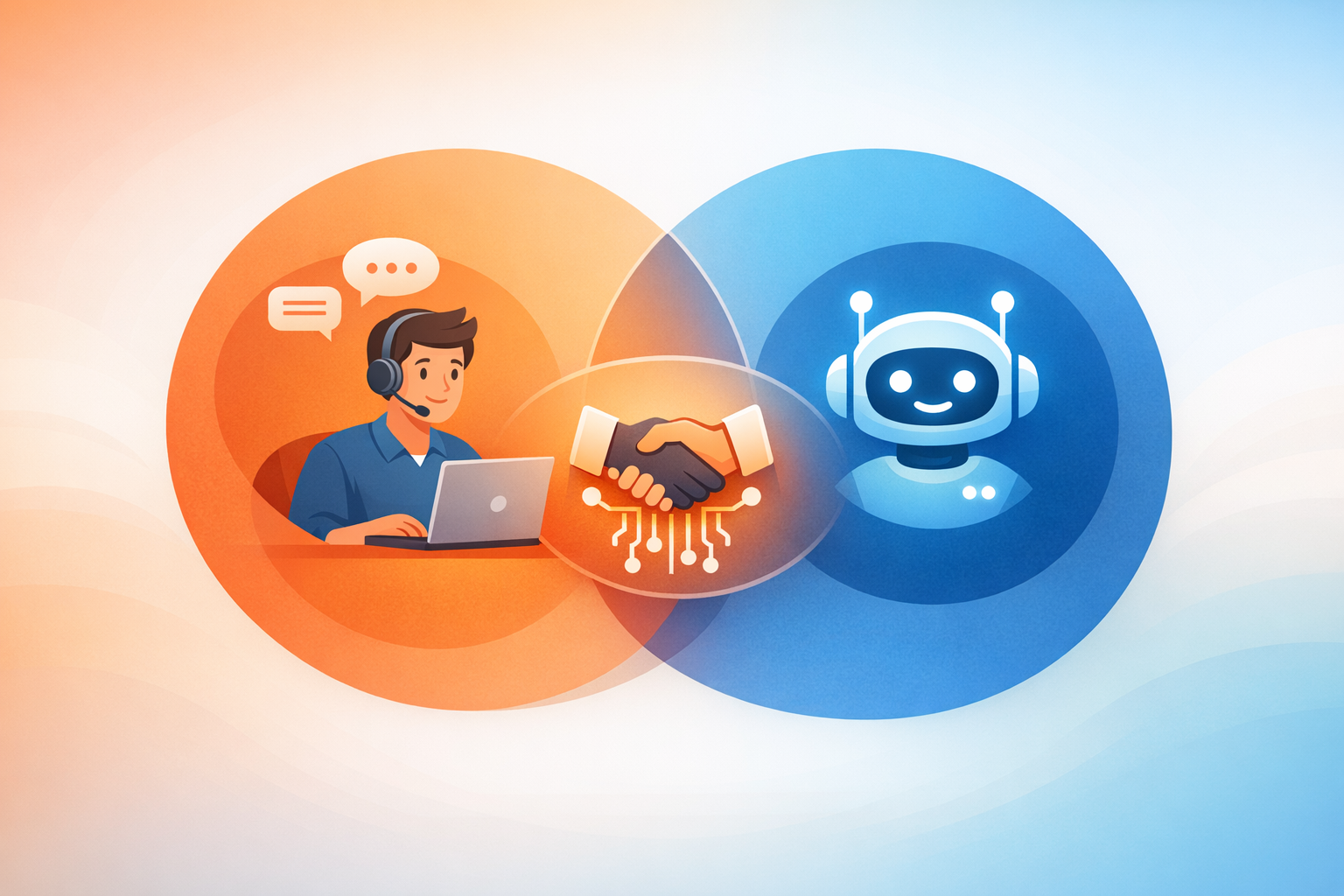
For simple queries, chatbots are enough. For complex tasks, AI agents are the better choice. Most businesses benefit from combining both tools to balance efficiency and cost. Successful deployment requires a complete guide to AI customer support implementation to ensure deep system integration.
AI Chatbots vs AI Agents: Key Differences and Performance Metrics
What Are AI Chatbots?
AI chatbots are automated tools designed to engage in text-based conversations using pre-established rules and scripts [1][2]. Imagine them as interactive flowcharts - they identify keywords in your messages, match them to pre-written responses, and guide the conversation along a set path [7]. Unlike more advanced AI systems, these chatbots don’t possess independent reasoning or decision-making abilities.
Their main role is to provide reactive support, meaning they respond to specific user inputs rather than acting on their own [2]. For example, if you ask, "Where is my order?" the chatbot can provide tracking details. However, a slightly different phrasing like "I haven't received my package yet" might leave it confused.
These chatbots are great at handling high volumes of repetitive tasks, offering round-the-clock availability, and reducing the workload on call centers [2][3]. But their reliance on scripts limits their capabilities. As John V. Akgul, Founder & CEO of PxlPeak, aptly explains:
"The difference between a traditional chatbot and an AI agent is not a small upgrade - it is the difference between a vending machine and a skilled employee" [7].
Next, let’s dive into how these chatbots actually function.
How AI Chatbots Work
AI chatbots operate using pattern recognition, script lookups, and decision-tree frameworks [1][7]. When you send a message, the chatbot employs Natural Language Processing (NLP) to detect keywords or phrases. It then searches its database for the most relevant response and follows a preset path based on your input [3].
This system is fairly straightforward. The chatbot doesn’t truly understand your intent or the context of your question - it simply matches patterns. If you ask, "What are your store hours?" it identifies the phrase "store hours" and delivers the corresponding answer. However, most chatbots process each message in isolation, meaning they don’t retain context from previous interactions, even within the same conversation [2][7].
What AI Chatbots Can Do
AI chatbots excel at handling straightforward tasks, such as answering FAQs about store hours, return policies, or shipping information [1][3][6]. They’re also handy for simple transactions like checking order statuses or scheduling appointments [1][3][6].
One of their greatest strengths is managing high volumes of inquiries. They can reduce call center workloads by up to 30% and improve first-response times by 35% [4]. Chatbots operate 24/7 without breaks, making them ideal for businesses that deal with repetitive customer questions at all hours. Additionally, they serve as effective triage tools, categorizing customer requests - like billing or technical support - before escalating them to human agents [2]. This handoff is often managed through integrations with platforms like Freshdesk.
What AI Chatbots Cannot Do
Despite their efficiency, chatbots handle only 15%–40% of customer inquiries, leaving 60%–70% to be escalated to human agents [7][1]. They struggle with unexpected phrasing or "off-script" questions [2][7].
Another limitation is their inability to take action in external systems. While they can display information, they can’t process refunds, update CRM records, or execute multi-step workflows [1][7]. These restrictions often lead to more escalations, which can hinder overall customer support performance. Additionally, introducing new products or policies requires manual updates to their decision trees, making scalability a challenge [2][7].
Perhaps the most telling statistic: 78% of users abandon a conversation after three failed attempts by a chatbot to understand them [7]. Moreover, only 12% of customers actually prefer interacting with a chatbot over speaking to a human [2].
What Are AI Agents?
AI agents are designed to handle complex, multi-step tasks independently. Unlike chatbots, which stick to predefined scripts, these agents can understand customer needs, think through multiple steps, and take action across various business systems - all without constant supervision.
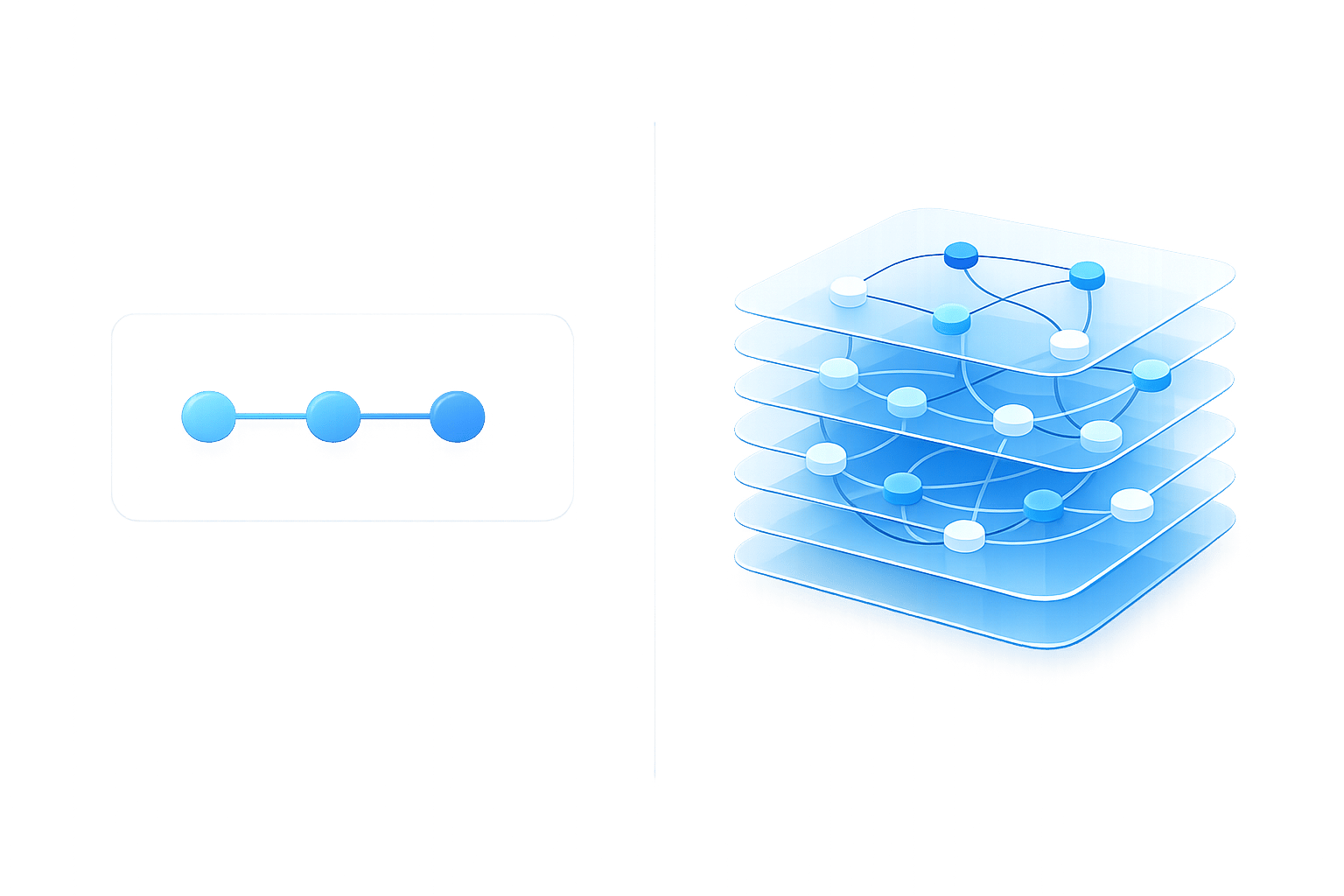
Here’s the key difference: chatbots operate in a simple, linear manner - one question, one answer. AI agents, on the other hand, work in a continuous reasoning loop. They receive a task, plan the steps needed, take action using tools or APIs, evaluate the results, and decide the next move. This process repeats until the task is completed. As the Get AI Book team puts it, "The loop is the defining characteristic. Without it, you have a chatbot."
This advanced design allows AI agents to handle ambiguous requests that require multiple decisions. For instance, if a customer says, "I need help with my recent order", an agent can look up the order, check return eligibility, process a refund, update the CRM, and send a confirmation email - all without human input. Ben Gardner, VP of Customer Care at AvidXchange, explains:
"Chatbots are simply conversational and are providing answers or instructions on how to do things yourself... an agent can do more than just have a conversation... [it] can look up data in other systems, perform actions, and do things that typically a person could do."
Built on large language models (LLMs), AI agents can interpret subtle nuances, detect shifts in sentiment, and adjust their behavior based on real-time inputs. They also maintain memory across multiple sessions, so customers don’t have to repeat themselves. This makes them capable of delivering seamless, end-to-end support.
How AI Agents Work
AI agents rely on machine learning and natural language understanding to break down complex requests and create actionable plans. When a customer reaches out, the agent analyzes the context, identifies goals, and divides the task into manageable steps.
The process follows a "reason-act-observe" cycle:
- Reason: The agent plans the necessary actions.
- Act: It executes these actions by calling on tools, APIs, or databases.
- Observe: It reviews the outcomes and adjusts its approach as needed.
This cycle continues until the issue is resolved. Unlike chatbots, which often connect to simple, read-only APIs, AI agents integrate deeply into business systems. They can read and write data in CRMs, helpdesks, e-commerce platforms, and payment gateways. This capability allows them to handle end-to-end workflows, such as processing refunds, updating records, or rebooking appointments, without human assistance.
What AI Agents Can Do
AI agents shine when it comes to managing complex workflows that demand contextual understanding. One standout feature is their ability to provide proactive support - taking action without waiting for a prompt, often initiated by AI agent triggers. For example, they can notify customers about shipping delays or flag potential account issues.
The impact is measurable. In March 2026, manufacturing company ITW reported that ChatSpark AI agents handled an average of 1,831 chats per month autonomously, saving $119,000 over the course of a year [8][9]. Lorri G., Customer Service & Technical Support Manager at ITW, shared:
"ChatSpark has been managing two of our largest product lines over the past year. It currently handles an average of 1,831 chats per month without any human intervention. Since implementing it on our website, we've realized measurable savings of $119,225."
In another example, a four-month deployment of ChatSpark AI agents in early 2026 handled 10,754 messages with a 98% resolution rate. This saved over 66 days of human agent time and generated $47,880 in cost savings on a $4,000 investment [8].
Organizations using AI agents often report an average return on investment (ROI) of 3×. Automating complex workflows can yield a 40%–60% return, compared to just 20%–30% from simpler support deflection [1][2].
What AI Agents Cannot Do
Despite their capabilities, AI agents have some limitations. Pricing can be a barrier, with entry-level platforms starting at $29.99 per month and enterprise solutions ranging from $500 to $2,000 or more monthly. Setup fees can also be steep, often falling between $10,000 and $50,000 [1].
The setup process itself is more involved than that of chatbots. AI agents require deep integration into business systems, clear operational boundaries, and ongoing monitoring. Because these agents can write to critical systems, strict governance and human oversight are essential for high-risk actions, like processing large refunds.
Another challenge is latency. Each step in the reasoning loop requires a language model call, which can slow down response times and drive up costs. In fact, 87% of developers have voiced concerns about the accuracy of AI agents [2].
Agents are also limited by their training data. If a query falls outside their knowledge base, they may fail unless connected to real-time search tools [10]. Additionally, they struggle with highly sensitive emotional complaints that require human empathy or decisions involving significant policy exceptions without escalation.
AI Chatbots vs AI Agents: Side-by-Side Comparison
When comparing AI chatbots and AI agents, the key differences lie in their architecture and functionality. As the BuiltABot team explains:
"Chatbots respond. AI agents reason and act. This is not a matter of degree - it's a fundamental architectural difference" [1].
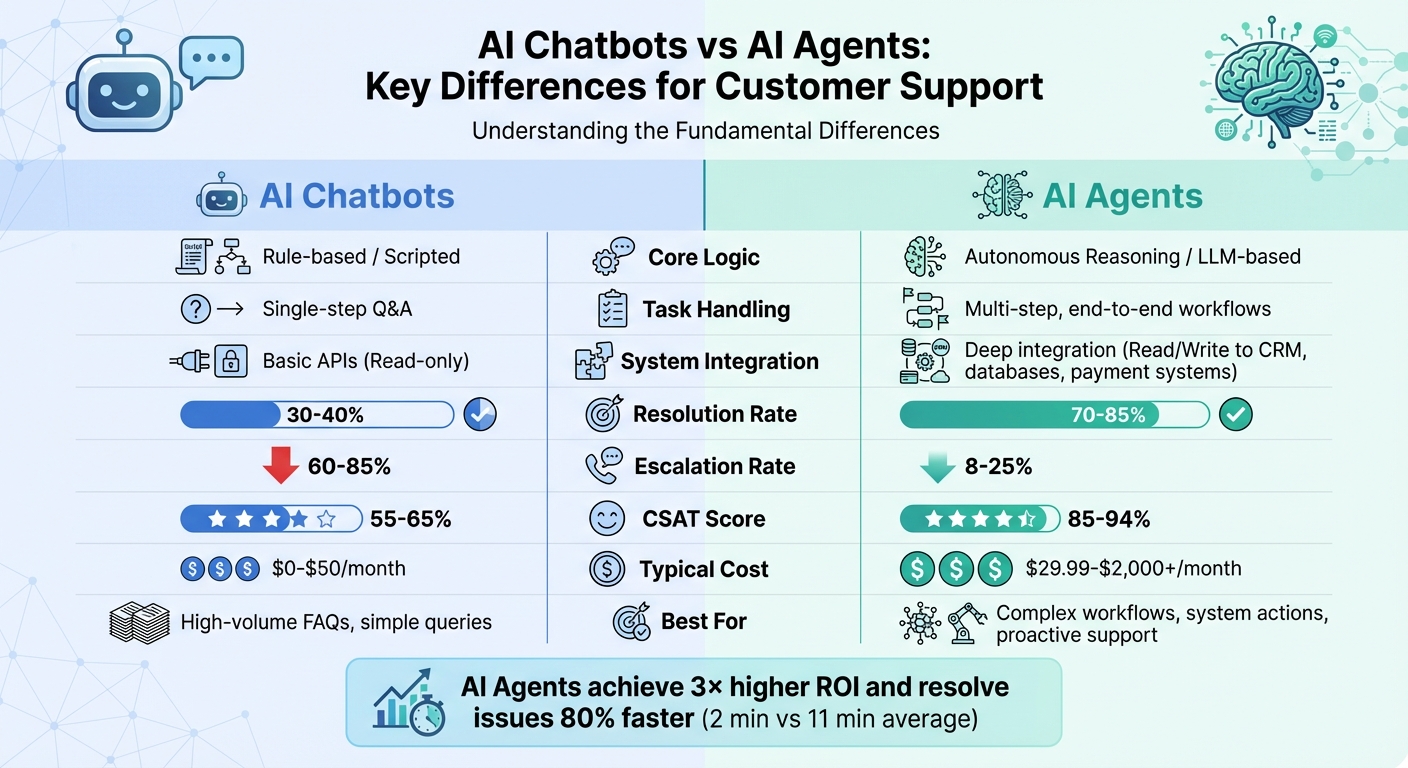
Chatbots operate using predefined scripts, making them suitable for straightforward tasks. In contrast, AI agents are built to autonomously plan and execute complex, multi-step workflows. This fundamental distinction results in a noticeable performance gap. For example, traditional chatbots typically resolve 30–40% of inquiries (with CSAT scores between 55–65% and escalation rates of 60–85%). Meanwhile, AI agents achieve a resolution rate of 70–92%, boast higher CSAT scores (85–94%), and have much lower escalation rates (8–25%) [1][5].
AI agents also deliver measurable efficiency gains, such as a 3× higher ROI multiplier. They can reduce call center workloads by up to 30% while improving first-response times by 35% [1][4]. Cost and integration capabilities further set these technologies apart, as highlighted in the table below.
Comparison Table
| Feature | AI Chatbots | AI Agents |
|---|---|---|
| Core Logic | Rule-based / Scripted | Autonomous Reasoning / LLM-based |
| Interaction Style | Transactional / Reactive | Conversational / Proactive |
| Task Handling | Single-step Q&A | Multi-step, end-to-end workflows |
| System Integration | Basic APIs (Read-only) | Deep integration (Read/Write to CRM, databases, payment systems) |
| Decision Making | Predefined paths only | Independent, goal-oriented planning |
| Context & Memory | Short-term / Session-based | Long-term / Multi-session memory |
| Learning | Static (Manual updates required) | Continuous (Learns from feedback and data) |
| Resolution Rate | 30–40% [1] | 70–92% [1][5] |
| Escalation Rate | 60–85% [1][5] | 8–25% [1][5] |
| CSAT Score | 55–65% [1][5] | 85–94% [1][5] |
| Typical Cost | $0–$50/month [1] | $29.99–$2,000+/month [1] |
| Best For | High-volume FAQs, simple queries | Complex workflows, system actions, proactive support |
This comparison makes it clear that while chatbots are effective for basic tasks, AI agents are designed to handle more sophisticated operations, offering greater value for businesses with complex customer service needs.
When to Use AI Chatbots vs AI Agents
To decide between chatbots and AI agents, consider the complexity of the task. Chatbots are great for handling high-volume, repetitive queries, while AI agents are better suited for more intricate, autonomous problem-solving. Mathangi Srinivasan from DevRev puts it succinctly:
"The chatbot resolves the conversation. An AI agent resolves the problem" [12].
For most businesses, a tiered support model works best. Chatbots can act as the first line of defense, addressing straightforward inquiries, while AI agents step in to tackle more complex issues. This approach balances efficiency and cost-effectiveness. Below, you'll find the best scenarios for deploying each tool.
Best Use Cases for AI Chatbots
Chatbots shine in situations where interactions are simple and predictable. They’re perfect for reactive tasks that don’t require access to multiple systems or in-depth problem-solving. Here are some examples of where chatbots excel:
- Providing business hours or store locations
- Answering frequently asked questions about products or policies
- Guiding users to password reset pages
- Checking order status or shipping timelines
- Collecting lead information through forms
- Routing support tickets to the appropriate department
If your business handles fewer than 100 inquiries per month and operates on a tight budget, a chatbot can manage these tasks efficiently without needing extensive system integration [1].
Best Use Cases for AI Agents
AI agents, on the other hand, are built for more complex workflows that require autonomous decision-making and multi-system coordination. They’re ideal for tasks that demand proactive problem-solving and 24/7 availability without human oversight. Use cases include:
- Processing refunds or resolving billing disputes
- Rebooking flights or managing reservations
- Diagnosing and fixing technical issues like VPN failures
- Verifying customer identity and updating CRM systems
- Alerting customers about shipping delays or subscription renewals
- Researching competitor pricing or summarizing lengthy documents
In specialized industries, AI agents can take on even more advanced tasks. For example, in healthcare, they manage prescription refills and symptom triage, while in banking, they assist with fraud detection and loan processing [2]. The defining feature of AI agents is their ability to go beyond providing information - they autonomously resolve issues from start to finish.
How AI Chatbots and AI Agents Affect Customer Support Metrics
When it comes to resolving customer inquiries, traditional chatbots handle about 30–40% of cases, while AI agents raise the bar significantly, achieving resolution rates between 70–85% - and sometimes as high as 89% [1][14]. This leap in efficiency has a direct impact on how quickly customer issues are resolved.
Response time is another area where AI agents excel. On average, they resolve inquiries in just 2 minutes, an impressive 80% faster than the 11-minute average for human agents [13]. This speed doesn't just improve the customer experience - it also slashes costs. AI-driven interactions cost around $1.45 each, compared to $4.60 for human-led support, leading to considerable savings [13]. As one CFO from a global SaaS company put it:
"This was the first time we could scale support without scaling costs" [16].
Customer satisfaction metrics tell a similar story. For simple queries, AI agents typically achieve CSAT scores between 85–94%, far outperforming traditional chatbots, which hover around 65% [1][13]. Additionally, traditional chatbots escalate 60–70% of cases to human agents, while AI agents only escalate 15–30% [1]. This means fewer frustrated customers and less stress on human support teams.
These numbers highlight why many companies are adopting a hybrid approach. In this model, AI handles about 60% of inquiries, leaving human agents to focus on complex or emotionally sensitive cases [13]. However, pushing AI beyond 70–80% containment can backfire, frustrating customers who need human judgment [13]. As Reply.cx explains:
"Speed wins on volume. Empathy wins on complexity. The best support strategies match the right approach to the right moment" [13].
To measure the real impact of AI on customer support, many teams use a metric called ROAR (Resolved on Automation Rate). Unlike basic deflection rates, ROAR tracks whether the issue was fully resolved. For example, while a chatbot might deflect a query by sharing a link, an AI agent can go further - processing refunds or updating accounts to complete the task [15].
Next, explore how ChatSpark uses these metrics to deliver next-level customer support.
How ChatSpark Delivers Advanced Customer Support
ChatSpark takes customer support to the next level with its advanced AI-driven capabilities. At its core, it uses a four-step AI engine designed to understand customer intent, retrieve relevant information, refine responses for accuracy, and align with your brand's tone - all without relying on rigid scripts [10]. This means customers can get accurate, context-aware answers anytime, day or night, without needing human assistance.
What sets ChatSpark apart is its ability to directly integrate with enterprise platforms like Salesforce, Zendesk, Shopify, and Stripe. With over 140 actions spanning 40+ platforms, it doesn't just answer questions - it handles tasks like checking order statuses, processing refunds, creating support tickets, and even pushing leads into your CRM seamlessly [17].
The numbers speak for themselves. In 2025, a global construction products company implemented ChatSpark for one of its flagship brands. Over just four months, the AI managed 10,754 messages, captured 153 leads, and achieved a 98% resolution rate. This saved the company $47,880 on an investment of around $4,000, eliminating over 66 days of human agent work [17]. Lorri G., a Customer Service & Technical Support Manager, shared:
"ChatSpark has been managing two of our largest product lines over the past year. It currently handles an average of 1,831 chats per month without any human intervention. Since implementing it on our website, we've realized measurable savings of $119,225." [17]
ChatSpark is built to scale effortlessly across platforms like websites, WhatsApp, Instagram, Facebook Messenger, Telegram, and Slack, all while maintaining a 99.9% uptime [17]. Its multilingual capabilities allow it to detect and respond in over 100 languages, managing anywhere from 1 to 1,000 conversations simultaneously [10]. For businesses looking for even more control and insights, the Pro and Enterprise plans offer features like Google Analytics 4 integration, a Content Carousel for showcasing products visually, and real-time dashboards tracking over 15 key metrics, including resolution rates and cost savings [17].
These features highlight how ChatSpark transforms customer support into a dynamic and efficient system.
How to Choose Between AI Chatbots and AI Agents
Deciding between AI chatbots and AI agents isn’t about choosing one as inherently "better." It’s about aligning the right tool with your business goals. A good starting point? Review your support tickets. If over half of them involve accessing systems like a CRM or billing platform, an AI agent is likely the better fit. Chatbots excel at answering straightforward questions, while agents are built to handle more complex tasks. This evaluation helps you balance your budget with what your business truly needs by using an ROI calculator.
For example, if your business handles fewer than 100 inquiries each month and your budget is tight (under $50), a basic chatbot can efficiently manage simple FAQs. But as inquiry volumes grow, AI agents deliver better returns - resolving 70–85% of inquiries compared to the 30–40% handled by chatbots. While agents require a higher initial investment ($10,000–$50,000 compared to $500–$2,000 for chatbots), their ability to significantly reduce labor costs makes them a worthwhile long-term investment [1].
Your technical setup is another key factor. AI agents rely on APIs to integrate with your systems, enabling them to perform advanced tasks. Without these integrations, their capabilities are underutilized. If your tech stack isn’t ready for deep integrations, starting with a chatbot might be the smarter move. Many businesses take a phased approach - using chatbots for routing and simple FAQs, then introducing AI agents for more involved support tasks [2][11].
Risk management also plays a role in your decision. For high-stakes interactions, like resolving billing disputes or handling technical troubleshooting, the decision-making abilities of an AI agent are crucial. On the other hand, chatbots are sufficient for low-risk tasks like providing store hours. If you’re not ready to fully trust an AI agent, you can deploy it as a "copilot" to assist human agents before granting it full autonomy [1].
Finally, think about maintenance. Chatbots often require frequent manual updates, with labor costs ranging from $200–$500 per month. AI agents, however, can learn from your existing documentation and past interactions, reducing the need for constant updates over time. This makes them easier to maintain in the long run.
Conclusion
AI chatbots and AI agents play distinct roles in customer support. Chatbots excel at handling simple, single-turn questions using predefined scripts - think quick answers about store hours or basic FAQs. On the other hand, AI agents bring autonomous reasoning to the table, managing complex, multi-step workflows like processing refunds or troubleshooting technical issues. The difference is clear: AI agents resolve 70–85% of inquiries, compared to chatbots' 30–40%, making them the go-to for more demanding support scenarios [1].
Deciding which to use depends on your customers' needs. If you're dealing with predictable, low-volume questions, chatbots can handle the job efficiently. But for tasks like accessing your CRM, updating order statuses, or managing after-hours requests across time zones, an AI agent is indispensable. As Ben Gardner from AvidXchange explains:
"Chatbots are simply conversational and are providing answers or instructions on how to do things yourself... [an agent] can look up data in other systems, perform actions, and do things that typically a person could do" [18].
This distinction highlights the value of combining both approaches. ChatSpark offers a solution that merges the strengths of chatbots and AI agents. With features like autonomous reasoning, deep system integration, and continuous learning, it provides advanced customer support at accessible pricing. Plans start at $19 per month, covering 24/7 automated support across multiple channels. For businesses needing more, the Pro plan at $129 per month supports up to 2,000 messages per month and integrates with tools like Zapier and Freshchat.
A hybrid approach - using chatbots for simple queries and AI agents for complex tasks - can maximize efficiency while keeping costs manageable. With setup times now as short as 15–30 minutes using existing documentation [1], upgrading your customer support system has never been easier.
Whether you begin with a chatbot or dive into AI agents, the key is aligning the tool with your specific support challenges. Analyze your ticket data, follow a customer service automation checklist, and choose the solution that enhances your customer experience while keeping costs in check. By leveraging the right tools, you can deliver faster, more effective support and meet the evolving demands of your customers.
FAQs
What’s the quickest way to tell if I need an AI agent instead of a chatbot?
To determine whether you need a chatbot or an AI agent, think about the level of complexity involved in your customer support tasks. Chatbots work best for straightforward, scripted interactions where responses are predefined. On the other hand, AI agents are designed for more advanced tasks, such as managing complex situations, executing multi-step workflows, and working with various integrations. If your customer support involves proactive and goal-oriented communication, an AI agent is likely the better fit.
How do AI agents safely take actions like refunds or CRM updates without mistakes?
AI agents handle tasks like refunds or CRM updates with a focus on safety by integrating human oversight into the process. Usually, a human provides final approval before the action is carried out. This combination of automation and human review helps minimize errors, ensuring accuracy and dependability in critical operations.
What integrations do I need in place before deploying an AI agent?
Before rolling out an AI agent, it's crucial to have your support systems in place. Start by ensuring you have well-defined workflows, access to APIs or connectors for seamless system integration, and a clear understanding of what constitutes a "successful resolution."
Your knowledge base, CRM, and other data sources should be properly prepared and synced with the AI agent to ensure smooth functionality. Additionally, having clear processes and governance in place is critical to prevent delays during deployment.