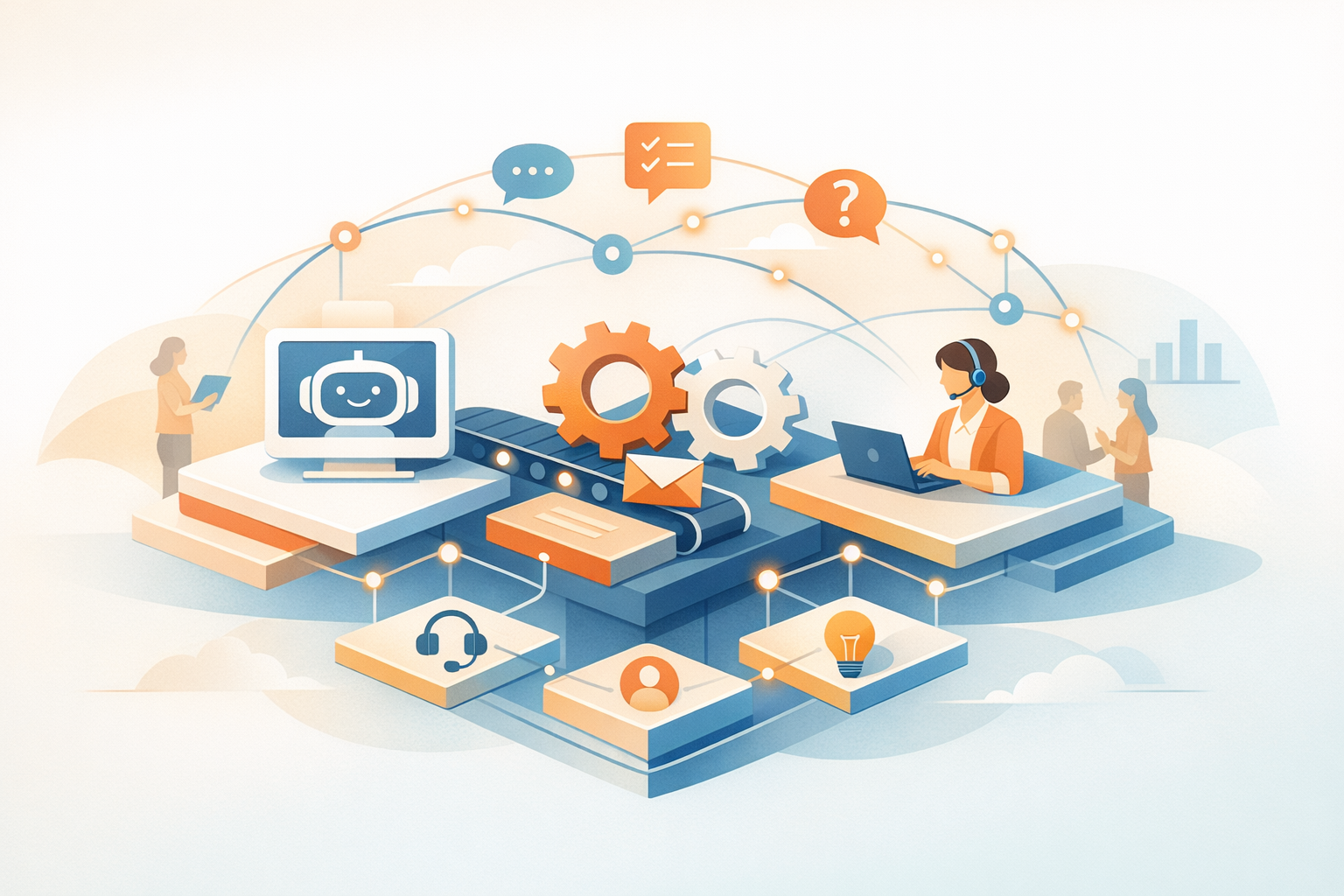
Real-time customer journey automation is changing how businesses interact with customers. Instead of following rigid, predefined paths, this technology uses AI to deliver instant, personalized responses based on customer behavior. Companies like HSBC and Ambuja Neotia have already seen results, such as reduced abandonment rates and higher ROI. Here's what you need to know:
- Core Elements: Unified customer data, real-time decision-making, and omnichannel communication.
- Business Impact: Conversion rates can increase by 10–20%, and customer satisfaction scores can improve by 15–25%.
- Automation Opportunities: High-friction points like cart abandonment, onboarding, and retention stages.
- Key Tools: Platforms like ChatSpark enable instant responses, personalized workflows, and seamless integration across multiple channels.
This guide explains how to map customer journeys, set up automation infrastructure, and use tools like ChatSpark to save time, boost engagement, and drive revenue. Whether you're addressing abandoned carts or scaling globally, automation makes it easier to meet customer expectations.
Journey Automation: How to Optimize the Full Customer Journey
Customer Journey Stages Explained
6 Customer Journey Stages with Automation Opportunities and Key Metrics
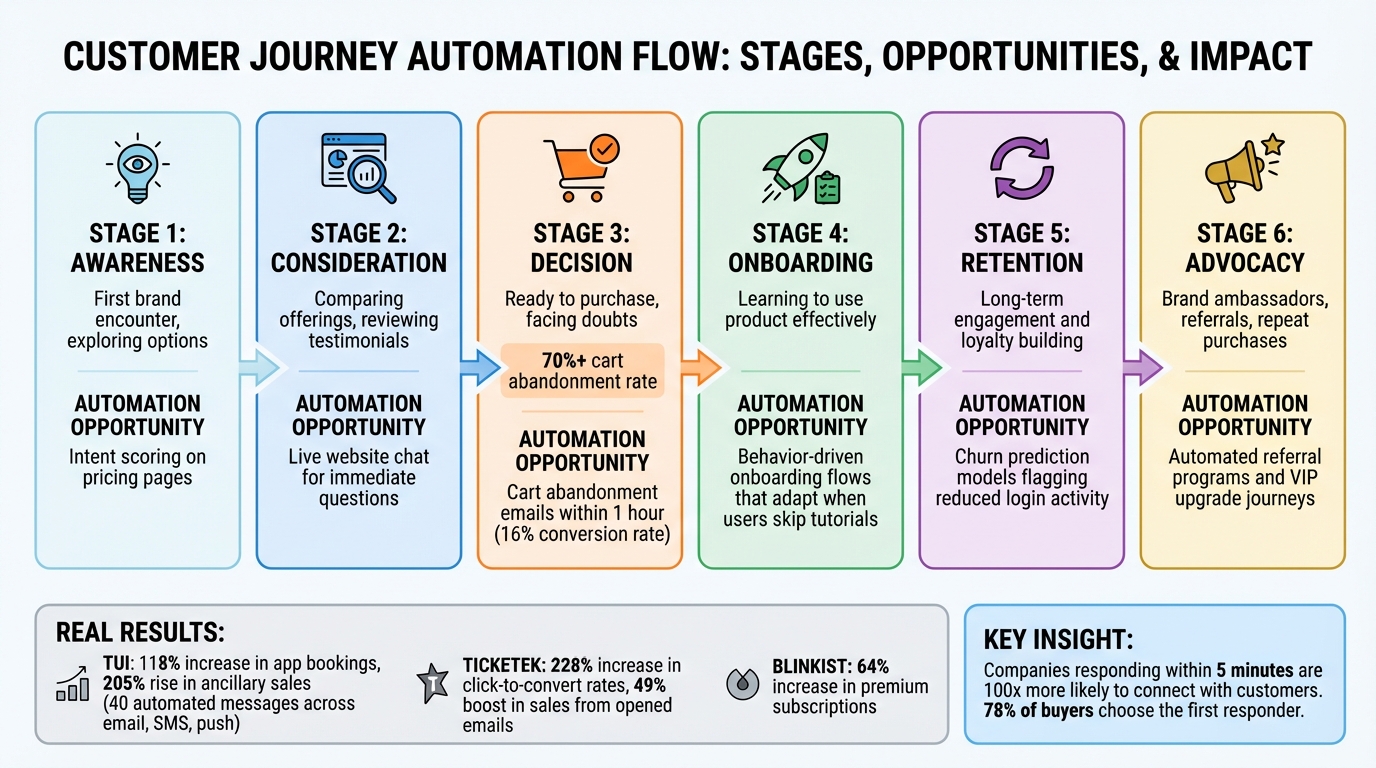
The modern customer journey unfolds in six stages: awareness, consideration, decision, onboarding, retention, and advocacy. Each stage reflects distinct customer behaviors and needs. During the awareness phase, potential customers first encounter your brand while exploring options and forming initial impressions. They transition to consideration when they actively compare your offerings against competitors, often scrutinizing pricing, integrations, and social proof like reviews or testimonials. The decision stage is the tipping point - customers are ready to purchase but face distractions or doubts that can lead to cart abandonment. In fact, more than 70% of online shopping carts are abandoned before checkout [11].
Once a purchase is made, the onboarding stage becomes critical. Here, the focus is on helping customers understand and utilize your product effectively. Poor onboarding can lead to frustration, while a smooth process reinforces value. The retention stage emphasizes long-term engagement, building loyalty through consistent communication and support. Finally, the advocacy stage turns happy customers into brand ambassadors who refer others and make repeat purchases.
Take TUI, a global travel company, as an example. Between 2024 and 2025, they mapped these stages and implemented 40 automated messages across email, SMS, and push notifications. The results were impressive: app bookings increased by 118%, and ancillary sales like insurance and parking rose 205% [9]. Clearly, understanding and mapping these stages is a cornerstone for effective customer engagement and automation.
How to Map Your Customer Journey
Mapping your customer journey is the foundation for creating meaningful, timely interactions. Start small by focusing on three customer personas to keep the process manageable [13]. Collaborate with sales, support, and product teams to gather insights from every touchpoint. Tools like Amplitude or Heap can help you identify friction points and areas where customers drop off [3]. A practical example comes from Ticketek, an Australian ticketing platform. By mapping decision-making stages and aligning their weekly newsletters with real-time customer behavior, they achieved a 228% increase in click-to-convert rates and a 49% boost in sales from opened emails [9].
Data is your best guide - use real customer behavior rather than assumptions to refine your journey map [13]. For instance, Blinkist analyzed the engagement patterns of free users and identified key moments to deliver personalized content. This strategy led to a 64% increase in premium subscriptions [9]. Observing customers in real-life interactions with your brand, a method known as contextual inquiry, can also uncover deeper insights than traditional surveys [13]. Regular updates to your journey map are essential, as customer behaviors evolve over time. A/B testing different journey flows can highlight what works best. With a clear map, focus on high-friction areas where automation can make the biggest difference.
Where to Apply Automation
Speed matters - companies that respond within five minutes are 100 times more likely to connect with potential customers, and 78% of buyers choose the first company that responds to their inquiry [5]. To make the most impact, apply automation at high-friction touchpoints where delays or confusion could derail the customer journey. For example, live website chat can address immediate questions during the consideration stage, while automated cart abandonment emails sent within an hour can achieve conversion rates of around 16% [11].
Social media automation is another powerful tool. About 33% of U.S. customers expect responses within 24 hours [11], and platforms like WhatsApp, Telegram, and Slack enable real-time conversations that maintain context across channels [10]. Endowus, a digital wealth platform, provides a great example. They automated their customer journey from onboarding to investment using action-based triggers. When users completed account setup and moved to their first investment, the system responded instantly, resulting in a 30% increase in email open rates [9].
Automation is especially effective at moments that reduce manual effort and speed up customer satisfaction. Examples include intent scoring on pricing pages during the awareness stage, behavior-driven onboarding flows that adapt when users skip tutorials, and churn prediction models that flag reduced login activity during the retention stage [3]. By automating these critical points, businesses can enhance engagement and deliver value faster.
Setting Up Your Automation Infrastructure
Creating a real-time automation system demands a strong technical foundation. This system must process customer signals within milliseconds and deliver the right message at just the right moment. The global customer journey orchestration market is expected to hit $12.5 billion by 2025, growing at an annual rate of 24% [2][19]. This growth highlights how vital a well-built infrastructure is for businesses aiming to excel in customer experience.
At the heart of this setup is a Customer Data Platform (CDP), which acts as the central hub. A CDP consolidates fragmented data from sources like your CRM, website analytics, mobile apps, and offline transactions into a single, unified customer profile [15][2]. This unified view is a game-changer - companies using consolidated profiles report up to 20% higher sales per order [18]. When combined with a real-time decision engine, the CDP processes customer signals to trigger actions such as emails, website updates, or push notifications [16][2].
Your system also needs event pipelines to capture live customer activities like cart abandonment or page views as they occur. Tools like Apache Kafka or Amazon Kinesis are excellent for handling this workload, ensuring no action slips through the cracks [16]. Another critical piece is identity resolution, which links different identifiers (like device IDs, emails, and cookies) into one cohesive customer profile. This process uses both deterministic and probabilistic methods to maintain context, even as customers switch devices or browse anonymously before logging in [15][17].
Gathering and Organizing Customer Data
The effectiveness of your automation relies heavily on the quality of your data. Start by focusing on first-party data - information collected directly from your customers. This includes website tracking (e.g., page views, add-to-cart events, checkout completions), CRM records, mobile app interactions, and transaction histories [18][2]. First-party data is more accurate and reliable compared to third-party cookies, providing a solid foundation for your automation efforts.
For example, VAHDAM, an Indian wellness brand, used region-specific customer data to create personalized marketing campaigns and custom checkout features. This approach helped them triple their direct-to-consumer revenue and boost checkout conversion rates by 25% [18]. Similarly, Tecovas enhanced their Shopify POS system across 30+ locations with custom extensions. This allowed their staff to access real-time purchase histories and preferences, enabling personalized in-store recommendations [18].
To keep your data organized and error-free, use a schema registry. This ensures event formats are standardized from the start, reducing the risk of data issues that could disrupt downstream workflows [16].
Setting Up Triggers and Rules
Triggers are the starting point of your automated workflows. They respond to specific customer actions - like completing an order, abandoning a cart, or opening an email - and signal when it’s time to engage [20]. Precision is key here. Instead of broad triggers like "any purchase", use targeted event filters such as "order amount > $100" or "country = US" to ensure relevance [20][14].
For workflows that allow multiple entries, use unique identifiers like session_id or application_id to match follow-up events to the correct instance. This is especially useful when a customer starts multiple sessions [14]. Don’t forget to set exit conditions - rules that remove customers from a workflow once they’ve completed the desired action. For example, stop sending cart abandonment emails as soon as a purchase is made. This avoids annoying customers with irrelevant messages [20][21].
To refine your triggers further, combine event conditions with demographic data using logical operators. For instance, you could launch a VIP upgrade journey for customers who both reach $1,000 in lifetime purchases AND open at least three emails in the past month [20][14]. Test your triggers with dry runs to ensure everything works as intended - this includes verifying conditions, timing, and data flows without impacting real customers [21]. Preview your journey payloads to confirm they include all necessary details, like product names, timestamps, and cart values, for downstream personalization [14].
Lastly, implement frequency caps and suppressions to avoid overwhelming your audience. Customers who’ve already converted should be excluded from further nudges [12]. While real-time systems aim for sub-second or under 5-minute delivery, it’s wise to account for potential external delays in your architecture [14][16]. Regularly monitor decision latency to ensure your system meets the sub-second processing standard required for optimal performance [2].
Next, discover how ChatSpark utilizes this robust infrastructure to deliver instant, personalized customer interactions.
Using ChatSpark for Real-Time Automation
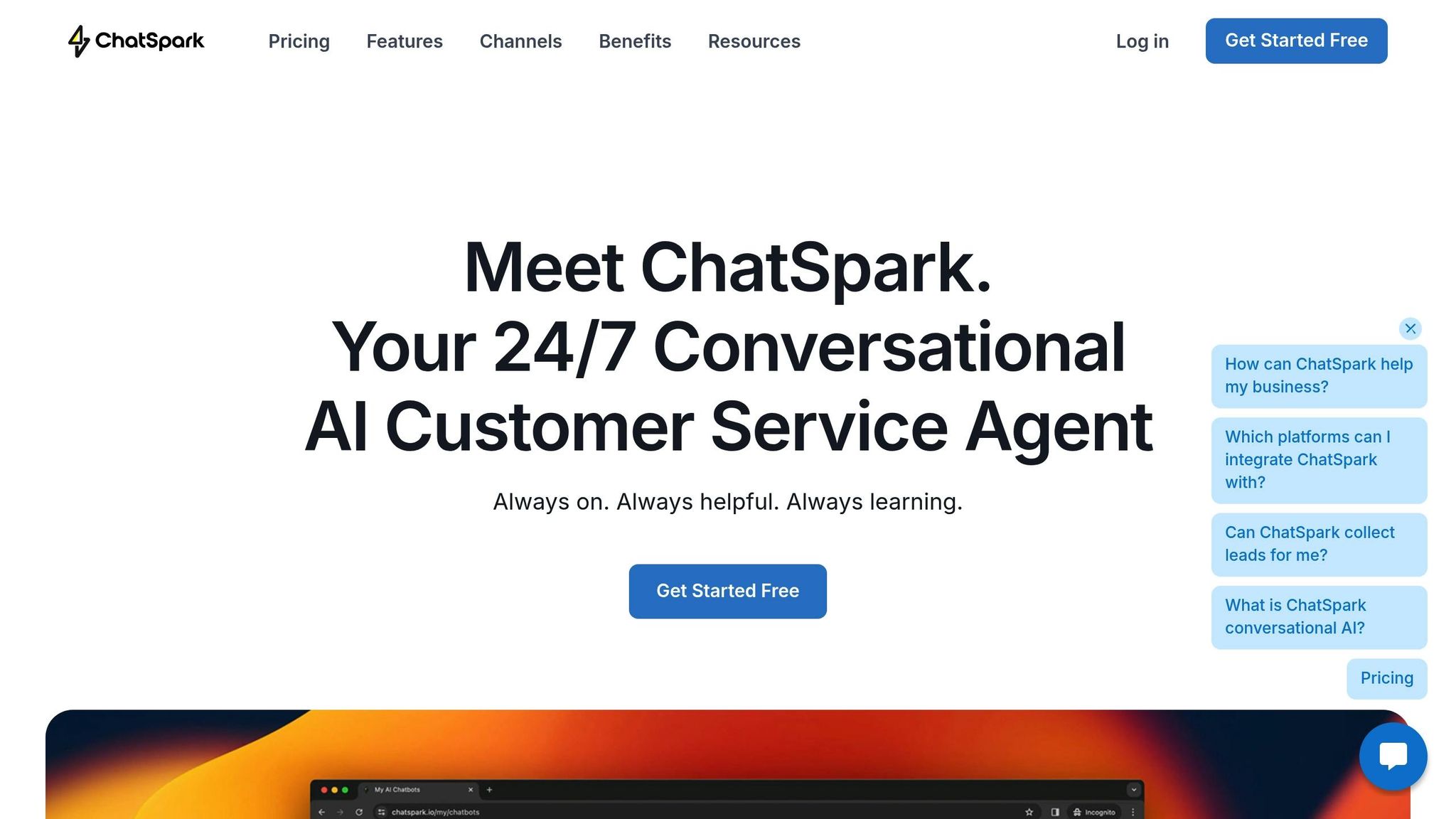
ChatSpark uses a four-step AI engine to decode intent, retrieve relevant knowledge, evaluate over 10 signals, and deliver responses that align with your brand - all without scripts or manual effort. This process optimizes automation across every interaction point, achieving an AI resolution rate of over 80% for routine inquiries [1]. Plus, ChatSpark makes it easy to build automated workflows that integrate smoothly with your existing tools.
Setting up ChatSpark is quick and straightforward. In under 10 minutes, you can upload content like website URLs, PDFs, Word documents, CSV files, or even YouTube transcripts, and the AI processes it all automatically [1]. With support for over 85 languages, ChatSpark enables smooth automation for global customer journeys without requiring extra setup [1]. For more complex issues, the platform integrates with Freshchat, seamlessly escalating conversations to live agents while preserving the full chat history. This ensures customers don’t have to repeat themselves during escalations.
Building Automated Workflows
ChatSpark simplifies automation by connecting directly with your existing tools. Through Zapier, it integrates with over 5,000 applications, making it easy to sync captured leads into CRMs like HubSpot or Salesforce. When a customer shows interest, the AI collects key details - like name, email, and phone number - and sends them to your sales team in real time [22].
For appointment-based businesses, ChatSpark integrates with tools like Square and Calendly, allowing customers to book directly within the chat. This keeps users engaged without redirecting them to external pages. Additionally, analytics features like "Top Unanswered Questions" and "Knowledge Coverage" help you identify training gaps and set up pre-approved responses for common queries [24][25]. Once workflows are in place, ChatSpark ensures a consistent experience across every channel.
Connecting ChatSpark Across Multiple Channels
ChatSpark extends its intelligent agents across websites, Instagram, Facebook Messenger, WhatsApp, Telegram, and Slack, creating a cohesive brand presence across platforms [1]. With Pro and Enterprise plans, each channel gets its own agent, tailored to the platform’s unique interface and user needs [23]. Website deployment is simple - just copy and paste a code snippet. For social and messaging platforms, ChatSpark preserves conversation context, so customers can pick up where they left off, even if they switch devices or return after a break. Start by focusing on the channels where most of your customer interactions happen, then expand as your automation strategy grows [26].
ChatSpark Pricing Plans
ChatSpark offers four pricing tiers to suit different needs. The Basic plan, priced at $19/month, is perfect for solo entrepreneurs testing automation, providing 100 messages per month. The Plus plan, at $59/month, increases capacity to 250 messages and supports up to 50 pages of training data. For businesses needing omnichannel deployment, the Pro plan costs $129/month and includes 2,000 messages, social/messaging integrations (like WhatsApp, Instagram, and Slack), and booking tools like Zapier and Calendly [23]. Enterprise plans offer custom solutions with multiple agents, priority support, and dedicated account management.
| Plan | Price (Monthly) | Message Limit | Key Features |
|---|---|---|---|
| Basic | $19 | 100 | 1 agent, 25 pages of training data, analytics, website deployment |
| Plus | $59 | 250 | 1 agent, 50 pages of training data, analytics, website deployment |
| Pro | $129 | 2,000 | 500 pages of training data, social/messaging integrations, booking tools |
| Enterprise | Custom | Custom | Multiple agents, priority support, custom SLAs, dedicated account management |
Annual subscriptions come with a 14% discount compared to monthly billing. Message limits reset on the 1st of every month, regardless of the subscription start date. Note that Basic and Plus plans are limited to website deployment; for social media or messaging app automation, you’ll need the Pro or Enterprise plan [23].
Personalizing Customer Experiences with AI
AI-driven personalization uses live data - like sessions, clicks, purchases, and location - to deliver the right message, on the right channel, at just the right time [7]. Real-time decision engines process behavioral data in milliseconds, enabling instant reactions. For example, if a customer shows signs of leaving a checkout page, AI can quickly trigger a discount offer. Similarly, when a cart is abandoned, the system can send a recovery message through the customer’s preferred channel before the opportunity slips away [2][27].
The results speak volumes. Studies reveal that 88% of consumers are more inclined to buy when brands personalize experiences in real time [27]. Companies using AI-powered journey orchestration have reported 10% to 20% higher conversion rates and 15% to 25% greater customer satisfaction [2]. Even personalized promotional emails outperform generic ones, boasting a 29% higher open rate and a 41% higher click rate [4].
ChatSpark’s AI engine takes personalization to the next level by aligning responses with your brand voice while adapting to each customer’s context. This supports customer journey automation by personalizing every touchpoint. With support for over 85 languages, it enables global engagement without extra setup. By analyzing behavioral data - such as visited pages or customer questions - ChatSpark crafts follow-up messages and recommendations tailored to each user’s journey stage.
Using AI for Personalization
AI personalization combines behavioral, transactional, and demographic data into a single customer profile. This unified approach predicts outcomes like churn risk, purchase likelihood, and next-best actions. By leveraging reinforcement learning, AI continuously adapts recommendations based on real-time engagement [2][27].
Examples from 2025 highlight the power of this approach. The e-commerce brand Suitsupply achieved conversion rates 5–10 times higher than standard messaging by combining personalized email recommendations with targeted in-app prompts. Wouter Hol, their E-Commerce Manager, led this initiative, showing how cross-channel personalization delivers results [7]. Similarly, fintech company ZEN.COM saw a 50% year-over-year increase in active app users by using AI-powered push notifications and in-app messages based on recent customer behavior. Michał Dąbrowski, their Communications & Product Growth Manager, spearheaded the strategy [7].
Dynamic content blocks further enhance personalization by incorporating real-time data like inventory, account balances, or browsing history. For instance, if a customer views a product running low on stock, AI can immediately notify them with availability details and a direct purchase link. This makes interactions feel timely and relevant, replacing generic messaging with a more personal touch.
Consumers now expect this level of personalization - 71% say they want tailored interactions, while 75% express frustration when brands miss the mark [2]. To ensure consistency while scaling, businesses can implement AI guardrails, such as tone controls and approval workflows, to keep AI-generated content aligned with the brand. ChatSpark’s AI engine simplifies this by decoding intent, retrieving relevant knowledge, analyzing signals, and delivering consistent responses - all without the need for manual scripting.
Tracking Performance and Making Improvements
To measure the effectiveness of AI-driven personalization, focus on both business outcomes and operational metrics. Key indicators include conversion rates, Customer Lifetime Value (CLV), retention rates, and revenue impact [2]. Randomized holdout groups can help isolate the incremental lift from AI by comparing treated customers to a control group [7].
In 2025, the marketplace Bamboo doubled its conversion rates year-over-year - from 15% to over 30% - and reduced abandoned deposits by 12%. This success came from using AI to score user eligibility for SMS nudges, led by Head of Marketing Ugo Iwuchukwu [7]. Similarly, smart thermostat company Mysa increased revenue from email marketing by 592% by leveraging real-time data pipelines to personalize customer interactions [4].
Starting small can lead to quick wins. Focus on one high-impact journey - like abandoned cart recovery - and set a single KPI to prove ROI within 30–60 days [7]. Track metrics such as click-through rates and open rates alongside business outcomes to identify the most effective tactics. Tools like A/B testing, funnel analysis, and cohort analysis can provide deeper insights. For example, A/B tests help determine the best-performing content, while sentiment analysis using Natural Language Processing (NLP) evaluates customer emotions in real time, enabling timely escalation to human agents if needed [2][8].
| Optimization Method | Description | Key Metrics |
|---|---|---|
| A/B & Multivariate Testing | Compare different versions of content, timing, or channels to find the best-performing option. | Click-through rate (CTR), Conversion rate |
| Randomized Holdouts | Exclude a small group from AI treatments to measure incremental impact. | Incremental Revenue, Average Order Value (AOV) |
| Funnel Analysis | Map the customer journey to identify drop-off points in real time. | Drop-off rate, Time-to-conversion |
| Cohort Analysis | Group users by shared traits (e.g., sign-up month) to track long-term behavior. | Retention rate, Customer Lifetime Value (CLV) |
| Sentiment Analysis | Use NLP to assess the emotional tone of customer interactions. | Customer Satisfaction (CSAT), Net Promoter Score (NPS) |
Research shows that 89% of marketers report positive ROI from personalized campaigns, with some achieving returns of over $15 for every dollar spent [4]. These insights help refine strategies, ensuring your automation efforts stay effective and agile.
Scaling Your Customer Journey Automation
Once you've achieved measurable improvements, the next step is scaling your automation efforts to benefit your entire operation. Scaling moves tasks from manual handling to intelligent, around-the-clock orchestration. Companies leveraging AI-powered journey orchestration have reported up to a 40% reduction in operational costs, allowing small teams to manage global customer bases without increasing headcount [30].
Take this example: in early 2026, a global construction products leader implemented ChatSpark for a flagship brand. Within just four months, this system saved over 66 days of agent time on an investment of approximately $4,000 [1]. Another success story comes from foodora, which slashed campaign execution times from one hour to just three minutes using automated cross-channel messaging. This resulted in a 41% conversion rate for their app install campaigns [6].
ChatSpark is designed to handle up to 80% of routine inquiries, freeing up agents to focus on more complex customer issues [1]. The platform can be trained on your existing resources - like URLs, PDFs, and manuals - in under 10 minutes. It ensures consistent brand messaging across multiple platforms, including websites, WhatsApp, Instagram, Facebook, Telegram, and Slack [1]. With support for over 85 languages and automated lead routing via Zapier to more than 5,000 CRMs, scaling internationally becomes possible without the need to hire multilingual staff [1].
A good strategy is to apply the 80/20 rule: let AI handle repetitive tasks while dedicating 20% of your resources to strategic oversight and maintaining brand consistency [28]. Start with high-impact customer journeys, such as abandoned cart recovery or converting free trials into paying customers. Continuously refine your approach by monitoring both business outcomes - like conversion rates, customer lifetime value (CLV), and retention - and operational metrics such as AI resolution rates and decision latency [2]. Striking this balance between AI-driven efficiency and human oversight can lead to transformative results.
"By organizing all customer-related change initiatives around the customer journey, a company effectively transforms its operating model." - Boston Consulting Group [29]
FAQs
How does automating customer journeys in real time boost conversion rates?
Real-time customer journey automation improves conversion rates by delivering immediate, tailored interactions that align with customer actions. It’s about making customers feel seen and appreciated, all while creating a smooth and engaging experience.
When businesses cut down response times and address needs proactively, they build trust and help customers make decisions faster. The result? Happier customers and a noticeable boost in conversion rates.
What stages of the customer journey can benefit from automation?
Automation plays a key role in improving various stages of the customer journey, creating a smoother and more personalized experience. During the awareness and consideration phases, it can deliver content and messages tailored to customer behavior, helping guide them through the decision-making process.
At the purchase stage, automation tools like abandoned cart reminders or exclusive discounts can encourage customers to complete their transactions, boosting conversion rates.
After a purchase, automation continues to add value by enhancing onboarding, retention, and loyalty efforts. This might include follow-up emails, personalized product recommendations, or real-time feedback requests. AI-driven systems also enable instant responses to customer actions, such as browsing a website or engaging on social media, ensuring timely interactions that strengthen customer connections.
How can businesses maintain high-quality data for successful automation?
To make automation work effectively, businesses need to focus on keeping accurate, real-time data that’s enriched with proper context. If the data isn’t reliable, it can lead to mistakes, inefficiencies, and unhappy customers. One key approach is to validate data as it’s processed in real-time, rather than cleaning it up later in batches. This helps ensure the automation runs smoothly and without errors.
Leveraging first-party data along with a Customer Data Platform (CDP) is a smart way to bring together customer details from multiple sources. A CDP creates a unified and consistent view of each customer, making the data both accurate and ready for AI-driven personalization and smarter decision-making. By regularly monitoring and adding context to the data, businesses can support smoother automated workflows and deliver more tailored experiences to their customers.