If your AI bot hands off too early, costs go up. If it waits too long, customer frustration goes up. I’d set thresholds by risk, not with one rule for every case.
Here’s the short version:
- Low-risk intents like order tracking can use lower cutoffs, often around 0.70
- Medium-risk intents like billing questions should use a confirm-first range, often 0.70 to 0.84
- High-risk intents like billing disputes, legal issues, security issues, and refunds over $250 should go to a person right away
- Confidence score alone is not enough; I’d also trigger handoff for:
- repeated fallbacks
- negative sentiment
- legal or security terms
- direct requests for a human
- The main metrics to watch are containment rate, fallback rate, escalation rate, CSAT, first contact resolution, and average handle time
- Every band needs one fixed action: resolve, confirm, offer handoff, or escalate
In plain terms: I’d use a three-band model for most support flows:
- 0.90 to 1.00: auto-resolve
- 0.75 to 0.89: ask for confirmation
- 0.60 to 0.74: offer human help
Then I’d tighten or loosen those cutoffs by intent. For example, order tracking can be looser, while account access should stay strict. And some topics should ignore scores altogether.
Here’s a quick view:
| Case Type | Best First Action | Typical Rule |
|---|---|---|
| Order tracking | Auto-resolve | Resolve at 0.70+ |
| Billing questions | Confirm first | Resolve at 0.85+; confirm at 0.70 to 0.84 |
| Billing disputes | Human handoff | Always escalate |
| Account access | Strict routing | Resolve only at very high confidence; escalate on security terms |
| Legal/compliance | Human handoff | Always escalate |
| Refunds over $250 | Human handoff | Always escalate |
My takeaway: start strict, review transcripts, and tune by intent group. The goal isn’t the highest bot containment rate. It’s getting the right cases resolved by the bot and the wrong cases to an agent before the experience gets messy.
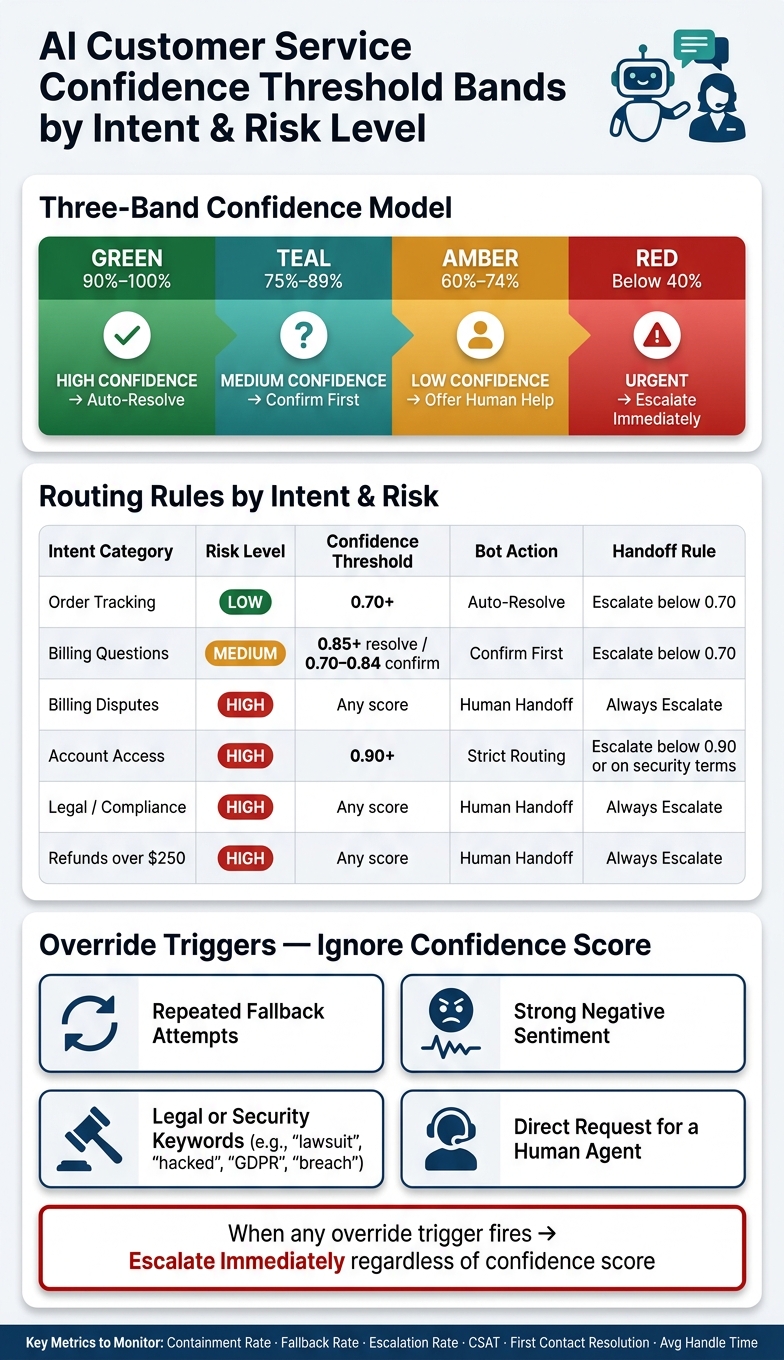
AI Customer Service Confidence Threshold Bands by Intent & Risk Level
Set threshold ranges by risk, intent, and business rules
Start with risk level. That should set the baseline for each intent group.
A simple way to do it is to use three bands:
- Resolve
- Confirm
- Hand off
Suggested threshold bands for common support cases
Here’s the basic setup for common support work:
- 0.90–1.00 (High confidence): Auto-resolve.
- 0.75–0.89 (Medium confidence): Ask for a quick confirmation before resolving.
- 0.60–0.74 (Low confidence): Offer human handoff.
That said, not every intent should follow the exact same cutoff. Low-risk intents like order tracking can often be auto-resolved at 0.70 and above. Billing questions usually need a confirmation step in the 0.70–0.84 range. Account access should stay stricter. And billing disputes should go straight to a human.
Comparison table: intent category, threshold, and handoff rule
These bands only work if each one maps to a fixed action. Otherwise, scores look neat on paper but routing gets messy fast.
| Intent Category | Default Threshold Rule | Handoff Rule | Risk Level |
|---|---|---|---|
| Order Tracking | Auto-resolve at 0.70+ | Escalate below 0.70 | Low |
| Billing Questions | Auto-resolve at 0.85+; confirm at 0.70–0.84 | Escalate below 0.70 | Medium |
| Billing Disputes | Immediate human handoff | Always escalate | High |
| Account Access | Auto-resolve at 0.90+ | Escalate below 0.90 or when security terms are detected | High |
| Legal / Compliance | Immediate human handoff | Always escalate | High |
| Refunds (over $250) | Immediate human handoff | Always escalate | High |
Add hard rules that override confidence scores
Some cases should ignore confidence scores completely. Legal, security, and high-dollar requests fall into that bucket.
Escalate right away when a customer uses legal or security-related language like "lawsuit", "GDPR", "hacked," or "breach", or when a refund request is over $250. In those cases, policy comes first, and the issue should move to a human no matter what score the model gives.
Next, map each band to a bot action so routing stays consistent.
Design handoff logic that protects containment and customer experience
Once you set your confidence bands, tie each one to a single action. That keeps routing steady from one case to the next.
The goal is simple: keep the right conversations contained without boxing people into frustrating loops. Then check the numbers to see if that logic is doing its job.
Map each confidence band to a clear bot action
Give each band one clear action: resolve, clarify, offer handoff, or escalate immediately.
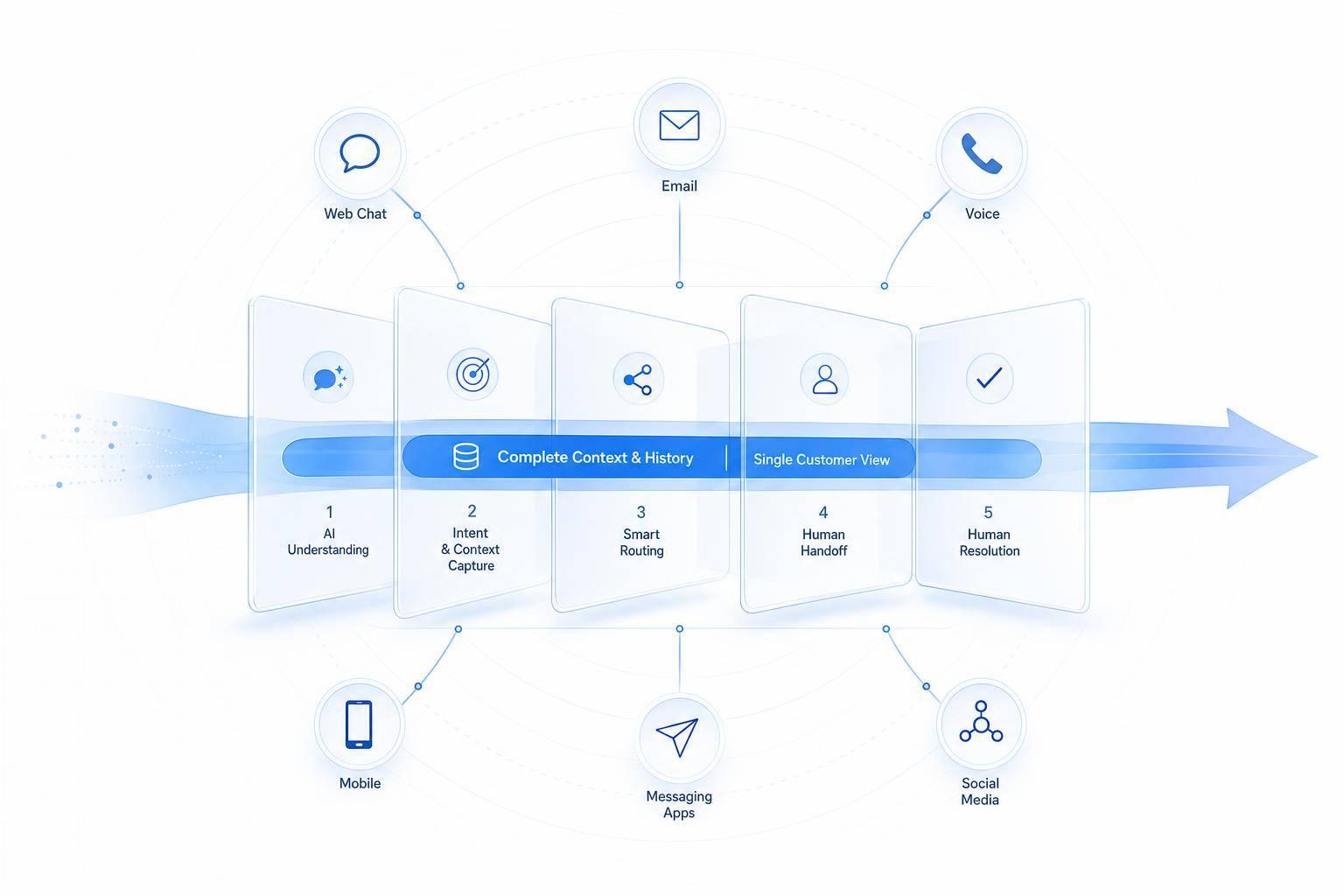
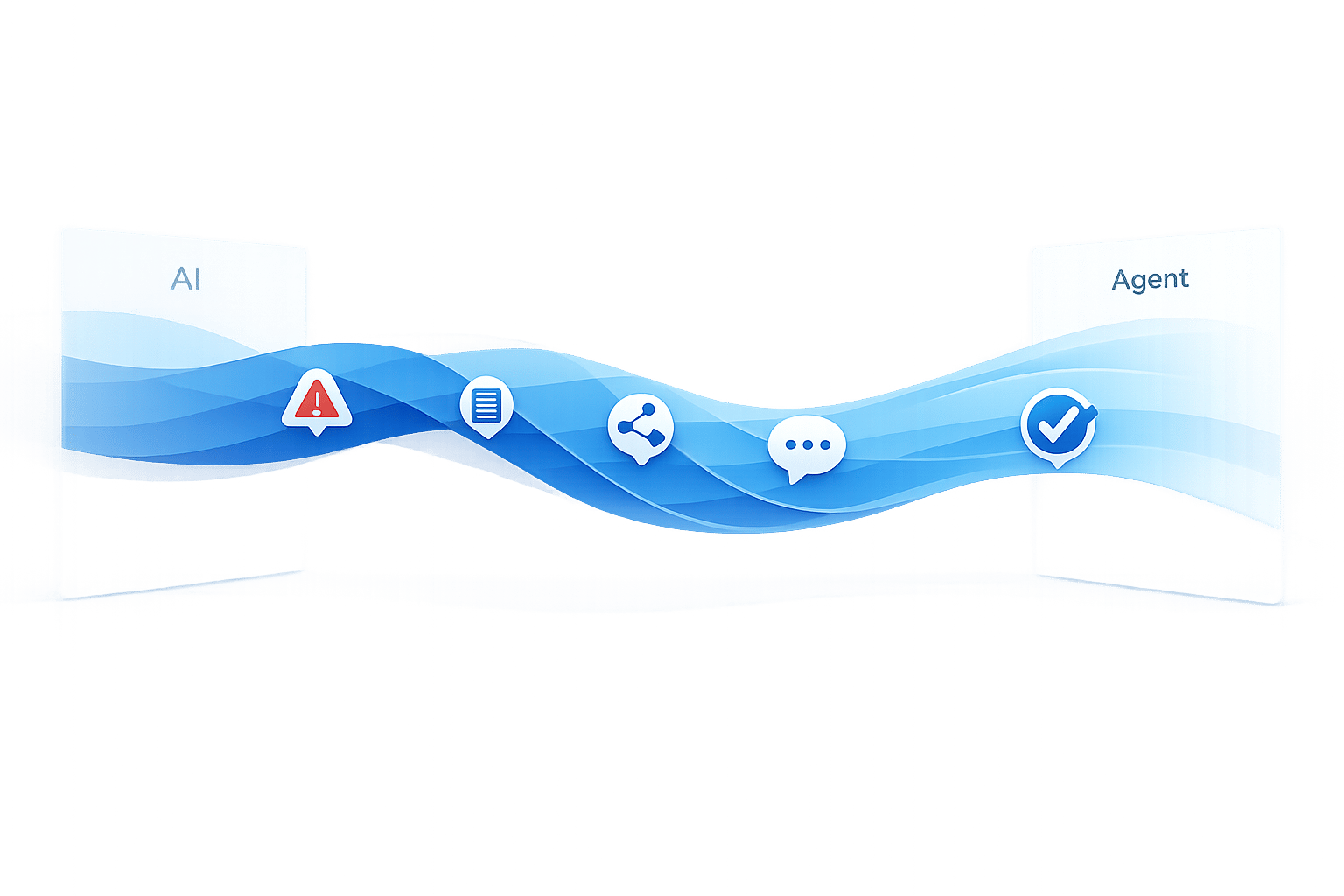
When a case moves to a human, pass along the full context, including intent and confidence score. That way, the agent can pick up where the bot left off instead of making the customer start from scratch.
Use extra triggers beyond the confidence score
Confidence score alone isn't enough. Some situations need an instant override.
Use triggers like these:
- Repeated fallback attempts
- Strong negative sentiment
- Legal, security, or retention keywords
- Direct requests for a person
Handoff workflow logic-flow table
Use the same rules every time, then audit results by intent group. That's how you spot where the flow works and where it starts to slip.
| Confidence Band | Trigger | Bot Action | Escalation Destination |
|---|---|---|---|
| 90%–100% | High confidence | Resolve | None (self-service) |
| 75%–89% | Moderate confidence | Clarify | Tier 1 support if unresolved |
| 60%–74% | Low confidence | Offer handoff or give a brief answer before offering handoff | General support queue |
| Below 40% | Urgent escalation | Escalate immediately | Tier 2 or specialist |
| Any score | Override trigger | Escalate immediately | Legal, security, retention, or supervisor |
Once the workflow is stable, calibrate it against fallback, escalation, and CSAT data.
Calibrate thresholds using metrics, transcript review, and ChatSpark reporting
Use production data to tune the rules you just set. The goal is simple: see whether your resolve, clarify, and escalate rules are protecting containment or adding friction.
Track the metrics that reveal threshold problems
Once your handoff rules are live, check them against real conversations. The most useful metrics are containment rate, fallback rate, escalation rate, CSAT, first contact resolution, average handling time, and QA review data.
No single metric tells the whole story. Low containment, high fallback, or high escalation often points to threshold issues or weak intent coverage. Low CSAT, first contact resolution, or QA scores usually means the bot response or the handoff experience needs work.
| Metric | What It Signals When Out of Range |
|---|---|
| Containment rate (low) | Thresholds may be too strict, or the bot may not be recognizing common intents |
| Fallback rate (high) | The bot frequently cannot match intent; review intent training and threshold settings |
| Escalation rate (high) | Too many conversations are reaching human agents; check override rules and confidence bands |
| CSAT (low) | The bot or handoff experience is not meeting customer expectations |
| First contact resolution (low) | Customers are not getting resolved in one interaction; review both bot answers and handoff quality |
| Average handling time (high) | Handoffs may be adding friction or the bot may be delaying escalation |
| QA review data (low QA scores) | The bot is misrouting or answering poorly; review transcripts by intent group |
Don’t stop at top-line averages. Review these metrics by intent group in ChatSpark, then read transcripts to spot misclassification, content gaps, or weak handoff context. The table tells you what each metric can point to. The next move is adjusting the thresholds behind that pattern.
Run a calibration cycle by intent group
After you review the data, adjust thresholds by intent instead of changing every route at once. Use the bands you already set as the starting point, then tune by intent group.
Three failure patterns tend to show up again and again:
- Misclassified intents: usually a training data problem
- Knowledge gaps: usually a content problem
- Poor handoff context: usually an escalation setup problem, where the agent isn’t getting enough detail
Tighten thresholds where mistakes are expensive. Loosen them only when the risk is low.
| Intent Group | Suggested Threshold | Handoff Rule | What to Watch |
|---|---|---|---|
| Billing disputes | 90%–95% | Escalate if confidence is below 90% or sentiment is negative | Fewer risky bot answers and stronger QA review results |
| Order tracking | 60%–70% | Auto-resolve; offer human help if the bot fails twice | Higher containment and fewer unnecessary escalations |
| Account access | 85%–95% | Immediate human handoff for security breaches | Faster escalation on sensitive cases |
| General FAQs | About 60% | Auto-resolve; use a confirmation prompt for 60%–75% confidence | More automated resolutions with low risk |
Match each threshold to the risk level of the intent, not the highest possible containment rate. Apply the updated ranges in ChatSpark, then compare the same metrics after the next reporting cycle.
Implement and maintain threshold rules in ChatSpark
Configure intent groups, routing, and escalation context in ChatSpark
Once your thresholds are set, put them to work in ChatSpark as routing rules.
Start by grouping intents into clear categories like Order Tracking, Billing, Account Access, Password Reset, and General FAQ. Each group should have its own threshold and its own routing rule. That keeps things simple and makes it much easier to see why a case was auto-resolved, confirmed, or sent to a person.
When ChatSpark escalates, send the case to your agent queue with a short summary. Include:
- detected intent
- confidence score
- customer inputs
- authentication status
- escalation reason
That summary gives the agent the context they need right away, so the customer doesn’t have to repeat the whole story from scratch.
You should also add override triggers on top of the confidence bands. Some cases just shouldn’t wait for a score check. Terms like "hacked", "fraud," or "lawsuit" should go straight to a human no matter how high the confidence score is. Same idea if the bot has already hit repeated fallback attempts or if the customer plainly asks for an agent.
| Intent Group | Threshold | Handoff Rule |
|---|---|---|
| Order Tracking | 70% | Auto-resolve at 70%+ |
| Password Reset | 80% | Auto-resolve at 80%+ |
| Billing Dispute | 95% | Always escalate |
| Account Access | 95% | Immediate human handoff at 95%+ |
| General FAQ | 60% | Confirm if 60%–79%; auto-resolve at 80%+ |
Then test these rules against real billing, tracking, and access cases. On paper, a setup can look fine. In live support, little edge cases tend to show up fast.
Apply thresholds to US support scenarios
Here’s what this looks like in practice.
A customer asks, "Where's my order?" ChatSpark matches the intent at 82% confidence. That clears the 70% threshold for Order Tracking, so ChatSpark returns the current order status automatically. No human handoff needed.
Now take a different case. A customer writes, "I was charged $49.99 twice this month and I want a refund." The Billing intent matches at 88% confidence, which is below the 95% threshold. ChatSpark escalates right away and passes along the detected intent, the $49.99 charge detail, and the full conversation history to the billing team.
Conclusion: Start conservative, measure results, and adjust by risk
Start with cautious thresholds. Set your confidence bands, map them to intent risk, add hard override rules, and then adjust based on what the data shows. Check false positives on a regular basis and tune each intent group based on risk.
FAQs
How often should I adjust my thresholds?
Review thresholds and AI performance metrics every week, especially during the first month. Go through transcripts and escalated conversations to find missed intents, gaps in the knowledge base, and rules that need an update.
If escalations climb above 20% or CSAT falls below 80%, adjust thresholds right away. Once performance levels out, switch to monthly audits. At the same time, keep updating the knowledge base and fine-tuning thresholds for topics that come up again and again.
What should I do if my bot has high containment but low CSAT?
High containment paired with low customer satisfaction usually means the bot is closing conversations without giving people a clear or complete answer.
Start by reviewing low-rated transcripts. Look for friction points, wrong answers, vague replies, and tone issues that may leave customers frustrated even when the bot marks the case as resolved.
Then check intent-level analytics to spot topics with high failure rates. For those use cases, it may help to increase confidence thresholds so the bot hands off sooner instead of forcing a weak answer.
How many fallback attempts should trigger a handoff?
Typically, three fallback attempts should trigger a handoff to a human agent. Many teams call this the 3-Strike Rule. Some go with a stricter two-strike rule, depending on how complex the question is and what the support team needs.
Once that limit is hit, the conversation should route to a human agent automatically. That way, the customer can get help right away without having to repeat the issue.