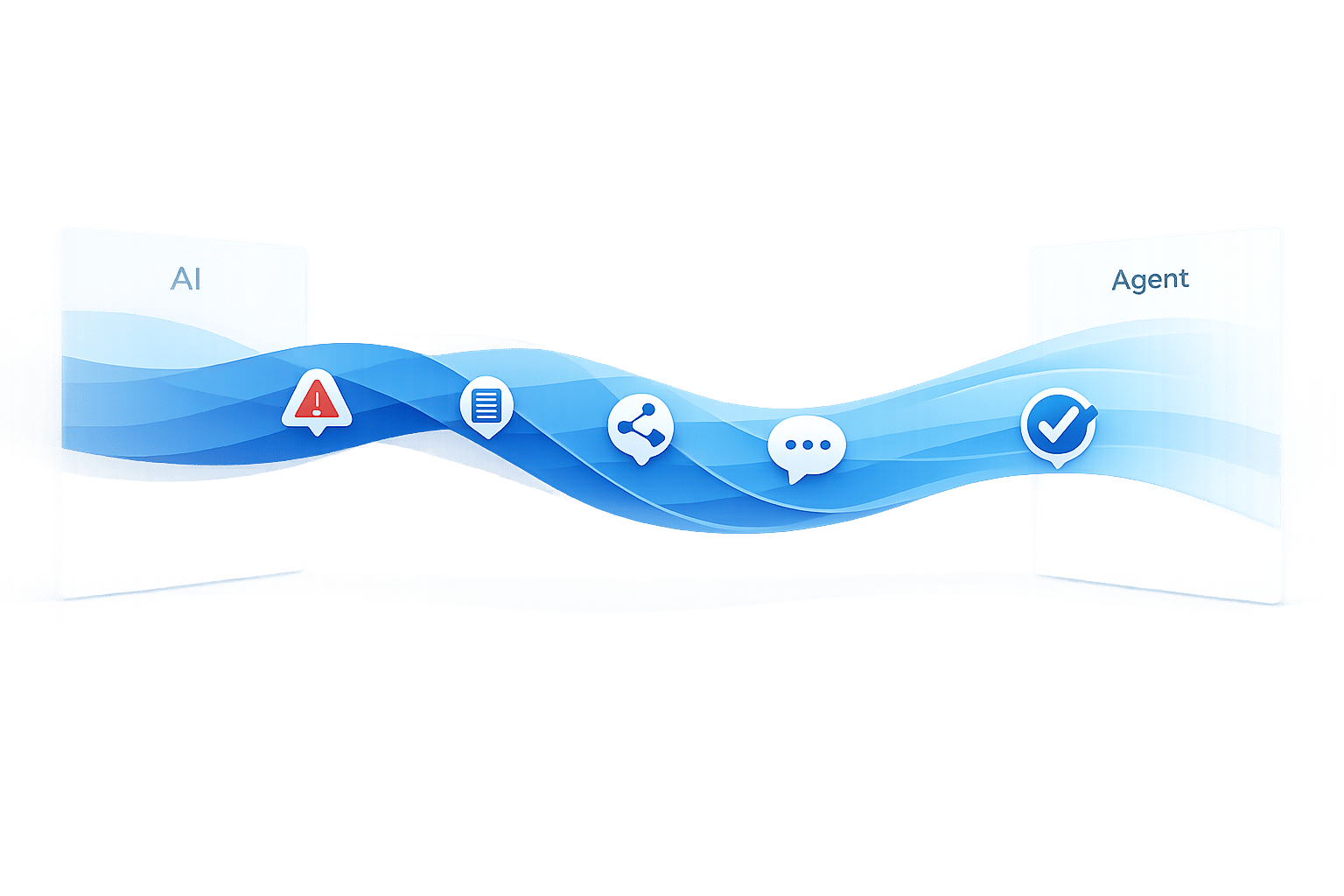
When AI chatbots can’t resolve an issue, how you transition customers to a human agent can make or break their experience. Poor handoffs lead to frustration, lost trust, and even revenue declines. Here’s what you need to know:
- 73% of customers will leave for a competitor after one bad support experience.
- 52% abandon brands after a poor AI interaction.
- Smooth transitions protect customer loyalty and reduce frustration.
Key steps for effective handoffs include:
- Set clear triggers: Use confidence scores, sentiment analysis, and direct customer requests to determine when to escalate.
- Preserve context: Ensure agents get the full conversation history and summaries to avoid making customers repeat themselves.
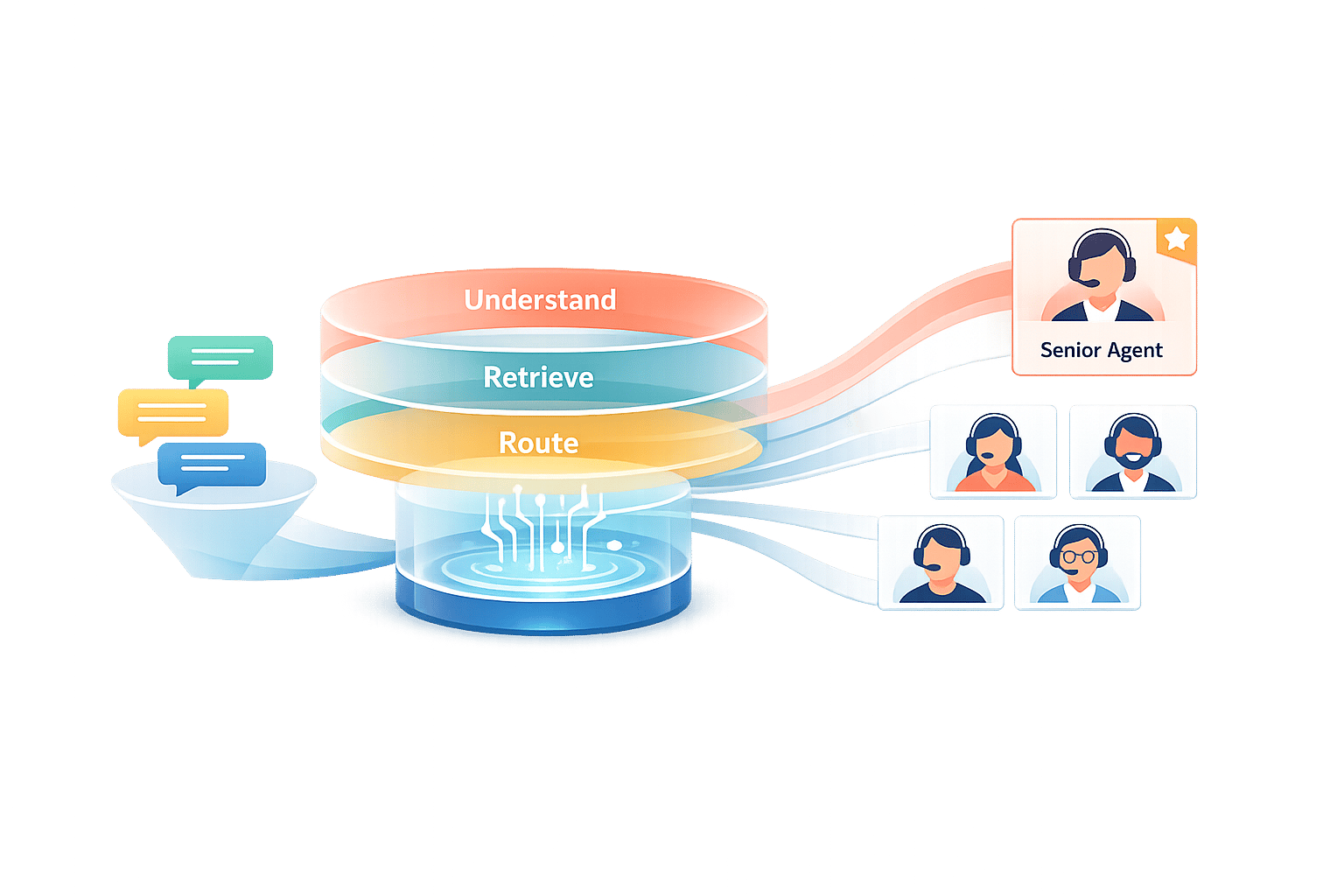
- Route accurately: Match customers with the right agent based on skills, urgency, and availability.
- Communicate clearly: Reassure customers during the handoff with transparent messaging and updates.
- Test and monitor: Continuously improve handoff processes by testing for context retention, load handling, and customer satisfaction. Analyzing AI chatbot data insights can help identify where these handoffs frequently occur.
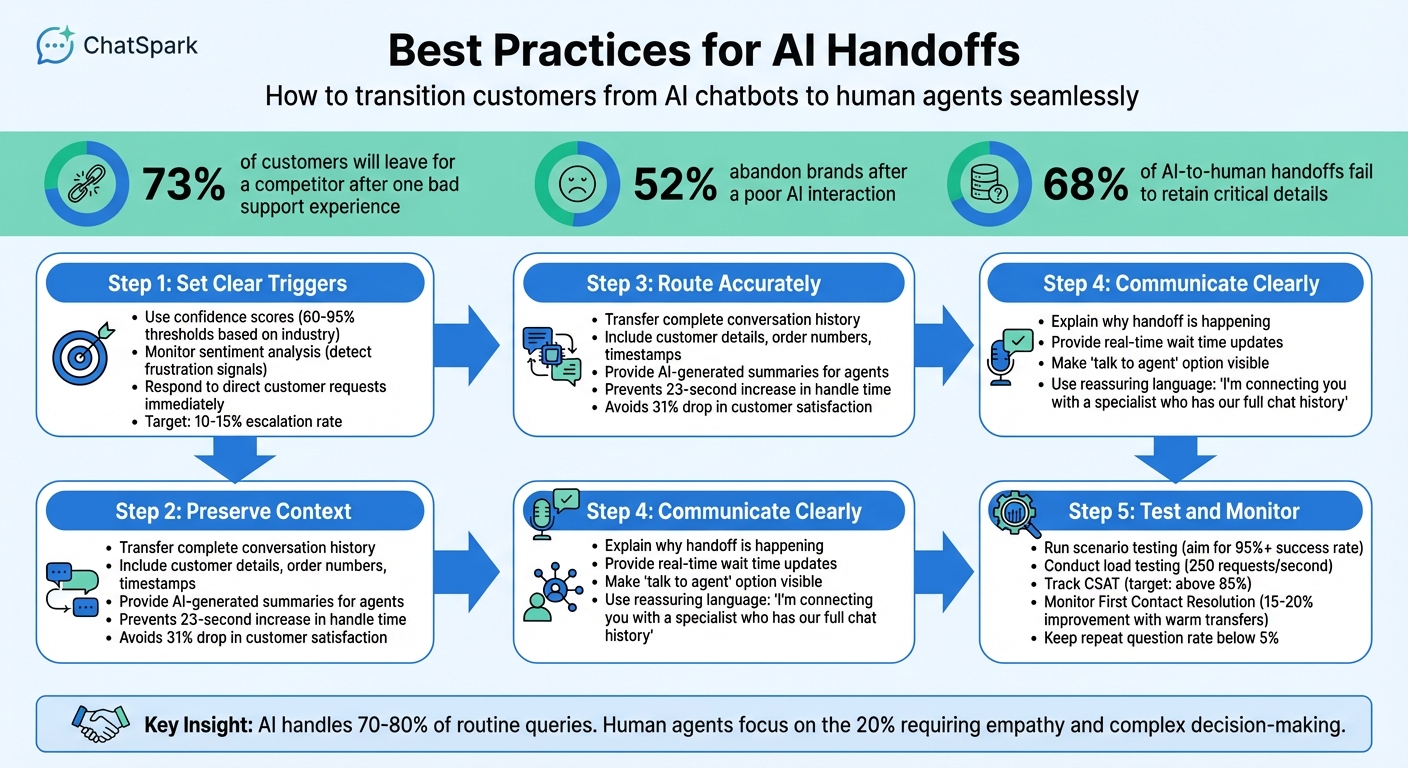
5 Key Steps for Effective AI-to-Human Handoffs in Customer Support
Setting Up Handoff Triggers
Smooth AI-to-human transitions rely on well-defined triggers that signal when it's time to involve a human, keeping customer frustration at bay. Below, we’ll explore key trigger types and how to set thresholds for seamless handoffs, ensuring customer trust and support continuity.
Confidence Thresholds
AI responses come with a confidence score that reflects how certain the system is about its answer. Choosing the right threshold for this score is crucial. If the threshold is too low, the AI might deliver unreliable responses. Too high, and you risk burdening human agents with unnecessary escalations.
The ideal threshold depends on your industry:
- Healthcare and financial services: 90–95% confidence or higher, as errors can have serious repercussions [3].
- General customer service: 80–85% confidence works well [3].
- Beginners: Start with 60–70% and fine-tune as you gather performance data [3].
A more nuanced approach involves graduated thresholds. For example:
- 90–100% confidence: Allow the response to proceed automatically.
- 75–89% confidence: Include a confirmation prompt to double-check.
- 60–74% confidence: Offer the option to connect with a human.
- Below 40% confidence: Escalate to a human agent immediately [3][5].
While confidence scores are essential, they’re not the only factor. Other indicators can help ensure escalations happen at the right time.
Sentiment and Complexity Triggers
Confidence scores alone don’t capture everything. Your AI also needs to assess how the customer feels and whether the issue is too complex for automation. Sentiment analysis can flag frustration by identifying signals like ALL CAPS, phrases such as "this is ridiculous", or repeated negative feedback [3].
A practical method is the "two-strike" rule: if the AI fails to resolve a query or gives an unhelpful response twice in a row, escalate to a human [1][10]. Additionally, certain issues - like billing disputes, legal matters, account security concerns, or financial and medical approvals - should go straight to a human from the start [3][1].
Other signs that call for escalation include repeated questions, vague AI answers, or multi-step troubleshooting. Aim for an escalation rate of 10–15% of total conversations to balance addressing critical issues without overwhelming your human team [3].
Direct Customer Requests
When a customer directly asks for a human, don’t make them jump through hoops. Your AI should immediately recognize phrases like "talk to a human", "I need an agent", or "connect me to someone" and transfer the conversation without delay [3][5][7].
These requests should be treated as high priority. To reassure the customer, the system should respond instantly with a message like, "I'm connecting you with a specialist now" [8][9]. This immediate acknowledgment helps maintain trust and shows that their concerns are being taken seriously.
Preserving Conversation Context
When AI transfers a customer interaction to a human agent, it’s crucial to ensure the customer doesn’t have to repeat themselves. Losing context not only wastes time but also damages trust. Unfortunately, 68% of AI-to-human handoffs fail to retain critical details[11]. The fix? Make sure all relevant information gathered by the AI is automatically passed to the human agent. Below are some key practices to ensure smooth and complete context transfers during these handoffs.
Complete Conversation History
A seamless transfer starts with providing the agent access to the full conversation history. This means your system should automatically link and transfer all relevant data. Using unique session identifiers, integrate AI interactions with tools like Zendesk, Intercom, or Slack through APIs or webhooks. When the agent receives the call or chat, they should immediately see the full conversation history, along with a quick summary, ideally before they even greet the customer.
At a minimum, the transferred information should include:
- The full chat transcript with timestamps , or synced support tickets
- Customer details (e.g., name, email)
- Order numbers, account IDs, or other specific identifiers
- Knowledge base articles the customer referenced
- Technical metadata like AI confidence scores and escalation reasons
Think of this as passing along a complete case file rather than just a few key details. Without this, agents are left with minimal information (like a name and email), forcing them to restart the conversation - an issue often referred to as a "context black hole."
Conversation Summaries
While full transcripts are vital for accuracy, agents don’t always have time to sift through long chat histories during live interactions. That’s where concise summaries come in. These summaries should highlight the customer’s main question, the steps already taken, their sentiment, and the next steps.
To make this even more effective, structure summaries with clear headers or sections, separating them from the full transcript. Some platforms even integrate these summaries directly into tools like Slack or Microsoft Teams, making it easy for agents to review the situation before jumping in. When the agent begins their interaction, they should acknowledge this context right away. For example: "I see you’ve been asking about a refund for order #1234; let me assist you with that." This reassures the customer that they won’t need to repeat themselves.
"The handoff from chatbot to human agent is where most AI implementations fail. Without proper configuration, customers repeat themselves, agents lack context, and satisfaction drops." - Nedim Mehic, Founder, Kya[2]
Properly preserving context has measurable benefits. It prevents a 23-second increase in average handle time, which typically results from agents needing to re-collect information. It also avoids a 31% drop in customer satisfaction scores, a common occurrence during poorly managed escalations[11].
Routing Handoffs to the Right Agent
Once the context of an interaction is preserved, the next step is ensuring it reaches the right agent. This part is just as important as the initial connection. Imagine a frustrated customer with a billing dispute being routed to a technical support agent - time is wasted, and the frustration only grows. The solution lies in matching the issue to an agent with the appropriate skills, language proficiency, and availability. When done correctly, this process protects customer trust and strengthens the overall handoff experience.
Skill-Based and Department Routing
The first step is to align specific queries with the right agent groups. For instance, billing disputes should go to finance, technical issues to engineering support, and pricing inquiries to sales. While round-robin routing might work for smaller teams (2–5 agents) [1], it falls short when expertise is required.
For more advanced routing, consider using a routing matrix. This tool maps combinations of intent, customer tier, and complexity to specific agent pools [9]. For example, an enterprise customer asking about pricing should be directed to a dedicated account executive, while a simple password reset can go to Tier-1 support. Regularly update this matrix - ideally every quarter - using customer satisfaction data to keep it accurate and effective.
| Category | Primary Keywords | Escalation Target | Priority |
|---|---|---|---|
| Sales/Revenue | pricing, quote, upgrade, demo | Account Executive / Sales | High |
| Legal/Compliance | lawsuit, GDPR, hacked, breach | Compliance / Security | Immediate |
| Retention | cancel, too expensive, switching | Success Manager / Retention | High |
| Technical | integration, bug, API, outage | Technical Support / Engineering | Medium/High |
| General/Frustration | useless, agent, human, manager | Support Lead | Medium |
Sentiment and urgency should also guide routing decisions. For instance, customers using terms like "fraud" or "outage" should be escalated to specialized support leads or retention experts [6][10]. Misrouting a call can have serious consequences - customer satisfaction drops by 12%, and first-call resolution decreases by 14% when customers are sent to the wrong department [16]. Accuracy in routing is essential. After assigning the appropriate agent, confirm they are available and ready to assist.
Language and Availability Matching
Before routing a customer, two key factors must be checked: does the agent speak the customer’s language, and are they currently online? Nothing damages trust faster than promising a human handoff only to leave the customer waiting indefinitely.
Modern AI systems can integrate "Availability" checks to ensure agents are logged in and within business hours before initiating a handoff [14]. If no agents are available, alternative workflows can be triggered. For instance, you can collect the customer’s email for follow-up, provide an estimated wait time, or offer a callback option [1]. These measures prevent customers from being stuck in a frustrating "dead-end" situation.
For language matching, tag agents with their language skills and use AI to detect the customer’s preferred language or communication channel [12][13]. When agents are online but busy, AI can step in to provide estimated wait times or queue positions [12][1]. Platforms like ChatSpark (https://chatspark.io) support over 85 languages, ensuring customers are connected to agents who can communicate effectively.
"The goal isn't to eliminate human agents. It's to make sure they spend their time on the conversations that genuinely need them, while the AI handles the rest." - LoopReply Team [1]
Communicating Handoffs to Customers
Once accurate routing is in place, the next step is ensuring clear communication with customers during a handoff. How you frame these transitions can either build trust or create frustration. Transparent and thoughtful messaging keeps customers reassured throughout the process.
Clear Handoff Messaging
It's essential to explain why the handoff is happening and set clear expectations. Vague statements like "Transferring…" or "Please hold" can leave customers feeling uncertain [17]. Instead, use specific, reassuring language. For instance: "I'm connecting you with a specialist who can help. They'll have our full chat history" [1]. This not only shows the customer their issue is being taken seriously but also assures them they won’t need to repeat details they’ve already shared.
If wait times are longer than five minutes, provide real-time updates such as: "You're next. Estimated wait: 2 minutes" [1]. Avoid misleading statements like "someone will be right with you" if the wait is significantly longer - this damages trust [2]. Similarly, when agents are unavailable, be upfront about business hours and offer alternatives. For example: "Our team is offline until 9:00 AM EST. Leave your email, and we’ll get back to you then" [15]. Being honest in these moments helps manage expectations effectively.
"A seamless handoff feels like a 'warm welcome,' not an abrupt transfer." – Aakash Jethwani, Founder, Talk To Agent [17]
Making human support easily accessible is a key part of this communication strategy.
Making Handoff Options Visible
Customers appreciate having quick access to human support when needed [18]. Avoid hiding the "talk to an agent" option in hard-to-navigate menus. Instead, make it obvious and easy to find. For example, an AI assistant could say: "If you'd like to speak with a team member at any point, just let me know" [8].
Additionally, systems should recognize keywords like "agent", "human", or "representative" to trigger an immediate handoff [1]. Companies like Temu have simplified this by allowing users to type phrases like "I want to talk to a human agent" to connect with live support instantly [4]. Similarly, MongoDB uses chatbots that quickly transfer customers to an agent when prompted, ensuring minimal delays [4]. Tools like ChatSpark (https://chatspark.io) make it simple to set up these triggers, ensuring customers never feel stuck in an automated loop. This kind of accessibility builds trust and reduces friction in the support process.
Testing Handoff Processes
Setting up handoff triggers and routing is just the beginning. The real challenge lies in testing these systems to ensure they perform reliably under actual conditions. Without thorough testing, handoffs can lose context, fail during traffic surges, or leave customers without support when something goes wrong.
Scenario Testing for Context Transfers
One of the most important aspects to test is whether the conversation context is successfully transferred to the agent. This involves mimicking real-world scenarios from both the customer's and the agent's perspectives. For the customer, this means simulating escalations to see how the process feels from their side, especially when using website-integrated conversational AI. For the agent, it’s about confirming that the full conversation history is available in their interface [1].
Your tests should account for a variety of triggers, such as low-confidence AI responses, detection of negative sentiment, direct requests for human help, and escalations based on complex topics [1][9]. A great way to refine your handoff logic is by running it against thousands of past support tickets [11]. This helps predict how effectively the system transfers context before it goes live. Ideally, aim for a success rate above 95%, while keeping instances where agents need to ask repeat questions below 5% [11].
Technical details are just as critical. Make sure the AI’s data aligns with your CRM fields, verify that authentication states carry over seamlessly (so customers don’t have to re-verify their identity), and ensure AI-generated summaries capture the key points of the interaction [11]. Including support agents in this process can help identify gaps in the transferred context, reducing the likelihood of redundant questions [11]. Once context testing is complete, it’s time to assess how the system performs under pressure.
Load and Failure Testing
Even the most well-designed handoff system can crumble under heavy traffic if not properly tested. Load testing helps identify these limits by simulating spikes in traffic and handling multiple requests at once. For instance, set benchmarks like managing 250 requests per second while keeping response times under 300 milliseconds [19][20]. Also, check that your infrastructure can scale automatically to maintain sub-2-second response times, which are typically expected for conversational agents [22].
Failure testing is equally crucial. Introduce potential problems like network delays, API errors, malformed inputs, or unavailable agents to see how the system handles them [3][19]. Implement safeguards like circuit breakers to prevent cascading failures and fallback options such as cached responses or static FAQs [3][19]. Considering that 39% of AI projects fail due to insufficient testing and monitoring [19], this step is non-negotiable.
"The day a finance team trusts an AI to handle their money is when AI has truly delivered... That's the real test for the AI agent you're deploying." [19]
Monitoring and Improving Handoffs
Once you've tested and verified the reliability of your handoffs, the next step is to keep a close eye on performance metrics. Without consistent monitoring, it's impossible to know whether your handoffs are helping customers or unintentionally frustrating them.
Tracking Key Metrics
Focus on tracking three main areas: quality, experience, and context utilization.
- Quality metrics: These measure whether the handoff resolved the customer's issue effectively. For instance, if a customer contacts support again within 48 hours of a handoff, it’s a clear sign something went wrong [6].
- Experience metrics: These look at satisfaction levels for both customers and agents. Comparing CSAT (Customer Satisfaction) scores across AI-only, human-only, and handoff-assisted interactions can highlight any friction during the transition [2].
- Context utilization: This evaluates how well agents use the conversation history provided by the AI. If agents repeatedly ask customers to repeat themselves, it’s a sign that the context isn’t being properly utilized [18].
When done correctly, warm transfers - where agents receive full conversation context - can cut handling time by 36.5% compared to cold transfers [18]. This also boosts First Contact Resolution rates by 15–20% [21]. However, the stakes are high: 63% of customers will abandon a company after just one poor chatbot experience [18].
To aim for effective handoffs, set clear targets: a CSAT score above 85%, an escalation rate between 10–15%, and a repeat question rate below 5% [9].
"The mark of a great chatbot isn't that it never hands off. It's that it hands off at exactly the right moment, with full context, to the right person." – LoopReply Team [1]
Using performance data, you can make ongoing adjustments to fine-tune your handoff process.
Collecting Feedback and Iterating
Feedback is essential to identifying and fixing recurring issues, often referred to as "bot traps." These are points where customers frequently request a human because the AI's response was unclear or unhelpful [10].
Start by gathering feedback from both customers and agents. Ask customers specific questions like, "How smooth was the transition from bot to agent?" instead of relying on generic satisfaction surveys [9]. For agents, focus on whether the AI-generated summaries and context are useful - your goal should be at least 80% positive feedback from them [9].
Additionally, review 5–10 escalated conversations each week to pinpoint where context was lost during the handoff [5]. If you notice recurring topics causing escalations, update the AI’s knowledge base to address these gaps [1].
It’s worth noting that a single poor bot experience can reduce Customer Lifetime Value by 30–50% [6]. If your escalation rate exceeds 20% or your CSAT falls below 80%, it’s a sign that the timing of escalations needs adjustment [9]. A healthy escalation rate typically falls between 10% and 15% [3].
"If your [escalation] rate is 0%, you aren't providing perfect service; you are likely trapping users in 'bot hell'." – Devashish Mamgain, CEO, Kommunicate [6]
Conclusion
Smooth AI-to-human handoffs are a smart approach that highlights the power of combining human and AI capabilities for better outcomes [3].
The numbers speak for themselves: 73% of customers are ready to jump to a competitor after just one bad support experience [1], and 52% will abandon a brand following a single poor interaction with AI [6]. One of the biggest frustrations? Losing context during support interactions [9]. That’s why seamless transitions, complete with conversation history, are critical. These challenges make it clear that blending automated tools with timely human involvement is more than just helpful - it’s essential.
The key is finding the right balance. AI can efficiently handle 70–80% of routine queries, allowing human agents to step in for the 20% of cases that demand empathy, complex thinking, or critical decision-making [3]. Keeping escalation rates at a healthy 10–15% ensures customers avoid endless automated loops while also keeping human teams from being overwhelmed [3].
"The organizations succeeding with AI agents in 2026 treat handoff not as a failure mode but as a deliberate design pattern - a recognition that human-AI collaboration beats either alone." – Zylos Research [3]
From setting the right triggers to preserving context and routing effectively, these strategies create a system that boosts both customer satisfaction and operational success.
FAQs
What’s the best way to choose a confidence threshold for handoffs?
When determining the right confidence threshold for handoffs, it's crucial to align it with your industry standards. For example, in healthcare, where accuracy is paramount, you might aim for a threshold of 85% or higher. On the other hand, retail often operates effectively with thresholds in the 60-70% range, balancing efficiency with customer satisfaction.
Beyond just confidence levels, consider using multiple triggers to fine-tune transitions. Factors like sentiment analysis, complexity of the query, and repetition of questions can signal when it's time to involve a human agent.
To make the handoff process as smooth as possible, ensure the entire conversation context is passed along. This allows human agents to pick up right where the bot left off, creating a seamless experience for the customer.
How can we prevent customers from repeating themselves after escalation?
To prevent customers from having to repeat themselves during an escalation, make sure the AI system passes the complete conversation history to human agents. This involves setting up the system to retain and share the full context of interactions. Additionally, use warm transfers, where agents are provided with all the necessary details before taking over. Continuously review and refine the handoff process to streamline operations, cut down on handling time, and alleviate customer frustration.
What metrics should we track to know if handoffs are working?
Key metrics to watch involve making sure the entire conversation history moves smoothly to the human agent, avoiding the need for customers to repeat themselves, and offering instant confirmation when a human agent is requested. These steps are key to ensuring smooth and efficient transitions from AI to human support.