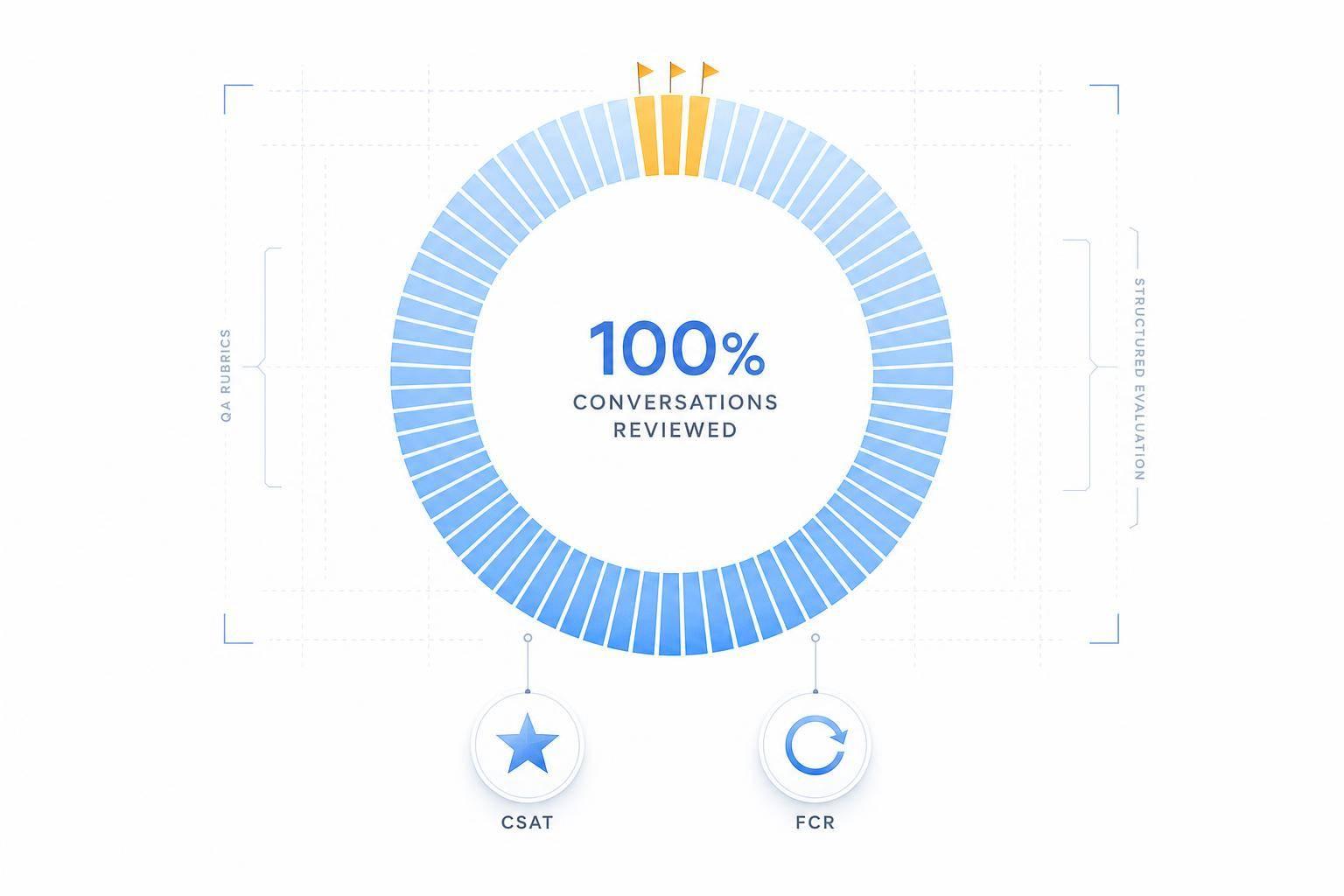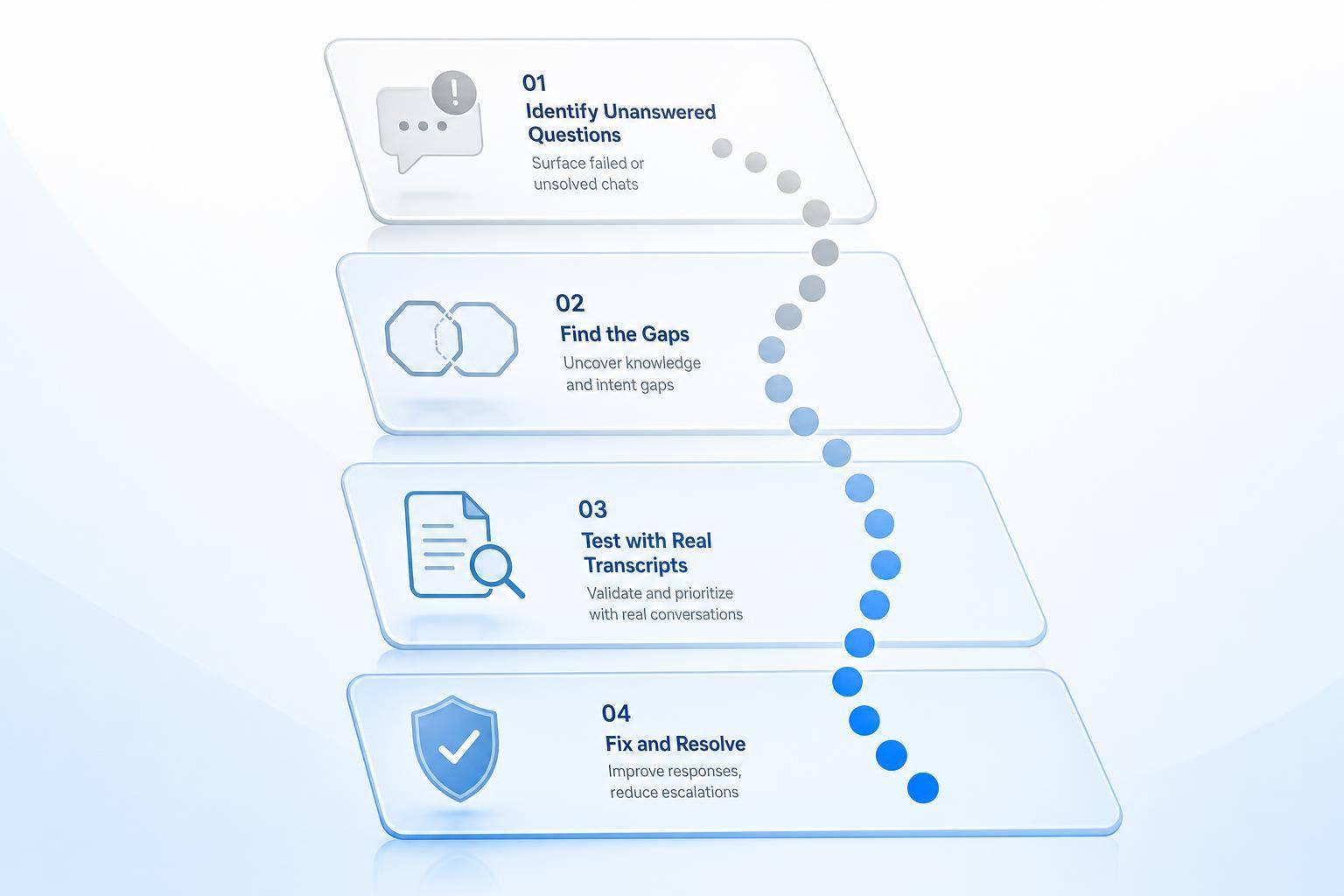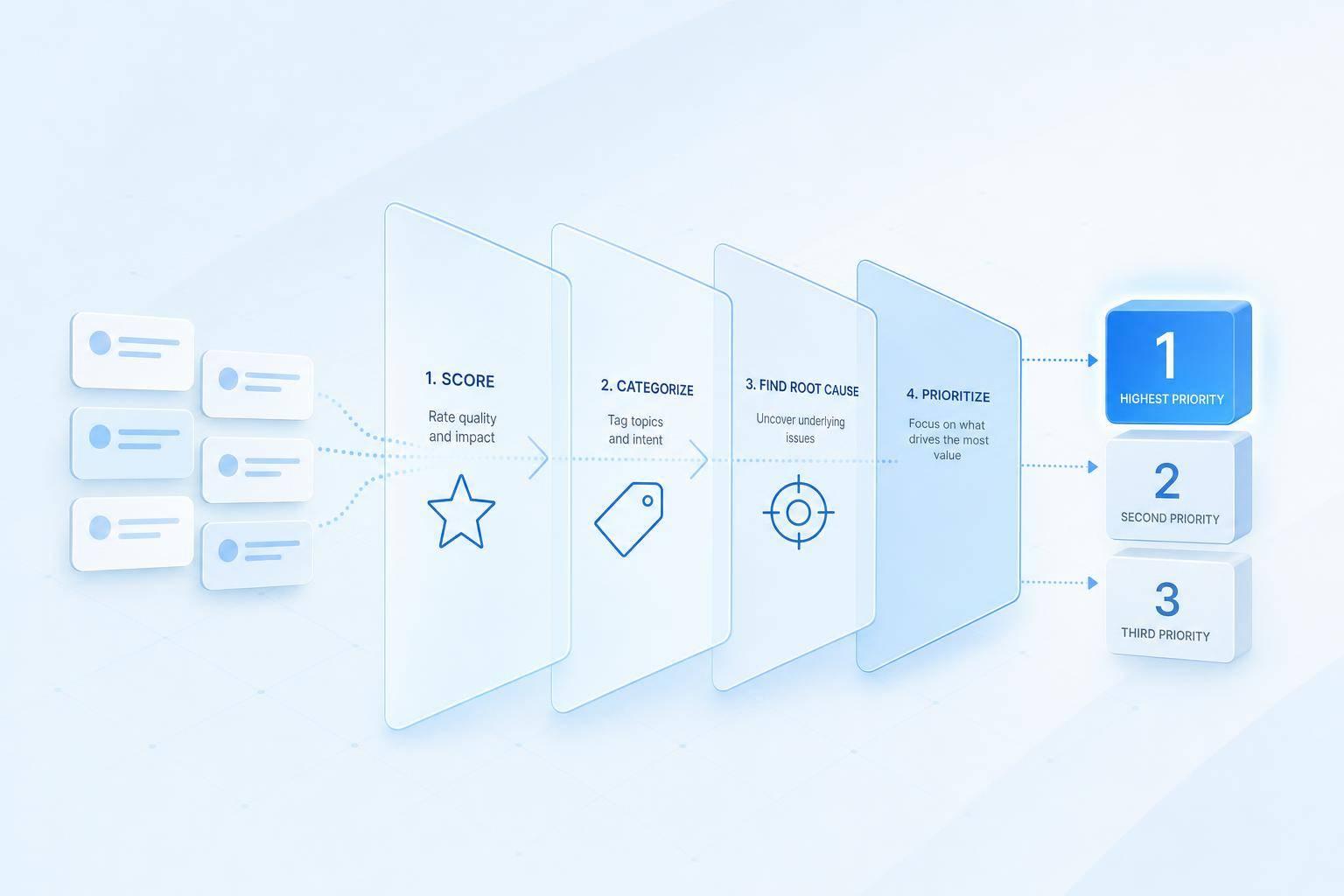
If I want better AI support, I shouldn’t just read chats and fix random issues. I should review conversations the same way I build a work queue: score them, tag them, trace the cause, and rank fixes by impact.
Here’s the short version:
- I start with the outcomes I want: more resolved issues, better lead handling, and better escalation routing
- I review more than chat logs: handoff data, agent notes, feedback, and system metadata
- I score each conversation on intent recognition, answer accuracy, tone, escalation timing, and resolution quality
- I tag low-scoring chats with a fixed error list so patterns show up fast
- I split findings into failures and repeatable wins
- I map each issue to a root cause: knowledge gap, workflow/routing, prompt/logic, or integration
- I rank fixes using impact, frequency, business value, and effort
- I turn that into a shared backlog and review results every week and month
A few numbers stand out. The article suggests reviewing 10 conversations per week to start, or 10 per client per week for larger teams. It also calls for a 20-minute weekly check on first response time, top intent tags, and CSAT, plus daily alert checks for spikes and SLA risk.
What I like here is the main point: a transcript review is only useful if it ends with assigned fixes and clear before-and-after measurement. That means looking past the bad reply itself and asking what caused it - and what metric it hurts, like CSAT, ticket volume, AHT, escalations, or revenue.
So this isn’t a cleanup task. It’s a simple system for turning support conversations into a ranked list of work that the right team can ship next.
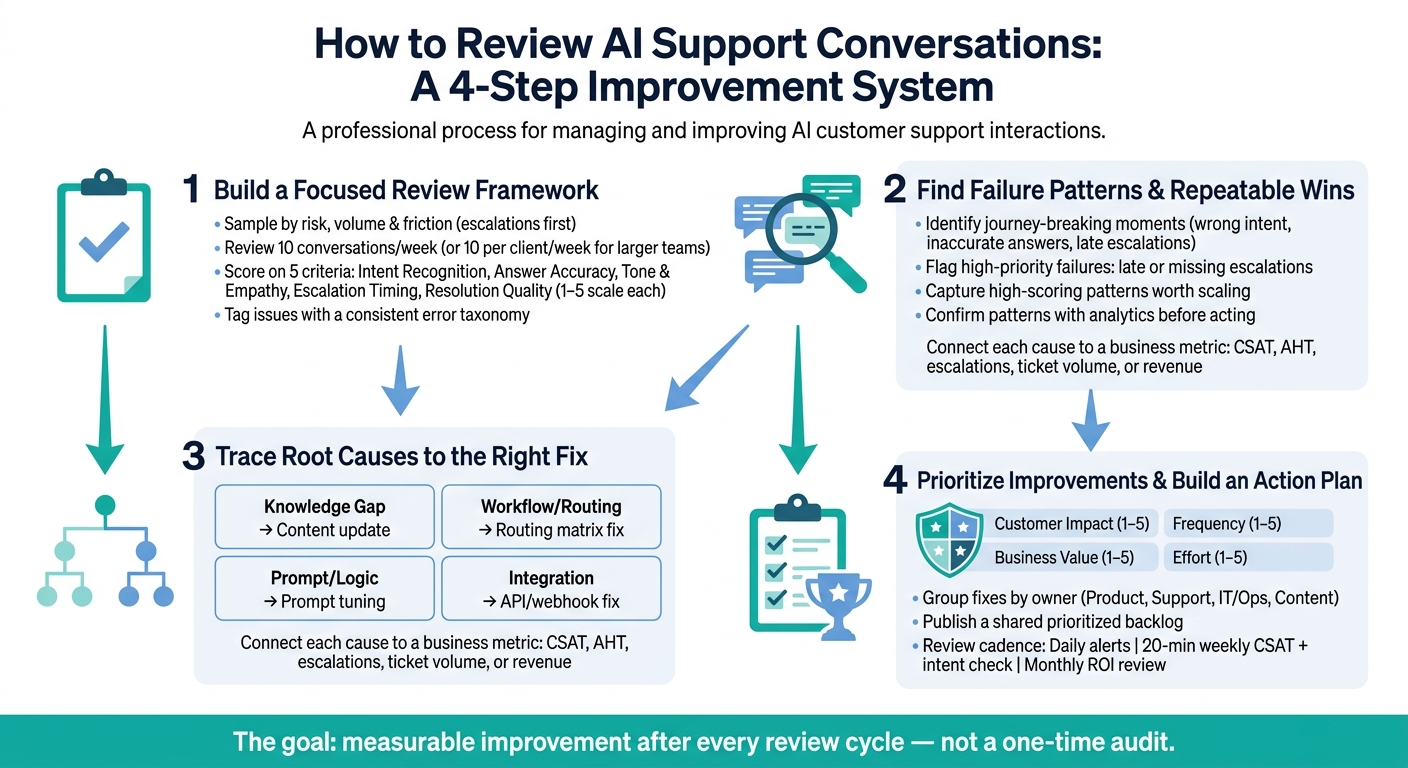
How to Review AI Support Conversations: A 4-Step Improvement System
Step 1: Build a focused review framework before reading transcripts
Use a clear review framework before anyone starts reading transcripts. That way, reviewers judge the right conversations the same way and apply tags in a consistent way.
Sample conversations by risk, volume, and customer friction
Start with the chats that matter most: escalations and the intents you see most often. After that, add a random sample to catch issues you might miss otherwise. The goal is simple: look at the conversations most likely to affect resolution, escalation, or lead capture.
A good starting point is 10 conversations per week. If you manage a larger team, review 10 per client per week [1].
| Category | Priority | Sampling Trigger |
|---|---|---|
| Escalated chats | High | Any conversation routed to a human agent |
| Top-volume intents | Medium | Most frequent intent categories from the past 30 days |
| Random sample | Low | Randomly selected conversations without filters |
Score this sample with the same rubric in the next section.
Use a simple QA scorecard built for AI performance
A scorecard gives every reviewer one shared standard. Without it, two people can read the same transcript and walk away with two different judgments. When that happens, your trend data gets messy fast.
Score each conversation on five criteria with a 1–5 scale.
| Scorecard Criterion | What It Measures | Scoring Range | Good Performance Example | Poor Performance Example |
|---|---|---|---|---|
| Intent Recognition | Accuracy of identifying the user's goal | 1–5 | Correct intent from an ambiguous phrase | Wrong intent category assigned |
| Answer Accuracy | Factual correctness of the response | 1–5 | Exact policy detail returned | Outdated or incorrect information given |
| Tone & Empathy | Brand voice and sentiment alignment | 1–5 | De-escalating tone during a complaint | Cheerful language during a fraud report |
| Escalation Timing | Appropriateness of the human handoff | 1–5 | Immediate escalation on legal mention | User looped repeatedly with no handoff |
| Resolution Quality | Problem solved without follow-up needed | 1–5 | Resolved without follow-up (5) | User reopens ticket within 48 hours |
Tag issues with a consistent error taxonomy
Scores tell you how bad a conversation went. Tags tell you why.
For any conversation that falls below your threshold, assign one or more error tags from a short fixed list. Every reviewer should use the same tags in the same way. If the list gets too long, pattern spotting turns into a headache.
It also helps to use fixed trigger tags like "Refund" or "Bug" so the taxonomy stays consistent without adding manual work [2]. In ChatSpark reporting, or in an exported review sheet, you can filter by tag to see which error type shows up most often and how that pattern changes over time.
That gives you something much more useful than a pile of transcript notes. It gives you a ranked backlog of issues to fix. Later, those same tags also help you group problems by root cause.
Use the scorecard and tags to spot repeat patterns in the next step.
Step 2: Review conversations to find failure patterns and repeatable wins
Use the scorecard and tags from Step 1 to review transcripts for failure patterns and repeatable wins. The goal is simple: spot where the conversation stopped being useful, and pin down what made the good exchanges work. From there, sort transcripts into two groups: failures and repeatable wins.
Find the moments that break the customer journey
Go through transcripts and look for the points where things start to fall apart. That can include wrong intent detection, inaccurate answers, workflow breaks, tone problems, and multilingual customer support gaps.
Also tag smaller issues that still hurt the experience, like:
- vague responses
- missed follow-up questions
- dead-end handoffs
If an escalation was late or never happened, mark it as a high-priority failure.
At the same time, review those same transcripts for what worked. A conversation can contain both a mistake and a useful pattern, so it helps to look at both sides instead of treating each transcript as all good or all bad.
Identify strengths worth scaling across more conversations
High-scoring conversations deserve just as much attention. If the assistant identifies the right intent, stays focused, and resolves the issue without extra friction, note what made that exchange work.
That might be a strong opening question, a clean handoff, or a reply that moved the user straight to an answer. Those patterns can then be applied to other high-volume flows, especially the ones that struggle with consistency.
Use ChatSpark analytics to confirm patterns at scale
Once you see a pattern in transcripts, check ChatSpark analytics to see if it shows up often enough to act on. Use consistent tags like intent:lead, topic:billing, and outcome:resolved to keep reporting aligned [1].
When transcript review and analytics point to the same issue, you’re not guessing anymore. You have a clear fix to take into root-cause analysis.
Step 3: Find root causes and map them to the right fix
Take the failure patterns from Step 2 and trace each issue back to its cause. That part matters more than the surface-level transcript symptom.
A bad transcript usually shows what happened, not why it happened. And the fix changes based on the cause. Was it a knowledge problem? A routing miss? A logic issue? An integration failure?
That’s why root-cause labels matter. They help you rank fixes by business impact, not by random transcript noise.
Separate knowledge gaps from workflow or routing failures
Before you edit a knowledge base article, stop and ask a simple question: Did the assistant fail because it didn’t know the answer, or because it couldn’t reach the right information or person?
Those are two very different problems.
Most root causes fall into four buckets:
- Knowledge gaps - Missing, outdated, or hallucinated content
- Workflow or routing failures - Wrong queue, failed handoff, or missing escalation
- Prompt and logic issues - Loops, intent errors, or too many turns
- Integration failures - Data, auth, or system lookup failures
This split keeps teams from applying the wrong fix. If the bot had the answer but couldn’t pass the case to the right team, rewriting content won’t help. If the issue came from bad order data, prompt changes won’t solve it either.
Trace each issue to its business impact
Next, connect the cause to the metric it affects.
Don’t just label an issue and move on. Tie each root cause to the number it changes: CSAT, escalations, ticket volume, AHT, or revenue.
That step helps teams focus on what moves the business. A small transcript flaw might look annoying but have little cost. Meanwhile, a routing error that shows up again and again can drive up handle time and push more customers to escalate.
Classify issues in a root-cause table
This is where messy transcript notes turn into fix categories the team can act on.
| Root-Cause Category | Common Transcript Symptoms | Likely Business Impact | Likely Fix Type |
|---|---|---|---|
| Knowledge Gap | Vague answers; no answer available; hallucinations | Lower CSAT; avoidable ticket volume | Content update; website crawl |
| Workflow / Routing | Misrouted tickets; long wait; context loss on handoff | High AHT; churn risk | Routing matrix update; CRM sync |
| Prompt / Logic | Conversation loops; 4+ turns for simple tasks; intent errors | Higher cost per resolution | Prompt tuning; threshold adjustment |
| Integration | Cannot access data; missing order data; auth errors | Missed revenue; high escalation rate | API/webhook fix; system access |
Use the same tags each time so every issue lands in one root-cause category. That makes patterns easier to spot, and it gives the team a clear path from transcript review to action.
Step 4: Prioritize the right improvements and build an action plan
Now it’s time to turn the root-cause table from Step 3 into a ranked fix list.
Score each improvement by impact, frequency, value, and effort
Give each issue a score from 1–5 across four factors:
- customer impact
- frequency
- business value
- effort to implement
For business value, use the metric the fix affects most: revenue, retention, or compliance.
High-frequency issues tied to common intents, like password resets or billing questions, usually need attention first. Why? Because they show up in more conversations and can create a bigger drag on results than rare, one-off problems.
Group fixes by owner and change type
Once everything is scored, sort the issues by owner and by the type of work required. Then assign each fix to the team responsible for making that change.
That step sounds simple, but it saves a lot of back-and-forth. If a routing issue belongs to Support and an integration issue belongs to IT/Ops, everyone knows where the ball goes.
Publish a prioritized backlog and set a review cadence
Use the scores to place each fix into a shared backlog. Transparency matters here. When people can see why something ranked where it did, debates tend to shrink and execution moves faster.
| Issue/Improvement | Impact (1–5) | Frequency (1–5) | Business Value (1–5) | Effort (1–5) | Owner | Timeline |
|---|---|---|---|---|---|---|
| Password Reset Flow | 5 | 5 | 4 | 2 | Product/Dev | Week 1 |
| Billing Dispute Routing | 4 | 2 | 5 | 3 | Support Lead | Week 2 |
| Multilingual FAQ (Spanish) | 3 | 4 | 3 | 2 | Content Team | Week 3 |
| CRM Integration Sync | 4 | 3 | 5 | 5 | IT/Ops | Month 1 |
Review the backlog monthly. Compare pre- and post-fix containment rate and ROI. Measure before and after each fix so you can show what changed, not just what your team worked on.
Then use that monthly review to feed new findings into the next review cycle.
Conclusion: Turn conversation reviews into continuous AI support improvement
Once the backlog is live, conversation review should run as a weekly operating loop, not a one-time audit. Set clear goals. Review the right conversations. Tag issues the same way each time. Trace problems back to root causes. Then rank fixes in a scored matrix.
The big takeaway is simple: the four scoring criteria - customer impact, frequency, business value, and implementation effort - decide where the team should focus next.
ChatSpark helps teams track whether those fixes are doing their job. It surfaces repeat intent gaps through Key Queries and shows whether new training data is improving responses [1]. It also tracks sentiment trends, which can help teams spot sudden shifts in customer mood [2]. On top of that, teams can set automated alerts in Slack or email when 90th percentile response times go past SLAs or when high-risk tags like billing or legal jump [1].
After the backlog is published, keep things moving with a light review cadence:
- Check alerts for unusual spikes daily [1]
- Spend 20 minutes weekly reviewing First Response Time, top intent tags, and CSAT
- Use that review to measure the effect of shipped fixes and pick the next highest-priority fix [2]
The goal isn't perfection. It's measurable improvement after every review cycle.
FAQs
How do I choose which AI conversations to review first?
Start with impact and volume. Use the 80/20 rule to spot the intents or topics behind most conversations, then go after the cases that show up often and are simple to handle with low risk.
Give extra attention to topics linked to weak KPIs, like:
- low resolution or containment
- slow response or resolution
- low CSAT
- frequent fallback or intent failures
- escalations
It also helps to review weekly outliers, especially chats with low confidence - about 40% or less - or cases with repeated failures.
What’s the best way to find the root cause of a bad support chat?
Review interaction logs in a structured way using conversation analytics, tagging frameworks, and qualitative scorecards. Group chats by intent, like billing, bugs, or shipping, so you can spot the pain points that show up most often.
Then line up those tags with CSAT trends, fallback rates, abandoned chats, and sentiment spikes. That makes it much easier to find workflow bottlenecks, confusing steps, inaccurate responses, and content gaps.
How do I decide which AI support fixes to prioritize first?
Prioritize fixes by impact and effort using your review tags and dashboards. Start with the intent tags that show the most volume. Then score issues based on frequency, complexity, and business risk. Go after the issues that happen often, are easy to fix, and carry low risk first.
Within each tag, look at containment rate, escalation or handoff rate, CSAT, and first response time or time to resolution. That makes it easier to see what frustrates customers most and where your process starts to slow down.