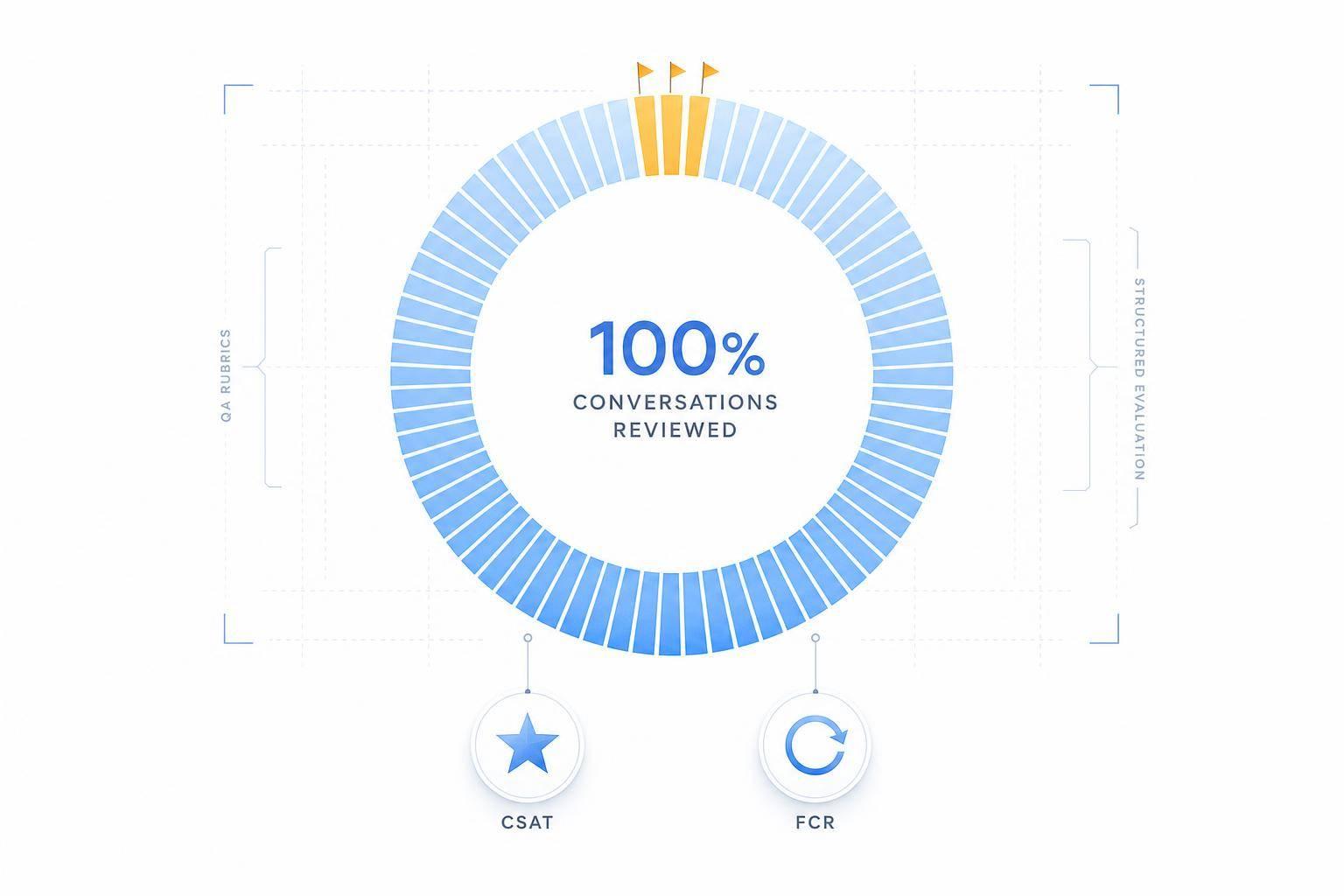
If your team reviews only 1% to 5% of support conversations, you're missing most of what customers experience. I’d sum up this guide like this: use AI to score 100% of interactions, apply one clear rubric across channels, flag critical failures right away, and tie QA results to business metrics like CSAT, FCR, repeat contacts, and cost per contact.
Here’s the short version:
- I’d build one QA scorecard with weighted checks for resolution, compliance, accuracy, completeness, empathy, tone, brand voice, escalation, and customer effort/sentiment
- I’d turn soft standards into plain pass/fail rules based on transcript evidence
- I’d set score thresholds like 90–100, 80–89, 70–79, and below 70, with critical failures overriding total score
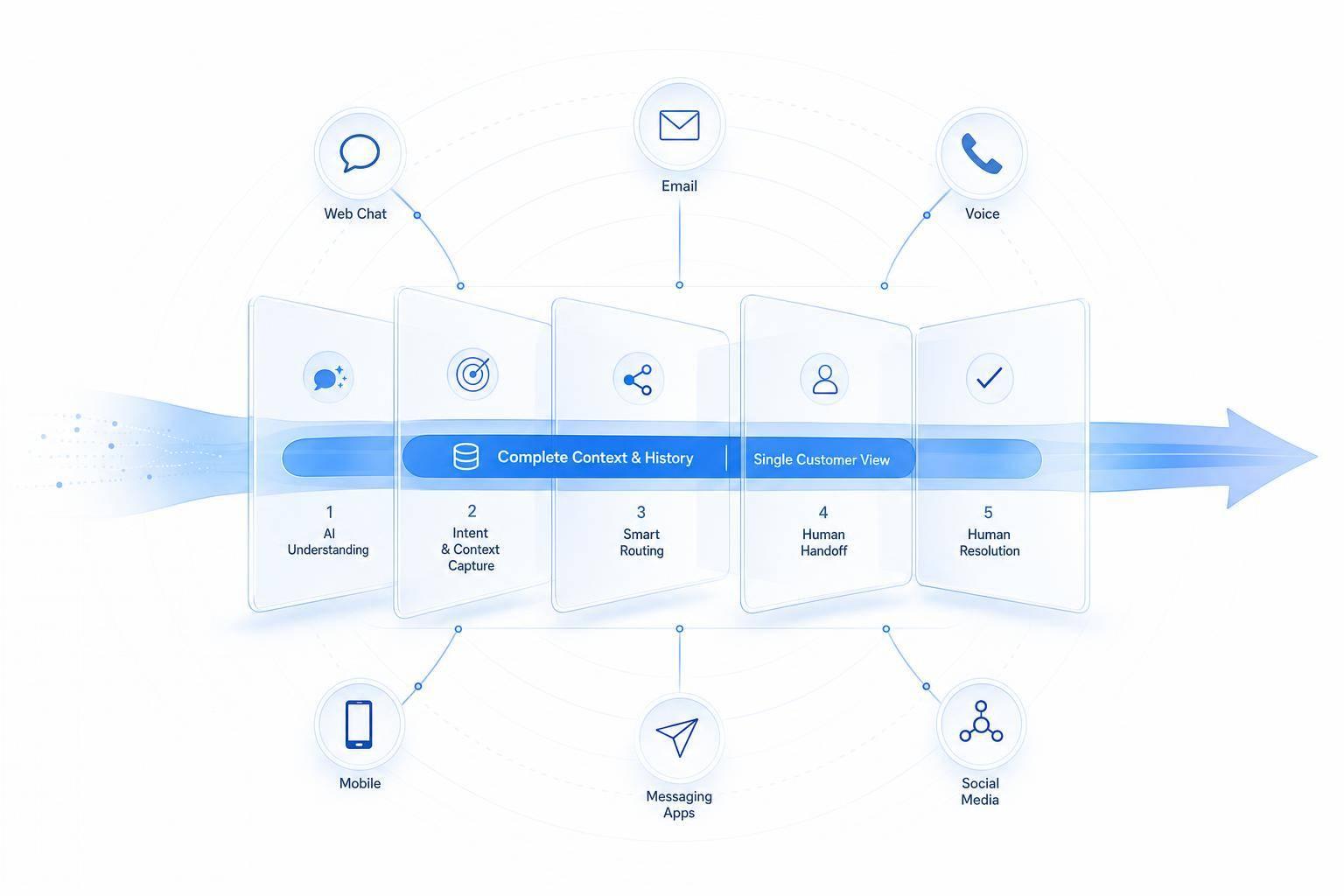
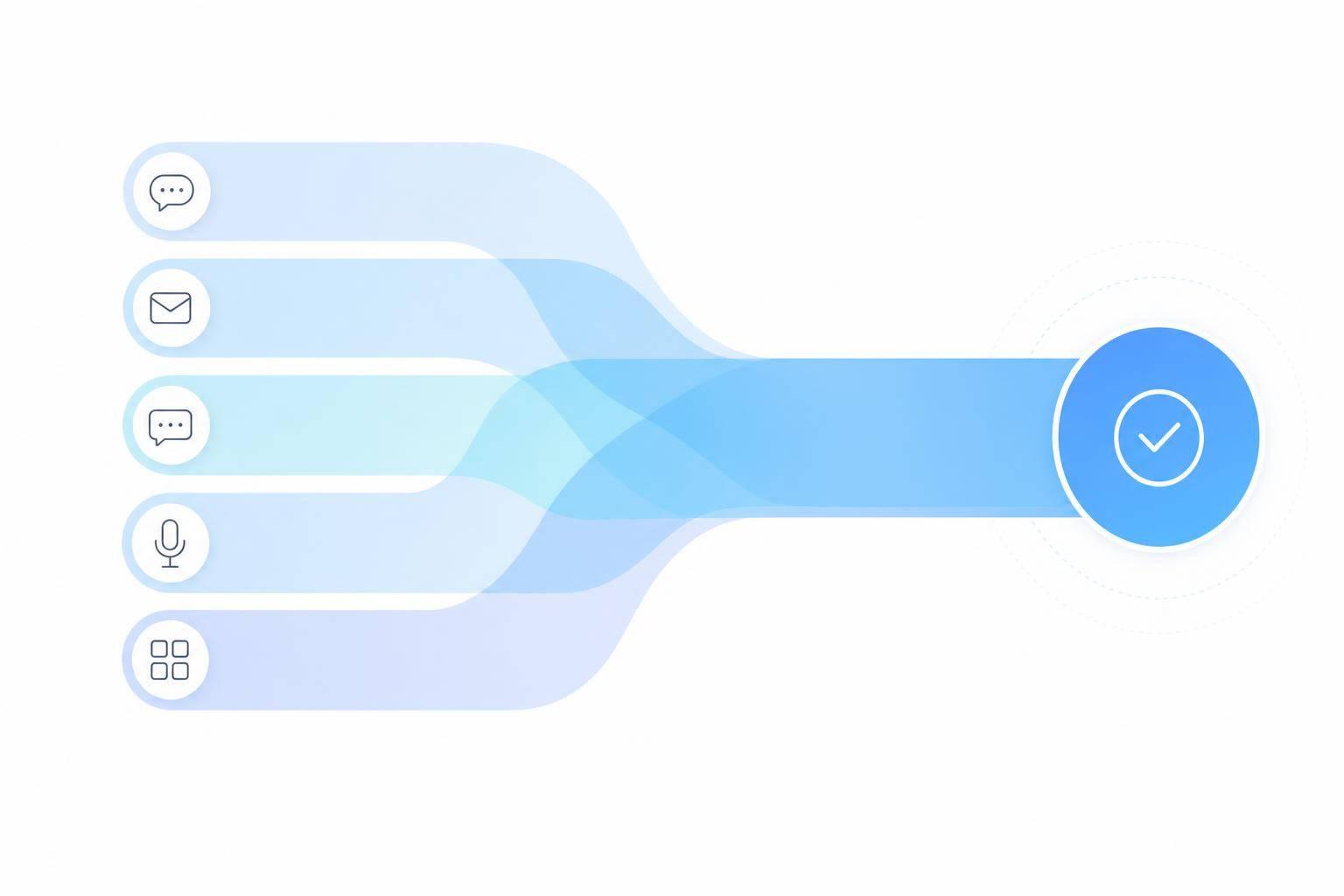
- I’d run QA across chat, email, voice, SMS, and social messaging from one data layer
- I’d use scorecards for coaching, alerts for risk, summaries for review, and analytics for pattern tracking
- I’d measure impact against FCR, CSAT, compliance rate, repeat contact rate, containment rate, and cost per contact
- I’d recalibrate on a set schedule, especially after policy or product changes
A quick side-by-side makes the point clear:
| Area | Manual QA | AI QA |
|---|---|---|
| Coverage | 1%–5% | 100% |
| Feedback timing | 3–5 days later | Same day |
| Scoring | Varies by reviewer | One standard |
In other words: the job is not just to score conversations. It’s to find issues early, coach with proof, and fix process gaps before they spread.
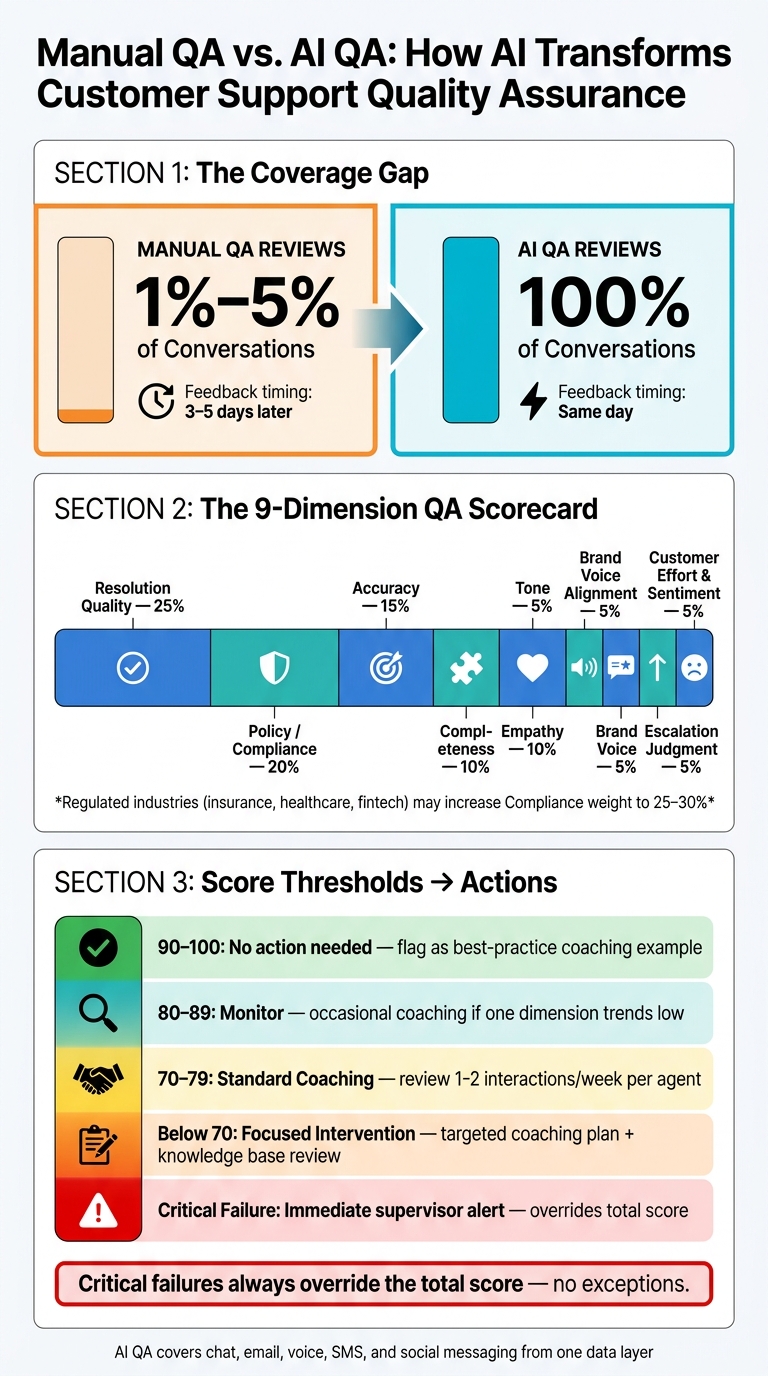
Manual QA vs. AI QA: Full Coverage Across Every Support Channel
Build an AI QA scorecard for every interaction
Start with a clear rubric. You want weighted quality dimensions and scoring rules that judge every conversation the same way. From there, define the dimensions that shape each review.
Choose the core quality dimensions to score
Use nine weighted dimensions. Resolution quality and policy compliance should carry the most weight because they have the biggest effect on customer outcomes and business risk.
| Dimension | What it checks | Suggested weight |
|---|---|---|
| Resolution quality | Issue fully resolved, clear next steps, sustainable solution | 25% |
| Policy/compliance | Legal, privacy, financial, and safety rules followed | 20% |
| Accuracy | Information matches your knowledge base and policies | 15% |
| Completeness | All parts of the question answered, disclosures included | 10% |
| Empathy | Feelings acknowledged, experience validated | 10% |
| Tone | Professional, respectful, and clear | 5% |
| Brand voice alignment | Matches your defined style and language guidelines | 5% |
| Escalation judgment | Escalated when required, not over- or under-escalated | 5% |
| Customer effort and sentiment | Ease of resolution, expressed sentiment across the conversation | 5% |
In regulated fields like insurance, healthcare, and fintech, teams often move compliance up to 25%–30%.[3][4] High-volume ecommerce teams may put more weight on resolution quality instead, especially when repeat contacts are driving up support costs.
Turn vague standards into specific, checkable rules
Words like professionalism and empathy sound fine on paper. But they don't help much unless you define what they look like in an actual transcript. The fix is simple: turn each expectation into a concrete behavior that is either present or absent.
For empathy, write the rule like this: when the customer shows frustration or disappointment, the response must include an explicit acknowledgment, such as I understand this has been frustrating, and a reassurance or commitment, such as Let's get this sorted out together. AI can pick up negative sentiment in the transcript and then check whether both parts are there.
Compliance rules should be even more direct. For refunds above $100.00, the response must include the required refund policy disclaimer.[2][3] Or, before changing account ownership, the transcript must show identity verification steps based on company policy. Think in simple if/then terms: if the trigger appears, the required language must appear too.
For resolution quality, focus on what happens next. If a ticket needs follow-up action, the response should spell out what will happen, when it will happen, and how the customer can verify it or check back in. Vague closings like we will review this and follow up by [date] shouldn't pass.
Set score thresholds for alerts, coaching, and audits
Once your weighted dimensions and rules are in place, define what each score range means in day-to-day work. The point isn't just to report scores. It's to tie scores to action.
A simple threshold setup works well for most U.S. support teams:
- 90–100: No action needed. Flag it as a best-practice example for coaching libraries.
- 80–89: Monitor. Schedule occasional coaching if one dimension keeps scoring low.
- 70–79: Standard coaching. Review one to two interactions per week per agent in this range.
- Below 70: Focused intervention. Build a targeted coaching plan and check whether knowledge base articles or macros need updates.
- Any critical failure: Immediate alert to a supervisor, no matter what the total score says.
Here's where teams often trip up: a conversation can score 85 overall and still need immediate review if a required disclosure was skipped. Critical failures should always override the total score. Write that rule down plainly so nobody is left guessing when it comes up.
Document the thresholds and scoring rules in a QA handbook, then calibrate reviewers until variance stays below 5%.[5][6] Once the rubric is calibrated, apply it across chat, email, voice, and messaging.
Set up AI QA across chat, email, voice, and messaging
Once your scorecard is calibrated, the next move is to make sure it can review every conversation across every channel - not just a small sample.
Prepare transcripts, policies, and channel data
AI QA works best with clean, complete inputs. Before scoring starts, pull together the conversation history for each channel, plus the policies, knowledge base articles, and compliance guidelines the system needs to check.
If those inputs are patchy or inconsistent, the scores won't mean much. Garbage in, garbage out applies here.
Apply one QA framework across every channel
Use one standard scorecard across all customer conversations. ChatSpark's AI scorecards review each interaction against seven weighted categories: Answer Accuracy, Tone and Professionalism, Completeness, Empathy, Context Retention, Conversation Flow, and Resolution Quality [1].
That same framework can work across every support channel. What shifts from one channel to another is the amount of context available and the part of the customer experience you want to focus on during review.
A live chat thread, for example, gives you a back-and-forth record in one place. Voice support may need transcript cleanup and more attention on pacing or handoffs. Messaging apps can stretch across hours or days, which puts more weight on context retention.
Use ChatSpark as the central QA data layer
ChatSpark brings together omnichannel conversations from websites, Instagram, Facebook, WhatsApp, Telegram, and Slack in one place, so support teams can review interactions in a single workflow.
ChatSpark's CX Lab governance also lets support leaders version, validate, and audit AI configurations before deployment, using simulations to generate scorecards and regression reports [1]. On top of that, its analytics and reporting tools help support leaders track performance trends in one place, which makes it easier to standardize QA, compare channels, and spot recurring issues sooner.
Use scorecards, alerts, and analytics to improve support operations
Review conversation scorecards and summaries
Once every conversation is scored, you can use the results in three clear ways: review performance, flag risk, and spot fixes that affect the whole support system.
Each scored conversation creates a scorecard with category scores, a rationale, and action items. Under the scorecard, an action list connects low scores to specific fixes. If a score is low, the team can jump straight to the related fix instead of digging around for what went wrong.
Summaries add another layer of context. They show the issue, actions taken, customer sentiment, and next steps. If your team reviews a high volume of interactions, that summary helps people scan faster and catch unresolved cases that need a closer look.
Set automated alerts for high-risk issues
Scorecards are great for coaching, but they don't move fast enough when something needs attention right away. That's where automated alerts earn their keep.
Start by setting alerts around the interactions most likely to cause real damage. Trigger alerts for compliance, security, retention, and technical keywords, then route each one to the right team.
Scorecards show what happened. Alerts tell teams when to act now.
| QA Output | Primary Use Case | Key Data Points |
|---|---|---|
| Scorecards | Coaching & performance review | Category scores, reasoning, action items |
| Alerts | Risk management | Sentiment spikes, compliance triggers, high-risk keywords |
| Summaries | Context & agent efficiency | Customer question, steps taken, sentiment, next steps |
| Trend Analytics | Process improvement | Resolution rates, recurring gaps, learning efficiency |
Use scorecards for coaching, alerts for immediate risk, summaries for context, and analytics for trend analysis.
Turn QA findings into coaching and workflow changes
Low scores only matter if they lead to a clear change. The best move is to look for patterns across conversations, not just one-off misses.
Here's what that can look like:
- Low Empathy scores can point to script changes.
- Weak Context Retention can signal thread-handling fixes.
- Repeated Resolution Quality misses often point to workflow gaps or missing knowledge.
Repeated low Resolution Quality scores usually mean the problem sits in the workflow, not just with one agent. Fix the workflow, and you can cut repeat contacts while improving resolution rates.
Those patterns then feed into coaching, knowledge updates, and process changes.
Measure results and build a continuous QA program
Track the metrics that show business impact
Once your scorecards and alerts are live, the next step is simple: check whether they move the numbers that matter to the business.
This is where QA stops being “just a support function” and starts speaking the language of finance, ops, and leadership. If QA scores go up but cost per contact, CSAT, or repeat contacts stay flat, something’s off. But when those numbers improve together, the impact is much easier to see.
The table below links core QA metrics to the business outcomes they influence:
| QA Metric | Business Outcome | How It Shows Impact |
|---|---|---|
| Average QA score | Lower cost per contact | Fewer reopens and escalations reduce handling time |
| Policy compliance rate | Reduced risk and fewer refunds | Better adherence decreases legal exposure and unnecessary credits/refunds |
| Resolution quality score | Higher FCR and CSAT | Accurate resolutions reduce repeat contacts and increase satisfaction |
| Empathy/tone score | Better CSAT and NPS | More empathetic interactions improve customer satisfaction and word-of-mouth |
| Escalation handling quality | Stronger consistency and lower senior workload | Proper triage and clear documentation reduce time spent by senior agents |
| Containment rate | Lower staffing and outsourcing costs | More issues resolved without human escalation reduce outsourced or higher-tier costs |
| Repeat contact rate | Lower churn and support volume | Fewer customers needing multiple contacts lowers frustration and volume growth |
Track QA score trends next to FCR, CSAT, repeat contact rate, and cost per contact. Looking at these metrics side by side gives you a clearer picture of whether QA changes are helping or just looking good on paper.
Calibrate and update the system on a regular schedule
If policies, products, or promos change, your QA system has to change with them. Otherwise, scores start to drift.
That drift happens fast. A new refund policy, a product release, or even a seasonal offer can change what good support looks like almost overnight. A rubric that made sense last month can become outdated before anyone notices.
A steady calibration process usually looks like this:
- Start with a 30–60 day baseline where AI QA runs alongside your current manual reviews
- Compare AI and human scores on the same conversations
- Tighten the rules anywhere the scores don’t match
- Move to monthly spot-checks after the baseline period
- Run a full calibration cycle every quarter
- Recalibrate right away after any major policy or product change
Governance matters just as much as scoring. Keep a change log so every policy update triggers a QA impact review before it goes live. Bring in policy owners and frontline leads to check updated rubrics. Then feed what you learn into coaching, monthly QA reviews, and quarterly strategy updates.
Conclusion: How to review every conversation without adding manual work
The move from manual spot checks to full conversation coverage comes down to five repeatable steps: define a clear scorecard with specific, checkable rules; connect every support channel into one QA data layer; automate scoring across 100% of interactions; act on alerts and summaries to fix issues fast; and measure outcomes using the metrics leadership already cares about, like CSAT, FCR, time to resolution, cost per contact, repeat contact rate, and retention risk.
When this works, AI QA becomes part of the team’s daily workflow, not a tool that gets set up once and then fades into the background. You get better service quality, sharper coaching, and lower costs without piling on more manual work. What grows is visibility. Not workload.
FAQs
How long does AI QA take to implement?
AI quality assurance isn’t a one-and-done job. It takes work before launch, and it keeps taking work after the system goes live.
Before launch, expect:
- 6–10 hours for a contradiction audit
- 8–15 hours to fill knowledge gaps
- 3–6 hours to configure persona and escalation rules
Once it’s live, plan for 8–12 hours per week to update the knowledge base and refine responses based on performance data.
What counts as a critical failure?
A critical failure is a major performance gap or compliance issue that puts customer trust or day-to-day operations at risk.
Common examples include:
- Failed compliance checks
- Incorrect routing
- Missing required disclaimers
- Recurring unresolved issues
- Inaccurate information
- Confidence levels that fall well below acceptable thresholds
This kind of failure isn’t minor. It points to a problem that can affect customer experience, internal workflows, or both.
How do you keep AI QA scores accurate over time?
Treat AI QA like a living system, not a one-and-done setup.
Audit 50 to 100 interactions each week using a consistent 1 to 5 scale for:
- Accuracy
- Completeness
- Tone
Then work through a 90-day refinement plan. Review failed conversations, update your knowledge base with bot-learnable solutions pulled from successful human resolutions, and fine-tune your prompts.
Just as important, test the system against realistic scenarios, including past tickets. That gives you a clear read on how it performs in situations your team has already seen. It also helps keep performance steady as your brand and products change over time.