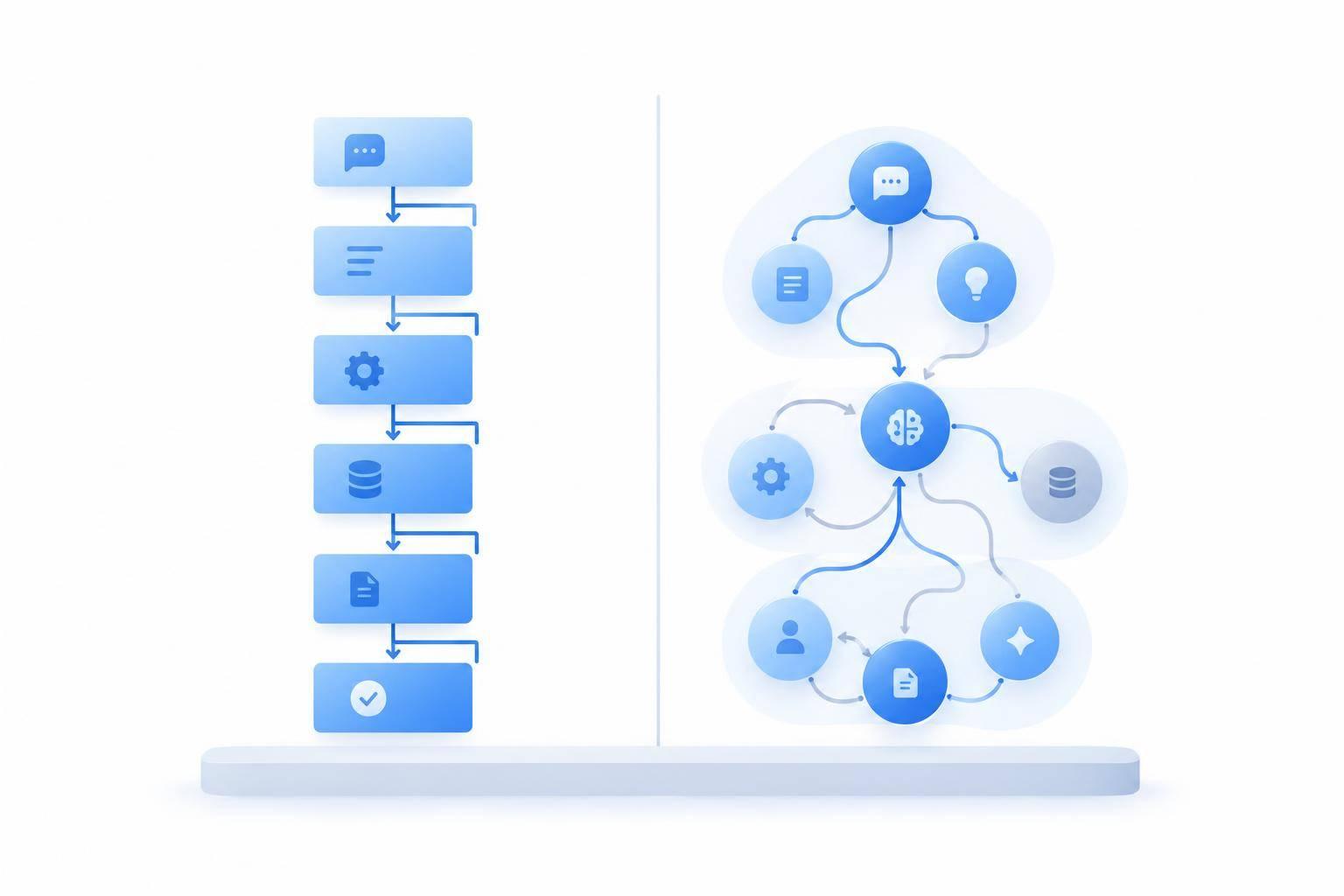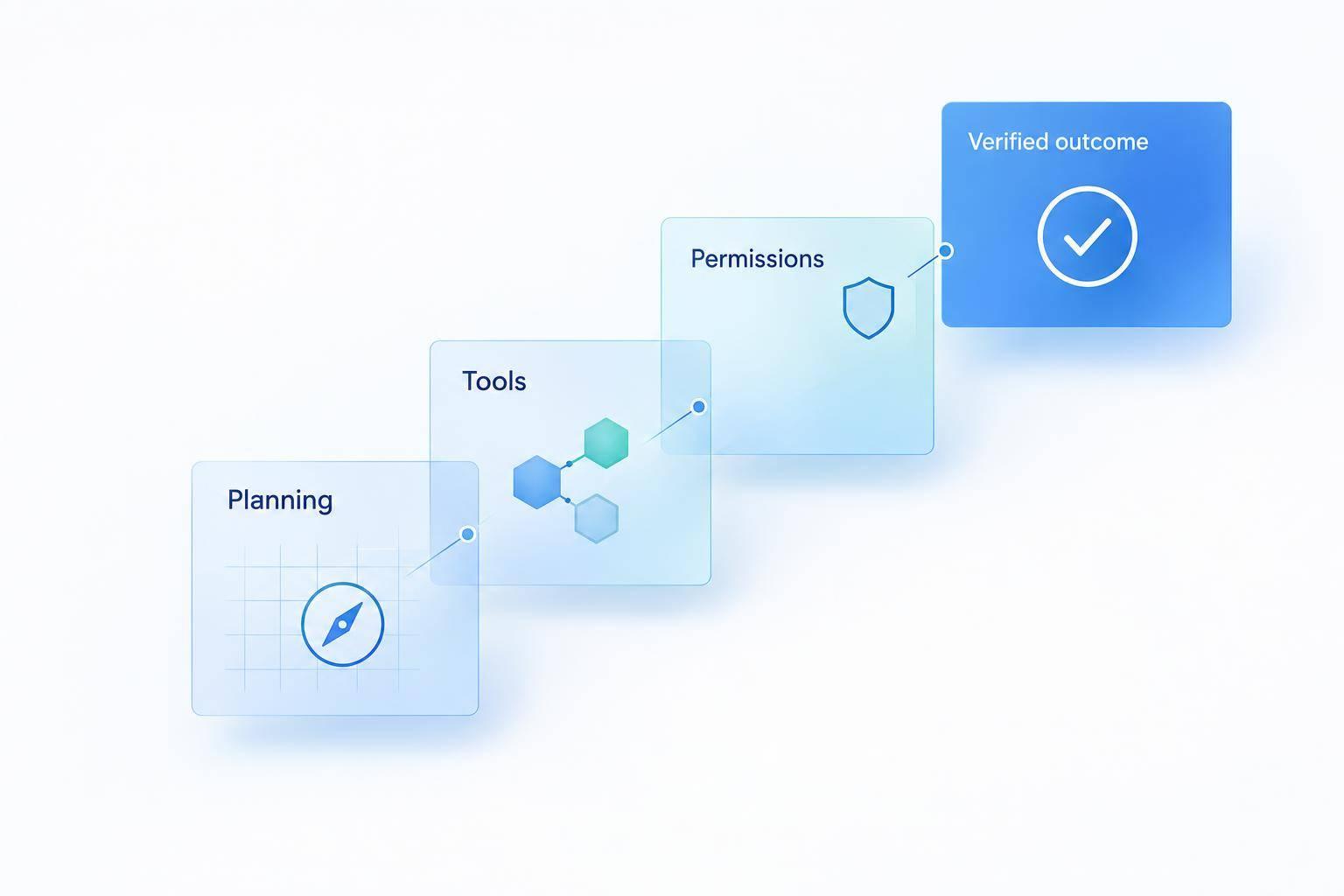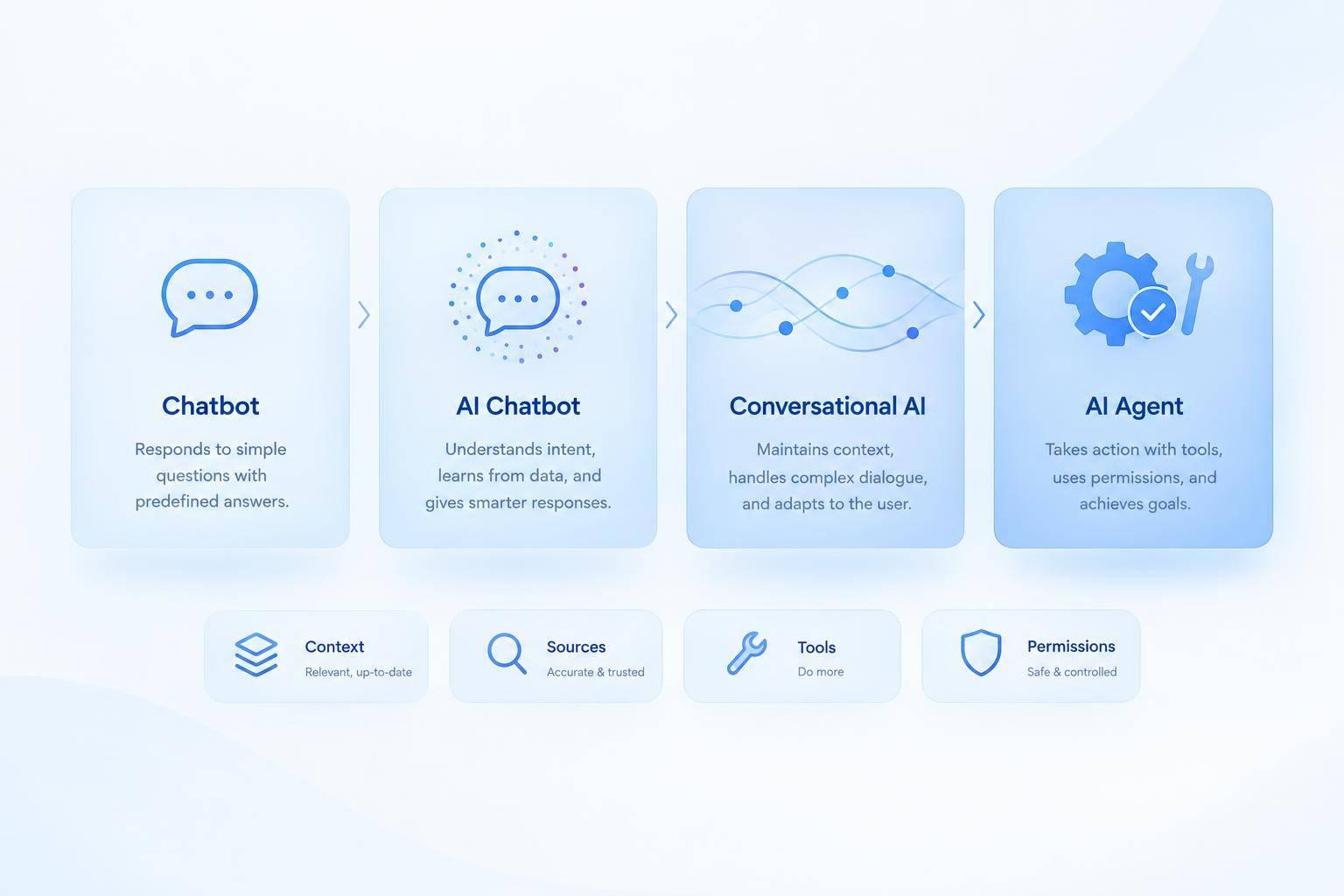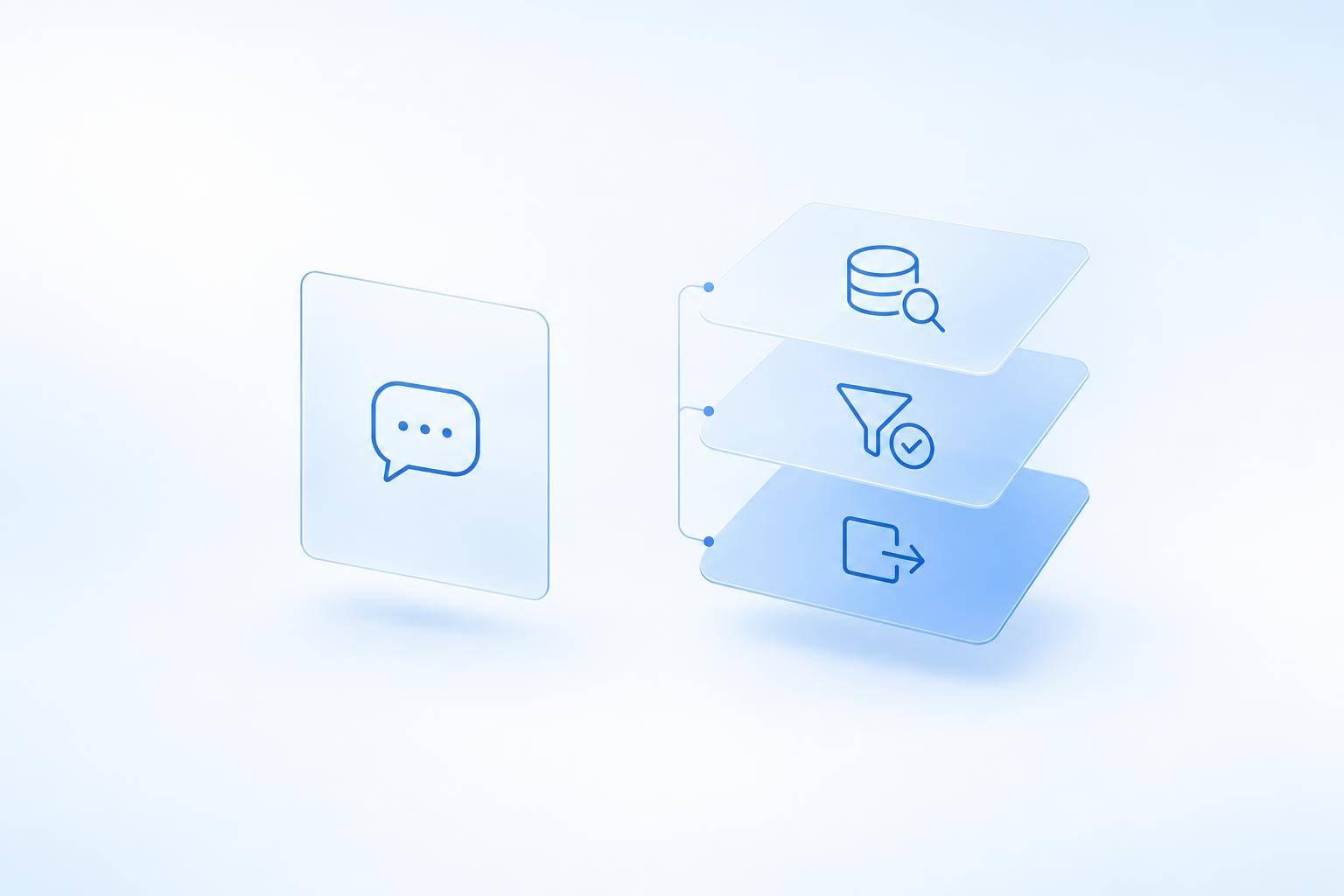
I’d choose a chatbot to explain a policy - and an AI agent to help carry out an approved task. For a 30-day refund policy, that means explaining the deadline versus checking purchase records, applying the rules, and confirming a permitted refund.
Here’s what I’d check before choosing either:
- Knowledge: Clear articles, policy owners, versions, and effective dates.
- Rules and records: For agents, testable conditions and current customer data - not policy text alone.
- Access and actions: Identity checks, separate read/write permissions, approval limits, and human review.
- Results and oversight: Confirmed tool results, duplicate-action checks, audit logs, and clear handoffs.
Quick Comparison
| What I’d compare | Answer-focused chatbot | Task-focused AI agent |
|---|---|---|
| Knowledge-base use | Finds and explains guidance | Uses guidance to choose permitted steps |
| Data and tools | Approved content; often read-only access | Also uses customer records and scoped action tools |
| Workflow and output | Answers, instructions, or handoffs | Multiple steps ending in a verified change or handoff |
| Oversight | Answer accuracy and source checks | Also checks permissions, approvals, and tool results |
The label isn’t the deciding factor. Some chatbots use tools, and some agents only recommend actions. I’d start with read-only access, verify the platform’s documented limits - including ChatSpark’s - and test one supervised task before expanding. Then I’d track accuracy, completion, escalations, cost, satisfaction, and upkeep.
How Chatbots and AI Agents Handle a Refund Request
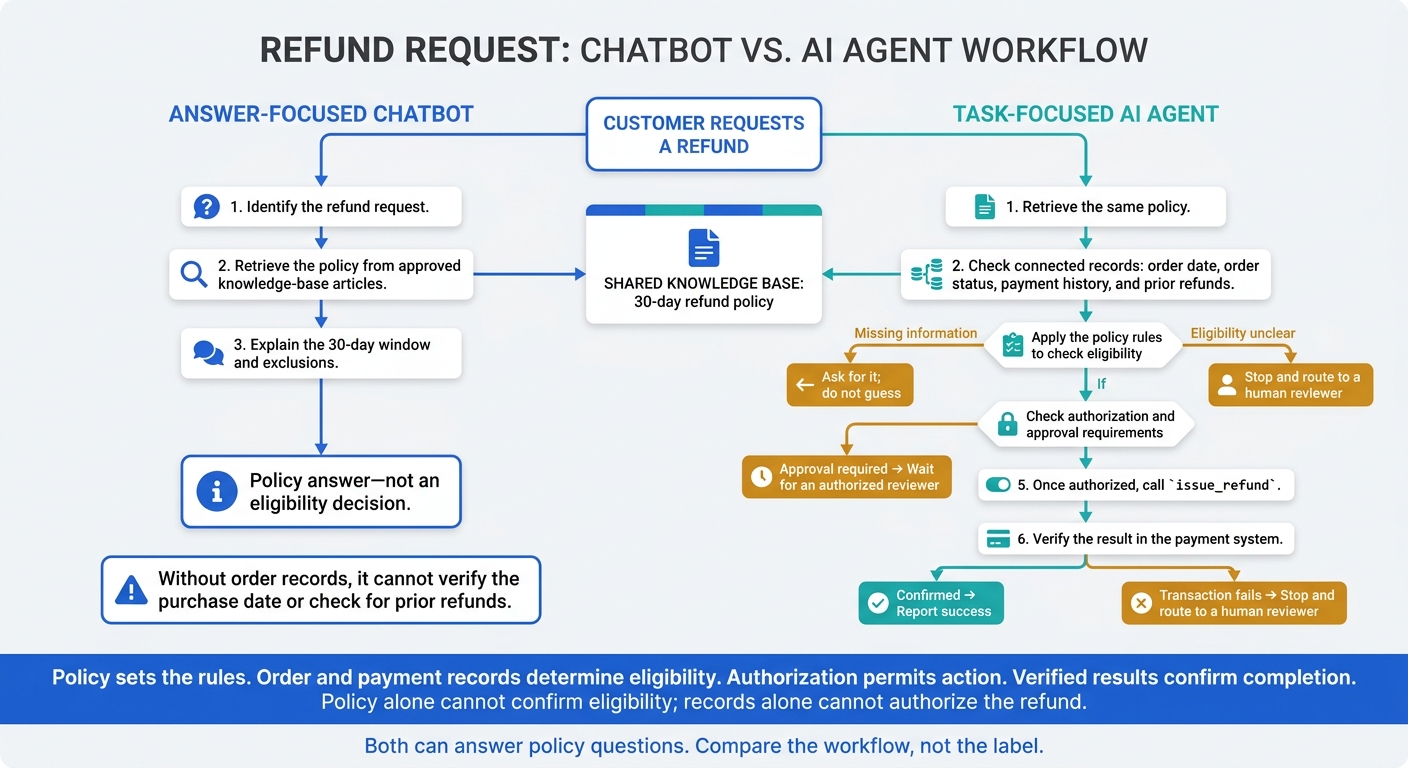
Chatbot vs. AI Agent: The Refund Workflow
The difference becomes clearer in a refund workflow. In a refund case, the policy sets the rules; order and payment records determine eligibility. Policy alone cannot confirm eligibility; records alone cannot authorize the refund.
Chatbots Find and Explain the Refund Policy
The chatbot identifies the refund request and retrieves the 30-day refund policy from approved knowledge-base articles. It explains the window and exclusions, but without order records it cannot verify the purchase date or check for prior refunds. That is enough for an answer, but not for a decision.
AI Agents Check Eligibility and Issue Approved Refunds
An agent retrieves the same policy, then uses connected tools to check the order date, order status, payment history, and prior refunds against its rules. If information is missing, it can ask for it rather than guessing. If approval is required, it waits for an authorized reviewer.
Once authorized, the agent can call
issue_refund, then verify the result in the payment system before reporting success. If eligibility is unclear or the transaction fails, it should stop and route the case to a human reviewer.
Where Chatbot and Agent Capabilities Overlap
Both can answer policy questions. The difference is what they can do next: can the system use connected tools to verify eligibility and complete an authorized refund?
Chatbots vs. AI Agents: Support Capabilities Compared
The refund example shows the pattern; the table below applies it across support tasks. Compare the workflow, not the label. These are common patterns, not hard rules.
| Capability | Answer-focused chatbot | Task-focused AI agent |
|---|---|---|
| Knowledge-base role | Provides source material for responses | Supplies rules and procedures for choosing permitted actions |
| Data sources | Approved articles, FAQs, and documentation | The same sources plus live customer, account, billing, and case records |
| Decision-making | Selects relevant information for a response | Applies rules to choose the next permitted step |
| Tool access | Retrieval, read-only lookups, or limited actions | Read/write tools with task-specific permissions |
| Workflow length | Retrieves guidance for a short exchange | Follows rules across multiple steps while retaining task state |
| Output | An answer, source link, instructions, or handoff | A verified system change or handoff |
| Errors and escalation | Requests clarification or hands off unanswered questions | Also passes along relevant rules, gathered records, tool results, and unresolved issues |
| Oversight | Checks answer accuracy, whether sources are up to date, and handoff quality | Also checks policy compliance, permissions, tool parameters, and audit trails |
These workflow differences shape what the knowledge base must contain, how current it needs to be, and which systems and records the support tool can access.
Answer-focused support usually needs less setup. A curated knowledge base, retrieval configuration, and a reliable handoff can handle informational requests without write access to business systems.
Start with read-only access, then add low-risk actions before allowing narrowly scoped write access. Test for missing data, access without permission, duplicate actions, and partial failures - including tool timeouts that could trigger duplicate actions. Each stage needs clear knowledge-base rules and access controls.
What Chatbots and AI Agents Need From a Knowledge Base
Chatbots need answer-ready content. Agents need that content plus rules, records, and permissions to carry out tasks.
In the refund case, the chatbot needs the policy; the agent needs the policy plus records, rules, and permissions.
| Requirement | Answer-focused chatbot | Task-focused AI agent |
|---|---|---|
| Content structure | Standalone articles with clear headings and direct answers | Articles plus structured rules and fields |
| Rule precision | Clear terms, exclusions, and effective dates | Testable conditions, exceptions, thresholds, and escalation rules |
| Update needs | Versioned policy | Versioned policy and synced records |
| Authoritative sources | Approved help-center and policy content | Policy content plus customer, order, product, and account systems |
| Retrieval permissions | Access to approved content | Identity- and role-based access to private records |
| Action permissions | Usually no permission to change records or issue refunds | Separate, enforceable scopes for refunds, cancellations, and account changes |
| Audit records | Conversation history and cited source documents may be enough for basic support | Retained user and agent identities, authorization decisions, tool arguments, timestamps, results, and correlation IDs |
Start with content the system can read and apply without guessing.
Clear Articles and Rules That Can Be Checked
Make each article stand on its own. Use descriptive headings, consistent terms, explicit exclusions, and effective dates. Limit duplicate content, and identify the article’s owner and source.[3]
For agents, put decision rules into fields such as purchase_date, order_status, refund_amount, and eligibility_status. Define eligibility through rules, not prose. Keep public help content separate from internal operating rules.
Up-to-Date Policies and Authoritative Records
Assign policy owners. Track versions, effective dates, source updates, and sync status whenever pricing, billing, eligibility, inventory, product terms, or workflow rules change.[3]
Specify which system controls each fact: the policy repository for rules, order management for purchase and fulfillment details, the product catalog for restrictions, and customer or account records for identity and account status. If evidence is missing, outdated, or conflicting, ask for clarification or send the case for human review or agent handoff.
Data Access, Action Limits, and Audit Logs
When a system can read private data or take action, access controls and logs become part of the knowledge base design.
Verify identity and account authority before retrieving private records. Enforce role-based access at the data source, including the relevant customer, document, row, and field boundaries.[2][3] Keep read access separate from permission to issue refunds, cancel orders, or change accounts. Connected tools should enforce approval thresholds, allowed actions, and valid arguments.[4]
Retrieval alone does not prove eligibility, grant permission, or confirm completion. Log the policy, inputs, identities, approval, tool arguments, timestamp, result, and correlation ID. If a tool times out, check the transaction’s status before retrying. Use idempotency keys to prevent duplicates, and preserve unresolved details for human handoff rather than reporting success that hasn’t been confirmed.[1]
Conclusion: Choose Based on the Support Outcome
Choose by the outcome, not the label. Answering questions requires reliable knowledge. Completing approved tasks also requires customer data, permission to act, and verified results.
In the refund example, a chatbot can explain policy; an agent can also check records, apply rules, and confirm an authorized refund.
Use these differences to choose the right workflow model.
Match Support Tasks to the Right Capabilities
| Support need | Best-fit approach | Boundary |
|---|---|---|
| Policy explanations and low-risk guidance | Chatbot-centered | Use approved content; no record changes |
| Customer-specific eligibility checks | Agent-centered | Authenticate access and define allowed decisions |
| Approved changes and result verification | Agent-centered | Permit only scoped actions with confirmed results |
| Explanation followed by a personalized action | Combined | Require approval for exceptions and high-impact changes |
Set human approval boundaries before launch. Cover financial thresholds, irreversible changes, and cases involving unclear identity or conflicting records.
Check ChatSpark Against Your Workflow Needs
Apply the same test when assessing whether a support platform fits your workflow.
Evaluate ChatSpark as a layer for knowledge retrieval and connected support workflows. Compare its documented features with your needs for source coverage, specific actions, and permission controls. ChatSpark documents AI Actions and custom API calls, including a REST API connector for configured endpoints.[5][6]
An integration listing doesn't mean every operation is supported. Verify the required action and its success response, credentials, read/write permissions, and approval controls.
Pilot one clearly scoped workflow. Start with read-only access, then move to a supervised, low-risk action. Measure answer accuracy, task completion, escalation rate, cost per resolution, satisfaction, and upkeep. Expand only when reviewed results show correct permissions, reliable outcomes, and upkeep your team can handle - not just fluent answers.
FAQs
Can my chatbot and AI agent share one knowledge base?
Yes, a chatbot and an AI agent can share one knowledge base. The key is controlling what each can access. Keep customer-facing documentation separate from internal guidance, such as escalation scripts and sensitive procedures.
Use metadata tags and access permissions to limit public-facing chatbots to content meant for customers. Give AI agents access to the specific workflows and internal data they need to complete multi-step tasks.
How can I stop malicious content from influencing agent actions?
Require the agent to acknowledge information gaps instead of guessing through strict system prompts. Use Retrieval-Augmented Generation (RAG) to ground answers in a curated, human-verified knowledge base. Apply confidence scoring to route ambiguous or high-risk queries to a human.
Enforce least-privilege access and validate every tool input. Require human confirmation for high-impact actions, and thoroughly test for instruction-bypass attempts before deployment.
How should I test an agent when policies change?
Run regression tests against your established test set to confirm that responses stay accurate and follow updated policies. Check that the agent uses only current, approved policy documents. It can sound confident even when its answers lack support.
Assign an owner to each policy source, record its effective date, and archive replaced versions to maintain a clear audit trail. Set up human handoffs for conflicts or exceptions caused by policy changes.