Most visitors leave without filling out a form. A chatbot can ask 3 to 5 short questions, score intent on the spot, and send sales-ready leads to the next step before they bounce.
If I strip this down to the main idea, it’s this: AI chat works better than static forms because it talks to people right away. That matters when sites using chatbots see 20% to 35% more leads, and when fast follow-up has such a big effect on qualification.
Here’s the full playbook in plain English:
- I define what a qualified lead looks like before writing any bot script.
- I use BANT plus a few business-specific filters.
- I keep the chat short: 3 to 5 questions.
- I ask about intent, fit, timeline, and decision role.
- I score replies on a 0 to 100 scale.
- I send hot leads to sales at once, warm leads to booking, and cold leads to nurture.
- I track completion rate, SQL rate, meeting-booked rate, and sales acceptance rate.
A few numbers stand out:
- 74% of businesses miss the first 5 minutes for inbound lead response.
- Leads contacted within 1 minute are 21x more likely to qualify than those reached after 30 minutes.
- Chatbots often see about 72% completion, versus 33% for static forms.
- A 5-question flow can stay above 60% completion.
- SAR above 70% is a good benchmark.
The point is simple: if I ask fewer questions, ask them in the right order, and route people based on intent, I can turn more anonymous traffic into leads my sales team can use.
This article walks through that process from start to finish, without making the chatbot feel like a form with a chat bubble on top.
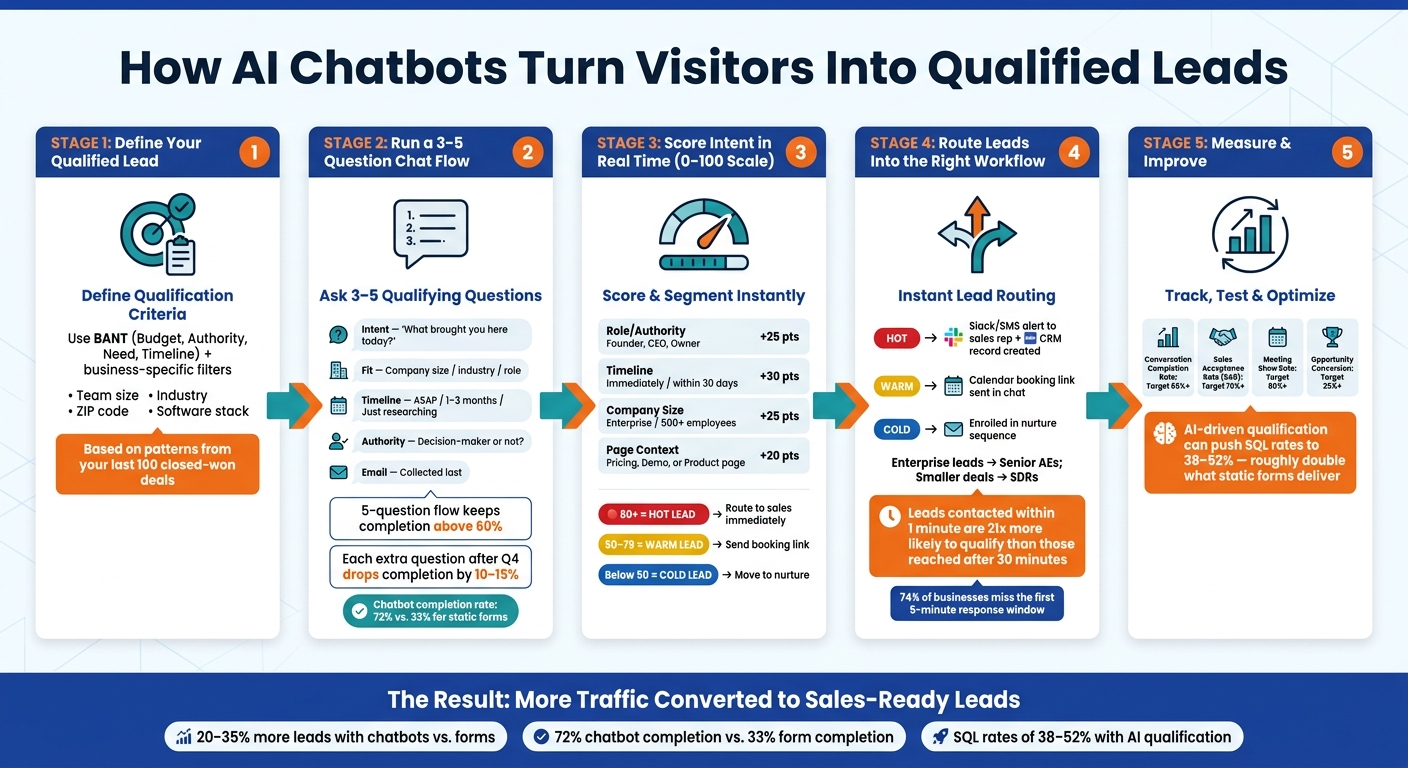
AI Chatbot Lead Qualification Workflow: From Visitor to Sales-Ready Lead
1. Define what counts as a qualified lead
Set your qualified-lead rules before you write a single chatbot question. The goal is simple: define a lead based on what you want to happen in your CRM. That means the lead should be routed, scored, and ready for sales.
A good place to start is your last 100 closed-won deals. Look for patterns in the industries, company sizes, and job roles that convert most often. That gives you a clear picture of what your chatbot should screen for.
Use BANT and business-specific filters together
Use BANT - budget, authority, need, and timeline - as your starting point. Then add two or three filters tied to your business.
For example:
- A B2B SaaS company may also need team size and current software stack.
- A home services company may need a ZIP code and homeowner status.
- A solar provider may need roof type and average monthly utility spend.
That extra layer gives you a much cleaner signal than budget and timeline alone.
List the data points the chatbot should capture
Only collect data that changes routing or scoring.
| Data Point | Why It Matters |
|---|---|
| Primary need / problem | Confirms there's a real use case for your product |
| Role / authority | Identifies decision-makers vs. researchers |
| Company size, industry, or both | Checks fit against your ideal customer profile |
| Budget range | Filters out leads outside your pricing tier |
| Purchase timeline | Separates urgent buyers from early-stage browsers |
| Work email | Enables follow-up and CRM routing |
Keep the list short. Once you go past four questions, completion rates usually start to slip. In many cases, each extra question after the fourth drops completion rates by 10–15% [4][5].
So only ask for fields that change routing, scoring, or follow-up.
With those rules in place, the next move is to turn them into a short 3- to 5-question chat flow.
2. Build a short chatbot flow with 3 to 5 qualifying questions
Once you know which data points matter, turn them into a natural conversation, not a form dressed up as chat. The order matters a lot: start with intent, then move to the qualifiers that matter most. That keeps the exchange short while still pulling in the signals sales needs.
A short 5-question flow can keep completion rates above 60% [7].
Start with intent, then ask about budget, timeline, and decision role
Start with a low-pressure opener that almost anyone can answer, like "What brings you here today?" Use open text for that first intent question. After that, switch to quick-reply buttons for most of the rest to cut friction.
The sequence that tends to work best is simple: intent first, fit second, urgency third, authority last. Each question narrows things down a bit more without making the chat feel like an interrogation. The goal is to spot fit, urgency, and decision-making power before the conversation ends.
| Question Type | Purpose | What It Reveals |
|---|---|---|
| Intent | Understand why the visitor is on the site | Buying stage - actively shopping vs. just browsing |
| Fit | Check ICP alignment (size, industry, or role) | Whether the lead matches your target customer profile |
| Timeline | Gauge urgency | Hot lead (ASAP) vs. long-term nurture candidate |
| Authority | Identify decision-making power | Whether you're talking to a buyer or an influencer |
If a visitor already gave you an answer, don't ask again. That kind of branching is what makes a chat feel helpful instead of stiff [2].
Example chatbot script for a lead qualification conversation
Here’s a short sample flow that covers the main signals:
Bot: Hey! Quick question - what brought you here today? Are you exploring options, or do you have a specific problem you're trying to solve?
(Open text response)
Bot: Got it. Just so I can point you in the right direction - how large is your team?
(Buttons: Just me / 2–10 / 11–50 / 50+)
Bot: And when are you hoping to have something in place?
(Buttons: ASAP / Next 1–3 months / Just researching)
Bot: Are you the final decision-maker on this, or would others be involved?
(Buttons: Yes, it's my decision / I'll need to loop in others)
Bot: Perfect. What's the best email for a quick summary and next steps?
Ask for the email last, after the bot has already helped with the visitor’s first question and shown some value [9][3]. Asking for contact info too early is one of the easiest ways to lose someone.
Once you have the answers, turn them into a score and route the lead in real time.
3. Capture responses, score intent, and segment leads in real time
After the last answer, turn the chat into CRM-ready data. Save each reply as a structured CRM field, like company_size_score or timeline_score, and create a short lead summary with contact details, intent, fit, and timeline. Only store fields that affect routing or follow-up. Then push that data to the CRM as soon as the chat ends. Use buttons for fixed choices like budget ranges and roles so scoring stays consistent [1][3].
Turn chat answers into a usable lead score
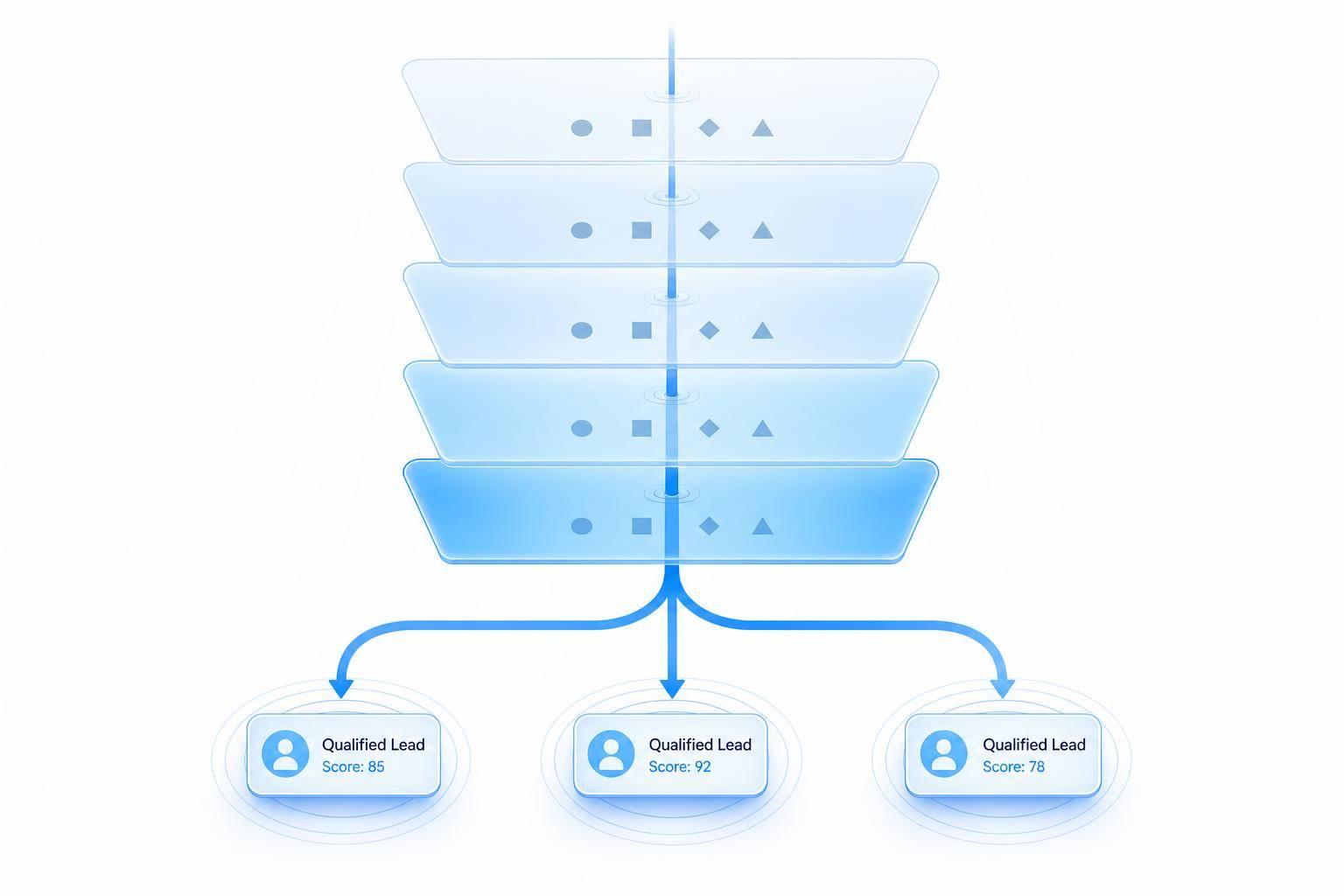
A simple 0–100 point system is enough to separate hot leads from everyone else [4]. The idea is straightforward: assign points to each answer so the chatbot can sort hot, warm, and cold leads on its own.
| Qualification Factor | High-Point Answer | Points |
|---|---|---|
| Role / Authority | Founder, CEO, or Owner | +25 |
| Timeline | Immediately or within 30 days | +30 |
| Company Size | Enterprise / 500+ employees | +25 |
| Page Context | Started chat on the pricing, product feature, or demo request page | +20 |
Here’s how that score breaks down:
- 80+ = hot: route at once
- 50–79 = warm: send a booking link or follow-up
- Below 50 = cold: move to nurture
That setup is enough for most teams [3][4].
Page context matters too. A chat that starts on a pricing, product, or demo page usually shows more intent than one that starts on a blog post. Add those page-visit signals to the score on the back end, and you can spot high-intent leads even when they don't say much [1][4].
Collect contact details without adding friction
Help first. Ask for contact details second.
Once the chatbot has done something useful - like pointing someone to the right plan, confirming a feature, or giving a rough timeline - the ask for contact info feels natural instead of annoying [8].
A simple handoff works well:
“I can send over a custom quote or a short summary. What’s the best email to send it to?”
If a visitor isn't ready to share details, don't force it. Offer something lower-pressure, like a resource download or a video demo. That keeps the conversation alive without pushing too hard. It also keeps instant routing on the table when someone is ready [1].
Those scores and fields should feed the next step automatically: routing qualified leads.
4. Route qualified leads into sales workflows
Once a lead is scored, speed matters. Leads contacted within 1 minute are 21x more likely to qualify than those reached after 30 minutes [4]. So when your chat has enough data on intent, budget, and timeline, the next step should happen right away.
Send high-intent leads to the right next step right away
The next action should match the score threshold the lead hits.
- Hot leads should trigger a sales alert in Slack, SMS, or Microsoft Teams.
- Warm leads should get a calendar link so they can book a demo right in the chat.
- Cold leads should move into nurture.
- Enterprise leads should go to senior AEs, while smaller deals should go to SDRs.
That way, the handoff fits both the lead's level of interest and the deal size. No guesswork. No waiting around.
Once the route is set, send the same data into your CRM.
Connect chatbot data to CRM, calendar, and team workflows
Every qualified lead should create a CRM record as soon as the chat ends. That record should include the lead's contact details, qualification answers, intent score, and a short summary for the rep [6][3].
You can map each score to one of five paths: CRM record, calendar booking, live transfer, sales alert, or nurture. Use APIs or webhooks to keep CRM sync fast and field mapping clean [6][3].
Log each route and outcome so you can compare booked meetings and lead quality in the next step.
5. Improve lead quality with testing and measurement
Once routing is live, the job changes. Now you're checking whether qualified chats turn into booked meetings. The aim is simple: improve lead quality over time by finding what's broken and fixing it fast.
Track qualified-lead rate, meeting-booked rate, and conversation quality
You don't need to track everything under the sun. Four metrics will tell you most of what matters.
Qualified-lead rate (SQL rate) shows whether your questions are filtering the right people. Meeting-booked rate shows whether high-intent leads are turning into scheduled demos or calls. Conversation completion rate shows friction in the flow. And drop-off by question helps you see which prompt makes people leave.
Then there's Sales Acceptance Rate (SAR). This tells you whether sales reps agree that the leads are actually sales-ready. A SAR of 70%+ is good performance [1].
CSAT can help, but human review gives you a better read on whether the bot is doing a good job qualifying leads. A small human QA loop works well here. Review conversation quality, scoring accuracy, and the next-step guidance the bot gives people.
These metrics help you spot three common problems:
- friction in the conversation
- weak scoring logic
- poor handoff to sales
| Metric | Strong | Weak |
|---|---|---|
| Conversation Completion Rate [1] | 65%+ | Below 50% |
| Sales Acceptance Rate [1] | 70%+ | Below 60% |
| Meeting Show Rate [1] | 80%+ | Below 70% |
| Opportunity Conversion [1] | 25%+ | Below 20% |
When you find a gap, the fix usually falls into one of three buckets: remove a question that's causing drop-off, change the order so budget comes later instead of first, or swap open-text fields for button choices to cut friction.
It also helps to review scoring thresholds every month at the start. If warm leads convert about as well as hot leads, your thresholds are too strict. That means you're slowing down good opportunities for no good reason.
Conclusion: A simple workflow that turns traffic into sales-ready leads
The workflow is simple: define what a qualified lead looks like, ask 3 to 5 focused questions in the right order [4], score responses in real time, and route strong leads into fast follow-up.
The payoff can be big. Chatbots usually hit a 72% conversation completion rate, compared with 33% for static web forms. And AI-driven qualification can push SQL rates to 38% to 52%, or about double what forms deliver [4].
That feedback loop helps the chatbot get better over time. You start with anonymous traffic, then turn it into live conversations, scored leads, and routed follow-up that gets sharper with each pass.
FAQs
How do I decide which chatbot questions to ask?
Focus on the small set of signals that tell you if a lead fits and is ready to move: intent, company or project size, urgency, and buying authority. Ask for contact details or budget only after you've confirmed there's a match and both sides want to keep going.
Keep the exchange conversational, not like a form with chat bubbles. Start by answering the visitor's question. Then ask 1 to 2 qualifying questions. In most cases, 3 to 4 total questions is enough, and each one should help with routing or scoring.
What score counts as a sales-ready lead?
A lead is sales-ready when it hits your pre-set threshold for buying signals like budget, authority, need, and timeline.
You can set that threshold in two simple ways:
- Point-based system: A common cutoff is 7 to 8 points or higher
- Band system: Hot leads with clear urgency and near-term timelines go straight to sales, while the rest move into nurture sequences
Think of it like a filter. If the lead shows enough intent, sales should step in. If not, that lead may still be a good fit later - it just needs more time and follow-up.
How can I connect chatbot leads to my CRM and sales team?
Map your chatbot conversation flow to structured CRM fields. Turn each answer into something your team can sort, score, and act on.
Set clear qualification rules for things like company size, budget, and timeline. Then assign points to each response so the chatbot can score leads as the conversation moves along.
Once a visitor hits your scoring threshold, trigger a routing rule that sends the lead straight to your CRM. That way, sales reps get a clean summary with buyer intent, qualification details, and useful context - instead of digging through raw chat transcripts.