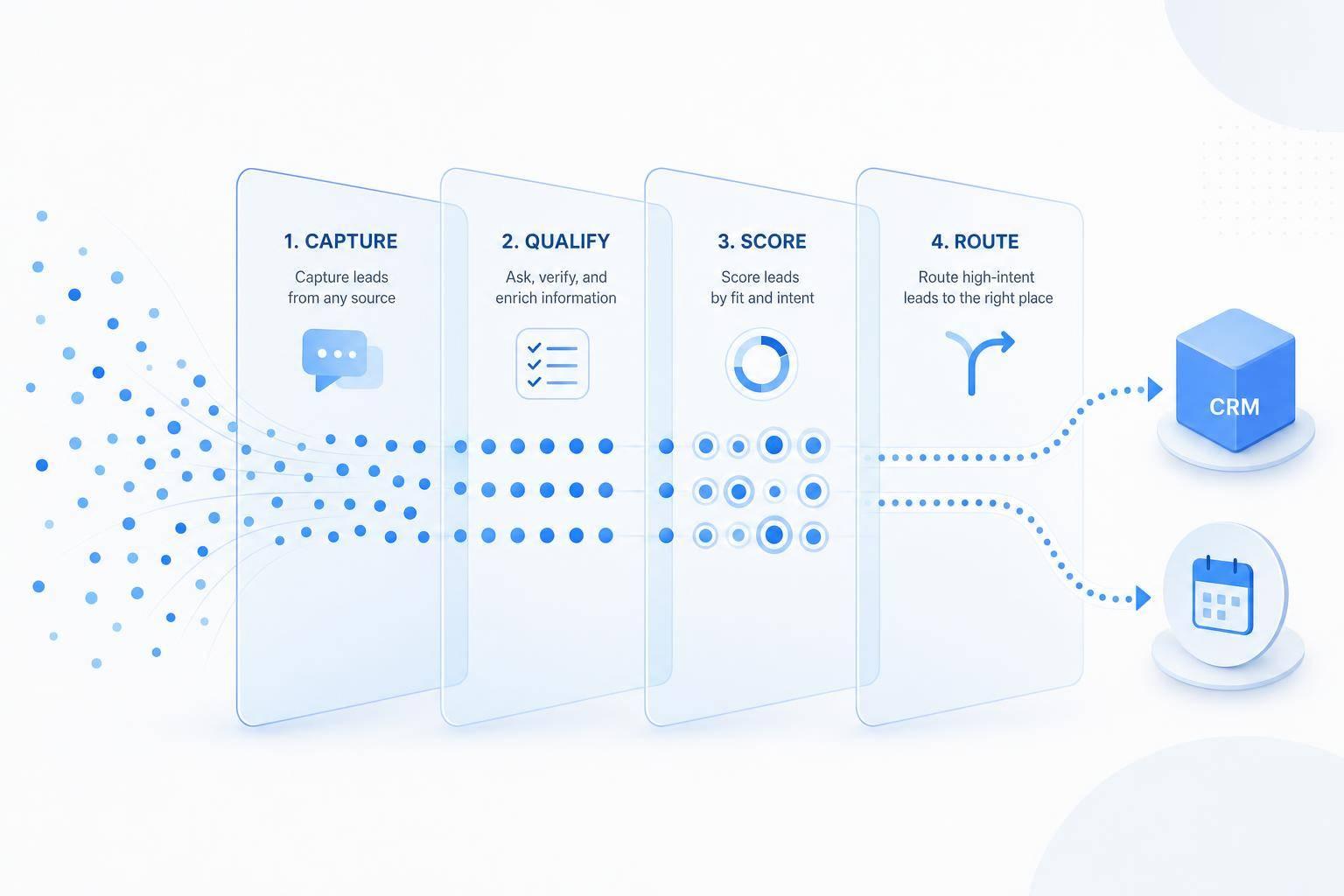
If you want more qualified leads without making people fill out long forms, AI chatbots can do the first part of the sales process for you. I’d use them to start chats at high-intent moments, ask a few short questions, score each lead by fit and buying intent, and send hot leads straight to sales or booking.
Here’s the core idea in plain English: instead of waiting for someone to submit a form, the chatbot starts a conversation on your website, Instagram, Facebook Messenger, or WhatsApp. It collects contact details, asks 3 to 5 qualification questions, updates your CRM, and can even book meetings on the spot. That matters because responding within 5 minutes can make a lead 21x more likely to convert, and button-based replies can lift completion rates by 25% to 35%.
If I were setting this up, I’d focus on four things:
- Start chats at the right time, like on pricing pages or when someone is about to leave
- Keep the flow short, with simple questions about need, timeline, budget, and role
- Score and route leads automatically, so sales only gets people who are ready
- Connect the chatbot to your CRM and calendar, so follow-up happens without manual work
A few numbers stand out:
- 68% of B2B buyers prefer to self-qualify through digital tools before talking to sales
- Hot leads who book inside chat can show up at 70% to 80%, versus 25% to 40% from email follow-up
- Teams using lead scoring often see a 77% increase in lead gen ROI
- Chatbot qualification can cut cost per qualified lead by 4x to 5x
This article explains how I’d run that system end to end: where to place the chatbot, what to ask, how to score answers, when to send leads to sales or nurture, and how ChatSpark fits into the setup.
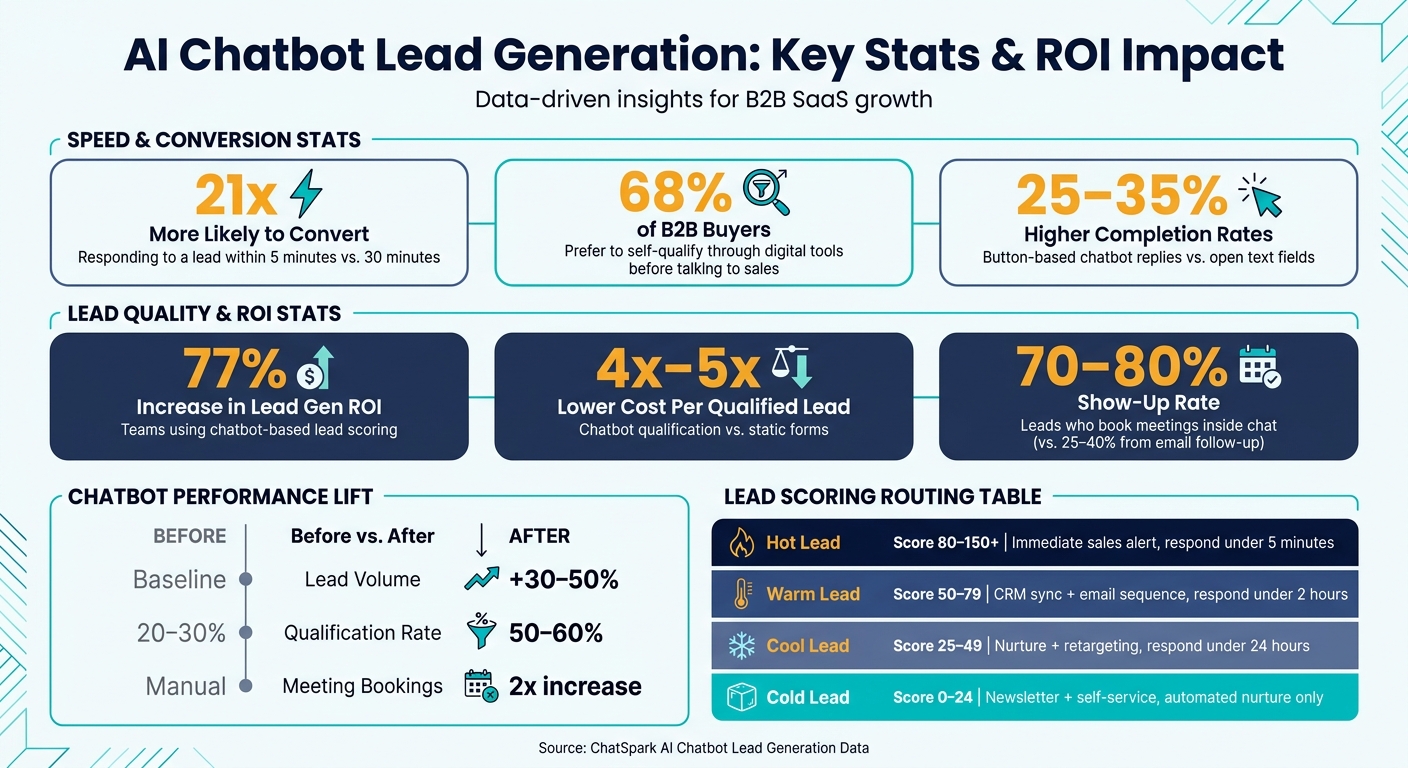
AI Chatbot Lead Generation: Key Stats & ROI Impact
1. Capture leads across websites, messaging apps, and social channels
A lot of people land on a site, look around, and leave without filling out a form. A chatbot helps you interrupt that pattern in a simple way: it starts the conversation right when interest is there, before the visitor disappears.
1.1 Start chatbot conversations at high-intent moments
Launch chats when buying intent is clear - after 30+ seconds on a pricing page, after a deep scroll on a product page, or when exit intent shows up [4][8].
Timing matters. But the opener matters too. A bland message like How can I help? is easy to skip. A line tied to the page, like Comparing plans? I can recommend the right fit for your team, feels more relevant because it matches what the visitor is likely thinking [5].
From there, collect the basics one question at a time: name, email, company, and intent [4][1].
Keep the first flow to 3–5 questions. Once you go past that, completion rates tend to fall off fast [4][7]. Ask only for what you need to qualify the lead, then use those early answers to move into the next set of qualification questions.
1.2 Keep lead capture consistent across all channels
Not every prospect comes in through your website. Some will message you on Instagram, Facebook Messenger, or WhatsApp.
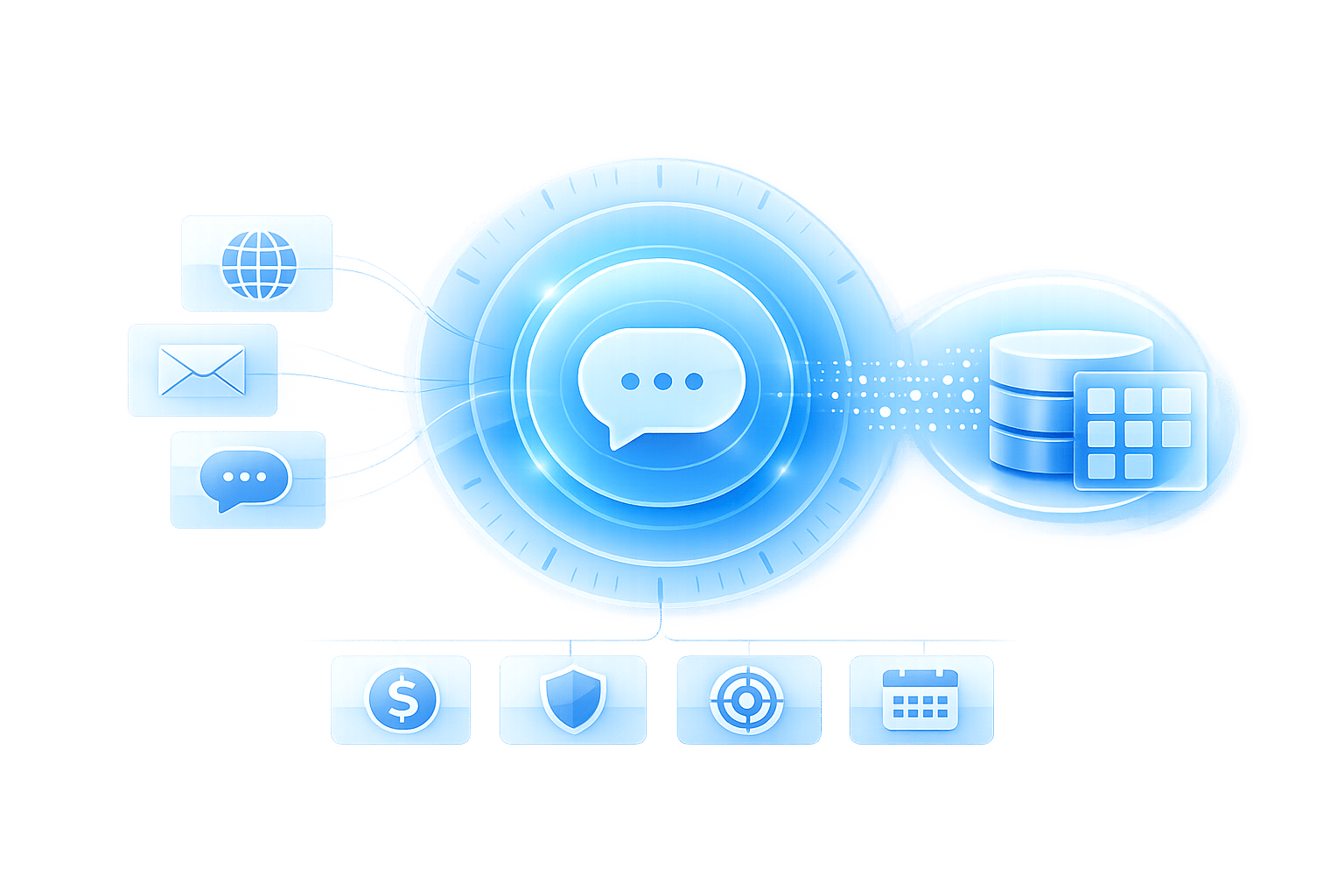
Use the same lead capture flow across your website, Instagram DMs, Facebook Messenger, and WhatsApp. ChatSpark keeps the same questions, tone, and qualification logic in every channel.
That consistency matters more than it may seem. If someone starts on your site and later messages you on Instagram or WhatsApp, they shouldn't feel like they're starting from zero. Keeping the same brand voice and qualification flow helps leads keep moving instead of repeating themselves in every channel.
1.3 Use instant and multilingual replies to increase conversions
68% of B2B buyers prefer to self-qualify through digital tools before speaking with a sales rep [5]. That makes after-hours chat a big deal. In many cases, it's the first real sales touchpoint. If the bot can't handle a basic pricing or product question, that visitor may leave.
Fast answers keep people engaged long enough to share their contact details. Multilingual replies help with the same problem for prospects who'd rather chat in another language.
Once you capture the contact, score the lead and route it automatically.
2. Build qualification flows that score and route leads automatically
Once a visitor starts chatting, your job is to qualify interest without making the exchange feel like a form with a smile pasted on top. The best chatbot flows ask for only what they need to decide the next step: send the lead to sales, move them into nurture, or point them to self-service.
2.1 Turn BANT and fit and intent criteria into chatbot questions
BANT - Budget, Authority, Need, Timeline - works better in chat when you turn it into plain, conversational prompts. Use fit to gauge company profile and intent to gauge buying signal. Start with Need, then Timeline, then Budget, and leave Authority for the end as a final check [5]. If a visitor already gives you a signal, like urgency or team size, skip that question and keep moving [9].
The wording matters just as much as the order. Asking about typical project size feels more natural than asking someone to type in company size. And asking whether they’re looking at this for one team or a global rollout keeps the chat flowing like a real conversation [9][10]. The goal is simple: ask only what helps you separate solid fit from casual curiosity.
Branching logic keeps things tight. If someone says they’re a solo founder, the bot can skip team-size questions and route them based on what they’ve already shared [9]. Each answer should help you decide whether the lead is ready for sales.
Those answers then feed progressive profiling and lead scoring.
2.2 Replace long forms with progressive profiling
Progressive profiling spreads questions across the chat - and, if needed, across more than one session - so each ask feels natural instead of heavy-handed.
A practical flow is open, closed, open: start with an open question to learn intent, use button-based questions to qualify role, company size, or industry, then end with another open question to surface urgency or context [2]. Ask for the email only after the bot has given the visitor something useful, like a personalized estimate or a resource [2].
That small shift can make a big difference. Button-based responses cut friction and lift completion rates by 25–35% compared with open text fields [11].
Once the bot has enough data, it can score the lead and send them to the right next step automatically.
2.3 Score leads and route them to the right next step
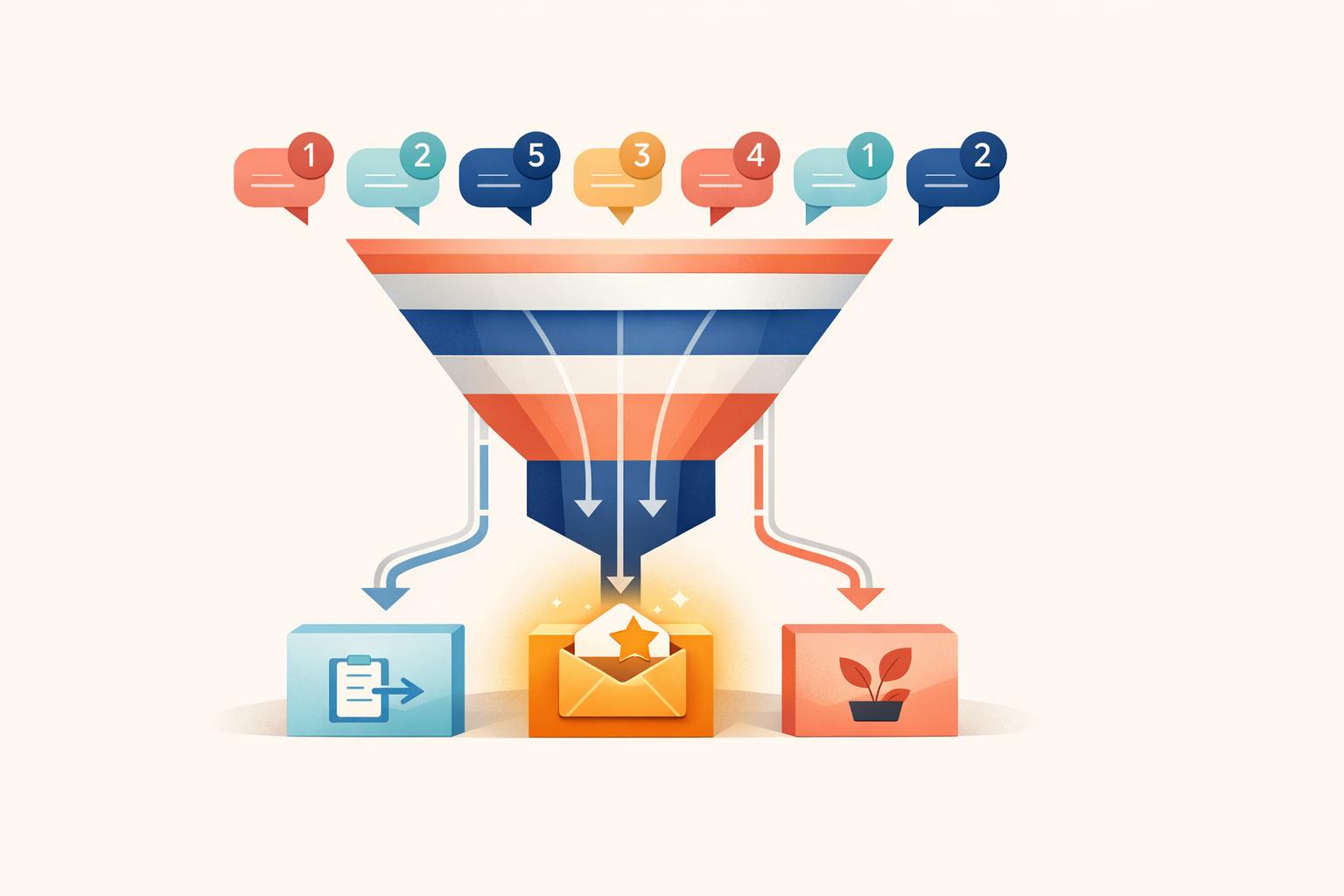
Use Fit and Intent scores to decide who goes to sales, nurture, or self-service. Score Fit and Intent separately, then route by the total score.
Map each chatbot answer to Fit or Intent points, then let the total decide what happens next.
| Total Score | Classification | Routing Action | Target Response Time |
|---|---|---|---|
| 80–150+ | Hot Lead | Immediate alert to sales; offer demo booking | Under 5 minutes [11] |
| 50–79 | Warm Lead | CRM sync; personalized email sequence | Under 2 hours [11] |
| 25–49 | Cool Lead | Nurture sequence; retargeting | Under 24 hours [11] |
| 0–24 | Cold Lead | Newsletter; self-service resources | Automated nurture only [11] |
The inputs are pretty direct. A Founder or executive title adds +25 points. A timeline of this week adds +30. A return visit to the pricing page adds another +20. A free email domain, such as Gmail or Yahoo, subtracts 15 [11]. You can handle all of that with conditional logic tied to the answers collected in the flow.
Teams that use lead scoring this way see a 77% increase in lead generation ROI on average, and chatbot-based qualification can cut cost per qualified lead by 4–5x compared with static forms [11]. That upside shows up when the routing is right from the start.
3. Connect chatbot leads to CRM, calendars, and follow-up automation
Scoring a lead inside the chat is only half the job. The other half is making sure that data ends up somewhere your team can use, not buried in a chat log.
3.1 Map chatbot data into CRM fields and statuses
Send chat data like contact details, industry, revenue, budget, and timeline straight into your CRM. After the chat ends, set it up to create or update Contact, Company, and Deal records automatically.
You should also map the lead score to lifecycle stages such as New, Qualified, and Nurture. Higher scores can push a lead into Qualified and send it to a sales rep right away. Lower scores can move into a nurture sequence on their own.
One more thing: lead with value first. Answer a few questions from the knowledge base before asking for contact details. That small shift can make the conversation feel more natural and less like a form.
Once the CRM is up to date, the next move is fast follow-up.
3.2 Trigger email alerts and nurture sequences automatically
When a lead reaches your threshold, trigger follow-up right away. Contacting a lead within 5 minutes makes conversion 21x more likely than waiting 30 minutes [5]. That gap is huge.
Warm leads can enter an automated drip sequence. Hot leads should go straight to sales. This way, your team doesn't waste time sorting through every conversation by hand, and leads don't sit there getting cold.
For high-intent leads, it's often better to skip the email chain altogether and book the meeting inside the chat.
3.3 Let qualified prospects book meetings inside the chat
When a lead is hot, move straight from qualification to scheduling. Calendar integrations let qualified leads book time in chat as soon as they finish the qualification step.
Only trigger the booking flow for leads that hit your hot lead threshold, such as a score of 70+ [2]. That keeps low-intent leads from filling your calendar and gives sales more time with people who are ready to talk.
The payoff can be big. Leads who book mid-chat show up at 70–80% rates, compared to just 25–40% for those sent a calendar link by email afterward [2]. And when the meeting is booked, the full chat transcript and lead score can transfer straight into the calendar event, so the rep walks in with context instead of starting cold.
4. Set up ChatSpark for lead generation and improve results over time
4.1 Add ChatSpark to your site and messaging channels
Once your lead flow is mapped out, put it into ChatSpark where prospects already spend time. The setup should match the same questions, scoring, and routing logic from your qualification workflow.
You can embed the chat widget on your site or use AI Agent Triggers - HTML attributes that launch chat from any button or link - to turn existing buttons and links into conversation starters [12]. So if you have a "Get a Quote" button or a pricing page CTA, you can launch the chatbot there without rebuilding your site.
After the widget goes live, load the bot with your site content so it can answer lead questions with the right details. On the Pro plan, you can also deploy it across WhatsApp, Instagram DMs, Facebook Messenger, Telegram, and Slack.
4.2 Build lead capture flows, scoring rules, and integrations in ChatSpark
Turn on lead capture in the agent settings and ask only for the fields you need to qualify and route the lead. If a question doesn't fit a given visitor, use conditional logic to skip it.
Next, set up scoring rules that assign each answer to Fit or Intent points. Then configure routing actions based on the total score. AI Actions on Pro and Enterprise plans can handle CRM and calendar connections during the conversation. That includes creating contacts in HubSpot or Salesforce, booking meetings in Calendly or Cal.com, and sending data to 5,000+ apps through Zapier after the chat ends [6][1][3].
Once capture, scoring, and routing are in place, the next job is measurement.
4.3 Track lead volume, qualification rate, and meeting bookings
Look at whether the chatbot is bringing in more qualified leads, not just more chats.
ChatSpark’s analytics dashboard shows the numbers that matter most for lead generation. Pro and Enterprise plans can also send events like lead captures and prompt clicks into Google Analytics 4 [3], which helps you connect chatbot performance with your broader marketing data.
| Metric | Before Chatbot | After Chatbot |
|---|---|---|
| Lead Volume | Baseline | +30–50% |
| Qualification Rate | 20–30% | 50–60% |
| Meeting Bookings | Manual scheduling | 2x increase |
Each captured lead also comes with session data - pages visited, time on site, and referral source - so your sales team has context before they reach out [1].
Use those numbers to tweak prompts, scoring thresholds, and routing rules.
FAQs
How do I choose the right lead score threshold?
Choose the threshold by matching your scoring model to your business goals and past conversion data. Set clear rules for which engagement signals or BANT criteria make a lead an SQL for your team.
Then track CRM conversion rates over time. ChatSpark can fine-tune scores with firmographic, intent, and engagement data, and put more weight on the factors that keep leading to customer acquisition.
What should I ask in a lead qualification chatbot?
Use a conversational, value-first approach before you ask for contact details. Lead with the visitor’s needs. For example: “What problem are you trying to solve?”
Then use BANT to qualify the lead: budget, authority, need, and timeline. Ask about the person’s role instead of their job title. Present budget as a range, not a hard number. And give them something useful - like a personalized estimate or a helpful resource - before you ask for an email.
How long does it take to set up chatbot lead generation?
Setting up ChatSpark for lead generation is pretty simple, and you don't need to write any code.
In the dashboard, you connect your messaging channels, set your qualification criteria, and build proactive triggers based on how visitors behave on your site.
After you map your data flows and connect your CRM through Zapier or webhooks, the AI agent goes live as soon as you save your settings.