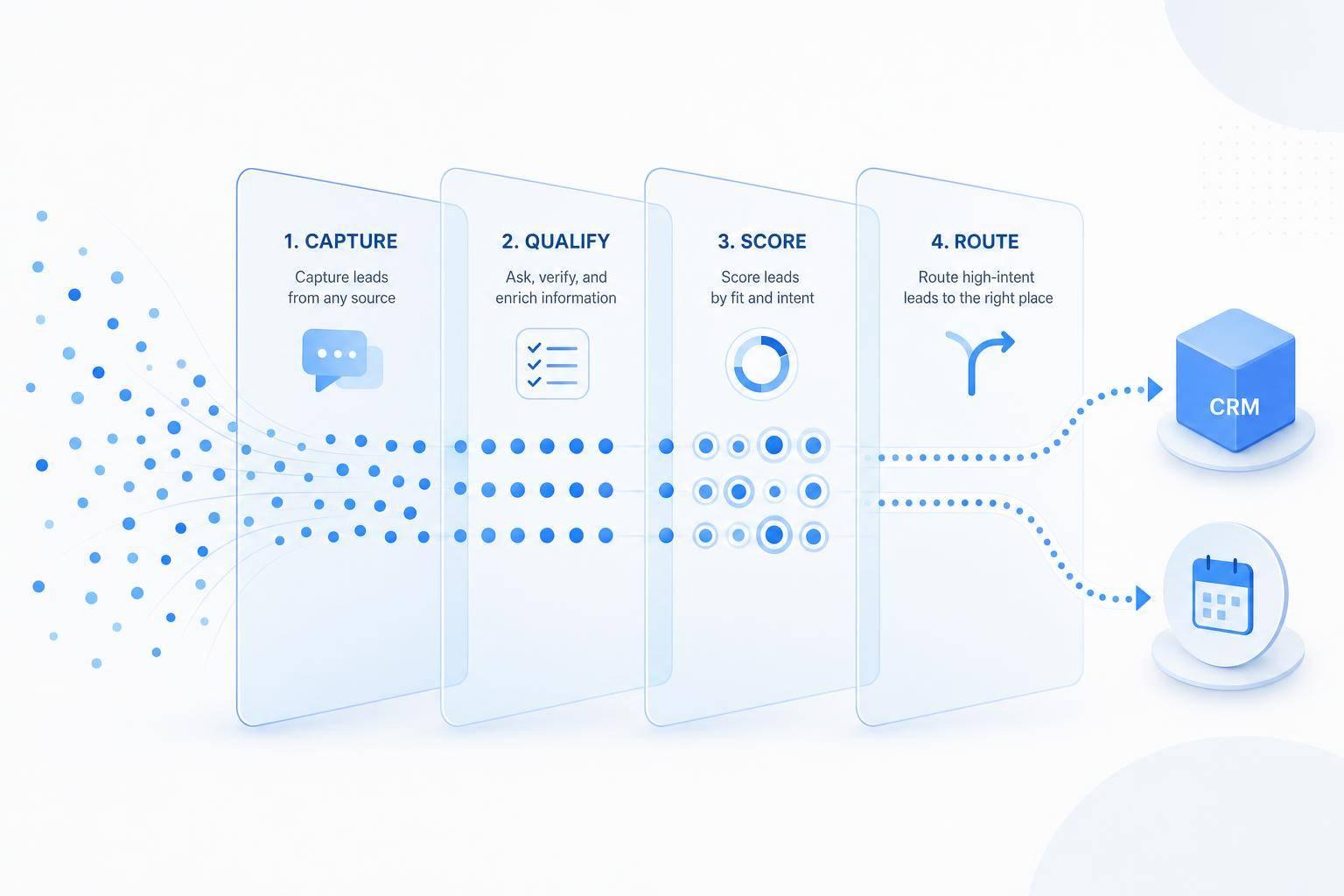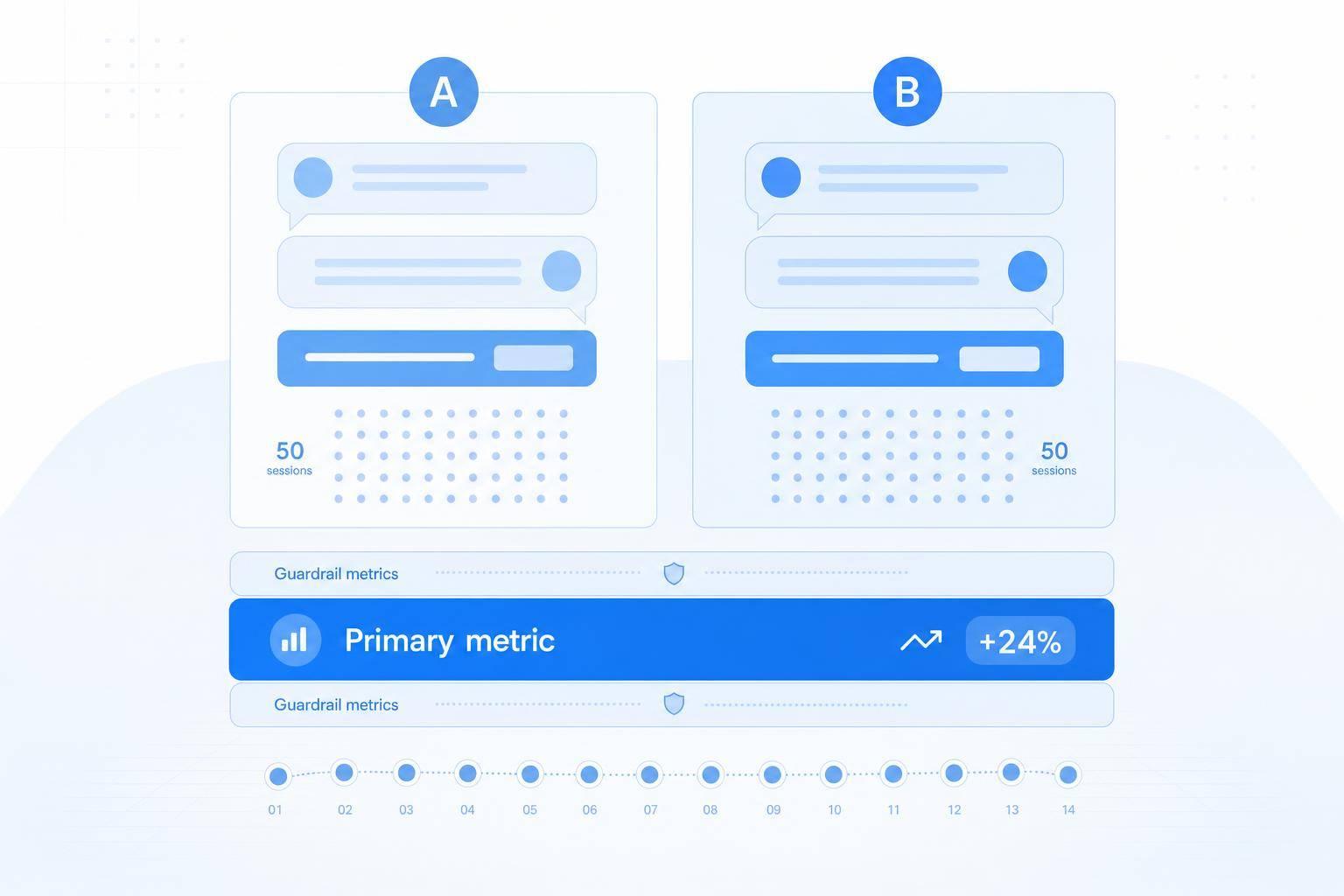
If I want better chatbot results, I test one line at a time and let user data decide.
Here’s the short version: I set one goal, test one change, run the test for 7–14 days, and wait for at least 50 conversations per variant. Then I judge the test by one main metric - like chat starts, qualified leads, or bookings - and check guardrails like CSAT, handoff rate, and unresolved chats so I don’t trade a short-term win for a worse user experience.
If I were doing this today, I’d keep it simple:
- Greetings: test broad welcomes vs. direct questions vs. page-specific openers
- Prompts: test open text vs. buttons, plus question order
- CTAs: test wording, timing, and trigger type
- Setup: start with a 50/50 split and keep event names consistent
- Read results: look at the main metric first, then guardrails, then ship or discard
A few numbers matter right away:
- 50+ conversations per variant before comparison
- 7–14 days for most tests
- Use U.S. dates like 09/01/2026–09/14/2026
- Track events such as
chat_session_starts,chat_lead, andbooked_demo
Here’s the core idea in one quick view:
| Area | What I test | What I measure |
|---|---|---|
| Greeting | Tone, direct question, page match | Conversation start rate, launcher CTR |
| Prompt | Buttons vs. text, question order | Qualified lead rate, drop-off |
| CTA | Copy, timing, placement | Booking rate, lead capture, revenue |
The point isn’t to guess what sounds best. The point is to find the wording that gets more replies, more booked meetings, and more sales without hurting support quality.
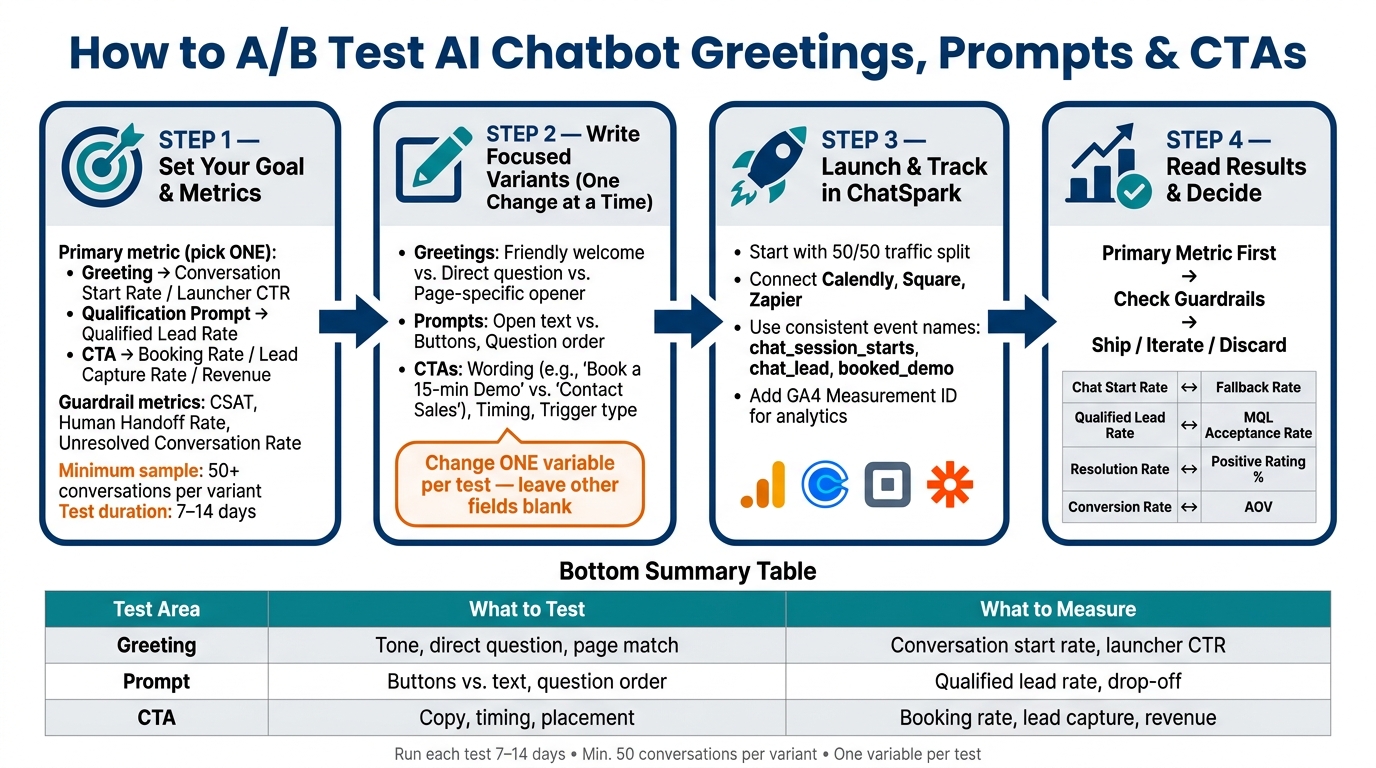
A/B Testing AI Chatbot Elements: 4-Step Framework
Step 1: Set a clear goal and pick the right metrics
Before you write a single variant, decide what success means for the test. If you skip that step, you'll end up staring at numbers that don't tell you what to do next. Pick one primary metric first, then add guardrails to make sure the change helps the user experience instead of just bumping a number.
Match each test to one primary metric
Each test should tie to the metric that reflects the action you want to change.
Greeting tests sit at the top of the funnel. So they should map to conversation start rate or launcher CTR. Qualification prompts and CTAs affect what happens later, so they should map to booking rate, qualified lead rate, or other downstream results. For CTAs, use revenue outcomes when you can. Engagement signals like chat starts and email captures can help, but they should stay in a supporting role.
| Test Type | Primary Metric |
|---|---|
| Greeting | Conversation start rate, launcher CTR |
| Qualification prompt | Qualified lead rate |
| CTA | Booking rate, lead capture rate, direct revenue outcomes |
Use guardrail metrics to protect the user experience
A higher conversion rate doesn't mean much if the experience gets worse.
Say Variant B lifts bookings but also pushes up human handoffs. That may mean more work for support and more friction for users. Track CSAT, human handoff rate, and unresolved conversation rate together [5]. If satisfaction falls or escalations go up while conversions improve, the variant may be trading short-term gains for a worse experience.
Once you've set your success metric and your safety checks, lock in the sample size before launch.
Estimate sample size and duration before you launch
ChatSpark requires at least 50 conversations per variant before it shows comparison results [1]. Run tests for 7–14 days so you capture both weekday and weekend behavior [4][3]. If you're testing in a B2B setting with longer decision cycles, extend the test long enough to cover at least one full sales cycle [2].
Also, record test dates in U.S. format, like 09/01/2026 to 09/14/2026.
With the goal and test window set, you can write variants that isolate one change at a time.
Step 2: Write focused variants for greetings, prompts, and CTAs
Now that you’ve set your metric and test window, write variants that change one thing at a time.
This is where teams often trip up. If you rewrite the greeting, change the CTA, and tweak the timing all in the same variant, you won’t know what caused the lift. Keep each test tight: use one variable per test. Leave the other fields blank so Variant B inherits Control A.
Before launch, write a one-sentence hypothesis tied to your main metric, like: "Replacing the generic welcome with a direct question on the pricing page will increase chat-start rate by 15%." [2]
Then pick the element most likely to move that metric: greeting, prompt, or CTA.
Test greeting styles that change how users open the chat
A greeting shouldn’t just sound nice. It should fit what the visitor is trying to do.
A friendly greeting like Hi there! 👋 How can I help you today? works on broad pages, but it’s often too vague on pricing or checkout pages. A direct question such as Need pricing, support, or a demo? fits visitors with stronger intent. A value-led opener like I can break down what matters most for teams your size works well on product and feature pages.
You can also test source-aware greetings. If someone came from a paid ad that mentioned a discount, the greeting should mention how to redeem it instead of acting like the visit started cold. [3]
Once you’ve set the opener, move to the next point of friction: the first question.
Test qualification prompts that lower friction
Early open-text questions can slow people down, especially on mobile. That’s why it often makes sense to start with one easy question and use quick-reply buttons when the qualification criteria are simple.
There’s a tradeoff, though. Buttons limit how much detail a person can share, so they work best when your qualification criteria are straightforward.
You should also test the order of your questions. Asking about the problem before asking about company size often feels more natural and can keep completion rates higher. A hypothesis here might look like this: "Replacing the open-text budget question with button options will reduce drop-off by 20%." [2]
After the chat starts smoothly, the next thing to test is the action that drives conversion.
Test CTA wording, timing, and placement
Small CTA changes can shift results in a big way. Book a 15-min Demo tends to beat Contact Sales because it sets a clear expectation and feels like less of a commitment. [2]
Get Pricing can bring in more volume than Book a Demo, but lead quality is often lower because it pulls in more early-stage visitors. [3]
Timing matters too. Test an immediate display against a short delay to see whether a faster response or a less intrusive approach wins. [2] On desktop, exit-intent triggers are also worth testing against time-on-page triggers to see which one catches more high-intent visitors before they leave. [3]
Step 3: Launch the test in ChatSpark and track conversions
Once your variants are written, it’s time to put them live and make sure every conversion is tracked the right way. Judge each variant using the primary metric you picked in Step 1.
Set up variants and traffic splitting in ChatSpark
A/B testing is available on ChatSpark's Pro plan and above.[1] To start, open your AI Agent settings and go to the A/B Testing tab. Turn on Enable A/B Test to create Variant B, then change only the field you want to test, whether that’s the welcome message, prompt, or CTA copy. If you leave a field blank, ChatSpark pulls in the value from Control A automatically, which helps keep the test clean and focused.[1]
Start with the default 50/50 traffic split. That gives both variants an even shot. ChatSpark also keeps each visitor in the same variant when they come back, so your data doesn’t get messy.[1] When everything looks good, click Save Variant to launch the test.
Connect ChatSpark to booking, payment, and reporting tools
Next, connect ChatSpark to Calendly, Square, and Zapier so bookings, payments, and lead data flow into your CRM or reporting setup. Use the same event names across every tool, like booked_demo and chat_lead, so you can tie each chat back to revenue without playing detective later.[2]
Build a simple measurement setup for U.S. reporting
Pro users can connect ChatSpark's GA4 integration by adding a GA4 Measurement ID in ChatSpark settings.[5] From there, track events like chat_session_starts, suggested_prompt_clicks, and lead_capture_events next to the rest of your site data.
Here’s a simple map of which tools do what:
| Tool Category | Recommended Tools | Role in the Testing Process |
|---|---|---|
| Analytics | Google Analytics 4 (GA4) | Tracks events like chat_session_starts and lead_capture_events |
| Booking | Calendly, Google Calendar | Schedules meetings directly in the chat flow |
| Payments | Square | Handles transactions and payment inquiries |
| Workflow Automation | Zapier | Routes lead and conversion data to your CRM or reporting tools |
Before you roll out a winner, check the Intelligence dashboard and compare Conversations, Total Messages, and Positive Rating %. Those numbers help you spot whether a variant improved engagement, lead capture, or support quality. Once those events are showing up in your dashboard, you’ll be ready to compare variants against your goal in the next step.
Step 4: Read the results, pick a winner, and keep testing
Compare results and confirm the lift is worth acting on
Once the test window closes, read the results in a simple order: primary metric first, then guardrails.
After you hit the minimum sample, check the primary metric first. Let the test run for at least 7 to 14 days, then review the guardrails before you call a winner.
Here’s the pairing that matters:
- Pair chat start rate with fallback rate
- Pair qualified lead rate with MQL acceptance rate
- Pair resolution rate with Positive Rating %
- Pair conversion rate with AOV
The goal isn’t to chase tiny bumps that look nice in a dashboard. It’s to act on lifts that are big enough to matter, not rounding errors.
Roll out the winner and log what changed
If Variant B wins, ship it right away. Select "Declare Variant B Winner" to copy the winning greeting, prompt, and CTA into the main agent and end the test. [1] Chat records keep the variant tag after the test ends, so you can review results later. [1]
Before you jump to the next test, write down what happened. You don’t need a long report. A short summary works:
| Variant Name | Element Tested | Primary Metric | Lift % | Run Dates | Decision |
|---|---|---|---|---|---|
| Control A | Standard Greeting | Lead Capture Rate | Baseline | 08/01/2026 – 08/14/2026 | Discard |
| Variant B | Benefit-Led Greeting | Lead Capture Rate | +18% | 08/01/2026 – 08/14/2026 | Ship |
| Variant C | Direct CTA | Booking Rate | +5% | 08/15/2026 – 08/29/2026 | Iterate |
Document the hypothesis, the audience, the exact variant text, and your final call - ship, iterate, or discard. [1] That log becomes your optimization history, which means you won’t be starting from zero the next time around.
Conclusion: A simple testing cycle for better chatbot conversations
Every test follows the same loop: define one goal, change one thing, measure with a primary metric and at least one guardrail, then decide.
The teams that improve fastest usually aren’t the ones running more tests. They’re the ones running focused, well-documented tests and doing something with what they learn.
Pick the next element to test, set it up, and let real user behavior guide the next version of your chatbot.
FAQs
What if I don’t reach 50 conversations per variant?
If you haven’t reached 50 conversations per variant, the Intelligence dashboard will show a Not enough data state.
That minimum is there for a good reason. It helps make sure the results mean something and stops you from making calls based on thin data.
Let the test keep running until each variant hits that mark. Then you can compare performance with more confidence and spot the winning version.
Which chatbot element should I test first?
Start with the core pieces, like your welcome message or conversation opener. Those set the tone right away and shape a visitor’s first impression.
Then test suggested prompts and calls to action to find out which wording gets more leads or demo bookings. Change one element at a time so you can clearly see what caused the shift in performance.
How do I know if a lift is meaningful?
A lift matters when you have enough data to trust the result: at least 50 conversations per variant. Before that point, the sample is too small to make a sound call.
It also helps to let the test run for 7 to 14 days. Then compare one or two core metrics, like lead capture or conversation completion, instead of trying to judge everything at once.
For higher-level conversion tests, a 10% to 20% holdout group can help confirm incremental lift.