You don’t need a separate bot for every language. I recommend one shared knowledge base, clear language and locale rules, and human support when the bot cannot resolve a request.
Here’s the setup I’d use:
- Keep answers consistent: Use approved content across languages and channels, and retain conversation history when customers switch languages.
- Set clear limits: Check channel restrictions, protect passwords and payment data, and route unresolved issues to agents who speak the customer’s language.
- Test before launch: Aim for 95%+ answer accuracy in each supported language, with human review and correct local formats.
- Expand based on results: Track satisfaction, resolution, fallback, handoff, and cost per resolution by language and channel.
My rule: test each language before adding it. One bot reduces duplicate upkeep - not the need to check answer quality.
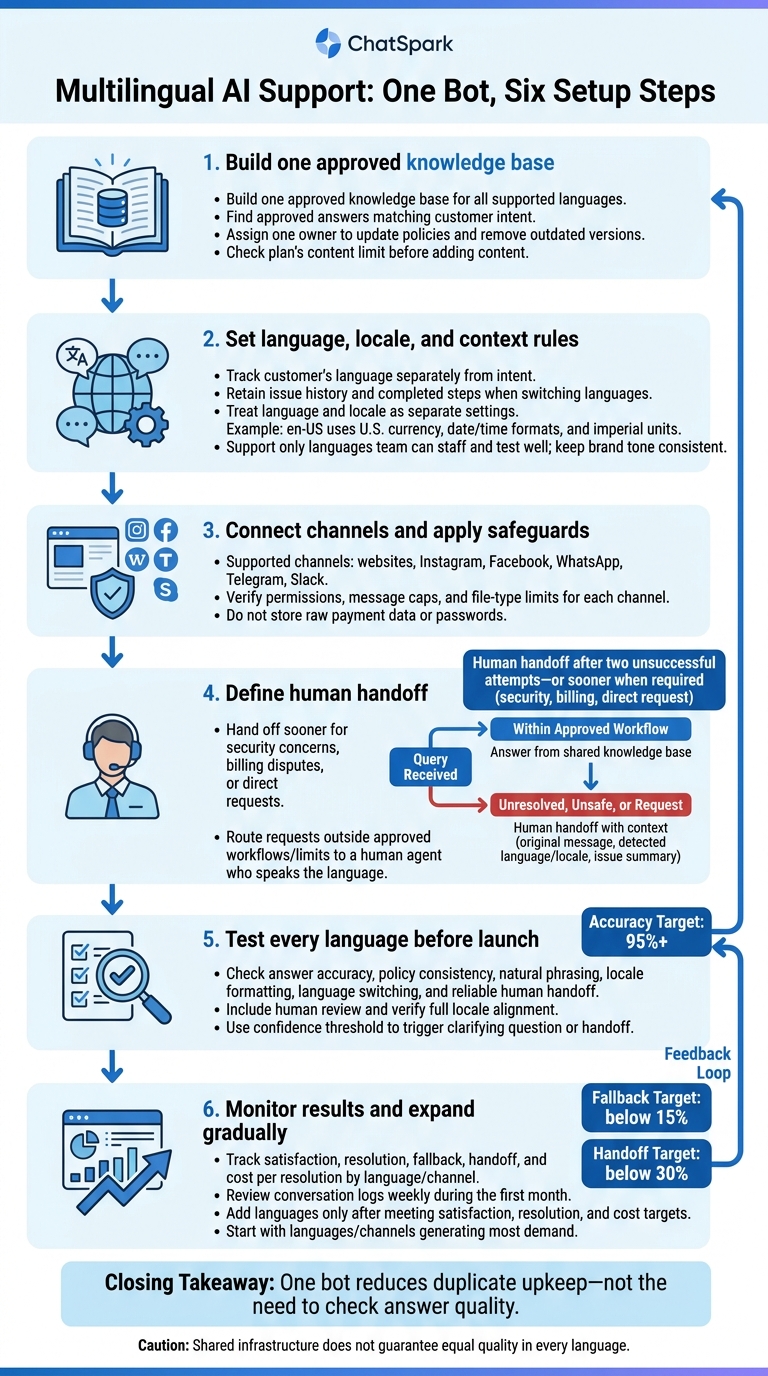
Multilingual AI Support: One Bot, Six Setup Steps
How One Multilingual AI Bot Works
Detect language and keep conversation context
Track the customer’s language separately from their intent. When they switch languages, keep their issue history and completed steps so they don’t have to start over. If they need human help, pass that context to an agent who supports their language.
Hand off after two unsuccessful resolution attempts, or sooner for security concerns, billing disputes, or a direct request for an agent.
To keep that context useful, the bot needs to answer from approved knowledge - not freeform translation.
Use Shared Knowledge to Answer in Each Language
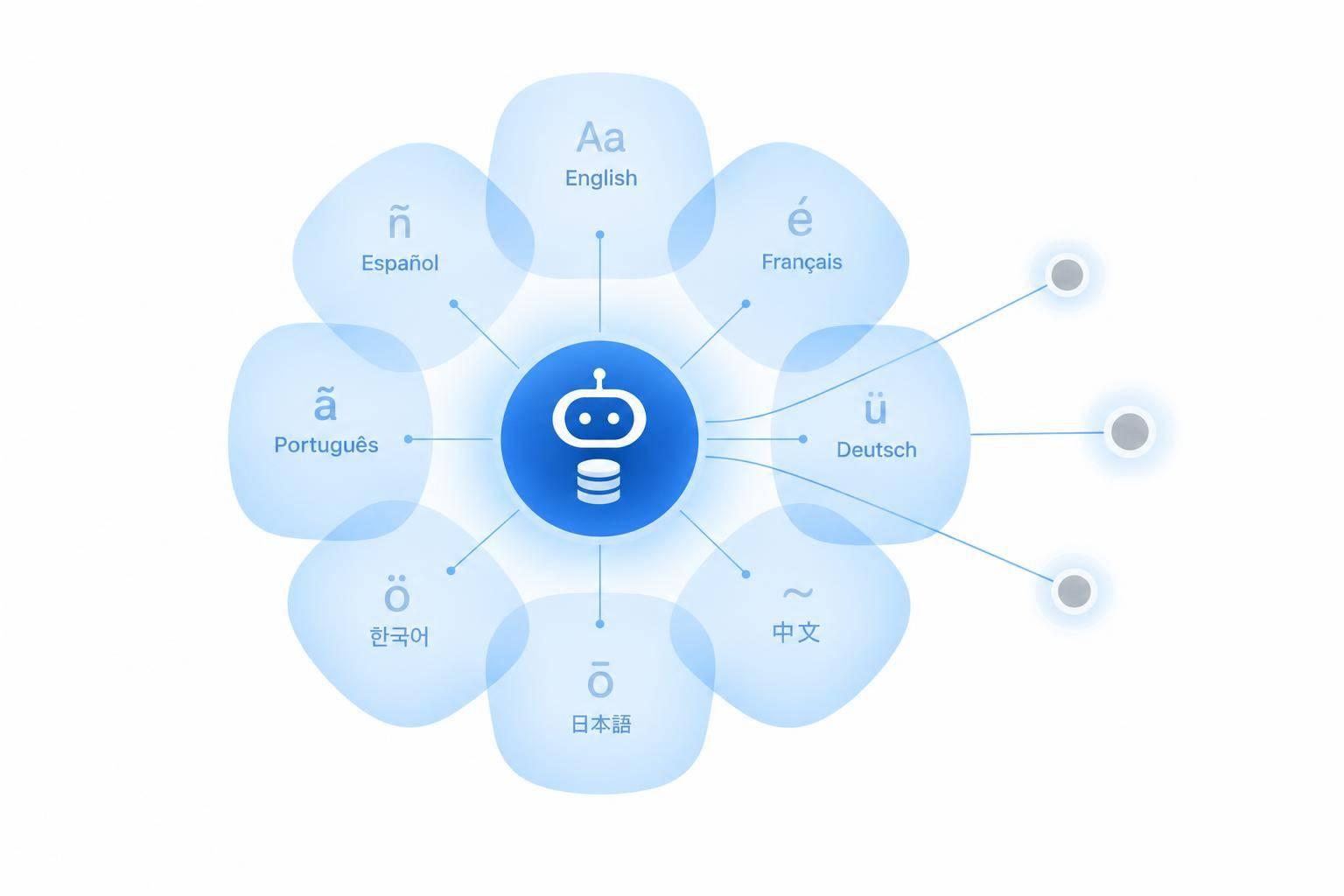
The bot should use a shared knowledge base to find approved answers that match the customer’s intent and stay within approved workflows. If a request falls outside those workflows, send it to a human.
Compare Maintenance for Shared and Separate Bots
| Maintenance area | Shared multilingual bot | Separate bots per language |
|---|---|---|
| Knowledge updates | Update once; changes apply to all languages. | Update each bot separately. |
| Policy consistency | Maintain one policy source. | Maintain separate policy copies. |
| Analytics | Filter unified reports by language. | Combine reports from separate bots. |
| Language switching | Keep context in one conversation. | Customers may need to restart or switch bots. |
| Maintenance effort | Maintain one setup. | Maintain each bot’s setup. |
Shared infrastructure does not guarantee equal quality in every language. Results vary by language, task, and channel. Test each language against the same approved answers, including language switches and escalation paths.
The next step is to configure the knowledge base, locale and language rules, and supported channels with clear limits.
Set Up Knowledge, Language Rules, and Channels
Once your bot uses a shared knowledge base, set the content, locale, and channel rules that guide every reply.
Build and Update the Support Knowledge Base
Build one approved knowledge base for all supported languages. Use ChatSpark’s multiple approved sources and AI retrieval to answer from curated content [2]. Assign one owner to update policies and remove outdated versions. Before adding content, check your plan’s content limit. This keeps every language tied to the same approved source of truth.
Set Locale Formats and Brand Terms
Support only languages your team can staff and test well. Use ChatSpark’s brand tone controls to keep formality and brand voice consistent.
Reply in the customer’s language, but treat language and locale as separate settings. For en-US, use U.S. currency, date and time formats, and imperial units. Then apply those rules to the channels your customers use.
Connect Channels and Set Support Limits
Deploy through ChatSpark’s supported channels: websites, Instagram, Facebook, WhatsApp, Telegram, and Slack. Keep the same multilingual bot’s behavior consistent across web and messaging channels.
Before launch, verify each channel’s permissions, message caps, and file-type limits. Do not store raw payment data or passwords [2].
Next, define handoff rules and test answer quality in each language.
Set Human Handoff Rules and Check Language Quality
Route Complex Requests With Conversation Context
After setup, define when the bot must hand off to a human. This includes any request it cannot safely resolve, such as policy exceptions, refund approvals, or complex transactions it cannot authorize [3].
Give the agent the original message, detected language and locale, and a short issue summary. That way, they can pick up the conversation without asking the customer to start over. Route the request to an agent who speaks the customer’s language.
Test Each Language Before Launch
Before launch, test the same escalation rules in every supported language. Check answer accuracy, policy consistency, natural phrasing, locale formatting, and whether human handoff works reliably.
Use a confidence threshold to trigger either a clarifying question or a human handoff. For launch readiness, target 95%+ answer accuracy, include human review, and verify full locale alignment [2].
Track Results by Language and Channel
After launch, track each language and channel separately. An overall average can hide weak spots.
Review conversation logs weekly during the first month to spot problems in fallback and handoff rates. Target fallback below 15% and handoff below 30% [1].
Conclusion: Grow Multilingual Support With One Bot
Use performance data by language and channel to decide where to expand next. Keep one support knowledge base across languages, apply policies consistently, and send complex cases to agents who can resolve them.
Before rollout, test the bot on actual support tasks. Check localized answers, routing to agents who speak the customer’s language, and handoffs to human support. Start with the languages and channels that generate the most support demand.
Add languages only after meeting satisfaction, resolution, and cost-per-resolution targets. Expand gradually to keep quality high as coverage grows.
FAQs
Do I need to translate my entire knowledge base?
No. You can train your AI agent in one primary language, usually English, and it will automatically detect and respond in over 95 languages. That means you don’t have to maintain separate versions of your knowledge base that can fall out of sync.
The AI handles translation for you. You can also add native-language content for specialized terms, legal jargon, or technical phrases to improve accuracy and match your brand’s tone and regional context.
How should my bot handle mixed-language messages?
Your AI agent identifies the language of each incoming message in real time, including mixed-language messages and code-switching. No special settings or toggles needed.
If a customer switches languages mid-chat, the agent instantly detects the change and replies in the new language. The conversation continues without interruption, and the agent keeps the context.
What if no agent speaks the customer’s language?
If a question is beyond the AI’s capabilities and no agent speaks the customer’s language, you can set a custom unknown response. This message can politely explain that the information isn’t available and suggest next steps.
The AI can also collect contact details for follow-up and save the full conversation history and context. Your team can then review the inquiry and help later when live support in the customer’s language isn’t possible.