AI customer service software is transforming how businesses handle customer support by using natural language processing (NLP), machine learning (ML), and automation to answer questions, solve problems, and manage inquiries 24/7. Unlike older systems that relied on rigid rules and manual work, these tools deliver fast, accurate responses - even for complex or conversational queries.
Here’s what matters most when choosing AI customer service software:
- NLP for Understanding Queries: Recognizes intent, even with typos or slang.
- Sentiment Analysis: Detects emotions like frustration to adjust responses or escalate to a human agent.
- Automation: Handles repetitive tasks (e.g., order status, FAQs) to save time and improve efficiency.
- Integrations: Works seamlessly with tools like CRMs, help desks, and e-commerce platforms for smooth data flow.
- Omnichannel Support: Maintains consistent conversations across chat, email, and social media.
- Analytics: Tracks metrics like resolution rates, response times, and satisfaction to improve performance.
Focus on tools that solve your most frequent customer issues effectively rather than those with unnecessary extras. Follow a complete guide to AI customer support implementation and test software with real scenarios to ensure it meets your needs and integrates well with your existing systems.
Core Features of AI Customer Service Software
Natural Language Processing and Understanding
At the heart of any effective AI customer service tool lies natural language processing (NLP). This technology enables the software to grasp the meaning behind a customer’s query, even when phrased differently. For instance, "where's my stuff?" and "what is my order status?" are interpreted in the same way. Modern NLP tools excel at recognizing intent and context[2]. Unlike older systems, which required precise phrasing, today’s AI can handle typos, slang, and varied sentence structures, making interactions smoother and more intuitive.
| Interaction Style | Legacy Rule-Based Bots vs AI Chatbots | Modern NLP-Powered AI |
|---|---|---|
| Logic | Rigid decision trees/keywords | Context- and intent-aware[2] |
| Interaction | "Press 1 for sales" | Natural conversation[2] |
| Data Source | Pre-programmed scripts | Business-specific knowledge[2] |
Additionally, sentiment analysis enhances these capabilities by identifying customer emotions during interactions.
Sentiment Analysis and Personalization
While NLP figures out what the customer is asking, sentiment analysis gauges how the customer feels. This combination boosts engagement by tailoring responses to the customer's emotional state. For example, if frustration is detected, the AI can escalate the issue to a human agent before it escalates further. This emotional awareness also allows the AI to adjust its tone, offering calm and reassuring responses when needed. The result? Customers feel understood and are more likely to leave satisfied.
Automating Repetitive Queries and Workflows
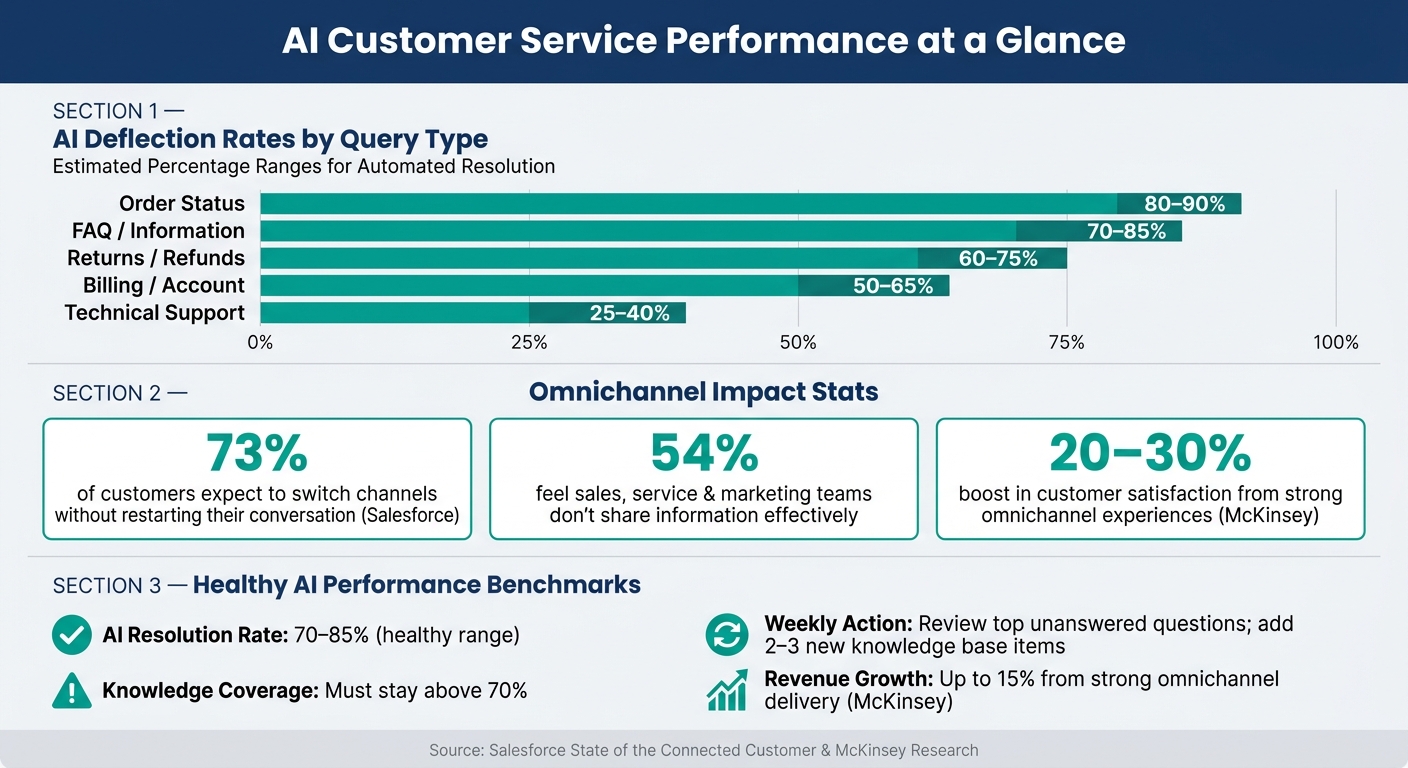
A significant portion of support tickets involves repetitive questions - think order statuses, FAQs, returns, and billing issues. AI is particularly effective at handling these at scale. Combined with the NLP and sentiment analysis features mentioned earlier, automation becomes a key driver of efficiency, achieving impressive deflection rates:
| Query Type | Typical Deflection Rate |
|---|---|
| Order Status | 80–90% |
| FAQ / Information | 70–85% |
| Returns / Refunds | 60–75% |
| Billing / Account | 50–65% |
| Technical Support | 25–40% |
Beyond answering questions, AI integrates with platforms like Calendly and Square[3][4] to streamline workflows. This frees up human agents to tackle more complex issues, ensuring efficiency while maintaining high-quality support. For businesses deciding between human-led and automated options, comparing live chat vs AI chatbots can help determine the best fit.
Integrations and Omnichannel Support
Even the smartest AI can't meet expectations if it doesn’t integrate with the tools your team already relies on. Without complete data, responses can fall flat - and customers notice immediately.
Key Integration Capabilities
The best integrations go beyond simply "connecting" two systems. They enable bidirectional data flow. For example, if a ticket is closed in Zendesk, the system should notify the customer automatically - no manual follow-up required.
By integrating deeply, businesses can streamline operations and unlock features like these:
| Integration Category | What It Enables |
|---|---|
| CRM (e.g., Salesforce, HubSpot) | Tailored greetings, detailed account history, instant updates |
| Help Desk (e.g., Zendesk, Freshdesk) | Automatic ticket creation, optimized routing, live status updates |
| E-commerce (e.g., Shopify, BigCommerce) | Real-time order tracking, return processing, shipping details in USD |
| Payments (e.g., Stripe, Square) | Refund tracking, invoice details, payment confirmations |
| Scheduling (e.g., Calendly) | Booking appointments, rescheduling, checking availability |
Make sure integrations allow both reading and writing data - not just pulling information but also pushing updates back into the system. Additionally, confirm that field mappings and routing rules can be customized through a user-friendly interface.
Strong integrations lay the groundwork for consistent, omnichannel communication, ensuring that customers experience smooth, uninterrupted support - no matter how they reach out.
Omnichannel Communication for Consistent Support
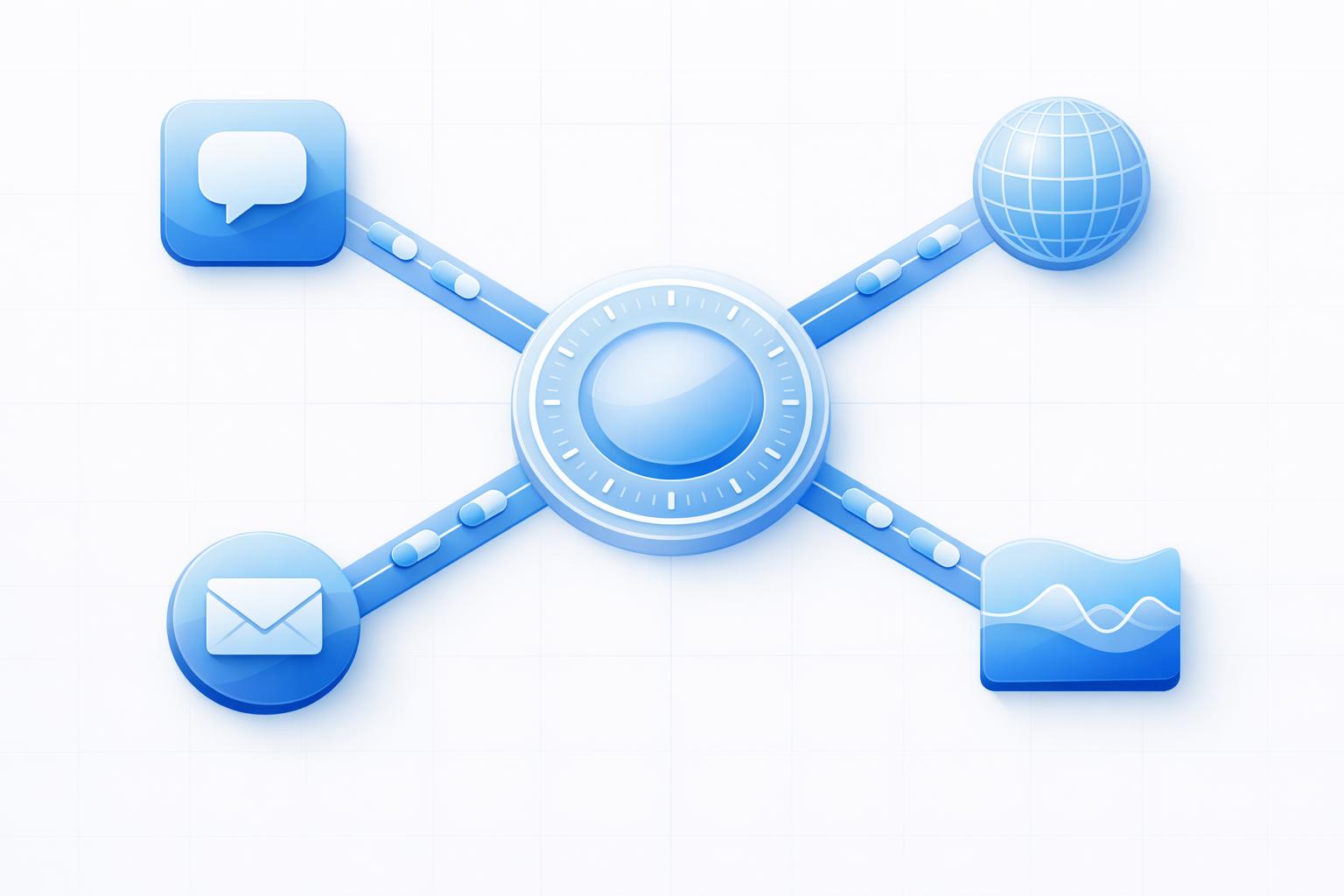
While multichannel support means being available on platforms like chat, email, and social media, omnichannel support takes it a step further. It ensures that conversations flow seamlessly between channels. For instance, a customer might start with a web chat, follow up via SMS, and receive a resolution through email - all as part of one continuous thread, without having to repeat their issue.
This distinction is more important than many businesses realize. According to Salesforce's State of the Connected Customer report, 73% of customers expect to switch channels without restarting their conversation. Yet, 54% feel like sales, service, and marketing teams don’t share information effectively. McKinsey research reinforces this, showing that companies delivering strong omnichannel experiences can boost customer satisfaction by 20–30% and grow revenue by up to 15%.
The key to consistent omnichannel support is a centralized knowledge base. When your AI pulls from one unified source - whether it’s FAQs, return policies, or pricing details in USD - customers receive accurate, consistent answers across all platforms. Whether they reach out via Instagram DMs, WhatsApp, or your website, the information stays the same. While responses can (and should) be tailored to the tone of each channel, the underlying facts must remain consistent. This approach ensures accuracy and builds trust, creating a seamless experience for every customer.
Measuring and Improving Performance with Analytics
AI Customer Service: Key Metrics, Deflection Rates & Performance Benchmarks
Analytics are your compass when it comes to evaluating your support system’s effectiveness. Without data, you’re left guessing which areas need attention. Let’s dive into the key metrics that can help you assess and improve AI performance.
Key Metrics to Track
To strike the right balance between efficiency and customer experience, focus on these core categories:
- Speed: Metrics like first response time and average resolution time provide insight into how quickly customers receive help.
- Effectiveness: Pay attention to the resolution rate (the percentage of cases fully resolved) and the containment rate (the percentage of cases handled entirely by AI without human intervention). While these metrics are related, they tell different stories. For instance, if your containment rate is high but the resolution rate is low, it could mean the AI is deflecting inquiries rather than solving them.
- Satisfaction: Tools like CSAT scores and sentiment analysis help gauge customer sentiment. Sentiment analysis is particularly valuable because it can detect frustration or confusion in near real time, even when customers skip post-chat surveys.
- AI Health: Metrics such as escalation rate, fallback rate (when the AI doesn’t understand a query), and intent recognition accuracy highlight areas where the AI may be underperforming.
For perspective, a healthy AI resolution rate usually lands between 70% and 85% [5]. If your containment rate is high but customer satisfaction (CSAT) scores are low, that’s a warning sign. It could mean customers are caught in unhelpful loops instead of getting meaningful answers.
These metrics form the foundation for ongoing improvements.
Using Data to Refine AI Performance
Once you have the metrics, the next step is using them as a feedback loop to fine-tune your AI. The process is simple: identify patterns, trace them to a root cause, implement specific fixes, and measure the results.
For example, if you notice a spike in escalations after a product launch, it’s a signal to update the AI’s training data and support content immediately. Or, if customers frequently abandon a refund process, a transcript review might reveal that the AI is asking for critical information too late in the conversation - or that the refund policy language is causing confusion.
ChatSpark’s analytics dashboard makes this easier by highlighting conversation outcomes, sentiment trends, and knowledge gaps across all channels. This allows teams to act on clear patterns rather than guesswork.
One small but impactful habit: Review the top unanswered questions every week and add 2-3 new items to your knowledge base [5]. If your knowledge coverage drops below 70%, it’s a clear sign your AI’s training data has gaps that need immediate attention [5].
To make the most reliable decisions, combine multiple data points. For instance, a high escalation rate might indicate AI issues - or it could simply mean your escalation thresholds are set too low. Pair metrics like escalation rates with transcript reviews and sentiment trends to get a complete picture before making adjustments.
Conclusion: Choosing the Right AI Customer Service Software
After exploring the key features and measurable benefits, the next step is selecting the software that aligns with your support goals.
Focus on the Features That Matter Most
The right AI customer service software should directly address your biggest challenges. Features like advanced NLP, sentiment analysis, automation, and seamless integrations play a critical role in improving response times and resolution rates. These tools determine how quickly customers get the help they need, how effectively issues are resolved, and how much manual effort your team has to put in.
When comparing options, evaluate vendors specifically on these capabilities. Test their performance using real support tickets. Check how well the system handles typos, slang, and complex questions. Also, ensure your existing tools - like your CRM, help desk, or order management systems - integrate smoothly without requiring manual workarounds. [1][6]
Once you've identified the right features, the next step is planning a rollout that supports both immediate needs and long-term growth.
Preparing for Rollout and Future Expansion
A thoughtful implementation plan is just as important as the software itself. Start with a shadow mode rollout, where AI drafts responses for human review. This approach helps identify any gaps in knowledge and builds trust in the system before it handles customer interactions independently. Once the AI’s accuracy is solid, begin using it for simple, high-volume tasks like order status updates, store hours, FAQs, and password resets.
Make sure the platform you choose can grow with your business. Scaling from 5,000 to 50,000 monthly conversations shouldn’t require a complete overhaul. For example, ChatSpark offers flexible plans that allow teams to start small and expand without needing to rebuild the system.
Treat AI customer service as an ongoing process rather than a one-time setup. Regularly update your knowledge base, review unresolved queries, and use analytics to spot potential issues early. The right software equips you with the tools to refine your system continuously, ensuring that your results keep improving over time.
FAQs
How can I test an AI support tool with real tickets?
To evaluate an AI support tool with actual tickets, begin by exporting at least 90 days of historical support data from your CRM or helpdesk system. Make sure this data is sorted by category, resolution type, and response time. This helps pinpoint frequent, high-volume queries that the AI can address effectively.
When testing, use a dedicated API key, such as cs_test_ in the ChatSpark dashboard, to ensure live data remains unaffected. Start on a smaller scale by enabling shadow mode, which lets the AI generate responses without directly interacting with customers. This approach allows you to fine-tune the AI's outputs before rolling it out fully.
What metrics show the AI is resolving issues effectively?
To evaluate how well AI is performing, it's essential to keep an eye on specific metrics using real-time analytics. Start with the AI resolution rate, which shows the percentage of inquiries the AI resolves without needing human assistance. Another key metric is First Contact Resolution (FCR) - this measures how often issues are solved in a single interaction. Pay attention to the escalation rate too, as it indicates how frequently tickets require human intervention. Lastly, check Customer Satisfaction (CSAT) scores for AI-driven interactions, and leverage sentiment analysis to catch any signs of lingering customer frustration. These insights can help fine-tune your AI's performance.
What integrations are must-haves before I roll it out?
Integrating AI customer service software with your current tools is essential for a smooth transition. Focus on connecting it with:
- Your CRM (like Salesforce or HubSpot): This allows for automated updates and real-time data syncing, keeping customer information accurate and up-to-date.
- Helpdesk or knowledge base platforms: These ensure that responses remain consistent and aligned with your existing support guidelines.
- Messaging channels (such as WhatsApp or email): This enables seamless omnichannel support, so customers can reach you through their preferred communication method.
These integrations not only preserve your workflows but also enhance the overall customer experience.