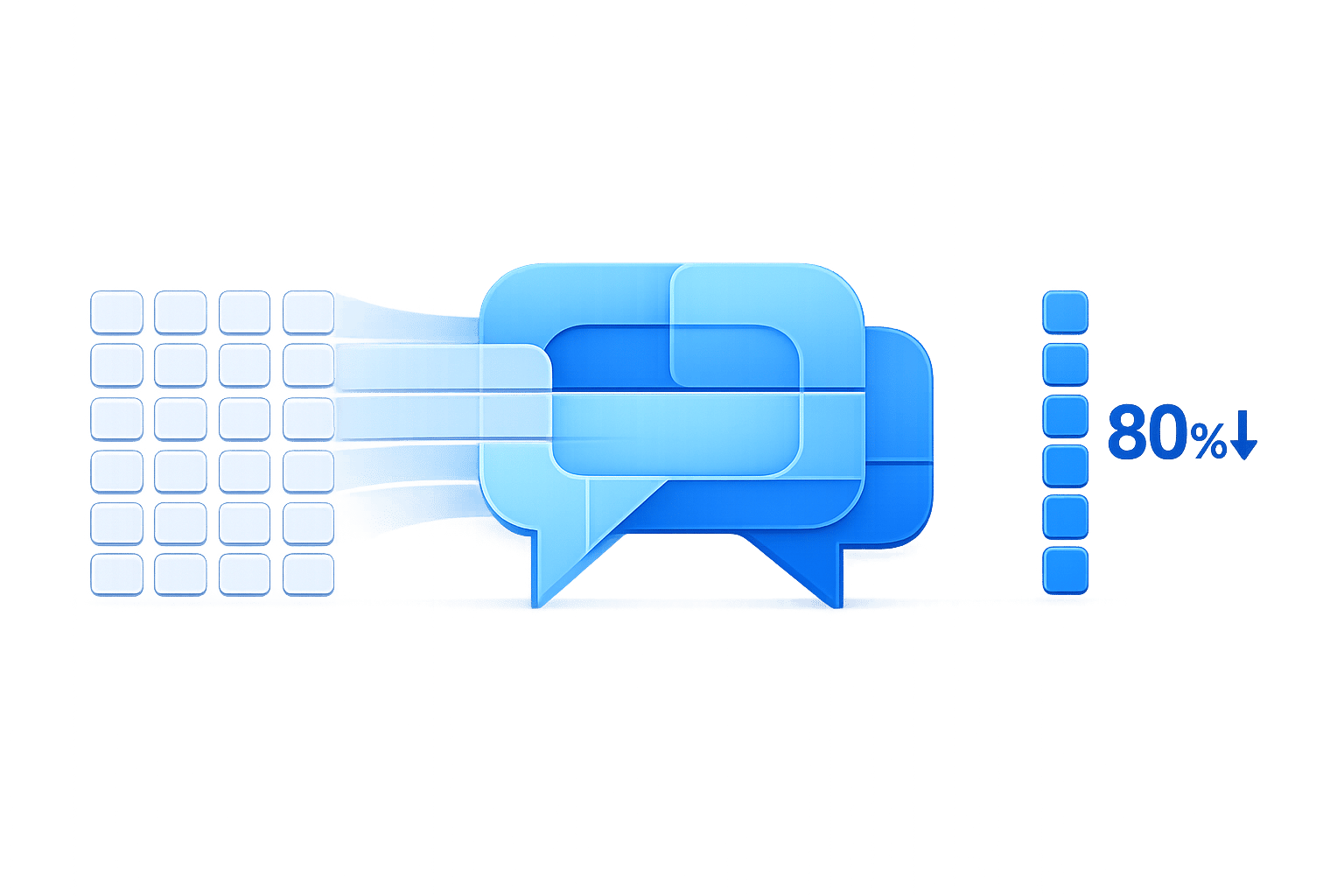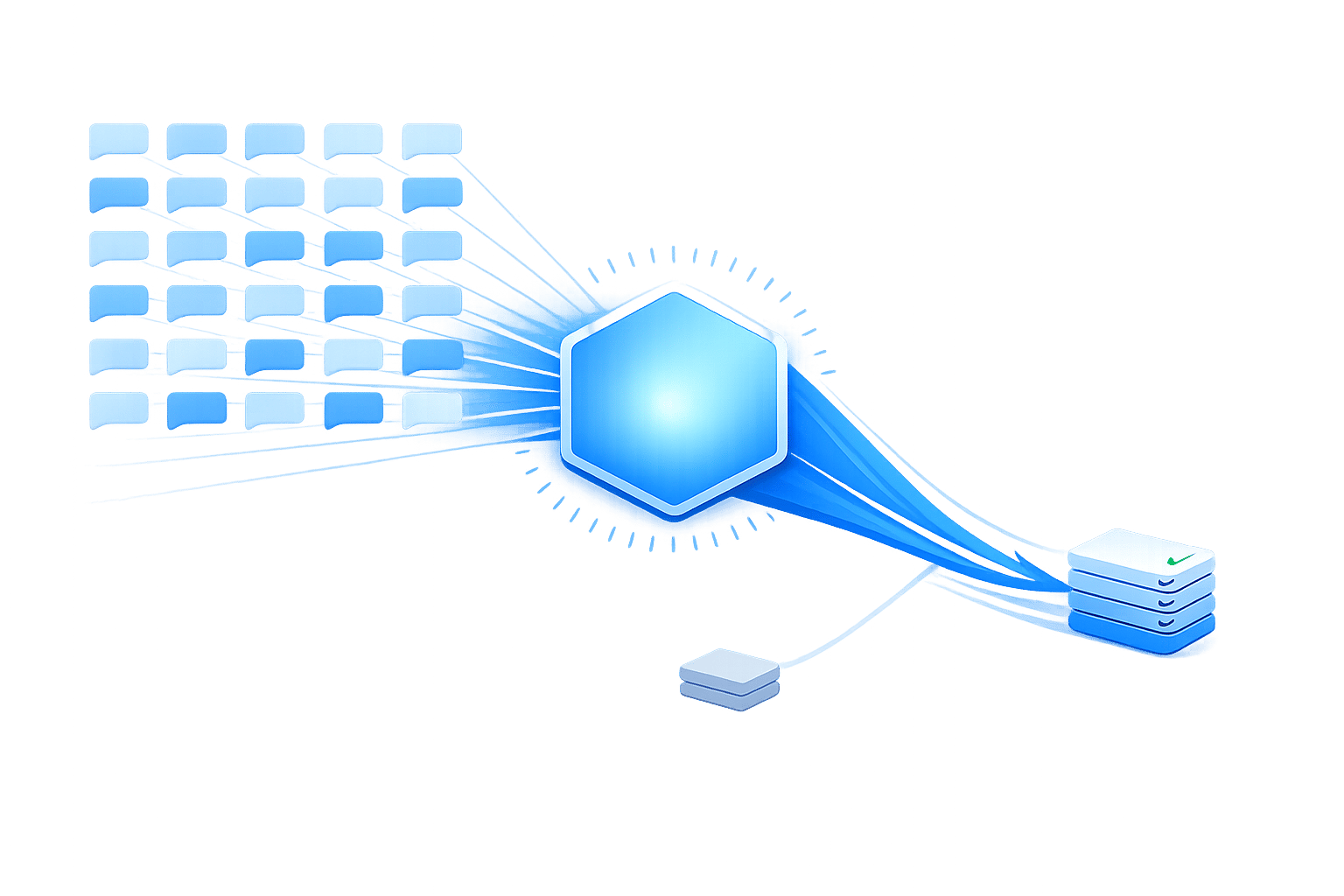
AI chatbots are transforming customer support by reducing costs and speeding up response times. Here's how they make a difference:
- Cost Savings: Chatbots handle routine inquiries like order tracking and password resets for under $1 per interaction, compared to $3–$12 with human agents. Businesses report up to 30% savings in support costs.
- 24/7 Availability: Unlike human agents, chatbots provide instant responses around the clock, even during peak times or after hours, without extra staffing expenses.
- Faster Resolutions: Simple tasks are completed in seconds, and chatbots can manage unlimited simultaneous conversations, ensuring no customer is left waiting.
- Freeing Up Agents: By resolving up to 80% of routine queries, chatbots allow human agents to focus on complex or sensitive issues.
- Improved Efficiency: Integration with tools like CRMs and helpdesks enables chatbots to automate tasks like refunds, scheduling, and account updates.
For example, Klarna's AI assistant reduced resolution times from 11 minutes to 2 minutes, while saving the workload of 700 agents in one month. Similarly, businesses like HelloSugar and Emma App have saved thousands per month and improved customer satisfaction by deploying chatbots.
What AI Chatbots Do in Customer Support
AI chatbots tackle a variety of support tasks that would otherwise fill up an agent’s workload - from answering straightforward inquiries to handling backend operations like resetting passwords or updating orders. According to IBM, chatbots can manage about 80% of routine customer service interactions, allowing human agents to focus on more complex or sensitive cases. Let’s break down how these bots make an impact.
Automated Replies to Common Questions
One of the biggest benefits of chatbots is their ability to respond instantly to the repetitive questions your team hears daily. Queries like "Where’s my order?", "What’s your return policy?", or "How can I update my billing information?" are perfect for automation. Chatbots use natural language processing to match these questions with answers from your up-to-date FAQ database and deliver responses in real-time.
The key to chatbot success lies in its training and following a customer service automation checklist. Regularly updating the bot with fresh data and testing it against actual customer interactions ensures it remains helpful instead of becoming a source of frustration.
Multilingual Support and Round-the-Clock Availability
AI chatbots don’t need shifts - they’re available 24/7 and can provide support in multiple languages. For businesses operating across time zones, this reduces response times and clears after-hours ticket backlogs.
A chatbot with multilingual capabilities can detect the customer’s language and reply appropriately. For example, a U.S. business with Spanish-speaking customers can use a chatbot to bridge language gaps without hiring additional staff. This feature not only broadens accessibility but also removes barriers that might otherwise lead to customer dissatisfaction.
These around-the-clock and multilingual features don’t just assist customers - they also reduce the number of issues that require escalation to live agents.
Ticket Deflection and Task Automation
Ticket deflection occurs when a chatbot resolves an issue before it escalates into a support ticket. For instance, in February 2024, Klarna introduced an AI assistant that handled 2.3 million conversations in its first month. This was equivalent to the workload of 700 full-time agents, and it reduced resolution times from 11 minutes to under 2 minutes.
Chatbots go beyond answering questions - they can also take action. By integrating with systems like your CRM, helpdesk, or order management platform, they can reset passwords, update addresses, process refunds, or even schedule appointments - all without involving a human agent. This automation not only speeds up resolution times but also ensures consistency in handling routine tasks that might vary between agents.
Why AI Chatbots Lower Support Costs
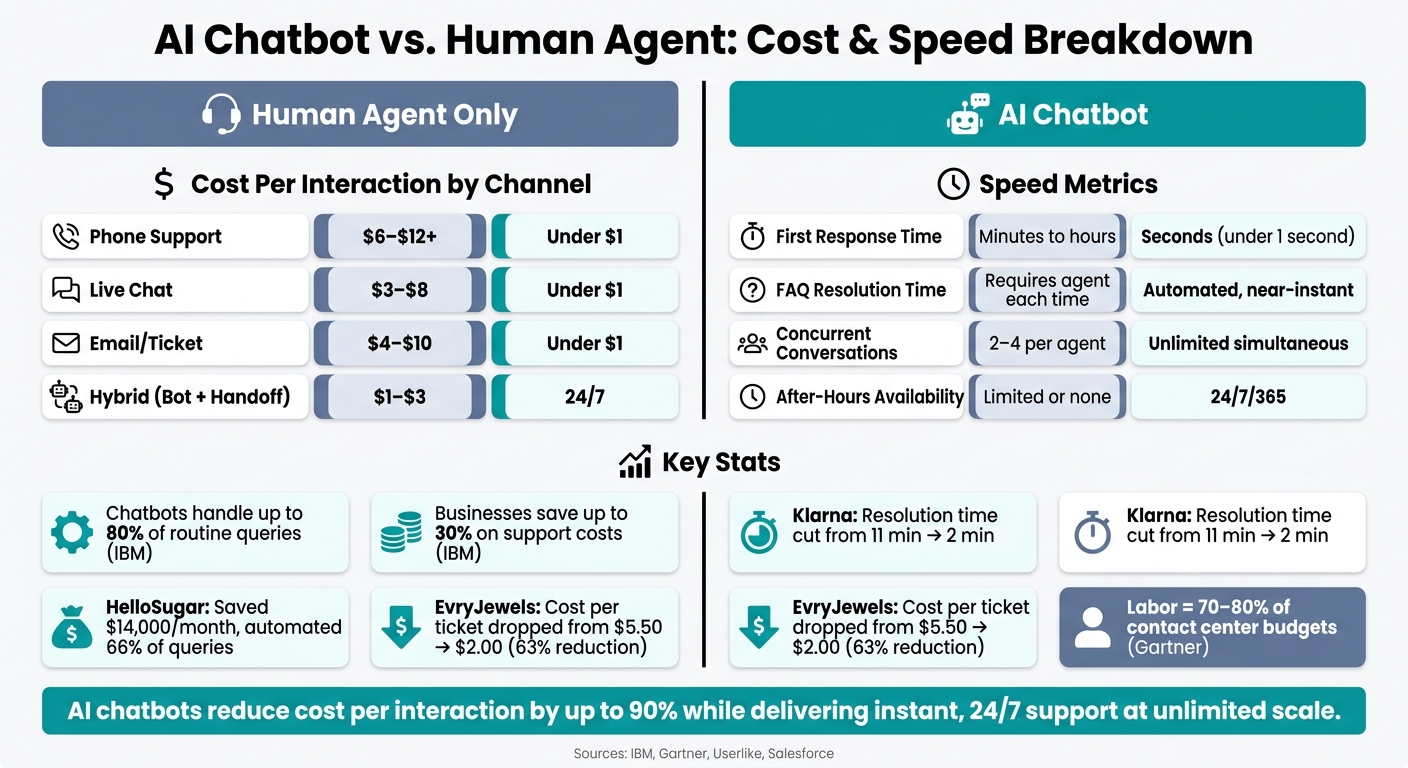
AI Chatbot vs Human Agent: Cost & Speed Comparison
AI chatbots don’t just simplify support tasks - they also bring real cost savings. Labor is the biggest expense in customer support, with Gartner estimating it makes up 70–80% of contact center operating budgets. When chatbots take on a significant portion of customer inquiries, this dynamic shifts. According to IBM, businesses can slash support costs by up to 30% using conversational AI, largely by cutting down the number of interactions that need a human touch.
Cutting Repetitive Work for Human Agents
A large chunk of support tickets are repetitive - questions about order status, password resets, billing, or return policies. You can automate customer support without losing quality by using smart workflows for these routine tasks. Chatbots can handle these inquiries from start to finish, freeing up agents to focus on more complex cases that require human expertise.
Picture this: if a chatbot resolves 40% of 2,000 daily tickets, a team of 20 agents could function just as effectively with only 12–14 agents. This lowers payroll, benefits, and other overhead costs while maintaining service quality. Take HelloSugar, a salon chain, as an example. In November 2025, their AI agents automated 66% of customer queries, saving $14,000 per month. This efficiency allowed them to double their locations - from 81 to 160 - without needing to expand their support team.
Fewer agents also mean reduced costs for onboarding, training, and managing turnover over time.
Reducing After-Hours Staffing Costs
Providing after-hours support is expensive. Human agents often earn 150–200% of their base salary during these shifts. To maintain 24/7 coverage, you’d need four to five agents just to fill one "seat" across all shifts.
Chatbots eliminate this need. They handle routine requests - like order tracking, FAQs, or account updates - at any hour, without extra pay. For more complex issues, they gather details and queue the ticket for the next available agent. This setup keeps after-hours teams small, focusing only on urgent escalations. Emma App, a fintech company, implemented this in 2026. Their AI managed all weekend conversations, handling a 127% surge in monthly message volume (from 3,500 to 7,200) without hiring additional staff.
These savings, combined with lower interaction costs, make chatbots a cost-efficient alternative to traditional support models.
Cost per Interaction: Manual vs. AI-Powered Support
The cost difference when comparing [live chat vs AI chatbots] (https://chatspark.io/blog/live-chat-vs-ai-chatbot-which-fits-your-business) is striking. Human live chat typically costs $3–$8 per interaction in the U.S., factoring in wages, benefits, and overhead. Phone support is even pricier, often $6–$12 or more. In contrast, chatbot interactions generally cost well under $1 - sometimes just a few cents when spread across high volumes.
| Channel | Handled By | Avg. Cost per Interaction (USD) | Availability |
|---|---|---|---|
| Phone | Human agent | $6–$12+ | Business hours |
| Live chat | Human agent | $3–$8 | Business hours |
| Email/ticket | Human agent | $4–$10 | Business hours |
| AI chatbot | Automated | Under $1 (often cents) | 24/7/365 |
| Hybrid (bot + handoff) | Bot + human | $1–$3 | 24/7/365 |
In hybrid setups, where bots manage initial queries before handing off to human agents, the cost per interaction drops significantly compared to fully human-handled conversations. A great example is EvryJewels, a Canadian jewelry brand. In February 2026, they deployed AI automation, cutting their cost per ticket from $5.50 to $2.00 - a 63% reduction. Plus, their response times improved dramatically, dropping from one week to under a minute.
How AI Chatbots Speed Up Customer Support
While cutting costs is a big win for businesses, the real game-changer for customers is speed. AI chatbots shine brightest here - delivering faster responses the moment a customer reaches out.
Instant Replies to Customer Questions
When customers contact support via live chat or email, they often face frustrating delays. Chatbots eliminate this entirely by responding immediately. As soon as a customer sends a message, the bot analyzes it, figures out the question, and provides an answer - all in under a second.
Today’s customers demand instant support. Salesforce research shows that 69% of consumers prefer chatbots for quick communication with brands. In a world of streaming services, same-day delivery, and instant payments, people expect support to keep up. Chatbots meet this demand effortlessly, resolving common questions without making customers wait in line.
On top of speed, chatbots handle high volumes of interactions with ease, ensuring no customer is left waiting.
Handling Multiple Conversations at Once
A human agent can juggle two to four chats at a time before quality starts to dip. Chatbots? They don’t have a limit. Whether it’s ten or a hundred conversations happening simultaneously, a chatbot delivers the same quick, consistent responses across the board.
This capability is crucial during busy times like Black Friday, Cyber Monday, or major product launches, when support requests spike. While human teams struggle with growing queues and slower responses, chatbots handle the surge seamlessly. Every customer gets a fast, accurate reply - whether they’re the first to message or the five-hundredth.
Consistency is another key advantage. Chatbots maintain the same tone, accuracy, and structured responses every time, something that’s hard for human agents to achieve under heavy workloads.
While managing multiple chats, chatbots also speed up the resolution of common issues.
Faster Resolution of Frequent Issues
Speed isn't just about replying quickly - it’s about solving problems faster. This is where automated workflows truly make a difference.
Chatbots can resolve order inquiries in under two minutes, compared to the 15 minutes or more it might take a human agent. Tasks like password resets, subscription updates, invoice downloads, or basic troubleshooting are completed in a single automated interaction.
According to a report by Userlike, chatbots can handle up to 80% of routine customer questions without needing human help [1]. That’s 80% of support tickets resolved instantly, freeing up agents to focus on more complex cases. For the remaining 20% that require human attention, agents can respond faster since they’re not bogged down by repetitive tasks. This makes the entire support system faster and more efficient.
| Metric | Human Agent Only | With AI Chatbot |
|---|---|---|
| First response time | Minutes to hours | Seconds (near-instant) |
| Concurrent conversations | 2–4 per agent | Scores of simultaneous chats |
| FAQ resolution time | Requires agent time each time | Automated, near-instant |
| After-hours availability | Limited or none | 24/7 across all U.S. time zones |
| Escalation to human | Manual triage, slower routing | Intent-based with full context |
How AI Chatbots Work
Getting a grasp on how AI chatbots function offers valuable insights for making informed decisions about deploying and configuring them for your support team. These technical elements are the backbone of the cost savings and fast support options mentioned earlier.
Natural Language Processing and Intent Recognition
When a customer sends a message, an AI chatbot doesn’t just hunt for keywords - it figures out the intent behind the entire message. This is thanks to Natural Language Processing (NLP), which allows the bot to understand sentence structure, context, and even intent, no matter if the customer uses slang, shorthand, or makes typos.
Unlike older, rule-based bots that required exact phrasing, today’s AI chatbots can handle a wide range of ways customers express themselves. Whether someone’s asking about a refund, tracking a shipment, or dealing with billing, the chatbot can interpret the request accurately without needing a perfect match in phrasing [2]. This leads to more precise responses and a smoother customer experience.
| Feature | Traditional Rule-Based Bots | Modern AI Chatbots |
|---|---|---|
| Logic | Relies on rigid decision trees and keyword matching | Uses NLP to understand intent and context |
| Flexibility | Struggles with typos, slang, or varied phrasing | Adapts to different expressions and errors |
| Data Source | Static, pre-programmed scripts | Pulls live data from knowledge bases and business documents |
This capability not only improves accuracy but also sets the stage for faster information retrieval and task automation.
Knowledge Retrieval and Workflow Automation
Once the chatbot identifies the customer’s intent, it retrieves the most relevant information from your business’s knowledge base. Modern AI chatbots often use Retrieval-Augmented Generation (RAG), which enables them to pull real-time data from your company’s FAQs, help articles, product details, and other documents [2]. This ensures responses are always current and tailored to the customer’s needs.
But chatbots don’t stop at answering questions - they can also perform tasks. From resetting passwords to checking order statuses, updating subscriptions, or retrieving invoices, these bots integrate with systems like CRMs, helpdesks, and backend tools to get the job done. It’s not just about giving answers; it’s about completing actions seamlessly.
Handing Off to Human Agents When Needed
Even the smartest chatbots know when to step aside. For complex or sensitive issues, they escalate the conversation to a human agent without making the customer repeat themselves.
This is a big deal: 74% of customers say it’s frustrating to retell their issue to a new agent [3]. To avoid this, the chatbot provides the agent with a detailed summary of the conversation, including key information like account details, issue type, and what’s already been attempted. This ensures the agent can pick up right where the bot left off, reducing resolution times significantly [3].
Escalation triggers can include customer requests, low confidence in the bot’s response, negative sentiment, or high-priority issues. Striking the right balance here is critical.
"If your [escalation] rate is 0%, you aren't providing perfect service; you are likely trapping users in 'bot hell'." - Devashish Mamgain, CEO, Kommunicate [3]
How to Deploy an AI Chatbot in Customer Support
AI chatbots can save money and speed up response times, but deploying them effectively is where the real challenge lies. To integrate them seamlessly into your support operations, you need a clear strategy that aligns with your team's goals and tools.
Set Clear Support Goals Before You Start
Before diving into setup, figure out exactly what problem you're trying to solve. Are after-hours inquiries piling up? Are agents bogged down with repetitive tasks like password resets? Identifying your biggest pain points will help you focus your chatbot's purpose.
For example, a chatbot designed to reduce ticket volume will look different from one aimed at speeding up resolution times. Trying to address every issue at once is a common mistake that leads to underwhelming results. Instead, choose two or three specific priorities, set measurable goals for each, and build your chatbot around those.
Train the Chatbot with FAQs and Past Support Data
The quality of your training data directly impacts how well your chatbot performs. Start by analyzing the last 90 days of support tickets to identify the most common and repetitive issues - like questions about order tracking, billing, or account access. Typically, about 20% of inquiry types account for 60–80% of your ticket volume. That’s where your training efforts should start.
"Your AI agent is only as good as its training data. The more relevant content you provide, the better your agent can answer customer questions." - ChatSpark Documentation [4]
To structure your training, organize your knowledge base into 10 key categories, such as Billing, Troubleshooting, and Shipping. For each category, include 10 common questions and 10–20 variations of how customers might phrase them - including typos and informal language. Using real customer transcripts instead of made-up examples is crucial because it captures the way people actually communicate when they're frustrated.
Modern AI chatbots can retrain with new data in just a few minutes, so updating your knowledge base as policies change is simple. Don’t forget to remove personal identifiable information (PII) - like names, emails, and account details - from historical data before uploading it. Also, set a confidence threshold (around 0.75) to ensure the bot escalates unclear issues to a human agent instead of making incorrect guesses.
Connect the Chatbot to Your Helpdesk and CRM
A chatbot that works alone can create more problems than it solves. To unlock its full potential, integrate it with the tools your team already uses. For example:
- Helpdesk integration (e.g., Zendesk, Freshdesk, Intercom): The chatbot can create tickets and pass conversation details to human agents during handoffs, so customers don’t have to repeat themselves.
- CRM integration (e.g., Salesforce, HubSpot): The bot can capture leads and update contact records in real time.
- E-commerce integration (e.g., Shopify): It can access live order data and handle refund requests without needing human intervention.
If your setup includes tools outside these categories, automation platforms like Zapier can connect your chatbot to thousands of apps, from Google Sheets to Mailchimp.
Here’s a quick overview of how integrations can enhance your chatbot’s functionality:
| Integration Type | Example Tools | What It Enables |
|---|---|---|
| Helpdesk | Zendesk, Freshdesk, Intercom | Creates tickets with full conversation context |
| CRM | Salesforce, HubSpot, Pipedrive | Captures leads and updates contact records |
| E-commerce | Shopify | Handles order tracking and refunds |
| Booking | Calendly, Google Calendar | Schedules appointments directly in chat |
| Automation | Zapier | Connects to 5,000+ third-party apps |
| Channels | WhatsApp, Slack, Instagram | Syncs conversations across platforms |
When your chatbot, helpdesk, and CRM share the same information, every interaction - whether handled by a bot or a human - feels seamless and consistent. This interconnected setup maximizes efficiency and ensures a smooth customer experience.
How to Measure Cost and Speed Gains from AI Chatbots
Once your chatbot is up and running, the next step is figuring out how much it's helping. To do that, you need to track specific metrics that show cost savings and how much faster your support system has become. These numbers will help you pinpoint where you're succeeding and where you can improve.
Tracking Cost per Interaction
Start by calculating your costs before deploying the chatbot. Take your total monthly support expenses - including salaries, tools, and overhead - and divide that by the number of conversations handled that month. This gives you your current cost per interaction.
For context, a human agent typically costs $20 to $25 per routine query [6]. In comparison, an AI chatbot can handle the same query for just $0.50 to $2.00 [9]. To get a more accurate picture, measure the cost per resolution (CPR), as repeat customer contacts can drive up costs by 2.3× [5]. Another key metric is the autonomous resolution rate, which shows the percentage of tickets the AI resolves completely on its own. On average, this rate is 44.8% [9].
Here’s a quick comparison of costs by resolution type to benchmark your chatbot's performance:
| Resolution Type | Cost Per Interaction |
|---|---|
| Phone Support | $17–$25 [10] |
| Live Chat (Human) | $10–$16 [10] |
| Email Support | $8–$15 [10] |
| AI-Assisted Agent | $4–$7 [9] |
| AI Chatbot (Fully Automated) | $0.50–$2.00 [9][10] |
Monitoring First Response and Resolution Times
Once cost savings are clear, time metrics can show how much faster your chatbot is making things. Focus on two areas: first response time (how quickly customers get an initial reply) and average resolution time (how long it takes to fully resolve an issue).
AI chatbots have been shown to cut first response times by 55% [10], often reducing wait times from hours to under 30 seconds [8]. For example, Klarna introduced an AI assistant in February 2024 and saw average resolution times drop from 11 minutes to just 2 minutes across 2.3 million conversations in one month [7][8].
Also, check the quality of handoffs to human agents. If customers have to repeat their issue after being transferred, it’s a sign the bot isn’t passing along enough context.
While speed is important, don’t forget to measure quality through ticket deflection rates and customer satisfaction.
Measuring Ticket Deflection and Customer Satisfaction
Beyond cost and speed, it’s crucial to track how effective your chatbot is. Ticket deflection measures how many incoming issues the chatbot resolves without creating tasks for human agents. A more accurate approach is to count only those cases where the customer doesn’t return with the same issue within 14 days [11].
Deflection rates alone don’t tell the whole story. Pair them with customer satisfaction (CSAT) scores. Track CSAT separately for chatbot-only and human-assisted interactions. If the gap between the two scores is 8 points or more, it’s time to pause the bot’s responses in that area and review its training data [7].
"It's not about replacing support. It's about keeping customers cared for - even when no one's online." - Geoffrey Safar, Head of Operations, Emma App [8]
Businesses that monitor these metrics consistently often see major benefits. AI-powered systems have been linked to a 31.5% increase in CSAT scores and a 24.8% boost in customer retention [8]. Regularly reviewing these numbers ensures your support system stays efficient, fast, and customer-focused.
Best Practices for Cutting Costs Without Lowering Quality
Maintaining high-quality support while reducing costs is achievable with consistent, disciplined strategies.
Keep Your Knowledge Base Current
Your chatbot's accuracy depends on having up-to-date FAQs, product documentation, and SOPs. Outdated materials lead to incorrect answers, which can erode customer trust.
One of the most reliable methods is Retrieval-Augmented Generation (RAG). This approach ensures your chatbot bases its responses on verified company documentation, not generic training data. The result? Fewer errors and responses that stay accurate and aligned with your brand.
To keep things running smoothly, review "no-solution" logs weekly. Spending just 30 minutes each week identifying content gaps can prevent recurring issues from snowballing into bigger problems.
Set Up Clear Escalation Paths
Even a well-informed chatbot will encounter limitations. That’s why clear escalation protocols are essential.
A chatbot that doesn’t recognize when it’s out of its depth can frustrate users. The solution? A defined system that seamlessly routes complex issues to the right team - without forcing customers to repeat themselves.
Here’s how to structure it:
- Set confidence thresholds: If confidence is above 90%, the bot can respond automatically. For scores between 70–89%, it should draft a response and involve a human for review. Anything below 70% should trigger an immediate transfer to a human agent [14].
- Use sentiment detection: When your chatbot’s Natural Language Understanding (NLU) picks up on frustration or urgency, it should initiate a warm transfer. This means passing a conversation summary to a human agent, so customers don’t have to start from scratch.
The table below outlines an effective escalation framework:
| Trigger | Action | Team |
|---|---|---|
| Confidence < 70% | Immediate handoff | Tier 1 Support |
| Negative sentiment | Warm transfer with summary | Support Lead / Retention |
| Keywords: "Legal", "Billing" | Direct routing | Finance / Compliance |
| Explicit "Talk to human" | Instant connection | Next available agent |
Monitor and Improve Chatbot Performance Over Time
A strong knowledge base and clear escalation paths are just the beginning. To ensure your chatbot delivers consistent results, you need to monitor and refine its performance regularly.
Conduct weekly quality assurance (QA) reviews of 50–100 interactions. Focus on both accuracy and tone, and use the insights to make targeted improvements.
Pay special attention to your True Resolution Rate - the percentage of issues resolved entirely by the bot without human intervention. Unlike containment rates, which only measure how often the bot keeps users from escalating, the True Resolution Rate reflects actual customer satisfaction [12][13].
As Maya Rodriguez, CX Director at StellarCommerce, puts it:
"That's the real automation win – when bots handle the repetitive so humans can do the remarkable." [13]
Also, track how customer sentiment evolves during interactions. A conversation where frustration shifts to neutrality is a success. On the flip side, if a neutral customer ends up frustrated, it’s a red flag that warrants investigation. Regular reviews like these help fine-tune your support system, ensuring you maintain both cost efficiency and quality.
Where ChatSpark Fits in Your Support Stack
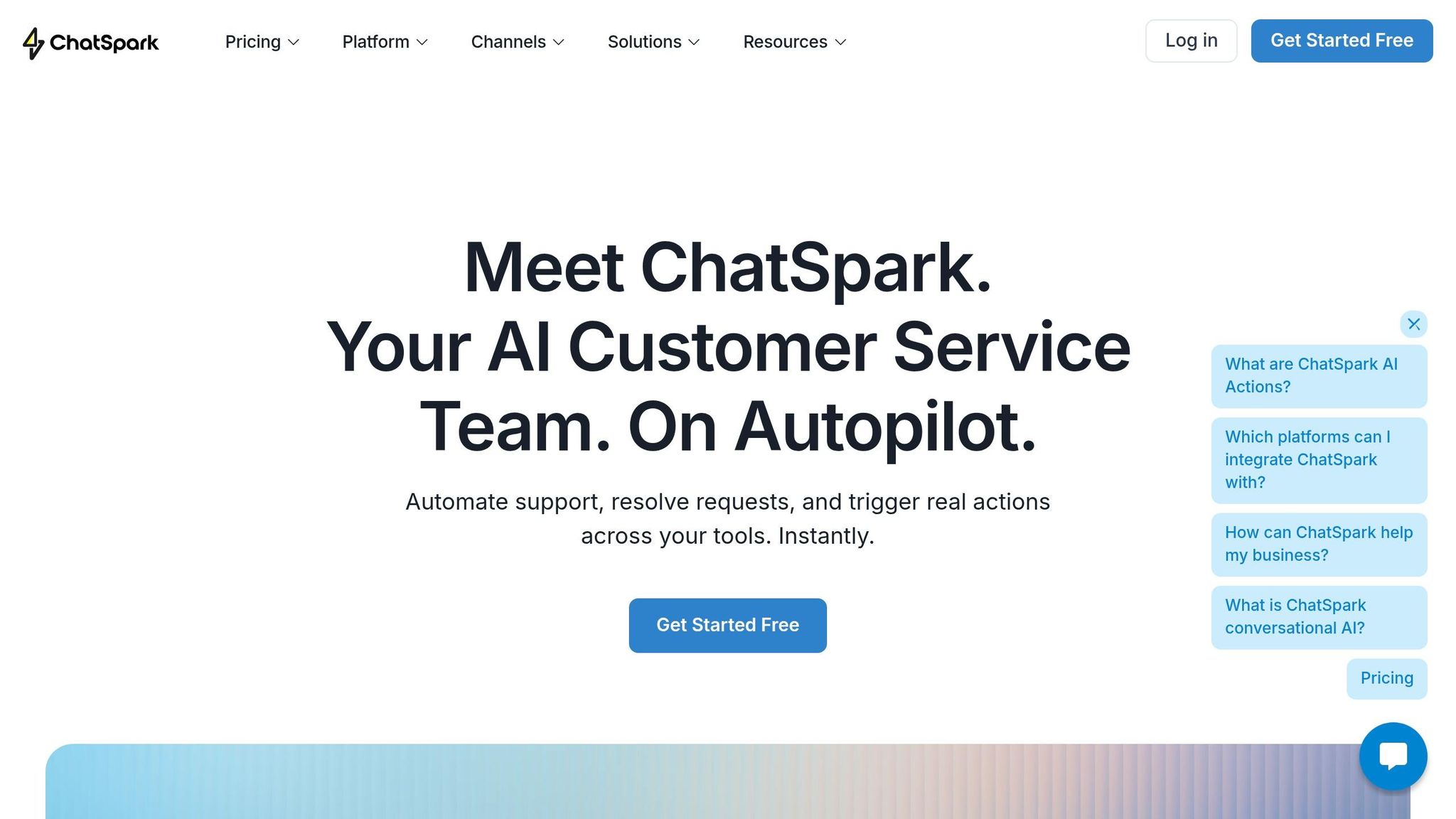
ChatSpark steps in as a practical solution to streamline customer support while cutting costs and improving response times. Once you've established the basics - like accurate knowledge bases, clear escalation processes, and regular performance reviews - the next move is finding a tool that ties it all together. ChatSpark integrates smoothly into your existing workflows, so you don’t have to start from scratch.
Key Features of ChatSpark
ChatSpark is a conversational AI platform designed with customer support teams in mind. It provides 24/7 availability in over 85 languages, ensuring your customers get assistance whether it’s the middle of the day or the dead of night. Plus, it works across multiple platforms, including websites, Instagram, Facebook, WhatsApp, Telegram, and Slack, consolidating support into one central hub.
What sets ChatSpark apart is its use of Retrieval-Augmented Generation (RAG). This ensures that every response is based on your company’s documentation, not generic AI data [2]. This feature tackles a major issue with chatbots: overly confident but inaccurate responses. Additionally, ChatSpark allows for custom branding and tone, so the customer experience feels like an extension of your brand rather than a generic third-party tool. Together, these features help reduce costs and speed up response times.
How ChatSpark Helps Reduce Costs and Improve Response Times
The cost-saving mechanism is simple: ChatSpark significantly reduces the number of repetitive inquiries that reach your human agents. It automatically handles high-volume, low-complexity questions - like order tracking, return policies, and account FAQs - allowing your team to focus on more nuanced customer issues.
Instant responses eliminate wait times, which naturally improves customer satisfaction. Even during busy periods, ChatSpark manages multiple conversations at once, preventing backlogs. Integrations with tools like Zapier, Freshchat, Square, and Calendly further enhance efficiency by automating tasks such as booking appointments, updating records, and routing tickets - all without requiring human intervention.
Matching Business Goals to ChatSpark Features
The table below highlights how ChatSpark’s features align with common support goals and the tangible benefits they offer.
| Support Objective | ChatSpark Feature | Impact |
|---|---|---|
| Reduce repetitive agent workload | 24/7 responses | Frees agents to handle complex, high-value tasks |
| Ensure data accuracy | RAG Technology | Avoids incorrect AI responses by using company-specific data [2] |
| Serve global customers | 85+ language support | Provides consistent support worldwide without extra staffing |
| Expand channel coverage | Omnichannel deployment | Unifies support across web, social, and messaging platforms |
| Maintain brand consistency | Custom branding and tone | Delivers on-brand communication across all touchpoints |
| Automate multi-step tasks | AI Actions + Zapier/Freshchat integrations | Simplifies workflows through automation |
For teams just starting out, the Basic plan at $19/month includes website deployment and core analytics - ideal for testing chatbot performance before scaling. For growing businesses, the Pro plan at $129/month offers omnichannel deployment, 2,000 monthly messages, 500 training pages, and unbranded widgets. Larger organizations with specific needs can opt for a custom Enterprise plan, which includes priority support and a dedicated account manager.
Conclusion: Getting More from Customer Support with AI Chatbots
The main takeaway here is simple: automating repetitive support tasks saves money and speeds up service. By letting chatbots handle common questions - like order tracking, password resets, or return policies - you can reduce the cost per interaction from several dollars with a live agent to just pennies. This shift allows your support team to focus on more complex, high-value issues. The result? Lower costs and faster response times.
According to IBM, AI chatbots can cut customer service costs by up to 30%, and Accenture notes that thoughtful implementation can push savings as high as 40%. Additionally, well-deployed chatbots can deflect 20–40% of tickets from live agents, leading to substantial savings when you consider typical U.S. salaries and benefits.
Even with these efficiencies, service quality doesn’t have to take a hit. Clear escalation paths ensure customers get the help they need when issues require human attention. Chatbots provide instant, 24/7 responses across all U.S. time zones, while agents focus on cases where empathy and critical thinking are key - helping to reduce burnout while keeping costs in check.
ChatSpark brings these benefits to life by combining powerful automation with smooth escalation processes. It enhances support operations through automated FAQs, workflow automation, and round-the-clock availability. Plus, its performance analytics help you track and improve results right from the start - without overhauling your current support system. With pricing starting at just $19/month, it’s easy to test ChatSpark on a small scale before committing to a larger rollout.
To get started, train ChatSpark with your 20 most common support questions from the last 90 days. Set a clear goal - like cutting first response times from minutes to seconds within 30 days - and track your progress. By following these steps, you can quickly see measurable improvements.
FAQs
What’s the fastest way to pick the first chatbot use cases?
One of the fastest ways to pinpoint where a chatbot can make an impact is by using the 20/80 rule. Start by analyzing your support data from the last 3–6 months. Look for the 20% of inquiries that account for 60–80% of your overall ticket volume. These are typically high-frequency but low-complexity tasks, such as:
- Resetting passwords
- Tracking orders
- Providing return policy details
By automating these routine tasks, you can significantly reduce wait times and cut down operational costs, all while streamlining your support process.
How do I safely connect a chatbot to my helpdesk and CRM?
You can securely link your chatbot to helpdesks and CRMs through ChatSpark’s built-in integrations or its no-code REST API Connector. For platforms like Salesforce, HubSpot, Zendesk, or Freshdesk, you can rely on direct integrations to handle tasks such as updating records or creating tickets automatically. If you're working with custom systems, the REST API Connector allows you to set it up by providing a base URL, authentication details, and a JSON endpoint. All connections are protected with enterprise-level security measures like AES-256 encryption and full GDPR compliance.
Which metrics prove the chatbot is actually saving money?
To highlight potential savings, focus on the cost per interaction. AI resolutions usually cost between $0.10 and $2.00, whereas human-handled tickets range from $3.00 to $15.00. Keep an eye on the total ticket volume - automation can handle 60% to 80% of routine inquiries, significantly reducing the workload for human agents. Additionally, compare the subscription cost of the AI platform to the annual salary of a human agent, which typically falls between $50,000 and $80,000 in the U.S.