Automation can save time and money, but poor implementation risks losing customers. Here's how to balance efficiency with empathy:
- Why it matters: 65% of customers leave after one bad experience, and poor service threatens $3.7 trillion in global sales.
- The solution: Combine AI for routine tasks with human agents for complex issues. This "hybrid approach" can handle 50-80% of inquiries, cutting costs by 30-60%.
- Key benefits of tools like ChatSpark:
- 24/7 availability across platforms like WhatsApp and Slack.
- Speeds up responses by 37% and saves 2+ hours of manual work daily.
- AI costs $0.10–$0.50 per interaction vs. $6–$12 for human agents. For larger organizations, enterprise AI support solutions can scale these savings across thousands of daily tickets.
To get started, focus on:
- Organizing customer inquiries into categories for better AI routing.
- Training AI with an up-to-date knowledge base.
- Setting clear escalation triggers for smooth handoffs to human agents.
- Monitoring metrics like containment rates and frustration scores to refine performance.
With the right balance, you can improve efficiency while maintaining the personal touch customers value.
Understanding Customer Support Automation
What is Customer Support Automation?
Customer support automation is all about managing customer interactions with minimal human involvement [2]. In a hybrid setup, AI can handle around 70% of routine tasks - like answering FAQs, basic troubleshooting, and gathering customer details - while leaving complex, empathy-driven situations to human agents [1][4]. Tools like ChatSpark act as an "AI teammate", greeting customers, verifying their details, and resolving common issues by pulling answers from pre-approved business data [3].
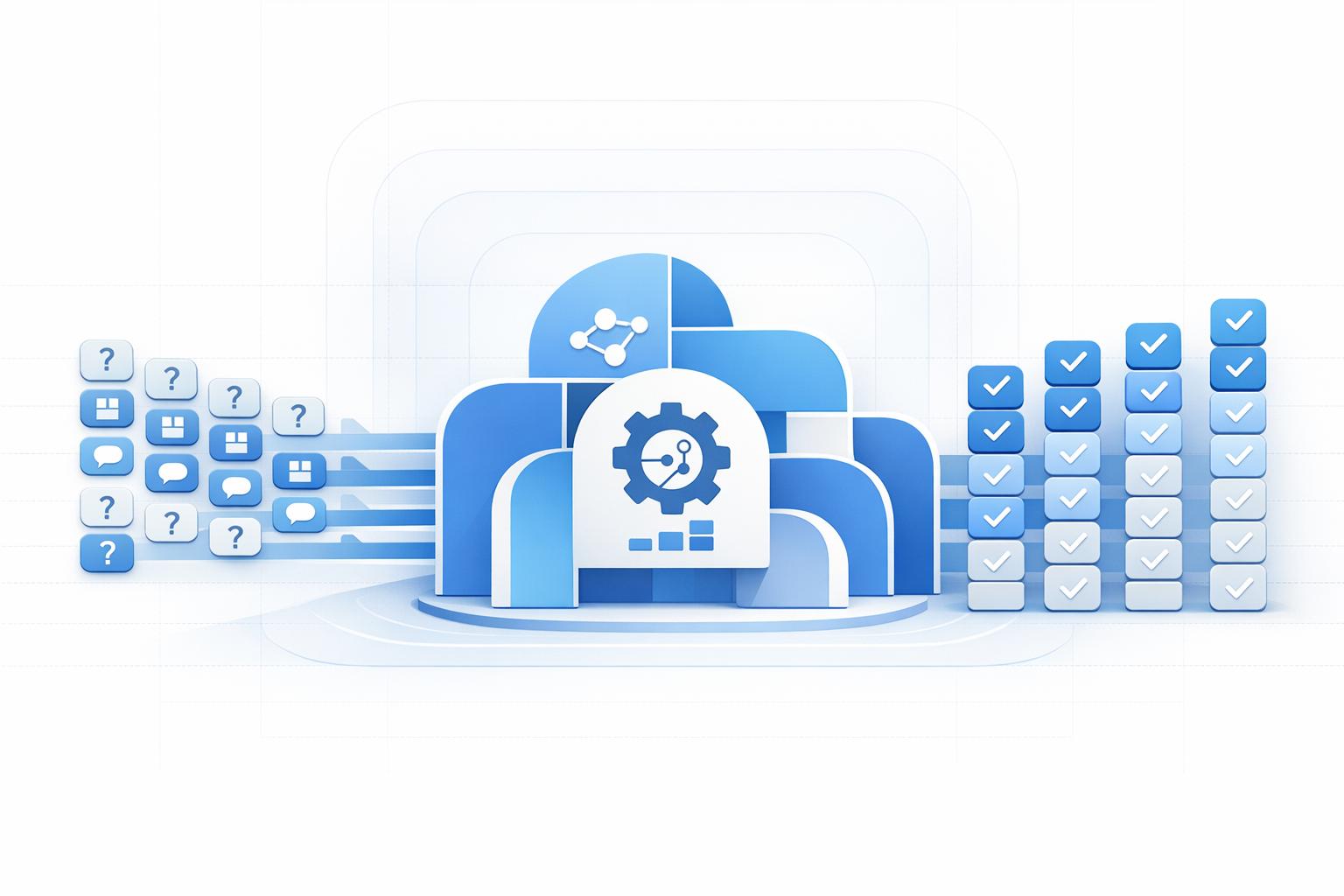
The process involves scanning messages, categorizing topics, and using smart routing to either resolve issues directly or escalate them to a human with all the necessary context intact [3].
Benefits of Automation with ChatSpark
Automation offers clear advantages in both efficiency and cost. Companies using AI have seen a 37% reduction in first response times [3], and service professionals save over two hours of manual work every day [3]. The cost savings are striking too - human-handled support interactions typically cost $6–$12 each, while AI-driven interactions can cost as little as $0.10–$0.50 [2][4].
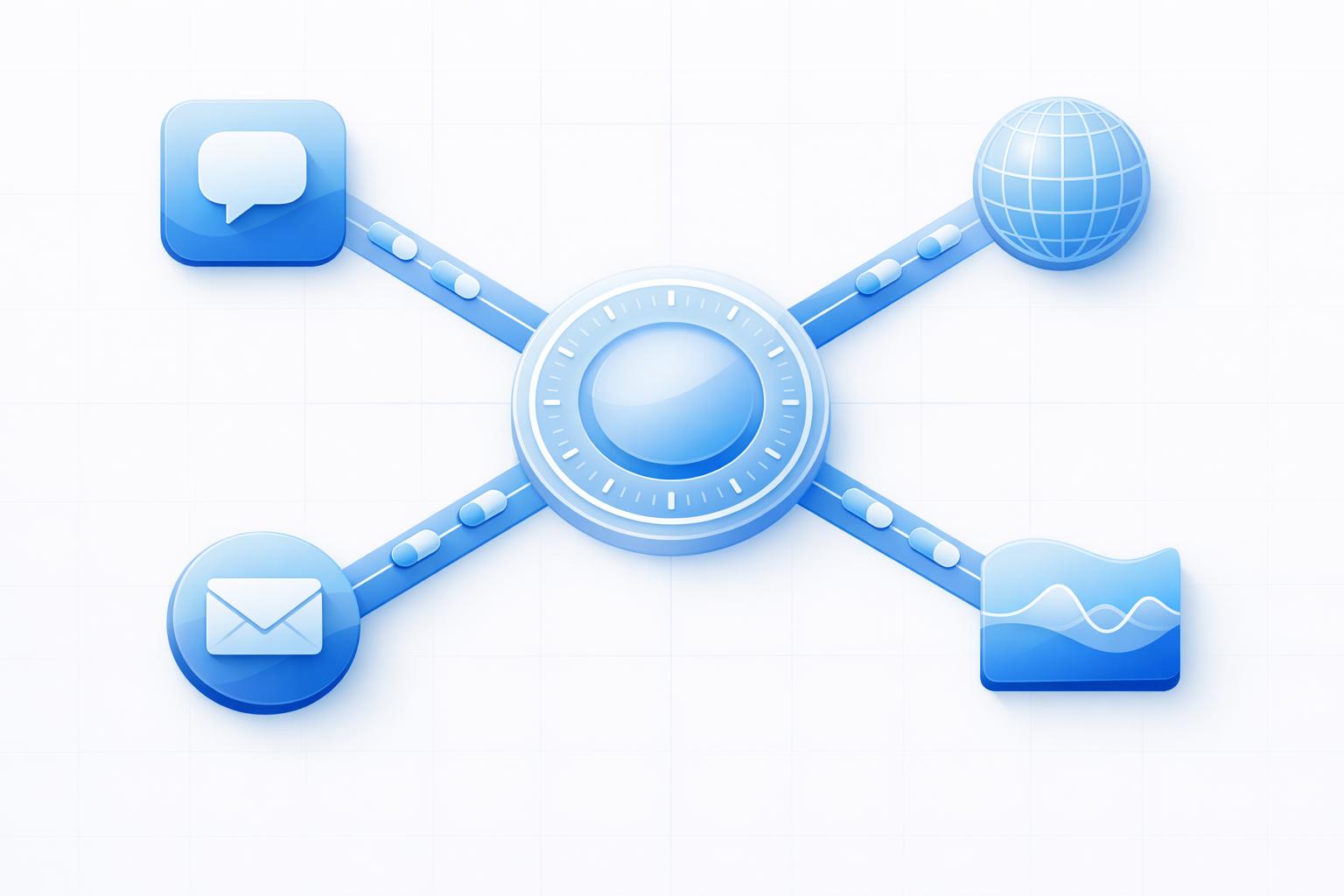
ChatSpark operates around the clock on multiple platforms, including websites, Instagram, Facebook, WhatsApp, Telegram, and Slack. This ensures customers get instant responses, no matter the time or platform. With 42% of consumers expecting a chatbot reply within five seconds [5], and 62% preferring a chatbot over waiting 15 minutes for a human agent [5], speed is critical.
Beyond just speed and savings, automation enhances the experience for both customers and support teams. By taking care of 60–80% of routine inquiries, ChatSpark allows human agents to dedicate their time to building stronger customer relationships and solving more complicated issues [6]. It also ensures consistency by delivering accurate, brand-aligned responses, trained on your specific knowledge base, eliminating the inconsistencies that can come with human interactions [3]. And when escalation is necessary, ChatSpark passes along the full conversation history, so customers never have to repeat themselves [3].
How to Automate Customer Support with ChatSpark
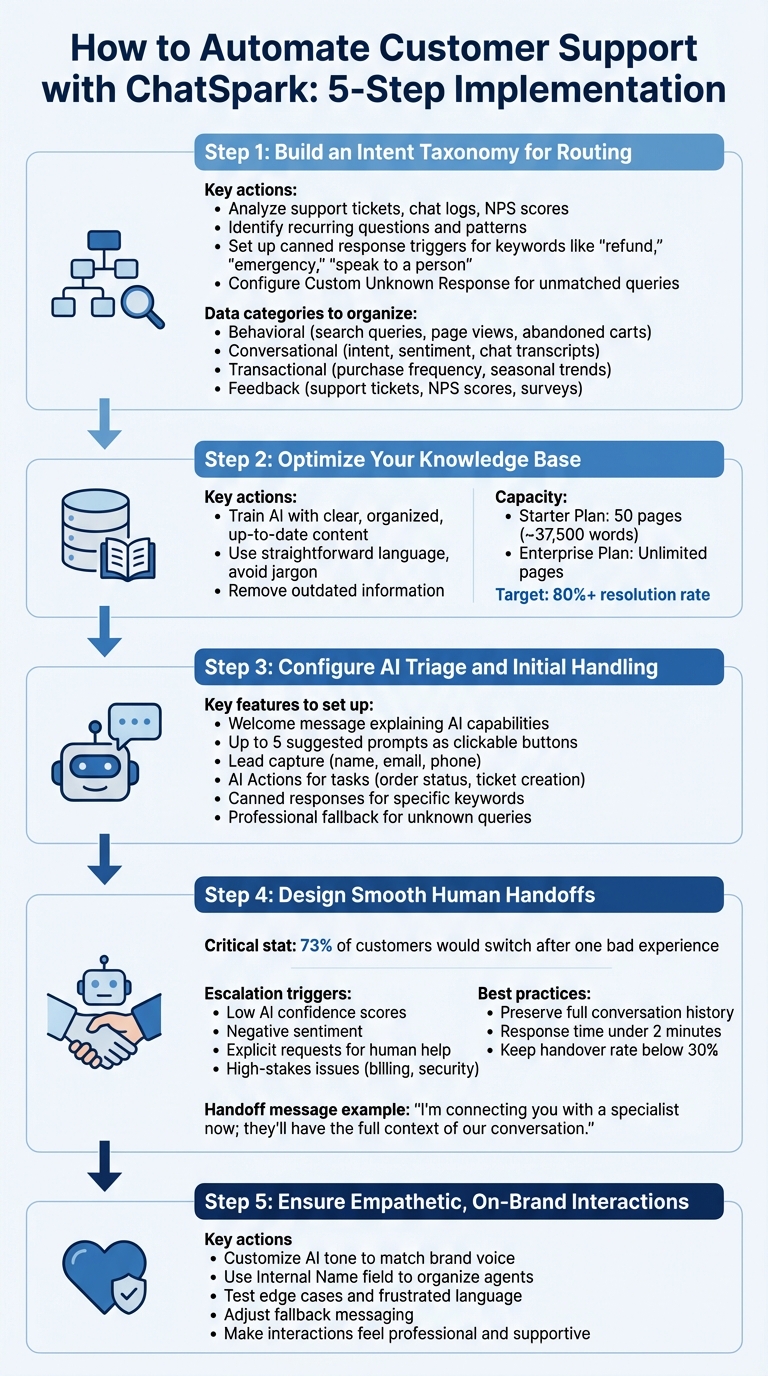
5-Step Process to Automate Customer Support with ChatSpark
Setting up ChatSpark is all about creating a system where AI handles routine tasks efficiently while keeping the human touch intact for more complex or sensitive situations.
Step 1: Build an Intent Taxonomy for Routing
Start by understanding the types of questions your customers typically ask. ChatSpark's AI Engine can analyze customer queries to sort them into categories like support, sales, or general information [8]. But before diving in, it's important to organize your own data. Dig into support tickets, chat logs, NPS scores, and even patterns like abandoned carts to spot recurring questions and concerns.
| Data Category | Key Data Points |
|---|---|
| Behavioral | Search queries, page views, abandoned carts |
| Conversational | Intent, sentiment, objections, chat transcripts |
| Transactional | Purchase frequency, seasonal trends, promotions |
| Feedback | Support tickets, NPS scores, survey responses |
Once you identify these patterns, set up canned response triggers for critical situations. For example, words like "refund", "emergency", or "speak to a person" can route customers directly to a human agent [7]. Configure a "Custom Unknown Response" to guide customers when their inquiries fall outside the established categories [7]. ChatSpark’s semantic matching ensures it can understand varied customer wording, even if it doesn’t exactly match your training data [8].
After organizing your intent taxonomy, the next step is to fine-tune your knowledge base.
Step 2: Optimize Your Knowledge Base for AI Responses
Your knowledge base is the backbone of ChatSpark’s ability to provide accurate answers. Think of it as the AI’s study material. Depending on your plan, you can train ChatSpark with content from up to 50 pages (around 37,500 words) on the Starter Plan or unlimited pages on the Enterprise Plan [9].
Make sure your content is easy to understand, well-organized, and up-to-date. Clearly separate topics and use straightforward language. ChatSpark’s AI Engine uses a 4-step process to analyze intent and rank answers, which can help you achieve resolution rates above 80% [10][8]. Removing outdated information and avoiding jargon ensures the AI provides accurate responses, reducing the need to escalate queries to human agents.
Step 3: Configure AI Triage and Initial Handling
Define your AI agent’s role, tone, and boundaries. For example, you can set it up as a professional but approachable sales assistant. Create a friendly welcome message that explains what the agent can do, and add up to five suggested prompts as clickable buttons to guide users to frequently asked questions [7].
| Feature | Purpose |
|---|---|
| Suggested Prompts | Streamlines navigation to common topics [7] |
| Canned Responses | Quickly addresses specific keywords [7] |
| Lead Capture | Collects customer details for follow-up [7] |
| AI Actions | Automates tasks like ticket creation [7][11] |
| Unknown Response | Provides a professional fallback [7] |
Enable lead capture to gather names, emails, and phone numbers seamlessly during conversations [7]. Configure AI Actions to handle tasks such as checking order status or creating support tickets directly within the chat [7][11]. Use the "Conversations" dashboard to monitor common inquiries and refine your prompts as needed [7].
With these initial setups, the next priority is ensuring smooth transitions to human agents.
Step 4: Design Smooth Human Handoffs
Switching from AI to a human agent is a critical moment for customer satisfaction. Since 73% of customers say they’d switch to a competitor after a single bad support experience [12], this handoff needs to be flawless. Set triggers for escalation, such as low AI confidence scores, negative sentiment, explicit requests for human help, or high-stakes issues like billing and security [12][1].
ChatSpark’s AI Actions can transfer conversations in real-time to tools like Freshchat, Intercom, or HappyFox, while preserving the full conversation history [7]. Use canned responses to ensure keywords like "live agent" immediately trigger a handoff [7]. A warm and informative handover message can make all the difference:
"I'm connecting you with a specialist now; they'll have the full context of our conversation." [12]
Make sure agents receive the full transcript, along with details like the customer's name, email, and reason for escalation, so customers don’t have to repeat themselves [12][7]. Aim for a response time of under 2 minutes during business hours [12]. If your handover rate exceeds 30%, it might signal gaps in your AI training that need attention [12].
Step 5: Ensure Interactions Are Empathetic and On-Brand
Automation doesn’t have to feel impersonal. ChatSpark allows you to customize the AI’s tone and branding so it aligns with your company’s voice. When writing personality instructions, think of it as training a new team member - make sure the tone reflects your brand values [7]. Use the "Internal Name" field to organize multiple agents, like "Support Bot" or "Sales Assistant", while keeping this information internal [7].
Test how the AI handles edge cases using the dashboard preview [10]. Check its responses to frustrated or ambiguous language and adjust your fallback messaging if needed. The goal is to make every interaction feel professional and supportive, whether the customer is speaking to AI or a human agent.
Monitoring and Improving ChatSpark's Performance
Keeping an eye on the right metrics is key to understanding how well ChatSpark is doing and where tweaks might be needed. One important metric is the Containment Rate, which looks at the percentage of interactions the AI handles without needing a human's help. The goal here is to hit somewhere between 70% and 85%, which is considered standard in the industry [13]. Another critical measure is the Intent Resolution Rate (IRR) - this digs deeper to see if users are actually getting the help they need. A score above 70% shows that the AI is solving problems effectively [14]. Together, these numbers provide a solid foundation for tracking performance.
Pay attention to the Frustration Index, which flags repeated messages, session restarts, and abandoned interactions. If this score goes above 0.4 on a 0–1 scale, it’s a strong sign that customers might leave within a week [14]. Similarly, keeping the Message Repetition Rate below 8% ensures ChatSpark captures user intent accurately the first time. Quick response times are also non-negotiable, as customers expect fast replies [3]. Interestingly, service professionals using AI report saving over two hours of manual work every day [3].
Numbers aside, regular quality checks are essential for consistency. Conduct weekly performance reviews to audit sessions where the AI struggled - like when it showed low confidence or users asked for human help. These reviews can highlight areas where the AI’s knowledge falls short [16]. A human-in-the-loop system can also be helpful. For example, agents can review overnight AI transcripts during their morning shifts, correcting errors and updating the knowledge base as needed [16].
Test ChatSpark using real-world examples, including sentence fragments, emojis, and mixed languages, to ensure it handles diverse communication styles effectively [16]. Another key area to monitor is sentiment recovery, which tracks how often the AI or human agents can turn a customer’s frustration into reassurance. Aim for a recovery rate above 60% [15]. Set up systems to flag failed intents or sessions where AI confidence dips below a certain threshold for immediate manual review [16].
Finally, keep the knowledge base up to date whenever there are changes to products, policies, or promotions. Use ChatSpark's dashboard to spot common questions and identify gaps in content. Enable feedback mechanisms like "thumbs-up" or "thumbs-down" options so both agents and customers can weigh in on AI responses. This qualitative input is invaluable for making continuous improvements [3].
Choosing the Right ChatSpark Plan
ChatSpark Pricing Plans Overview
ChatSpark offers four pricing options tailored to fit businesses of different sizes and support needs:
- Basic Plan: Priced at $19/month, this plan is perfect for solo entrepreneurs. It provides 100 messages and 25 pages per agent.
- Plus Plan: At $59/month, it caters to growing businesses by expanding capacity to 250 messages and 50 pages per agent.
- Pro Plan: For teams requiring advanced integrations, this plan costs $129/month and includes 2,000 messages, 500 pages per agent, and customizable widgets.
- Enterprise Plan: With custom pricing based on conversation volume and integrations, this plan offers unlimited team members, unlimited AI actions, priority support, and a dedicated account manager.
The Enterprise Plan is particularly powerful for businesses with complex needs. It enables AI agents to resolve up to 98% of customer inquiries instantly and supports over 95 languages with automatic detection [17].
One example of ChatSpark's impact comes from a global construction products company. By deploying ChatSpark on a flagship brand, they handled 10,754 messages in four months with a 98% resolution rate, leading to $47,880 in cost savings from a $4,000 investment - an ROI exceeding 1,000% [17].
"ChatSpark has been managing two of our largest product lines over the past year. It currently handles an average of 1,831 chats per month without any human intervention. Since implementing it on our website, we've realized measurable savings of $119,225."
– Lorri G., Customer Service & Technical Support Manager [17]
The platform's Enterprise infrastructure ensures reliability and security with SOC 2 Type II compliance, AES-256 encryption, 90-day audit logs, and a 99.9% uptime SLA. Most setups are operational within 1–2 weeks, including CRM integrations with tools like Salesforce and HubSpot [17]. For teams managing multiple brands or regions, the Enterprise dashboard simplifies operations, allowing some businesses to handle up to four times the inquiry volume without increasing headcount [5].
When choosing a plan, consider your message volume, team size, and integration needs. The Basic and Plus Plans are ideal for early-stage automation, while the Pro Plan is suited for advanced integrations. The Enterprise Plan is the best choice for businesses prioritizing security, scalability, and dedicated support. Whatever your needs, ChatSpark's human-in-the-loop approach ensures seamless scaling of your automated customer service.
Conclusion
Automation doesn’t have to mean losing the personal connection customers value. Think of AI as a teammate - it can handle up to 70% of routine inquiries instantly and free up your team to focus on more complex, impactful interactions [1].
A hybrid support model is the way forward. Let tools like ChatSpark take care of repetitive, high-volume queries around the clock, while your human agents focus on empathy-driven, nuanced issues. With the right setup - like smart handoff triggers, sentiment analysis, and CRM integrations - you can scale your operations without sacrificing the human touch that fosters trust and loyalty. This approach not only improves efficiency but also ensures meaningful customer engagement.
ChatSpark offers plans tailored to different needs, starting at just $19/month for solo entrepreneurs, with enterprise solutions available for larger operations. Their track record? A 98% resolution rate and measurable cost savings [17].
Start small: focus on common support questions, refine your knowledge base, and set clear handoff triggers. The result? Faster responses for customers and more time for your agents to focus on high-value interactions. With the right balance of automation and human expertise, you can transform your customer support strategy.
FAQs
Which support requests should I automate first?
Start by automating tasks that are repetitive and straightforward, like order status updates, FAQs, refunds, and account information inquiries. These types of requests usually have clear, predictable solutions, making them perfect candidates for automation. By doing this, your team can dedicate their time and energy to handling more complex, sensitive, or high-priority issues that genuinely need a human touch. This approach boosts efficiency while still delivering a personalized experience for your customers.
How do I know when the AI should hand off to a human agent?
When AI encounters challenges it can't resolve - like refunds, account access issues, or legal and privacy concerns - it should promptly pass the conversation to a human. Other situations that call for a handoff include signs of customer frustration, overly complex inquiries, or when the interaction gets stuck in repetitive loops.
To ensure this transition feels smooth, set clear escalation triggers. It's also crucial that the human agent receives all the relevant context from the AI, allowing them to pick up seamlessly. This approach not only resolves the issue more effectively but also ensures the customer feels heard and supported throughout the process.
What metrics prove automation is improving customer experience?
Metrics such as Customer Satisfaction (CSAT), Net Promoter Score (NPS), Customer Effort Score (CES), and churn rate highlight the ways automation improves the customer experience. These indicators help track how happy customers are, their loyalty to your brand, how easy they find the support process, and how likely they are to stick around. Together, they offer a clear picture of how automation influences customer interactions.