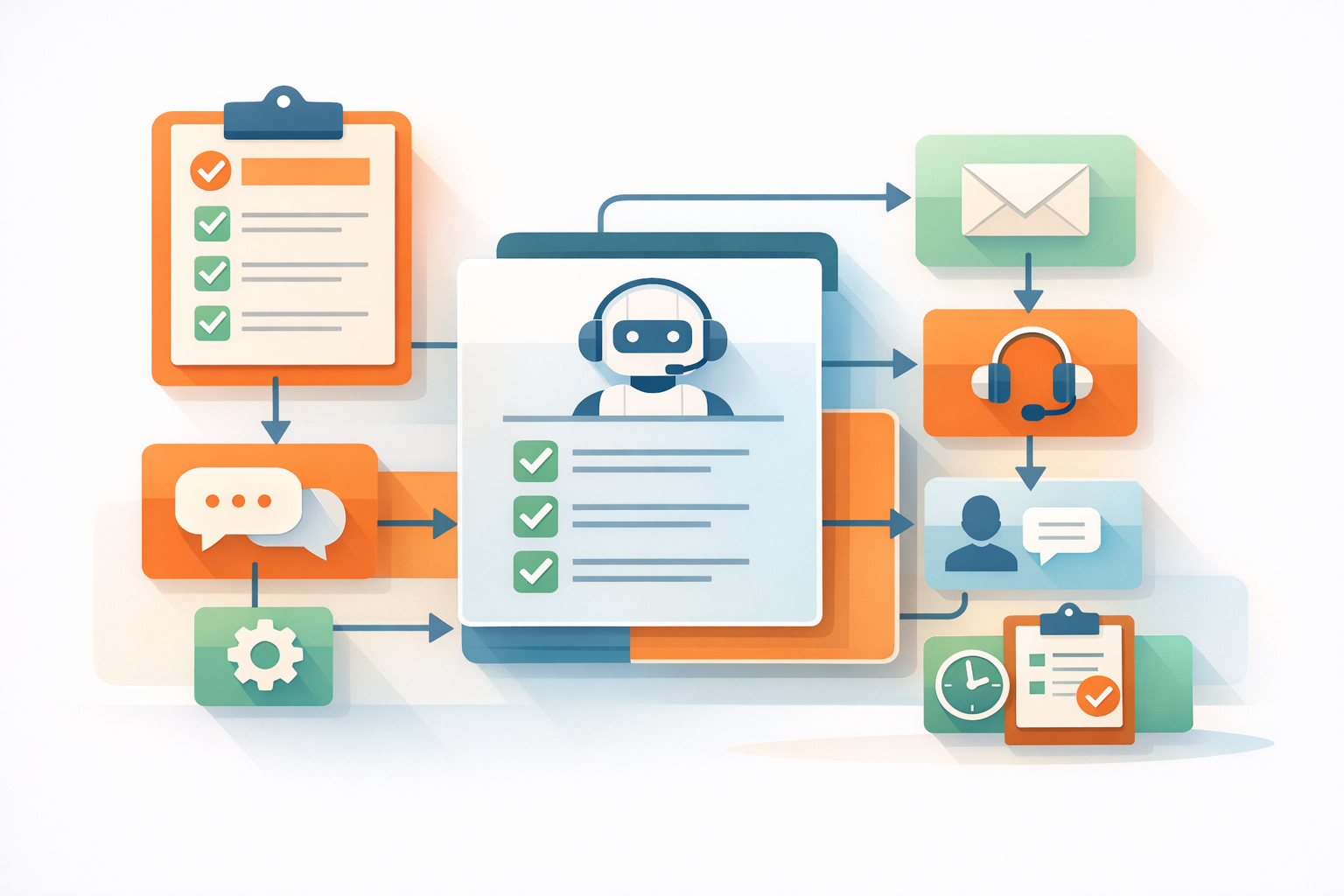
A conversational AI dashboard helps you monitor and improve how your virtual assistant interacts with customers. By tracking key metrics, you can identify what works, fix issues, and optimize performance to reduce costs, improve customer satisfaction, and boost revenue. Here are the five most important metrics to track:
- Containment Rate: Measures how often the AI resolves issues without human help. A high rate reduces costs and improves efficiency.
- Customer Satisfaction Score (CSAT): Tracks how satisfied users are with their interactions. Higher scores indicate better experiences and loyalty.
- Response Time: Evaluates how quickly the AI replies to queries. Faster responses keep users engaged and build trust.
- Task Completion Rate: Focuses on whether users successfully achieve their goals, such as resolving an issue or completing a purchase.
- Lead Conversion Rate: Identifies how effectively the AI turns interactions into revenue-generating actions, like capturing leads or closing sales.
Tracking these metrics ensures your AI delivers value by improving efficiency, customer experience, and business outcomes.

5 Essential Conversational AI Metrics: Benchmarks and Impact
1. Containment Rate
Containment rate is all about measuring how effectively your AI handles customer interactions without needing to escalate them to a human agent. The formula is simple: (1 − [Escalated Interactions / Total Interactions]) × 100 [8]. For instance, if your AI manages 1,000 conversations and only 200 require human help, your containment rate would be 80%.
Most enterprises aim for containment rates between 70% and 90%, depending on how complex the use case is [8]. But hitting 100% containment isn’t realistic - or even desirable. As Sarah Chudleigh, Researcher & AI Content Lead at Botpress, puts it:
"The goal isn't to replace human involvement entirely but to strike a balance where automation handles repetitive or straightforward tasks, freeing your team to focus on interactions that drive the most value" [8].
How to Calculate Containment Rate
To calculate this metric, you’ll need two key data points: total interactions and escalated interactions [8]. Many dashboards allow you to visualize these numbers using funnel charts, making it easier to see where escalations occur. You can also track the inverse metric - known as the "escalation rate" or "human takeover rate" - to get a different perspective on the same data [9].
If your AI frequently falls back to human agents, it’s a sign of gaps in your knowledge base or training data [9][4]. Systems using Large Language Models (LLMs) tend to perform better here compared to traditional intent classifiers, as they’re better equipped to handle free-form, nuanced language [8].
Impact on Business Efficiency
Every interaction your AI resolves translates to lower operational costs. Even a modest improvement - say, increasing your containment rate by 5% to 20% - can cut call center expenses by 10% to 30% [11]. But the benefits don’t stop at cost savings. With higher containment, your human agents can focus on more complex, high-value cases, which not only boosts their engagement but also helps reduce turnover [10].
There’s a clear customer experience win as well. AI can answer routine questions instantly, cutting down wait times and providing customers with fast, self-service options [11]. It's a win-win for both your business and your customers.
2. Customer Satisfaction Score (CSAT)
Customer Satisfaction Score (CSAT) is a simple yet powerful way to gauge how pleased users are with a specific interaction, transaction, or overall experience involving your conversational AI. It’s typically gathered through post-interaction surveys, where customers rate their experience on a scale like 1–5 or 1–10 [14]. These surveys are designed to be quick and easy, encouraging customers to share feedback without much effort [13].
Calculating CSAT is straightforward: (Number of satisfied responses (ratings of 4 and 5) ÷ Total survey responses) × 100 [14]. For instance, if 80 out of 100 respondents rate their experience as a 4 or 5, your CSAT score would be 80%. Industry standards vary - sectors like banking and online retail often aim for scores around 80%, while hospitals tend to average closer to 75% [14].
To get the most accurate results, send CSAT surveys immediately after an interaction when the experience is still fresh in the customer’s mind [14]. Modern dashboards now feature tools like "Predictive CSAT", which monitor customer sentiment during conversations. This allows for real-time adjustments if frustration levels start to rise [4]. As Bhavna Gupta aptly puts it:
"You can't improve what you don't measure" [4].
Tracking CSAT Trends Over Time
CSAT trends over weeks or months can reveal valuable insights. A dashboard that lets you track these trends can help identify patterns - like a sudden drop that might signal an issue introduced by a recent update, or steady improvement reflecting better training and response strategies [13]. Sentiment analysis can add another layer, categorizing interactions as positive, negative, or neutral. This can help uncover the root causes behind dissatisfaction [4].
It’s also important to monitor more than just completed surveys. Pay attention to "abandoned chats", where users leave without resolving their issue. These instances often highlight friction points that typical survey data might overlook [15]. Cross-referencing CSAT with fallback rates - how often your AI fails to understand user input - can provide further insight. If fallback rates are high, satisfaction is likely to take a hit [4].
These insights are critical for understanding customer loyalty and improving overall user experience.
Connection to Customer Retention
High CSAT scores often signal strong customer loyalty. When users find your AI helpful and efficient, they’re more likely to return for future interactions [7]. For example, in the financial services industry, a 60% return rate within a month is considered a strong indicator of trust and satisfaction [7]. Addressing negative feedback in real time, using tools like dashboard alerts, can help prevent customer churn before it becomes a bigger issue [4] [14].
3. Response Time and Latency
Response time refers to how quickly an AI system replies to a user's query. It’s a key factor in keeping users engaged and satisfied across all communication channels. When someone reaches out for assistance, they expect answers right away, not delays.
Speed matters: nearly a third of negative CSAT ratings are tied to slow response times [16]. In live chat settings, users typically expect a reply in under 1.5 minutes [16]. For AI chatbots, the bar is set even higher - responses should ideally come in under 2 seconds to maintain engagement [6]. As a chatbot UX researcher at LivePerson puts it:
"The best AI conversation improvement comes from listening to what users don't say. Silence in a conversation often signals confusion before they click away." [6]
Now, let’s look at how First Response Time (FRT) plays a role in evaluating system performance.
First Response Time (FRT)
First Response Time measures how quickly a customer receives the initial reply after starting a chat. This metric is a strong indicator of whether your system can handle demand efficiently without creating bottlenecks [16]. A quick FRT sets the tone for the interaction, signaling reliability and building trust from the outset.
Fast response times aren’t just about keeping customers happy - they can also drive conversions. Leads that interact with AI chat have a conversion rate of 32%, which is eight times higher than the average conversion rate of 4% [3].
Real-Time Monitoring
Live dashboards allow you to monitor ongoing interactions and spot delays across platforms like websites, WhatsApp, Instagram, or Slack. Set up threshold alerts to notify your team if response times exceed your targets. For instance, aim for AI replies within 2 seconds [6] and initial responses within 1.5 minutes [16]. This real-time oversight helps your team act quickly - whether by reallocating server resources, fixing technical glitches, or increasing human support during busy periods.
When tracking response times, use median values instead of averages. Medians provide a clearer picture of typical user experiences, as they aren’t skewed by a handful of unusually long interactions [16]. Additionally, breaking down FRT by time of day or day of the week can reveal patterns, helping you identify when your AI might be overwhelmed and adjust your resources accordingly [16].
| Metric | Target Benchmark | Purpose |
|---|---|---|
| AI Response Time | < 2 seconds | Keep users engaged immediately [6] |
| First Response Time (FRT) | < 1.5 minutes | Meet initial customer expectations [16] |
| Resolution Time | < 10 minutes | Ensure timely problem-solving [16] |
4. Task Completion Rate
Task Completion Rate measures how often users successfully achieve their goals within an interaction - whether it’s resolving an issue, booking an appointment, or capturing a lead - without abandoning the process [1][2]. This metric goes beyond simple engagement, focusing instead on whether your AI is genuinely helping users accomplish their objectives rather than just prolonging conversations.
A good benchmark to aim for is a 70% completion rate, with top-performing systems reaching 85% overall and 90% journey success. Journey success refers to achieving a goal smoothly, without detours or drop-offs [6][17]. For instance, retail chatbots often target a first-contact resolution rate of 75% or higher [6]. These benchmarks matter because they directly influence outcomes - higher completion rates in lead-capture workflows mean more qualified leads, and better resolution rates reduce the workload for human support teams.
Tracking this metric also pinpoints where users abandon the process. Dashboards can highlight specific moments where users exit or type phrases like "AGENT NOW", revealing weak spots in your workflow. These breakpoints might indicate unclear questions, overly complicated steps, or even technical issues in your backend systems [6][15].
Identifying Workflow Bottlenecks
Your dashboard should provide a clear picture of where users drop off in conversations. Tools like heatmaps or session replays can help identify confusing steps or glitches in the process [6][15]. Sometimes users may complete a task but only after multiple failed attempts - referred to as "negative successes." These are just as crucial to address as complete failures.
Look out for subtle signs of user frustration, such as repeated rephrasing or all-caps messages. According to a chatbot UX researcher at LivePerson:
"The best AI conversation improvement comes from listening to what users don't say. Silence in a conversation often signals confusion before they click away" [6].
Set up your dashboard to detect these patterns and simplify problematic steps. Fixing these bottlenecks not only improves the user experience but also ensures smoother lead-capture processes.
Impact on Lead Generation
A well-optimized task completion rate can significantly improve lead generation. In some B2B SaaS environments, up to 31% of "qualified" chats fail to capture an email if the workflow isn’t set up effectively [15]. The solution? Request essential lead details - like name and email - within the first three to five steps of the conversation. This approach ensures you gather valuable information even if the user leaves after getting their answer [18].
Track completion rates separately for different conversation types, such as support versus lead generation. This helps you identify which workflows need the most attention. By refining these processes, you’ll see measurable improvements in both the volume and quality of leads.
| Metric | Target Value | Purpose |
|---|---|---|
| Completion Rate | 85% | Percentage of conversations ending successfully [17] |
| Journey Success Rate | 90% | Achieving goals without detours or drop-offs [17] |
| Fallback Rate | < 5% | Interactions requiring "I don't understand" responses [17] |
| Escalation Rate | < 10% | Interactions needing human intervention [17] |
5. Lead Conversion Rate
When it comes to evaluating the effectiveness of your conversational AI, Lead Conversion Rate is a key metric. It measures how well interactions with the AI translate into meaningful, revenue-generating actions - like capturing an email, booking a meeting, or completing a purchase [3][12]. Unlike metrics that simply track traffic or engagement, this one focuses on whether your AI is truly contributing to business growth.
The difference can be striking. One study revealed that leads engaging with conversational AI converted at a rate of 32%, compared to just 4% through other marketing channels. Even more compelling, these AI-driven leads spent 33% more and completed their purchases eight days faster [3]. As Kyle Bastien aptly puts it:
"At the end of the day, what matters is that this is producing revenue for the business...Unless more people are buying because you made it easier for them, none of this matters." [3]
To calculate Lead Conversion Rate, you can use one of two formulas:
- Visitor-to-User Conversion: (Total Chatbot Users ÷ Total Website Visitors) × 100
- Goal Completion Rate: (Successful Goal Reaches ÷ Total Users) × 100 [1]
For better insights, track this metric separately for different types of conversations, like customer support versus lead generation. This helps identify which workflows are performing well and which might need adjustments. Ultimately, this metric highlights the direct connection between well-optimized AI interactions and increased revenue.
Omnichannel Funnel Insights
To get the full picture of how users interact with your brand before converting, your dashboard should integrate with broader analytics tools. Platforms like Google Analytics, HubSpot, or Pipedrive can help you monitor metrics like "chat-influenced pipeline" and "chat-sourced revenue" to clearly measure how much your AI contributes to the bottom line [3][20].
For deeper analysis, consider linking your dashboard to business intelligence tools like Tableau or setting up custom event tracking. This allows you to monitor high-value actions, such as clicks on product recommendations or initiating upsell flows [19]. You can also use automation platforms like Zapier to send real-time notifications through Slack or SMS, alerting sales teams the moment a high-quality lead converts [20].
Customizing AI Responses
Personalized AI responses can significantly improve conversion rates. By analyzing conversation trends, you can identify common customer pain points or areas of confusion and tailor your chatbot's responses to address them [6].
For example, customizing the chatbot’s opening message based on the visitor’s landing page can immediately boost engagement. A B2B SaaS company handling over 20,000 interactions monthly discovered that 31% of qualified chats ended without capturing an email. By introducing contextual follow-ups and refining their chatbot flow, they increased email capture rates by 26% and saw an 18% rise in booked sales calls [15].
A/B testing is another powerful tool. Experiment with different bot messages on high-intent pages to see which ones drive higher email capture or demo sign-ups [15]. You can even use randomized chatbot nodes to test variations of welcome messages [12]. And don’t forget to simplify lead capture forms - reducing the number of fields from five to two, for example, can boost conversion rates by as much as 30% [20].
Dashboard Implementation Tips
An AI dashboard should deliver insights that are immediately useful and easy to act on.
Custom Widgets for Real-Time Monitoring
Create widgets to track key metrics like user activity, message performance, bot efficiency, and ROI [4]. For time-based data, use median values instead of averages to minimize the impact of outliers [16].
Include widgets that monitor fallback rates - these help identify when your bot struggles to understand user intent [4][2]. Another valuable feature is predictive sentiment tracking, which assesses customer emotions during conversations in real time, eliminating the need to rely solely on post-chat surveys [4]. Additionally, an engagement heatmap widget can help you pinpoint peak interaction times, allowing for better bot availability and staffing strategies [7].
These widgets lay the groundwork for diving deeper into channel-specific performance.
Channel-Specific Insights
Using real-time metrics, fine-tune your strategy by analyzing each channel independently. Apply filters to view performance by channel and set alerts to notify you of any significant deviations [21].
Keep an eye on bot CSAT versus human CSAT to identify which types of queries are better suited for automation [16]. Tagging conversations by topic can also uncover recurring issues and high-volume concerns [16].
Once you’ve refined your channel insights, focus on setting up alert systems to catch and address anomalies quickly.
Setting Alerts for Thresholds
Set up alerts for both absolute numbers and percentage changes to ensure you’re notified of any critical shifts in performance. Consider adding "skip weekends" logic to avoid unnecessary alarms during downtime [21]. Keep tabs on current weekly or monthly data to stay informed in real time [21].
Automating notifications ensures your team can respond quickly when needed [21]. For example, configure alerts for high-intent leads - like assigning +50 points for a demo request - to immediately notify your sales team [20]. Start with a manageable 6–8 key KPIs to prevent overwhelm and maintain focus [10].
Conclusion
Monitoring key metrics like containment rate, CSAT, response time, task completion rate, and lead conversion rate gives you a clear picture of how well your conversational AI is performing in both customer support and lead generation. Each of these metrics serves a distinct purpose, helping to fine-tune your operations and boost overall efficiency.
For instance, a 65% containment rate shows that your AI is effectively managing basic inquiries, which can significantly lower operational costs [19]. Meanwhile, CSAT scores reflect how satisfied your customers are - an essential factor for building loyalty and encouraging retention [5]. On the other hand, response time is crucial in today’s fast-paced digital world, as even brief delays can push customers to look elsewhere [7].
The task completion rate ensures your chatbot isn’t just answering questions but actively helping users complete processes like demo bookings or ticket resolutions [1]. Finally, the lead conversion rate ties everything back to business goals by showing how many interactions translate into qualified leads or actual sales, directly impacting revenue [7].
As Mark Kilens, VP of Content and Community at Drift, wisely notes:
"Accuracy is the baseline requirement of your AI-powered chatbot. Without it, hopes of reducing customer friction and accelerating revenue aren't realistic" [1].
Regularly reviewing these metrics allows you to identify and address issues early, ensuring your AI continues to deliver value [19].
FAQs
What steps can I take to improve my conversational AI's containment rate?
Improving your conversational AI’s containment rate - the percentage of interactions resolved without needing a human agent - takes a combination of smart analysis and thoughtful updates.
Start by diving into your AI’s analytics to pinpoint where users tend to drop off or escalate to a live agent. These moments are goldmines for improvement. Train your AI to better understand user inputs by adding missed phrases, expanding its list of synonyms, and incorporating real-world conversations into its learning process. Also, make sure your knowledge base is stocked with clear, concise answers and fallback responses that gently steer users toward self-service options.
Streamlining the conversation flow is another key step. Cut out unnecessary steps, simplify menus, and focus on making common tasks quick and easy to complete. Keep an eye on your containment metrics using the ChatSpark dashboard, and set achievable goals - like aiming for a containment rate of 80% or higher. Regularly review performance data and make monthly updates to fine-tune your AI. With consistent effort, you’ll not only improve automation but also reduce costs and deliver faster, more reliable support for your customers.
What impacts the Customer Satisfaction Score in AI-powered interactions?
The Customer Satisfaction Score (CSAT) in AI-driven interactions hinges on a few critical elements:
- Accuracy: The AI's ability to correctly interpret and address customer inquiries.
- Speed: How quickly the AI delivers solutions or answers.
- Resolution Quality: Ensuring the AI resolves issues thoroughly without needing human intervention.
- User Experience: Avoiding common frustrations like repetitive prompts, irrelevant answers, or unclear guidance.
By improving these aspects, businesses can deliver seamless AI interactions that make customers feel valued and supported.
Why is fast response time important in conversational AI?
Response time plays a huge role in shaping the customer experience with conversational AI. When replies are quick, users feel acknowledged and valued, which keeps them engaged. This engagement can make all the difference - whether it’s encouraging someone to complete a purchase or helping them resolve an issue. On the flip side, even a few seconds of delay can lead to frustration, higher abandonment rates, and lower Customer Satisfaction Scores (CSAT).
Speed isn’t just about keeping customers happy; it also impacts efficiency. Faster responses mean a shorter Average Handling Time (AHT), allowing businesses to handle more conversations while cutting down on operational costs. But here’s the catch: speed alone isn’t enough. Accuracy is just as important. Customers need to trust that the answers they’re getting are correct and helpful.
Platforms like ChatSpark strike this balance perfectly. They deliver lightning-fast, accurate, and brand-consistent responses in over 85 languages. This ensures smooth, effective conversations that elevate both customer support and lead generation efforts.